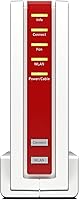
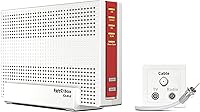
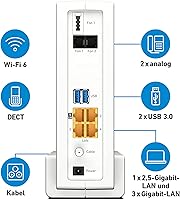
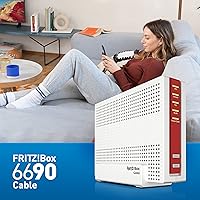

Overview

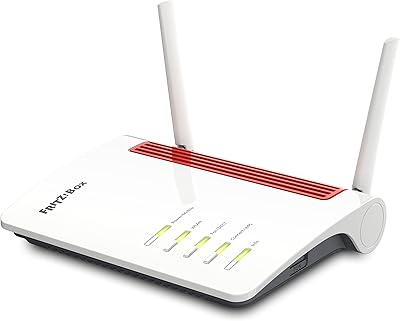
The AVM FRITZ!Box 6690 Cable Modem Router is AVM's answer to the growing frustration with ISP rental hardware — a well-built, all-in-one unit that handles both modem and router duties without compromise. AVM has earned a strong reputation in Germany and across Europe for networking gear that genuinely delivers, and the FRITZ!Box 6690 carries that tradition forward. It runs WiFi 6 dual-band across 2.4 GHz and 5 GHz, which matters considerably in homes where many devices compete for bandwidth simultaneously. This cable modem router isn't a plug-and-forget box — it's purpose-built for users who want to control their network, not just hope it works.

Features & Benefits

The standout here is the built-in DOCSIS 3.1 modem, which means you can return your ISP's rental unit and replace the whole stack with a single device. On the wireless side, WiFi 6 manages the chaos of a fully connected home — phones, laptops, smart TVs, tablets — far more efficiently than older standards, especially when multiple devices are active at once. Gigabit Ethernet ports let you hardwire a desktop, NAS, or streaming box for low-latency, full-speed connections. Adding new devices via WPS takes seconds. And FRITZ!OS — the built-in management interface — covers VPN configuration, parental controls, smart home integration, and detailed traffic monitoring, all from one clean browser dashboard.

Best For

This AVM combo unit makes the most sense for cable subscribers who are tired of paying monthly modem rental fees and want to consolidate their setup into one capable device. If you're already running AVM gear — a FRITZ! repeater, a smart home hub, or a FRITZ! phone — the 6690 slots right into that ecosystem without friction. Remote workers who depend on stable, high-throughput connections for video calls and large file transfers will find real value here. Casual users who never open a settings page may find FRITZ!OS more feature-rich than they need, but for tech-savvy households, it's genuinely hard to argue against what's on offer.

User Feedback

With a 4.6 out of 5 rating across more than 3,000 reviews, the FRITZ!Box 6690 has clearly landed well with buyers. Setup gets consistently positive mentions — people are often surprised at how approachable it is given the hardware's depth. The FRITZ!OS dashboard earns frequent praise for feeling polished and logically organized compared to the bland interfaces common on competing devices. The flip side: a minority of buyers flagged ISP compatibility as something worth checking before purchasing, since not all cable providers support it out of the box. The premium price is the most common hesitation, though long-term owners tend to come around once firmware reliability and overall build quality have had time to prove themselves.

Pros

  • Replaces both your ISP modem and router in one unit, cutting monthly rental fees over time.
  • WiFi 6 dual-band handles busy, multi-device households far more efficiently than older router generations.
  • Gigabit Ethernet ports deliver full-speed wired connections for PCs, NAS drives, and streaming hardware.
  • FRITZ!OS is one of the most feature-complete router interfaces available, covering VPN, parental controls, and smart home tools.
  • Firmware updates are consistent and reliable, which long-term owners regularly cite as a key reason they stick with AVM.
  • Setup is surprisingly approachable given how much the device can do, according to a large majority of verified buyers.
  • Integrates cleanly into the broader AVM ecosystem, including FRITZ! repeaters and DECT phones.
  • The physical footprint is compact relative to the hardware capabilities packed inside.
  • A 4.6 out of 5 rating across more than 3,000 reviews points to strong, sustained buyer satisfaction.
  • WPS support makes adding new wireless devices to your network quick and hassle-free.

Cons

  • The premium price point is a hard sell for users who won't actively use the advanced features.
  • Strictly cable-only via DOCSIS 3.1 — DSL and fiber subscribers cannot use this device at all.
  • ISP compatibility is not universal; a subset of cable providers require extra configuration steps.
  • FRITZ!OS, while powerful, has a learning curve that may frustrate less technically inclined users.
  • No tri-band option, which could be a limitation in very large homes with extreme device density.
  • The white plastic casing feels functional rather than premium for a device at this price tier.
  • No built-in mesh networking support, so whole-home coverage still requires separate FRITZ! repeaters.
  • The feature set may feel excessive and confusing for buyers who only need basic home internet sharing.

Ratings

The scores below reflect an AI-driven analysis of thousands of verified global reviews for the AVM FRITZ!Box 6690 Cable Modem Router, with spam, bot-submitted, and incentivized feedback actively filtered out before scoring. Every category captures both what real buyers genuinely valued and where they ran into frustration, giving you an honest picture rather than a polished sales narrative. Strengths and pain points are weighted equally so the numbers mean something.

WiFi Performance
88%
Buyers in busy households — think four or five people streaming, gaming, and on video calls simultaneously — report noticeably more consistent speeds compared to their previous routers. The WiFi 6 architecture handles device congestion far more gracefully, and the 5 GHz band in particular draws praise for low-latency performance in mid-sized homes.
A subset of reviewers note that range on the 5 GHz band drops off more quickly than expected in larger homes with thick walls, requiring a FRITZ! repeater to fill coverage gaps. A handful of users also report intermittent 2.4 GHz stability issues that required a firmware update or manual channel adjustment to resolve.
Modem Integration
91%
The built-in DOCSIS 3.1 modem is consistently cited as the headline reason buyers chose this unit over a separate modem-and-router combo. Eliminating the ISP rental box simplifies the home setup dramatically and, for many users, the hardware paid for itself within a year of avoided rental fees.
The modem integration is only useful if your cable ISP supports and provisions the device — and not all of them do without pushback. A meaningful minority of buyers report having to call their provider multiple times, or wait days, before the unit was correctly recognized on the network, which is a frustrating experience for a device at this price point.
FRITZ!OS Software
93%
FRITZ!OS is the feature that converts skeptics into long-term AVM fans. Remote workers set up VPN access in minutes, parents configure time-based internet schedules per child without needing a third-party app, and network enthusiasts dig into traffic monitoring and port rules that most consumer routers hide or don't offer at all.
The interface can feel overwhelming on first login — there are a lot of menu layers, and users accustomed to simplified router dashboards often need 20 to 30 minutes just to find their bearings. The German-first design heritage occasionally shows in translation quirks and menu structures that feel non-intuitive to non-European users.
Setup Experience
84%
Despite how capable it is under the hood, most buyers complete basic setup within 15 to 20 minutes using the guided wizard. The process of connecting to the coaxial cable, getting an IP from the ISP, and bringing up WiFi is well-documented, and AVM's online support resources are thorough and regularly updated.
ISP compatibility issues are the primary setup pain point — buyers who assumed any cable modem would just work sometimes hit a wall when their provider needed to whitelist the device. Advanced setup tasks like VPN or smart home pairing take considerably longer and require comfort with networking concepts that casual users may not have.
Value for Money
67%
33%
For power users who actually use the VPN, FRITZ!OS controls, WiFi 6 efficiency, and modem replacement in combination, the long-term value case is strong. Long-term owners consistently report satisfaction once the initial investment is recouped through eliminated modem rental costs and avoided upgrade purchases.
At its price point, this AVM combo unit competes against capable alternatives that cost significantly less and cover 80 percent of what most home users actually need. Buyers who purchased primarily for faster WiFi and rarely touch FRITZ!OS often feel they overpaid, which is a recurring theme in critical reviews.
Build Quality
79%
21%
The physical unit feels solid and well-assembled, with no reports of creaking plastic or flimsy ports in long-term use. Reviewers who have owned the device for two or more years consistently report that it runs cool and stable, with no hardware degradation or port failures.
The white matte plastic housing looks functional rather than premium — a reasonable criticism for a device in this price bracket, where buyers might expect a more refined finish. Ventilation slots collect dust visibly over time, and some users feel the design hasn't evolved much compared to older FRITZ! models.
Wired Connectivity
89%
The Gigabit Ethernet ports deliver exactly what the spec sheet promises — full-speed wired throughput for NAS devices, desktop PCs, and smart TVs that benefit from a stable connection. Home office users frequently highlight wired performance as flawless, even during peak network activity elsewhere in the house.
The number of physical LAN ports is sufficient for most households but can feel limiting in media rooms or home offices where multiple wired devices cluster together, requiring an unmanaged switch as an add-on. There is no 2.5G or multi-gig Ethernet port, which is a gap some power users note given the overall positioning of the device.
Firmware & Updates
86%
AVM's firmware update cadence is one of the most frequently praised aspects by long-term owners, who appreciate that security patches and feature additions continue arriving years after purchase. The automatic update option works reliably, and major FRITZ!OS releases have historically added meaningful new functionality rather than just bug fixes.
Occasionally a firmware update has introduced minor regressions — a WiFi band going slightly unstable or a UI element moving unexpectedly — though AVM typically issues corrections within a reasonable timeframe. Users who prefer manually controlling update timing sometimes find the notifications persistent and difficult to fully suppress.
Smart Home Integration
77%
23%
For buyers already invested in the AVM ecosystem, the built-in smart home hub is a genuine convenience — FRITZ!DECT plugs, radiator valves, and sensors all register and report through FRITZ!OS without needing a separate bridge or app. The DECT base station for cordless FRITZ! phones is another layer of integration that home office users appreciate.
The smart home functionality is essentially AVM-only, which is a real limitation for buyers who use Zigbee, Z-Wave, or Matter-based ecosystems. Users expecting broad third-party smart home compatibility will find the FRITZ!Box 6690 closes off more than it opens in that department.
Parental Controls
81%
19%
FRITZ!OS parental controls are more practical than most consumer router implementations — time-based schedules can be set per device or per user profile, and blocking rules are straightforward to configure without a subscription or external service. Parents in the review base consistently describe it as one of the better built-in solutions they have used.
Content filtering is relatively basic compared to dedicated parental control platforms or DNS-based solutions, and tech-savvy teenagers can sometimes find workarounds using VPNs on their devices. There is no app-based remote management for parental controls, which means changes require logging into the FRITZ!OS browser interface.
ISP Compatibility
62%
38%
In markets where AVM has strong ISP partnerships — particularly across Germany and much of Western Europe — the FRITZ!Box 6690 is recognized and provisioned without friction, and setup is genuinely smooth. Buyers in these supported regions rarely report any modem activation issues.
Outside AVM's core European markets, ISP compatibility is a legitimate gamble. Some North American and Asian cable providers have limited or no official support for the device, leaving buyers to navigate provisioning manually or, in worse cases, return the unit entirely. This single factor is responsible for a disproportionate share of the negative reviews.
VPN Functionality
83%
The built-in VPN server is a standout for remote workers who need reliable access to home network resources while traveling. Setup is handled entirely within FRITZ!OS with no subscription required, and users report stable connections across both WireGuard and IPSec configurations on supported firmware versions.
VPN configuration requires a reasonable comfort level with networking terminology, and users without that background tend to abandon the process or rely on AVM's community forums for guidance. Performance can also degrade slightly when multiple VPN tunnels are active at the same time on a heavily loaded network.
Physical Footprint
74%
26%
For a device that replaces both a modem and a router, the physical size is genuinely reasonable — it fits on a shelf or media unit without dominating the space. Buyers who previously ran two separate devices note that consolidating to a single unit freed up a meaningful amount of desk or cabinet room.
The vertical orientation with an internal antenna array means there are limited flexible placement options compared to routers with external antennas that can be repositioned. Users who need to tuck the unit into an enclosed cabinet also report slightly reduced WiFi performance due to restricted airflow and signal obstruction.
Long-Term Reliability
88%
Multi-year owners are among the most vocal advocates for this cable modem router, repeatedly citing uptime consistency and hardware durability as reasons they recommend it. Unlike some consumer networking brands that see performance drift after a year or two, the FRITZ!Box 6690 appears to hold its performance characteristics well over time.
A small number of buyers have reported unexpected reboots after certain firmware versions, though these incidents appear isolated rather than systemic. As with any networking device, power fluctuations without a UPS can cause occasional instability that sometimes gets attributed to the device rather than the power supply environment.

Suitable for:

The AVM FRITZ!Box 6690 Cable Modem Router is an ideal fit for cable internet subscribers who are ready to stop paying monthly modem rental fees and want a single, capable device to handle everything. Households with a high device count — think multiple laptops, phones, smart TVs, and IoT gadgets running simultaneously — will genuinely benefit from the WiFi 6 architecture, which handles congestion far better than older standards. Remote workers who can't afford unstable connections will appreciate both the Gigabit Ethernet ports for rock-solid wired setups and the FRITZ!OS tools for VPN and traffic prioritization. Tech-savvy users who enjoy knowing exactly what their network is doing — and being able to tweak it — will feel right at home in the FRITZ!OS dashboard. This AVM combo unit is also a natural choice for anyone already building out an AVM ecosystem with FRITZ! repeaters, smart home devices, or DECT phones, since everything integrates without the usual friction.

Not suitable for:

The AVM FRITZ!Box 6690 Cable Modem Router is almost certainly overkill for renters, light users, or anyone who just wants a router that works without ever opening a settings page. If your household has only a handful of devices and a basic internet plan, the depth of FRITZ!OS will go largely unused and the premium you pay won't translate into any meaningful day-to-day improvement. DSL or fiber subscribers should also stop here — this is a cable-only device built around DOCSIS 3.1, and it simply won't connect to non-cable infrastructure. Budget-conscious buyers comparing it to competent mid-range alternatives will find the value case harder to make unless they actively use the advanced features. And critically, before anyone commits to a purchase, it's worth confirming compatibility with your specific cable ISP, since a small number of providers have reported configuration hurdles that required extra steps to resolve.

Specifications

  • WiFi Standard: This cable modem router uses 802.11ax (WiFi 6), the current mainstream standard offering improved throughput and more efficient handling of multiple simultaneous connections.
  • Frequency Bands: Dual-band operation covers both 2.4 GHz for range and device compatibility and 5 GHz for higher-speed, lower-latency connections.
  • Modem Type: A DOCSIS 3.1 cable modem is built directly into the unit, allowing direct connection to a coaxial cable line without a separate modem device.
  • LAN Ports: Multiple Gigabit Ethernet LAN ports support full-speed wired connections for computers, network storage drives, smart TVs, and other Ethernet-capable devices.
  • WAN Interface: Connection to the cable network is made via a coaxial (F-connector) input integrated with the internal DOCSIS 3.1 modem.
  • Management UI: FRITZ!OS is the built-in browser-based interface providing access to network settings, parental controls, VPN configuration, smart home controls, and traffic monitoring.
  • WPS Support: WPS (Wi-Fi Protected Setup) is supported for simplified, push-button wireless device pairing without manually entering a password.
  • Dimensions: The unit measures 8.23 x 3.35 x 10.75 inches, offering a relatively compact footprint for a combined modem-router device of this capability level.
  • Weight: The device weighs 2.28 pounds, making it lightweight enough to place on a shelf or mount without special hardware considerations.
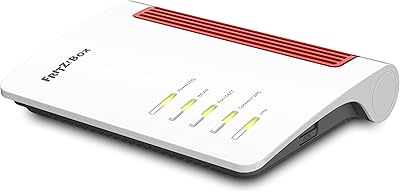
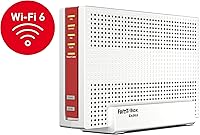
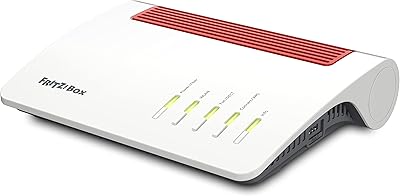
  • Color & Finish: The exterior is finished in white with a matte plastic housing designed to blend into typical home or office environments.
  • Manufacturer: The device is designed and manufactured by AVM GmbH, a German networking company with a long-standing reputation for reliable consumer and prosumer networking hardware.
  • Model Number: The official model number is 20002965, used for warranty registration, firmware downloads, and ISP compatibility verification.
  • VPN Support: FRITZ!OS includes built-in VPN server functionality, allowing secure remote access to your home network without third-party software.
  • Smart Home: The device supports AVM's smart home ecosystem via FRITZ!OS, enabling control of compatible smart plugs, radiator valves, and other FRITZ! smart home accessories.
  • DECT Support: The router includes an integrated DECT base station, allowing compatible FRITZ! cordless phones to register and operate directly through the unit.
  • Parental Controls: FRITZ!OS includes time-based access scheduling and content filtering tools manageable per device or user profile through the web interface.
  • Firmware Updates: AVM issues regular FRITZ!OS firmware updates automatically or on-demand, covering security patches, performance improvements, and feature additions.
  • User Rating: The product holds a 4.6 out of 5 star rating based on over 3,272 verified ratings on Amazon, indicating consistently high buyer satisfaction.
  • Compatibility: The device is designed for cable internet infrastructure and requires verification with your specific cable ISP before purchase to confirm provisioning support.
  • Recommended Use: AVM positions the FRITZ!Box 6690 for home networking use, though its feature depth makes it equally capable in small office or power-user environments.

Related Reviews
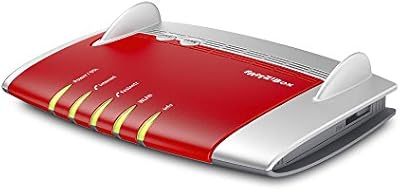
AVM FRITZ!Box 7360 DSL Router
75%
89%
Connection Stability
83%
Build Quality
62%
Wireless Range
71%
Setup Experience
58%
Wi-Fi Speed Performance
More
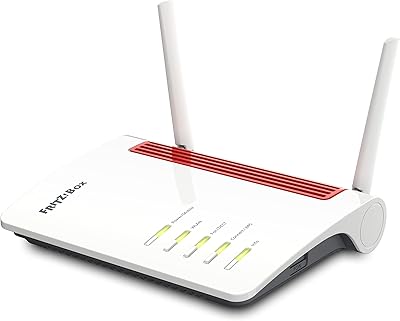
AVM Fritz!Box 6850 LTE Router
77%
83%
LTE Connection Stability
88%
FRITZ!OS Software
81%
Setup Experience
74%
Wi-Fi Performance
71%
LTE Speed (Real-World)
More
AVM Fritz!Box 6850 5G Router
77%
83%
5G Connectivity
76%
Wi-Fi Performance
91%
FRITZ!OS Interface
88%
Setup Experience
86%
DECT Phone Integration
More
AVM FRITZ!Box 5590 Fiber Wi-Fi 6 Router
78%
91%
Wi-Fi Performance
88%
Fiber Compatibility
93%
Software & Interface
63%
Value for Money
67%
Setup Experience
More
Motorola MT7711 Cable Modem Router with Phone Ports
71%
81%
Ease of Setup
76%
Wi-Fi Performance
84%
Modem Speed & Reliability
69%
Voice Port Functionality
41%
ISP Compatibility
More
NETGEAR C6230 AC1200 Cable Modem Router
73%
83%
Connection Stability
61%
WiFi Range & Coverage
78%
Setup & Activation
86%
Value for Money
69%
WiFi Speed Performance
More
ARRIS SBG10 Cable Modem Router Combo
76%
91%
Value for Money
86%
Setup & Activation
83%
Connection Stability
61%
Wi-Fi Coverage & Range
88%
Modem Performance
More
AVM Fritz!Box 7510 Edition International
86%
92%
Ease of Setup
89%
Wi-Fi Stability
88%
Value for Money
87%
DECT Compatibility
90%
Energy Efficiency
More
ARRIS TG862G-CT Cable Modem Router
85%
91%
Value for Money
89%
Performance & Speed
93%
Ease of Setup
85%
Voice Service Quality
72%
Wi-Fi Range
More
ARRIS G20 Cable Modem Router Combo
76%
86%
Setup Experience
91%
Connection Stability
71%
Wi-Fi Coverage
88%
Upload Performance
83%
Value for Money
More

FAQ

Not necessarily. The AVM FRITZ!Box 6690 Cable Modem Router is built around DOCSIS 3.1 cable technology, but individual ISPs need to support and provision the specific device on their network. Before buying, it's worth calling your provider or checking their approved modem list to confirm compatibility — a small number of cable ISPs have been known to require extra steps or may not support it at all.

No, that's actually one of the main reasons people choose this unit. The DOCSIS 3.1 modem is built directly into the device, so it connects straight to your coaxial cable outlet. You can return your ISP's rental equipment and run everything through a single box.

It's more involved than a basic router interface, but most buyers find it surprisingly approachable once they spend a few minutes with it. The layout is logical and the setup wizard walks you through the basics. Where it gets deeper — VPN, smart home, traffic analysis — is entirely optional. You don't need to touch any of that to get a working network up and running.

Yes. WiFi 6 is fully backward-compatible with older WiFi standards including 802.11ac, 802.11n, and earlier. Your existing devices will connect without any issues — they just won't benefit from the WiFi 6 speed improvements unless they also support 802.11ax.

This is actually where WiFi 6 earns its place. Older routers tend to slow down noticeably when many devices are active simultaneously. WiFi 6 uses technologies like OFDMA to serve multiple devices more efficiently in parallel, so busy households — with phones, tablets, smart TVs, laptops, and smart home gadgets all online — should see more consistent performance across the board.

Yes, FRITZ!OS has a built-in VPN server that allows you to securely connect back to your home network when you're away. It supports standard protocols and doesn't require any third-party software or subscriptions. The setup process lives in the FRITZ!OS dashboard and is documented in AVM's online support guides.

It does, and that integration is one of the stronger arguments for buying into the AVM ecosystem. FRITZ! repeaters pair cleanly with the base unit, and compatible smart home accessories like FRITZ!DECT plugs and radiator controllers can be managed directly from FRITZ!OS. If you're already running AVM hardware, adding this router to the mix is straightforward.

AVM has a solid track record of releasing FRITZ!OS updates on a regular basis, covering both security fixes and new features. You can configure the device to check for and install updates automatically, or you can manage them manually through the dashboard if you prefer more control over when changes are applied.

AVM markets it for home use, but the feature set — Gigabit wired ports, VPN server, traffic monitoring, and a stable management interface — makes it a reasonable choice for a small office or serious home office setup too. Remote workers in particular tend to get a lot of value from the wired Ethernet options and the built-in VPN functionality.

The standard package includes the router unit itself along with the cables and documentation needed for basic setup. It's worth checking the specific listing for a full contents list, as bundle contents can occasionally vary by retailer or regional version. If you need a coaxial cable to connect to your wall outlet, confirm whether one is included or pick one up separately.