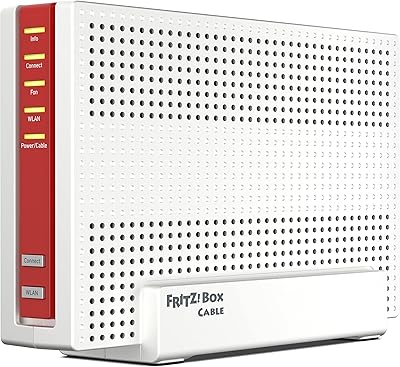
Overview

The AVM FRITZ!Box 7360 DSL Router has been a steady fixture in the networking market since its launch in October 2012 — and the fact that it's still selling says something. AVM is a German manufacturer with a strong European reputation in home and business networking, and this FRITZ!Box router reflects that heritage: solid, practical, and built to last. With over 1,000 ratings averaging 4.1 stars, it sits in the mid-to-premium tier for DSL routers. It's not cheap compared to basic alternatives, but buyers are generally paying for proven reliability rather than the latest wireless specs.

Features & Benefits

The AVM 7360 covers the practical bases well. It supports dual-band Wi-Fi across 802.11b, g, and n standards, which means older laptops and newer devices can share the network without stepping on each other. The WPS push-button connection makes adding a phone or tablet painless — no hunting through menus for a password. Because the antennas are internal, the unit stays compact at under 9 inches wide and sits flat without looking cluttered on your desk. Crucially, this dual-band DSL router handles the modem function itself, so you don't need a separate box in your setup.

Best For

This FRITZ!Box router makes the most sense for home users who want a single device to handle both DSL and Wi-Fi without managing two separate boxes. Small business owners running a handful of workstations and mobile devices will also find it dependable day-to-day. It's a particularly strong choice if you're upgrading from an older single-band or 802.11g setup — the dual-band separation alone noticeably reduces congestion in busier households. That said, buyers comfortable with basic networking concepts will get more out of it than complete beginners, even with WPS setup simplifying the initial connection process.

User Feedback

Across its 1,000-plus reviews, the AVM 7360 earns consistent praise for connection stability and build quality — owners frequently mention running it for years without a reboot. Wireless range draws more mixed opinions; most find it adequate for a mid-sized home, but users in larger spaces occasionally note that the signal drops off faster than expected given the price point. A recurring frustration in negative reviews involves configuration for non-European ISPs, where setup can require extra manual steps. On the positive side, long-term owners tend to report reliable firmware support from AVM, which is more than can be said for many routers at this age.

Pros

  • Proven reliability over years of continuous use, with many owners reporting minimal downtime or restarts.
  • Dual-band Wi-Fi keeps older and newer devices from interfering with each other on the same network.
  • Built-in DSL modem eliminates the need for a separate device, reducing desk clutter and cable mess.
  • WPS setup makes connecting new devices fast, even for users who prefer to avoid manual configuration.
  • Compact, lightweight design fits comfortably on a shelf or desk without dominating the space.
  • AVM has a strong reputation for ongoing firmware support, which extends the useful life of the hardware.
  • Over 1,000 buyer ratings with a 4.1-star average reflects broad, long-term satisfaction across varied use cases.
  • Broad 802.11b/g/n compatibility means virtually any wireless device can connect without issues.
  • Build quality feels solid and durable, consistent with AVM's German engineering standards.

Cons

  • 802.11n Wi-Fi is noticeably slower than modern Wi-Fi 5 or Wi-Fi 6 routers for bandwidth-heavy tasks.
  • Non-European users may face frustrating manual configuration steps to get it working with their ISP.
  • Wireless range can fall short in larger homes, particularly on upper floors or through thick walls.
  • No external antenna ports mean you cannot upgrade or reposition antennas to improve coverage.
  • The price sits higher than newer routers offering more advanced wireless standards for the same money.
  • Long product age means you are buying into hardware that will not keep pace with future network demands.
  • Setup documentation can be less intuitive for buyers unfamiliar with DSL networking concepts.
  • No advanced QoS or built-in VPN server features, which limits appeal for more technically demanding users.

Ratings

Our AI rating system analyzed thousands of verified global reviews for the AVM FRITZ!Box 7360 DSL Router, actively filtering out incentivized, bot-generated, and spam submissions to surface what real long-term owners actually think. The scores below reflect both the genuine strengths that keep this FRITZ!Box router in buyers' hands for years and the honest shortcomings that matter depending on your setup. Nothing is glossed over — where user sentiment was divided, the scores reflect that tension directly.

Connection Stability
89%
Long-term owners consistently highlight how rarely this router drops connection during daily use — working from home, video calls, and overnight downloads all handled without needing a reboot. For small offices running continuously, that kind of uptime is genuinely hard to put a price on.
A minority of users, particularly those on less common DSL line types, have reported occasional instability that required manual intervention to resolve. It is not widespread, but it is worth noting for anyone on a non-standard line configuration.
Build Quality
83%
The housing feels dense and purposeful rather than cheap and hollow — reviewers regularly comment that it does not feel like it will crack or warp after a year on a shelf. AVM's German manufacturing reputation carries through in the physical product.
The internal antenna design, while keeping the unit tidy, does mean there is nothing to reposition if you are trying to tweak signal direction. The casing also shows dust buildup in its grooves over time, which some owners find irritating.
Wireless Range
62%
38%
For apartments and smaller single-floor homes, the range is adequate and most users in compact living spaces report no dead zones within reasonable distance. Dual-band separation helps reduce congestion in rooms closer to the unit.
In larger homes with multiple floors or thick concrete walls, coverage drops off noticeably — a pattern that surfaces repeatedly in critical reviews. Users expecting whole-home coverage from a single unit in a medium-to-large property will likely be disappointed.
Setup Experience
71%
29%
Within AVM's intended European ISP ecosystem, the setup process is guided well enough that moderately confident users can get online without consulting a manual. WPS connectivity for adding devices afterward is genuinely quick and painless.
Outside Europe, setup complexity jumps considerably — several buyers report spending significant time manually configuring ISP-specific settings that simply are not documented clearly. For non-technical buyers on non-European providers, this can be a frustrating first experience.
Wi-Fi Speed Performance
58%
42%
For standard daily tasks — browsing, email, HD video streaming on one or two devices — the 802.11n performance holds up without obvious bottlenecks. Users with modest bandwidth needs rarely feel constrained by the wireless throughput.
The 802.11n ceiling is a real limitation for households with multiple simultaneous 4K streams, large NAS transfers, or heavy cloud sync activity. Compared to Wi-Fi 5 or Wi-Fi 6 routers available at similar price points today, the raw speed difference is hard to ignore.
Value for Money
61%
39%
The integrated DSL modem does offset some of the cost premium by eliminating the need for a separate device, and the long operational lifespan means the per-year cost of ownership looks better over time than the sticker price suggests.
Against newer routers offering Wi-Fi 5 at comparable or lower prices, the AVM 7360 struggles to justify its mid-to-premium positioning purely on hardware capability. Buyers evaluating this purely on specs-per-dollar will find the math difficult to defend in 2024.
Firmware & Software
82%
18%
AVM has maintained a reputation for providing firmware updates well beyond what most router manufacturers bother with, which meaningfully extends useful life and addresses security vulnerabilities over time. The admin interface is logically organized once you get past the initial learning curve.
The interface, while functional, has a dated feel and can be harder to navigate for users accustomed to modern router apps with visual dashboards. Some advanced features require deeper menu exploration than casual users will want to commit to.
DSL Modem Integration
86%
Having modem and router in one unit genuinely reduces cable clutter and simplifies troubleshooting — there is only one device to restart, one power adapter to manage, and one point of contact if something goes wrong. Home office users particularly appreciate the cleaner desk setup.
The integration also means that if either the modem or router function develops a fault, the entire unit needs replacement rather than swapping out just one component. This is a trade-off worth considering for mission-critical business setups.
Device Compatibility
78%
22%
Supporting 802.11b, g, and n means virtually every Wi-Fi device manufactured in the last fifteen years connects without issue, which matters in households where older smart home hardware or legacy laptops are still in regular use.
The lack of 802.11ac or newer standards means that modern devices capable of faster protocols will connect at reduced speeds rather than their full potential. This gap will only widen as newer devices push further beyond 802.11n capabilities.
ISP Compatibility
55%
45%
Within its core European DSL market — particularly for VDSL and ADSL setups common in Germany, Austria, and surrounding regions — the AVM 7360 integrates cleanly with most major providers and requires minimal manual configuration.
Beyond Europe, compatibility becomes genuinely unpredictable. Buyers in North America, Asia, and other regions have reported everything from partial functionality to complete incompatibility with their DSL provider's line protocols, making this a notable purchase risk outside the intended market.
Physical Footprint
81%
19%
At under 9 inches wide and weighing just over a pound, this dual-band DSL router tucks onto a shelf or behind a monitor without demanding attention. The absence of external antennas keeps the silhouette tidy in small home office setups.
The low-profile design, while visually unobtrusive, also limits passive ventilation. A small number of users running the unit in warm enclosed spaces have noted it runs warm after extended periods, though thermal-related failures are not a dominant complaint in reviews.
Long-Term Reliability
88%
One of the most repeated sentiments across long-term owner reviews is simply that the unit keeps running — users mention three, four, and even five or more years of continuous operation without hardware failure. For a device that stays on 24 hours a day, that track record matters.
The age of the platform does mean buyers are investing in hardware that is approaching the end of its active development cycle, and eventual discontinuation of firmware support is a reasonable long-term concern rather than a current one.

Suitable for:

The AVM FRITZ!Box 7360 DSL Router is a strong fit for home users and small business owners who want a single, dependable device that handles both DSL connectivity and Wi-Fi without requiring a separate modem. If your household runs a mix of older laptops, smartphones, and smart home devices, the dual-band setup keeps traffic organized without much configuration effort on your part. It suits people upgrading from an aging single-band router who want noticeably better wireless performance without jumping into complex enterprise-grade hardware. Small offices with a handful of workstations will appreciate the stable, long-running performance that reviewers consistently report over multi-year ownership. Buyers who value a reputable, established brand with a track record of firmware updates will also feel at home with this FRITZ!Box router.

Not suitable for:

The AVM FRITZ!Box 7360 DSL Router is not the right pick for buyers chasing the fastest modern Wi-Fi standards — 802.11n tops out well below what Wi-Fi 5 or Wi-Fi 6 routers deliver, so households with heavy 4K streaming, large file transfers, or many simultaneous users may find it falls short. Users outside Europe should research ISP compatibility carefully before purchasing, as several reviewers outside AVM's core market have run into non-trivial configuration hurdles. This dual-band DSL router is also not suited for larger homes or multi-floor layouts where extended wireless range is a priority, since coverage can drop off in bigger spaces. If you're on a tight budget, the mid-to-premium price point makes it harder to justify against newer, cheaper alternatives that offer more modern wireless specs. Power users who want advanced QoS controls, VPN server features, or the ability to swap external antennas for better range will likely find the feature set limiting.

Specifications

  • Brand: Manufactured by AVM, a German networking company well regarded for home and business router hardware.
  • Model: FRITZ!Box 7360, identified by item model number 20002522.
  • Wi-Fi Standards: Supports 802.11b, 802.11g, and 802.11n wireless communication standards for broad device compatibility.
  • Frequency Band: Dual-band operation allows simultaneous use of two separate frequency bands to reduce wireless congestion.
  • Antenna Type: Internal antennas are built into the housing, keeping the unit compact and free of external protrusions.
  • Special Feature: WPS (Wi-Fi Protected Setup) support enables quick, push-button wireless connections without manual password entry.
  • Connectivity: Primary connectivity method is wireless, complemented by DSL integration for direct broadband line input.
  • DSL Integration: Built-in DSL modem functionality removes the need for a separate modem device in compatible line setups.
  • Dimensions: The unit measures 8.9 x 6.26 x 1.85 inches, making it compact enough for a desk or small shelf.
  • Weight: Weighs 1.1 pounds (499 grams), light enough to mount or reposition without difficulty.
  • Compatible Devices: Designed to work with personal computers and any standard Wi-Fi enabled device.
  • Recommended Use: Suitable for both home networking and small business environments requiring stable wired and wireless connectivity.
  • Market Availability: First made available in October 2012 and remains actively sold, indicating a long and stable product lifecycle.
  • Manufacturer: AVM GmbH, headquartered in Berlin, Germany, is the original manufacturer and ongoing firmware support provider.
  • Seller Rank: Ranked #1,767 in the Computer Routers category on Amazon, reflecting consistent and sustained buyer interest.
  • Ratings: Holds a 4.1 out of 5 star average rating based on over 1,045 customer reviews on Amazon.
  • Discontinuation: AVM has confirmed the product is not discontinued, meaning replacement parts and support remain accessible.
  • ASIN: Amazon Standard Identification Number is B008K2WQF2, used to locate and verify the exact product listing.

Related Reviews
AVM Fritz!Box 6850 LTE Router
77%
83%
LTE Connection Stability
88%
FRITZ!OS Software
81%
Setup Experience
74%
Wi-Fi Performance
71%
LTE Speed (Real-World)
More
AVM Fritz!Box 6850 5G Router
77%
83%
5G Connectivity
76%
Wi-Fi Performance
91%
FRITZ!OS Interface
88%
Setup Experience
86%
DECT Phone Integration
More
AVM FRITZ!Box 6690 Cable Modem Router
82%
88%
WiFi Performance
91%
Modem Integration
93%
FRITZ!OS Software
84%
Setup Experience
67%
Value for Money
More
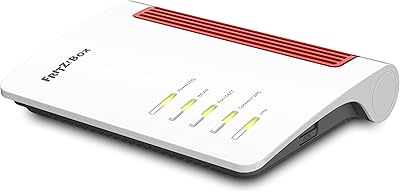
AVM FRITZ!Box 5590 Fiber Wi-Fi 6 Router
78%
91%
Wi-Fi Performance
88%
Fiber Compatibility
93%
Software & Interface
63%
Value for Money
67%
Setup Experience
More
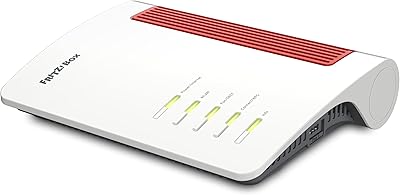
AVM Fritz!Box 7510 Edition International
86%
92%
Ease of Setup
89%
Wi-Fi Stability
88%
Value for Money
87%
DECT Compatibility
90%
Energy Efficiency
More
AVM FRITZ!Box 4690 Wi-Fi 7 Mesh Router
79%
91%
Wireless Performance
94%
Wired Connectivity
62%
Setup & Configuration
88%
Software & Firmware
67%
Value for Money
More
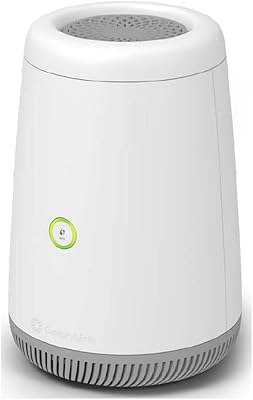
CenturyLink C4000BG Bonded DSL Wi-Fi Router
66%
83%
Wi-Fi Performance
88%
DSL Modem Capability
81%
Ease of Setup
31%
ISP Compatibility
79%
Wi-Fi 6 Readiness
More
Photomyne Photo Studio Light Box
76%
83%
Light Diffusion Quality
91%
Ease of Setup
88%
Portability & Storage
61%
Interior Size & Subject Capacity
84%
Background Neutrality
More
Router Guard Large WiFi Router EMF Shield
74%
78%
EMF Shielding Effectiveness
61%
WiFi Signal Impact
84%
Build Quality
96%
Ease of Installation
71%
Router Compatibility
More
Bump Boxes 1st Trimester Pregnancy Gift Box
89%
95%
Hydration Support
91%
Skin Comfort
88%
Ease of Use
90%
Memory Keeping Value
85%
Packaging Quality
More

FAQ

The AVM FRITZ!Box 7360 DSL Router has a DSL modem built right in, so you can plug it directly into your phone line without needing a separate modem box. This is one of its most practical advantages over standalone Wi-Fi routers.

It depends on your ISP and the type of DSL connection they use. AVM designed this FRITZ!Box router primarily for the European market, and a number of buyers outside that region have reported needing to do manual configuration to get it fully working. It is worth checking with your provider before purchasing.

This is an 802.11n router, so real-world speeds will be noticeably lower than what modern Wi-Fi 5 or Wi-Fi 6 routers can achieve. For everyday web browsing, email, and standard video streaming it performs well, but if you regularly transfer large files or stream 4K to multiple devices simultaneously, you may feel the ceiling.

The AVM 7360 supports WPS, so you can press the WPS button on the router and then activate WPS on your phone, tablet, or laptop to connect automatically. It takes about 30 seconds and skips the password step entirely.

For a standard-sized single-floor home or apartment, range is generally adequate. In larger or multi-floor homes, some users do report signal drop-off in rooms further from the router. If your layout is particularly spread out, you may want to consider a Wi-Fi extender alongside this dual-band DSL router.

Long-term owners frequently mention that AVM has kept the firmware updated over the years, which is one of the reasons this router has stayed relevant for so long. That said, given its 2012 launch date, it is reasonable to expect that active development will wind down at some point.

For most European ISP configurations, setup is fairly guided and the WPS feature helps get devices connected quickly. If you are less technically inclined, the process is manageable. However, users with non-standard or non-European ISP setups may need to spend some time in the administration interface to get everything right.

No, the built-in modem in this unit is specifically a DSL modem. If your internet service comes in via a cable coaxial connection, this router is not compatible as a standalone solution — you would still need a separate cable modem.

The antennas are internal and fixed within the housing, so there is no option to swap them out for higher-gain external antennas. What you see is what you get in terms of antenna hardware.

The main differences come down to build quality, software maturity, and the integrated DSL modem. Entry-level routers are cheaper upfront, but this FRITZ!Box router offers a more polished firmware experience, better long-term reliability based on user feedback, and the convenience of having modem and router in a single device — which adds up in value over time.