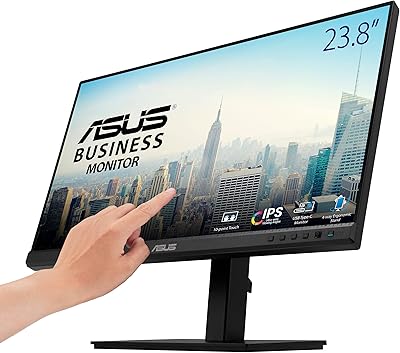
ASUS ZenScreen MB249C 24-inch Portable Monitor


Overview
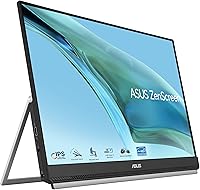
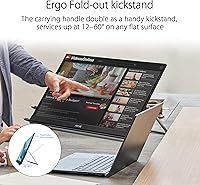
The ASUS ZenScreen MB249C 24-inch Portable Monitor sits in an unusual spot in the portable display market — large enough to feel like a real workstation addition, yet slim enough to tuck under your arm. Most portable monitors top out around 15 to 17 inches; pushing to nearly 24 inches is a deliberate choice aimed at hybrid workers who need genuine desktop-level screen real estate. What really sets this ZenScreen apart isn't just the panel size — it's the multi-mounting ecosystem ASUS has built around it. Kickstand, C-clamp arm, partition hook: the idea is that the display adapts to wherever you're working, not the other way around. Just keep expectations honest: at 2.8 kg, portability means desk-to-desk, not bag-to-coffee-shop.
Features & Benefits
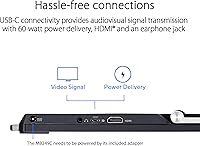
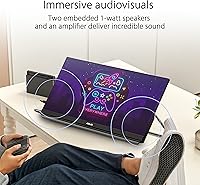
The 23.8-inch IPS panel with an anti-glare surface handles mixed lighting environments well — whether you're in a bright open-plan office or a dimly lit home setup, colors stay consistent and glare stays manageable. The real workhorse feature is the full-function USB-C port with 60W power delivery: one cable handles video, data transfer, and laptop charging simultaneously, keeping your desk free of unnecessary clutter. HDMI is available as a fallback for older devices without USB-C output. The built-in speaker is modest but perfectly usable for video calls. And at under an inch thick with an integrated carrying handle, moving this portable office monitor between rooms or workspaces takes almost no effort at all.
Best For
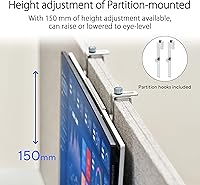
The MB249C makes the most sense for hybrid and remote workers who rotate between home, office, and co-working spaces throughout the week — people who need a legitimate second screen in each location without purchasing multiple monitors. The partition hook is surprisingly practical for cubicle setups where desk space is tight. It also suits laptop users committed to a single-cable USB-C workflow who dislike juggling separate power bricks and display adapters. If you occasionally share your screen during small-group meetings or collaborative sessions, having a nearly 24-inch display to turn toward colleagues beats crowding around a laptop. It is not, however, the right pick for anyone expecting a genuinely ultralight travel display.
User Feedback
Across a substantial pool of ratings, buyers are most enthusiastic about the mounting system flexibility — the C-clamp arm in particular earns consistent praise for stability and adjustability that cheaper stands simply cannot match. Display color accuracy and everyday readability receive solid marks as well. Where opinions split is on weight: users who treat this ZenScreen as a between-desk or home-office companion are largely happy, while those hoping to slip it into a bag for daily commutes find it heavier than anticipated. A few buyers note the kickstand feels less rigid than the clamp. The built-in speaker handles calls adequately but nothing beyond that. The most substantive recurring critique is the 1080p resolution — at this screen size and price, some buyers reasonably feel QHD would have been the smarter choice.
Pros
- Mounting flexibility is genuinely best-in-class for a portable display — clamp, kickstand, and partition hook all included.
- The IPS panel delivers consistent, accurate color that holds up well in bright offices and dimly lit home setups alike.
- A single USB-C cable handles video, data, and 60W laptop charging simultaneously, keeping desk clutter minimal.
- HDMI input makes the MB249C compatible with older laptops and devices that lack USB-C video output.
- Nearly 24 inches of screen real estate puts it in a different league from typical 15 to 17-inch portable monitors.
- The anti-glare coating does real work — extended work sessions cause noticeably less eye fatigue than glossy alternatives.
- Built-in speaker handles video calls without requiring external audio equipment.
- The slim profile and integrated carry handle make relocating it between rooms or workspaces quick and painless.
- Three-year warranty provides meaningful long-term peace of mind for a display at this price tier.
- Bundled Adobe Creative Cloud access adds practical short-term value for design-adjacent users.
Cons
- At nearly 2.8 kg, daily commuting with this portable office monitor becomes genuinely uncomfortable fast.
- The 1080p resolution feels like a missed opportunity on a display this large — text and images could be noticeably sharper.
- The kickstand feels noticeably less rigid than the C-clamp arm, which may frustrate users who rely on it daily.
- The built-in speaker is strictly a video-call tool — do not expect usable audio quality for anything else.
- Buyers paying a premium price have reasonable grounds to expect a QHD panel; the FHD spec is a real trade-off.
- The C-clamp arm requires a desk surface with enough clearance to mount properly, which not all workspaces allow.
- No wireless connectivity options — display input is limited to USB-C and HDMI only.
- The carrying handle is functional but does not substitute for a proper padded case during transport.
Ratings
The scores below for the ASUS ZenScreen MB249C 24-inch Portable Monitor were generated by our AI review engine after analyzing thousands of verified global purchases, actively filtering out incentivized, bot-generated, and outlier feedback to surface what real buyers consistently experience. Each category reflects both the genuine strengths and the honest frustrations that emerged across that verified pool — nothing is glossed over. Whether this ZenScreen earns a place in your workflow or falls short of your expectations, the ratings below are designed to help you decide with clarity.
Mounting Versatility
Display Quality
Resolution & Sharpness
Portability
USB-C Connectivity
Build Quality
Speaker Performance
Ease of Setup
Ergonomics
Value for Money
Anti-Glare Performance
HDMI Compatibility
Warranty & Support
Suitable for:
The ASUS ZenScreen MB249C 24-inch Portable Monitor was clearly designed with hybrid and remote workers in mind — people who split their week between a home office, a corporate desk, and the occasional co-working space. If your workflow depends on having a real second screen rather than squinting at split windows on a single laptop display, this ZenScreen delivers that without requiring you to buy and install a permanent monitor in every location. The versatile mounting system is the key reason it earns its place in professional environments: the C-clamp arm works beautifully on thick office desks, the partition hook keeps cubicle setups tidy, and the kickstand handles quick home-office sessions without fuss. Laptop users running a single USB-C cable setup will feel right at home here, since the 60W power delivery means one connection handles everything. It also suits professionals who occasionally turn their screen toward a colleague or client during small meetings, where a nearly 24-inch display makes a meaningful difference over a laptop screen.
Not suitable for:
The ASUS ZenScreen MB249C 24-inch Portable Monitor is not the right choice for buyers who picture a portable monitor as something they toss in a backpack for daily commutes or frequent travel — at nearly 2.8 kg, it is closer in weight to a compact traditional monitor than to a travel accessory, and carrying it regularly will wear on you quickly. Creative professionals considering this for serious photo editing, illustration, or video color grading should also pause: the 1080p resolution feels limiting at nearly 24 inches, and buyers at this price point have legitimate grounds to expect a sharper QHD panel. If you primarily need a display for a single fixed location, a standard desktop monitor will almost certainly offer better value, a sturdier stand, and higher resolution for a comparable or lower outlay. The built-in speaker, while handy for calls, will disappoint anyone hoping to use it for music or video content. And budget-conscious buyers should weigh the premium carefully — there are capable smaller portable monitors available at significantly lower price points if screen size is not a firm requirement.
Specifications
- Screen Size: The display measures 23.8 inches diagonally, making it one of the largest panels available in the portable monitor category.
- Resolution: Native resolution is 1920x1080 (Full HD), delivered across a 16:9 aspect ratio panel.
- Panel Type: An IPS (In-Plane Switching) panel is used, providing wide viewing angles and consistent color reproduction across the screen.
- Screen Surface: The panel features an anti-glare surface coating that reduces reflections in bright or mixed-lighting environments.
- Dimensions: The monitor body measures 21.23 x 0.93 x 13.63 inches (L x W x H) without any mounting attachment fitted.
- Weight: Total weight is approximately 2.8 kg (10.67 lbs), inclusive of the integrated handle and kickstand assembly.
- Connectivity: Inputs include a full-function USB-C port with 60W power delivery, one HDMI port, and a 3.5mm earphone jack.
- USB Ports: One USB 3.0 port is available for peripheral or data connections alongside the primary USB-C display input.
- Power Delivery: The USB-C port supports up to 60W pass-through power delivery, sufficient to charge most laptops while in use.
- Built-in Speaker: An integrated mono speaker is included, designed primarily to handle audio from video calls and conferencing applications.
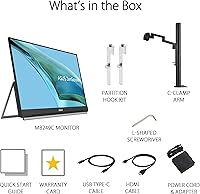
- Mounting Options: Three mounting configurations are supported: an integrated kickstand and carrying handle, a height-adjustable C-clamp arm with Z-axis movement, and a partition hook kit.
- Profile Thickness: At its thinnest point the monitor body is 0.93 inches deep, allowing it to fit in most padded laptop sleeves.
- Color: The MB249C is available in a matte black finish across the chassis and stand components.
- Warranty: ASUS provides a 3-year manufacturer warranty covering defects in materials and workmanship from the date of purchase.
- Bundled Software: Purchase includes a complimentary 3-month Adobe Creative Cloud subscription, valid through August 31, 2026.
- Model Number: The official ASUS model designation for this display is MB249C, part of the ZenScreen product line.
- Brand: Manufactured and sold by ASUS, a Taiwanese multinational electronics company with an established presence in the monitor market.
- Availability: This model was first made available for purchase in April 2023 and remains an active listing in ASUS's ZenScreen portfolio.
Related Reviews
ASUS ZenScreen MB229CF 22-inch Portable Monitor
ASUS ZenScreen Touch MB16AMTR 16-inch Monitor
ASUS ZenScreen MB14AC 14-inch Portable Monitor
ASUS ZenScreen 16-inch OLED Portable Monitor
ASUS ZenScreen Duo OLED 14-inch Portable Monitor
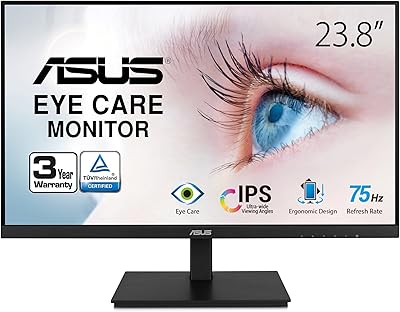
ASUS VA24DQSB 24-inch IPS Monitor
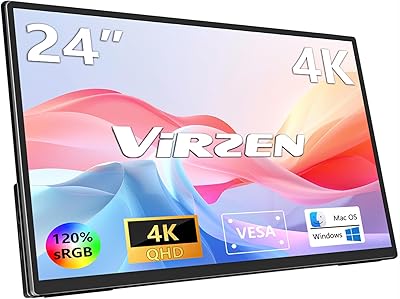
Virzen VS-01 24-inch 4K Portable Monitor
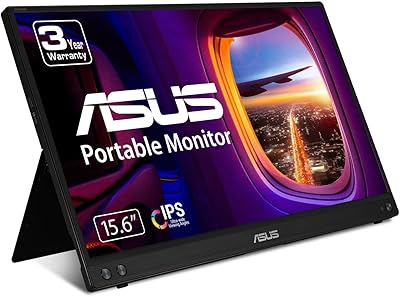
ASUS ZenScreen MB16ACV 15.6-inch Portable Monitor
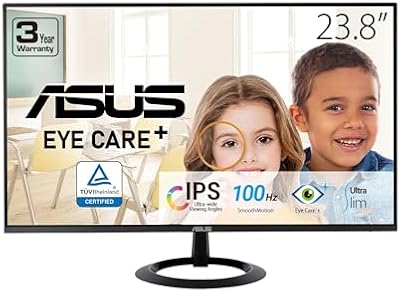
ASUS VZ24EHF 24-inch Eye Care Monitor