Overview
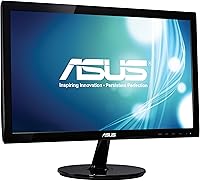
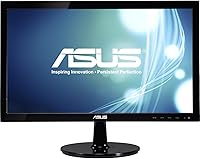
The ASUS VS207D-P 19.5″ HD+ Monitor is the kind of no-nonsense display that does exactly what it promises — nothing more, nothing less. It sits comfortably in the entry-level space, backed by a brand with real credibility in the monitor market. The 19.5-inch screen is a practical size for compact desks or as a second screen in a dual-monitor arrangement. Resolution sits at 1600x900, which is honest HD+ — a noticeable step below Full HD, so if you are doing detail-heavy creative work, you will feel that gap. For everyday productivity, though, it gets the job done without fuss. Think of it as a reliable workhorse, not a showpiece.
Features & Benefits
At 5ms response time, this ASUS monitor handles general computing and casual gaming without noticeable lag — just don't expect it to keep pace with fast-paced competitive titles. The back-lit LED panel keeps brightness consistent and power consumption relatively low, which matters when it's running eight hours a day. The glossy screen surface produces punchy, vivid colors in a dimly lit room, but place it near a window and reflections become a genuine annoyance. One limitation worth knowing upfront: VGA-only connectivity. Many modern laptops and desktops have moved to HDMI and DisplayPort, so an adapter may be necessary. The compact build and light 5.7-lb weight make repositioning straightforward.
Best For
This 19.5-inch display makes the most sense for people with practical, specific needs rather than high-performance demands. Home office workers hunting for a reliable second monitor without straining their budget will find it fits naturally into that role. Students setting up their first workstation, or anyone with an older desktop machine still running VGA output, are probably the ideal buyers here. It handles email, document editing, web browsing, and light video watching without complaint. Tight spaces — dorm rooms, small offices, reception counters — suit its compact footprint well. If your work involves video production or pixel-precise design, though, look at a Full HD panel instead.
User Feedback
With a 4.4-star average drawn from nearly 2,000 reviews, the VS207D-P has earned a level of trust that is hard to dismiss. Buyers consistently highlight easy out-of-box setup, solid physical build, and color accuracy that exceeds expectations at this tier. The criticism is consistent too: the VGA-only port frustrates buyers who assumed at least one HDMI input, and the glossy panel draws complaints from anyone working near natural light. A few reviewers also note that the stand offers limited height adjustability. What stands out in longer-term ownership reports, though, is build durability — people running this display daily for years without incident, which speaks genuinely to its everyday reliability.
Pros
- Solid ASUS build quality gives it real durability for daily, long-term use.
- Easy to set up right out of the box — no driver headaches or complicated configuration.
- The compact size fits comfortably on tight desks without crowding your workspace.
- Back-lit LED panel delivers consistent brightness and keeps power consumption low.
- At 5.7 lbs, this 19.5-inch display is light enough to reposition or remount without effort.
- Color accuracy at this price tier earns consistent praise from real-world buyers.
- A 4.4-star average across nearly 2,000 ratings reflects reliable satisfaction over time.
- The 5ms response time handles general tasks and casual media consumption without visible lag.
- Practical choice for older VGA-output desktops that would otherwise need a full hardware upgrade.
Cons
- VGA-only connectivity is a serious limitation for modern PCs, often requiring a separate adapter.
- The 1600x900 resolution falls noticeably short of Full HD — not ideal for detail-demanding work.
- The glossy screen surface causes distracting reflections in bright or naturally lit rooms.
- Stand offers minimal adjustability — no height, pivot, or tilt flexibility worth mentioning.
- Not suited for competitive gaming or any scenario requiring fast, high-refresh-rate performance.
- Buyers with current-generation laptops may find the VGA-only input completely unusable without extra accessories.
- The VS207D-P lacks any built-in speakers, which may surprise first-time buyers expecting audio output.
- No HDMI or DisplayPort means future-proofing is essentially zero as VGA fades from mainstream use.
Ratings
The scores below reflect our AI-driven analysis of verified global buyer reviews for the ASUS VS207D-P 19.5″ HD+ Monitor, with spam, bot activity, and incentivized feedback actively filtered out before scoring. Each category is evaluated on real usage patterns reported by actual owners — from students and home office workers to long-term daily users. Both the genuine strengths and the recurring pain points are represented transparently, so you can make a fully informed decision.
Value for Money
Build Quality
Display Clarity
Connectivity
Ease of Setup
Screen Glare & Reflections
Color Accuracy
Response Time & Smoothness
Ergonomics & Adjustability
Brightness & Uniformity
Size & Desk Footprint
Long-Term Durability
Suitable for:
The ASUS VS207D-P 19.5″ HD+ Monitor is a strong fit for anyone who needs a dependable, low-cost display for everyday computing tasks without any premium expectations. Students setting up their first workstation will find it covers the basics — web browsing, word processing, and video calls — without requiring a significant investment. Home office workers looking for an affordable second screen to extend their desktop will appreciate the compact footprint, which tucks neatly beside a primary monitor without dominating the desk. It is also a practical solution for older desktop systems still running VGA output, where modern connectivity is not a concern. Small offices, reception desks, and dorm rooms where screen real estate matters more than pixel density are environments where this 19.5-inch display genuinely earns its place.
Not suitable for:
The ASUS VS207D-P 19.5″ HD+ Monitor is a poor match for buyers expecting a sharp, Full HD experience — the 1600x900 resolution is a meaningful step below 1080p, and anyone doing detailed photo editing, video production, or design work will notice the difference quickly. The VGA-only input is a genuine dealbreaker for anyone with a modern laptop or recently built desktop, as HDMI and DisplayPort have become the standard and adapters introduce an extra layer of hassle and potential signal quality loss. Competitive or fast-paced gamers should also look elsewhere, since the panel is not designed for that kind of performance demand. If your workspace has significant natural light or overhead glare, the glossy screen surface will cause frustrating reflections that a matte alternative would handle far better. Anyone expecting ergonomic flexibility, such as height adjustment or pivot, will be disappointed by the limited stand options.
Specifications
- Screen Size: The display measures 19.5 inches diagonally, offering a compact yet practical viewing area for everyday computing tasks.
- Resolution: Native resolution is 1600x900 (HD+), which delivers clear text and images for general use but falls short of Full HD sharpness.
- Panel Type: Uses a back-lit LED panel that provides consistent brightness uniformity and more efficient power consumption compared to older CCFL displays.
- Aspect Ratio: The screen uses a 16:9 widescreen aspect ratio (1.78:1), standard for modern desktop monitors and compatible with typical video content.
- Response Time: Rated at 5ms response time, which is adequate for office work, web browsing, and casual media playback without visible ghosting.
- Screen Surface: The panel features a glossy surface finish that enhances color vibrancy in controlled lighting but can produce noticeable reflections in bright rooms.
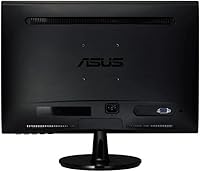
- Connectivity: Equipped with a single VGA (D-Sub) input only; there is no HDMI, DisplayPort, or DVI port on this model.
- Dimensions: The monitor measures 7.28 inches deep, 14 inches wide, and 18.43 inches tall, making it well-suited for compact desk setups.
- Weight: The unit weighs 5.7 pounds, which is light enough to reposition easily or mount with a compatible VESA adapter bracket.
- Color: Available in a matte black finish on the chassis and stand, offering a clean, understated look that suits most desk environments.
- Brand & Model: Manufactured by ASUS under the model designation VS207D-P, part of the company’s value-tier monitor lineup for home and office users.
- Market Tier: Positioned as an entry-level, budget-friendly monitor designed for users who prioritize reliability and simplicity over advanced display features.
- User Rating: Holds a 4.4 out of 5 star average rating based on 1,947 Amazon customer reviews as of the time of this evaluation.
- Release Date: First made available in January 2013, making it a mature, well-documented product with an extensive real-world track record.
- Manufacturer: Produced by ASUS Computer International, a globally recognized technology company known for monitors, motherboards, laptops, and peripherals.
- Discontinuation: As of the time of this review, the manufacturer has not discontinued this model, and it remains available through authorized retail channels.
Related Reviews
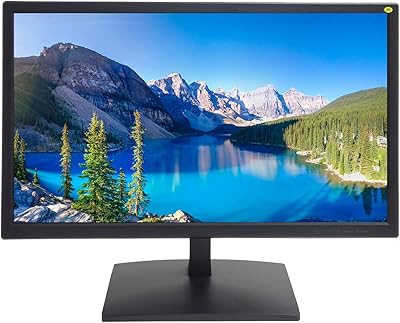
101AV MT-G3D195HD-ECO 19.5″ Security Monitor
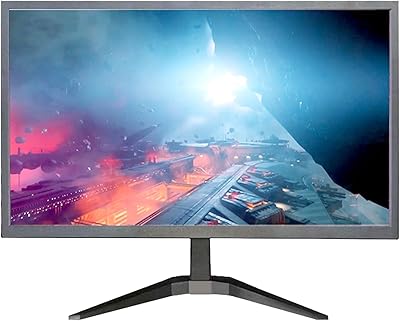
YOTETION MT019 19-Inch 1440x900 Monitor
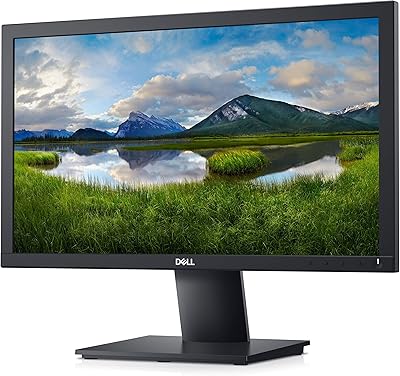
Dell E2020H 19.5-Inch Monitor
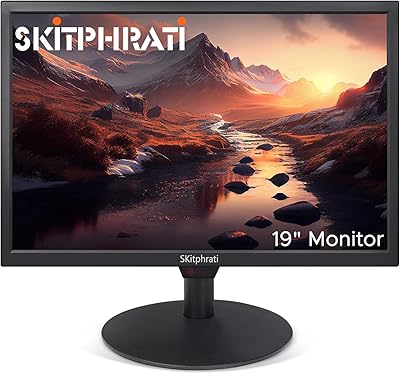
SKitphrati HD-190 19-Inch Monitor
ASUS VP229Q 21.5-inch IPS Monitor
Dragolftie HD-190T 19-inch Touchscreen Monitor
ASUS VP228HE 21.5-inch Gaming Monitor
ASUS VA279HAE 27″ Full HD Monitor
ASUS VA27DQ 27-inch IPS Monitor