Overview

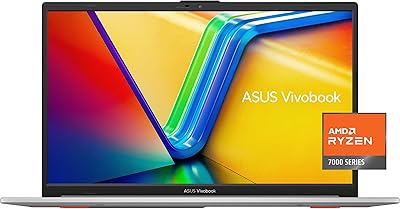
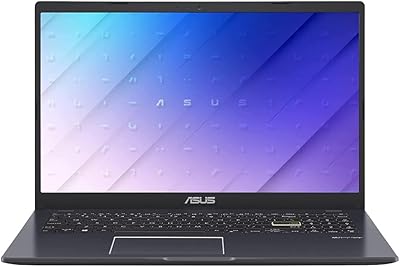
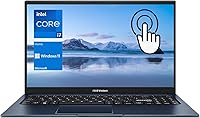
The ASUS Vivobook 15 F1502Z Touchscreen Laptop arrived in late 2023 as a refreshingly practical option for anyone who wants a capable Windows machine without stretching their budget into premium territory. The distinctive blue chassis stands out in a sea of silver and gray laptops, and at under an inch thick, it slips into most bags without a second thought. Powered by a 12th-gen Intel Core i7, this touchscreen laptop targets students and home office users rather than power users chasing raw performance. Integrated graphics keep expectations honest — this is a productivity machine first and foremost, not a creative workstation.
Features & Benefits

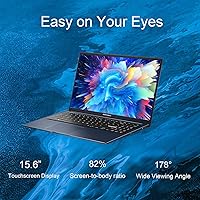
The 15.6-inch touchscreen is genuinely useful here, not a gimmick. Scrolling through Windows 11, annotating PDFs, or casually sketching feels natural in ways a standard trackpad simply cannot replicate. The Core i7-1255U's ten cores handle a full day of browser tabs, video calls, and office work without complaint. The 1TB NVMe SSD means fast startups and plenty of room to grow — a real advantage over rivals still shipping 512GB at this price point. Wi-Fi 6 keeps connections solid on congested networks, and the backlit keyboard with a dedicated numeric keypad makes evening work sessions and spreadsheet-heavy tasks noticeably less frustrating.

Best For

This ASUS Vivobook punches well for students hauling it between lectures and library sessions — it is light enough for daily carry and powerful enough to run every productivity app a modern curriculum demands. Remote workers will appreciate the generous RAM headroom, keeping Slack, Zoom, Chrome, and spreadsheets open simultaneously without slowdown. If you are migrating from a tablet and want a full desktop OS with touch input intact, the Vivobook 15 bridges that gap better than most laptops in this range. One honest caveat: if gaming or video rendering is on your list, look elsewhere entirely.

User Feedback

Owners consistently praise the fast SSD performance and generous storage capacity — booting quickly and having room for years of files matters in daily use. Touchscreen responsiveness also earns positive marks, with most buyers finding it accurate enough for real, regular use. That said, display brightness draws recurring complaints in well-lit rooms or outdoors, and the speakers are underwhelming even by thin-laptop standards. Battery life reports vary widely, and without a firm real-world figure from ASUS, heavy users should plan to stay near an outlet. A handful of buyers also admit they underestimated the integrated graphics ceiling, finding casual gaming largely unsatisfying.

Pros

  • The 1TB NVMe SSD boots fast and gives students years of storage headroom without juggling external drives.
  • Sixteen gigabytes of RAM handles heavy multitasking confidently, keeping dozens of tabs and apps open without slowdown.
  • The touchscreen works reliably day-to-day — tapping, scrolling, and annotating all feel accurate and responsive.
  • A full numeric keypad at this price point and size is genuinely rare and saves time for spreadsheet-heavy users.
  • Wi-Fi 6 support keeps this ASUS Vivobook relevant as modern routers become more common in homes and campuses.
  • The slim profile and sub-4-pound weight make it comfortable to carry in a backpack all day.
  • The backlit keyboard is a practical touch that makes evening and low-light work noticeably more comfortable.
  • The Core i7 processor handles typical office and student workloads without thermal throttling under normal use.
  • The port selection is broad enough for most users, including HDMI output and multiple USB-A slots alongside USB-C.
  • The blue colorway offers a refreshing visual alternative to the generic silver laptops that dominate this price tier.

Cons

  • Screen brightness falls short in well-lit rooms and is nearly unusable in direct sunlight outdoors.
  • Built-in speakers are thin and quiet, making external audio pretty much a necessity for media or calls in a group setting.
  • Battery life is unpredictable and unconfirmed by ASUS, which is a real concern for users who move around frequently.
  • Intel Iris Xe graphics cannot handle modern games at playable settings, frustrating buyers who assumed otherwise.
  • The display covers a limited color gamut, making it unsuitable for photo editing or any color-critical creative work.
  • Heavier sustained workloads can push fan noise to noticeable levels in quiet environments like libraries or shared offices.
  • The USB-C port does not support Thunderbolt, limiting high-speed external device and eGPU options.
  • The webcam quality is average at best, which stands out as a weakness for remote workers on frequent video calls.
  • No dedicated graphics means even light video editing timelines can feel sluggish when effects or exports are involved.
  • Plastic construction feels less premium compared to metal-chassis rivals, though it does keep weight down.

Ratings

The scores below reflect an AI-powered analysis of verified global user reviews for the ASUS Vivobook 15 F1502Z Touchscreen Laptop, with spam, bot-generated, and incentivized submissions actively filtered out before scoring. Each category is rated on real-world buyer experiences, capturing both the genuine strengths that earn repeat recommendations and the recurring pain points that honest reviewers consistently flag. Nothing here is glossed over — the numbers tell the full story.

Performance & Speed
83%
For everyday productivity tasks — switching between a video call, a spreadsheet, and a browser with fifteen tabs open — users report the Core i7-1255U handles the load without hesitation. Boot times are consistently described as fast, and app launches feel snappy compared to older budget machines.
Users who pushed into sustained workloads like long video exports or large Photoshop files noticed throttling and fan noise kicking in. The processor is genuinely capable, but it hits its limits faster than buyers with heavier creative workflows would like.
Touchscreen Responsiveness
81%
19%
Most buyers who actually used the touch feature regularly were pleasantly surprised by how accurate and fluid it felt during day-to-day Windows 11 navigation, PDF annotation, and light sketching. For students annotating lecture slides, the responsiveness made a real practical difference versus non-touch rivals.
A portion of reviewers noted occasional palm rejection issues when resting their hand on the screen while writing, requiring some adjustment in technique. Those expecting tablet-grade precision without a stylus were occasionally frustrated by fingertip accuracy on smaller UI elements.
Storage & SSD Performance
89%
The 1TB NVMe SSD consistently earned strong praise — buyers coming from older laptops with SATA drives noticed an immediate, tangible difference in how fast the system boots and how quickly large files move. Having a full terabyte available at this price point means most users will never feel squeezed for space.
A small number of technically minded reviewers noted the SSD is not the fastest PCIe 4.0 drive on the market, placing it mid-tier in raw benchmark terms. For typical users this gap is invisible, but anyone transferring huge media libraries regularly may notice it compared to higher-end competitors.
Display Quality
66%
34%
For indoor office and classroom use under controlled lighting, the FHD 1920x1080 panel renders text and video clearly enough for comfortable all-day work sessions. Colors look acceptable for streaming, browsing, and document editing at typical viewing distances.
Screen brightness is the most frequently raised complaint across user reviews — working near a sunny window or stepping into a bright café often makes the display hard to read comfortably. The panel also covers a limited color gamut, which rules it out for anyone doing photo editing or color-sensitive creative work.
Battery Life
58%
42%
Under light usage — basic note-taking, document editing, and occasional browsing — some users managed to get through a full class day or a short work shift without reaching for the charger, which is adequate for shorter outings.
Battery life is the single most divisive topic in user feedback, with results varying widely depending on workload and screen brightness settings. ASUS does not publish a firm real-world runtime figure, and heavier users consistently report needing a charge well before the end of a standard workday, which is a genuine inconvenience for mobile use.
Build Quality & Design
72%
28%
The slim 0.78-inch chassis and the distinctive blue colorway make a stronger visual impression than typical gray plastic laptops in this price range. At under four pounds, it feels well-balanced in hand and does not strain a shoulder during a commute.
The plastic body flexes more than buyers accustomed to metal-chassis laptops would like, and the lid in particular feels less rigid than premium alternatives. A handful of users raised concerns about long-term durability after months of daily use, noting minor creaking around the hinge area.
Keyboard & Trackpad
77%
23%
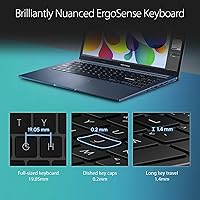
The backlit keyboard with a full numeric keypad is consistently highlighted as a practical advantage — students and remote workers doing data entry or late-night typing sessions find genuine daily value in both features. Key travel is reasonable for a laptop this thin.
Including a numeric keypad on a 15.6-inch chassis shifts the main keyboard slightly off-center, which some touch typists find disorienting during the first few days. The trackpad is functional but draws occasional criticism for inconsistent tap-to-click sensitivity compared to competitors at a similar price.
Audio Quality
47%
53%
For quick notification sounds, brief video clips, or low-volume background music in a quiet room, the speakers are technically adequate and do not produce significant distortion at moderate volume levels.
Speaker quality is one of the most consistently criticized aspects of this touchscreen laptop across global reviews — audio sounds thin, lacks bass entirely, and struggles to fill even a small room at higher volumes. Most users recommend budgeting for wired earphones or a Bluetooth speaker if audio quality matters at all to their daily use.
Webcam Quality
61%
39%
The built-in webcam handles standard video calls on Teams, Zoom, or Meet well enough in a properly lit home office or classroom, producing a clear enough image for colleagues and professors to see you without significant complaints.
In lower light conditions the image quality degrades noticeably, introducing graininess that makes video calls look unprofessional. Buyers who do frequent client-facing video work or record online content found the webcam underwhelming and ended up investing in an external USB camera.
Graphics & Media Handling
43%
57%
Intel Iris Xe handles everyday media consumption — streaming video, displaying multiple windows, and casual image browsing — without any noticeable stuttering or rendering issues under normal conditions.
This is where buyer disappointment concentrates most heavily. Users who purchased expecting to game casually or run GPU-accelerated creative software found the integrated graphics hit a hard ceiling almost immediately. Modern game titles are largely unplayable at acceptable frame rates, and video rendering pipelines are noticeably slower than any dedicated GPU configuration.
Connectivity & Ports
79%
21%
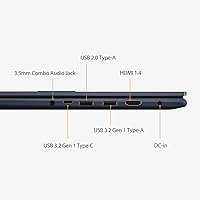
The port selection is broader than many thin laptops at this tier — having two USB-A 3.0 ports alongside HDMI and a USB-C connector means most users can connect their everyday peripherals without hunting for a hub. Wi-Fi 6 support also keeps wireless performance solid on modern home routers.
The USB-C port lacks Thunderbolt support, which limits high-speed external storage and eGPU options for users who might consider expanding capabilities later. The inclusion of only one USB-A 2.0 port alongside the faster options is a minor but noticeable inconsistency in the connectivity stack.
Value for Money
76%
24%
For buyers whose needs align with what this machine actually delivers — productivity, portability, and a genuine touchscreen at a mid-range price — the value proposition is solid. Getting a Core i7, 16GB of RAM, and 1TB of fast storage together at this price point is competitive against direct rivals.
Buyers who later discovered the display brightness limitations or the battery life inconsistency felt the value equation shifted after real-world use. Those who purchased with gaming or creative work in mind often felt the money could have been better directed toward a machine with a discrete GPU, even at a higher price.
Software & OS Experience
74%
26%
Windows 11 Home runs smoothly on this hardware, and the touch-optimized interface features work as intended with the built-in touchscreen. Most users appreciated that the out-of-box setup was relatively straightforward without excessive manufacturer bloatware slowing things down.
A portion of users flagged some pre-installed ASUS utilities as redundant or mildly intrusive, requiring manual removal to streamline the experience. A small number of buyers also reported minor driver hiccups shortly after purchase that required a software update to resolve fully.
Portability
84%
At 3.8 pounds and less than an inch thick, this ASUS Vivobook slips into a standard backpack without dominating the available space or weighing down a daily bag. Students and commuters who carry it between home, campus, and cafes consistently appreciated not feeling burdened by the size.
While light for a 15.6-inch machine, users accustomed to 13-inch ultrabooks will notice the difference during extended carry time. The charging brick adds meaningful weight to the bag for users who, given the battery life concerns, feel they need it with them at all times.

Suitable for:

The ASUS Vivobook 15 F1502Z Touchscreen Laptop is a strong fit for college students who need a reliable, portable daily driver that handles coursework, video calls, and research without breaking the bank. The touchscreen is a genuine advantage here — students who annotate lecture slides, sketch diagrams, or prefer tapping through Windows 11 will get real daily value from it, unlike most non-touch laptops at this price. Remote workers and home office users will also feel at home, since the combination of ample RAM and fast storage means running multiple productivity apps simultaneously stays smooth throughout a full workday. The full numeric keypad is a thoughtful addition for anyone who works regularly with spreadsheets or accounting software. If you are coming from a tablet and want to step up to a full desktop operating system without giving up touch input entirely, this ASUS Vivobook offers one of the cleaner transitions available in the mid-range segment.

Not suitable for:

The ASUS Vivobook 15 F1502Z Touchscreen Laptop is not the right tool for anyone whose workflow depends on dedicated graphics — video editors, 3D modelers, and casual gamers alike will hit a hard ceiling quickly with Intel Iris Xe integrated graphics. If you are hoping to run modern titles at playable frame rates or accelerate rendering tasks, this machine will disappoint regardless of how its processor specs read on paper. Creative professionals who need color-accurate displays will also want to look elsewhere, since the FHD panel prioritizes general usability over wide color gamut coverage. Battery life is another consideration that this touchscreen laptop leaves somewhat open — ASUS does not publish a firm real-world figure, and users who regularly work away from power outlets should temper their expectations and plan accordingly. Those who rely heavily on audio output, whether for media consumption or client presentations without external speakers, may find the built-in speakers too thin for comfortable extended use.
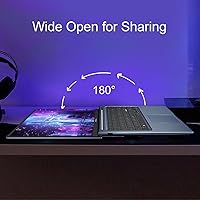
Specifications

  • Display: 15.6-inch FHD (1920x1080) touchscreen panel with standard 60Hz refresh rate for everyday productivity use.
  • Processor: Intel Core i7-1255U with 10 cores, 12 threads, and a turbo boost ceiling of 4.7GHz for responsive multitasking.
  • RAM: 16GB DDR4 SDRAM provides enough headroom to run office suites, video calls, and multiple browser tabs simultaneously without slowdown.
  • Storage: 1TB PCIe NVMe M.2 SSD delivers fast boot times and generous local storage capacity compared to most mid-range competitors.
  • Graphics: Intel Iris Xe integrated graphics handles everyday display output and light media tasks but is not suited for dedicated gaming or GPU-intensive rendering.
  • Operating System: Windows 11 Home comes pre-installed, offering a modern interface with touch-optimized features compatible with the built-in touchscreen.
  • Wireless: Wi-Fi 6 (802.11ax) and Bluetooth are both supported, enabling fast wireless connectivity on modern routers and pairing with peripherals.
  • Ports: Connectivity includes 2x USB-A 3.0, 1x USB-A 2.0, 1x USB-C, 1x HDMI, and a combination headphone/microphone jack.
  • Keyboard: A backlit full-size keyboard with a dedicated numeric keypad is built in, supporting comfortable low-light and data-entry work sessions.
  • Webcam: A built-in webcam is included above the display, suitable for standard video calls and virtual meetings.
  • Weight: The laptop weighs 3.8 pounds, making it light enough for daily carry in a standard backpack without strain.
  • Dimensions: The chassis measures 14.16 x 9.15 x 0.78 inches, keeping the profile slim enough to fit in most laptop sleeves designed for 15-inch devices.
  • Color: Available in a distinctive blue finish that sets it apart from the predominantly silver and gray options common in this price segment.
  • Model Number: The official model designation is ASUS F1502Z, useful for finding compatible accessories, drivers, and warranty support.
  • Battery: A built-in lithium-ion battery is included; ASUS does not publicly specify a rated watt-hour capacity or guaranteed real-world runtime for this model.
  • Memory Type: RAM runs on the DDR4 SDRAM standard, which is a mature and power-efficient specification well suited to everyday computing tasks.
  • Storage Interface: The SSD connects via a PCIe x4 interface, enabling the fast read and write speeds that make boot times and file transfers noticeably quicker than older SATA drives.
  • Platform: Built on an Intel platform with the Intel chipset managing system functions alongside the integrated Iris Xe graphics engine.

Related Reviews
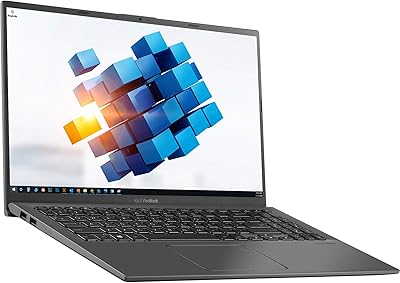
ASUS VivoBook 15.6″ Touchscreen Laptop
70%
74%
Everyday Performance
66%
Display Quality
82%
Touchscreen Responsiveness
88%
SSD Boot and Load Speed
47%
Battery Life
More
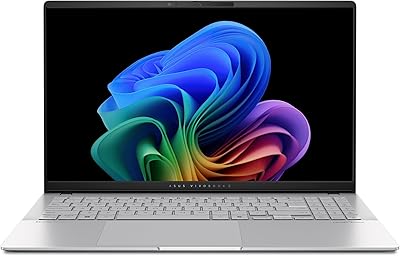
ASUS Vivobook S 15 Laptop
82%
93%
Display Quality
88%
Performance
91%
Portability
75%
Battery Life
85%
Build Quality
More
ASUS VivoBook 15.6-inch i5-1135G7 Laptop, 20GB RAM, 1TB SSD
83%
91%
Performance
87%
Value for Money
78%
Display Quality
92%
Multitasking Capability
75%
Battery Life
More
ASUS Vivobook Go 15 E1504FA
72%
88%
Value for Money
83%
Build Quality
74%
Performance
61%
Display Quality
69%
Battery Life
More
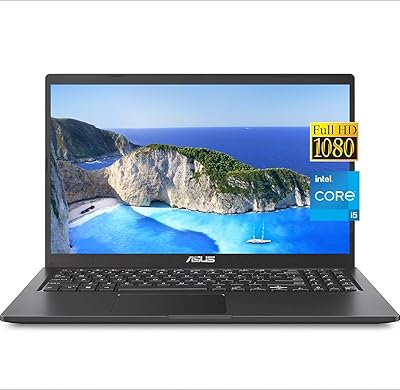
ASUS Vivobook Go 15 L510 Laptop
66%
81%
Value for Money
78%
Display Quality
52%
Performance
43%
Storage Capacity
89%
Portability
More
Dell Inspiron 15 3520 Laptop
74%
76%
Performance & Speed
81%
Display Quality
83%
Touchscreen Responsiveness
89%
Storage & Memory
62%
Battery Life
More
HP 2020 15 15.6″ HD Touchscreen Laptop, Intel Core i5-1035G1, 16GB RAM, 512GB SSD
82%
89%
Performance
75%
Display Quality
90%
Portability
80%
Battery Life
85%
Build Quality
More
ASUS VivoBook 17 F712DA Laptop
77%
75%
Display Quality
82%
Performance for Everyday Tasks
87%
Storage Flexibility (SSD + HDD)
69%
Keyboard Comfort
78%
Fingerprint Sensor Functionality
More
ASUS VivoBook 16 M1605YA-ES74 Laptop
86%
88%
Performance
91%
Display Quality
86%
Portability & Weight
80%
Battery Life
82%
Build Quality
More
ASUS VT168HR 15.6″ Touch Monitor
74%
83%
Touch Responsiveness
54%
Display Resolution
91%
Ease of Setup
67%
Build Quality
77%
Value for Money
More

FAQ

It is genuinely usable for note-taking. Apps like OneNote and Notability for Windows respond well to touch input on this display, and scrolling through documents with your finger feels natural. That said, for precise handwriting or sketching, a stylus will give you better results than fingertip input alone — just note that a stylus is not included in the box.

Yes, for most home office tasks it holds up well. Running video conferencing apps, document editors, and a browser with multiple tabs open simultaneously stays smooth thanks to the generous RAM. The built-in webcam is acceptable for meetings, though anyone doing frequent client-facing calls may want an external camera for a better image. The numeric keypad is a real productivity bonus if you deal with financial data or forms regularly.

ASUS does not publish a specific real-world battery life figure for this model, which makes it harder to set firm expectations. Based on user reports, moderate workloads — browsing, note-taking, and video calls — tend to get through roughly five to seven hours on a charge, but heavier use will drain it faster. If you have long stretches away from an outlet, carrying the charger is a safe habit.

Casual and older games with low graphics demands can run, but anything published in the last few years that requires a dedicated GPU will either not run or perform poorly. Intel Iris Xe integrated graphics are built for productivity, not gaming. If gaming is even a secondary priority for you, a laptop with a discrete GPU is worth the extra investment.

ASUS does not officially confirm whether the RAM slots are user-accessible on the F1502Z, and some configurations in this Vivobook line use soldered memory. Before purchasing with upgrade plans in mind, it is worth checking the service manual or contacting ASUS support to confirm whether your specific unit allows post-purchase RAM expansion.

Screen brightness is one of the more common complaints about this touchscreen laptop. Indoors under normal lighting it performs adequately, but in a bright coffee shop near a window or outside, the display can wash out noticeably. If you regularly work in high-ambient-light environments, this is worth weighing seriously before buying.

The USB-C port on the F1502Z supports data transfer and can be used for display output with a compatible adapter, but it does not support Thunderbolt. Charging via USB-C is not confirmed for this model — the primary charging method is the proprietary barrel connector. Always verify with ASUS documentation if USB-C charging is important to your setup.

Most users find the keyboard comfortable enough for extended typing. Key travel is reasonable for a thin laptop, and the backlight makes it easy to use in dim environments. The full numeric keypad is a standout feature for the size, though its inclusion does compress the main key layout slightly compared to a centered keyboard design.

For the majority of students and office users, 1TB offers substantial breathing room. You can store years of documents, a large photo library, and a solid collection of downloaded software without running close to capacity under typical use. Where you might feel the squeeze is if you work with large video files or maintain an extensive local media collection.

The touchscreen is the clearest differentiator — at this price point, most competitors drop touch to cut costs. You are essentially getting touch functionality without a significant premium, which is a tangible value add for the right buyer. The trade-off compared to some rivals at a similar price is that you may find slightly better display brightness or speaker quality elsewhere if touch is not a priority for you.