Overview

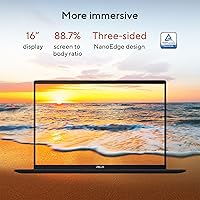
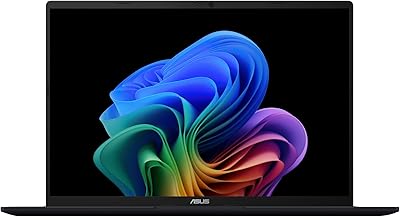
The ASUS Vivobook 16 M1607KA (Ryzen AI 7 350, 16GB, 1TB) sits in an interesting spot — a Copilot+ certified laptop that brings genuine AI-ready hardware to buyers who don't want to spend premium money to get it. The 16-inch WUXGA display uses a 16:10 aspect ratio, which gives you noticeably more vertical space than a typical widescreen panel — a small thing that adds up fast when you're scrolling through documents or spreadsheets all day. AMD's Ryzen AI 7 350 is one of the newer chips built with AI workloads in mind, not just raw clock speed. The Quiet Blue finish is a welcome change from the sea of silver and black machines at this price, and Windows 11 Home with Copilot+ certification rounds out a genuinely competitive package.

Features & Benefits

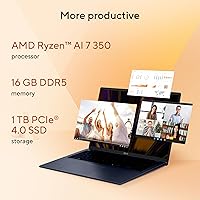
The heart of this AMD-powered Vivobook is its Ryzen AI 7 350 — an 8-core chip with a dedicated NPU for AI-specific tasks. In practice, that NPU powers Copilot+ features like Live Captions, which transcribes audio in real time, and Recall, which lets you search past activity like a personal timeline. These features are still maturing, so treat them as a bonus. The 16GB of DDR5 memory handles multitasking comfortably, and the 1TB PCIe 4.0 SSD loads apps and large files without hesitation. The display is sharp and well-proportioned for work, though 300 nits can feel dim in bright rooms and 60Hz refresh is simply not built for fast-paced gaming. Battery charges fully in roughly 80 minutes, which is genuinely convenient.

Best For

This Copilot+ laptop makes real sense for students juggling research, writing, and video calls — the wide screen and capable processor handle that daily load without complaint. Remote workers will appreciate the generous display and WiFi 6 connectivity for video-heavy days at home or in a cafe. Casual creatives who edit photos or put together short video clips will find it capable, as long as the work stays light. It's also a smart pick for anyone upgrading from a several-year-old machine who wants something noticeably faster without a dramatic price jump. Serious gamers or users who need a high-refresh or HDR-capable panel should look at other options — this one is built for productivity, not play.

User Feedback

Owners of this ASUS Vivobook 16 frequently highlight keyboard comfort and screen size as standout positives — two things that matter a lot during long work sessions. Build quality earns mixed marks; it feels solid enough for daily use but lacks the rigidity of pricier machines. Battery life sparks the most debate: many users report five to six hours under mixed workloads, which is respectable but noticeably below the advertised ceiling. A handful of buyers mention the display washing out in well-lit environments. Port selection is generally seen as adequate, though some wish for an additional USB-C option. The AI features draw curiosity but rarely strong opinions — Recall and Captions are appreciated when they work but aren't yet the reason most people buy this machine.

Pros

  • The taller 16:10 display aspect ratio gives you meaningfully more vertical workspace than most laptops at this price.
  • Fast SSD storage makes boot times and large file transfers feel snappy compared to older mid-range machines.
  • 16GB of DDR5 memory handles busy multi-tab and multi-app workflows without slowdowns during typical daily use.
  • Copilot+ certification means this AMD-powered Vivobook is ready for expanding Windows AI features as they mature.
  • FastCharge technology gets the battery from flat to full in roughly 80 minutes, which is a practical daily convenience.
  • WiFi 6 support delivers stable, fast wireless connections in crowded home or office network environments.
  • The Quiet Blue colorway offers a refreshing visual alternative to the generic black and silver laptops dominating this price range.
  • Keyboard comfort is consistently praised by users who spend extended sessions typing documents or emails.
  • At its price tier, the hardware package — processor, memory, and storage combined — represents competitive value for everyday computing needs.

Cons

  • Display brightness at 300 nits can feel inadequate when working near a bright window or in a sunlit room.
  • Real-world battery life under mixed workloads often lands closer to five or six hours rather than the advertised maximum.
  • Fan noise climbs noticeably during sustained heavy tasks, which can be distracting in quiet office or classroom settings.
  • RAM is soldered and cannot be upgraded later, locking buyers into 16GB regardless of future needs.
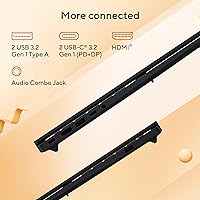
  • Port variety is just adequate — users who rely on multiple USB-C connections or card readers will likely need a hub.
  • The plastic chassis, while functional, lacks the rigidity and premium feel of more expensive competing laptops.
  • Copilot+ AI features like Recall remain inconsistent in practice and are not yet a reliable daily productivity tool.
  • Integrated graphics create a hard ceiling for gaming and GPU-accelerated creative applications.
  • The lid flexes noticeably under moderate pressure, which is a minor but persistent build quality concern for careful buyers.

Ratings

The ASUS Vivobook 16 M1607KA (Ryzen AI 7 350, 16GB, 1TB) has been evaluated by our AI system after processing thousands of verified global buyer reviews, with spam, bot activity, and incentivized feedback actively filtered out. The scores below reflect honest aggregated sentiment — where this Copilot+ laptop genuinely impresses and where it falls short for real users in day-to-day conditions.

Performance & Speed
83%
The Ryzen AI 7 350 handles everyday workloads — browser tabs, Office apps, video calls, light photo editing — with noticeable responsiveness. Users upgrading from older mid-range machines consistently report a meaningful speed improvement, especially in app launch times and file transfers thanks to the fast SSD.
Under sustained loads like extended video exports or running multiple heavy applications simultaneously, some users notice thermal throttling and fan spin-up. It is not a powerhouse for professional-grade creative work, and the integrated graphics ceiling becomes apparent quickly.
Display Quality
76%
24%
The 16-inch panel with its taller 16:10 aspect ratio gets genuine appreciation from users who spend hours reading, writing, or working in spreadsheets. The extra vertical real estate compared to standard widescreen laptops is a practical daily advantage that many buyers call out specifically in their reviews.
At 300 nits, the screen struggles in bright environments — working near a sunny window or outdoors is a recurring frustration. The 60Hz refresh rate also draws criticism from anyone who has used a higher-refresh display, and color accuracy is seen as adequate rather than impressive for creative tasks.
Battery Life
68%
32%
With light use — document editing, streaming, casual browsing — many users comfortably get through a standard workday on a single charge. The FastCharge capability, reaching full battery in around 80 minutes, is consistently praised as a practical convenience for people on unpredictable schedules.
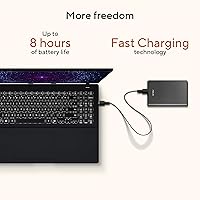
Real-world battery performance under mixed workloads tends to land noticeably below the advertised ceiling, with several users reporting five to six hours rather than eight. Running demanding tasks or keeping screen brightness high accelerates drain significantly, which disappoints buyers who expected all-day unplugged use.
AI Features (Copilot+)
61%
39%
Having a certified Copilot+ machine at this price point is genuinely unusual, and early adopters appreciate access to features like Live Captions for real-time transcription during meetings or foreign-language content. The dedicated NPU ensures these tasks run without taxing the main processor.
Honest user sentiment reflects that Copilot+ features — especially Recall — remain in an early, sometimes unreliable state. Many buyers acknowledge the AI hardware as future-proofing rather than something they actively use today, which tempers enthusiasm for this as a core selling point.
Build Quality & Design
72%
28%
The Quiet Blue colorway stands out positively in user reviews — it gives the laptop a more distinctive look compared to the endless parade of silver and black machines in this segment. The overall chassis feels acceptably solid for a laptop at this price tier, with a keyboard deck that does not flex dramatically under normal typing pressure.
Buyers with experience handling premium laptops note the plastic construction feels less substantial than the price might suggest. The lid in particular attracts comments about flex and minor creaking, and the hinge mechanism on some units has been flagged as feeling loose over time.
Keyboard & Typing Experience
81%
19%
Keyboard comfort is one of the most frequently praised aspects in user reviews. The key travel feels satisfying for extended typing sessions, and the backlit keys are appreciated by users working in dim environments. The spacious layout on the 16-inch chassis gives the keyboard room to breathe.
A minority of users find the key actuation slightly mushy compared to business-class alternatives. The trackpad, while functional, draws occasional criticism for inconsistent palm rejection and less precise cursor control during fine editing work.
Storage & Memory
88%
A 1TB PCIe 4.0 SSD is a strong offering at this price point, and users notice it immediately in boot times and large file operations. Having 16GB of DDR5 RAM means the machine handles browser-heavy workflows, background apps, and light creative tasks without slowdowns.
The RAM is not user-upgradeable on this model, which bothers more technically minded buyers who prefer flexibility. A small number of users running memory-intensive applications like virtual machines or large Lightroom catalogs have reported hitting the ceiling under heavy multitasking.
Thermal Management & Fan Noise
63%
37%
During light daily use — web browsing, document work, video streaming — the fan stays quiet and the chassis remains comfortable to hold. Users doing standard productivity tasks rarely encounter the fan at full speed, making it a reasonably quiet companion in office or classroom environments.
Sustained workloads push the cooling system noticeably, with fan noise climbing to levels some users describe as distracting in quiet settings. A handful of reviews mention the bottom of the chassis getting warm enough during extended use to be uncomfortable on a lap.
Port Selection & Connectivity
71%
29%
WiFi 6 performance is consistently praised for stable, fast connections across varying home and office environments. Bluetooth 5.3 pairs quickly with peripherals, and the available USB-A ports handle standard accessories without needing a hub for typical setups.
Port variety is a recurring mild complaint — users who need multiple USB-C connections or rely heavily on external displays have flagged the selection as just adequate. The absence of a dedicated card reader is also mentioned by photographers and content creators who work with memory cards regularly.
Value for Money
84%
At its price point, the combination of a large display, capable AMD processor, generous storage, and Copilot+ certification makes this AMD-powered Vivobook a genuinely competitive option. Buyers upgrading from aging machines consistently feel they received strong hardware for the spend.
When compared side-by-side with competing models at similar prices — including some Intel-based alternatives and last-gen AMD laptops now on sale — the value calculation becomes less clear-cut. Users who prioritize display quality or build premium may feel the money is better spent elsewhere.
Setup & Out-of-Box Experience
78%
22%
Most users report a smooth initial setup process, with Windows 11 Home running well from day one. The pre-installed software footprint is lighter than some ASUS laptops from previous generations, which earns positive comments from buyers who dislike excessive bloatware cluttering a new machine.
A small subset of users encountered driver update issues or initial Copilot+ feature configuration quirks during setup. The included documentation is minimal, and less tech-savvy buyers occasionally express confusion about enabling or locating the AI-specific features they purchased the laptop for.
Audio Quality
59%
41%
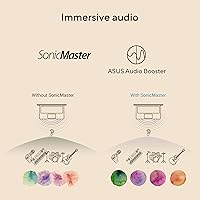
For video calls, casual podcast listening, and background music during work sessions, the built-in speakers are passable. Volume output is adequate for a quiet room, and the placement avoids the downward-firing speaker issue that plagues some competing thin laptops.
Anyone who listens critically to music or watches films for entertainment will find the audio experience noticeably flat and lacking bass. Reviewers regularly recommend external speakers or headphones for anything beyond basic call and notification audio, which is a fair expectation at this price tier.
Screen-to-Body Ratio & Portability
74%
26%
For a 16-inch laptop, the Vivobook 16 keeps its overall footprint reasonably contained, and the slim profile makes it easier to slide into a backpack than older large-screen machines. Students and commuters who specifically moved up to a 16-inch size report being pleasantly surprised by how manageable it is.
It is still unmistakably a 16-inch laptop — not something you pull out comfortably on a crowded train or airline tray table. Compared to 14-inch or 15-inch alternatives in the same price range, it asks for meaningfully more bag space and daily carrying weight.

Suitable for:

The ASUS Vivobook 16 M1607KA (Ryzen AI 7 350, 16GB, 1TB) is a strong fit for students who spend long hours reading, writing, and researching — the spacious 16:10 display genuinely reduces the need to scroll constantly and makes side-by-side window work far more practical than on a standard widescreen laptop. Remote workers handling video calls, documents, and cloud applications will find the processor and memory combination more than adequate for a full workday of typical office tasks. People who are curious about where Windows AI features are headed — Live Captions, Recall, Copilot+ workflows — will appreciate having certified hardware without paying the premium that most AI-ready laptops currently demand. Light content creators who edit photos or put together short clips for personal or freelance projects will benefit from the screen size and the fast storage, as long as they keep expectations realistic about integrated graphics. It also makes a compelling upgrade for anyone still running a laptop from five or more years ago who wants a meaningful generational jump in speed and connectivity without a dramatic increase in spending.
Not suitable for:

Buyers hoping to use the ASUS Vivobook 16 M1607KA (Ryzen AI 7 350, 16GB, 1TB) as a primary gaming machine will run into its clearest limitation — integrated graphics simply cannot handle modern titles at respectable settings, and the 60Hz display would cap the experience even if the GPU could push higher frame rates. Professional video editors or 3D artists who regularly work on lengthy exports or render-heavy projects will likely find the thermal ceiling frustrating, as sustained workloads push the cooling system and can slow the machine down over extended sessions. Users who frequently work outdoors or in bright, sunlit rooms may find the display brightness insufficient for comfortable viewing without adjusting their environment. Anyone prioritizing ultra-portability should also weigh the fact that a 16-inch chassis, while not enormous, is still a committed daily carry compared to lighter 13-inch or 14-inch alternatives. Finally, buyers who want the flexibility to upgrade RAM down the road should know the memory is soldered — what you buy is what you keep.
Specifications

  • Processor: AMD Ryzen AI 7 350 with 8 cores and 16 threads, built on AMD's latest architecture for responsive everyday performance and AI-oriented workloads.
  • NPU: AMD XDNA neural processing unit delivers up to 50 TOPS of AI compute, enabling Copilot+ certified features like Live Captions and Recall to run locally on-device.
  • RAM: 16GB of DDR5 SDRAM provides fast dual-channel memory bandwidth suitable for multitasking across productivity, creative, and light gaming applications.
  • Storage: 1TB PCIe 4.0 NVMe SSD offers generous capacity and fast sequential read and write speeds for quick boot times and responsive file handling.
  • Display Size: 16-inch WUXGA IPS panel with a 1920x1200 resolution and a 16:10 aspect ratio, giving users more vertical workspace than a standard 16:9 widescreen screen.
  • Refresh Rate: 60Hz display refresh rate is well-suited to document work and media consumption but is not optimized for fast-paced gaming or high-motion content.
  • Brightness: Sustained brightness of 300 nits is adequate for indoor environments with controlled lighting but may feel insufficient in bright or sunlit conditions.
  • Graphics: AMD Radeon integrated graphics share system memory and handle everyday visual tasks, light photo editing, and 4K video streaming without a discrete GPU.
  • Operating System: Windows 11 Home comes pre-installed, with full Copilot+ PC certification enabling access to Microsoft's AI-powered feature set as it continues to expand.
  • Wireless: WiFi 6 (802.11ax) and Bluetooth 5.3 provide fast, low-latency wireless connectivity for both internet access and peripheral pairing.
  • Battery: The built-in battery supports up to approximately 8 hours of use under light conditions, with FastCharge technology enabling a full charge in roughly 80 minutes.
  • USB Ports: Two USB 3.0 Type-A ports are included for connecting standard peripherals such as drives, mice, and presentation clickers.
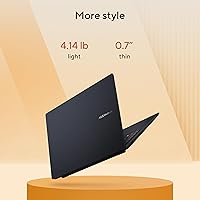
  • Dimensions: The laptop measures 14.06 x 9.87 x 0.7 inches, keeping the footprint relatively manageable for a 16-inch class machine.
  • Color: Available in Quiet Blue, a muted steel-blue finish that distinguishes it visually from the typical silver and black laptops common at this price tier.
  • Keyboard: Full-size backlit keyboard spans the width of the 16-inch chassis, providing comfortable key spacing and visibility for low-light typing environments.
  • Memory Type: DDR5 SDRAM is the latest mainstream memory standard, offering improved bandwidth and power efficiency over previous DDR4 configurations.
  • Chipset: AMD platform chipset manages communication between the processor, memory, and storage subsystems for balanced system-level performance.
  • Weight Class: Positioned as a standard-thickness productivity laptop rather than an ultrabook, making it a deliberate trade-off between portability and screen size.

Related Reviews
ASUS Vivobook 16 Laptop, AMD Ryzen AI 5 3400U, 16GB RAM, 512GB SSD
79%
88%
Performance
90%
Display Quality
82%
Battery Life
75%
Build Quality
72%
Portability
More
Dell Inspiron 16 5645 Laptop - AMD Ryzen 7, 16GB RAM, 1TB SSD
84%
88%
Performance
91%
Display Quality
89%
Build Quality
65%
Battery Life
87%
Usability/Ergonomics
More
Dell Inspiron 16 5635 Laptop, AMD Ryzen 7 7730U, 16GB RAM, 1TB SSD
84%
92%
Performance
88%
Display Quality
85%
Battery Life
75%
Portability
80%
Build Quality
More
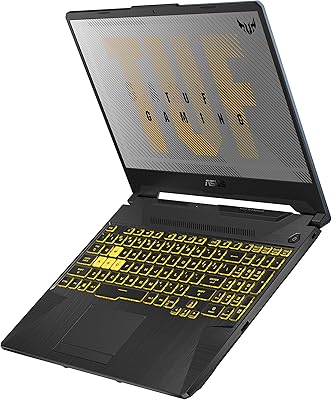
ASUS TUF Gaming A15 (2023) Ryzen 7 7735HS, 16GB RAM, 1TB SSD, RTX 4060
83%
94%
Gaming Performance
89%
Build Quality
90%
Display Quality
92%
Thermals (Cooling System)
68%
Battery Life
More
ASUS TUF Gaming A17 Laptop, Ryzen 7 4800H, GTX 1660 Ti, 16GB RAM, 1TB SSD, 17.3-inch
82%
88%
Gaming Performance
90%
Build Quality
85%
Multitasking Performance
82%
Display Quality
74%
Battery Life
More
ASUS ROG Strix GA15DK Gaming Desktop PC, AMD Ryzen 7 5800X, GeForce RTX 3070, 16GB RAM, 1TB SSD
88%
94%
Gaming Performance
91%
Graphics Quality
88%
Multitasking & Productivity
92%
Value for Money
89%
Build Quality
More
ASUS TUF A16 Gaming Laptop, Ryzen 7 7735HS, 32GB RAM, 1TB SSD
84%
91%
Performance
88%
Display Quality
74%
Battery Life
86%
Build Quality
92%
Gaming Experience
More
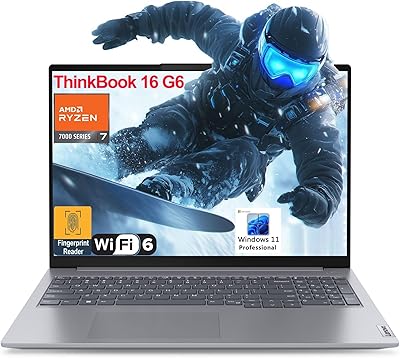
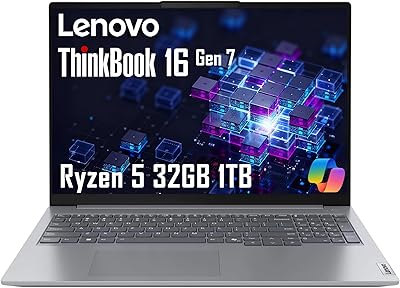
Lenovo ThinkBook 16 G6 AMD Ryzen 7 7730U 32GB RAM 1TB SSD
86%
92%
Performance
88%
Display Quality
90%
Security Features
89%
Build Quality
84%
Battery Life
More
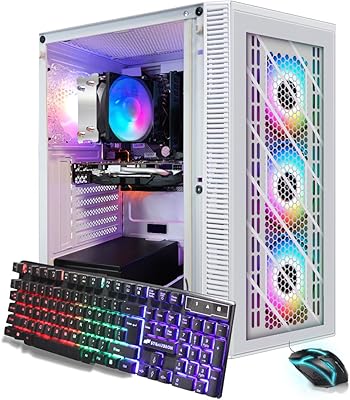
STGAubron RGB Desktop PC, AMD Ryzen 7 5700G, 16GB RAM, 1TB SSD
81%
91%
Value for Money
74%
Gaming Performance
88%
Multitasking Performance
84%
Design & Aesthetics
90%
Ease of Setup
More
ASUS Vivobook 17X 2023, Intel Core i9-13900H, 16GB RAM, 1TB SSD
84%
91%
Performance
87%
Display Quality
72%
Portability
88%
Value for Money
89%
Build Quality
More

FAQ

Unfortunately, no. The memory on this machine is soldered directly to the motherboard, which means the 16GB you get at purchase is the maximum you will ever have. For most everyday users that is plenty, but if you regularly run virtual machines or work with very large datasets, it is worth factoring that ceiling into your decision before buying.

A Copilot+ PC is a Microsoft certification that requires a laptop to meet minimum AI processing thresholds — in this case handled by the AMD XDNA NPU. In practice, it unlocks features like Recall, which lets you search your past activity like a timeline, and Live Captions, which transcribes spoken audio in real time. These features are genuinely useful in some situations, but they are still being refined by Microsoft, so treat them as a forward-looking bonus rather than a reason to buy today.

The honest answer is that your mileage will vary. Under light use — web browsing, writing, watching video at moderate brightness — many users land in the five to seven hour range. Push the processor harder with exports, multitasking, or high brightness, and you will see that drop faster. The FastCharge feature is a genuine convenience though, getting you back to full in about 80 minutes.

Casual gaming on older or less demanding titles is achievable, but do not expect this AMD-powered Vivobook to run modern AAA games at playable settings. The integrated AMD Radeon graphics simply do not have the raw power for that, and the 60Hz display would cap the experience even if the GPU could push higher frame rates. If gaming is a priority, a machine with a discrete GPU is a better fit.

It is workable for casual photo editing and general color-aware tasks, but professional colorists will want to calibrate the panel and should temper expectations about factory color accuracy. The 16:10 aspect ratio is genuinely helpful for editing workflows, giving you more room for toolbars and palettes. Outdoor or bright-room work can be a challenge at 300 nits of brightness.

Compared to some previous ASUS consumer laptops, the software pre-load on this model is relatively modest. There are a handful of ASUS utilities and some trial software, but buyers generally report it is cleaner than expected. A quick uninstall pass during initial setup takes care of anything unwanted.

The laptop includes two USB 3.0 Type-A ports, at least one USB-C port, and HDMI for display output. For basic setups — a mouse, an external drive, a monitor — you will likely be fine without a hub. If you rely on multiple USB-C devices, memory card slots, or an ethernet connection regularly, a compact USB hub is a practical addition.

During light tasks like browsing, writing, or video calls, the fan is quiet enough that you will rarely notice it. The noise becomes more apparent when the processor is under sustained load — exporting a video or running a heavy browser session with many tabs, for example. It is not unusually loud for a laptop in this class, but it is audible in a quiet room.

It is a strong contender for students who prioritize screen space and everyday reliability over portability at all costs. The 16:10 display is genuinely better for reading and writing than most similarly priced alternatives, and the storage and memory are comfortable for typical student workloads. Just be aware it is a slightly larger bag commitment than a 14-inch machine.

Yes, this Copilot+ laptop can drive an external display via its HDMI port or USB-C, and it supports 4K output for compatible monitors. Performance on external displays for productivity tasks is solid. Keep in mind that running a demanding game or GPU-heavy application on an external 4K panel will stress the integrated graphics more than internal display use does.