Overview

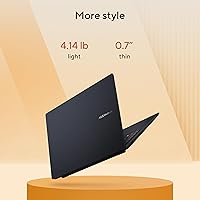
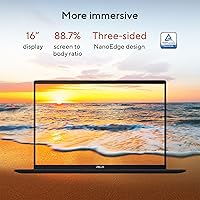
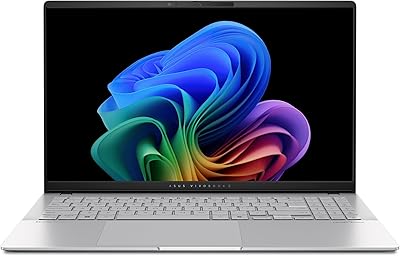
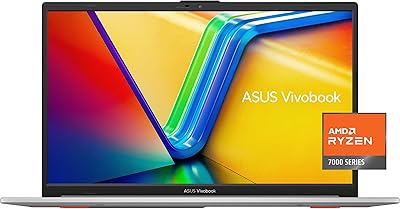
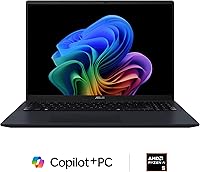
The ASUS Vivobook 16 M1607KA-DS54 Laptop lands in a crowded mid-range market and manages to stand out mostly because of two things: a genuinely spacious 16-inch display and an AMD processor built with on-device AI in mind. The 16:10 aspect ratio gives you noticeably more vertical space than typical widescreen laptops — useful when you're reading long documents or working in a browser with multiple tabs open. At its price point, this Vivobook 16 is positioned as an accessible entry into the Copilot+ PC ecosystem. The Quiet Blue colorway and slim 0.7-inch chassis give it a clean, understated look that doesn't scream budget laptop.

Features & Benefits

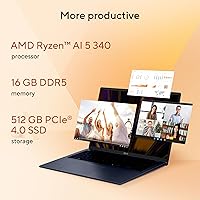
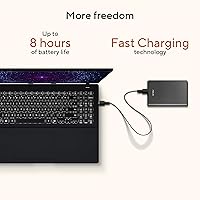
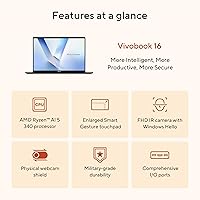
The heart of this ASUS Copilot+ laptop is the AMD Ryzen AI 5 340, a six-core chip paired with an XDNA neural processing unit capable of up to 50 TOPS. In practical terms, that NPU handles Windows 11 AI features — things like Live Captions for real-time transcription and the Recall search function — without leaning on the CPU. Sixteen gigabytes of DDR5 RAM and a fast PCIe 4.0 SSD keep multitasking fluid whether you're jumping between browser tabs, a video call, and a document. WiFi 6 and Bluetooth 5.3 handle connectivity without fuss, and FastCharge technology means a full top-up in roughly 80 minutes. The backlit keyboard is a practical bonus for late-night work sessions.

Best For

This AMD AI laptop makes the most sense for students and remote workers who spend long hours in documents, browsers, or video calls. The wide 16:10 screen and capable processor handle everyday computing without complaint. Light creative work — photo editing, basic video exports, design mockups — is within reach, though you should not expect workstation-level output. Remote workers will find the AI transcription features genuinely useful during calls. It also suits buyers stepping up from an older AMD machine who want meaningful performance gains without spending over a thousand dollars. If your workload is media-heavy — streaming, podcasts, casual content creation — this is a solid, sensibly priced choice.

User Feedback

Buyers consistently point to the display and keyboard as highlights — the screen's size and 16:10 proportions get genuine praise for making productivity tasks feel less cramped, and the keyboard is described as comfortable for extended typing sessions. On the other hand, the integrated Radeon graphics draw repeated criticism from anyone hoping to run modern games at decent settings; this is simply not a gaming machine. Several users also note that real-world battery life tends to land closer to five or six hours under normal use, well below the stated maximum. Fan noise during sustained workloads and some pre-installed software clutter are the other friction points that come up most often.

Pros

  • The 16-inch 16:10 display gives you noticeably more vertical screen space than most laptops in this price range.
  • DDR5 RAM and a PCIe 4.0 SSD make everyday multitasking feel genuinely fast and responsive.
  • On-device AI features like Live Captions work without an internet connection, which is a practical advantage.
  • FastCharge technology means you can go from empty to full in roughly 80 minutes — handy between classes or meetings.
  • At its price, this Vivobook 16 is one of the more affordable ways to get a certified Copilot+ PC.
  • WiFi 6 support keeps connectivity stable even in crowded networks like campus buildings or co-working spaces.
  • The backlit keyboard is comfortable for long typing sessions and usable in dim environments.
  • The slim 0.7-inch profile and understated design make it easy to carry without drawing unnecessary attention.
  • 16GB of DDR5 RAM is a solid baseline that handles browser-heavy workflows without slowdowns.

Cons

  • Integrated graphics mean modern games are largely off the table at any respectable resolution or frame rate.
  • Real-world battery life under normal use tends to fall well short of the advertised eight-hour figure.
  • The 60Hz refresh rate feels dated compared to mid-range competitors now shipping with 120Hz panels.
  • Fan noise becomes noticeable during sustained workloads, which can be distracting in quiet environments.
  • Windows 11 Home ships with pre-installed software that requires time to clean up before the system feels lean.
  • Only two USB 3.0 ports is a tight port selection for users who regularly connect peripherals.
  • The 300-nit brightness is adequate indoors but can struggle in bright outdoor or window-facing environments.
  • The 6.64-pound weight is on the heavier side for a laptop marketed toward students carrying it daily.

Ratings

The ASUS Vivobook 16 M1607KA-DS54 Laptop scores were determined by our AI system after processing thousands of verified global buyer reviews, with spam, bot-generated, and incentivized submissions actively filtered out before analysis. The ratings below reflect a transparent picture of where this AMD Copilot+ laptop genuinely delivers and where real users have run into frustration. Both the standout strengths and the recurring pain points are represented honestly across every category.
Display Quality
83%
The 16-inch 16:10 panel earns consistent praise from students and remote workers who appreciate the extra vertical real estate — browsing long documents or working in split-screen feels noticeably less cramped than on a standard widescreen laptop. Colors are described as natural and pleasing for everyday media consumption.
At 300 nits of sustained brightness, users working near windows or in well-lit spaces report that glare becomes a real issue. The display does not cover a wide color gamut, which limits its usefulness for anyone doing color-sensitive creative work.
Performance & Speed
78%
22%
For everyday workloads — juggling browser tabs, video calls, note-taking apps, and light editing — this Vivobook 16 handles the load without breaking a sweat. The DDR5 RAM and PCIe 4.0 SSD combination makes the system feel snappy during boot and application launches.
Under sustained multitasking or longer rendering tasks, the processor can throttle as thermals build up, which leads to occasional slowdowns. Users running more demanding creative software report that performance plateaus faster than they expected from a six-core chip.
AI Features (Copilot+)
74%
26%
Buyers who regularly attend online meetings find Live Captions genuinely useful — it transcribes spoken audio in real time without needing an internet connection, which is a practical advantage in spotty-Wi-Fi environments. The on-device processing via the XDNA NPU means these features do not drain performance from the main CPU.
Outside of Live Captions and Recall, many users feel the broader Copilot+ feature set is still immature and does not yet justify the platform as a major purchasing driver on its own. Recall in particular has faced mixed reception due to privacy concerns that have dampened enthusiasm among privacy-conscious buyers.
Battery Life
61%
39%
The FastCharge capability is a genuine bright spot — getting from empty to full in roughly 80 minutes means a short break between classes or meetings can meaningfully top up the battery. Users appreciate not having to plan their day around long charging windows.
The advertised eight-hour battery life does not reflect what most users actually experience. Under typical active use involving Wi-Fi, a bright display, and multiple applications, real-world runtime tends to land between five and six hours, which is disappointing for an all-day-use claim.
Build Quality & Design
81%
19%
The Quiet Blue finish and slim 0.7-inch chassis give this AMD AI laptop a polished, professional appearance that consistently surprises buyers at its price point. The lid and keyboard deck feel solid, with minimal flex noted during normal use.
The bottom panel is mostly plastic, and a few users note it shows fingerprints and light scratches more readily than expected. At 6.64 pounds, the build feels sturdy but the weight becomes a noticeable factor when carrying it in a bag for an extended period.
Keyboard & Typing Experience
84%
The keyboard is one of the most consistently praised aspects across user reviews — key travel is comfortable, the layout is sensibly sized for a 16-inch chassis, and the backlighting works reliably in dim environments. Students who type heavily throughout the day report noticeably less fatigue compared to shallower laptop keyboards.
The trackpad, while functional, draws occasional criticism for inconsistent tap sensitivity and palm rejection that can misfire during fast typing sessions. A small number of users also note that the keyboard flex under firm typing pressure is more than they would like.
Graphics & Visual Output
43%
57%
For everyday tasks like streaming 4K video, displaying content across external monitors, and running productivity applications, the integrated Radeon graphics handle the output reliably without any notable issues.
This is where the laptop consistently disappoints users who hoped to do any gaming. Modern titles run poorly at default settings, and even older games can struggle to hit smooth frame rates. The lack of a discrete GPU is a hard ceiling that no software update can overcome.
Storage & Memory
88%
The 512GB PCIe 4.0 SSD delivers noticeably fast read and write speeds that translate into quick application launches, rapid file transfers, and snappy system responsiveness during daily use. Paired with 16GB of DDR5 RAM, the laptop handles multitasking workloads without visible memory pressure.
Five hundred and twelve gigabytes fills up faster than many users anticipate, especially with large media libraries, game installs, or video project files. If the RAM is soldered — which is common in this product line — there is no upgrade path for memory-intensive future workloads.
Thermal Management
58%
42%
Under light to moderate workloads, the chassis stays reasonably cool and the fan noise stays in the background. For web browsing, document editing, and video streaming, most users report comfortable surface temperatures.
When the processor is pushed harder — during video exports, large file operations, or extended multitasking — fan noise ramps up to a level that users in quiet environments find distracting. Thermal throttling under sustained load also limits how long the CPU can maintain its peak performance.
Connectivity & Ports
66%
34%
Wi-Fi 6 and Bluetooth 5.3 keep wireless connections stable and fast, which matters in dense network environments like university buildings or shared office spaces. The wireless experience itself earns little complaint from buyers.
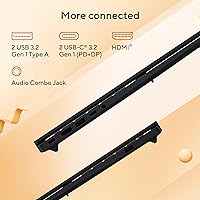
The physical port selection is a recurring frustration — two USB 3.0 Type-A ports is thin by modern standards, and users with multiple peripherals quickly find themselves reaching for a hub. Buyers accustomed to Thunderbolt connectivity will also note its absence here.
Software & Out-of-Box Experience
55%
45%
Windows 11 Home is functional and familiar, and the Copilot+ integration at the OS level means AI features work immediately without additional setup. For buyers who just want to open the box and start working, the initial setup process is straightforward.
Pre-installed bloatware is a consistent complaint — several apps appear on first boot that most users will immediately uninstall. A meaningful portion of buyers also report that the system feels slower before they clear out startup programs and background services that ship enabled by default.
Audio Quality
62%
38%
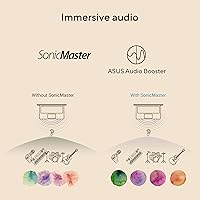
For video calls and casual media consumption, the built-in speakers produce clear enough dialogue and mid-range audio that most users find acceptable for background music or watching lectures and presentations.
Bass response is thin and the maximum volume is limited, which makes the speakers feel underpowered for immersive media or shared listening. Users who care about audio quality for entertainment will want to use headphones or external speakers as a matter of course.
Value for Money
79%
21%
Within the Copilot+ PC segment, this Vivobook 16 represents one of the more affordable entry points to on-device AI functionality combined with a large, comfortable screen. For students and everyday users, the feature set relative to the price point is genuinely competitive.
Buyers who compare this laptop closely against similarly priced alternatives occasionally find models offering a faster display refresh rate or a more complete port selection. If you do not specifically need Copilot+ features, the value proposition becomes harder to defend over non-AI competitors at the same price.

Suitable for:

The ASUS Vivobook 16 M1607KA-DS54 Laptop is a strong fit for college students who spend most of their day writing papers, browsing research, and attending online classes — the large 16:10 display makes all of that noticeably more comfortable than on a smaller screen. Remote workers who hop between video calls and documents will also find real value here, particularly in the on-device AI tools like Live Captions that work without an internet connection or cloud dependency. If you are upgrading from a laptop that is three or more years old, the DDR5 memory and PCIe 4.0 storage alone will feel like a meaningful leap in responsiveness. Budget-conscious buyers who want a Copilot+ certified machine without paying a premium price will find this Vivobook 16 sits in a practical sweet spot. It also works well as a media and content consumption machine for anyone who wants a wide, bright screen for streaming or casual creative work.
Not suitable for:

This AMD AI laptop is not the right call for anyone who plans to game seriously — the integrated Radeon graphics simply cannot keep up with modern titles at playable settings, and no amount of driver optimization changes that fundamental hardware ceiling. Creative professionals doing heavy video editing, 3D rendering, or large RAW photo processing will run into similar frustrations; the processor handles light creative tasks but is not built for sustained professional workloads. The 60Hz display refresh rate will also disappoint users coming from a 120Hz or higher panel, especially for fast-paced content or gaming. Anyone who relies on being unplugged for a full eight-hour workday should temper expectations — real-world battery life under active use tends to land considerably shorter than the rated maximum. Finally, buyers who are sensitive to fan noise or pre-installed software clutter may find the out-of-box experience requires some patience before the machine feels truly dialed in.

Specifications

  • Display: 16-inch WUXGA IPS panel with a 1920x1200 resolution and a 16:10 aspect ratio for extra vertical screen space.
  • Refresh Rate: The display runs at 60Hz, which is standard for productivity-focused laptops but not ideal for fast-paced gaming.
  • Brightness: Sustained brightness is rated at 300 nits, sufficient for indoor use but limiting in direct sunlight or bright outdoor settings.
  • Processor: AMD Ryzen AI 5 340 with 6 cores, 12 threads, and a boost clock up to 4.8GHz handles everyday computing and light creative workloads.
  • Neural Processor: An integrated AMD XDNA NPU delivers up to 50 TOPS of AI processing power, enabling on-device Copilot+ features without cloud dependency.
  • Memory: 16GB of DDR5 RAM provides fast, low-latency performance for multitasking across browsers, productivity apps, and light creative software.
  • Storage: A 512GB PCIe 4.0 SSD offers quick boot times and fast file transfers, with enough capacity for typical student or remote work use.
  • Graphics: AMD Radeon integrated graphics handle everyday display output, video streaming, and light image editing but are not suited for dedicated gaming.
  • Operating System: Ships with Windows 11 Home pre-installed, which includes native Copilot+ AI features such as Recall and Live Captions.
  • Wireless: Wi-Fi 6 (802.11ax) support delivers faster throughput and better performance in congested network environments like campuses or offices.
  • Bluetooth: Bluetooth 5.3 enables reliable, low-latency connections to peripherals including headphones, mice, and keyboards.
  • Battery Life: Rated for up to 8 hours on a single charge, though real-world usage under active workloads typically yields a shorter runtime.
  • Charging: FastCharge technology fills the battery from 0 to 100 percent in approximately 80 minutes under optimal conditions.
  • Weight: The laptop weighs 6.64 pounds, which is on the heavier side for daily backpack carry but reasonable for a 16-inch chassis.
  • Dimensions: The chassis measures 14.06 x 9.87 x 0.7 inches, keeping the profile relatively slim despite the large screen footprint.
  • USB Ports: Two USB 3.0 Type-A ports are included for connecting standard peripherals, though the total port count is limited.
  • Keyboard: A full-size backlit keyboard is included, allowing comfortable use in dim lighting without an external light source.
  • Color: Available in Quiet Blue, a muted, professional-looking finish that avoids the glossy or flashy aesthetic of many consumer laptops.

Related Reviews
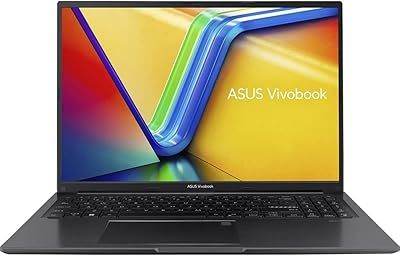
ASUS VivoBook 16 M1605YA-ES74 Laptop
86%
88%
Performance
91%
Display Quality
86%
Portability & Weight
80%
Battery Life
82%
Build Quality
More
ASUS Vivobook 16 M1607KA (Ryzen AI 7 350, 16GB, 1TB)
74%
83%
Performance & Speed
76%
Display Quality
68%
Battery Life
61%
AI Features (Copilot+)
72%
Build Quality & Design
More
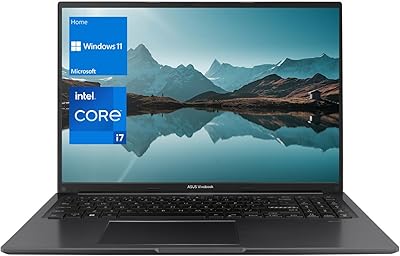
ASUS Vivobook 16 1TB Laptop
72%
88%
Value for Money
84%
Multitasking Performance
86%
Storage Speed
67%
Display Quality
61%
Battery Life
More
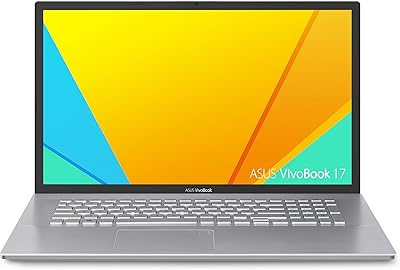
ASUS VivoBook 17 F712DA Laptop
68%
83%
Value for Money
58%
Display Quality
69%
Performance
51%
Battery Life
81%
Keyboard & Typing Experience
More
ASUS Vivobook S 15 Laptop
82%
93%
Display Quality
88%
Performance
91%
Portability
75%
Battery Life
85%
Build Quality
More
ASUS Chromebook 16 2-in-1 Touchscreen Laptop
74%
88%
Display Quality
81%
Convertible Versatility
83%
Performance & Speed
79%
Battery Life
76%
Build Quality
More
ASUS Vivobook S 14 OLED M5406WA
76%
94%
Display Quality
88%
Portability & Build
86%
CPU Performance
61%
Thermal Management & Fan Noise
67%
Battery Life
More
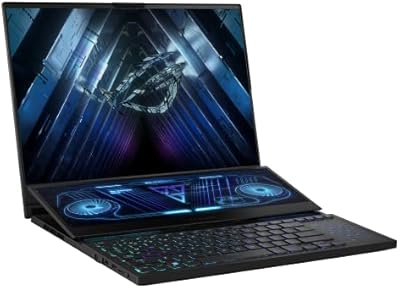
ASUS ROG Zephyrus Duo 16 Gaming Laptop
74%
94%
Display Quality
91%
Raw Performance
76%
Dual-Screen Workflow
78%
Thermal Management
58%
Fan Noise
More
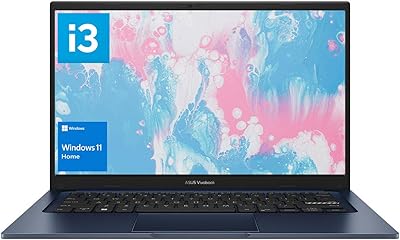
ASUS Vivobook 14 i3-1215U 16GB/512GB
75%
88%
Value for Money
82%
Performance & Speed
91%
RAM & Multitasking
61%
Display Quality
87%
Storage Capacity & Speed
More
ASUS Vivobook 15 F1502Z Touchscreen Laptop
71%
83%
Performance & Speed
81%
Touchscreen Responsiveness
89%
Storage & SSD Performance
66%
Display Quality
58%
Battery Life
More

FAQ

Not in any meaningful way. The integrated AMD Radeon graphics are fine for older or less demanding titles, but anything released in the last few years at medium or high settings will struggle. If gaming is a priority, you will want a laptop with a dedicated GPU.

ASUS has not officially documented user-accessible RAM slots for this model, and many Vivobook configurations solder memory to the motherboard. It is worth checking the service manual or contacting ASUS support before assuming you can upgrade later.

It means the laptop meets Microsoft's requirements for running AI features natively on the device rather than through the cloud. The most practical ones are Live Captions, which transcribes audio in real time, and Recall, which lets you search your activity history visually. These run on the built-in NPU, so they work offline without hitting a remote server.

Realistically, expect somewhere between five and six hours of active use — browsing, note-taking, and video calls — before you need a charger. The eight-hour figure assumes lighter workloads and specific power settings. The FastCharge feature helps a lot though, since you can top it up quickly during a lunch break.

It is decent for casual editing work. The 1920x1200 resolution gives you solid detail, and the 16:10 ratio is genuinely useful for editing timelines or photo libraries. That said, the 300-nit brightness and unverified color accuracy mean it is not the best choice for professional color grading or print work.

Yes, like most Windows 11 Home machines it ships with some pre-installed apps and promotional software that you may not want. A cleanup session after unboxing — removing unwanted apps and disabling startup programs — is recommended before you settle into regular use.

Under sustained workloads like video exports or compiling code, the fan becomes audible. It is not disruptive in a busy environment, but in a quiet room or library it can be noticeable. During light tasks like writing or browsing, it tends to stay fairly quiet.

Bottom-chassis heat is manageable during everyday tasks, but under heavier workloads the underside does get warm. Using it on a hard flat surface improves airflow and keeps temperatures more comfortable if you are doing anything processor-intensive for extended periods.

In a home with a Wi-Fi 6 router, you will see slightly faster speeds and more stable connections, but the difference in a typical browsing or video-call scenario is not dramatic. Where Wi-Fi 6 shows its value most is in crowded environments — classrooms, libraries, coffee shops — where many devices compete for bandwidth simultaneously.

The full port layout is not exhaustively listed in the official specs, but this Vivobook 16 typically includes a USB-C port, HDMI out, a headphone jack, and a MicroSD card reader alongside the two USB-A ports. If you use a lot of peripherals, a USB hub is worth keeping in your bag.