Overview

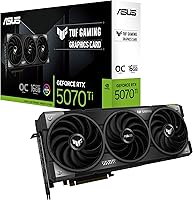
The ASUS TUF RTX 5070 Ti Graphics Card sits at a compelling tier within NVIDIA's RTX 50 series — powerful enough for enthusiast-level 4K gaming, yet not so far up the stack that it demands flagship-level compromises. ASUS's TUF Gaming line has long been trusted for component durability, using hardware rated for sustained, demanding use rather than just peak benchmark numbers. Physically, this is a large card: 3.125 slots wide and nearly 13 inches long, so case compatibility needs to be confirmed before purchase. At this price point, buyers expect real-world performance headroom, solid thermals, and hardware that holds up over years — not just months.

Features & Benefits

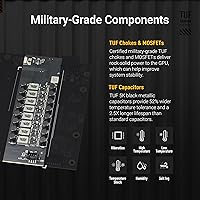
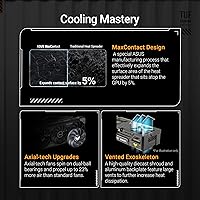
The RTX 5070 Ti TUF OC packs 16GB of GDDR7 VRAM running at 2588 MHz — a meaningful step up from previous-gen memory that translates directly to smoother 4K gaming, heavier ray tracing, and faster DLSS 4 AI rendering. The Axial-Tech triple-fan cooler moves up to 31% more air than conventional designs, keeping temperatures in check during long sessions without sounding like a turbine. Component quality is a real differentiator: military-grade capacitors and a moisture-resistant PCB coating give this card longevity that cheaper board partners skip. The dual BIOS switch is a practical touch — Quiet mode for near-silent desktop use, Performance mode when you want every megahertz. GPU Tweak III covers fan curves and real-time monitoring without needing third-party tools.

Best For

This TUF Gaming card is a natural fit for serious 4K gamers who run demanding titles for hours and need cooling that does not throttle under pressure. Content creators doing GPU-accelerated video encoding or 3D rendering will appreciate the 16GB GDDR7 buffer — large enough to handle complex scenes that would choke a smaller card. Builders who keep hardware for five or more years will find the TUF line's component philosophy appealing. That said, case size matters: at nearly 13 inches long and over 3 slots wide, this is not a card for compact builds. Overclockers will find the dual BIOS and GPU Tweak III software give plenty of room to push clocks without hunting for third-party utilities.

User Feedback

Across 123 ratings, ASUS's TUF 5070 Ti holds a 4.6-star average, and reading through the reviews reveals a consistent pattern. Most buyers praise the cooling performance — several note that temperatures stay genuinely low during extended play, and Quiet BIOS mode draws particular appreciation from those who game and work in the same room. On the critical side, a handful of buyers flag the card's size as a genuine installation challenge in mid-tower cases with limited clearance. There are occasional mentions of PCIe 5.0 power adapter cable management being awkward. No widespread reliability complaints appear in the review pool, which for a newer-generation card is a good sign. The overall satisfaction is hard to dispute.

Pros

  • 16GB GDDR7 VRAM handles the most demanding 4K workloads without memory pressure.
  • Axial-Tech triple-fan cooling keeps temperatures low even during marathon gaming sessions.
  • Dual BIOS switch lets you trade between near-silent operation and full performance instantly.
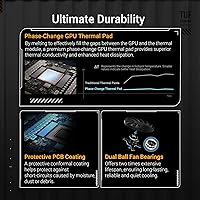
  • Military-grade components and PCB coating make this a card built to last, not just benchmark well.
  • Phase-change thermal pad delivers more consistent GPU cooling than standard thermal interface materials.
  • Five display outputs — two HDMI and three DisplayPort — cover virtually any multi-monitor setup.
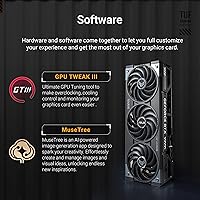
  • GPU Tweak III provides fan curves, overclocking, and monitoring all in one package without extra tools.
  • A 4.6-star average across over 100 real-world reviews reflects genuine buyer satisfaction.
  • The factory overclock gives a meaningful boost out of the box with no manual tuning required.

Cons

  • At nearly 13 inches long and over 3 slots wide, case compatibility must be carefully verified before buying.
  • Power requirements are substantial — a quality 850W or higher PSU is effectively mandatory.
  • The premium over other RTX 5070 Ti board partners is hard to justify for buyers who do not need the TUF durability focus.
  • PCIe 5.0 power connector placement can make clean cable routing genuinely difficult in some builds.
  • The RTX 5070 Ti TUF OC weighs 3.74 pounds, which may stress cheaper motherboard PCIe slots without a GPU support bracket.
  • GPU Tweak III has received mixed feedback for its interface design compared to competing tuning utilities.
  • New GDDR7 and PCIe 5.0 platform requirements mean older systems may need additional component upgrades to pair properly.
  • At this price tier, buyers expecting 8K gaming at high settings will still find real-world performance falls short of that spec sheet ceiling.

Ratings

The ASUS TUF RTX 5070 Ti Graphics Card has been scored below by our AI rating engine after analyzing verified global buyer reviews, actively filtering out incentivized, bot-generated, and duplicate submissions to surface only genuine user sentiment. Scores reflect both what this TUF Gaming card does exceptionally well and where real-world buyers have run into friction — nothing is glossed over.

Thermal Performance
93%
Across extended gaming sessions and GPU-accelerated workloads, buyers consistently report that the Axial-Tech triple-fan cooler keeps the die temperature well below throttling thresholds. The phase-change thermal pad appears to contribute meaningfully to consistency — users note stable clock speeds over hours rather than the gradual thermal creep common on competing coolers.
A small number of reviewers running the card in Performance BIOS mode inside poorly ventilated cases found temperatures climbed higher than expected, suggesting ambient airflow still matters despite the cooler's capability. The card generates significant heat output overall, which can warm a smaller enclosed space noticeably during long sessions.
Noise Levels
88%
In Quiet BIOS mode, buyers working in shared spaces or dual work-and-game setups praise how unobtrusive the RTX 5070 Ti TUF OC is under moderate loads — several describe it as near-silent during desktop tasks and only barely audible during gaming. The dual BIOS switch makes this a card that genuinely adapts to the user's environment.
Switching to Performance BIOS mode introduces noticeably more fan noise, which some buyers found louder than anticipated given the cooler's size and reputation. Under extended full-load stress — such as long rendering jobs — even Quiet mode fans spin up to an audible level, though reviewers generally considered this acceptable given the thermal demands.
Gaming Performance
91%
Buyers running the card at 4K with ray tracing enabled in titles like Cyberpunk 2077 and Alan Wake 2 report smooth, sustained frame rates that would have required a flagship card in the previous generation. DLSS 4 integration adds another layer of headroom, making this card feel future-proofed for the next wave of demanding releases.
A handful of buyers coming from RTX 4080 or 4090 builds noted that the generational uplift, while real, is less dramatic than the jump from RTX 30 to 40 series felt for some workloads. At native 8K, the card meets marketing spec on paper but real gaming at that resolution remains impractical at high settings for most titles.
Build Quality
94%
The military-grade component certification and moisture-resistant PCB coating resonate strongly with buyers who have owned cheaper board-partner cards and experienced early capacitor or coating failures. The overall chassis feels dense and premium in hand — buyers frequently describe the card as something that clearly justifies its position in the TUF lineup.
The card's substantial weight of 3.74 pounds means the PCIe slot takes real mechanical stress, and a few buyers flagged that they needed to source a separate anti-sag bracket after noticing slight flex on their motherboard. This is an installation consideration rather than a defect, but it adds a minor hidden cost for some builders.
Case Compatibility
61%
39%
For buyers already in full-tower or spacious mid-tower cases, the card installs without incident and the five-display output cluster is logically arranged for easy cable access. Those who planned ahead report a clean, manageable installation experience with no real friction.
At nearly 13 inches long and 3.125 slots wide, this is the most commonly cited pain point across critical reviews — buyers who did not verify clearance beforehand discovered the card simply would not fit their enclosure. Several reviewers specifically warned others to measure twice before ordering, calling the size a genuine dealbreaker for popular compact and mid-size cases.
Value for Money
74%
26%
Buyers who prioritize multi-year hardware ownership find the TUF durability features, factory overclock, and premium cooling justify the price delta over cheaper RTX 5070 Ti alternatives. For creators using the card professionally — where GPU hours have a direct productivity dollar value — the investment calculus looks considerably more favorable.
Casual gamers and those primarily playing at 1440p or below will find it difficult to rationalize the premium over the base RTX 5070, which delivers competitive performance at lower resolutions for meaningfully less money. The price gap between the TUF OC and entry-level RTX 5070 Ti variants from other brands is also non-trivial for buyers who do not need the durability-focused build.
Power Efficiency
69%
31%
Buyers upgrading from RTX 30 series hardware note that the performance-per-watt improvement is real and measurable in longer gaming sessions, with the GDDR7 memory contributing to lower memory subsystem power draw compared to GDDR6X designs at equivalent bandwidth.
The card's total board power demand still requires a high-quality 850W or larger power supply, which adds cost for anyone not already on a sufficient PSU. A few reviewers mentioned their system power draw at the wall was higher than anticipated, particularly with the Dual BIOS in Performance mode during GPU-intensive tasks.
Software & Tuning
77%
23%
GPU Tweak III covers the full range of tuning controls most enthusiasts need — fan curves, power limits, clock offsets, and live sensor monitoring — and buyers appreciate not being forced to install a third-party utility just to manage their hardware. The interface has improved from earlier ASUS GPU software iterations and generally works reliably.
A recurring complaint among more experienced overclockers is that GPU Tweak III's interface feels less intuitive than MSI Afterburner, and a few buyers reported occasional software crashes or sensor readout inconsistencies. It functions, but for users accustomed to more mature tuning tools, the learning curve is mildly frustrating.
Installation Experience
79%
21%
Buyers with compatible cases and adequate power supplies describe the physical installation process as straightforward — the card seats firmly, and the dual BIOS switch is easy to locate and operate. The clear labeling on outputs and the well-built bracket make initial setup feel reassuringly solid.
The PCIe 5.0 power connector arrangement drew complaints from several reviewers who found cable management awkward, particularly in cases with limited routing channels behind the motherboard tray. The card's weight also makes single-handed installation tricky — most buyers recommended having a second set of hands or a temporary support during seating.
Display Connectivity
89%
Five total outputs — two HDMI and three DisplayPort — give this TUF Gaming card one of the most flexible multi-monitor configurations available at this tier, and buyers running triple-monitor or mixed display setups praised having enough ports to cover every screen without a hub or adapter.
The HDMI ports are limited to HDMI 2.1 specification, which is not a practical limitation for most users but drew mild disappointment from a small segment of buyers expecting a next-generation standard. Buyers needing more than five simultaneous displays will still require additional hardware.
VRAM Capacity
92%
The 16GB GDDR7 buffer performs well in scenarios that would overwhelm 12GB cards — heavily modded open-world titles, high-resolution texture packs, and multi-stream video editing workflows all benefit from the headroom. Several creator-focused reviewers specifically cited VRAM capacity as the deciding factor in choosing this card over alternatives.
For buyers whose workloads remain firmly within 1080p or light 1440p gaming, 16GB is more headroom than they will realistically use in the near term, making the VRAM advantage part of a forward-looking investment rather than an immediate day-one benefit. No reviewers reported VRAM-related performance issues, keeping this a non-issue for target users.
Long-Term Reliability
86%
Military-grade component ratings and the protective PCB coating address the failure modes that have historically shortened GPU lifespans in humid or dusty environments, and buyers who have owned previous TUF Gaming cards cite brand trust as a key reason for returning to the lineup. The phase-change thermal pad also reduces long-term degradation compared to standard thermal interface materials.
The card's relatively recent release date means long-term reliability data across years of ownership is still accumulating — the 123 reviews available do not yet tell the full durability story, and buyers should factor that the TUF certification is a build standard, not an extended warranty guarantee.
RGB & Aesthetics
72%
28%
Buyers who prioritize a coordinated build aesthetic appreciate that the addressable RGB integrates with ASUS Aura Sync, allowing it to match other TUF or ROG components without running separate lighting software. The overall design is assertive but not garish — the exoskeleton has a purposeful, utilitarian look that complements both dark and light-themed builds.
Buyers coming from more visually elaborate GPU designs may find the TUF aesthetic understated by comparison — the lighting coverage is moderate rather than expansive, and the shroud design prioritizes function over showmanship. A small number of reviewers noted they would have preferred more customizable lighting zones.

Suitable for:

The ASUS TUF RTX 5070 Ti Graphics Card is a strong match for enthusiast PC builders who game at 4K and expect their hardware to remain capable for several years without needing an upgrade. If you run visually demanding titles with ray tracing enabled, the 16GB GDDR7 VRAM provides enough headroom to avoid the stuttering and slowdowns that come from running out of video memory mid-session. Content creators who rely on GPU acceleration for video encoding, 3D rendering, or AI-assisted workflows will also get genuine value from the faster memory bandwidth and the larger VRAM pool. The TUF line specifically appeals to buyers who prioritize component longevity — this is not a card built to hit a low price point, but one designed to stay reliable under sustained, heavy workloads over years of use. Overclockers and enthusiast tweakers will appreciate having dual BIOS modes and a capable tuning suite available without hunting for third-party software.

Not suitable for:

The ASUS TUF RTX 5070 Ti Graphics Card is not a practical choice for anyone building in a compact or mid-tower case without first verifying internal clearance — at nearly 13 inches long and occupying 3.125 expansion slots, it will physically not fit many common enclosures. Budget-conscious builders or those primarily gaming at 1080p will find the performance-to-cost ratio difficult to justify, since the step down to the base RTX 5070 or last-generation alternatives offers competitive frame rates at lower resolutions for less money. If your power supply is under 850W, you will need to factor in an upgrade, adding to the total system cost. Users who prefer a minimal, set-and-forget setup may find the GPU Tweak III software redundant if they have no interest in tuning, and the PCIe 5.0 power connector arrangement can make cable management awkward inside tighter builds.

Specifications

  • GPU Chip: Powered by the NVIDIA GeForce RTX 5070 Ti, built on NVIDIA's latest Blackwell architecture for next-generation rasterization and ray tracing performance.
  • VRAM: 16GB of GDDR7 memory provides a fast, high-capacity frame buffer suited for 4K gaming, heavy modding, and GPU-accelerated creative workloads.
  • Memory Speed: The GDDR7 memory operates at 2588 MHz, delivering substantially higher bandwidth than the GDDR6X used in previous-generation cards.
  • Boost Clock: The factory overclocked boost clock reaches 2610 MHz, offering a meaningful frequency advantage over NVIDIA's reference specification out of the box.
  • PCIe Interface: Uses a PCIe 5.0 x16 interface, compatible with current-generation motherboards and backward compatible with PCIe 4.0 slots at reduced bandwidth.
  • Card Length: The card measures 12.95 inches (approximately 329 mm) in length, requiring a spacious case with adequate GPU clearance before installation.
  • Slot Width: Occupies 3.125 expansion slots, so adjacent slots on the motherboard will be blocked and case slot coverage should be checked in advance.
  • Card Weight: Weighs 3.74 pounds (approximately 1.7 kg), which is substantial enough that a GPU support bracket or anti-sag brace is worth considering for long-term use.
  • Display Outputs: Offers five total outputs — two HDMI and three DisplayPort — supporting multi-monitor configurations of up to five simultaneous displays.
  • Max Resolution: Capable of driving displays up to 7680x4320 pixels (8K) resolution via DisplayPort, though real-time 8K gaming at high settings remains demanding even at this performance tier.
  • Cooling System: Uses ASUS's Axial-Tech triple-fan cooler paired with a phase-change GPU thermal pad, delivering up to 31% more airflow than conventional fan designs under sustained load.
  • BIOS Modes: A physical dual BIOS switch on the card toggles between Quiet mode for lower noise output and Performance mode for maximum clock speeds and cooling aggressiveness.
  • PCB Protection: The printed circuit board is coated with a protective layer designed to resist moisture and debris, contributing to the card's long-term reliability in varied environments.
  • Tuning Software: Bundled with GPU Tweak III, which provides overclocking controls, custom fan curves, voltage adjustment, and real-time sensor monitoring in a single application.
  • RGB Lighting: Includes addressable RGB lighting on the card body, compatible with ASUS Aura Sync for coordinated lighting across supported motherboards and peripherals.
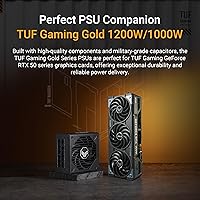
  • PSU Recommendation: ASUS recommends pairing the card with a TUF Gaming Gold 850W or 1000W power supply, though any quality unit meeting or exceeding 850W with the correct connectors will work.
  • Amazon Rating: Holds a 4.6-out-of-5-star average rating based on 123 verified customer reviews at the time of this writing.

Related Reviews
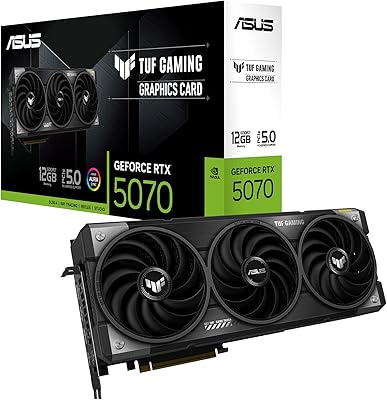
ASUS TUF Gaming GeForce RTX 5070 12GB GDDR7 Graphics Card
87%
94%
Gaming Performance
91%
Cooling Performance
88%
Noise Levels
93%
Build Quality & Durability
80%
Setup & Installation
More
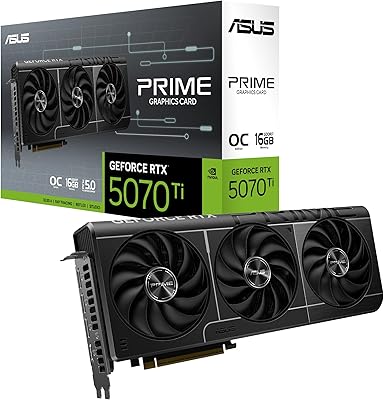
ASUS Prime RTX 5070 Ti 16GB Graphics Card
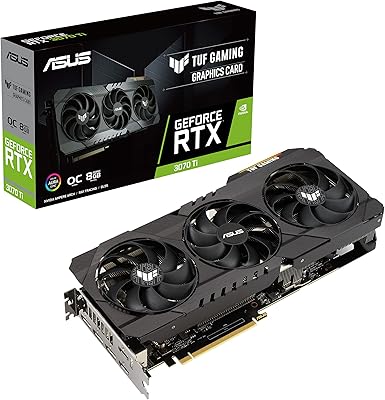
83%
93%
Gaming Performance
89%
Thermal Management
86%
Noise Levels
91%
Build Quality & Materials
94%
SFF & Case Compatibility
More
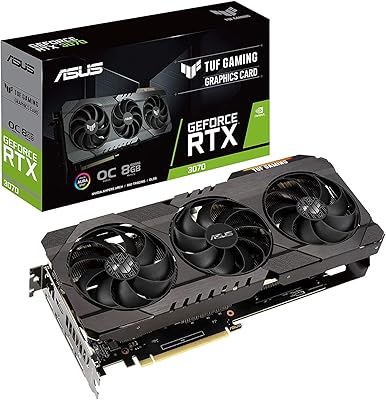
ASUS TUF Gaming NVIDIA GeForce RTX 3070 Ti OC Edition Graphics Card 8GB GDDR6X
87%
92%
Performance
88%
Cooling Efficiency
94%
Build Quality & Durability
90%
Value for Money
76%
Thermals (Under Load)
More
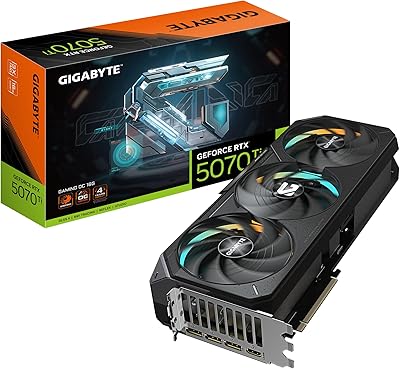
GIGABYTE GeForce RTX 5070 Ti Gaming OC 16G
86%
91%
4K Gaming Performance
89%
Ray Tracing & DLSS 4
93%
Cooling Efficiency
94%
VRAM & Memory Speed
87%
Acoustic Performance
More
ASUS TUF Gaming NVIDIA GeForce RTX 3070 OC Edition Graphics Card
88%
94%
Gaming Performance
92%
Cooling Efficiency
88%
Setup & Installation
91%
Build Quality & Durability
90%
Ray Tracing & DLSS
More
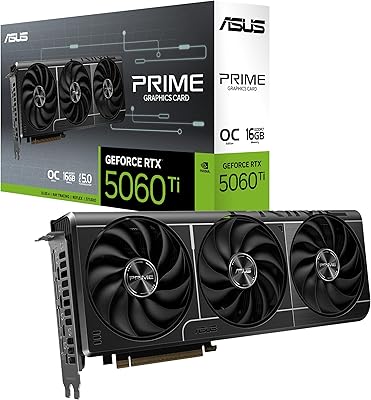
ASUS PRIME GeForce RTX 5060 Ti 16GB GDDR7 OC Edition Graphics Card
88%
93%
Performance
88%
Cooling Efficiency
92%
Value for Money
86%
Ease of Installation
90%
Build Quality
More
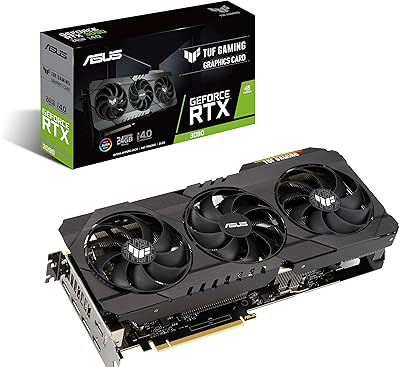
ASUS TUF RTX 3090 OC Graphics Card
80%
91%
Raw Gaming Performance
88%
Thermal Management
93%
Build Quality
94%
VRAM Capacity & Usefulness
83%
Noise Levels
More
ASUS TUF Gaming RTX 3080 Ti Graphics Card
80%
91%
Gaming Performance
88%
Thermal Management
84%
Noise Level
93%
Build Quality
62%
Value for Money
More
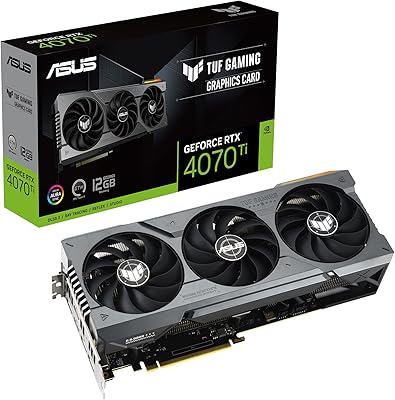
ASUS TUF Gaming GeForce RTX 4070 Ti 12GB
86%
95%
4K Gaming Performance
92%
Ray Tracing & DLSS 3 Support
88%
Cooling System
87%
Build Quality
73%
Size & Fit for PC Builds
More
GIGABYTE RTX 5070 Gaming OC 12GB GPU
83%
93%
Gaming Performance at 1440p
76%
4K Gaming Capability
91%
Thermal Performance
94%
DLSS 4 and Multi Frame Generation
89%
Build Quality and Construction
More
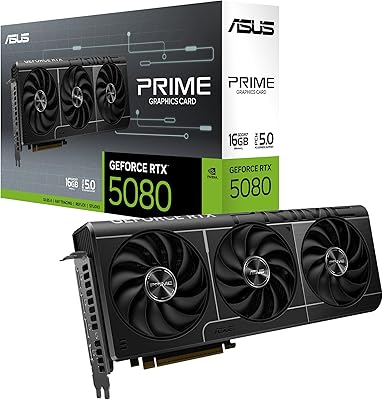
ASUS Prime RTX 5080 16GB Graphics Card
80%
93%
Gaming Performance
91%
Thermal Management
88%
Noise Level
89%
SFF Compatibility
67%
Value for Money
More

FAQ

It depends on your specific case. The card is nearly 13 inches long and takes up over 3 expansion slots, so compact and many standard mid-tower enclosures will not accommodate it without clearance issues. Before buying, check your case's listed maximum GPU length and count the available slot space near your PCIe x16 slot.

You will want at least an 850W power supply with the correct PCIe power connectors for the RTX 50 series. ASUS specifically references their own TUF Gaming Gold 850W and 1000W units as good companions, but any reputable 850W or higher PSU with a clean power delivery rating will work fine.

GDDR7 is a genuine generational improvement — it offers higher bandwidth and better efficiency than GDDR6X, which translates to faster texture loading, smoother frame pacing in VRAM-heavy scenarios, and more headroom for future games that push memory demands. For most buyers upgrading from an RTX 30 or 40 series card, the difference in memory performance will be noticeable in the most demanding titles.

In Quiet BIOS mode, reviewers consistently report that the card stays impressively subdued even during demanding sessions. Performance BIOS mode runs the fans more aggressively and audibly, but the Axial-Tech cooler design keeps noise more controlled than many competing triple-fan coolers at comparable temperatures. For open-loop builds or quiet office environments, Quiet mode is the obvious starting point.

It handles both well. The 16GB GDDR7 frame buffer is genuinely useful for GPU-accelerated video encoding, 3D rendering, and AI-assisted tools that push VRAM usage higher than gaming typically does. If you are using software like DaVinci Resolve, Blender, or running local AI models alongside gaming, the larger VRAM pool gives you more room to work without running into memory limits.

It physically switches between two firmware profiles stored on the card. Quiet mode prioritizes lower fan speeds and noise levels, which is great when you are working at your desk or gaming in a quiet space. Performance mode removes those constraints and lets the card run fans faster to extract more sustained clock speeds under heavy load. You flip it with the card powered off — it is a simple mechanical switch, not a software setting.

Yes, PCIe 5.0 is backward compatible with PCIe 4.0 slots. You will not get the full theoretical bandwidth of PCIe 5.0, but in practice the difference in gaming or rendering performance between PCIe 4.0 and 5.0 is minimal at current GPU performance levels. Running this card on a PCIe 4.0 board is a perfectly reasonable setup.

It is not strictly required, but at 3.74 pounds and nearly 13 inches long, this is a card that puts real stress on the PCIe slot over time — especially if the system is moved or transported occasionally. A support bracket or anti-sag brace is an inexpensive precaution that protects both the slot and the card from gradual physical stress.

The TUF Gaming line sits in the upper tier of board partner offerings, competing with cards like the MSI Gaming Trio and Gigabyte Gaming OC. The TUF variant's key differentiators are the military-grade component certification, PCB coating, and ASUS's focus on long-term durability rather than pure out-of-the-box clock speeds. If longevity and sustained reliability matter more to you than squeezing out every last megahertz, the TUF line is a credible choice — though premium alternatives do exist if aesthetic design or specific software ecosystems are priorities.

GPU Tweak III covers the core features most users need — fan curves, power limits, clock offsets, and real-time monitoring. It has improved significantly from earlier versions and works well for the RTX 50 Ti TUF OC specifically. That said, if you are already familiar with Afterburner and prefer its interface, there is no reason you cannot use it instead. Both tools can manage this card without issues.

Where to Buy