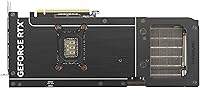
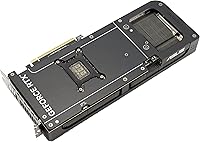
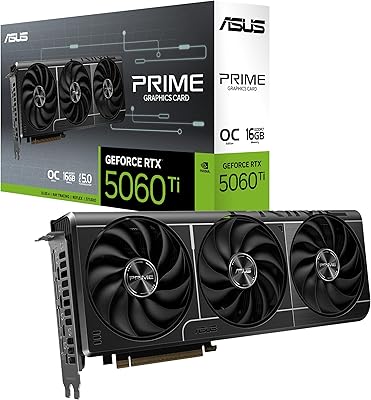
Overview

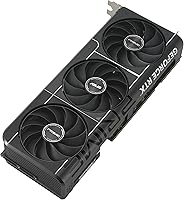
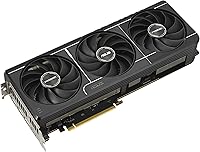
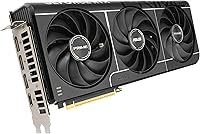
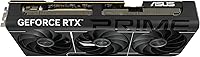
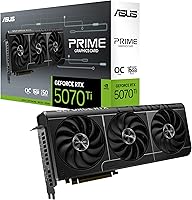
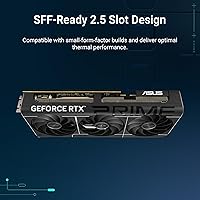
The ASUS Prime RTX 5070 Ti 16GB Graphics Card is ASUS's answer to a question serious PC builders have been asking for years: can you fit genuine enthusiast-tier GPU performance into a compact case without compromise? Built on NVIDIA's Blackwell architecture, this compact RTX 5070 Ti occupies a 2.5-slot profile — noticeably thinner than the triple-slot behemoths dominating the high-end market. It's aimed squarely at builders working with ITX or space-constrained mATX cases who refuse to settle for mid-range performance. Available since February 2025, it has already earned a strong reputation, with hundreds of verified buyers weighing in positively across Amazon.
Features & Benefits

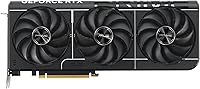
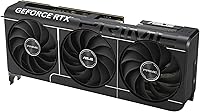
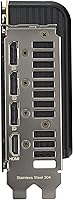
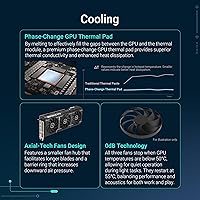
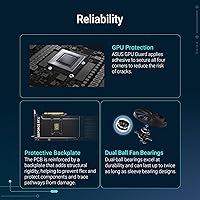
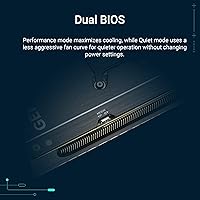
ASUS fitted the Axial-tech fan system with a smaller hub and longer blades than typical coolers, and a barrier ring channels airflow more directly downward — the result is meaningful cooling from a surprisingly slim package. Underneath the shroud, a phase-change thermal pad replaces standard thermal paste on the GPU die, improving heat transfer as temperatures climb during intense workloads. Dual-ball fan bearings add long-term reliability, rated to last roughly twice as long as sleeve-bearing designs. When you are just browsing or doing light tasks, the fans stop entirely in 0dB mode. A dual BIOS switch lets you choose between a performance-focused and a quieter cooling profile — a genuinely practical option. Three DisplayPort 2.1a and two HDMI 2.1b ports cover every connectivity scenario.

Best For

This SFF-ready card was built for a specific kind of builder, and it shows. If you are working with a compact ITX or mATX case and want to avoid the compromises that usually come with fitting a flagship GPU inside, this is one of the few real options at this performance tier. Gamers chasing 4K at high refresh rates or pushing 1440p with ray tracing cranked up will find the Blackwell architecture well-suited to those demands. For content creators, DLSS 4 uses AI to generate additional frames and sharpen output, meaning faster render previews and smoother real-time playback without a raw performance hit. Home theater enthusiasts running 8K or multi-monitor HDR setups will also put the DisplayPort 2.1a outputs to good use.

User Feedback

Buyer response to the ASUS Prime 5070 Ti has been notably positive, with most praise centering on real-world temperatures that outperform expectations for such a slim cooler, and on how the narrow width opens up case options that would be off-limits with most competing cards. Installation is frequently described as straightforward, with the compact footprint making cable routing noticeably cleaner inside smaller chassis. That said, pricing is a recurring concern — this card sits at a genuine premium, and some buyers report difficulty sourcing it at launch without paying above standard retail. Long-term owners note that sustained load noise stays low, and few report thermal throttling under extended gaming sessions, which speaks well to the cooler's real-world endurance.

Pros

  • Fits high-end ITX and compact mATX builds where most flagship GPUs simply cannot go.
  • Runs noticeably cooler than buyers expect from such a slim 2.5-slot cooler.
  • DLSS 4 makes 4K with ray tracing genuinely playable without gutting frame rates.
  • Fans stop entirely during light use, making everyday desktop work impressively quiet.
  • Five display outputs — including three DisplayPort 2.1a — handle complex multi-monitor setups without adapters.
  • Dual BIOS switch gives you a real quiet-mode option, not just a software setting you forget exists.
  • Dual-ball fan bearings add meaningful long-term reliability compared to standard sleeve-bearing designs.
  • Installation is straightforward, and the narrow profile makes cable routing cleaner inside tight builds.
  • Generational performance leap over RTX 30-series cards is immediately felt in demanding titles.
  • Build quality feels premium and solid, with no flex or cheap materials despite the compact size.

Cons

  • Carries a notable price premium that is hard to justify unless SFF compatibility is a firm requirement.
  • Launch availability was poor, pushing early buyers into paying above standard retail pricing.
  • At 12 inches long, it still will not fit in the most extreme ultra-compact enclosures.
  • Performance headroom is partly wasted if your CPU cannot keep pace — platform upgrades may be necessary.
  • Cooling efficiency drops in cases with poor intake airflow, making case selection more critical than usual.
  • DLSS 4 benefits require compatible game titles and driver configuration — they are not automatic out of the box.
  • The BIOS toggle switch requires physically opening your case, which is inconvenient after final assembly.
  • Driver maturity for the Blackwell architecture is still developing, with some early quirks reported around sleep states.
  • Buyers on older PCIe 4.0 platforms will see no practical bandwidth benefit from the PCIe 5.0 interface today.
  • Limited long-term ownership data makes multi-year durability harder to confirm than on more established GPU generations.

Ratings

The ASUS Prime RTX 5070 Ti 16GB Graphics Card earns its strong reputation across hundreds of verified global purchases, and the scores below reflect what real buyers actually experienced — not marketing claims. Our AI analyzed confirmed buyer feedback worldwide, actively filtering out incentivized and bot-generated reviews to surface honest signal. The result is a transparent picture of where this compact RTX 5070 Ti genuinely excels and where a few friction points are worth knowing before you buy.
Gaming Performance
93%
Buyers consistently report that 4K gaming at high settings feels effortless, with ray tracing no longer requiring painful frame rate trade-offs the way earlier generations demanded. Upgraders from RTX 30-series cards in particular describe the generational jump as immediately noticeable in open-world and graphically demanding titles.
A small number of users note that to fully exploit the card's ceiling, a CPU upgrade is also necessary, meaning the GPU occasionally feels bottlenecked in older systems. At purely CPU-limited scenarios, the performance advantage over previous-gen cards narrows considerably.
Thermal Management
89%
The phase-change thermal pad and redesigned Axial-tech fans work together in a way that genuinely surprises buyers expecting a 2.5-slot card to run warm. Most owners report GPU temperatures staying comfortably lower under sustained gaming loads than they anticipated from such a slim cooler.
In very restricted ITX cases with limited intake airflow, some users observe temperatures climbing higher than in open benches or mid-tower builds. The cooler performs best when the surrounding case can breathe, so case selection matters more than usual here.
Noise Levels
86%
The 0dB fan stop feature makes a real difference during everyday desktop use — browsing, streaming, and light productivity run in near silence. Even under gaming loads, most buyers describe the fan noise as unobtrusive compared to other high-end GPUs they have previously owned.
Under sustained heavy loads like extended 4K gaming sessions or prolonged rendering jobs, the fans spin up audibly and a handful of users found the pitch slightly higher than expected for a premium card. It is not loud, but those sensitive to fan noise in quiet rooms may notice it.
Build Quality & Materials
91%
The card feels dense and well-constructed out of the box, with a backplate and shroud that do not flex or creak during installation. Buyers frequently comment on the premium feel relative to the compact footprint, noting it does not have the lightweight or plasticky impression some smaller cards give.
A couple of buyers noted that the PCIe power connector placement, while functional, sits at an angle that can feel slightly awkward in tighter cases. Nothing structurally concerning, but worth accounting for when planning cable routing in a compact build.
SFF & Case Compatibility
94%
This is arguably where the ASUS Prime 5070 Ti stands out most clearly from the competition. The 2.5-slot width opens up ITX case options that would simply be off-limits with triple-slot alternatives, and buyers building in popular compact enclosures report clean, hassle-free fits.
The card still measures 12 inches in length, which rules it out for the most extreme ultra-compact cases. Buyers should verify GPU length clearance carefully before purchasing — the slim width helps a lot, but length remains a constraint in very small enclosures.
Installation Experience
88%
Most buyers describe the physical installation as refreshingly straightforward, with the narrower profile making it easier to seat the card and route power cables without contorting fingers around adjacent components. The 2.5-slot design also leaves noticeably more clearance for RAM and M.2 heatsinks nearby.
A few users building in very tight cases still found the power connector orientation added some complexity during cable management. This is a minor point, but worth noting for first-time builders working in cramped chassis where every millimeter counts.
DLSS 4 & AI Features
87%
Buyers who explored DLSS 4 — particularly Multi Frame Generation — describe the experience as one of the biggest practical surprises of the upgrade. Games that previously struggled at 4K with ray tracing now run at significantly higher frame rates, with image quality that most users find indistinguishable from native rendering at typical viewing distances.
DLSS 4 support varies by game title and requires up-to-date drivers and compatible software, which some less technical buyers found confusing to set up initially. The benefits are real, but they are not automatic out of the box and require some configuration effort.
Display Connectivity
83%
Having three DisplayPort 2.1a and two HDMI 2.1b outputs on a single card means multi-monitor setups and 8K home theater connections are handled without adapters. Content creators running dual high-refresh displays alongside a reference monitor appreciate not having to compromise on which outputs to use.
The abundance of outputs is excellent on paper, but users with older monitors relying on DisplayPort 1.4 or HDMI 2.0 do not benefit from the added bandwidth. For buyers not yet running next-gen displays, some of this connectivity headroom is effectively unused.
Fan Longevity & Durability
82%
18%
The dual-ball bearing fans are a meaningful long-term reliability advantage that buyers familiar with GPU maintenance genuinely appreciate. Early long-term owners report no bearing noise or wobble after months of regular use, suggesting the build quality holds up through consistent daily workloads.
Since the card only became available in early 2025, true multi-year longevity data is still accumulating. The engineering rationale for dual-ball bearings is sound, but buyers expecting confirmed years-long durability reports will need to wait for the owner community to mature.
Dual BIOS Functionality
79%
21%
The ability to physically switch between a performance-tuned and a quieter BIOS profile is a practical feature that buyers in shared living spaces or home office environments specifically call out as valuable. The quiet mode meaningfully reduces fan speeds without severely cutting into gaming performance at 1440p.
Switching the BIOS requires a physical toggle on the card, which means accessing the inside of your case rather than making a software adjustment. Some users find this inconvenient, particularly in builds where the GPU is not easily accessible after final assembly.
Value for Money
71%
29%
For buyers who specifically need a high-performance GPU that fits a compact case, this SFF-ready card commands a justifiable premium — there are genuinely few alternatives at this performance tier with a comparable footprint. Those who understand what they are paying for tend to feel the cost is fair.
At its price point, this is unambiguously a significant investment, and availability constraints around launch pushed some buyers into paying above standard retail. Users without a strict SFF requirement may find larger competing cards offer similar GPU performance at a lower price.
Driver Stability
77%
23%
Most buyers report that day-to-day driver performance has been stable, with no widespread reports of crashes or display output issues under normal gaming and productivity workloads. NVIDIA's driver ecosystem for Blackwell launched in reasonably solid shape compared to some prior generational releases.
As with any new GPU architecture, a subset of users encountered minor driver-related quirks in the early months, particularly around sleep and wake behavior. These issues are generally resolved through driver updates, but buyers sensitive to early-adoption instability should be aware.
PCIe 5.0 Readiness
74%
26%
Running on PCIe 5.0 means this card is fully prepared for next-generation platform compatibility, which is a meaningful consideration for buyers building around recent or upcoming Intel and AMD platforms. It removes any long-term bandwidth concern as CPU platforms evolve.
At this point in the PCIe 5.0 adoption curve, real-world gaming performance differences over PCIe 4.0 are minimal to negligible in most tested scenarios. Buyers upgrading on older platforms should not expect a tangible performance benefit from the interface change today.
Availability & Purchase Experience
63%
37%
Buyers who managed to purchase at standard retail pricing generally reported a smooth transaction and prompt delivery. The card's Amazon listing has maintained a consistent presence, and stock availability has improved meaningfully in the months following the February 2025 launch.
Launch availability was a genuine frustration for early buyers, with limited stock pushing prices above standard retail for several weeks. This is a familiar pattern for high-demand GPU releases, but it is a real pain point that affected a notable share of the early buyer pool.

Suitable for:

The ASUS Prime RTX 5070 Ti 16GB Graphics Card was designed with a very specific buyer in mind, and for that buyer it is a genuinely strong choice. If you are building inside a compact ITX or mATX case and have been frustrated by how few high-performance GPU options actually fit without modification, this card directly solves that problem — the 2.5-slot width opens up enclosures that triple-slot alternatives simply cannot enter. It is equally well-suited for 4K gamers who want ray tracing and DLSS 4 running at the same time without constantly managing frame rate trade-offs, and for content creators who benefit from the Blackwell architecture's AI-accelerated workflows in applications like video editing and 3D rendering. Home theater enthusiasts running 8K displays or multi-monitor HDR setups will also put the five output ports to genuine use. In short, if space is a real constraint and you refuse to downgrade your performance expectations to accommodate it, this compact RTX 5070 Ti is one of the few cards that does not ask you to choose.
Not suitable for:

The ASUS Prime RTX 5070 Ti 16GB Graphics Card is not the right fit for every buyer, and it is worth being direct about where it falls short. If you are building in a standard mid-tower or full-tower case, the SFF-specific engineering you are paying a premium for delivers no practical advantage — a larger triple-slot card from a competing AIB partner may offer equivalent or better cooling headroom at a lower price point. Buyers on a tight budget should also think carefully here, as this is an unambiguously expensive card, and those who do not need the compact form factor are paying for engineering they will never use. If your case is extremely short in GPU length — under 11 inches — the card will not fit regardless of its slim width, so checking clearance specs before purchasing is essential. Buyers who are sensitive to early-adoption risks should also note that as a Blackwell-generation product launched in early 2025, the driver ecosystem and long-term reliability data are still maturing compared to more established GPU generations.
Specifications

  • GPU Architecture: Built on the NVIDIA Blackwell architecture, representing NVIDIA's current flagship GPU generation released in early 2025.
  • GPU Model: Powered by the NVIDIA GeForce RTX 5070 Ti processor, positioned as a high-end enthusiast-tier graphics chip.
  • VRAM: Equipped with 16GB of GDDR7 memory, providing substantial bandwidth for 4K textures, ray tracing workloads, and AI-accelerated rendering.
  • Memory Speed: GDDR7 memory operates at 2527 MHz, contributing to fast data throughput between the GPU and its frame buffer.
  • Boost Clock: The GPU boost clock reaches up to 4000 MHz under load, enabling high sustained performance during gaming and creative workloads.
  • Slot Width: Occupies 2.5 expansion slots, meaningfully narrower than the triple-slot designs common among competing high-end cards.
  • Dimensions: The card measures 12 x 5 x 2 inches (approximately 304.8 x 127 x 50.8 mm), with length being the primary clearance consideration for case compatibility.
  • Weight: Weighs 2.6 pounds (approximately 1.18 kg), which is moderate for a card in this performance class.
  • PCIe Interface: Uses a PCIe 5.0 interface for compatibility with current and next-generation motherboard platforms.
  • Display Outputs: Provides three native DisplayPort 2.1a and two native HDMI 2.1b ports, supporting up to five simultaneous display connections.
  • Max Resolution: Supports output resolutions up to 7680 x 4320 pixels (8K) across compatible DisplayPort and HDMI connections.
  • Cooling System: Uses ASUS Axial-tech fans with a reduced hub diameter, extended blade length, and a barrier ring to increase downward airflow pressure across the heatsink.
  • Thermal Pad: A phase-change thermal pad is applied directly to the GPU die, improving heat transfer efficiency compared to conventional silicone-based thermal paste.
  • Fan Bearings: Dual-ball fan bearings are used in place of standard sleeve bearings, rated for approximately twice the operational lifespan.
  • Silent Mode: 0dB technology halts fan rotation entirely during light workloads, allowing passive cooling for everyday desktop tasks and media consumption.
  • BIOS Switch: A physical dual BIOS switch on the card lets users toggle between a performance-optimized firmware profile and a quieter, lower-fan-speed profile.
  • SFF Certification: Officially designated as SFF-Ready, confirming compliance with small-form-factor build guidelines for compact case compatibility.
  • AI Upscaling: Supports DLSS 4 with Multi Frame Generation, using AI to synthesize additional frames and improve perceived smoothness beyond raw rasterization performance.
  • Color: Ships in a black colorway with a matching shroud and backplate aesthetic.
  • Model Number: The official ASUS model designation is PRIME-RTX5070TI-O16G, useful for confirming compatibility documentation and warranty registration.

Related Reviews

ASUS PRIME GeForce RTX 5060 Ti 16GB GDDR7 OC Edition Graphics Card
88%
93%
Performance
88%
Cooling Efficiency
92%
Value for Money
86%
Ease of Installation
90%
Build Quality
More
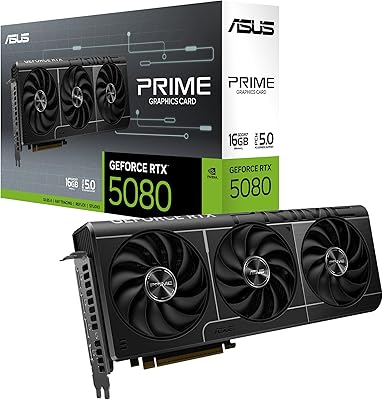
ASUS Prime RTX 5080 16GB Graphics Card
80%
93%
Gaming Performance
91%
Thermal Management
88%
Noise Level
89%
SFF Compatibility
67%
Value for Money
More
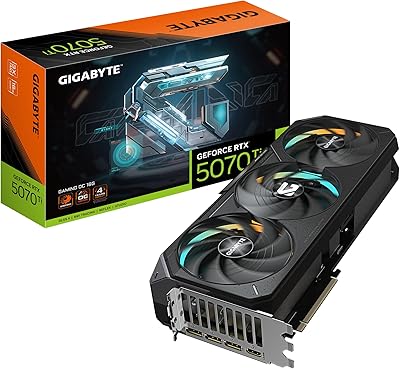
GIGABYTE GeForce RTX 5070 Ti Gaming OC 16G
86%
91%
4K Gaming Performance
89%
Ray Tracing & DLSS 4
93%
Cooling Efficiency
94%
VRAM & Memory Speed
87%
Acoustic Performance
More
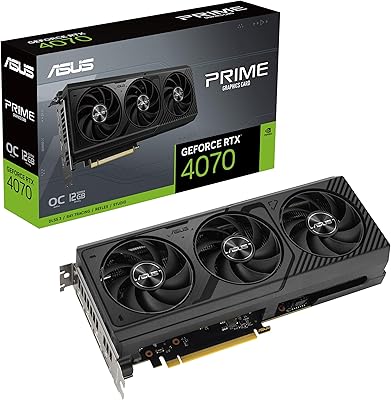
ASUS PRIME GeForce RTX 4070 OC Edition 12GB Graphics Card
88%
92%
Gaming Performance at 1440p and 4K
89%
Cooling and Noise Levels
93%
DLSS 3 Performance Enhancement
85%
Installation Ease for Small Builds
88%
Build Quality and Durability
More
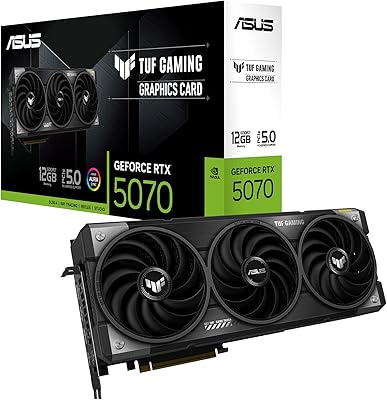
ASUS TUF Gaming GeForce RTX 5070 12GB GDDR7 Graphics Card
87%
94%
Gaming Performance
91%
Cooling Performance
88%
Noise Levels
93%
Build Quality & Durability
80%
Setup & Installation
More
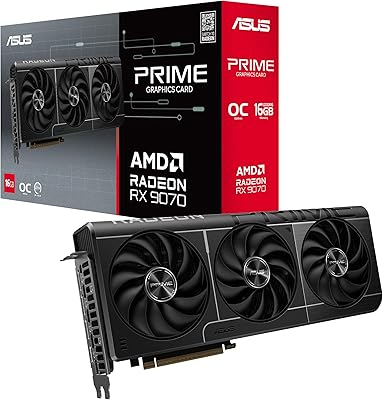
ASUS Prime RX 9070 OC Graphics Card
82%
91%
Gaming Performance at 1440p
88%
Thermal Management
87%
Noise Levels
84%
Build Quality & Feel
67%
Driver Stability & Software
More
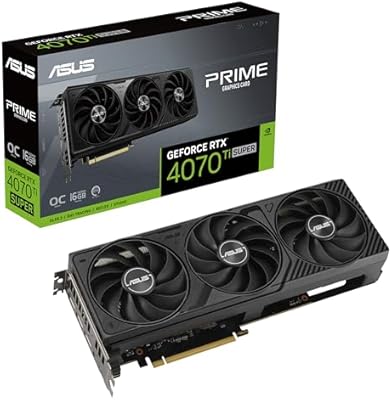
ASUS Prime GeForce RTX 4070 Ti Super OC Edition 16GB
87%
94%
Performance
89%
Cooling Efficiency
93%
Gaming Performance at 4K
91%
Ray Tracing Support
92%
DLSS 3 Technology
More
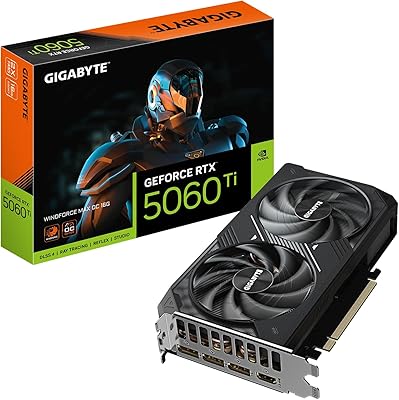
GIGABYTE GeForce RTX 5060 Ti WINDFORCE MAX OC 16G
85%
91%
1440p Gaming Performance
93%
Thermal Management
88%
VRAM Capacity & Usefulness
92%
Noise Levels
84%
Value for Money
More
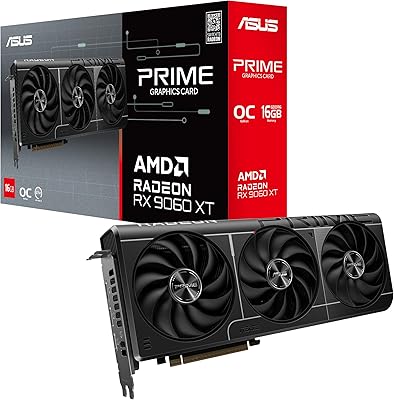
ASUS RX 9060 XT 16GB Graphics Card
82%
91%
1440p Gaming Performance
94%
VRAM Capacity
89%
Thermal Performance
88%
Noise Levels
93%
Build Quality
More
ASUS TUF Gaming NVIDIA GeForce RTX 3070 Ti OC Edition Graphics Card 8GB GDDR6X
87%
92%
Performance
88%
Cooling Efficiency
94%
Build Quality & Durability
90%
Value for Money
76%
Thermals (Under Load)
More

FAQ

The ASUS Prime RTX 5070 Ti 16GB Graphics Card measures 12 inches in length and takes up 2.5 slots in width. The slim width is the real advantage here — it fits in cases that block triple-slot cards outright. That said, length is still a factor, so if your case supports less than 12 inches of GPU clearance, it will not fit. Always check both the length and slot clearance specs in your case manual before ordering.
Most owners describe it as noticeably quiet for a high-end card. During light use the fans stop entirely, so you will hear nothing at all. Under sustained 4K gaming loads the fans do spin up, and a small number of users find the pitch slightly higher than expected, but the consensus is that it stays unobtrusive in a closed case. If noise is a priority, the quiet BIOS mode reduces fan speeds further at a modest performance trade-off.

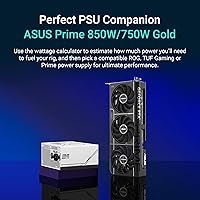
ASUS does not publish a standalone TDP figure in the provided data, but the RTX 5070 Ti class of GPU typically recommends a minimum 850W power supply from a reputable brand. If your system includes a high-end CPU and multiple storage drives, budgeting for a 1000W unit gives you comfortable headroom. Always use a PSU with the correct PCIe power connectors rather than relying on adapters where possible.

DLSS 4 uses an AI model running on the GPU to generate extra frames between the ones your PC renders natively. In practical terms, a game running at 60 native frames per second can feel significantly smoother because the GPU fills in additional synthesized frames in between. Image quality at typical gaming distances is hard to distinguish from native rendering for most users. The main caveat is that the game needs to support DLSS 4 explicitly, and you need up-to-date NVIDIA drivers installed.

Yes, the compact RTX 5070 Ti has five physical outputs — three DisplayPort 2.1a and two HDMI 2.1b — and supports multiple simultaneous displays. Running three monitors at once is well within its capability. Just confirm your monitors support the relevant cable type, and note that DisplayPort 2.1a provides the highest bandwidth for high-refresh or high-resolution panels.

Yes, PCIe is backwards compatible, so this SFF-ready card will work in a PCIe 4.0 or even PCIe 3.0 slot. You will not see any meaningful performance difference in real-world gaming compared to running it in a PCIe 5.0 slot — the bandwidth difference between PCIe 4.0 x16 and PCIe 5.0 x16 does not create a bottleneck at today's GPU performance levels.

There is a small physical toggle switch on the card itself — no software required. Flipping it selects between the performance-tuned firmware and the quieter profile. The only catch is that the switch is on the card, so you need to access the inside of your case to change it. For most people this means it is a set-once choice during the build rather than something you swap regularly.

Owners making this jump consistently describe it as a significant step up rather than an incremental one. The combination of the Blackwell architecture's raw rasterization improvements, 16GB of faster GDDR7 memory, and DLSS 4 frame generation means games that pushed the limits of a 3080 at 4K now run with considerably more headroom. Ray tracing performance in particular sees a meaningful generational improvement.

ASUS typically covers its graphics cards with a three-year limited warranty, though warranty terms can vary by region. It is worth registering the card on the ASUS support website shortly after purchase to activate full coverage. Keep your purchase receipt — you will need it if you ever need to make a warranty claim.

That is a fair concern, and it is worth being direct about: paying significantly above standard retail for a GPU is rarely a good value decision unless you have an immediate, time-sensitive need. Availability for the ASUS Prime 5070 Ti has improved since the February 2025 launch, and prices have stabilized closer to standard retail in most markets. If you can wait a few weeks and monitor stock from reputable retailers, you are likely to find it closer to its intended price point.

Where to Buy