Overview

The ASUS TUF RTX 3090 OC Graphics Card sits at the very top of NVIDIA's Ampere generation, built for enthusiast gamers and power users who refuse to compromise. ASUS's TUF Gaming line has earned a reputation for long-term reliability, and this card backs that up with military-grade components rather than just branding. It occupies a tier above the RTX 3080 Ti, targeting demanding 4K workloads and, in select scenarios, 8K output. As an OC Edition, it ships with factory-boosted clocks, so you get a real performance edge straight out of the box. Worth noting upfront: the card is 11.81 inches long and occupies three slots, so case compatibility deserves serious thought before buying.

Features & Benefits

The 24GB of GDDR6X memory is the headline spec here, and it matters practically. Running multiple 4K textures in Blender, handling large project timelines in DaVinci Resolve, or feeding a machine learning pipeline — this high-end graphics card handles VRAM-heavy workloads that mid-range cards simply cannot sustain. Cooling is handled by ASUS's Axial-Tech fan setup, where the central fan spins in the opposite direction to reduce air turbulence between fans, keeping temperatures stable under extended load. The dual ball-bearing fans are the kind of detail that pays off years down the line. GPU Tweak II rounds things out with fan curve control and real-time monitoring built right in, no third-party software needed.

Best For

The TUF RTX 3090 OC makes the most sense for a specific type of buyer. If you play AAA titles at 4K and want genuine headroom rather than just minimum playability, this card delivers. Video editors and 3D artists who regularly hit VRAM ceilings on smaller cards will find the memory capacity here genuinely freeing. It also earns its place in NVENC-powered workflows, where hardware encoding offloads CPU pressure during streaming or export. Because the TUF line is built around component longevity, it suits builders who prefer to skip upgrade cycles rather than chase new releases every two years. Multi-display users with high-resolution panels will appreciate the flexible output configuration as well.

User Feedback

Across its ratings, the ASUS TUF 3090 earns consistent praise for quiet operation and stable thermals — buyers frequently note that the card stays cool even during long sessions without fans ramping to distracting levels. Build quality also comes up repeatedly; people notice it feels substantial in a way cheaper cards do not. On the other side, power draw is a genuine friction point. The 850W PSU recommendation is not padding — several buyers flagged system instability after pairing this card with undersized power supplies. A handful of users also ran into case clearance issues, particularly in tighter mid-tower builds. The 4.2-star average reflects a card that mostly delivers, with build compatibility being the primary source of frustration among dissatisfied buyers.

Pros

  • Enormous VRAM capacity handles 4K gaming, professional rendering, and AI workloads without breaking a sweat.
  • The TUF line's military-grade components give this card a durability edge that cheaper boards cannot match.
  • Thermals stay impressively stable under sustained load thanks to the redesigned Axial-Tech cooling system.
  • Dual ball-bearing fans are rated to outlast sleeve-bearing alternatives by a significant margin.
  • Factory overclocked out of the box — no manual tuning required to get above-reference performance.
  • GPU Tweak II covers fan curves, monitoring, and overclocking in one place without needing third-party software.
  • HDMI 2.1 and three DisplayPort outputs make it a strong choice for multi-monitor and high-refresh setups.
  • PCIe 4.0 support keeps the card relevant for current and near-future platform upgrades.
  • Quiet operation under normal gaming loads is consistently praised by long-term owners.

Cons

  • At nearly 12 inches long and triple-slot width, case compatibility requires serious planning before purchase.
  • An 850W PSU minimum means total system build cost climbs fast if you are starting from scratch.
  • Newer GPU generations have launched since this card, so raw performance-per-dollar has shifted against it.
  • Power consumption at full load is high enough to noticeably impact electricity costs during extended sessions.
  • The size and weight can stress PCIe slots in cases without a GPU support bracket.
  • 8K gaming is technically supported but practically limited — very few titles run well at that resolution today.
  • The high entry price makes it difficult to justify for users whose workloads do not stress VRAM heavily.
  • A small number of buyers reported compatibility headaches with specific motherboard and PSU combinations.

Ratings

The scores below for the ASUS TUF RTX 3090 OC Graphics Card were generated by our AI engine after analyzing verified purchase reviews from buyers worldwide, with spam, bot activity, and incentivized feedback actively filtered out. Each category reflects a balanced synthesis of real owner experiences — strengths and frustrations both — so you can make a genuinely informed decision rather than a hopeful one.

Raw Gaming Performance
91%
Owners running demanding AAA titles at 4K consistently report that the TUF RTX 3090 OC handles them without breaking a sweat, delivering frame rates that hold up even in the most graphically intensive scenes. The factory overclock provides a measurable edge over reference-clocked alternatives right out of the box.
Newer GPU generations have since launched, so buyers coming in today will find that peak performance relative to current competition has shifted somewhat. At 1440p and below, the card is overkill and the performance advantage over cheaper options becomes harder to justify.
Thermal Management
88%
The Axial-Tech cooling design with its reversed central fan genuinely impresses owners who run long creative or gaming sessions — temperatures stay stable without the fans spinning into annoying territory. Many users noted that even after hours of sustained use, the card ran noticeably cooler than competing third-party designs they had previously owned.
Under extreme stress testing or in poorly ventilated cases, temperatures do climb and fan speed increases audibly. A small number of buyers in warmer climates or with compact builds reported thermal performance that was more ordinary than the marketing suggested.
Build Quality
93%
The physical construction of the ASUS TUF 3090 is one of its most consistently praised qualities — buyers describe it as feeling dense, solid, and purpose-built rather than mass-produced. Military-grade capacitors and TUF-certified components are not just talking points here; long-term owners report the card holding up through years of daily heavy use without issue.
The sheer size and weight mean the card can stress the PCIe slot if not supported properly, which puts some of the durability burden back on the builder. A support bracket essentially becomes a required accessory rather than an optional one for long-term peace of mind.
VRAM Capacity & Usefulness
94%
The 24GB of GDDR6X memory is the defining reason many professionals choose this card over alternatives, and owners consistently confirm it delivers in practice. Video editors working with 4K multicam timelines, 3D artists rendering complex Blender scenes, and machine learning practitioners all report that the VRAM headroom meaningfully changes what is possible in a single session.
For buyers whose workloads genuinely top out at 8GB or 12GB, the extra VRAM capacity translates to zero real-world benefit and effectively means paying a steep premium for unused resources. Casual gamers in particular are unlikely to ever stress the memory buffer enough to notice any difference over a less expensive card.
Noise Levels
83%
During standard gaming and light workloads, the card operates quietly enough that most buyers report forgetting the fans are running at all, particularly when semi-passive mode kicks in at idle. The ball-bearing fan design also avoids the faint buzzing some sleeve-bearing cards develop after extended use.
Push the card hard during a long rendering job or a stress test and fan noise climbs to a level that open-back headphone users will notice. It is not unusually loud for a card of this size and power draw, but expectations should be calibrated accordingly for workstation environments.
Case Compatibility
57%
43%
For buyers in full-tower cases or large mid-towers specifically designed for enthusiast hardware, installation is straightforward and clearance is not an issue. Most major enthusiast-grade chassis released in the last several years accommodate the card comfortably.
At nearly 12 inches long and three slots wide, this high-end graphics card simply does not fit a meaningful portion of popular mid-tower and compact cases without modification or a case swap. This was one of the most frequently cited sources of frustration among buyers who did not check clearance specifications before purchasing.
Power Efficiency
54%
46%
For users who upgraded their PSU accordingly, the card draws power predictably and does not cause the erratic voltage behavior some competing designs are prone to. The card pulls what it needs and no more, which at least makes system planning straightforward.
The power consumption at full load is a genuine strain on system budgets — not just in PSU hardware cost, but in ongoing electricity bills for users running the card for long daily sessions. Several buyers expressed frustration that newer competing architectures deliver comparable gaming performance at significantly lower wattage.
Value for Money
66%
34%
For professional users — video editors, 3D artists, AI researchers — the combination of performance and VRAM capacity represents a more defensible value proposition than it does for pure gamers. Buyers who genuinely need 24GB of fast GPU memory will find the price easier to rationalize.
With newer GPU generations now available and the RTX 3090 no longer sitting at the frontier of the market, the price-to-performance ratio for gaming-focused buyers has become increasingly difficult to defend. Unless the VRAM capacity is specifically needed, the value equation simply does not favor this card as strongly as it once did.
Driver & Software Experience
79%
21%
NVIDIA's driver ecosystem is mature and well-supported, and buyers report minimal friction getting the card running on both Windows and Linux environments. GPU Tweak II covers the essential tuning and monitoring needs without requiring third-party tools, which many users appreciated for simplicity.
GPU Tweak II itself receives mixed marks — some owners find its interface dated and switch to alternative monitoring software anyway. A small number of users encountered driver-related instability during initial setup, though these issues resolved with updated driver versions in most reported cases.
Display Output Versatility
86%
Having three DisplayPort 1.4a outputs and one HDMI 2.1 port on a single card is a practical win for multi-monitor users and anyone running a high-refresh 4K panel. Content creators who output to a reference monitor while gaming on a second screen appreciate having that flexibility without adapters.
The HDMI 2.1 port is limited to a single connection, which matters for users wanting to drive two high-refresh HDMI displays simultaneously. There is no USB-C or Thunderbolt output, which some modern creative professionals working with newer display hardware would have welcomed.
Ray Tracing Performance
84%
Second-generation RT Cores deliver visibly improved ray tracing performance over the previous Turing generation, and owners playing titles like Cyberpunk 2077 or Control at 4K with ray tracing enabled consistently describe the results as impressive when paired with DLSS. The performance headroom makes ray tracing genuinely playable rather than a frame rate penalty most users would toggle off.
Enabling high-quality ray tracing at 4K still requires leaning on DLSS upscaling to maintain smooth frame rates, meaning native 4K ray tracing is not always a realistic option. Users who want maximum fidelity without DLSS will find the frame rate trade-off more significant than the marketing materials imply.
DLSS & AI Feature Support
87%
Third-generation Tensor Cores make DLSS one of the card's most practical performance tools, especially at 4K where the upscaling quality is genuinely difficult to distinguish from native rendering in most titles. Creative professionals also benefit from AI-accelerated features in applications like DaVinci Resolve and Adobe Premiere.
DLSS support depends entirely on individual game developers implementing it, and not every title in a buyer's library will benefit. For games without DLSS support, users are back to native rendering, which reduces the practical impact of this feature for mixed-library gaming households.
Long-Term Durability
89%
Buyers who have owned the card for a year or more consistently report no degradation in performance or increase in operational noise, which speaks to the quality of the dual ball-bearing fans and military-grade component selection. The TUF line has a track record of outlasting cheaper alternatives, and early adopter owners bear that out in their feedback.
Long-term durability is inherently difficult to fully validate within a shorter ownership window, and some buyers noted that the GPU sag risk over years of unsupported use is a real consideration. Preventative support brackets are advisable but add a small cost and installation step that should not be necessary at this price point.
Installation Experience
72%
28%
For experienced builders working in compatible cases, installation is no more complex than any other high-end GPU — standard PCIe slot, standard power connectors, and clear physical fit. The card's solid construction means it feels secure once installed and does not require any unusual configuration steps.
The three-connector power requirement catches some buyers off guard, particularly those with PSUs that have limited native PCIe cables. Combined with the case clearance issues that affect a meaningful percentage of buyers, the overall installation experience is more conditional on pre-purchase planning than it should be for a premium product.

Suitable for:

The ASUS TUF RTX 3090 OC Graphics Card is built for buyers who push their hardware hard and expect it to last. If you edit 4K or 6K video professionally, work in Blender or Cinema 4D with complex scenes, or run AI and machine learning workloads locally, the massive VRAM headroom here is a genuine productivity asset rather than a spec on paper. Hardcore PC gamers who play at 4K and want a card that handles whatever gets thrown at it — without throttling, coil whine, or thermal anxiety — will find this card a comfortable home. Content creators using NVENC for hardware-accelerated streaming or export will also appreciate how much load this card absorbs without breaking a sweat. It suits builders who think in terms of a five-year horizon rather than chasing every product cycle, since the TUF build quality and dual ball-bearing fans are designed to outlast cheaper alternatives.

Not suitable for:

The ASUS TUF RTX 3090 OC Graphics Card is a poor fit for anyone building on a budget or working inside a compact case. At nearly 12 inches long and occupying three slots, it physically will not fit in many mid-tower and most small-form-factor builds without careful planning. The 850W PSU requirement is not a suggestion — pairing it with an underpowered supply is a real risk, and factoring in a quality high-wattage PSU adds meaningfully to total system cost. Casual gamers who play at 1080p or 1440p would be massively overpaying for performance they simply cannot use. It is also worth being straightforward about timing: newer GPU generations have since launched, so buyers expecting cutting-edge performance relative to today's market should compare carefully before committing. Anyone primarily interested in light desktop tasks, browsing, or entry-level gaming should look elsewhere entirely.

Specifications

  • GPU Chip: Powered by the NVIDIA GeForce RTX 3090 Ampere architecture, which introduced second-generation RT Cores and third-generation Tensor Cores for improved ray tracing and AI performance.
  • VRAM: Equipped with 24GB of GDDR6X memory, providing substantial headroom for 4K gaming, high-resolution 3D rendering, and memory-intensive professional workloads.
  • Memory Bandwidth: Memory operates at 24 Gbps, enabling fast data transfer between the GPU and its frame buffer to reduce bottlenecks in texture-heavy and compute-heavy tasks.
  • Interface: Uses a PCIe 4.0 x16 interface, ensuring full compatibility with current-generation motherboards while also being backward-compatible with PCIe 3.0 platforms.
  • Display Outputs: Features one HDMI 2.1 port and three DisplayPort 1.4a ports, supporting up to four simultaneous displays at high resolutions and refresh rates.
  • Max Resolution: Supports a maximum digital output resolution of 7680x4320, commonly referred to as 8K, though practical gaming performance at that resolution depends heavily on title optimization.
  • Card Length: The PCB measures 11.81 inches (300mm) in length, which requires careful clearance planning in mid-tower and smaller cases before installation.
  • Slot Width: Occupies a 2.7-slot footprint, effectively requiring three expansion slots to be free in the motherboard area of the chassis.
  • Cooling System: Uses ASUS's Axial-Tech fan design with three fans, where the central fan spins in reverse to reduce air turbulence and improve overall heatsink airflow efficiency.
  • Fan Bearings: All three fans use dual ball-bearing mechanisms, which are rated to last significantly longer than sleeve-bearing designs under regular sustained use.
  • Power Requirement: ASUS recommends a minimum 850W power supply unit to ensure stable operation under full gaming and compute loads without voltage-related instability.
  • OC Edition Clocks: Ships with factory-overclocked GPU boost clocks above NVIDIA's reference specification, delivering above-baseline performance without requiring any manual tuning from the user.
  • Capacitors: Fitted with military-grade capacitors certified to TUF component standards, designed for improved longevity and reliable performance over extended operating periods.
  • Software: Bundled with ASUS GPU Tweak II, which provides fan curve customization, real-time thermal and performance monitoring, and manual overclocking controls in a single interface.
  • Model Number: The official model designation is TUF-RTX3090-O24G-GAMING, which can be used to verify compatibility, check warranty status, or find driver support documentation.
  • Ray Tracing: Second-generation RT Cores deliver roughly double the ray tracing throughput of the previous Turing generation, enabling more realistic lighting in supported titles at playable frame rates.
  • DLSS Support: Third-generation Tensor Cores support NVIDIA DLSS, an AI-based upscaling technology that can significantly boost frame rates in supported games with minimal visible image quality loss.
  • User Rating: Holds a 4.2-out-of-5-star average based on 210 Amazon ratings, reflecting strong overall buyer satisfaction with isolated concerns around power draw and case fit.

Related Reviews
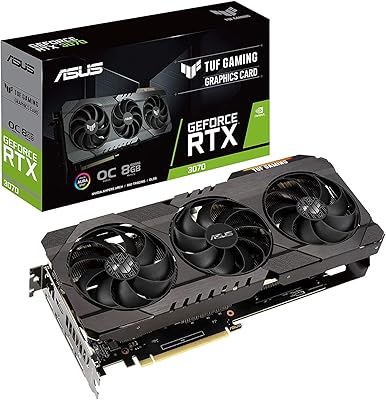
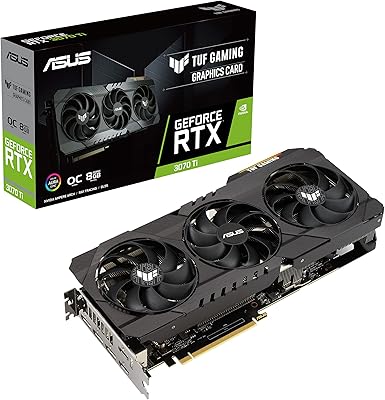
ASUS TUF Gaming NVIDIA GeForce RTX 3070 OC Edition Graphics Card
88%
94%
Gaming Performance
92%
Cooling Efficiency
88%
Setup & Installation
91%
Build Quality & Durability
90%
Ray Tracing & DLSS
More
ASUS TUF Gaming NVIDIA GeForce RTX 3070 Ti OC Edition Graphics Card 8GB GDDR6X
87%
92%
Performance
88%
Cooling Efficiency
94%
Build Quality & Durability
90%
Value for Money
76%
Thermals (Under Load)
More
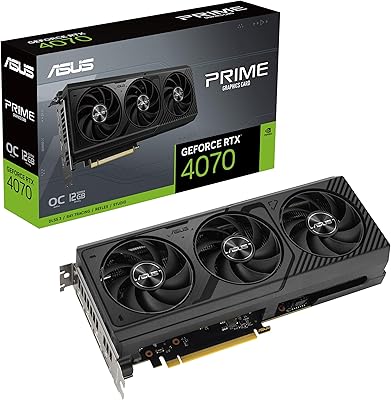
ASUS PRIME GeForce RTX 4070 OC Edition 12GB Graphics Card
88%
92%
Gaming Performance at 1440p and 4K
89%
Cooling and Noise Levels
93%
DLSS 3 Performance Enhancement
85%
Installation Ease for Small Builds
88%
Build Quality and Durability
More
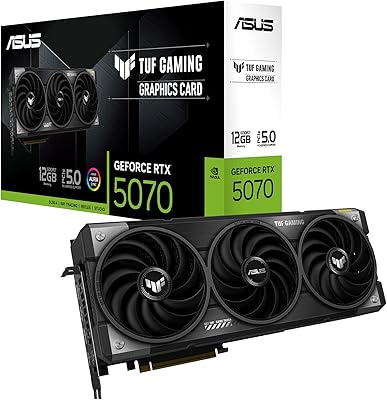
ASUS TUF Gaming GeForce RTX 5070 12GB GDDR7 Graphics Card
87%
94%
Gaming Performance
91%
Cooling Performance
88%
Noise Levels
93%
Build Quality & Durability
80%
Setup & Installation
More
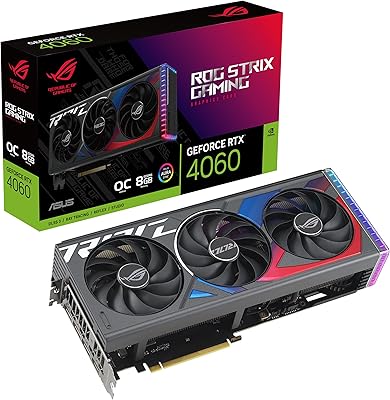
ASUS ROG Strix GeForce RTX 4060 OC Edition 8GB Graphics Card
87%
91%
Gaming Performance
88%
Cooling & Noise Levels
94%
Ray Tracing & DLSS Support
90%
Visuals & Display Quality
85%
Setup & Installation
More
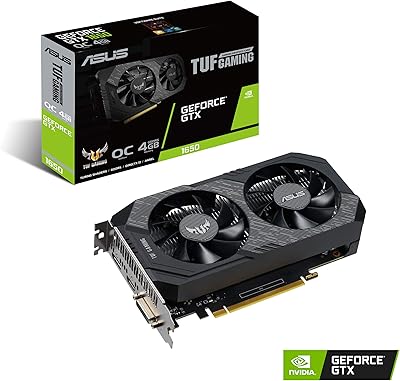
ASUS TUF Gaming GeForce GTX 1650 OC Edition 4GB Graphics Card
83%
86%
Performance at 1080p
90%
Cooling Efficiency
88%
Build Quality and Durability
84%
Noise Levels
92%
Ease of Installation
More
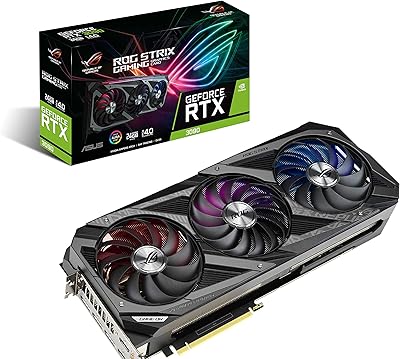
ASUS ROG Strix NVIDIA GeForce RTX 3090 24GB GDDR6X Graphics Card
87%
96%
Gaming Performance
94%
Ray Tracing Quality
91%
Cooling Efficiency
89%
Build Quality
92%
AI and DLSS Support
More
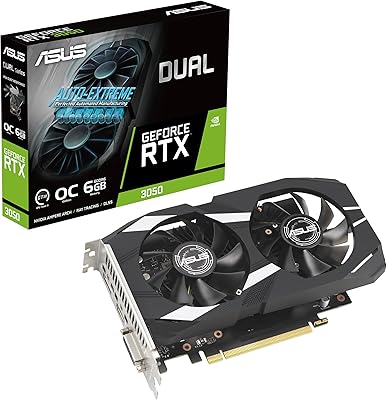
ASUS Dual GeForce RTX 3050 6GB OC
81%
78%
1080p Gaming Performance
58%
VRAM Adequacy
72%
Value for Money
83%
Thermal Performance
91%
Noise Level
More
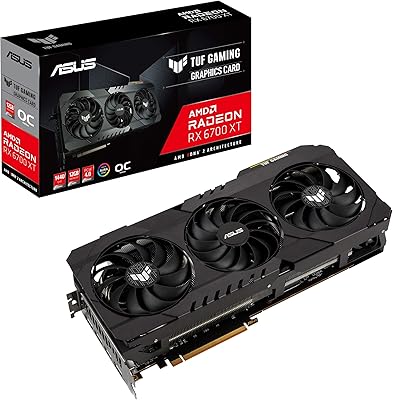
ASUS TUF RX 6700 XT Graphics Card
76%
88%
1440p Gaming Performance
91%
Thermal Management
93%
Build Quality
84%
Fan Noise
67%
Driver Stability
More
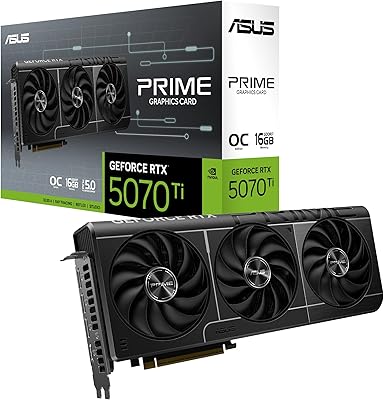
ASUS PRIME GeForce RTX 5060 Ti 16GB GDDR7 OC Edition Graphics Card
88%
93%
Performance
88%
Cooling Efficiency
92%
Value for Money
86%
Ease of Installation
90%
Build Quality
More

FAQ

It depends on the specific case. The card is nearly 12 inches long and takes up three expansion slots, so you need to check your case's maximum GPU length clearance before buying. Many popular mid-tower cases support it, but compact and budget-oriented enclosures often fall short. Always measure your available internal clearance and check the manufacturer's spec sheet for your case.

It is a genuine requirement, not just padding. The RTX 3090 draws substantial power under full load, and pairing it with an undersized PSU can cause system instability, unexpected shutdowns, or worse. If your current PSU is below 850W, budget for an upgrade as part of your build cost — it is not optional.

The core GPU silicon is the same, but the TUF OC Edition ships with higher factory boost clocks and a significantly more robust cooling and power delivery system. The TUF line also uses higher-grade capacitors and ball-bearing fans, which is meaningful if you plan to keep the card for several years. The Founders Edition is more compact, which matters for smaller cases.

Absolutely. The 24GB of GDDR6X memory is one of the main reasons professionals choose the RTX 3090 over smaller cards. Training models locally, running inference pipelines, or working with large datasets in frameworks like PyTorch or TensorFlow all benefit from that VRAM capacity. The Tensor Cores also accelerate specific AI operations natively.

Technically yes, the outputs support 8K resolution. Practically, very few games run well at 8K even on this card — the rendering demands are enormous, and most titles are not optimized for it. DLSS can help bridge the gap in supported games, but going in expecting a smooth 8K gaming experience across your library would lead to disappointment.

Most owners report it stays pleasantly quiet during standard gaming sessions. The Axial-Tech cooling design and the semi-passive fan behavior at low loads help here. Under extended heavy workloads or stress testing, fan speeds climb and noise increases noticeably, but it is not considered loud relative to other high-end cards in the same class.

At this size and weight, some degree of GPU sag over time is a real possibility. It is a good idea to use a support bracket or brace, especially if the card will be running continuously for long periods. Many cases include one, and standalone brackets are inexpensive. It is not urgent out of the box, but it is worth addressing.

The TUF RTX 3090 OC uses three 8-pin PCIe power connectors, so make sure your PSU has enough native connectors rather than relying on daisy-chained adapters from a single cable. Using proper dedicated connectors from the PSU is the right approach for a card at this power level.

It depends on your budget and use case. Newer architectures have launched and offer better performance per watt in gaming. However, the 24GB VRAM capacity remains relevant for professional creative work and AI tasks where newer mid-range cards simply do not have enough memory. If the price reflects the generational gap, it can still be a strong value for the right buyer.

GPU Tweak II is functional and covers all the basics — fan curves, voltage, clock adjustments, and monitoring. Some users find its interface less intuitive than Afterburner and switch over anyway since both tools work on non-native boards. If you are already comfortable with Afterburner, there is no strong reason to change. For new users, GPU Tweak II is a reasonable starting point and does not require any additional installation.

Where to Buy