Overview

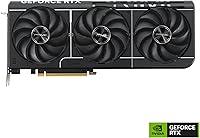
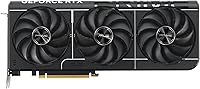
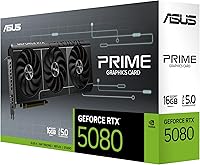
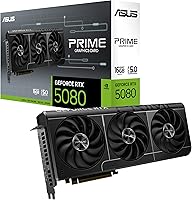
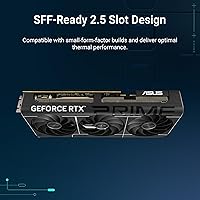
The ASUS Prime RTX 5080 16GB Graphics Card occupies a distinct niche in ASUS's RTX 5080 family — it's the quieter, less aggressive sibling to the ROG Strix and TUF Gaming variants, built for builders who want flagship power without the bulk. NVIDIA's Blackwell architecture brings real generational improvements: ray tracing throughput is noticeably better, DLSS 4 delivers AI-driven rendering gains that show up in actual gameplay, and efficiency is meaningfully improved over the previous generation. What makes this ASUS Prime card stand out physically is its 2.5-slot design — compact case builders rarely get access to this tier of GPU horsepower. That said, set expectations clearly: this is an enthusiast-class product, and the pricing reflects exactly that.
Features & Benefits

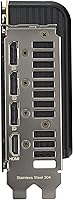
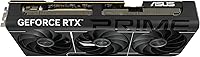
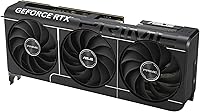
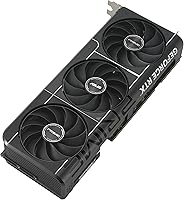
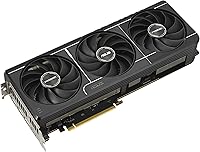
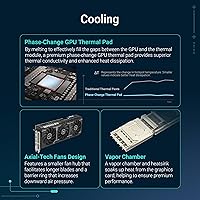
The cooling setup on the Prime RTX 5080 deserves specific attention. ASUS's Axial-tech fan design uses longer blades paired with a barrier ring that directs airflow more effectively downward, keeping fan speeds — and therefore noise — lower under sustained gaming loads. A vapor chamber spreads heat rapidly across the heatsink, while a phase-change thermal pad ensures consistent contact between the GPU die and cooler over time. Memory-wise, 16GB of GDDR7 on a 256-bit bus handles 4K textures and creative workloads with genuine headroom. Two BIOS modes let you toggle between a slightly higher OC clock and the quieter default setting. Connectivity covers five display outputs — three DisplayPort 2.1a and two HDMI 2.1b — supporting up to 8K resolution.

Best For

The Prime RTX 5080 makes the most sense for a specific kind of buyer. If you're building or upgrading a small-form-factor system and refuse to sacrifice GPU performance, this is one of the very few flagship options that fits without modification headaches. High-refresh 4K gamers will appreciate both the raw frame output and DLSS 4 support across demanding titles. Content creators doing 3D rendering, video editing, or AI-assisted workflows benefit from the GDDR7 bandwidth in ways that 8GB or 12GB cards simply cannot match. Upgraders coming from a 3000-series NVIDIA card or an older AMD GPU will find the performance jump substantial. Multi-monitor users will also value the five-output connectivity as a practical convenience rather than an afterthought.

User Feedback

With over 500 ratings and a strong overall score, this Blackwell GPU has earned its reputation through consistent real-world results. Buyers repeatedly praise how cool and quiet it runs — even during extended gaming sessions, temperatures stay well-managed and fan noise stays in the background. On the flip side, power supply requirements come up regularly: this card draws serious wattage, and upgraders on older or lower-capacity PSUs should factor in that additional cost. A handful of buyers note that case compatibility needs verifying given the card's length before committing to a purchase. Driver stability and ASUS software get generally positive marks. Where opinions diverge is on value versus alternatives — some feel the Prime tier earns its place; others wonder whether the ROG model warranted the extra spend.

Pros

  • The 2.5-slot cooler keeps this a genuinely SFF-compatible flagship GPU, which almost no competitor matches.
  • Temperatures under sustained gaming loads stay impressively controlled thanks to the vapor chamber and phase-change thermal pad.
  • Fan noise at typical gaming loads is noticeably lower than most triple-fan RTX 5080 board partner designs.
  • 16GB of GDDR7 memory provides real long-term headroom for 4K gaming and memory-intensive creative work.
  • Five display outputs — three DisplayPort 2.1a and two HDMI 2.1b — handle complex multi-monitor setups without adapters.
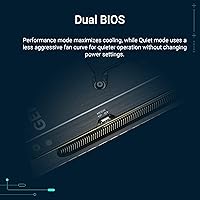
  • Dual BIOS modes let users choose between maximum performance and quieter default operation with a simple switch.
  • The Blackwell architecture delivers a meaningful generational performance and efficiency improvement over RTX 3000-series cards.
  • Out-of-box experience is consistently praised, with straightforward installation and reliable driver behavior reported by buyers.
  • PCI Express 5.0 support keeps this Blackwell GPU relevant on current and next-generation motherboard platforms.

Cons

  • Power draw is substantial — buyers on older or lower-capacity PSUs will face an additional upgrade cost.
  • The card's physical length requires case compatibility checks before purchasing, especially in smaller or unconventional enclosures.
  • At this price tier, some buyers question whether the Prime series offers enough over competing RTX 5080 board partner options.
  • ASUS's bundled software can feel cluttered and unnecessary for users who prefer a clean, minimal setup.
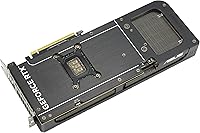
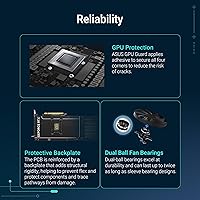
  • No factory backplate reinforcement has been flagged by a small number of buyers as a concern for long-term sag prevention.
  • Buyers with PCIe 4.0 motherboards will not see the full bandwidth benefit of the PCIe 5.0 interface.
  • The performance uplift over the RTX 4090 is real but not dramatic enough to justify upgrading from that specific card.
  • Limited availability at launch made pricing volatile, and stock levels have remained inconsistent in some regions.

Ratings

The ASUS Prime RTX 5080 16GB Graphics Card has been evaluated by our AI rating system after analyzing hundreds of verified global buyer reviews, with spam, bot-submitted, and incentivized feedback actively filtered out. Scores reflect the real distribution of user sentiment — including recurring frustrations and genuine strengths — so buyers get an honest picture of where this card excels and where it falls short. Both the praise around thermal performance and the legitimate concerns around power requirements and value are transparently represented below.
Gaming Performance
93%
Buyers coming from RTX 3000-series cards consistently describe the performance jump as immediately noticeable at 4K, with high-refresh gaming feeling genuinely smooth in demanding titles. DLSS 4 support compounds this, delivering frame rates that older cards cannot match even at comparable settings.
A portion of reviewers note that at 1440p on standard refresh monitors, the gap over the previous generation is less dramatic in everyday play. Those not pushing resolution or ray tracing intensity may not feel the full benefit of this hardware tier.
Thermal Management
91%
The vapor chamber combined with the phase-change thermal pad keeps GPU temperatures notably stable across extended gaming sessions, with many users reporting load temps well within comfortable ranges without aggressive fan intervention. Long rendering jobs and overnight compute tasks hold steady temperatures that simpler coolers struggle to maintain.
Under sustained maximum-load scenarios like prolonged 3D renders or benchmark loops, temperatures do climb closer to thermal limits, which is expected but worth noting for workstation users planning intensive continuous workflows. The 2.5-slot cooler has physical limits compared to the larger ROG Strix solution.
Noise Level
88%
The Axial-tech fan design genuinely delivers on its quiet operation promise — at typical gaming loads, most buyers describe the card as nearly inaudible compared to competing triple-fan designs they have previously owned. The Default BIOS mode keeps fan speeds conservative enough that open-air builds rarely become distracting.
Switching to OC mode or pushing the card during heavy compute tasks does cause the fans to spin up more audibly, which catches some buyers off guard who expected silence at all times. In a quiet room during an intensive benchmark, the fan noise is present and noticeable.
SFF Compatibility
89%
For compact build enthusiasts, this is one of the genuinely rare options that delivers flagship-tier GPU performance in a 2.5-slot footprint, and buyers who built specifically around this advantage are consistently satisfied. Several reviewers highlight that no other RTX 5080 board partner card fits their ITX case as cleanly.
The card is still approximately 16 inches long, and a handful of buyers report fitment issues in cases that technically list SFF-Ready support but have tight power connector routing. Always cross-reference the specific case's GPU length limit rather than relying solely on the SFF-Ready badge.
Value for Money
67%
33%
Among RTX 5080 board partner options, this ASUS Prime card sits at a more accessible price point than the ROG Strix, which some buyers see as a reasonable tradeoff given the modest cooling and clock speed differences between the two. Buyers who specifically needed SFF compatibility view the value equation more favorably since alternatives are scarce.
The broader RTX 5080 price tier draws consistent criticism from buyers who feel the generational performance improvement over the RTX 4090 does not fully justify the cost of entry. Those upgrading from midrange or previous-generation cards often find the total system investment — including a PSU upgrade — more substantial than anticipated.
VRAM & Memory
86%
The 16GB of GDDR7 memory handles 4K texture packs and complex 3D scene files without the stuttering or asset streaming issues that smaller VRAM cards produce, and creative professionals note it handles large AI model inference and video editing timelines with headroom to spare. The GDDR7 standard also delivers noticeably faster bandwidth than the GDDR6X found in previous-generation flagships.
Some buyers note that 16GB, while generous today, may feel limiting in three to four years as game VRAM demands continue rising, particularly given that the competing RTX 5090 offers double the capacity. For workloads involving very large language models or multi-GPU inference setups, the ceiling is already visible.
Build Quality
82%
18%
The card feels solid and well-assembled out of the box, with clean fan blade molding and consistent heatsink finish quality reported across the review sample. Most buyers describe the physical build as befitting a premium ASUS product, with no loose components or rattling fans noted at this tier.
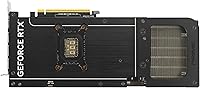
The absence of a rigid backplate is the most common build quality complaint, with some buyers concerned about long-term GPU sag in horizontal builds without an aftermarket support bracket. Compared to the ROG Strix and TUF variants, the Prime's structural finishing feels slightly less premium.
Display Connectivity
94%
Five display outputs — three DisplayPort 2.1a and two HDMI 2.1b — cover virtually every multi-monitor or high-resolution display scenario without adapters, which multi-screen productivity users and sim racing cockpit builders specifically call out as a practical convenience. DisplayPort 2.1a support also future-proofs buyers for upcoming high-refresh 4K and 8K monitor releases.
A small number of users running older HDMI 2.0 displays noted minor compatibility quirks during initial setup, though these were resolved through driver updates. There is no USB-C or Thunderbolt output, which could matter for buyers using certain creative monitors or portable display setups.
Driver Stability
79%
21%
Most buyers report a smooth out-of-box experience with stable NVIDIA driver behavior across both gaming and productivity workloads, with no widespread reports of crashes or black screens in standard configurations. The card's behavior under Default BIOS mode in particular draws consistent praise for reliability during long sessions.
A recurring thread in reviews involves early driver releases causing intermittent issues on certain AMD Ryzen platforms, which NVIDIA addressed in subsequent updates but frustrated early adopters. Buyers on niche system configurations — particularly those with PCIe bifurcation setups — report a rougher initial driver experience.
Software & Utilities
63%
37%
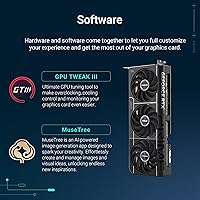
GPU Tweak III provides functional overclocking and monitoring capabilities that intermediate builders find useful for fine-tuning fan curves and tracking temperatures during stress tests. For buyers who want hardware-level control without third-party tools, it covers the essential bases adequately.
GPU Tweak III draws frequent criticism for feeling bloated and less intuitive than alternatives like MSI Afterburner, and several buyers report it conflicting with other system utilities at startup. Users who prefer minimal software footprints consistently recommend ignoring the bundled software entirely and using community tools instead.
Power Efficiency
71%
29%
Compared to the RTX 4090 at equivalent performance outputs, the Blackwell architecture does show measurable efficiency improvements that buyers with power-metered setups have noted in their reviews. At lighter gaming loads, the card scales down consumption meaningfully, which matters for builders watching electricity costs.
At full load, power draw remains substantial and demands a high-capacity PSU — buyers on 750W units have reported system instability and reboots under peak load. The total system power budget, not just the GPU's rated draw, is what catches upgraders off guard most often.
Installation Experience
84%
The physical installation process is straightforward, with the card's 16-pin power connector placement receiving positive feedback for its accessible positioning inside standard mid-tower cases. Most buyers, including those building their first high-end system, report a clean and uncomplicated install.
In compact SFF cases, routing the 16-pin power cable neatly can be genuinely fiddly given the cable stiffness at launch, and a few buyers noted the included adapter cable was shorter than expected for certain case layouts. Pre-routing cables before dropping the card in is consistently recommended in buyer tips.
Dual BIOS Functionality
81%
19%
Having a physical BIOS switch for toggling between performance modes is a feature that experienced builders genuinely appreciate, since it requires no software and adds a recovery fallback if one profile causes instability. Buyers who use OC mode for gaming sessions and Default mode for overnight renders find this a practical daily-use feature.
The clock speed difference between the two modes is modest enough that most casual users will notice no real-world difference, which makes the feature feel less impactful than it sounds on paper. A small number of buyers were confused about which switch position corresponds to which mode without consulting the manual.
Availability & Stock
58%
42%
When in stock, the Prime RTX 5080 is typically easier to locate than the ROG Strix variant, and buyers who monitored stock alert services report shorter wait times compared to other RTX 5080 board partner options at launch. Retailer distribution improved noticeably in the months following the January 2025 release.
Launch availability was constrained, with pricing volatility frustrating buyers who missed initial allocation windows and faced inflated secondary market listings. Regional stock disparities remain a reported issue, with certain European and Southeast Asian markets experiencing longer wait times than North American buyers.

Suitable for:

The ASUS Prime RTX 5080 16GB Graphics Card is built for a specific kind of enthusiast who knows exactly what they need. Small-form-factor builders get the most unique value here — flagship-tier GPU performance in a 2.5-slot footprint is genuinely rare, and for anyone constructing a compact high-performance rig, that alone narrows the field considerably. High-refresh 4K gamers upgrading from a 3000-series NVIDIA card or an older AMD GPU will experience a substantial generational jump in both raw output and AI-assisted rendering via DLSS 4. Creative professionals working in 3D rendering, video production, or AI-accelerated workflows will find the 16GB of fast GDDR7 memory provides real breathing room that lower-VRAM cards simply cannot offer. Multi-monitor users also benefit from five display outputs covering both DisplayPort 2.1a and HDMI 2.1b, making complex desktop setups straightforward without adapters.
Not suitable for:

The ASUS Prime RTX 5080 16GB Graphics Card is not the right choice for buyers who are not already running a capable supporting platform. This card demands a high-wattage power supply — anyone on a 650W or even 750W unit will likely need to upgrade before installing it, which adds real cost to the equation. Mainstream or casual gamers playing at 1080p or 1440p on modest monitors will see virtually none of the performance ceiling this card is designed to reach, making it severe overkill for typical use cases. Budget-conscious builders or those simply refreshing an older system without other upgrades planned will find the investment difficult to justify. Standard mid-tower users with shorter PCIe slots or cramped cases should also verify physical clearance carefully, as the card's length can create fitment challenges in non-standard enclosures.
Specifications

  • GPU Architecture: Built on NVIDIA's Blackwell architecture, which delivers improved ray tracing throughput and AI processing efficiency compared to the previous Ada Lovelace generation.
  • VRAM: Equipped with 16GB of GDDR7 memory, providing fast bandwidth suited for 4K gaming, 3D rendering, and AI-accelerated creative workloads.
  • Memory Bus: Uses a 256-bit memory interface, balancing bandwidth and power draw at the RTX 5080 tier.
  • Boost Clock: Runs at 2617 MHz in Default mode and up to 2640 MHz in OC mode, selectable via the onboard dual BIOS switch.
  • Display Outputs: Offers three native DisplayPort 2.1a and two native HDMI 2.1b ports, supporting up to five simultaneous displays or a single 8K output.
  • Max Resolution: Supports up to 7680x4320 pixels (8K), suitable for next-generation display setups and high-resolution content creation monitors.
  • PCIe Interface: Uses a PCI Express 5.0 x16 interface, fully backward compatible with PCIe 4.0 and 3.0 motherboards with a bandwidth trade-off on older platforms.
  • Cooling System: Combines a vapor chamber heatspreader, Axial-tech fans with extended blades and a barrier ring, and a phase-change GPU thermal pad for sustained low-temperature operation.
  • Slot Width: Occupies 2.5 expansion slots, making it one of the more compact cooler designs available for a flagship-class GPU.
  • Card Dimensions: Measures approximately 16 x 9 inches, so buyers should verify clearance inside their specific case before purchasing.
  • Card Weight: Weighs approximately 1.76 pounds, which is relatively light for a vapor chamber-cooled card at this performance tier.
  • SFF Compatibility: Officially rated as SFF-Ready by ASUS, meaning it meets the requirements for installation in compatible small-form-factor cases.
  • Dual BIOS: Includes a hardware BIOS switch allowing users to toggle between a quieter Default mode and a higher-performance OC mode without software.
  • Series: Part of the ASUS PRIME series (model PRIME-RTX5080-16G), positioned as the quieter and more restrained design compared to the ROG Strix and TUF Gaming variants.
  • Color: Ships in an all-black finish with a clean aesthetic that suits both windowed and closed-panel builds.
  • Availability Date: First made available in January 2025, coinciding with the broader RTX 5080 series launch.

Related Reviews
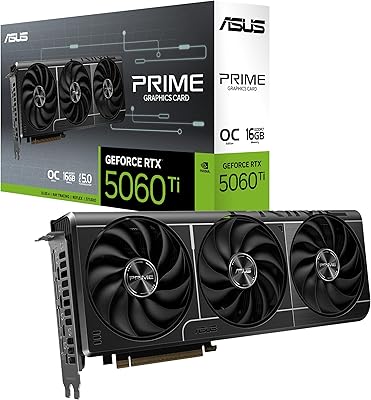
ASUS PRIME GeForce RTX 5060 Ti 16GB GDDR7 OC Edition Graphics Card
88%
93%
Performance
88%
Cooling Efficiency
92%
Value for Money
86%
Ease of Installation
90%
Build Quality
More
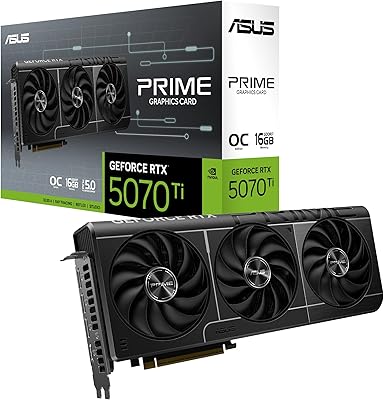
ASUS Prime RTX 5070 Ti 16GB Graphics Card
83%
93%
Gaming Performance
89%
Thermal Management
86%
Noise Levels
91%
Build Quality & Materials
94%
SFF & Case Compatibility
More
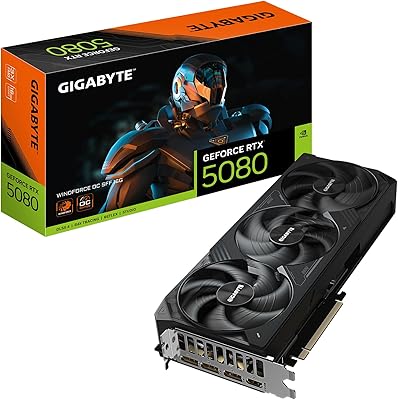
GIGABYTE GeForce RTX 5080 WINDFORCE OC SFF 16G
78%
93%
Gaming Performance
91%
DLSS 4 & AI Features
89%
SFF Compatibility & Fit
86%
Thermal Performance
84%
Noise Levels
More
ASUS Prime RX 9070 OC Graphics Card
82%
91%
Gaming Performance at 1440p
88%
Thermal Management
87%
Noise Levels
84%
Build Quality & Feel
67%
Driver Stability & Software
More
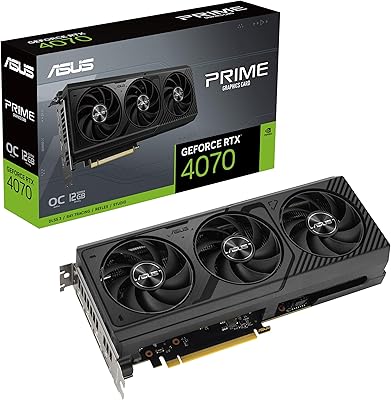
ASUS PRIME GeForce RTX 4070 OC Edition 12GB Graphics Card
88%
92%
Gaming Performance at 1440p and 4K
89%
Cooling and Noise Levels
93%
DLSS 3 Performance Enhancement
85%
Installation Ease for Small Builds
88%
Build Quality and Durability
More
ASUS RX 9060 XT 16GB Graphics Card
82%
91%
1440p Gaming Performance
94%
VRAM Capacity
89%
Thermal Performance
88%
Noise Levels
93%
Build Quality
More
GIGABYTE GeForce RTX 4080 Gaming OC 16GB Graphics Card
87%
94%
Performance for 4K Gaming
91%
Cooling Efficiency
84%
Ease of Installation
78%
Value for Money
88%
Build Quality and Durability
More
ASUS Prime GeForce RTX 4070 Ti Super OC Edition 16GB
87%
94%
Performance
89%
Cooling Efficiency
93%
Gaming Performance at 4K
91%
Ray Tracing Support
92%
DLSS 3 Technology
More
ASUS TUF Gaming GeForce RTX 5070 12GB GDDR7 Graphics Card
87%
94%
Gaming Performance
91%
Cooling Performance
88%
Noise Levels
93%
Build Quality & Durability
80%
Setup & Installation
More
ASUS Dual GeForce RTX 3050 6GB OC
81%
78%
1080p Gaming Performance
58%
VRAM Adequacy
72%
Value for Money
83%
Thermal Performance
91%
Noise Level
More

FAQ

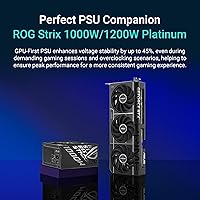
NVIDIA and ASUS both recommend at least an 850W power supply for the RTX 5080, and many builders opt for a 1000W unit to maintain headroom for the rest of the system. If you are currently running a 650W or 750W PSU, plan to upgrade it alongside the card. Cutting corners on the PSU with a card that draws this much power is a real risk for stability.

The Prime RTX 5080 carries an official SFF-Ready rating and uses a 2.5-slot design, which sets it apart from bulkier triple-slot alternatives. That said, the card is still approximately 16 inches long, so you need to check your specific case's GPU length limit before ordering. Most ITX and mATX cases list a maximum GPU length in their specs — cross-reference that number carefully.

The onboard BIOS switch lets you choose between two profiles. Default mode runs the boost clock at 2617 MHz and prioritizes lower fan noise and temperatures. OC mode pushes it to 2640 MHz for a small performance bump at the cost of slightly more heat and fan activity. For everyday use, most buyers stick with Default mode and notice no meaningful performance difference.

It works well for both. The 16GB of GDDR7 memory is a genuine advantage for 3D rendering, video editing at high resolutions, and AI-assisted workflows that can exhaust lower-VRAM cards. If your workload involves large scene files, heavy texture work, or running local AI models, the memory capacity and bandwidth here provide real practical value beyond gaming.

The Prime sits below both in ASUS's hierarchy. The ROG Strix typically runs cooler and quieter thanks to a larger triple-slot cooler, and the TUF sits in the middle. The Prime trades some of that thermal overhead for a thinner 2.5-slot design — which is actually an advantage if you are building in a compact case. For full-size tower builds where thermals are the priority, the ROG Strix may edge it out.

Yes, and actually more than three. The card has five display outputs — three DisplayPort 2.1a and two HDMI 2.1b — so you can run up to five monitors simultaneously without any adapters. For productivity or trading setups with multiple screens, this is one of the strongest connectivity options available on any single GPU.

Not necessarily for gaming. The card uses a PCIe 5.0 x16 interface but is backward compatible with PCIe 4.0 and even 3.0 boards. In practice, gaming performance is not meaningfully bottlenecked by PCIe 4.0 at this point in time. For future-proofing and workstation workflows with heavy data transfers, PCIe 5.0 becomes more relevant, but it is not a requirement today.

Buyer feedback consistently describes it as quieter than expected for a card at this performance tier. The Axial-tech fans are designed to move more air at lower RPM, which keeps audible noise down during typical gaming sessions. At sustained maximum load — extended benchmarks or intensive creative renders — the fans do spin up, but most users find the noise level acceptable compared to larger triple-fan designs.

A small number of buyers have noted that the card lacks a rigid backplate, which can contribute to sag over time in horizontal builds. Using a GPU support bracket is a sensible precaution with any large card, and this one is no exception. Most cases do not include a support bracket by default, so that is a minor additional purchase to consider.

For 4K gaming specifically, the jump from an RTX 3080 is quite substantial — both in raw rasterization and in features like DLSS 4, which the older card does not support. From a 3090, the VRAM gap has closed since both cards now carry 16GB, but the architectural improvements and memory speed still make the upgrade meaningful. If you are gaming at 1440p on a mid-range monitor, though, the difference will be harder to justify in day-to-day use.

Where to Buy