Overview

The ASUS TUF RTX 4070 Ti Graphics Card occupies an interesting position in the high-end GPU landscape — powerful enough to handle 4K gaming with confidence, yet not priced at the absolute ceiling of what NVIDIA offers. The TUF Gaming line has built a genuine reputation for durability and sustained clock speeds under pressure, which matters for anyone leaving a rig running for hours on end. That 12GB GDDR6X framebuffer proves its worth in texture-heavy scenes and high-resolution workloads where lesser cards start to struggle. Running over PCIe 4.0, it slots cleanly into any modern platform without compatibility headaches. This is a high performer with real credentials — just not an unconditional champion at every task.

Features & Benefits

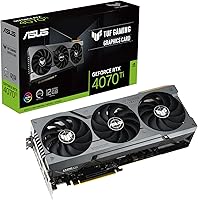
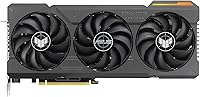
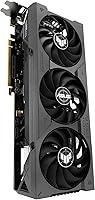
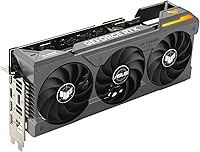
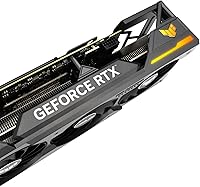
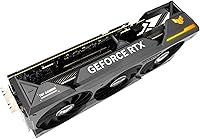
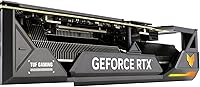
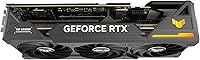
The triple Axial-Tech fan setup, spread across a 3.25-slot housing, keeps temperatures in check during long gaming sessions without the fans spinning up to an audible whine. On the ray tracing side, 3rd Gen RT Cores offer a noticeable step up in titles like Cyberpunk or Alan Wake 2 — the difference is visible rather than benchmark-only. DLSS 3 Frame Generation can push frame rates considerably higher, though it requires supported titles, which is an honest caveat worth keeping in mind. Connectivity is well-covered with HDMI 2.1a and DisplayPort 1.4a, handling 4K at high refresh rates comfortably. The reinforced PCB and auto-extreme manufacturing process signal a card engineered for longevity, not just launch-day performance.

Best For

This ASUS graphics card makes the most sense for gamers who want to push modern AAA titles at 4K on ultra settings and actually sustain that performance over time. Content creators handling 3D rendering, video encoding, or GPU-accelerated workflows in DaVinci Resolve or Blender will find the VRAM headroom genuinely useful — 12GB has more runway than it might seem in demanding workloads. It is a strong fit for builders upgrading from a mid-range previous-gen card who want a meaningful jump rather than a marginal one. If maximum overclocking headroom is the top priority, there are more aggressive options out there. Long-term reliability over raw extremes is the real value proposition here.

User Feedback

Owners consistently praise the cooling and acoustics — under sustained gaming loads, most report the card running quieter than expected for its performance tier. The 4.6-star average across hundreds of ratings reflects broad satisfaction, not a polarized split. That said, physical size comes up repeatedly; this is a thick, heavy card that can be awkward in tighter mid-tower cases, and some users flagged compatibility issues before purchase. Power draw is another honest point of friction — the RTX 4070 Ti is not frugal, and anyone without a sufficiently rated PSU will run into trouble. DLSS 3 gets positive attention in supported titles, but buyers focused on native rendering see less practical benefit. Most feel the build quality justifies the investment, though a few would prefer better value-per-frame.

Pros

  • Handles 4K gaming at high and ultra settings in modern titles without breaking a sweat.
  • Triple-fan cooling keeps temperatures low and noise levels surprisingly manageable under sustained load.
  • 12GB of GDDR6X memory offers real headroom for texture-heavy games and GPU-accelerated creative work.
  • DLSS 3 with Frame Generation delivers a significant frame rate boost in supported titles.
  • 3rd Gen RT Cores produce noticeably better ray tracing output compared to previous-generation hardware.
  • Reinforced PCB and auto-extreme manufacturing give genuine confidence in long-term reliability.
  • HDMI 2.1a output makes this a strong choice for 4K high-refresh home theater setups.
  • PCIe 4.0 interface slots into any modern mainstream platform without compatibility concerns.
  • Strong user satisfaction rating across hundreds of real-world buyers reflects consistent quality.

Cons

  • The 3.25-slot footprint and significant weight can cause fitment issues in smaller or tighter cases.
  • Power draw is substantial — a quality 750W or higher PSU is a practical requirement, not a suggestion.
  • DLSS 3 Frame Generation only benefits users running titles that explicitly support the feature.
  • At this price tier, value-per-frame comparisons with competing cards are genuinely close and worth researching.
  • The RTX 4070 Ti is noticeably overpowered for buyers who game primarily at 1080p or 1440p.
  • No significant overclocking headroom out of the box for enthusiasts who push hardware to its limits.
  • Auxiliary power connector setup may require attention depending on PSU cable configuration.
  • Content creation benefits are real but not exclusive to this card — competing GPUs offer similar VRAM at comparable prices.

Ratings

The ASUS TUF RTX 4070 Ti Graphics Card has been scored by our AI system after analyzing hundreds of verified global buyer reviews, with spam, bot submissions, and incentivized feedback actively filtered out. Scores reflect the honest consensus across real-world gaming rigs, content creation workstations, and long-term ownership experiences. Both the genuine strengths and the recurring frustrations are weighted transparently in every category below.

Gaming Performance
91%
Buyers running demanding AAA titles at 4K consistently report smooth, high-quality output without needing to dial back settings. Games like Cyberpunk 2077 and Hogwarts Legacy at ultra presets run at frame rates that would have required a flagship card a generation ago.
At 1440p and below, the gap between this card and cheaper alternatives narrows considerably, making the performance advantage feel less justified for users who have not yet moved to a 4K display.
Thermal Management
88%
The triple Axial-Tech fan setup keeps GPU core temperatures stable during multi-hour gaming sessions, with many users reporting sustained loads that never pushed the card into thermal throttling territory. Even in warm room environments, the heatsink assembly handles the workload without drama.
In very compact cases with limited airflow, temperatures climb higher than expected and fans ramp up audibly. A few users noted that poor case ventilation negated much of the cooling design's benefit.
Noise Levels
86%
Under moderate gaming loads the card operates quietly enough that users in open-plan spaces rarely notice it over ambient room noise. The semi-passive mode — where fans stop entirely at low temperatures — is genuinely appreciated during desktop productivity or light media use.
Under heavy sustained load, fan noise does become perceptible, particularly in systems without noise-dampening case panels. It is not disruptive, but buyers expecting near-silence at full throttle will need to calibrate their expectations.
Build Quality
93%
The reinforced PCB and auto-extreme manufacturing process translate into a card that feels substantially built — not a detail buyers often notice until they handle cheaper alternatives. Long-term owners report zero structural issues or component degradation even after extended daily use.
The sheer weight of the card — over three pounds — means it needs physical support in most builds, and a handful of users reported minor PCIe slot stress in cases without a GPU brace included.
Ray Tracing
83%
In titles built with ray tracing as a core rendering feature, the improvement over previous-generation cards is visible rather than just measurable — lighting, reflections, and shadow behavior all feel more grounded. Buyers upgrading from RTX 20 or 30 series cards notice the difference quickly.
Ray tracing still carries a meaningful performance cost even with this hardware, and users who prefer native rendering often disable it to maintain higher frame rates in competitive titles.
DLSS 3 Effectiveness
78%
22%
In supported games, DLSS 3 Frame Generation produces frame rate results that feel genuinely impressive, particularly at 4K where the base frame rate might otherwise feel sluggish in demanding scenes. Users playing titles like Microsoft Flight Simulator or Forza Horizon cite it as a real-world benefit.
The feature set is only available in a specific and still-growing list of supported titles, which frustrates buyers who primarily play older games or indie releases. Image quality in Frame Generation mode, while good, occasionally introduces artifacts that more observant users notice.
Value for Money
71%
29%
For buyers who specifically need 4K gaming performance and plan to hold onto the card for several years, the investment feels reasonable given the generational longevity on offer. Content creators who replace both a gaming GPU and a workstation card with this single purchase see clear value.
At this price tier the competitive landscape is tight, and several users noted that alternative cards offer comparable rasterization performance at a lower cost. Buyers who do not actively use ray tracing or DLSS 3 feel they are paying for features they rarely access.
Physical Footprint
62%
38%
In full-size ATX towers with good internal layout, the card installs cleanly and the 3.25-slot design leaves enough clearance for standard cable management. Builders working with spacious cases find the size a non-issue.
This is a genuinely large card, and compatibility issues with mid-tower and smaller cases came up repeatedly in user feedback. Several buyers had to reroute cables or remove drive bays to accommodate it, which is not the experience expected at this price point.
Power Efficiency
67%
33%
Compared to its direct predecessor and some competing cards in the same tier, the Ada Lovelace architecture delivers more performance per watt than the RTX 30 series did, which users with higher-wattage PSUs appreciate during extended sessions.
Absolute power draw remains high enough that buyers with existing 650W or 700W power supplies will need an upgrade, adding unplanned cost. A small number of users reported system instability under peak load when running borderline PSU configurations.
Content Creation
82%
18%
Video editors and 3D artists report noticeably faster render times in GPU-accelerated workflows, and the 12GB VRAM handles complex Blender scenes and multi-layer video timelines without forcing proxy workarounds. The CUDA core count translates to practical time savings in real projects.
Users working exclusively in professional creative applications note that dedicated workstation GPUs with larger VRAM pools offer a more headroom-rich experience, and the RTX 4070 Ti can hit memory limits in very high-resolution 3D or multi-asset rendering scenarios.
Driver Stability
84%
Being a mature product that launched in early 2023, the driver ecosystem around this card is well-established, and most users report a stable, issue-free experience across game titles and creative software without needing to roll back driver versions.
A small subset of users reported occasional stuttering or crash events tied to specific NVIDIA driver releases, which resolved after rolling back or updating. This is not unique to this card but is worth noting for buyers sensitive to software stability.
Connectivity
89%
Having HDMI 2.1a alongside three DisplayPort 1.4a outputs gives buyers genuine flexibility — gamers can connect a primary 4K gaming monitor, a secondary productivity display, and a home theater TV simultaneously without an adapter in sight.
DisplayPort 2.1, which some competing cards in this tier offer, is absent here, limiting future-proofing for buyers planning to adopt very high refresh rate 4K displays that will eventually exceed what DisplayPort 1.4a can carry without compression.
Installation Experience
81%
19%
Experienced builders report a straightforward installation process, and NVIDIA driver setup is well-documented with no unusual steps required. Most users had the card running in under 30 minutes from unboxing.
The weight and slot width make physical installation slightly awkward without a second pair of hands to steady the card during seating. First-time builders in particular flagged difficulty managing the card's bulk while simultaneously securing the PCIe power connectors.
Longevity Outlook
85%
The TUF Gaming line's track record for durability, combined with Ada Lovelace's architectural headroom, suggests this card has a realistic multi-year lifespan before it becomes genuinely limiting at 4K. Long-term owners from the RTX 20 series TUF line report similar longevity patterns.
12GB of VRAM, while ample today, is already showing strain in a handful of early-access titles with aggressive texture streaming, raising questions about whether it will feel spacious in three to four years as next-generation game engines mature.

Suitable for:

The ASUS TUF RTX 4070 Ti Graphics Card is built for a specific kind of buyer: someone who wants to run modern AAA titles at 4K on high or ultra settings and expects that experience to remain consistent over years of use, not just on launch day. Enthusiast gamers who have been running a mid-range card from a previous generation and want a meaningful jump in capability — rather than a marginal refresh — will find this upgrade genuinely satisfying. Content creators working in GPU-accelerated applications like Blender, DaVinci Resolve, or After Effects will appreciate the 12GB of GDDR6X memory, which provides breathing room in complex scenes that would otherwise force compromises. Builders who prioritize quiet, thermally stable operation during long sessions — late-night gaming, extended renders — will benefit from the triple-fan cooling design that keeps things controlled without constant fan noise. If you are putting together a long-term workstation or high-performance rig and want a card that is engineered to last rather than just benchmark well, this ASUS graphics card makes a compelling case.

Not suitable for:

The ASUS TUF RTX 4070 Ti Graphics Card is a harder sell for buyers whose primary gaming happens at 1080p or 1440p, where the performance ceiling far exceeds what those resolutions demand and the investment becomes difficult to justify. Anyone working with a tight budget or a smaller mid-tower case should think carefully before committing — this card occupies 3.25 slots and weighs over three pounds, which creates real compatibility issues in compact builds. If your power supply sits below 750W, you will likely need to factor in an upgrade alongside the GPU, adding to the total cost of ownership. Buyers chasing maximum overclocking potential or raw benchmark supremacy in this price bracket may find competing options better suited to that goal. And if DLSS 3 Frame Generation is a core part of your purchase reasoning, it is worth knowing that the feature only applies in a growing but still limited library of supported titles — native rendering performance is what drives the day-to-day experience for most users.

Specifications

  • GPU Chip: Powered by the NVIDIA GeForce RTX 4070 Ti, built on the Ada Lovelace architecture for improved efficiency and performance over previous generations.
  • Video Memory: Equipped with 12GB of GDDR6X VRAM, offering fast bandwidth suited for high-resolution gaming and GPU-accelerated creative workloads.
  • Memory Interface: Uses a 192-bit memory bus, delivering the bandwidth needed to sustain high frame rates at 4K without significant memory bottlenecking.
  • RT Cores: 3rd Generation Ray Tracing Cores provide up to twice the ray tracing throughput compared to the previous Ampere generation.
  • Tensor Cores: 4th Generation Tensor Cores underpin DLSS 3 support, including Frame Generation, which can substantially increase frame rates in compatible titles.
  • PCIe Interface: Connects via PCIe 4.0, ensuring full bandwidth compatibility with current-generation Intel and AMD mainstream platforms.
  • Display Outputs: Includes one HDMI 2.1a port and three DisplayPort 1.4a ports, supporting up to four simultaneous displays including 4K at high refresh rates.
  • Cooling System: Three Axial-Tech fans with a 3.25-slot heatsink assembly manage thermals during sustained loads while keeping acoustics in check.
  • Card Dimensions: Measures approximately 5.43 x 2.56 inches in footprint with a 3.25-slot thickness, requiring adequate case clearance and robust motherboard support.
  • Card Weight: Weighs 3.52 pounds, which is substantial enough to warrant the use of a GPU support bracket in most horizontal or vertical mount configurations.
  • Power Connector: Requires external PCIe power connectors; a quality PSU rated at 750W or higher is recommended to ensure stable operation under full load.
  • Build Quality: Manufactured using ASUS Auto-Extreme technology with a reinforced PCB, designed to meet military-grade durability standards for long-term reliability.
  • DLSS Support: Supports NVIDIA DLSS 3 including Frame Generation, available in a growing library of supported game titles for increased frame output beyond raw rasterization.
  • Max Resolution: Capable of driving displays up to 4K resolution, with HDMI 2.1a also supporting 8K output in compatible display configurations.
  • Product Line: Part of the ASUS TUF Gaming lineup, positioned as a durability-focused tier within ASUS's GPU portfolio, sitting between the mainstream and ROG Strix lines.
  • Availability Date: First made available in January 2023, making it a mature product with an established track record of user feedback and driver optimization.
  • User Rating: Holds a 4.6 out of 5 star rating based on over 550 verified Amazon ratings, reflecting broad buyer satisfaction across gaming and workstation use cases.
  • API Support: Fully supports DirectX 12 Ultimate, Vulkan, and OpenGL, ensuring compatibility with the full range of current and near-future game and application rendering pipelines.

Related Reviews
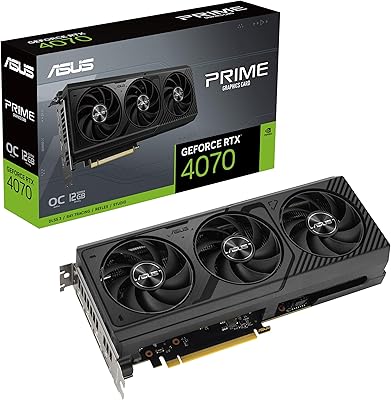
ASUS TUF RTX 3070 Ti Graphics Card
80%
88%
Gaming Performance
91%
Thermal Management
93%
Noise Levels
89%
Build Quality
61%
VRAM Capacity
More
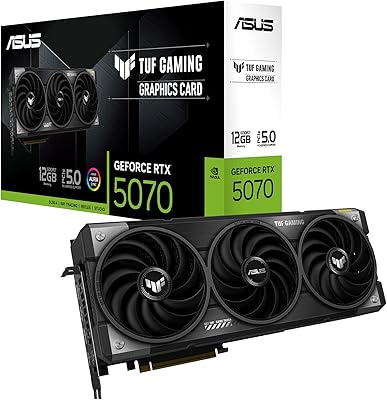
ASUS TUF Gaming RTX 5070 12GB GPU
86%
88%
Gaming Performance
91%
Thermal Performance
93%
Build Quality
67%
VRAM & Memory
82%
Value for Money
More
ASUS PRIME GeForce RTX 4070 OC Edition 12GB Graphics Card
88%
92%
Gaming Performance at 1440p and 4K
89%
Cooling and Noise Levels
93%
DLSS 3 Performance Enhancement
85%
Installation Ease for Small Builds
88%
Build Quality and Durability
More
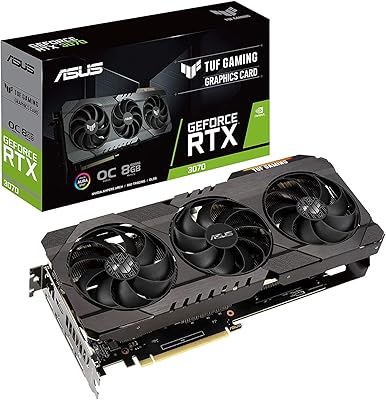
ASUS TUF RTX 3070 OC Graphics Card
78%
88%
Gaming Performance
92%
Thermal Management
94%
Build Quality
63%
Value for Money
57%
VRAM Adequacy
More
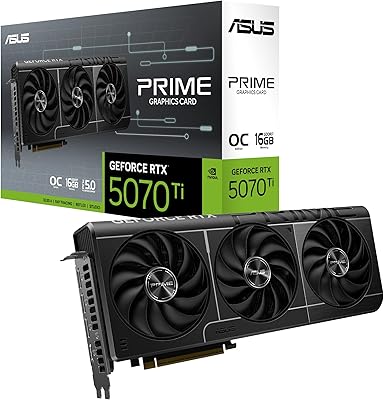
ASUS Prime RTX 5070 Ti 16GB Graphics Card
83%
93%
Gaming Performance
89%
Thermal Management
86%
Noise Levels
91%
Build Quality & Materials
94%
SFF & Case Compatibility
More
ASUS RTX 4070 Ti Super 16GB GPU
83%
91%
Gaming Performance
93%
Thermal Management
88%
Noise Level
94%
Build Quality
78%
DLSS 3 & Frame Generation
More
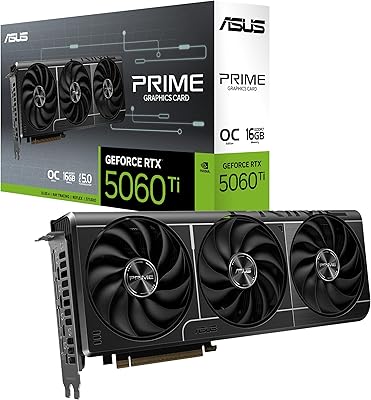
ASUS PRIME GeForce RTX 5060 Ti 16GB GDDR7 OC Edition Graphics Card
88%
93%
Performance
88%
Cooling Efficiency
92%
Value for Money
86%
Ease of Installation
90%
Build Quality
More
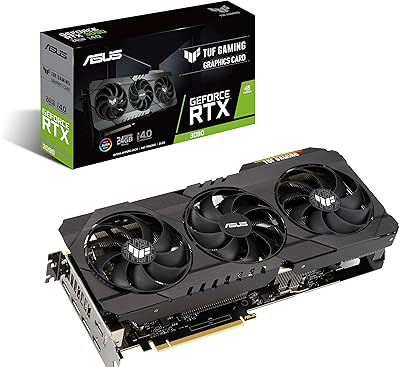
ASUS TUF RTX 3090 OC Graphics Card
80%
91%
Raw Gaming Performance
88%
Thermal Management
93%
Build Quality
94%
VRAM Capacity & Usefulness
83%
Noise Levels
More
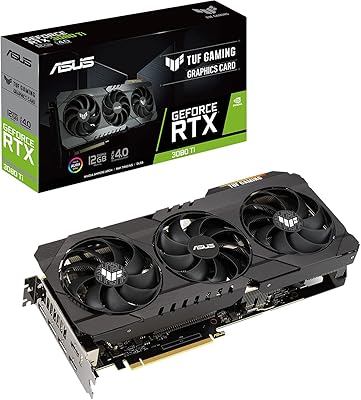
ASUS TUF Gaming RTX 3080 Ti Graphics Card
80%
91%
Gaming Performance
88%
Thermal Management
84%
Noise Level
93%
Build Quality
62%
Value for Money
More
ASUS TUF GTX 1660 Super 6GB GPU
79%
88%
1080p Gaming Performance
86%
Thermal Management
83%
Fan Noise & Acoustics
91%
Build Quality
79%
Value for Money
More

FAQ

A 750W PSU is the practical minimum, but 850W gives you comfortable headroom, especially if your CPU is power-hungry. Make sure your PSU has the required PCIe power connectors — or a compatible adapter — before buying.

Most full-size mid-towers handle it fine, but this is a 3.25-slot card that weighs over three pounds, so compact or mini-ITX cases are likely off the table. Check your case's maximum GPU length spec and make sure you have at least three expansion slots free before ordering.

For a card in this performance class, yes — most users report being genuinely surprised by how controlled the fan noise stays during extended gaming. Under lighter workloads it can enter a semi-passive mode where the fans stop entirely, which is a nice bonus for desktop use.

In supported titles it can make a substantial difference — effectively multiplying your frame output well beyond what the GPU produces natively. The catch is that it only works in a specific list of games that have implemented the feature, so if your library is mostly older or indie titles, you may not get much use out of it day-to-day.

It holds up well for creative workloads. The 12GB of GDDR6X memory is a real asset in applications like Blender, DaVinci Resolve, and GPU-accelerated video exports. It is not a dedicated workstation card, but for creators who also game, it covers both bases effectively.

In rasterization performance it trades blows with the RTX 3090 while using considerably less power and running cooler. Where it pulls ahead clearly is in ray tracing and DLSS 3 support, which the older Ampere cards cannot access. For pure VRAM capacity, the 3090 still has the edge with 24GB, which matters in specific workstation scenarios.

Yes, and the HDMI 2.1a output makes it genuinely well-suited for that use case — it can drive a 4K display at high refresh rates without breaking a sweat. It is also capable of 8K output if your display supports it.

Under heavy gaming loads temperatures typically settle in a range that is well within safe operating limits, thanks to the triple-fan heatsink assembly. Users who have monitored GPU temps over multi-hour sessions generally report stable readings rather than progressive heat buildup.

This ASUS graphics card works with both AMD and Intel platforms — the PCIe 4.0 interface is supported across current-generation Ryzen and Intel Core motherboards alike. There are no meaningful performance differences between the two from the GPU side.

At 3.52 pounds, this card is heavy enough that a GPU support bracket is genuinely advisable rather than optional, particularly in horizontal builds where sag can stress the PCIe slot over time. Many cases include one, and standalone brackets are inexpensive insurance for a card at this investment level.

Where to Buy