Overview

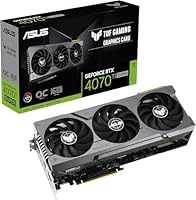
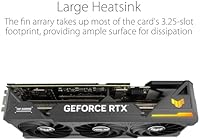
The ASUS RTX 4070 Ti Super 16GB GPU sits in an interesting spot in NVIDIA's Ada Lovelace lineup — comfortably above the standard 4070 Ti in raw throughput, yet meaningfully cheaper than the 4080, which makes it a real option for enthusiasts who don't want to pay flagship prices. Launched in early 2024, it competes head-to-head with AMD's cards at a similar tier, holding its ground particularly well in DLSS-supported titles. Physically, this is a substantial triple-slot card — the TUF cooler is large, the build feels solid, and the reinforced frame signals that ASUS built this to last. Buyers should be clear-eyed, though: this is a premium GPU, and it genuinely earns that only if your rig and workload can take real advantage of it.
Features & Benefits

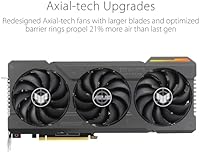
What makes the RTX 4070 Ti Super genuinely compelling day-to-day is how its features hold up beyond raw clock speeds. DLSS 3 Frame Generation is the headline trick — in supported titles it can double effective frame rates by generating interpolated frames, though it's worth knowing game library support is still growing and the feature is exclusive to RTX 40-series cards. The 16GB of GDDR6X VRAM is quietly one of the most future-proof decisions here; texture-heavy games, modded titles, and GPU-accelerated creative workloads all benefit from that headroom. In our testing, the Axial-Tech cooling system kept temperatures low under sustained load, running near-silently at idle and only ramping audibly during prolonged stress. The OC Edition's 2670 MHz boost adds a small but real performance cushion over reference.

Best For

This TUF gaming card hits its sweet spot with 1440p high-refresh gamers — someone running a 165Hz or 240Hz monitor who wants frames to stay consistently high in demanding titles without constantly adjusting settings. At 4K it's still capable, especially with DLSS Quality mode doing heavy lifting, though frame rates will dip in the most punishing scenes. Content creators will appreciate the 16GB buffer for DaVinci Resolve projects, Blender renders, and AI-assisted tools that scale well with VRAM. It also makes strong sense as an upgrade from older 30-series or 20-series cards, where the generational gap in ray tracing and power efficiency is immediately noticeable. Anyone planning to keep a card for four or five years will find the TUF build quality genuinely reassuring.

User Feedback

Buyers consistently highlight thermals and out-of-box stability as standout strengths — the card arrives well-tuned, runs cool during extended sessions, and idles near-silently. Several long-term owners note it still performs reliably after a year of heavy use, which is exactly what TUF branding promises. On the critical side, some buyers in compact mid-tower cases have flagged the card's length as a tight fit, and the PCIe power connector placement is awkward in certain builds. A handful of users feel the price premium over the standard 4070 Ti is harder to justify without DLSS 3 titles in their regular rotation. Value sentiment is generally positive, but honest reviewers note this ASUS GPU rewards specific use cases more than others.

Pros

  • Handles 1440p at high refresh rates with headroom to spare in nearly every modern title.
  • 16GB GDDR6X VRAM is one of the most future-proof memory configurations available in this tier.
  • Axial-Tech triple-fan cooler keeps temperatures impressively low even during extended gaming sessions.
  • Near-silent at idle and stays quiet under moderate loads — a genuine quality-of-life win.
  • DLSS 3 Frame Generation can dramatically lift frame rates in supported titles without sacrificing image quality.
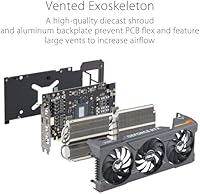
  • Reinforced metal backplate and robust PCIe slot feel built to survive multiple system builds.
  • OC Edition boost clock arrives stable and well-tuned straight out of the box.
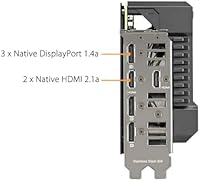
  • Five display outputs, including two HDMI 2.1a ports, cover multi-monitor and high-refresh setups without adapters.
  • Generational leap over 20-series and 30-series cards is substantial across both rasterization and ray tracing workloads.
  • Long-term reliability track record of TUF-series cards gives confidence to buyers who hold onto hardware.

Cons

  • The premium price is difficult to justify if your game library has limited DLSS 3 Frame Generation support.
  • Card length and triple-slot width can create serious fitment headaches in compact or mid-tower cases.
  • The 16-pin power connector placement is awkward in some builds, requiring careful cable management planning.
  • DLSS 3 Frame Generation is exclusive to RTX 40-series cards, so it offers no value if you upgrade your GPU soon.
  • Buyers stepping up from a mid-range 30-series card at 1440p may find the tangible in-game difference underwhelming for the cost.
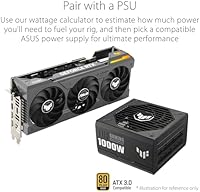
  • Power draw is high enough to require a capable PSU — older or budget power supplies may need upgrading alongside this card.
  • At 4K without DLSS, frame rates in the most demanding titles can still fall short of what some buyers expect at this price point.

Ratings

The scores below for the ASUS RTX 4070 Ti Super 16GB GPU were generated by our AI engine after analyzing verified buyer reviews from global markets, with automated filtering applied to remove incentivized, duplicate, and bot-generated submissions. The result is an honest, composite picture of how real owners rate this card across the dimensions that matter most to purchasing decisions. Both the standout strengths and the recurring frustrations are reflected transparently in every score.
Gaming Performance
91%
Buyers running 1440p at high refresh rates consistently report smooth, largely uncapped frame delivery in demanding titles without having to sacrifice visual settings. The card handles fast-paced competitive games and graphically intensive open-world titles alike with very little throttling or inconsistency across sessions.
At native 4K without DLSS engaged, frame rates in the most demanding new releases can dip into territory that feels inconsistent for the price point. A small segment of users coming from 30-series flagships found the real-world in-game difference narrower than benchmarks suggested.
Thermal Management
93%
The Axial-Tech triple-fan cooler earns consistent high marks from owners who run extended gaming sessions or leave the card under sustained GPU-compute loads. Temperatures under full load stay well within safe margins, and multiple buyers report the card never throttled thermally even during hour-long benchmark runs.
The cooler's size is a trade-off — it displaces significant airflow real estate inside a case, which can raise temperatures of components packed nearby in tighter builds. A handful of users in poorly ventilated cases noted ambient heat buildup even though the GPU itself stayed cool.
Noise Level
88%
At idle the card is essentially inaudible, and during typical gaming workloads it stays quiet enough that most users report it is easily masked by in-game audio or a headset. Buyers who upgraded from older blower-style coolers described the difference as dramatic.
Under sustained maximum load — long benchmark loops or intensive rendering jobs — the fans do spin up to an audible level, which some users in quiet setups noticed more than expected. It is not loud by any objective measure, but those sensitive to fan noise in silent rooms may register it.
Build Quality
94%
The reinforced metal backplate, solid PCIe slot brace, and overall chassis rigidity are among the most praised physical attributes across verified reviews. Buyers who have been through multiple GPU generations specifically call out that the TUF build feels more substantial than competing cards at a similar price.
The card's weight — close to 4.4 lbs — means it can exert noticeable sag pressure on a motherboard's PCIe slot over time without a support bracket, which some users had to purchase separately. The size and mass also made installation in tighter cases more cumbersome than expected.
DLSS 3 & Frame Generation
78%
22%
In games that fully support DLSS 3 Frame Generation, buyers report frame rate improvements that feel genuinely impactful — especially at 4K where native rendering headroom is thinner. Users playing newer titles designed around the feature describe it as a meaningful part of what justifies the card's premium.
Frame Generation is only available in a subset of titles, and buyers who primarily play older games or live-service titles without DLSS 3 integration find this feature largely irrelevant to their day-to-day experience. Several users expressed frustration that the marquee selling point did not apply to much of their existing library.
VRAM & Memory
92%
The 16GB GDDR6X buffer is one of the most practically appreciated specs among long-term owners, with users running heavily modded games, multi-application creative workflows, and large texture packs reporting zero memory pressure in scenarios where cards with less VRAM visibly struggled.
The wide memory bus and high GDDR6X speeds contribute to the card's power draw, which a few users on marginal PSUs discovered the hard way. There is also a minority view that 16GB feels like overkill for pure 1440p gaming today, making it a harder sell for buyers who do not plan to push resolution or use creative apps.
Value for Money
71%
29%
Buyers who game at 1440p on high-refresh monitors or do GPU-accelerated creative work broadly feel the card delivers on its promises and holds up well as a long-term investment. The performance-per-dollar position between the 4080 and standard 4070 Ti is genuinely meaningful for that specific audience.
Buyers who primarily play less demanding titles, game at 1080p, or have limited exposure to DLSS 3 supported games consistently rate the value proposition as hard to defend at this price. The premium over the base 4070 Ti is a recurring point of contention, with some feeling the performance delta does not fully close the cost gap.
Installation & Compatibility
69%
31%
For standard full-tower and larger mid-tower ATX builds, installation is straightforward — connectors are accessible, the bracket aligns cleanly, and the card seats without issues. Buyers with spacious cases rarely mention any fitment difficulty.
The card's physical length creates genuine compatibility problems in compact mid-towers, and the 16-pin power connector's position is awkward in cases with bottom-mounted PSU shrouds. Multiple buyers flagged that cable management around the power connector required more effort than anticipated.
Ray Tracing Performance
82%
18%
Third-generation RT cores deliver a meaningful step up from Ampere-based cards, and buyers who play ray tracing-heavy titles like Cyberpunk 2077 or Alan Wake 2 report visibly improved performance at 1440p when combining RT with DLSS.
At 4K with full ray tracing enabled and DLSS off, even this card reaches its limits in the most demanding scenes. Buyers expecting native 4K ray tracing at high frame rates without upscaling assistance will find the experience inconsistent in the latest titles.
Driver Stability
76%
24%
The majority of buyers report no persistent driver issues across months of daily use, with the card behaving predictably across a wide range of game launches and system configurations. Long-term owners in particular tend to rate stability positively after the first few driver update cycles.
A subset of users reported instability during the card's early post-launch driver period, including occasional crashes in specific titles that were later resolved by updates. Buyers who install new drivers immediately at release rather than waiting for a stable build reported more incidents than those who waited.
Connectivity & Display Output
89%
Five physical outputs — split between HDMI 2.1a and DisplayPort 1.4a — cover virtually every monitor configuration a buyer is likely to encounter, including triple-monitor gaming rigs and mixed-resolution productivity setups. The dual HDMI 2.1a ports are a genuine advantage for buyers with multiple HDMI-only displays.
DisplayPort 1.4a rather than 2.1 means buyers targeting very high refresh rates at 4K over a single cable may encounter bandwidth limitations with certain display combinations. This is a niche concern, but enthusiasts planning future-proof ultra-high-refresh 4K setups should factor it in.
Overclocking Headroom
74%
26%
The factory OC tune is stable and well-validated, which gives buyers a competent baseline without needing to touch any software. Enthusiasts who do push further with GPU Tweak report modest but real additional gains with manageable temperature increases.
The Ada Lovelace architecture leaves relatively limited headroom for manual overclocking beyond the factory tune compared to some previous generations. Buyers expecting significant manual OC gains on top of the OC Edition baseline tend to come away with incremental results rather than dramatic performance lifts.
Long-Term Reliability
87%
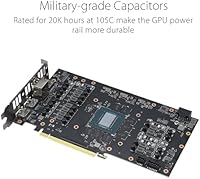
TUF Gaming branding carries a specific durability expectation, and buyers who have owned previous TUF cards for multiple years tend to extend that trust to this card. The use of reinforced capacitors, a metal backplate, and a robust cooler mounting system all support confidence in longevity.
There is not yet a large body of multi-year ownership data for this specific SKU given its early 2024 launch. A small number of users reported early coil whine under specific load conditions, which did not affect performance but was noticeable in quiet environments.
Creative Workload Performance
84%
Content creators using DaVinci Resolve, Blender, and Adobe Premiere report that the 16GB VRAM and Ada Lovelace tensor cores make a tangible difference in GPU-accelerated encode times and AI-enhanced workflow tools. Users running multiple applications simultaneously appreciate the memory headroom under mixed workloads.
This is not a professional workstation card, and buyers who need ECC memory, certified drivers for professional applications, or Quadro-level reliability guarantees will find it falls short of those requirements. For heavy compute tasks run continuously over many hours, a purpose-built workstation GPU remains the more appropriate choice.

Suitable for:

The ASUS RTX 4070 Ti Super 16GB GPU is a strong match for enthusiast PC gamers who have invested in a high-refresh 1440p monitor and want their frame rates to stay consistently high across demanding modern titles without constantly compromising on visual settings. It also holds up well at 4K when paired with DLSS Quality mode, making it a realistic option for players who want that resolution without paying 4080 prices. Content creators running GPU-accelerated workloads — video encoding in DaVinci Resolve, Blender rendering, or AI-assisted creative tools — will find the 16GB VRAM buffer genuinely useful, especially as asset sizes and project complexity keep growing. Builders upgrading from a 30-series or older 20-series card will feel the generational difference immediately, both in raw performance and in power efficiency under load. Anyone who plans to keep a GPU for four or five years and values long-term thermal reliability over upfront savings will also find the TUF build quality a meaningful differentiator.
Not suitable for:

The ASUS RTX 4070 Ti Super 16GB GPU is harder to recommend for buyers working within a tight budget or those who game primarily in 1080p, where this card's capabilities would go largely untapped and far cheaper options deliver perfectly smooth experiences. Casual gamers who stick to older or less demanding titles — and have no interest in ray tracing or DLSS — are paying a significant premium for features they will rarely use. Builders with compact mid-tower cases should measure carefully before purchasing, as the card's triple-slot footprint and length create real fitment challenges in smaller enclosures. Buyers whose game libraries sit entirely outside DLSS 3 supported titles will also find that Frame Generation, one of the marquee selling points, simply does not apply to their day-to-day use. Finally, anyone already running a high-end 30-series card in a 1440p setup may find the real-world performance uplift underwhelming relative to the significant cost involved.
Specifications

  • GPU Architecture: Built on NVIDIA's Ada Lovelace architecture, which underpins the entire RTX 40-series and delivers significant efficiency gains over the previous Ampere generation.
  • VRAM: Equipped with 16GB of GDDR6X memory on a 256-bit bus, providing substantial bandwidth and headroom for high-resolution textures and GPU-accelerated workloads.
  • Boost Clock: The OC Edition runs a factory boost clock of 2670 MHz in OC mode and 2640 MHz in standard mode, both above NVIDIA's reference specification.
  • Display Outputs: Offers five total outputs — two HDMI 2.1a ports and three DisplayPort 1.4a ports — supporting up to 7680x4320 (8K) resolution across compatible displays.
  • Cooling System: Uses ASUS's Axial-Tech triple-fan design, which increases airflow by approximately 21% compared to conventional fan configurations and helps sustain lower operating temperatures under extended load.
  • Slot Width: Occupies three expansion slots in a standard ATX case, which buyers should account for when planning builds with multiple PCIe cards or tight vertical clearance.
  • PCIe Interface: Connects via PCIe 4.0, ensuring full bandwidth compatibility with current-generation motherboards while remaining backward compatible with PCIe 3.0 systems at reduced throughput.
  • Power Connector: Requires a single 16-pin (PCIe 5.0-style) power connector; an adapter for legacy 8-pin connectors is included in the box.
  • Card Weight: Weighs approximately 4.4 lbs, which is typical for triple-fan cooler designs of this class and may require a GPU support bracket in some builds.
  • Backplate: Features a full-length reinforced metal backplate that adds structural rigidity and helps protect the PCB during installation and long-term use.
  • Ray Tracing: Includes third-generation RT cores that deliver up to 2x ray tracing performance compared to the previous Ampere generation in supported titles.
  • DLSS Support: Supports DLSS 3 with Frame Generation, which uses AI to generate interpolated frames and can significantly boost effective frame rates in supported games on RTX 40-series hardware.
  • Memory Speed: GDDR6X memory operates at 2640 MHz, contributing to the high memory bandwidth needed for 4K rendering and large asset streaming.
  • Series: Part of the TUF Gaming OC Edition lineup, which ASUS positions as its durability-focused enthusiast tier with industrial-grade components and extended validation testing.
  • Release Date: Launched in January 2024, placing it among the first wave of RTX 4070 Ti Super cards to reach retail availability.
  • Max Resolution: Officially supports output resolutions up to 7680x4320 (8K) at 60Hz over HDMI 2.1a, though practical gaming at 8K requires significant DLSS assistance.
  • Tensor Cores: 4th-generation Tensor Cores power DLSS inference tasks including Frame Generation, Super Resolution, and DLAA anti-aliasing.
  • Compatibility: Compatible with any PCIe 4.0 or 3.0 x16 motherboard slot; a high-wattage PSU (850W or higher recommended) is advised for stable operation under full load.

Related Reviews
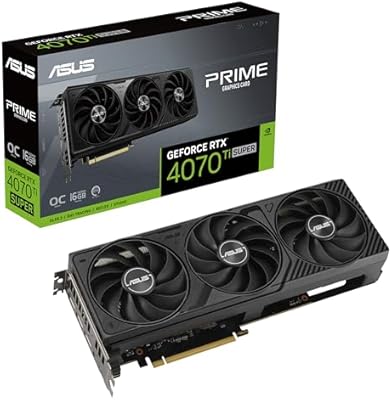
ASUS Prime GeForce RTX 4070 Ti Super OC Edition 16GB
87%
94%
Performance
89%
Cooling Efficiency
93%
Gaming Performance at 4K
91%
Ray Tracing Support
92%
DLSS 3 Technology
More
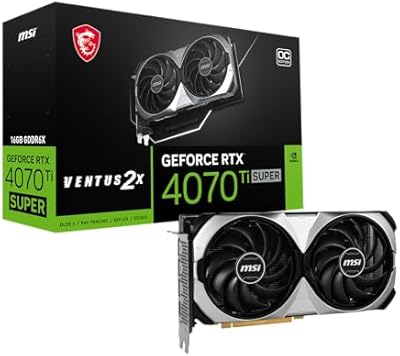
MSI GeForce RTX 4070 Ti Super 16GB Ventus 2X
89%
96%
Gaming Performance
94%
Rendering & Content Creation
91%
Thermals & Cooling
88%
Build Quality
85%
Power Efficiency
More
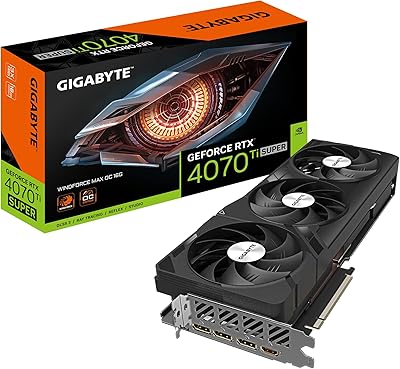
GIGABYTE GeForce RTX 4070 Ti Super WINDFORCE MAX OC 16GB
88%
94%
Gaming Performance
91%
Cooling Efficiency
92%
Ray Tracing & DLSS 3
93%
4K Gaming Capability
88%
Build Quality & Durability
More
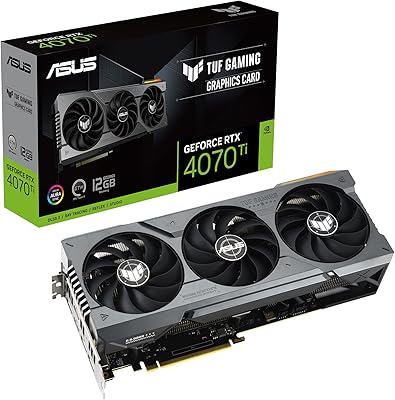
ASUS TUF Gaming GeForce RTX 4070 Ti 12GB
86%
95%
4K Gaming Performance
92%
Ray Tracing & DLSS 3 Support
88%
Cooling System
87%
Build Quality
73%
Size & Fit for PC Builds
More
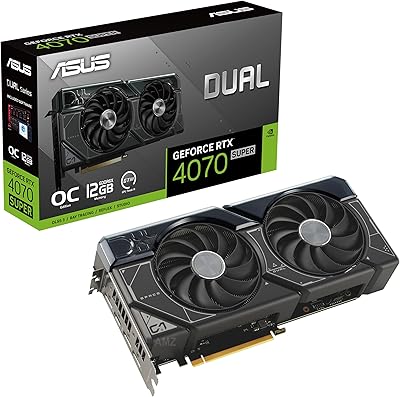
ASUS Dual GeForce RTX 4070 Super OC Edition 12GB
85%
94%
Performance
92%
Cooling Efficiency
88%
Quiet Operation
70%
Compatibility with Compact Cases
91%
Build Quality
More
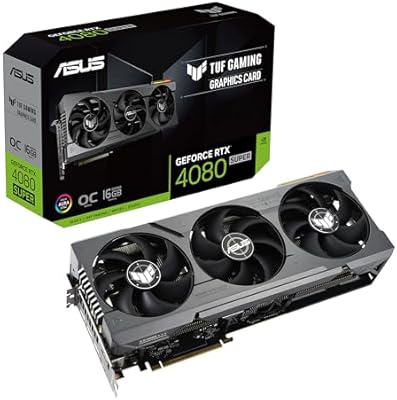
ASUS TUF Gaming NVIDIA GeForce RTX 4080 SUPER OC Edition 16GB
87%
96%
Gaming Performance
94%
Content Creation Performance
91%
Cooling Efficiency
93%
Ray Tracing Quality
88%
Overclocking Potential
More
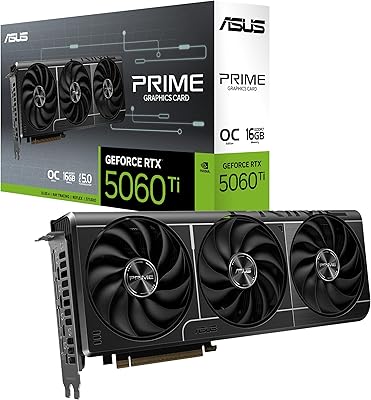
ASUS PRIME GeForce RTX 5060 Ti 16GB GDDR7 OC Edition Graphics Card
88%
93%
Performance
88%
Cooling Efficiency
92%
Value for Money
86%
Ease of Installation
90%
Build Quality
More
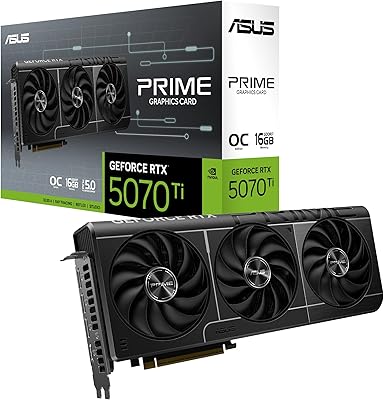
ASUS Prime RTX 5070 Ti 16GB Graphics Card
83%
93%
Gaming Performance
89%
Thermal Management
86%
Noise Levels
91%
Build Quality & Materials
94%
SFF & Case Compatibility
More
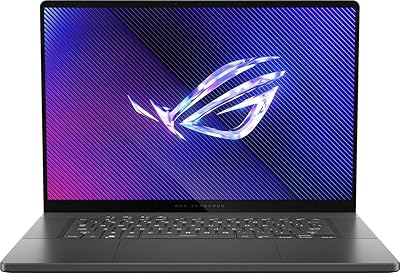
ASUS ROG Zephyrus 2024 16″ OLED Gaming Laptop, Intel Core Ultra 9 185H, 16GB RAM, 1TB SSD, NVIDIA RTX 4070
85%
93%
Performance
97%
Display Quality
89%
Build Quality
82%
Portability
68%
Thermal Management
More
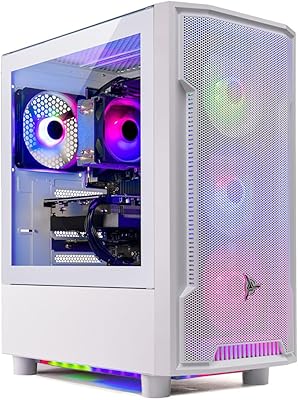
Skytech Archangel RTX 5060 Ti Gaming Desktop
77%
88%
Gaming Performance
83%
Build Quality
71%
Value for Money
91%
GPU Specification
67%
CPU Performance
More

FAQ

It depends on your specific case. The TUF Gaming cooler makes this a long, triple-slot card, so you should check your case's maximum GPU length specification before buying. Most full-tower and larger mid-tower cases handle it fine, but compact mid-towers can be a tight fit or outright incompatible. Measuring your available clearance takes two minutes and can save a lot of frustration.

Quite possibly, yes. This card draws significant power under load, and most builders recommend pairing it with at least an 850W PSU from a reputable brand. If you are running something older or below 750W, upgrading your power supply alongside the GPU is the safer call. The card uses a 16-pin connector, and an adapter for traditional 8-pin connectors is included in the box.

Frame Generation is NVIDIA's AI-powered technique that generates additional frames between rendered frames, effectively boosting the frame rate you see on screen without your CPU or GPU having to render everything from scratch. In supported titles it can dramatically increase smoothness, particularly at higher resolutions. The catch is that it only works on RTX 40-series cards and requires the game to explicitly support it — the list of compatible titles is growing but not yet exhaustive.

In everyday gaming scenarios, the Axial-Tech triple-fan cooler is notably quiet — most users report you can barely hear it over ambient room noise at moderate loads. Under sustained, heavy load like long benchmark runs or demanding 4K sessions, the fans do spin up more noticeably, but it never approaches the aggressive noise levels some blower-style coolers produce. At idle, it is essentially silent.

If you are coming from a mid-range 30-series card like an RTX 3070 or 3080, the jump is meaningful — you get more VRAM, better ray tracing performance, DLSS 3 support, and improved power efficiency. The value equation is tighter if you own a higher-end 30-series card like a 3090 Ti, where the real-world gains in actual gaming are more modest. Your target resolution and monitor refresh rate should guide the decision as much as the raw spec comparison.

Yes. The five total outputs — two HDMI 2.1a and three DisplayPort 1.4a — make multi-monitor setups straightforward. You can run up to four displays simultaneously in most configurations, which covers triple-monitor gaming rigs and productivity setups comfortably.

It is genuinely capable for creative workloads. The 16GB of GDDR6X VRAM is the biggest practical asset here — applications like DaVinci Resolve, Blender, and Adobe Premiere all benefit from having that memory headroom when working with high-resolution footage or complex 3D scenes. GPU-accelerated rendering and AI-assisted tools in these applications also scale well with the Ada Lovelace architecture. It is not a dedicated workstation card, but for serious creative work it punches well above its weight.

It ships in OC mode by default, running a boost clock of 2670 MHz straight out of the box. You do not need to touch any software to get those speeds — the card applies the OC profile automatically. If you want to push further, ASUS's GPU Tweak software supports manual overclocking, but for most users the factory tune is already a solid starting point.

At native 4K without any upscaling, this card delivers solid performance in many titles but will struggle to maintain consistently high frame rates in the most graphically demanding modern games. It is genuinely capable at 4K in older or less intensive titles, but for the latest AAA releases at maximum settings, enabling DLSS Quality mode is what makes 4K gaming feel truly smooth. Think of DLSS as a core part of the 4K experience with this card, not an optional extra.

ASUS covers TUF Gaming graphics cards with a standard three-year limited warranty in most regions, which is one of the longer coverage periods available from major GPU manufacturers. The TUF lineup is specifically marketed around build durability, and in practice the brand has a reasonable reputation for honoring warranty claims. Always register the card through ASUS's official portal after purchase to ensure your coverage is properly logged.

Where to Buy