




Overview

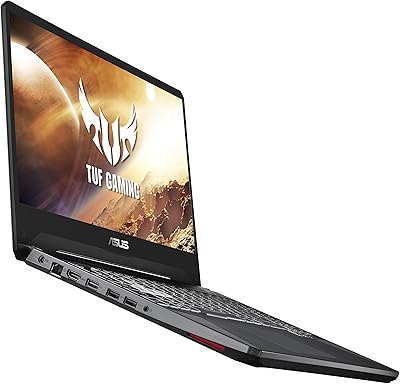
The ASUS TUF Gaming A15 (2023) Gaming Laptop sits in a competitive spot where serious gaming performance meets real-world affordability. Powered by an AMD Ryzen 7 7735HS paired with an NVIDIA GeForce RTX 4060, this ASUS gaming laptop delivers the kind of CPU-GPU combination that handles modern titles without breaking a sweat. The chassis carries ASUS's signature TUF durability — the Mecha Gray finish looks understated but feels solid, not cheap. What genuinely sets the display apart at this tier is 100% sRGB coverage on a 144Hz panel, which is rare for the price bracket. For buyers shopping here, the TUF A15 offers a compelling package that does not force you to choose between raw performance and build quality.

Features & Benefits

One of the most impactful decisions ASUS made with this TUF Gaming A15 is running the RTX 4060 at its full 140W thermal design power. Many competitors throttle that same GPU down to 80-100W to manage heat, which noticeably cuts performance. Here, the chip runs at its intended capacity, so frame rates in demanding titles actually reflect what the hardware promises. The MUX Switch with Advanced Optimus automatically routes rendering through the dedicated GPU during gaming and falls back to integrated graphics for lighter tasks, saving battery in the process. Fast DDR5 memory and a high-bandwidth PCIe Gen 4 SSD keep the system responsive whether you are loading large game worlds or jumping between a dozen browser tabs. Wi-Fi 6 rounds out a solid connectivity package.

Best For

This ASUS gaming laptop makes the most sense for competitive 1080p gamers who want a high-refresh experience without worrying that the GPU is being artificially limited by the manufacturer. It is also a smart pick for college students or early-career professionals who need one machine that handles productivity during the day and gaming after hours. The full-gamut display adds real value for anyone who dabbles in photo editing or content creation on the side. If you are coming from a laptop three or four generations old, the GPU leap alone will feel dramatic. One honest caveat: the high-power GPU configuration means battery life is modest, so this works best for users who primarily game plugged in.

User Feedback

Owners of the TUF A15 are largely satisfied with in-game performance consistency — most report that titles run smoothly without the thermal throttling that plagues lighter-built competitors at this GPU tier. The keyboard earns mixed marks: typing feel is adequate but unremarkable, and the speakers will not replace a decent headset. Display brightness is another recurring friction point, with some users wishing for more output in brightly lit rooms. Fan noise during heavy sessions is real and audible under full load — worth knowing before buying. At just under nine pounds, daily commuters flag the weight as a genuine inconvenience. On the positive side, long-term build quality feedback is encouraging, with most buyers reporting no structural issues after months of consistent use.

Pros

  • The RTX 4060 runs at its full rated power, delivering frame rates that many similarly priced competitors cannot match.
  • A 144Hz display with complete sRGB coverage is rare at this price tier and genuinely benefits both gamers and creators.
  • The MUX Switch intelligently manages GPU routing, offering a real performance boost without any manual fuss.
  • Fast next-generation memory and storage keep game load times short and multitasking smooth.
  • The TUF chassis feels sturdy and well-assembled, with no creaking or flexing that would suggest poor build quality.
  • Wi-Fi 6 support ensures strong, low-latency wireless connections for online gaming.
  • The dual-fan cooling system keeps temperatures manageable during prolonged gaming sessions.
  • Comes ready to use with Windows 11 Home pre-installed, requiring minimal setup out of the box.
  • One terabyte of fast storage is generous enough for a solid library of modern games without needing an immediate upgrade.

Cons

  • At nearly nine pounds, this ASUS gaming laptop is a real burden for anyone carrying it to class or work daily.
  • Battery life is modest at best — plan on keeping a charger nearby for anything beyond light productivity tasks.
  • Fan noise under heavy gaming load is noticeable and may bother users in quiet environments.
  • Display brightness can feel lacking in rooms with strong ambient light or direct sunlight.
  • The keyboard is functional but uninspiring, lacking the tactile feedback that longer typing sessions benefit from.
  • Onboard speakers are mediocre and will send most users reaching for headphones or external audio.
  • Port selection is limited, with only two USB 3.0 ports available for peripherals and accessories.
  • The Mecha Gray aesthetic is subdued, which may underwhelm buyers who prefer a more distinctive visual style.
  • No optical drive is included, which is expected but worth noting for buyers who still work with physical media.

Ratings

The scores below reflect an AI-driven analysis of verified global user reviews for the ASUS TUF Gaming A15 (2023) Gaming Laptop, with spam, bot-generated, and incentivized submissions actively filtered out to ensure the data reflects genuine ownership experiences. Ratings are distributed across the categories that matter most to real buyers — from raw gaming performance and thermal management to portability and daily usability. Both the strengths that consistently earn praise and the friction points that regularly frustrate owners are represented transparently.

Gaming Performance
91%
Owners consistently report that this TUF Gaming A15 holds up impressively in demanding titles at 1080p, with frame rates that outpace similarly priced machines running the same GPU at lower power limits. The full-power RTX 4060 configuration means buyers are getting genuine next-gen performance rather than a neutered version of the chip.
A small number of users pushing the machine into very graphically intensive titles at maximum settings note occasional dips that suggest the GPU is occasionally hitting thermal ceilings during extended sessions. The gap between best-case and sustained performance widens noticeably in warmer ambient environments.
Thermal Management
78%
22%
For a laptop running a high-wattage GPU configuration, the dual-fan cooling system does a solid job of keeping temperatures from hitting dangerous levels during hour-long gaming sessions. Most users find that the chassis remains comfortable to touch on the underside during moderate workloads, which is not always the case with competing designs.
Under truly sustained heavy loads — marathon gaming sessions or CPU-plus-GPU stress scenarios — temperatures climb higher than some users expect, occasionally triggering noticeable throttling. The cooling system prioritizes preventing damage over maintaining peak clock speeds, which is the right call, but it is a trade-off power users will feel.
Display Quality
83%
The 144Hz refresh rate combined with full sRGB color coverage is a genuine differentiator that buyers notice immediately when switching from older or budget-tier laptops. Competitive gamers appreciate the smooth motion handling, while users doing photo editing or color-sensitive creative work are pleasantly surprised by how accurate the panel looks out of the box.
Maximum brightness is the recurring complaint — in offices with large windows or outdoor use, the screen can look washed out and straining to read. Response time is good but not exceptional, and buyers who have used high-end IPS or OLED displays will notice the contrast ceiling relatively quickly.
Build Quality
86%
The TUF chassis earns consistent praise for feeling solid and well-assembled, with minimal flex across the keyboard deck and lid — a real concern on thinner gaming laptops at this tier. Long-term owners frequently report that the machine holds up structurally over a year or more of regular use without developing creaks or loose hinge tension.
The plastic-heavy construction, while durable, lacks the premium feel that some buyers expect given the overall investment. A few users note that the bottom panel can develop minor scuff marks relatively easily, and the Mecha Gray finish shows fingerprints and surface dust more readily than expected.
Value for Money
84%
Buyers who understand what TGP means for GPU performance consistently feel that this ASUS gaming laptop delivers more real-world gaming capability per dollar than most alternatives. The combination of fast memory, a high-bandwidth SSD, and a properly configured GPU creates a package that would cost noticeably more if assembled piecemeal.
For buyers who later discover the limitations around battery life, weight, and speaker quality, the perceived value takes a hit. If portability or multimedia consumption are high priorities, there are machines at a similar investment level that handle those use cases more gracefully.
Battery Life
52%
48%
When the Advanced Optimus system successfully hands off to the integrated GPU during light productivity tasks, some users report getting a reasonable stretch of screen-on time for browsing, note-taking, or video calls. The automatic switching reduces the need to manually manage power profiles during the workday.
Gaming unplugged is essentially not a viable use case — battery drain under GPU load is rapid, and most users report running low well before a gaming session would naturally end. Even for productivity work, real-world endurance falls short of what many competitors at this tier offer, making the charger a constant companion.
Cooling Fan Noise
61%
39%
During everyday tasks like web browsing, video playback, or light document work, the TUF A15 runs quietly enough that it would not disturb others in a library or shared workspace. The fan ramp-up behavior is gradual and predictable, so it does not catch users off guard.
Under gaming or rendering loads, the fan noise becomes genuinely intrusive — enough that conversations nearby get more difficult and headphone use becomes more or less mandatory. Users who game in shared living spaces or quiet dorm rooms flag this as a consistent irritation that does not fully improve even after cleaning vents.
Keyboard & Touchpad
67%
33%
The keyboard layout is sensible and covers the full range of gaming needs, including a dedicated numpad area and reasonable key spacing that prevents frequent miskeys during fast-paced input. Casual typists find it perfectly comfortable for shorter writing sessions and everyday use.
Enthusiast typists and writers doing extended work find the key travel shallow and feedback mushy compared to dedicated productivity laptops. The touchpad is functional but imprecise enough that most users connect an external mouse immediately, which adds to the accessory weight load for those commuting with the machine.
Portability
44%
56%
The chassis is not unusually bulky for the hardware it contains, and the dimensions make it technically portable in a standard 15-inch laptop bag without any special accommodations. For users who move the machine between a desk and a couch, the size is manageable.
At just under nine pounds, this ASUS gaming laptop becomes a genuine physical burden for anyone commuting daily. Multiple owners who purchased it with daily carry in mind report shoulder and back fatigue within the first few weeks, with several ultimately purchasing a secondary lightweight device for travel.
Speaker Quality
58%
42%
The speakers are loud enough to fill a small room at moderate volume and handle dialogue in movies or casual YouTube viewing without sounding completely flat. For background listening during lighter tasks, they are adequate.
Bass is almost entirely absent, and the overall audio profile sounds thin and compressed during music playback or in-game audio. Most serious buyers reach for headphones or external speakers within the first few days, which means the built-in speakers effectively become a fallback rather than a primary audio solution.
MUX Switch Utility
88%
Users who understand what the MUX Switch does genuinely appreciate the tangible performance uplift it delivers during gaming without requiring any manual intervention thanks to Advanced Optimus. The automatic switching between GPU modes is reliable and adds real-world value both for battery savings during light use and frame rate gains during play.
Less technically informed buyers rarely discover or take advantage of the feature, and the ASUS software interface for managing related settings can feel cluttered and unintuitive for first-time owners. A cleaner onboarding explanation from ASUS would help more users benefit from what is actually a strong hardware differentiator.
Connectivity & Ports
69%
31%
Wi-Fi 6 support means that users with compatible routers experience noticeably stable and fast wireless connections during online gaming, with minimal packet loss reported even in crowded network environments. The port placement is generally sensible for desk setups.
Only two USB 3.0 ports is limiting for users who regularly connect a mouse, headset, and external drive simultaneously without a hub. The port count overall feels like a constraint for a machine positioned at this performance tier, and several users have added USB hubs as a workaround.
Software Experience
71%
29%
Windows 11 Home comes pre-installed and the system is genuinely ready to use out of the box, with ASUS Armoury Crate providing useful controls over fan curves and performance profiles for users who want to fine-tune their experience. Driver updates from ASUS have been reasonably consistent post-launch.
Armoury Crate itself receives mixed feedback — some users find it bloated and prefer to uninstall it, while others encounter initial setup bugs that require a reinstall to resolve. A small but vocal segment of owners report that GPU driver conflicts required manual intervention shortly after purchase.
Upgrade Potential
82%
18%
The non-soldered RAM and accessible M.2 storage slot give technically minded buyers a genuine upgrade path, which is increasingly rare in gaming laptops trending toward sealed designs. Users who want to double RAM or swap to a larger SSD down the line can do so without voiding practicality.
The upgrade process requires disassembling the bottom panel, which can feel daunting for less experienced users and voids certain warranty considerations depending on region. The GPU and CPU are fixed to the motherboard, so performance upgrades beyond memory and storage are not possible.

Suitable for:

The ASUS TUF Gaming A15 (2023) Gaming Laptop is an excellent fit for serious 1080p gamers who want their hardware running at full capacity rather than artificially throttled down to meet a thin-and-light form factor. Students juggling coursework and gaming sessions will appreciate having one machine that handles both without compromise — the color-accurate display even makes it viable for light photo editing or design work on the side. If you are upgrading from a laptop that is several generations behind, the generational GPU jump will be genuinely dramatic in everyday gaming. The MUX Switch is a thoughtful addition for users who need to stretch battery life during classes or meetings, then flip back to full performance mode when gaming at a desk. Buyers who typically game plugged in at home will get the most consistent, satisfying experience this machine has to offer.

Not suitable for:

The ASUS TUF Gaming A15 (2023) Gaming Laptop is not the right choice for anyone who needs a lightweight machine for daily commuting — at nearly nine pounds, it is a commitment to carry every day and will quickly become a source of frustration for those who travel frequently. Battery life is genuinely limited under real-world use, so buyers expecting to game on a train or away from an outlet for extended stretches will be disappointed. Those chasing 1440p or 4K gaming should look elsewhere, since the display tops out at 1080p and the GPU is best optimized for that resolution anyway. If speaker quality or keyboard feedback matter a great deal to you — for music, long writing sessions, or general media consumption — this machine lands squarely in the average category on both fronts. Lastly, anyone sensitive to fan noise will need to factor in that the cooling system, while effective, is audible when the hardware is working hard.

Specifications

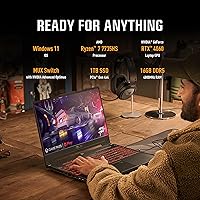
  • Processor: The laptop runs on an AMD Ryzen 7 7735HS with 8 cores and a boost speed reaching up to 4.7GHz, handling both gaming workloads and multitasking without hesitation.
  • Graphics: An NVIDIA GeForce RTX 4060 Laptop GPU with 8GB of dedicated VRAM operates at a full 140W maximum thermal design power, enabling high-fidelity gaming performance at 1080p.
  • Display: The 15.6-inch Full HD IPS panel runs at 144Hz with 100% sRGB color coverage and Adaptive Sync technology to reduce screen tearing during fast-paced gameplay.
  • Memory: 16GB of DDR5 RAM running at 4800MHz provides fast, responsive multitasking and smooth performance in modern memory-hungry applications and games.
  • Storage: A 1TB PCIe Gen 4x4 NVMe SSD delivers high sequential read and write speeds, significantly reducing game load times and system boot durations.
  • Cooling System: Dual Arc Flow Fans, each with 84 blades, work in tandem to maintain sustained performance under heavy gaming loads while keeping audible noise at a reasonable level during moderate use.
  • MUX Switch: A hardware MUX Switch with Advanced Optimus automatically routes frames directly from the dedicated GPU to the display, improving gaming performance by approximately 5 to 10 percent and extending battery life during light tasks.
  • Wireless: Wi-Fi 6 (802.11ax) support ensures fast, low-latency wireless connectivity suitable for online gaming and large file transfers.
  • Operating System: Windows 11 Home comes pre-installed, providing immediate access to the full Microsoft software ecosystem with no additional OS purchase required.
  • Weight: The laptop weighs approximately 8.64 lbs (around 3.92kg), which places it firmly in desktop-replacement territory rather than the ultraportable category.
  • Dimensions: The chassis measures 13.94 inches long by 9.88 inches wide by 0.88 inches thin, offering a relatively compact footprint for a machine with this level of thermal headroom.
  • USB Ports: Two USB 3.0 ports are available for connecting peripherals, external storage, or other accessories at high transfer speeds.
  • Battery: A built-in Lithium Ion battery is included; real-world unplugged endurance is modest given the high-power GPU configuration, making a nearby power outlet advisable for extended gaming sessions.
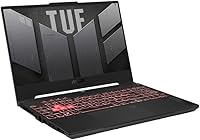
  • Color & Finish: The laptop ships in Mecha Gray, a subdued military-inspired finish that reflects the TUF lineup's focus on durability over flashy aesthetics.
  • Optical Drive: No optical drive is included, consistent with modern gaming laptop design where the space and weight savings are prioritized over legacy disc compatibility.

Related Reviews
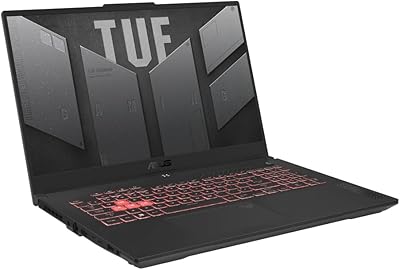
ASUS TUF Gaming A17 2023 Gaming Laptop
72%
88%
Gaming Performance
91%
CPU Performance
74%
Thermal Management
71%
Display Quality
83%
Build Quality
More
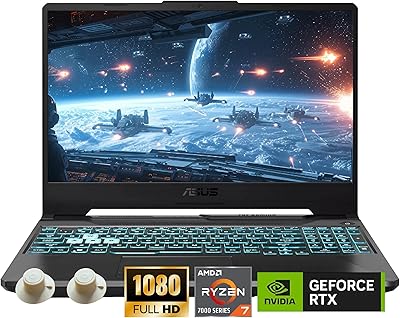
ASUS TUF A15 Gaming Laptop, AMD Ryzen 7 7435HS, 64GB RAM, 2TB SSD
85%
92%
Gaming Performance
88%
Multitasking Capability
85%
Cooling System Efficiency
83%
Build Quality
70%
Portability
More
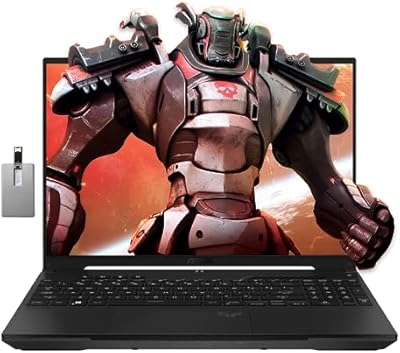
ASUS TUF A16 16-inch Gaming Laptop
74%
83%
Gaming Performance
81%
Build Quality
77%
Thermal Management
72%
Display Quality
88%
RAM & Multitasking
More
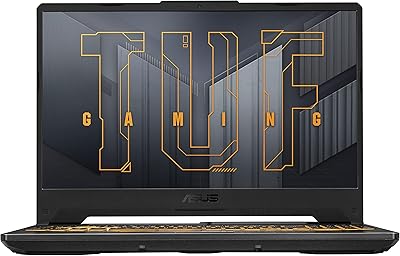
ASUS TUF FX505DT 15.6″ Gaming Laptop
70%
78%
Gaming Performance
84%
Display Quality
83%
Build Quality
76%
Value for Money
81%
Keyboard & Trackpad
More
ASUS TUF Gaming A15 FA506NC-ES51
74%
88%
Build Quality & Durability
72%
Gaming Performance
83%
Display Quality
58%
RAM & Multitasking
74%
Thermal Management & Cooling
More
ASUS ROG Strix G16 2023 Gaming Laptop
72%
93%
Gaming Performance
91%
Thermal Management
88%
Display Quality
84%
Build Quality
81%
Keyboard & Trackpad
More
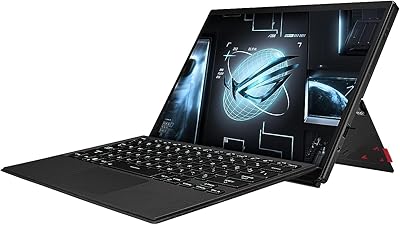
ASUS ROG Flow Z13 2023 Gaming Tablet
74%
93%
Display Quality
74%
Gaming Performance
41%
Battery Life
88%
Build Quality
67%
Thermal Management
More
ASUS TUF A16 Gaming Laptop
74%
84%
Gaming Performance
71%
Display Quality
83%
Build Quality
58%
Thermal Management
54%
Fan & Noise Level
More
ASUS TUF F15 Gaming Laptop
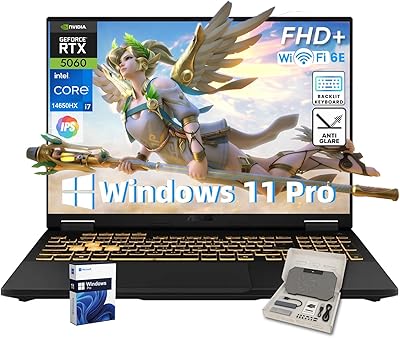
71%
74%
Gaming Performance
81%
Display Quality
86%
Build Quality & Durability
67%
Processor Performance
58%
RAM & Multitasking
More
ASUS TUF A16 Gaming Laptop, Ryzen 7 7735HS, 64GB RAM, 2TB SSD, 16″ 165Hz
84%
94%
Performance
90%
Display Quality
75%
Battery Life
65%
Portability/Weight
88%
Build Quality
More

FAQ

Yes, the TUF A15 is fairly upgrade-friendly for a gaming laptop. The storage can be expanded or replaced via the M.2 slot, and the RAM is not soldered, meaning you can swap or add sticks if you want to push beyond the base 16GB in the future. Just make sure to check compatibility before purchasing aftermarket parts.

Under heavy load — think demanding open-world titles or extended gaming sessions — the fans are audibly noticeable. It is not the loudest gaming laptop out there, but you will likely want headphones on during intense gameplay. During lighter tasks like web browsing or video streaming, the system stays relatively quiet.

For productivity tasks with the dedicated GPU disengaged — things like document editing, video calls, or light browsing — battery life is reasonable. The Advanced Optimus system helps by automatically switching to integrated graphics when the heavy GPU is not needed. That said, if you plan to game unplugged, expect the battery to drain quickly. Keep the charger handy for anything GPU-intensive.

Yes, you can connect an external monitor via the available display output ports, and the RTX 4060 is capable of driving 1440p or even 4K displays externally. Just keep in mind that the built-in screen tops out at 1080p, so the higher resolution experience is limited to external setups.

The 100% sRGB coverage genuinely makes a difference here — colors are accurate and vibrant rather than washed out, which is better than many gaming laptops at this tier. For photo editing or casual creative work, it holds up well. The main limitation is brightness, which can struggle in rooms with strong natural light.

The MUX Switch is a hardware feature that bypasses the integrated GPU when gaming, sending frames directly to the display from the dedicated RTX 4060. This removes a small but measurable performance bottleneck. With Advanced Optimus, the switch happens automatically based on what you are doing, so there is no need to manually toggle anything in most cases — it just works in the background.

The 8-core Ryzen 7 processor handles streaming duties well alongside gaming workloads. The CPU has enough headroom that running streaming software alongside a game does not cause the kind of performance collapse you might see on a 4-core machine. For casual to mid-tier streaming setups, this laptop handles the task without major compromises.

The keyboard is perfectly usable but nothing to write home about. Key travel is adequate for gaming, and the layout is sensible. For extended typing sessions — long essays or code — it falls in the average category. If you are coming from a premium keyboard, the feedback will feel a little flat.

The TUF chassis is built to military-grade durability standards, so structurally it can handle the bumps and knocks of daily life. The main concern for daily carry is weight — at nearly nine pounds, it gets heavy in a backpack over long distances. The machine itself is tough, but your shoulders may have opinions after a full day of commuting.

Like most Windows laptops, this ASUS gaming laptop ships with some pre-installed software including ASUS Armoury Crate, which controls fan profiles and RGB settings. Some users find it useful; others prefer to uninstall it. Beyond that, the out-of-box experience is reasonably clean, and a fresh Windows 11 install is always an option if you want a completely minimal starting point.