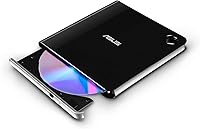
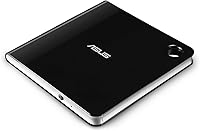
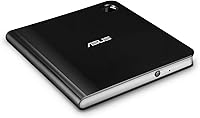
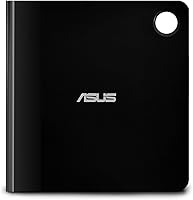
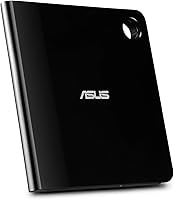
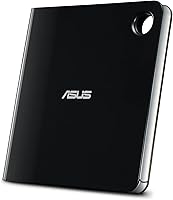
Overview

The ASUS SBW-06D5H-U External Blu-ray Burner fills a specific gap that a surprising number of modern laptop users run into: needing to read, burn, or archive optical media without a built-in drive. What makes it stand out in a crowded category is dual USB connectivity — both USB-A and USB-C cables are included in the box, so you're covered regardless of which ports your machine offers. It also supports MDisc archival burning, a feature you won't find on most budget optical drives. Compatible with both Windows and macOS, this external Blu-ray burner is a niche tool, but it's built for people who take optical media seriously.

Features & Benefits

The standout spec here is BDXL disc support, which lets you burn single discs up to 100GB — a meaningful advantage when archiving large video projects or software libraries. Closely related is MDisc compatibility: unlike standard optical media that can degrade over decades, MDiscs are engineered for long-term archival, making them a serious option for anyone backing up truly irreplaceable files. The drive itself is just 0.58 inches thin, meaning it slips into a bag slot without adding noticeable bulk. USB 3.1 keeps transfer speeds respectable, and write speeds reach 24x for DVD and 6x for Blu-ray, which handles everyday burning tasks without frustrating waits.

Best For

This slim optical drive makes the most sense for a fairly defined audience. Photographers, videographers, and archivists who want a physical backup layer beyond cloud storage will find MDisc burning genuinely useful — not just as a novelty. Laptop users on both Mac and Windows who occasionally need to access or create optical media will appreciate how little desk space it demands. IT professionals handling sensitive data that needs to live off-network on durable media also fit the profile well. What it's less suited for is casual or high-volume use; if you're burning dozens of discs daily, a desktop drive with faster speeds would serve you better. For everyone else, this is a capable and compact solution.

User Feedback

Across several hundred verified buyers, the ASUS SBW-06D5H-U earns strong marks overall, with most praise directed at its solid build quality, slim profile, and how effortlessly it works on first plug-in — no driver hunting required on Windows. Mac users are generally satisfied too, though a recurring note is that Blu-ray video playback requires third-party software, since macOS offers no native support for it; the drive itself works fine, but budgeting for playback software is worth factoring in. On the performance side, some buyers noted that real-world write speeds can fall below the advertised ceiling depending on disc brand and system load. For the price point, most owners feel the quality justifies the cost compared to cheaper alternatives that tend to feel flimsy.

Pros

  • MDisc support offers a genuinely durable archival option that most competing drives at this size simply do not have.
  • Both USB-A and USB-C cables come included, so there are no compatibility surprises right out of the box.
  • The ultra-slim chassis makes it easy to carry daily without adding meaningful weight to a laptop bag.
  • Plug-and-play setup on Windows works reliably without hunting for drivers or running installer software.
  • BDXL compatibility lets you burn up to 100GB on a single disc, cutting down on media clutter for large projects.
  • Build quality feels solid and premium relative to cheaper external optical drives in a similar category.
  • USB 3.1 connectivity keeps data transfer speeds competitive and future-proof compared to older USB 2.0 drives.
  • Works across both Windows and macOS, covering the two most common laptop platforms without extra configuration.
  • DVD write speeds up to 24x mean standard disc burning tasks finish quickly and without unnecessary waiting.
  • Strong satisfaction ratings across hundreds of verified buyers reflect consistent real-world reliability.

Cons

  • Blu-ray video playback on macOS requires purchasing third-party software separately, which is not made clear at the point of sale.
  • Real-world Blu-ray write speeds can fall noticeably below the advertised ceiling depending on disc brand and system load.
  • The price point is hard to justify if your optical media needs are infrequent or limited to basic DVD reading.
  • No bundled burning or playback software is included for Windows either, leaving new users to source their own applications.
  • Being bus-powered means performance can dip on machines with weaker USB power delivery or when connected through a hub.
  • The drive can generate noticeable noise during high-speed reads or writes, which may be distracting in quiet environments.
  • MDisc media itself is significantly more expensive per disc than standard Blu-ray media, adding ongoing cost for archival users.
  • No indication light or activity LED makes it harder to tell at a glance whether the drive is actively reading or writing.

Ratings

The scores below reflect an AI-driven analysis of verified global buyer feedback for the ASUS SBW-06D5H-U External Blu-ray Burner, with spam, bot submissions, and incentivized reviews actively filtered out to surface what real users genuinely experienced. Both the standout strengths and the honest friction points are represented here — nothing is glossed over. The result is a balanced, trustworthy picture of how this slim optical drive performs across the buyers who depend on it most.

Build Quality
88%
Users consistently describe the chassis as feeling more premium than similarly priced external drives — it does not flex under light pressure and the matte finish resists fingerprints well in everyday handling. Travelers and commuters who toss it into a packed laptop bag report that it arrives scratch-free and structurally sound session after session.
A small number of buyers noted that the disc tray feels slightly less robust than the outer shell, with some reporting play or resistance after extended use. For a drive used only occasionally, this rarely becomes an issue, but heavier users have flagged it as a potential long-term weak point.
Portability
93%
At just 0.58 inches thick and 8.5 oz, this slim optical drive genuinely disappears into a laptop bag without consuming a dedicated slot or adding noticeable weight. Buyers who travel frequently for client work or field shoots specifically called out the form factor as one of the primary reasons they chose it over bulkier desktop-style alternatives.
The physical footprint, while thin, is wide enough that it does not fit comfortably in most jacket pockets or slim document pouches — it really does need a bag. A short tethered cable would also have been appreciated for desk use, since the loose cables can feel slightly awkward when working in tight spaces.
Plug-and-Play Ease
86%
On Windows 10 and 11, buyers report an almost universally smooth first-connection experience — plug it in, and the OS recognizes it within seconds without any driver installation prompts. IT professionals setting up machines for less technical users appreciated that there was no configuration barrier to clear before the drive became usable.
The experience is less consistent on macOS, where a subset of users encountered recognition delays or required a system restart before the drive appeared reliably in Finder. Nothing that a moderately experienced user cannot troubleshoot, but it is not the frictionless plug-and-play experience Windows users get.
macOS Compatibility
67%
33%
For data burning and disc reading tasks on a Mac, the drive performs adequately once recognized, and users running macOS Ventura and Sonoma report stable operation for archival workflows using third-party burning tools like Burn or Toast Titanium.
Blu-ray video playback is a real gap on the Mac side — Apple provides no native support, meaning buyers must research, purchase, and configure a separate application just to watch a disc. Several Mac buyers expressed frustration that this limitation was not surfaced clearly before purchase, leading to unexpected extra cost and setup steps.
MDisc Support
91%
Among archival-focused buyers — genealogists, documentary filmmakers, and IT professionals managing compliance archives — MDisc support is treated as the single most compelling reason to choose this drive over cheaper alternatives. The ability to burn to a format specifically engineered for century-scale data retention is a meaningful, practical differentiator, not just a marketing claim.
MDisc media itself carries a significant per-disc cost premium over standard Blu-ray blanks, which limits how broadly useful this feature is for casual users. Buyers who tried MDisc burning primarily for data peace of mind found the overall workflow straightforward, but the ongoing media cost is a real consideration for anyone planning high-volume archival.
BDXL & Disc Compatibility
84%
Support for BDXL discs up to 100GB gives this drive a meaningful capacity advantage for users consolidating large archives — videographers and photographers noted that a single BDXL disc can replace what used to require a stack of standard Blu-ray media. Compatibility with CD, DVD, and Blu-ray across read and write functions makes it genuinely versatile.
BDXL media is harder to source locally than standard Blu-ray blanks, and some buyers were caught off guard by how much more expensive it is per disc. A handful of users also reported intermittent compatibility issues with specific off-brand disc batches, suggesting that sticking to well-known media brands is advisable.
Write Speed Performance
71%
29%
For DVD burning, the 24x maximum speed handles typical disc duplication tasks quickly enough that waits are rarely frustrating. Users producing client demo discs or software distribution media found the DVD performance more than adequate for their volume.
Blu-ray write speeds, capped at 6x, drew consistent criticism from users expecting faster throughput for large file sets. Real-world speeds frequently fell below even that ceiling depending on disc brand and host machine performance, with several buyers reporting that a full 25GB Blu-ray burn took considerably longer than they had anticipated.
Read Speed & Reliability
79%
21%
For reading data discs, ripping audio CDs, or verifying burned content, buyers found the drive consistent and dependable across a wide variety of disc conditions. Users recovering data from aging discs reported good results even with media that other drives had struggled to read.
At higher read speeds, the drive generates enough vibration to be noticeable on a lightweight laptop, and a few buyers reported occasional read errors with heavily scratched or budget pressed discs. Slowing the read speed manually in burning software usually resolved these issues, but it adds a step that less technical users may not know to take.
Cable & Connectivity Setup
89%
Shipping with both a USB-A and USB-C cable is a practical decision that most competing drives in this category skip, and buyers with mixed-port laptop setups genuinely appreciated not needing to source an adapter. The cables are long enough for comfortable desk use without being so long that they create clutter.
The cables are not stored or secured inside the packaging in a way that makes them easy to repack for travel, and a small number of buyers reported that one of the cables felt slightly less well-constructed than expected at this price tier. A cable pouch or clip would have been a simple addition that matched the overall premium positioning.
Noise Level
62%
38%
At lower read and write speeds, the drive operates at an acceptable volume level for open office environments, and buyers using it on desks away from their primary monitor found the noise unobtrusive enough to ignore after the first few sessions.
At full speed, the disc spin noise is clearly audible and drew repeated comments from buyers working in quiet home offices or recording environments. Several users specifically mentioned that they had to pause audio or video recording sessions while the drive was running, which was an inconvenience they had not anticipated.
Software Bundling
53%
47%
The absence of bundled software keeps the initial setup uncluttered for experienced users who already have a preferred burning application, and a few technically confident buyers viewed the blank-slate approach as a positive rather than a gap.
For buyers new to optical disc workflows, arriving at an empty software situation was a genuine source of frustration — the box and listing do not clearly communicate that additional applications are required. The cost of purchasing quality Blu-ray burning and playback software adds meaningfully to the total investment, particularly for Mac users.
Value for Money
74%
26%
Buyers who specifically needed MDisc support, BDXL capacity, or a genuinely slim form factor consistently rated the value as justified — they could not find another drive that combined all three at a comparable build quality. For that focused audience, the price premium relative to basic DVD burners is easy to rationalize.
Users who purchased this drive for occasional basic disc reading found the price hard to justify in hindsight, particularly when the absence of bundled software adds further cost. Buyers comparing it against other Blu-ray burners in the same tier noted that some competitors offer faster Blu-ray write speeds for a similar outlay, making the value case less clear-cut on pure performance terms.
Long-Term Durability
77%
23%
Buyers who have used this external Blu-ray burner for two or more years report that it maintains consistent performance over time without calibration issues or disc recognition problems, which is not universally true of external optical drives at this price point.
A moderate share of longer-term owners reported issues with the drive becoming less reliable at reading certain disc types after 18 to 24 months of regular use, and ASUS customer support responsiveness received mixed reviews from those who pursued warranty claims.

Suitable for:

The ASUS SBW-06D5H-U External Blu-ray Burner was clearly designed with a specific type of user in mind, and for that person, it delivers well. If you are a photographer, videographer, or digital archivist who wants a physical, long-lasting backup of your most important files, the MDisc support alone makes this drive worth serious consideration — standard discs degrade over time, but MDiscs are engineered to hold data for centuries, not just years. Laptop users on both Mac and Windows who occasionally need to burn, rip, or read Blu-ray and DVD media will appreciate that the drive is thin enough to disappear into a bag pocket and ready to work the moment you plug it in. IT professionals managing off-network data backups, as well as home users archiving family videos or scanned documents, will find the BDXL capacity especially useful when a single 100GB disc can replace a stack of older ones. If you are upgrading from an older DVD-only external drive and want something that covers Blu-ray, BDXL, MDisc, and standard DVD without needing two separate devices, this slim optical drive checks every box.

Not suitable for:

There are a few buyer profiles for whom the ASUS SBW-06D5H-U External Blu-ray Burner is probably not the right call. If your primary goal is watching Blu-ray movies on a Mac, be aware that macOS does not include native Blu-ray playback software — you would need to purchase a third-party application separately, which adds cost and setup friction that some buyers do not anticipate. Users who need to burn large volumes of discs regularly, such as small studios duplicating client deliverables or businesses producing disc-based media at scale, will find the 6x Blu-ray write speed limiting compared to faster desktop optical drives. This external Blu-ray burner sits at a premium price point, and budget-conscious buyers who only need to read the occasional DVD once in a while are genuinely better served by a much cheaper USB DVD drive. Finally, anyone expecting desktop-class performance or heavy daily use from a portable, bus-powered device may find that thermal limitations or speed inconsistencies become frustrating over time.

Specifications

  • Brand & Model: Manufactured by ASUS under the model designation SBW-06D5H-U, part of their slim external optical drive lineup.
  • Drive Type: Blu-ray RW with BDXL support, capable of reading, writing, and rewriting Blu-ray, DVD, and CD formats.
  • MDisc Support: Supports MDisc burning, a rock-layer optical format designed for archival-grade data longevity far exceeding standard optical media.
  • Blu-ray Write Speed: Writes to Blu-ray discs at up to 6x speed, covering both single-layer and dual-layer BD-R and BD-RE media.
  • DVD Write Speed: Writes to standard DVD media at up to 24x speed, with additional slower speed options for compatibility with sensitive media.
  • Blu-ray Read Speed: Reads Blu-ray discs at up to 8x, suitable for data retrieval and disc verification tasks.
  • BDXL Capacity: Supports BDXL discs with capacities up to 100GB on a single disc, enabling high-volume archival in a compact media format.
  • Interface: Connects via USB 3.1 Gen 1, with both USB-A and USB-C output supported through the two included cables.
  • Included Cables: Ships with one USB-A cable and one USB-C cable, eliminating the need for separate adapters on modern laptops.
  • Dimensions: Measures 5.67 x 5.88 x 0.58 inches, making it one of the slimmest external Blu-ray drives available in its class.
  • Weight: Weighs 8.5 oz, light enough to carry daily in a laptop bag without adding noticeable bulk.
  • Power Source: Bus-powered via USB, requiring no external power adapter under normal operating conditions.
  • Compatibility: Compatible with Windows and macOS; note that Blu-ray video playback on macOS requires a separately purchased third-party application.
  • Operating Temp: Rated for operation between 5°C and 45°C, appropriate for standard indoor office and home environments.
  • Color & Finish: Available in a black and silver two-tone finish that suits both consumer and professional laptop aesthetics.
  • First Available: Originally listed for sale in March 2019, with no manufacturer discontinuation as of the time of this review.
  • User Rating: Holds a strong aggregate rating of 4.4 out of 5 based on over 530 verified buyer reviews on Amazon.

Related Reviews
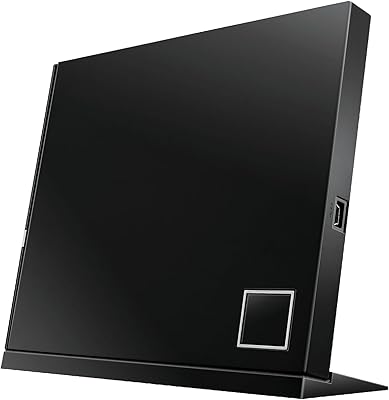
ASUS SBC-06D2X-U External Blu-Ray Combo Drive
66%
78%
Ease of Setup
67%
Disc Read Reliability
59%
DVD & CD Write Performance
82%
BDXL Compatibility
44%
Mac Compatibility
More
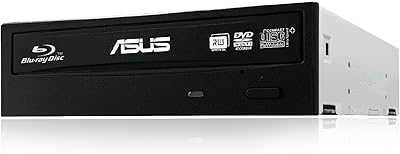
ASUS BW-16D1HT Internal Blu-ray Burner
79%
92%
Burn Speed & Performance
94%
M-DISC Archival Support
88%
BDXL Compatibility
86%
Build Quality & Durability
89%
Disc Format Compatibility
More
NOLYTH Portable External Blu-ray Drive
71%
91%
Portability & Form Factor
88%
Plug-and-Play Setup
44%
Blu-ray Playback Software Experience
71%
Disc Read & Write Performance
67%
Build Quality & Materials
More
Wintale Portable External Blu-ray Drive
72%
91%
Ease of Setup
72%
Read Performance
69%
Write & Burn Reliability
44%
Software & Out-of-Box Readiness
61%
Build Quality
More
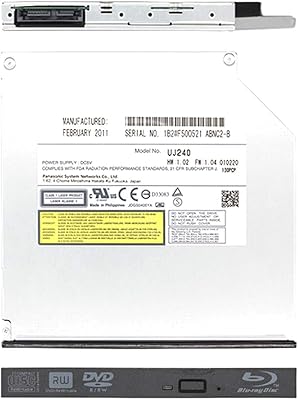
Panasonic UJ240 Internal Blu-ray Burner Drive

74%
88%
Write Reliability
91%
Format Compatibility
86%
Installation Ease
79%
Build Quality
77%
Read Performance
More
Yaeonku 50GB External Blu-ray Drive
70%
86%
Plug-and-Play Setup
78%
Blu-ray Read & Burn Performance
89%
Dual-Interface Connectivity
41%
Software & Playback Experience
83%
Compatibility Across Operating Systems
More
Cloudtale Portable Slim External Blu-ray Drive
71%
91%
Ease of Setup
61%
Mac Compatibility
78%
Build Quality
74%
Read Performance
88%
Portability
More
LG WP50NB40 External Blu-ray Writer
78%
93%
Portability & Form Factor
91%
Bus-Powered Convenience
89%
Plug-and-Play Setup
86%
Burn Quality & Reliability
78%
Blu-ray Playback Performance
More
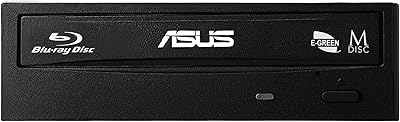
Asus 90DD0200-B20010 Blu-Ray Writer
86%
91%
Write Speed
88%
Energy Efficiency
95%
Compatibility with OS
76%
Ease of Installation
84%
Reliability
More
VSVABEFV External USB Blu-Ray Drive
82%
93%
Ease of Use
90%
Portability
65%
Write Speed
78%
Software Compatibility
88%
Compatibility with Operating Systems
More

FAQ

In most cases, no. On Windows 10 and Windows 11, the drive is recognized automatically as soon as you plug it in. You may need burning or playback software separately, but the hardware itself should not require manual driver installation.

The drive will connect and function on a Mac without issues, but macOS has no built-in support for Blu-ray video playback. To watch Blu-ray movies, you would need to purchase a compatible third-party application such as Macgo or Aurora Blu-ray Player. Factor that additional cost into your decision if movie playback is your primary goal.

MDisc is a type of optical media that uses an inorganic stone-like recording layer instead of the organic dyes used in standard discs. Standard discs can degrade over 10 to 25 years; MDiscs are independently tested to resist data loss far longer. If you are archiving things like family photos, legal documents, or original video footage that you genuinely cannot afford to lose, MDisc is worth the higher per-disc cost.

Both cables are included in the box, so it works either way. You can use the USB-A cable with older machines and the USB-C cable with newer ones. You do not need a separate adapter or hub.

Yes, it is designed to be fully bus-powered under normal use. That said, some users on machines with lower USB power output — particularly when using a USB hub — have noticed occasional performance dips. Connecting directly to a port on the machine itself is always the more reliable option.

It is not silent. During high-speed reads or writes you will hear a noticeable disc spinning sound, similar to most external optical drives. It is not disruptively loud, but if you are working in a very quiet space or recording audio nearby, it is worth being aware of.

No bundled software is included in the box, so you will need to source your own. On Windows, CyberLink Power2Go and ImgBurn are popular options. For Mac, Burn (free) handles basic disc creation, while Toast Titanium is the most capable paid option. If you want Blu-ray playback rather than burning, CyberLink PowerDVD is a common choice on Windows.

It handles all three formats. You can burn and read standard CDs, DVDs (including dual-layer), and Blu-ray discs including BDXL. It is a full-format optical drive, not a Blu-ray-only device.

The main differences come down to MDisc support, BDXL compatibility, build quality, and the dual-cable setup. Budget alternatives often lack MDisc and BDXL support entirely and tend to feel noticeably less solid. If those features matter to you, this slim optical drive justifies the price gap. If you only need basic disc reading, a cheaper model may genuinely be sufficient.

Chromebook support is limited and largely depends on your specific device and ChromeOS version; optical drive support on Chrome OS is not guaranteed. On Linux, the drive is generally recognized at the hardware level, but software support for Blu-ray playback and burning varies significantly by distribution. Windows and macOS are the two platforms where the experience is most predictable.

Where to Buy