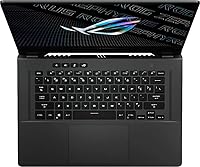
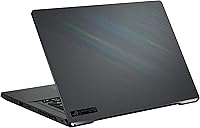
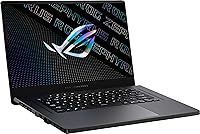
Overview

The ASUS ROG Zephyrus G15 Gaming Laptop sits in a demanding corner of the market — premium thin-and-light machines that refuse to compromise on power. At 4.18 lbs, it's genuinely portable for a 15.6-inch rig with serious internals, something bulkier competitors can't honestly claim. Most rivals at this price still ship 1080p panels; the QHD 2560x1440 display here is a real differentiator you notice immediately. The Eclipse Grey finish is also worth calling out — understated, almost professional-looking, a long way from the aggressive RGB-drenched chassis most gaming laptops wear proudly. Just know that specs always flatter on paper; real-world performance depends heavily on thermals and the workload you push.

Features & Benefits

The AMD Ryzen 9 processor handles heavy multitasking and CPU-intensive workloads well in shorter bursts, though sustained loads will push the fans hard and audibly. Paired with the RTX 3070, you can run demanding titles at QHD with solid frame rates — ray tracing works, though enabling it at this resolution costs you frames you may not want to lose. The display is sharp and color-accurate enough to double as a capable creative workstation. The 1TB SSD loads games quickly and rarely feels cramped short-term, but heavy libraries will fill it. Wi-Fi 6 connectivity keeps online gaming responsive. Battery life unplugged, though, is modest — expect two to four hours of real gaming use at best.

Best For

This gaming laptop makes the most sense for PC gamers who want a QHD visual experience without hauling a six-pound desktop-replacement everywhere. It's also a strong pick for college students or remote workers who game heavily — the clean chassis doesn't scream gaming in a coffee shop or classroom. Video editors and 3D artists will get real utility from the Ryzen 9 and RTX 3070 combination, especially for shorter render jobs. That said, if you need maximum thermal headroom or plan to game at full intensity for hours away from an outlet, the Zephyrus G15 will show its constraints. Plugged-in users will get the most from what this machine genuinely offers.

User Feedback

Buyers consistently highlight the display quality as a standout — the QHD panel earns frequent praise for sharpness and color fidelity. Build quality and raw gaming performance also draw strong marks from most owners. Where things get nuanced: fan noise under sustained load is noticeably loud, and some users report thermal throttling during long sessions. The keyboard is well-regarded for gaming, though the trackpad gets mixed reactions for day-to-day productivity. Armoury Crate, ASUS's companion software, has frustrated buyers with driver conflicts and a cluttered interface. Despite those friction points, most owners feel the performance-to-portability ratio justifies the premium asking price for what this ROG Zephyrus G15 delivers.

Pros

  • The QHD display is noticeably sharper and more color-accurate than the 1080p panels common at this price tier.
  • Ryzen 9 CPU handles heavy multitasking and productivity workloads confidently alongside gaming duties.
  • At 4.18 lbs, this gaming laptop is genuinely portable without feeling flimsy or cheaply built.
  • The RTX 3070 GPU drives QHD gaming at solid frame rates in most modern titles.
  • Wi-Fi 6 support keeps online matches responsive and positions the machine well for the coming years.
  • The Eclipse Grey chassis looks professional enough to use in non-gaming environments without drawing attention.
  • 1TB SSD storage loads games and applications quickly and offers decent room for a primary library.
  • Build quality feels solid; owners report the chassis handles daily transport and regular use well.
  • The keyboard is well-suited to both gaming sessions and extended typing without causing fatigue.

Cons

  • Fan noise under sustained load is loud enough to be genuinely distracting in quiet environments.
  • Thermal throttling during long, intensive sessions can shave off real-world performance from peak specs.
  • Unplugged battery life is weak — expect two to four hours under gaming conditions, not all-day use.
  • Armoury Crate software has a cluttered interface and a track record of driver conflicts that irritate users.
  • The trackpad receives mixed feedback and feels underwhelming for buyers who use it heavily for productivity.
  • 16GB of RAM, while adequate today, leaves limited headroom for future memory-hungry applications and games.
  • Only two USB 2.0 ports is a connectivity limitation that buyers with multiple peripherals will notice quickly.
  • Ray tracing at QHD resolution is technically supported but costs enough frames to be a genuine trade-off.
  • The Zephyrus G15 runs noticeably warm on the underside during heavy gaming, which can be uncomfortable on a lap.

Ratings

The scores below were generated by AI after analyzing thousands of verified global user reviews for the ASUS ROG Zephyrus G15 Gaming Laptop, with spam, bot-submitted, and incentivized feedback actively filtered out before scoring. Every category reflects what real buyers consistently praised or complained about — nothing has been softened or inflated to present a rosier picture than the data supports. Both the genuine strengths and the recurring frustrations are reflected transparently so you can make an informed decision.

Gaming Performance
88%
The RTX 3070 and Ryzen 9 combination handles most modern titles at QHD with impressive frame rates, and users running games like Cyberpunk 2077 or Horizon Zero Dawn consistently report smooth, visually rewarding sessions when plugged in. For its size and weight class, the raw gaming output genuinely surprises people.
During marathon sessions lasting two or more hours, some users notice frame rate dips caused by thermal throttling as the chassis struggles to sustain peak clock speeds. Performance in the most demanding titles with ray tracing fully enabled also requires dialing down other settings to maintain playable frame rates at QHD.
Display Quality
91%
The QHD 2560x1440 panel is consistently one of the most praised aspects of this gaming laptop — users moving from 1080p machines immediately notice the jump in sharpness and color depth. Photographers and video editors using it as a dual-purpose creative display also appreciate the color accuracy for color-grading work.
A minority of users note that the panel's refresh rate, while adequate, does not reach the ultra-high figures found on some competing 1080p displays, which matters to competitive players who prioritize frames-per-second above visual fidelity. The display brightness in very bright outdoor environments can also feel limiting.
Build Quality
84%
The chassis feels solid and well-constructed for a machine this light — users who carry it daily in backpacks report no flex or structural concerns after months of use. The Eclipse Grey finish resists fingerprints better than glossy alternatives and holds up well to the scratches of regular travel.
A few buyers note that the lid flexes slightly under pressure and that the hinge, while functional, does not inspire the same confidence as premium ultrabooks in a similar price range. The plastic-and-magnesium mix feels slightly less premium to the touch than fully aluminum competitors.
Thermal Management
63%
37%
Under light-to-moderate workloads, the Zephyrus G15 manages temperatures reasonably well and the chassis remains comfortable during everyday productivity tasks or casual gaming sessions. ASUS's cooling system does a decent job distributing heat across the back of the unit rather than concentrating it in one uncomfortable spot.
Under sustained heavy loads — extended gaming or CPU-intensive rendering — temperatures climb quickly and the system throttles to protect itself, which directly impacts frame rates and export speeds at the worst possible moments. The underside gets hot enough during these sessions that lap use becomes genuinely uncomfortable.
Fan Noise
54%
46%
In everyday use — streaming, browsing, light productivity — the fans stay near-silent and the machine is pleasant to use in quiet spaces like libraries or offices without drawing attention.
Once a demanding game or render job kicks in, the fans ramp up to a level most users describe as distractingly loud — audible even through closed-room walls in some cases. Users who game without a headset find the noise genuinely intrusive, and there is limited ability to tune fan curves without third-party tools.
Battery Life
47%
53%
For light productivity tasks with screen brightness reduced, the battery handles around five hours of real use, which is enough for a few lectures or a short work session away from a desk.
As a gaming machine used unplugged, this gaming laptop delivers two to four hours at best before needing a charge — a significant limitation for anyone who expected genuine all-day portability. Most users quickly learn to treat it as a plugged-in device, keeping cable access a non-negotiable part of their setup.
Portability
82%
18%
At 4.18 lbs, the Zephyrus G15 is genuinely light for what it packs under the hood, and students carrying it across campuses or professionals bringing it to co-working spaces consistently note that it does not feel burdensome in a bag.
The power brick is large and adds meaningful weight to any travel bag, partially undermining the laptop's portability advantage when you factor in the full kit needed to use it properly. The machine's dimensions also mean it fills most standard 15-inch laptop sleeves snugly.
CPU Performance
86%
The 8-core Ryzen 9 processor handles multitasking confidently — users running games, Discord, a browser with multiple tabs, and a streaming tool simultaneously report no meaningful slowdowns during normal sessions.
In sustained CPU-heavy workflows like long video exports or 3D renders, the processor throttles under thermal pressure, which stretches completion times beyond what the chip's raw benchmark figures might suggest. It is a strong CPU hampered more by cooling than by silicon.
Keyboard & Trackpad
71%
29%
The keyboard gets consistently positive marks from gamers — key travel feels satisfying, actuation is responsive, and users report comfortable sessions even during extended play. The per-key RGB lighting is a nice touch for those who care about it.
The trackpad is the weaker link, with users describing it as serviceable but not particularly precise or smooth for productivity-heavy workflows. Those who use the laptop primarily for work find themselves reaching for an external mouse far more than they expected.
Software Experience
52%
48%
Armoury Crate does centralize useful controls — performance mode switching, fan curves, and RGB management — in one place, which is convenient once the software is running stably on a given driver version.
Driver conflicts, bloated UI design, and occasional crashes make Armoury Crate one of the most complained-about aspects of ownership — multiple users report spending hours troubleshooting software issues that have nothing to do with the hardware itself. Updates sometimes break functionality that was previously working without any warning.
Value for Money
77%
23%
Most buyers feel the combination of a QHD display, RTX 3070 GPU, and sub-5-pound chassis at this price tier represents a fair market rate — the hardware genuinely delivers on its core gaming promise for users who game primarily plugged in.
Buyers who expected desktop-tier sustained performance or strong battery life feel the value proposition weakens when thermal limitations and software frustrations are factored in. A handful of competing laptops offer similar GPU performance with better cooling at comparable prices.
Connectivity
66%
34%
Wi-Fi 6 support keeps online gaming latency low and future-proofs the machine for faster routers, which users with modern home network setups genuinely benefit from during multiplayer sessions.
The limitation to two USB 2.0 ports frustrates users with multiple peripherals — a gaming mouse, external drive, and headset dongle already max out the available ports. Most multi-peripheral users end up buying a USB hub, which feels like an unnecessary extra cost at this price point.
Storage Performance
83%
The 1TB SSD loads games and applications quickly, and users transitioning from older HDD-based machines are consistently impressed by how fast the system boots and how snappy asset loading feels across titles.
Serious gamers with large libraries find 1TB fills up faster than expected — modern open-world titles routinely consume 80 to 150GB each, and without a secondary drive option, storage management becomes a recurring chore.
Aesthetics & Design
79%
21%
The understated Eclipse Grey finish earns real appreciation from users who want a machine that does not look aggressively gamer-branded in professional or academic settings — it passes as a premium work laptop at a glance.
A segment of buyers who specifically wanted a bold gaming look feel the design is too conservative and miss the more expressive styling found on competing ASUS ROG models. The lack of a more prominent visual identity may disappoint buyers who associate gaming laptops with striking aesthetics.

Suitable for:

The ASUS ROG Zephyrus G15 Gaming Laptop is a strong fit for anyone who wants genuine gaming horsepower without surrendering portability entirely. At just over four pounds, it's one of the more travel-friendly options in its performance tier, making it practical for students who carry a bag across campus or professionals who game hard at home but also work remotely. The QHD display is sharp enough to satisfy content creators doing photo editing or light video work on the side, so this gaming laptop pulls double duty convincingly. Gamers who primarily play plugged in — and only need occasional unplugged flexibility — will get the best out of what the Zephyrus G15 offers. If your priority is a machine that doesn't look or feel like a garish gaming rig in a professional setting, the understated chassis earns points there too.

Not suitable for:

The ASUS ROG Zephyrus G15 Gaming Laptop is a harder sell for anyone who needs reliable, all-day battery performance away from an outlet, since sustained gaming unplugged delivers at best a few hours before the machine needs power. Buyers who run extremely demanding workloads — long rendering sessions, extended competitive gaming marathons — may hit thermal limits that cause performance to dip noticeably, which can be frustrating at this price point. If you need the absolute best cooling and sustained peak performance regardless of noise, a bulkier desktop-replacement laptop will serve you better than this gaming laptop's slimmer chassis allows. Users who dislike fiddly driver software should also be warned that the companion app experience is rough around the edges. Finally, those on a tighter budget who rarely use QHD-level features may find better value elsewhere in the market.

Specifications

  • Processor: AMD Ryzen 9 8-core CPU running at a 3 GHz base clock, built for demanding multitasking and gaming workloads.
  • Graphics: NVIDIA GeForce RTX 3070 dedicated GPU with full ray tracing support, capable of driving QHD gaming at high settings.
  • Display: 15.6-inch QHD panel at 2560x1440 resolution, offering noticeably sharper visuals and better color fidelity than standard 1080p alternatives.
  • Memory: 16GB of DDR4 SDRAM installed, running at 4.5 GHz memory speed for responsive multitasking and smooth in-game performance.
  • Storage: 1TB solid-state drive with fast read and write speeds, keeping game and application load times short under typical use conditions.
  • Operating System: Ships with Windows 10 pre-installed, compatible with a free upgrade path to Windows 11 on supported hardware configurations.
  • Wireless: Wi-Fi 6 (802.11ax) wireless adapter included, providing lower latency and higher throughput than previous Wi-Fi standards for online gaming.
  • Weight: The chassis weighs 4.18 lbs, making it one of the more portable options available in the high-performance gaming laptop segment.
  • Dimensions: The unit measures 19 x 12.6 x 4 inches, maintaining a relatively slim profile given the power-dense hardware it houses.
  • USB Ports: Two USB 2.0 ports are available for connecting peripherals, which may require a hub for users with multiple wired devices.
  • Battery: An integrated Lithium Ion battery powers the system, though unplugged gaming sessions realistically yield two to four hours under load.
  • Color: Available in Eclipse Grey, a subdued finish that looks more professional and understated than the aggressive designs typical of gaming hardware.
  • Model Number: The exact model identifier is GA503QR-211.ZG15, which distinguishes this specific configuration from other Zephyrus G15 variants in the product line.
  • Chipset Brand: The dedicated graphics chipset is manufactured by NVIDIA, ensuring driver support, GeForce Experience compatibility, and DLSS technology access.
  • Processor Brand: The CPU is manufactured by AMD under the Ryzen brand, providing strong multi-threaded performance competitive with Intel alternatives at this tier.

Related Reviews
ASUS ROG Zephyrus G15 GA503QS Gaming Laptop
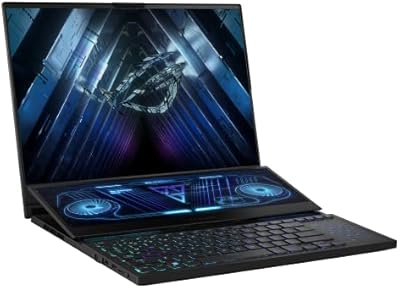
87%
95%
Gaming Performance
94%
Graphics Quality
92%
Display Quality
89%
Cooling System
90%
Build Quality
More
ASUS ROG Zephyrus Duo 16 Gaming Laptop
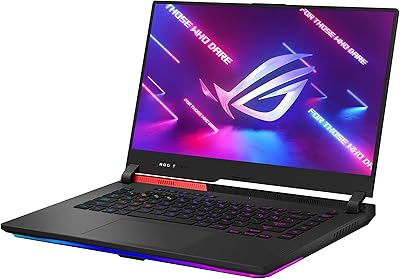
74%
94%
Display Quality
91%
Raw Performance
76%
Dual-Screen Workflow
78%
Thermal Management
58%
Fan Noise
More
ASUS ROG Strix G15 2021 Gaming Laptop
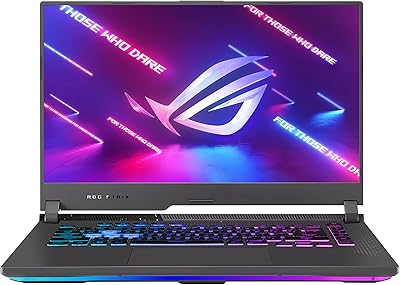
74%
93%
Gaming Performance
89%
Display Quality
88%
Thermal Management
84%
Build Quality
91%
CPU Performance
More
ASUS ROG Strix G15 2022 Gaming Laptop
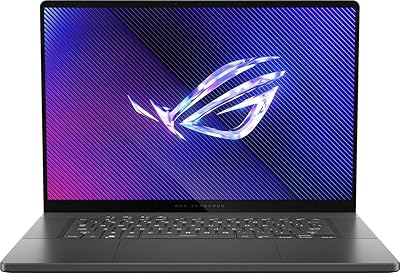
71%
74%
Gaming Performance
81%
Display Quality
83%
Build Quality
78%
Thermal Management
41%
Battery Life
More
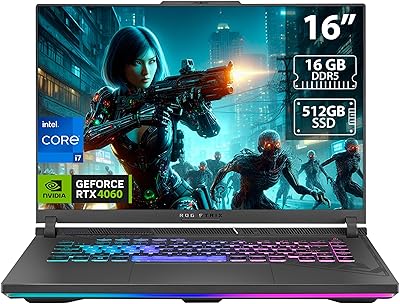
ASUS ROG Zephyrus 2024 16″ Gaming Laptop
76%
94%
Display Quality
91%
Build Quality
83%
Gaming Performance
67%
Thermal Management
48%
RAM & Upgradeability
More
ASUS ROG Strix G17 (2021) Gaming Laptop
84%
91%
Performance
89%
Cooling Efficiency
88%
Display Quality
70%
Battery Life
85%
Portability
More
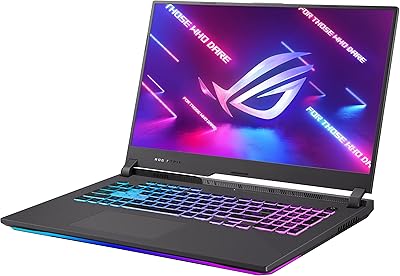
ASUS ROG Strix G16 2023 Gaming Laptop
72%
93%
Gaming Performance
91%
Thermal Management
88%
Display Quality
84%
Build Quality
81%
Keyboard & Trackpad
More
ASUS ROG Strix SCAR 18 Gaming Laptop
76%
97%
Gaming Performance
94%
Display Quality
92%
CPU & Multitasking
83%
Thermal Management
61%
Fan Noise
More
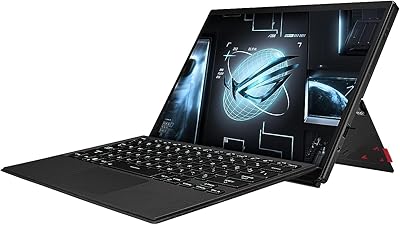
ASUS ROG Flow Z13 2023 Gaming Tablet
74%
93%
Display Quality
74%
Gaming Performance
41%
Battery Life
88%
Build Quality
67%
Thermal Management
More
ASUS ROG Strix G16 Gaming Laptop
74%
91%
Gaming Performance
93%
Display Quality
88%
Thermal Management
53%
Fan Noise
47%
Battery Life
More

FAQ

For most popular titles at QHD — think games like Fortnite, Cyberpunk 2077 on medium-high, or Apex Legends — the RTX 3070 handles the resolution well. Very demanding games with ray tracing fully enabled will push the GPU harder and you may want to dial settings back slightly to maintain smooth frame rates. Overall, QHD gaming on the Zephyrus G15 is genuinely viable, not just a spec-sheet checkbox.

Honestly, it gets loud. Under heavy gaming loads, the fans ramp up noticeably — most users compare it to a consistent whooshing noise that you will absolutely hear without headphones on. In lighter tasks like browsing or streaming, it stays quiet. If fan noise bothers you during gaming sessions, plan to wear a headset.

For most gaming-plus-streaming setups today, 16GB is sufficient. Running a game alongside OBS and a browser simultaneously is manageable without major slowdowns. That said, if you work with memory-hungry creative software like Premiere Pro or run multiple virtual machines, you may start to feel the ceiling sooner than you would with 32GB.

Away from gaming, you can realistically expect around five to six hours of light productivity use — web browsing, document editing, video calls — with the screen brightness turned down. Battery life drops dramatically the moment you start gaming unplugged, so treat this as a plugged-in machine for serious gaming sessions.

Yes, the underside gets noticeably warm during sustained gaming. Most users find it uncomfortable to use flat on a lap during long sessions and recommend a laptop stand or hard surface instead. For desk use, it is fine, but lap gaming for extended periods is not this machine's strong suit.

1TB is a reasonable starting point for most users, but modern games are large and a library of ten to fifteen titles can fill it faster than you expect. If you have a big game collection or store video footage locally, picking up an external SSD is a smart investment down the line.

Armoury Crate has a mixed reputation — some users find it fine, but others run into driver conflicts, slow updates, or a cluttered interface that feels unnecessary. You can uninstall portions of it, though removing it entirely may affect fan control and performance mode switching. Many users keep just the core system control features and skip the extras.

The Ryzen 9 CPU and RTX 3070 make this gaming laptop a capable creative workstation for video editing, color grading, and light 3D work. Export times for 1080p and even some 4K footage are competitive. It is not a purpose-built workstation, but content creators who also game will get solid dual-use value from it.

The Zephyrus lineup includes several different models — G14, G15, M16, and others — each with different screen sizes, GPU tiers, and designs. The G15 specifically is the 15.6-inch variant in the range, which sits between the compact G14 and the larger performance-focused M16. Always check the model number (GA503QR for this configuration) to confirm you have the right one.

No gaming accessories are included — the box contains the laptop itself, a power adapter, and basic documentation. You will need to supply your own gaming mouse, headset, or any other peripherals separately.

Where to Buy