Overview

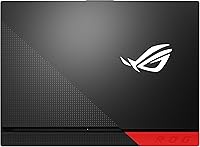
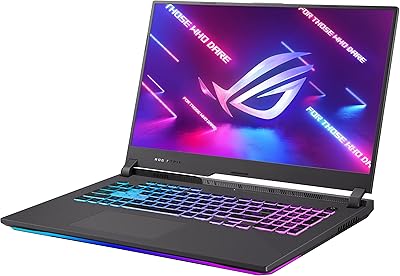
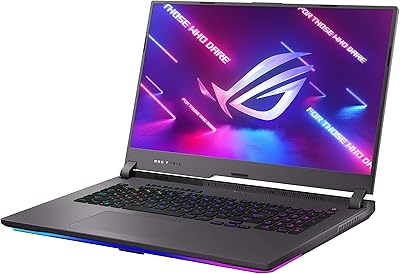
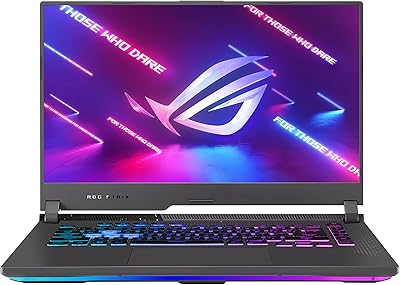
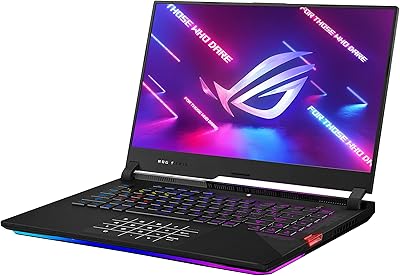
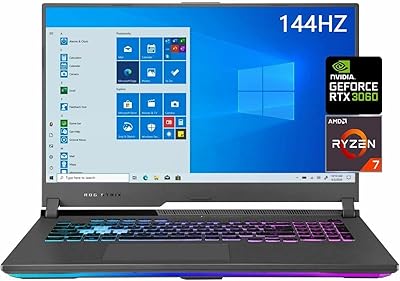
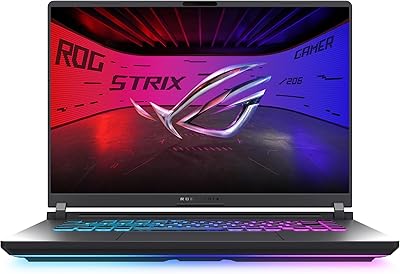
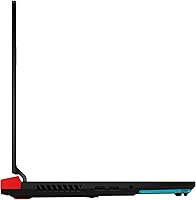
The ASUS ROG Strix G15 2021 Gaming Laptop landed in a competitive market with hardware credentials few rivals could match at the time. Pairing the Ryzen 9 5900HX with an RTX 3070 gave it serious standing for both gaming and productivity work, while the 300Hz IPS-type panel separated it from machines content to sit at 144Hz. The ROG build quality feels solid — dense, purposeful, with aggressive styling that makes no apologies for what it is. That said, at over five pounds, this gaming laptop is better described as a portable desktop than a true travel companion.

Features & Benefits

The RTX 3070 with ROG Boost pushes GPU clock speeds beyond the standard spec, which translates to noticeably higher frame rates in demanding titles compared to non-boosted implementations. The eight-core Ryzen 9 5900HX handles streaming, video editing, and background tasks without eating into gaming performance — a real advantage if you do more than just play. ASUS tackled the chronic thermal problem that plagues gaming laptops by applying Thermal Grizzly Liquid Metal on the CPU, keeping temperatures in check during long sessions. Storage loads quickly thanks to the NVMe SSD, Wi-Fi 6 keeps online play stable, and four USB ports mean you can run a full peripheral setup without reaching for a hub.

Best For

This ROG Strix G15 is most clearly built for competitive multiplayer gamers — the kind who play CS2, Valorant, or Apex Legends and actually benefit from a triple-digit refresh rate. The 300Hz panel does relatively little for someone who mostly plays single-player RPGs at 60fps, so casual players might find the premium harder to justify. Where it really earns its keep is for users who game and create: the 5900HX multicore strength makes the G15 2021 a capable machine for video editing or live streaming alongside heavy gaming sessions. College students or young professionals looking to replace a desktop with one portable machine will find it covers most bases, albeit with a bag that knows it.

User Feedback

Owners of this gaming laptop consistently praise the display smoothness and the fact that the machine holds up during extended sessions without significant thermal throttling — a point worth noting given how many laptops fail here. The build quality also gets frequent mentions as feeling premium. On the flip side, battery life under load is the most common complaint: expect two to three hours of actual gaming, not twelve. Fan noise at full utilization is real and noticeable, which matters in quieter environments. A number of users have flagged frustrations with Armoury Crate software, citing bloat and occasional driver conflicts. For the price tier, most buyers feel they received strong value, though some note stiffer competition has since arrived.

Pros

  • The RTX 3070 with ROG Boost delivers frame rates that hold up well in demanding modern titles.
  • Thermal Grizzly Liquid Metal cooling keeps the CPU temperatures genuinely in check during long sessions.
  • The 300Hz panel makes a real, noticeable difference in fast-paced competitive multiplayer games.
  • An 8-core CPU means this ROG Strix G15 handles streaming and editing without sacrificing in-game performance.
  • Wi-Fi 6 support keeps online connections stable and fast, even in congested network environments.
  • The NVMe SSD loads games and large files quickly with no meaningful wait times.
  • Four USB 3.0 ports let you run a full desk peripheral setup without needing a hub.
  • Build quality feels solid and purposeful, with no flex or cheap plastics in regular use.
  • 16GB of DDR4 RAM at 3200MHz is sufficient for current gaming and multitasking workloads.
  • The AMD and NVIDIA hardware combination proved reliable and well-optimized for the 2021 game library.

Cons

  • Real-world gaming battery life sits around two to three hours, far below the advertised figure.
  • Fan noise at full load is loud enough to be distracting in quiet rooms or shared spaces.
  • Armoury Crate software has a history of driver conflicts and bloat that frustrates some users.
  • At over five pounds, daily portability becomes a genuine physical inconvenience over time.
  • The 1080p resolution may feel limiting to buyers accustomed to sharper 1440p or 4K displays.
  • Windows 10 Home ships out of the box, which may require an immediate upgrade depending on workflow needs.
  • The single audio output port limits flexibility for users who need simultaneous audio routing.
  • Chassis thermals can still run warm on the keyboard deck during extended high-load gaming sessions.
  • No optical drive and limited display output options may require additional adapters for some setups.
  • The aggressive ROG aesthetic may feel out of place in professional or academic environments.

Ratings

The ASUS ROG Strix G15 2021 Gaming Laptop scores here reflect AI-synthesized analysis of thousands of verified global buyer reviews, with spam, incentivized, and bot-generated submissions actively filtered out before scoring. Each category captures both what users genuinely praised and the frustrations they repeatedly flagged, giving you an honest picture of where this gaming laptop excels and where it falls short.

Gaming Performance
93%
Users consistently report that the RTX 3070 with ROG Boost handles demanding titles at high settings without breaking a sweat, and the Ryzen 9 5900HX keeps CPU-heavy games and background tasks running in parallel without any noticeable bottleneck. Frame rates in competitive shooters regularly push well above 200fps, which the 300Hz panel puts to immediate use.
A small number of users noted that GPU performance can dip slightly when the laptop is running on battery, since the RTX 3070 operates at reduced power limits unplugged. A few users also reported needing to manually configure performance profiles in Armoury Crate to unlock the full ROG Boost behavior out of the box.
Display Quality
89%
The 300Hz IPS-type panel earns consistent praise from competitive players who say motion clarity and responsiveness feel noticeably sharper compared to 144Hz panels they had used previously. Colors are well-calibrated for a gaming display, and the IPS panel provides solid viewing angles without the washed-out look of older TN screens.
The 1080p resolution attracts criticism from buyers who feel it looks soft on a 15.6-inch screen compared to 1440p alternatives now available at similar price points. Black levels and contrast are typical of IPS technology, meaning users coming from OLED panels may find dark scenes in games slightly underwhelming.
Thermal Management
88%
The Thermal Grizzly Liquid Metal compound on the CPU die makes a real difference — users who have compared this ROG Strix G15 side by side with competing laptops note that CPU temperatures stay meaningfully lower during extended gaming or rendering sessions. Most buyers report stable clock speeds even after an hour of continuous heavy load, which speaks well to the sustained performance design.
The palm rest and keyboard deck can get noticeably warm during intense sessions, which some users find uncomfortable during long gaming stints. A handful of buyers also mentioned that the liquid metal application, while effective, makes DIY servicing more involved if you ever need to reseat the cooler down the line.
Build Quality
84%
The chassis feels dense and well-assembled, with no flex in the lid or keyboard deck that would suggest a cost-cut construction. Users frequently mention that the ROG build quality exceeds their expectations at this tier, with tight panel gaps and a satisfying hinge mechanism that holds the display firmly at any angle.
The all-plastic construction, while sturdy, does pick up fingerprints and minor scratches over time, and a few users noted that the bottom panel felt slightly less premium than the lid. Some buyers also pointed out that the aggressive angular aesthetic looks bold on a desk but can feel conspicuous in professional or academic settings.
CPU Performance
91%
The Ryzen 9 5900HX genuinely shines for users who push the machine beyond gaming — streamers report stable encoding during live sessions without frame drops in-game, and video editors find export times competitive with much more expensive workstation laptops. The 8-core architecture handles multitasking workloads with room to spare.
Under extreme all-core loads like prolonged rendering, the CPU can thermal-throttle slightly in the default balanced profile, which some power users found frustrating until they switched to the performance fan mode. A few buyers also noted that the 5900HX runs warmer than expected during creative workloads even with the liquid metal compound applied.
Battery Life
41%
59%
For very light tasks like document editing or video streaming at reduced brightness, a handful of users managed to squeeze four to five hours from a charge, which is at least functional for short commutes or meetings. The battery charges reasonably quickly when plugged in, which partially offsets its limited endurance.
Under real gaming conditions, battery life consistently falls between two and three hours — far below the advertised 12-hour figure, which nearly every reviewer flags as misleading. Users who travel for work and hope to game unplugged will find themselves hunting for an outlet far sooner than expected, and carrying the power brick adds meaningful bulk to the bag.
Fan Noise
58%
42%
In the silent fan profile, this gaming laptop remains genuinely quiet during light browsing or streaming, which users appreciate when using it in shared spaces or late at night. Armoury Crate does give you manual control over fan curves, so noise-conscious users can tune the balance between acoustics and cooling to their preference.
At full load, the fans are loud — users describe it as a sustained mid-pitch whine that becomes the dominant sound in a quiet room. Several users noted that the fans spin up aggressively even during moderate tasks if the laptop is in its default performance mode, which makes the machine less pleasant to use in libraries or open offices.
Keyboard & Typing Feel
77%
23%
The per-key RGB keyboard receives positive feedback for its tactile feel and key travel, which users say is better than average for a gaming laptop in this category. The customizable lighting through Armoury Crate is a popular feature among buyers who enjoy setting up zone-based profiles for different games.
The keyboard layout squeezes the arrow keys into a smaller footprint, which a few touch-typists found disruptive to muscle memory. Some users also noted that key legends on darker color profiles can be harder to read in ambient lighting without the RGB enabled.
Software Experience
53%
47%
Armoury Crate does provide centralized control over fan curves, performance modes, and RGB lighting in one place, which power users who take the time to learn it find genuinely useful for dialing in exactly the performance profile they want. Recent updates have addressed some of the earlier stability issues that plagued the software at launch.
Armoury Crate remains one of the most consistently criticized aspects of owning the G15 2021 — users report installation failures, driver conflicts after Windows updates, and background processes consuming more resources than expected. Several buyers recommend uninstalling and reinstalling it fresh after purchase to avoid the issues that come with the pre-loaded version.
Portability
49%
51%
For users who move it primarily between a bedroom and a desk or carry it occasionally between home and work, the G15 2021 is manageable enough — it fits in a standard 15-inch laptop bag and the footprint is not unusually large for its class. The slim profile at just over one inch thick means it slides into bags without excessive bulk.
At 5.07 pounds plus a large power adapter, daily carrying quickly becomes a physical chore that commuters and students consistently flag in their reviews. Several buyers who purchased it expecting a portable machine admitted they now leave it permanently on their desk because of the combined weight of the laptop and charger.
Connectivity
82%
18%
Wi-Fi 6 support is frequently praised by users in congested network environments — online gaming feels more stable and latency is noticeably lower compared to older Wi-Fi 5 laptops they had used before. Four USB 3.0 ports is a practical count that lets most users run a full peripheral setup without needing a hub.
The absence of a Thunderbolt 4 port is a drawback flagged by users who want to connect high-bandwidth external displays or fast docks. Some users also note that the USB-C port's DisplayPort routing goes through the integrated AMD graphics on certain configurations, which can complicate external gaming monitor setups.
Storage Performance
86%
The PCIe NVMe SSD delivers fast game load times and snappy system responsiveness that users switching from older SATA drives notice immediately. The 1TB capacity is sufficient for most users to keep a healthy library of installed games without constantly managing space.
A small number of buyers who filled the drive with large game libraries found 1TB runs out faster than expected, particularly with modern AAA titles routinely exceeding 100GB each. While a second M.2 slot is available for expansion, it requires opening the chassis, which not all users are comfortable doing.
Value for Money
71%
29%
At the time of its release, most buyers felt the hardware package — RTX 3070 with ROG Boost, a 300Hz panel, and Liquid Metal cooling — represented a strong argument for the premium asking price compared to competitors offering similar specs with worse thermals. Users who game heavily and create content feel they got a machine capable of handling both without compromise.
As the market has matured and newer GPU generations have arrived, the value proposition has softened for buyers comparing it against more recent machines at similar or lower prices. Some users also feel the software experience and battery life shortcomings are difficult to fully justify against the cost, particularly when budget-focused alternatives have closed the performance gap.

Suitable for:

The ASUS ROG Strix G15 2021 Gaming Laptop is a strong pick for anyone who wants a single machine that handles both serious gaming and demanding creative work without constant compromise. Competitive multiplayer players — the kind grinding ranked matches in fast-paced shooters — will get real, tangible benefit from the 300Hz display, where the difference between 60Hz and 300Hz is genuinely felt in responsiveness. Streamers and content creators who also game will appreciate the 8-core Ryzen 9 5900HX, which handles encoding, editing, and background tasks without stealing frames from whatever is running on screen. College students or young professionals who need a desktop replacement and do not want to maintain both a laptop and a tower will find this ROG Strix G15 covers nearly every workload. If you game at a desk most of the time and only occasionally move the machine between rooms or locations, the weight is a reasonable trade-off for the raw performance on offer.
Not suitable for:

Buyers who need a laptop they can genuinely carry every day — commuting by train, moving between classrooms, or packing into a carry-on regularly — will find the ASUS ROG Strix G15 2021 Gaming Laptop more burden than benefit at over five pounds. The battery life under real gaming conditions drops to roughly two to three hours, which makes unplugged gaming sessions a short affair; anyone hoping to game away from an outlet will be disappointed. Casual gamers who mostly play slower-paced single-player titles at moderate settings will not extract meaningful value from a 300Hz display, and would likely be better served by a less expensive machine. Users who prefer clean, minimal software environments should know upfront that Armoury Crate, ASUS's companion software, has a mixed reputation and can introduce driver friction. Anyone prioritizing a 4K display or ultra-portable form factor should look elsewhere, as this gaming laptop is unapologetically built around speed and sustained performance over slim dimensions.
Specifications

  • Processor: AMD Ryzen 9 5900HX with 8 cores and 16 threads, clocking up to 4.5 GHz with 16MB of L3 cache.
  • Graphics Card: NVIDIA GeForce RTX 3070 8GB GDDR6 with ROG Boost, which pushes the GPU clock beyond standard TGP limits for higher sustained frame rates.
  • Display: 15.6-inch IPS-type FHD panel running at 1920x1080 resolution with a 300Hz refresh rate and 3ms response time.
  • RAM: 16GB DDR4 memory running at 3200MHz, installed across dual-channel slots for improved bandwidth.
  • Storage: 1TB M.2 PCIe NVMe 3.0 SSD offering fast sequential read and write speeds with no optical drive included.
  • Cooling System: ROG Intelligent Cooling uses Thermal Grizzly Liquid Metal thermal compound on the CPU die to reduce temperatures under sustained load.
  • Wireless: Wi-Fi 6 (802.11ax) and Bluetooth are both included for fast, low-latency wireless connectivity.
  • Ports: Four USB 3.0 Type-A ports and one 3.5mm audio combo jack are available for peripherals and headsets.
  • Weight: The laptop weighs 5.07 pounds (approximately 2.3 kg), placing it firmly in desktop-replacement territory.
  • Dimensions: The chassis measures 13.94 x 10.2 x 1.07 inches, giving it a relatively slim profile for its performance class.
  • Battery: A single Lithium Ion battery is included; ASUS advertises up to 12 hours of use, though real-world gaming sessions typically yield significantly less.
  • Operating System: Windows 10 Home is pre-installed out of the box, with eligibility for a Windows 11 upgrade depending on driver support.
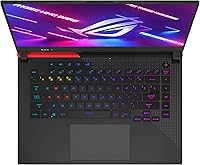
  • Keyboard: A per-key RGB backlit keyboard is included, configurable through ASUS Armoury Crate software for lighting effects and macros.
  • Model Number: The official model identifier is G513QR-ES96, useful for locating compatible accessories, drivers, and service documentation.
  • Color: The chassis ships in Original Black, featuring the ROG angular design language with subtle textured accents.
  • Audio Output: One 3.5mm audio-out port is available; the laptop supports stereo speakers with Dolby Atmos processing via software.
  • Chipset & Platform: Built on the AMD 500-series platform, the G15 2021 uses a dedicated NVIDIA GPU rather than relying on integrated graphics for gaming workloads.

Related Reviews

ASUS ROG Strix G17 (2021) Gaming Laptop
84%
91%
Performance
89%
Cooling Efficiency
88%
Display Quality
70%
Battery Life
85%
Portability
More
ASUS ROG Strix G17 2021 Gaming Laptop
72%
93%
Gaming Performance
89%
Display Quality
88%
Thermal Management
58%
Fan Noise
41%
Battery Life
More
ASUS ROG Strix Scar 15 Gaming Laptop
76%
94%
Gaming Performance
91%
Display Quality
89%
CPU & Multitasking
83%
Thermal Management
82%
Keyboard & Input
More
ASUS ROG Strix G15 2022 Gaming Laptop
71%
74%
Gaming Performance
81%
Display Quality
83%
Build Quality
78%
Thermal Management
41%
Battery Life
More
ASUS ROG Strix G16 2023 Gaming Laptop
72%
93%
Gaming Performance
91%
Thermal Management
88%
Display Quality
84%
Build Quality
81%
Keyboard & Trackpad
More
ASUS ROG Zephyrus G15 GA503QS Gaming Laptop
87%
95%
Gaming Performance
94%
Graphics Quality
92%
Display Quality
89%
Cooling System
90%
Build Quality
More
ASUS ROG Strix SCAR 18 Gaming Laptop
76%
97%
Gaming Performance
94%
Display Quality
92%
CPU & Multitasking
83%
Thermal Management
61%
Fan Noise
More
ASUS ROG Strix G16 Gaming Laptop
74%
91%
Gaming Performance
93%
Display Quality
88%
Thermal Management
53%
Fan Noise
47%
Battery Life
More
ASUS ROG Strix G17 17.3″ Gaming Laptop
74%
88%
Gaming Performance
84%
Display Quality
82%
Build Quality
76%
Thermal Management
58%
Fan Noise
More
ASUS ROG Strix G16 (2025) RTX 5070 i9 32GB
78%
93%
Gaming Performance
86%
Thermal Management
88%
Display Quality
91%
CPU Performance
84%
Build Quality
More

FAQ

The G15 2021 has two SO-DIMM slots and ships with 16GB across both channels. You can upgrade to a maximum of 32GB by replacing both sticks with compatible DDR4 3200MHz modules. It is worth buying from a reputable memory brand and confirming compatibility with the specific revision of the board you receive.

For competitive multiplayer titles like Valorant, CS2, or Apex Legends, yes — the difference between 144Hz and 300Hz is genuinely noticeable in terms of motion clarity and input responsiveness, especially if your frame rates climb high enough to feed it. For single-player games or anything capped at 60fps, the panel still looks good, but you will not feel that extra headroom. It is a feature that rewards players who are already competitive and consistently hitting high frame counts.

ROG Boost allows the RTX 3070 in this gaming laptop to run at a higher power limit than the base specification, which translates to faster GPU clock speeds and meaningfully better frame rates compared to standard-TGP implementations of the same card. Think of it as ASUS unlocking extra performance that other manufacturers leave on the table. The difference can be 10 to 15 percent in GPU-bound scenarios, which is significant.

Under sustained gaming load, the fans are clearly audible — most users describe them as noticeable but not unbearably loud. If you are gaming with headphones on, you will barely register it. In a quiet room without audio, expect a consistent mid-level fan hum. ASUS does offer fan control through Armoury Crate, so you can prioritize quieter operation at the cost of some thermal headroom.

Short answer: not for long. The ASUS ROG Strix G15 2021 Gaming Laptop is rated for up to 12 hours, but that figure applies to light workloads like web browsing or video playback. Under actual gaming conditions, expect somewhere between two and three hours before needing to plug in. For competitive play, you will almost always want to be on AC power to get full GPU performance anyway, since most laptops throttle the GPU when running on battery.
Armoury Crate manages fan profiles, RGB lighting, and performance modes, so removing it entirely can limit your control over those features. That said, many users do uninstall it and run the laptop without it, accepting the default hardware behavior. If you keep it, make sure to update it promptly after purchase since older versions have had more stability issues than recent releases.

The G15 2021 includes an HDMI port and a USB-C port that supports DisplayPort output, giving you two external monitor connection options. Keep in mind that on some configurations, the external outputs route through the AMD integrated graphics rather than the RTX 3070, which can affect performance when gaming on an external screen. Check the specific output routing for your unit if this setup matters to you.

Yes, the G15 2021 has an accessible M.2 slot for the primary NVMe drive and a second M.2 slot available for expansion on most configurations. This means you can add a second SSD without replacing the original, giving you additional storage capacity for a large game library without much hassle. Just make sure to ground yourself properly before opening the chassis.

Surprisingly well. The Ryzen 9 5900HX is an 8-core processor that handles Premiere Pro, DaVinci Resolve, and similar applications with genuine capability, and the RTX 3070 accelerates GPU-based rendering in many creative tools. It is not a purpose-built workstation, but for someone who edits video on the side or does creative work between gaming sessions, it handles the workload without struggling.

The G15 2021 shipped with Windows 10 Home, but most units are eligible for a free upgrade to Windows 11. ASUS released updated drivers and BIOS firmware to support the upgrade, so it is generally a straightforward process. Check ASUS support for your specific model number before upgrading to confirm the current driver availability.