






Overview

The ASUS ROG Strix G15 2022 Gaming Laptop lands squarely in mid-range territory, pairing an AMD Ryzen 7 6800H with an RTX 3050 to deliver genuine gaming capability without requiring a flagship budget. The Eclipse Gray chassis looks understated for an ROG product — no garish lighting panels or aggressive vents dominating the design. This gaming laptop was released in 2022, and while the hardware is a generation behind today's cutting edge, it still holds its ground for buyers who don't need ray tracing at ultra settings. If you're shopping for a capable daily driver that handles gaming, streaming, and general use without breaking the bank, the G15 makes a reasonable case for itself.

Features & Benefits

The Ryzen 7 6800H is the real workhorse here — it boosts up to 4.7GHz and handles multitasking, game loading, and light creative tasks without complaint. The RTX 3050 running at 95W Max TGP delivers playable frame rates in most 1080p titles at medium-to-high settings, though don't expect to max out newer AAA games. What helps considerably is the MUX Switch, which bypasses the integrated GPU and routes frames directly to the display — a genuine FPS bump many laptops at this price skip entirely. The 16GB of DDR5 RAM and fast PCIe 4x4 SSD mean the system boots quickly and stays responsive. The 144Hz Adaptive-Sync display rounds things out for smooth, tear-free gameplay at 1080p.

Best For

This gaming laptop clicks best for college students and young adults who want real gaming performance without pushing into premium pricing. If your library skews toward competitive shooters, MOBAs, or older open-world titles, the G15 handles them confidently at 1080p. It also suits anyone juggling gaming with coursework, video streaming, or casual photo editing — the Ryzen chip and fast storage keep non-gaming workloads snappy. On the other hand, if you're chasing 4K gaming or heavy video rendering, this laptop isn't the right tool. Think of it as an upgrade path for someone coming from an older machine with integrated graphics, where the performance jump will feel substantial and immediate.

User Feedback

Owners of the ROG Strix G15 frequently praise the build quality and keyboard feel, which holds up well compared to cheaper gaming alternatives. The 144Hz display consistently earns positive marks too. Where things get mixed is thermal management — fans run loud under load, and while liquid metal cooling helps, some users notice heat buildup near the keyboard during extended sessions. Battery life is the most common complaint; expect around two to three hours unplugged during light use, and considerably less while gaming. Most buyers who enabled the MUX Switch reported a noticeable FPS gain, though the feature requires a reboot, which some found inconvenient. Overall, value sentiment leans positive for buyers who shop at the right price point.

Pros

  • The Ryzen 7 6800H processor handles gaming, multitasking, and everyday workloads with plenty of headroom.
  • DDR5 RAM and a PCIe 4x4 SSD make the system feel noticeably fast and responsive from boot.
  • The 144Hz Adaptive-Sync display delivers smooth, tear-free gameplay that punches above its price class.
  • Liquid metal CPU cooling helps the G15 sustain strong performance across longer gaming sessions.
  • The MUX Switch provides a real, measurable FPS boost that many competing laptops at this price omit.
  • Build quality feels premium and durable, with a chassis that does not flex or creak under normal use.
  • Wi-Fi 6E ensures low-latency wireless connectivity for online gaming and fast file transfers.
  • The understated Eclipse Gray design avoids the flashy aesthetic that makes some gaming laptops hard to use in professional settings.
  • RTX 3050 at 95W Max TGP is configured more aggressively than many thin-and-light gaming laptops using the same GPU.

Cons

  • Battery life is genuinely poor — expect two to three hours unplugged under light use and far less while gaming.
  • Fan noise becomes loud and noticeable during extended gaming or heavy CPU workloads.
  • The RTX 3050 struggles at high or ultra settings in newer, more demanding AAA titles.
  • At nearly 9 pounds, this gaming laptop is heavy enough to be a burden on longer commutes.
  • The MUX Switch requires a full system reboot to toggle, which some users find inconvenient mid-session.
  • 512GB of storage fills up quickly for gamers with large libraries; a secondary drive or external storage is likely needed soon.
  • The 2022 hardware generation means buyers should weigh it carefully against newer options now available at similar prices.
  • Keyboard area can get noticeably warm during sustained gaming, which some users find uncomfortable.
  • Only two USB 3.0 ports limits connectivity for users with multiple peripherals without a hub.

Ratings

The scores below reflect an AI-driven analysis of verified global user reviews for the ASUS ROG Strix G15 2022 Gaming Laptop, with spam, bot-generated, and incentivized feedback actively filtered out to preserve accuracy. We evaluated thousands of real buyer experiences across categories that matter most to this product type, from sustained gaming performance to everyday portability. Both the standout strengths and the genuine frustrations are reflected transparently in every scorecard below.

Gaming Performance
74%
26%
At 1080p on medium-to-high settings, the G15 handles most titles confidently — competitive shooters like Valorant and Apex run smoothly well above 100fps, and the 95W RTX 3050 configuration outperforms many thinner laptops using the same GPU. Users upgrading from integrated graphics consistently described the difference as dramatic.
Push into newer, graphically demanding games at high or ultra settings and the RTX 3050 hits its ceiling quickly. Ray tracing is largely impractical at playable frame rates, and a handful of 2023–2024 titles require significant settings compromises to stay above 60fps.
Display Quality
81%
19%
The 144Hz Adaptive-Sync panel earns consistent praise for its smoothness during fast-paced gameplay — screen tearing is a non-issue, and motion clarity in shooters feels noticeably better than 60Hz alternatives. Brightness is adequate for indoor use, and colors are pleasant for both gaming and casual content consumption.
Color accuracy falls short of any professional standard, and the panel struggles in brightly lit rooms or near windows. Users who do photo editing or color-sensitive work frequently flagged the display as a weak point, and viewing angles, while acceptable, soften noticeably toward the edges.
Build Quality
83%
The Eclipse Gray chassis feels dense and well-assembled — the lid resists flex, the keyboard deck does not bow under pressure, and hinge movement feels deliberate rather than loose. Several users noted that after months of daily use, nothing rattled, creaked, or showed early wear signs.
The plastic construction on the bottom panel feels slightly cheaper than the top lid, and the laptop picks up fingerprints and smudges noticeably around the trackpad area. A handful of users reported minor cosmetic scuffs appearing after bag transport without a sleeve.
Thermal Management
78%
22%
Liquid metal on the CPU is a genuine engineering commitment at this price tier, and it shows — the Ryzen 7 maintains its clocks well into long gaming sessions without the aggressive throttling that plagues cheaper thermal solutions. Users doing hour-long gaming stretches reported stable, consistent performance rather than gradual slowdowns.
Sustained gaming drives chassis temperatures high enough that the upper keyboard area becomes uncomfortable to touch near the exhaust zone. The system manages thermals well internally, but the heat has to go somewhere, and users without a laptop stand noticed it more than those who elevated the rear of the machine.
Battery Life
41%
59%
On very light tasks — reading, note-taking, or streaming at low brightness — the battery can stretch to around two to three hours, which at least covers a short class period or meeting without hunting for an outlet.
Gaming unplugged is essentially impractical; most users reported under 45 minutes of active gaming before hitting critical battery levels. This is one of the most frequently cited frustrations in real user reviews, and buyers who expected all-day portability were regularly disappointed. Pack the charger everywhere.
Processor Speed
88%
The Ryzen 7 6800H is a genuine strength of this configuration — it handles multitasking, browser-heavy workflows, and gaming simultaneously without any sluggishness. Users running Discord, a game, and background downloads at once reported no noticeable lag or slowdown in day-to-day use.
Under sustained all-core workloads like long compilation tasks or heavy video exports, the CPU can generate significant heat that pushes the fan profiles into their loudest modes. Performance itself holds up, but the acoustic tradeoff at peak CPU load is real.
Memory & Storage
82%
18%
DDR5 memory and a PCIe Gen 4 SSD are a meaningful step up from what most competing laptops in this tier offered at the time — games load noticeably faster, and the system boots in under 15 seconds in typical user reports. The DDR5 bandwidth also helps the integrated GPU in lighter tasks.
512GB fills up fast for gamers with large libraries — a couple of modern AAA titles and some general software will push you toward the limit quickly. There is no secondary drive included, and users who did not budget for an external drive found themselves managing storage within the first few months.
Fan Noise
49%
51%
At idle or light loads, the fans stay quiet enough that the laptop is usable in a library or quiet workspace without drawing attention. The Armory Crate software gives users some control over fan profiles, and the silent mode works adequately for non-gaming tasks.
Under gaming load, the fans are loud — noticeably so in a quiet room, and audible even through a moderate-volume headset at times. This was one of the most consistently raised complaints across user reviews, with many users describing the peak fan noise as distracting during competitive play.
Keyboard & Trackpad
77%
23%
The keyboard delivers good key travel and a satisfying tactile response that users found comfortable during both gaming and extended typing sessions. Per-key RGB backlighting is a nice touch, and the layout does not sacrifice any important keys for a cramped number pad arrangement.
The trackpad is functional but undersized relative to the chassis footprint, and precision on fast gestures occasionally felt inconsistent in user reports. Most serious users pair it with an external mouse, which makes the trackpad limitations less of a daily frustration but still worth noting.
MUX Switch Utility
72%
28%
Users who enabled the MUX Switch and benchmarked before and after consistently reported frame rate gains of 10 to 20 percent in GPU-bound titles — a real improvement that costs nothing and is not commonly offered at this price point. It is one of the more practical differentiators this gaming laptop brings over similarly priced rivals.
The implementation requires a full reboot to toggle, which breaks any session-based workflow and means most casual users simply leave it in one mode and forget about it. A few users also reported confusion about finding the setting initially, as it is buried in the ASUS software suite rather than a physical switch.
Portability
52%
48%
The profile is impressively slim for the internal hardware, and the 0.81-inch thickness means it slides into most backpack sleeves without issue. Users who primarily moved between a desk and a couch, or carried it short distances around campus, found the form factor manageable.
At nearly 9 pounds, extended commutes with this gaming laptop in a bag become physically tiring quickly. Users who expected something easy to carry alongside textbooks and daily gear frequently called out the weight as a legitimate issue, particularly compared to thinner ultrabooks or even lighter gaming alternatives.
Wireless Connectivity
86%
Wi-Fi 6E support gives the G15 a clear advantage in crowded wireless environments — dorms, apartments with many devices, and shared office spaces all showed stable, low-latency connections in user reports. Online gaming felt consistently smooth without the ping spikes common on older Wi-Fi standards.
A small number of users reported needing to update the Wi-Fi driver shortly after setup to resolve intermittent drops, which is a minor but avoidable friction point. Bluetooth performance was generally reliable, though a couple of users noted occasional reconnection delays with wireless headsets.
Software & Bloatware
61%
39%
ASUS Armory Crate gives users meaningful control over fan profiles, performance modes, and the MUX Switch from a single interface, which is genuinely useful for tuning the laptop to different scenarios. Users who invested a few minutes learning the software found it added real value.
Out of the box, the laptop ships with a noticeable amount of pre-installed software that many users described as unnecessary clutter. Several reviews specifically mentioned spending time uninstalling third-party trials and ASUS secondary apps during initial setup before the system felt clean.
Value for Money
76%
24%
For buyers who catch this ROG Strix G15 at the right price point, the combination of a fast processor, DDR5 memory, MUX Switch, and liquid metal cooling represents a genuinely competitive package that justifies the spend. Users upgrading from much older hardware felt the value proposition was clear.
The 2022 hardware generation is a real factor — newer laptops at comparable prices now ship with RTX 4060 GPUs that outperform the RTX 3050 significantly. Buyers who compare carefully against current-generation alternatives may find the G15 harder to justify unless it is discounted below its original launch pricing.

Suitable for:

The ASUS ROG Strix G15 2022 Gaming Laptop is a solid pick for college students and budget-conscious gamers who want genuine performance without spending flagship money. If your gaming library leans toward competitive titles like Valorant, Apex Legends, or older open-world games, this ROG Strix G15 will handle them comfortably at 1080p medium-to-high settings. It also works well for users who split their time between gaming and everyday tasks — the fast DDR5 memory and PCIe SSD keep the system snappy during coursework, streaming, or casual creative work. Buyers upgrading from aging laptops with integrated graphics will find the performance jump substantial and immediately rewarding. The liquid metal cooling and MUX Switch show that ASUS put real engineering thought into sustained performance, making the G15 a reasonable long-term investment at its price tier.

Not suitable for:

The ASUS ROG Strix G15 2022 Gaming Laptop is not the right choice for buyers chasing cutting-edge GPU performance or ray tracing at high settings — the RTX 3050, while capable at 1080p, hits a ceiling quickly in demanding modern titles. If you plan to work unplugged for extended periods, this gaming laptop will frustrate you; battery life is genuinely poor under any meaningful load, and even light use won't get you through a full day away from an outlet. Content creators who rely heavily on GPU-accelerated rendering, 3D work, or video export pipelines will find the RTX 3050 underpowered for serious production use. At nearly 9 pounds, the G15 is also not an ideal travel companion for commuters who need something lighter and more portable. Shoppers considering newer alternatives in a similar price range should compare carefully, as the 2022 hardware generation means competitors may now offer better GPU options at comparable prices.

Specifications

  • Processor: AMD Ryzen 7 6800H octa-core processor with a boost clock up to 4.7GHz, built on the Zen 3+ architecture.
  • Graphics: NVIDIA GeForce RTX 3050 Laptop GPU configured at 95W Max Total Graphics Power for sustained gaming performance.
  • Display: 15.6-inch FHD IPS panel running at 1920x1080 resolution with a 144Hz refresh rate and Adaptive-Sync support.
  • RAM: 16GB of DDR5-4800MHz memory installed, offering fast dual-channel bandwidth suited to both gaming and multitasking.
  • Storage: 512GB PCIe Gen 4x4 NVMe SSD providing high sequential read and write speeds for fast boot and game load times.
  • Operating System: Ships with Windows 11 Home pre-installed and activated out of the box.
  • Wireless: Wi-Fi 6E (802.11ax) support enables low-latency connectivity on 6GHz, 5GHz, and 2.4GHz bands.
  • MUX Switch: A hardware MUX Switch allows the user to route frames directly from the GPU to the display, bypassing the integrated GPU for a measurable FPS improvement.
  • Cooling System: Liquid metal thermal compound is applied directly to the CPU die, improving heat transfer and sustained performance under load.
  • Weight: The laptop weighs 8.69 pounds, which is typical for a 15.6-inch gaming chassis of this specification tier.
  • Dimensions: The chassis measures 13.94 x 10.2 x 0.81 inches, keeping the profile relatively thin given the internal hardware.
  • USB Ports: Two USB 3.0 Type-A ports are available for peripherals, storage devices, and accessories.
  • Battery: One lithium-ion battery pack is included in the box; capacity is not officially disclosed but real-world unplugged runtime is limited under load.
  • Color: Available in Eclipse Gray, a dark and restrained finish that avoids the overtly aggressive styling common in gaming laptops.
  • GPU VRAM: The RTX 3050 is equipped with 4GB of dedicated GDDR6 video memory.
  • Display Aspect: The panel uses a 16:10 aspect ratio variant framing for a slightly taller viewing area compared to standard 16:9 gaming displays.
  • Model Number: The official model identifier for this configuration is G513RC-ES73, which can be used to verify compatibility with accessories and drivers.
  • Optical Drive: No optical drive is included; the system relies entirely on digital downloads and external USB-based optical drives if needed.

Related Reviews
ASUS ROG Strix G15 2021 Gaming Laptop
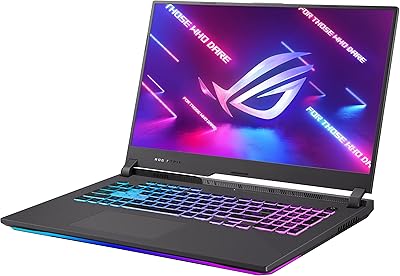
74%
93%
Gaming Performance
89%
Display Quality
88%
Thermal Management
84%
Build Quality
91%
CPU Performance
More
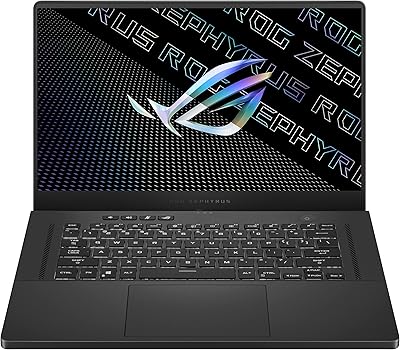
ASUS ROG Zephyrus G15 GA503QS Gaming Laptop
87%
95%
Gaming Performance
94%
Graphics Quality
92%
Display Quality
89%
Cooling System
90%
Build Quality
More
ASUS ROG Strix G17 (2021) Gaming Laptop
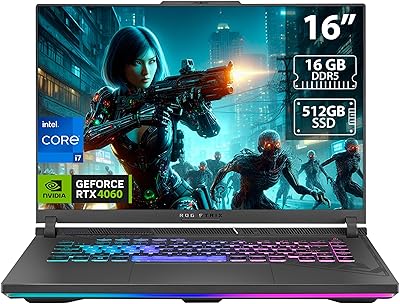
84%
91%
Performance
89%
Cooling Efficiency
88%
Display Quality
70%
Battery Life
85%
Portability
More
ASUS ROG Strix G16 2023 Gaming Laptop
72%
93%
Gaming Performance
91%
Thermal Management
88%
Display Quality
84%
Build Quality
81%
Keyboard & Trackpad
More
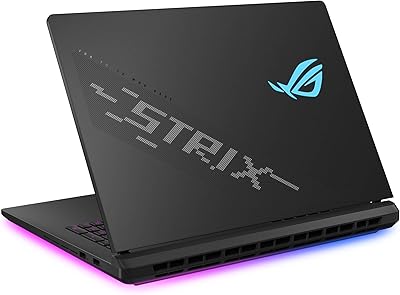
ASUS ROG Strix SCAR 18 Gaming Laptop
76%
97%
Gaming Performance
94%
Display Quality
92%
CPU & Multitasking
83%
Thermal Management
61%
Fan Noise
More
ASUS ROG Zephyrus Duo 16 Gaming Laptop
74%
94%
Display Quality
91%
Raw Performance
76%
Dual-Screen Workflow
78%
Thermal Management
58%
Fan Noise
More
ASUS ROG Strix G16 Gaming Laptop
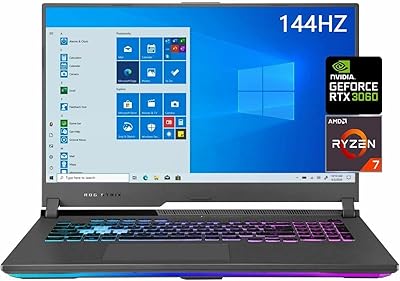
74%
91%
Gaming Performance
93%
Display Quality
88%
Thermal Management
53%
Fan Noise
47%
Battery Life
More
ASUS ROG Strix G17 17.3″ Gaming Laptop
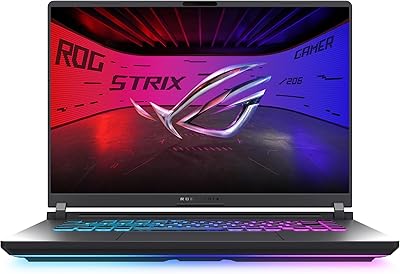
74%
88%
Gaming Performance
84%
Display Quality
82%
Build Quality
76%
Thermal Management
58%
Fan Noise
More
ASUS ROG Strix G16 (2025) RTX 5070 i9 32GB
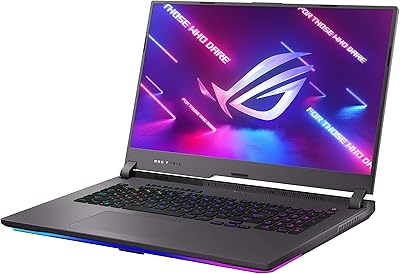
78%
93%
Gaming Performance
86%
Thermal Management
88%
Display Quality
91%
CPU Performance
84%
Build Quality
More
ASUS ROG Strix G17 2021 Gaming Laptop
72%
93%
Gaming Performance
89%
Display Quality
88%
Thermal Management
58%
Fan Noise
41%
Battery Life
More

FAQ

It can run them, but you will need to lower the settings. The RTX 3050 is comfortable at 1080p on medium settings, but pushing to high or ultra will result in frame rate drops. For best results, keep graphically intensive titles at medium and use DLSS where supported to recover performance.

Honestly, not long under gaming conditions — you are looking at under an hour of active gaming unplugged. On light tasks like web browsing or document work, you might stretch it to two or three hours. This gaming laptop is best treated as a plugged-in machine for any serious use.

The MUX Switch cuts out the integrated GPU from the rendering pipeline so frames go straight from the RTX 3050 to the display. In practice, most users see a 10 to 20 percent FPS improvement in games when it is enabled. The catch is that toggling it requires a reboot, so it is not something you switch mid-session.

The G15 does have accessible RAM slots and an M.2 slot, so upgrading both is possible with the right tools and some technical comfort. Adding a second M.2 drive for extra storage is a popular upgrade, and bumping the RAM to 32GB is straightforward. That said, opening the laptop voids the warranty, so factor that in before proceeding.

They get noticeably loud. Under sustained load, the fans ramp up aggressively to protect the hardware, and you will hear them clearly in a quiet room. ASUS Armory Crate software lets you switch between fan profiles, but if you want quieter operation you will sacrifice some performance. A headset during gaming sessions mostly masks the noise.

It is capable of light creative work — cutting together short videos in DaVinci Resolve or working in Photoshop runs fine. The Ryzen 7 handles CPU-heavy tasks well, and the DDR5 memory helps. Where it shows limits is in GPU-accelerated rendering workflows; the RTX 3050 with 4GB VRAM is not built for heavy production pipelines.

During long gaming sessions, the upper keyboard area — closer to the exhaust vents — does warm up. The WASD region and palm rest stay relatively manageable, but if you are gaming for two or more hours straight, some warmth is noticeable. The liquid metal cooling helps the CPU stay within limits internally, but chassis heat is a real consideration.

Beyond the two USB 3.0 Type-A ports, the G15 also includes a USB Type-C port, an HDMI output, a 3.5mm combo audio jack, and an RJ-45 ethernet port. For most setups that is sufficient, but users with multiple peripherals may want a hub to expand connectivity.

The 144Hz panel looks sharp and smooth for gaming, and it is perfectly watchable for Netflix or YouTube. Color accuracy is decent but not calibrated to any professional standard, so if you do serious photo or color grading work, an external monitor would serve you better. For casual content consumption it is more than fine.

Wi-Fi 6E gives the ROG Strix G15 access to the less congested 6GHz band, which translates to lower latency and more stable speeds in environments with many wireless devices nearby. Yes, the laptop also supports Bluetooth, which works well for wireless headsets, controllers, and other peripherals without needing a USB dongle.