



Overview

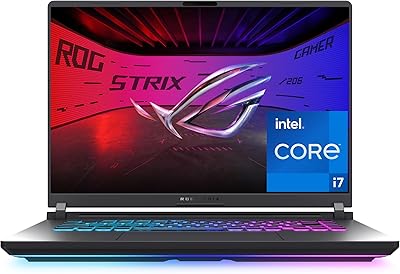
The ASUS ROG Strix SCAR 18 Gaming Laptop is ASUS's clearest statement yet that a laptop can genuinely compete with a desktop gaming rig — if you're willing to carry the weight. Released in early 2025, it sits at the top of the gaming laptop market, pairing the latest CPU and GPU silicon with a display that would embarrass many standalone monitors. The 18-inch chassis is a deliberate choice: you get more thermal headroom and more screen real estate, but this is not a machine you'll slip into a daypack. If maximum performance is the priority and portability is secondary, the SCAR 18 makes a compelling case.

Features & Benefits

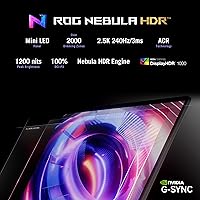
At the heart of this high-end gaming laptop is an RTX 5080 laptop GPU paired with an Intel Core Ultra 9 275HX — 24 cores running up to 5.4GHz. In practice, that combination handles modern titles at high frame rates with headroom to spare, and DLSS 4 support extends that advantage by intelligently reconstructing frames. The ROG Nebula HDR display — 2560x1600, 240Hz, 2,000-plus Mini LED dimming zones, 100% DCI-P3 — is genuinely exceptional for both gaming and color-critical creative work. Cooling is handled by a tri-fan vapor chamber with liquid metal on the chipset, keeping sustained loads stable. A MUX Switch then adds a real 5-10% frame rate boost by routing frames directly from the dedicated GPU.

Best For

This ROG SCAR 18 is built for a specific kind of buyer: someone who wants the most powerful laptop available and spends most of their time at a desk. Hardcore gamers will appreciate the high-refresh display and raw GPU headroom without needing a separate monitor. Video editors and 3D artists benefit equally from the color-accurate screen and the CPU's multi-core muscle. The tool-free internal access — slide a latch, pull a panel — is a genuine bonus for anyone planning to upgrade RAM or storage later. What this machine is not: a light travel companion or an all-day unplugged workhorse. At 6.28 lbs, it demands a dedicated carry bag and a nearby power outlet.

User Feedback

Early buyers of the SCAR 18 largely agree on two things: the display is exceptional and the raw performance headroom justifies the investment for its target audience. Build quality earns consistent praise — nothing here feels structurally compromised. That said, honest feedback surfaces two recurring friction points: fan noise under full load is substantial, and Armoury Crate, ASUS's system software, draws mixed reactions for feeling cluttered. A handful of buyers also flag that unplugged battery life is limited — expected at this power tier, but still worth knowing going in. The overall consensus is that this machine delivers exactly what it promises, provided you are buying it for the right reasons.

Pros

  • The RTX 5080 laptop GPU delivers top-tier gaming performance with meaningful gains from DLSS 4 support.
  • A 24-core Intel CPU handles simultaneous gaming, streaming, and background rendering without slowdown.
  • The Mini LED display is genuinely stunning — 240Hz, HDR, and accurate color make it competitive with dedicated monitors.
  • Tri-fan cooling with liquid metal keeps sustained workloads thermally stable over long sessions.
  • The MUX Switch provides a real, measurable frame rate boost by bypassing the integrated GPU entirely.
  • Tool-free internal access lets users upgrade RAM, storage, or clean fans without voiding the experience.
  • Wi-Fi 7 support future-proofs wireless connectivity for buyers investing in a long-term machine.
  • Build quality feels solid and premium throughout, matching expectations at this price tier.
  • 2TB of fast PCIe Gen 4 storage means most users will never feel cramped for space out of the box.
  • The 16:10 aspect ratio on the 18-inch screen gives more vertical space, which helps both in games and productivity apps.

Cons

  • At 6.28 lbs, carrying this high-end gaming laptop daily becomes tiring quickly for commuters or travelers.
  • Fan noise under full load is significant and noticeable in quiet environments like libraries or shared offices.
  • Battery life is short when running demanding tasks — this machine belongs near a power outlet.
  • Armoury Crate software feels bloated to many users and can be frustrating to configure cleanly.
  • The power brick is large and adds to the overall carry weight, which matters if you move the machine often.
  • The premium price means a single bad purchase decision — buying more than you need — is a costly mistake.
  • Only 32GB of RAM ships standard; power users running memory-heavy creative workloads may want to upgrade sooner than expected.
  • The chassis size makes it awkward on small desks or tight workspaces where a compact setup is preferred.
  • The SCAR 18 runs warm even at idle compared to lower-powered alternatives, which can be noticeable on your lap.

Ratings

The scores below reflect our AI-driven analysis of verified global user reviews for the ASUS ROG Strix SCAR 18 Gaming Laptop, with spam, bot-submitted, and incentivized feedback actively filtered out before any score is calculated. We weighted feedback from long-term owners and power users most heavily, since they reveal the real-world trade-offs that short-term impressions tend to miss. Both the standout strengths and the recurring frustrations are reflected transparently in every category score.

Gaming Performance
97%
Users consistently describe this ROG SCAR 18 as the closest thing to a desktop gaming experience in a laptop chassis. Titles that pushed prior-generation machines to their limits run with meaningful frame rate headroom here, and DLSS 4 support amplifies that further in compatible games. Competitive players in particular praise the consistency of frame delivery at high refresh rates.
A small number of reviewers note that hitting peak GPU performance requires keeping the MUX Switch enabled and staying plugged in, which narrows the use case to desk-bound sessions. A handful of users also report that early driver releases for the RTX 5080 mobile caused occasional stability hiccups in select titles at launch.
Display Quality
94%
The Mini LED panel draws consistent praise from both gamers and creative professionals, with users describing HDR contrast as noticeably more convincing than typical laptop OLEDs in bright room conditions. Video editors specifically call out the 100% DCI-P3 accuracy as a genuine production tool, not just a marketing claim. The 240Hz refresh rate makes fast-paced games feel exceptionally fluid.
A portion of reviewers mention that the 2,000-plus dimming zones, while impressive, can produce minor blooming artifacts around bright UI elements on dark backgrounds in some games. A few users also feel the peak brightness, while strong, falls slightly short of the very best standalone Mini LED monitors at the same price level.
CPU & Multitasking
92%
The 24-core Intel Core Ultra 9 275HX handles everything buyers throw at it simultaneously — game running, stream encoding, Discord, and background downloads — without the kind of CPU bottlenecking that plagues lower-tier gaming laptops. Content creators report that export and rendering queues complete faster than expected, making the machine genuinely dual-purpose.
Under extreme sustained all-core loads, a small subset of users report the CPU pulling back slightly to manage thermals when paired with heavy GPU workloads simultaneously. This is a minor real-world concern but worth noting for users planning to run compute-intensive tasks while gaming at the same time.
Thermal Management
83%
Most users report that the SCAR 18 holds its performance levels well over extended gaming or rendering sessions, which is not a given at this power tier. The liquid metal application and vapor chamber combination earns genuine respect from technically minded buyers who have owned laptops that throttled badly under sustained load.
The bottom of the chassis gets noticeably warm under heavy workloads, making lap use uncomfortable for extended periods. Several reviewers also note that while the thermals are well managed internally, the system achieves this partly by running the fans hard — meaning you are trading heat for noise, not eliminating the trade-off entirely.
Fan Noise
61%
39%
At idle or during light browsing and media consumption, the fans stay quiet enough that the machine blends into a normal work environment. Users who game with headphones on report that fan noise is essentially a non-issue for them in practice, and the machine does offer quieter performance profiles for less demanding tasks.
Under a full gaming or rendering load, the tri-fan system becomes loud enough to be clearly audible across a room, and this is a recurring complaint across verified buyer reviews. Users working in shared offices, libraries, or quiet households specifically flag this as a significant daily annoyance when pushing the machine to its performance ceiling.
Build Quality
89%
The chassis feels dense and well-assembled, with reviewers frequently contrasting it favorably against rival flagships that feel plasticky despite similar pricing. The keyboard deck shows minimal flex under heavy typing, and the hinge mechanism earns consistent praise for feeling sturdy after months of regular use.
At 6.28 lbs the machine feels durable partly because it is simply heavy and solid by nature, which some buyers find reassuring but others see as a necessary compromise. A small number of early unit owners reported minor lid panel alignment inconsistencies, though this appears isolated rather than systematic.
Portability
38%
62%
For users who move the machine between a home office and a nearby workspace rather than commuting daily, the portability trade-off is manageable. The relatively slim 0.93-inch profile means it slides into a dedicated laptop sleeve without too much bulk despite its large footprint.
At 6.28 lbs before adding the power brick, frequent travelers find this high-end gaming laptop genuinely fatiguing to carry. Multiple reviewers describe abandoning the idea of bringing it to coffee shops or coworking spaces regularly, noting that the combined weight of the machine and its adapter crosses a practical threshold for daily bag carry.
Battery Life
44%
56%
For very light tasks — reading, streaming low-resolution video, or document work with the performance profile lowered — users report squeezing a few usable hours out of a charge. Advanced Optimus helps somewhat by switching to the integrated GPU for low-demand tasks, which preserves battery compared to running the RTX 5080 continuously.
Under any meaningful workload, battery life drops sharply, and gaming unplugged is largely impractical. Verified buyers are largely unsurprised by this given the hardware involved, but those who expected more flexibility from a portable machine report disappointment. The general consensus is treat this as a plugged-in desktop replacement and plan accordingly.
Storage Speed & Capacity
91%
The 2TB PCIe Gen 4 SSD is fast enough that game load times, large file transfers, and creative project access all feel near-instant in day-to-day use. Buyers coming from older SATA or slower NVMe drives consistently mention the difference as one of the first things they notice after setting up the machine.
While 2TB is generous for most users at launch, hardcore gamers with large libraries note that modern AAA titles can collectively fill that space faster than expected. There is no included secondary drive, and some buyers wished for a factory-loaded dual-SSD option at this price point.
Software Experience
58%
42%
Armoury Crate does bring all key controls — fan curves, MUX Switch, RGB, and performance modes — into a single application, which experienced ROG users find convenient once they have navigated the initial learning curve. The underlying hardware controls it manages are genuinely useful and not easily replicated by third-party tools.
New users frequently describe Armoury Crate as confusing, bloated, and occasionally prone to update-related bugs that reset settings. Several early buyers reported the software requiring a reinstall after a Windows update disrupted fan profile settings, which is a frustrating experience on a machine at this investment level.
Upgradeability
88%
The tool-free access panel is a standout feature that buyers specifically call out as rare and appreciated at this tier. Users who have already upgraded their RAM or swapped in a secondary SSD describe the process as genuinely straightforward, with no cables or screws standing in the way.
While RAM and SSD access is easy, the GPU is soldered and non-upgradeable, which is standard for gaming laptops but still a limitation worth understanding before buying. A few reviewers also note that sourcing compatible high-speed DDR5 RAM for upgrades requires careful specification matching to avoid stability issues.
Value for Money
73%
27%
Most buyers who specifically need top-tier RTX 5080 mobile performance combined with a professional-grade display report feeling the price is justified by the spec sheet. The inclusion of a Wi-Fi 7 adapter, Windows 11 Pro, and a 3-month Game Pass subscription adds incremental value over similarly specced competitors.
Buyers who are even slightly outside the target use case — casual gamers, occasional travelers, or those who game at 1080p — consistently feel the premium is hard to justify compared to capable alternatives at a lower price point. Battery life concerns also feed into value perception, since plugged-in-only usability feels limiting for a portable device at this investment level.
Keyboard & Trackpad
79%
21%
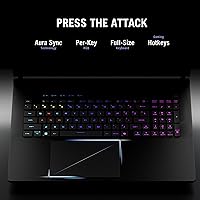
The keyboard earns consistent praise for its feedback and key travel, with users describing it as one of the better laptop keyboards for extended typing sessions in addition to gaming. Per-key RGB backlighting is well-implemented and responsive to Armoury Crate customization for users who care about that experience.
The trackpad, while functional, is described by some users as feeling undersized relative to the large chassis footprint. Several reviewers note that for a machine primarily used at a desk, the trackpad is mostly irrelevant since an external mouse is the obvious choice, but it is a noticeable step down compared to the keyboard quality.
Connectivity & Ports
76%
24%
Wi-Fi 7 support gives the SCAR 18 a connectivity advantage over many rivals that still ship with Wi-Fi 6E, and users with compatible routers report noticeably lower latency in online games. The available USB ports cover most standard peripheral setups for a desk-bound gaming configuration.
Several buyers note that three USB 3.0 Type-A ports feel limited when connecting a mouse, keyboard, headset, and external drive simultaneously, requiring a hub for more complex setups. A small number of reviewers also flagged a desire for more Thunderbolt 4 or USB4 flexibility for high-bandwidth external GPU or display use cases.

Suitable for:

The ASUS ROG Strix SCAR 18 Gaming Laptop is purpose-built for buyers who treat performance as non-negotiable and portability as a secondary concern. Enthusiast gamers who want top-tier frame rates on a large, high-refresh display without relying on an external monitor will find this ROG SCAR 18 difficult to beat in its class. Content creators — video editors, 3D artists, motion designers — also have a strong case here: the Mini LED panel covers 100% DCI-P3 and the 24-core CPU handles heavy rendering without breaking a sweat. It suits power users who largely work from a fixed desk setup and want a machine that can replace a desktop entirely, with the option to unplug and move rooms when needed. The tool-free upgrade path for RAM, SSD, and fans is a real differentiator for buyers who want to extend the machine's lifespan on their own terms.

Not suitable for:

The ASUS ROG Strix SCAR 18 Gaming Laptop is a poor fit for anyone who needs a true road warrior machine. At 6.28 lbs, it is heavy enough that daily commuting or frequent flying with it becomes a genuine physical commitment, not just an inconvenience. Battery life, as expected from hardware of this caliber, will not get most users through a full workday unplugged — plan on having a power outlet nearby at all times. Buyers on a tighter budget who want a capable gaming laptop but do not need absolute top-of-market specs will find better value elsewhere in the current lineup. Those sensitive to fan noise should also think carefully: under sustained gaming or rendering loads, the cooling system works hard and it is audible. Finally, casual or occasional gamers who would rarely push this hardware to its limits are simply paying a significant premium for headroom they will never use.

Specifications

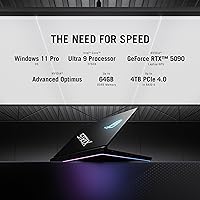
  • CPU: Intel Core Ultra 9 275HX processor with 24 cores runs at up to 5.4GHz, handling demanding multitasking, streaming, and rendering alongside gaming without bottlenecking the GPU.
  • GPU: NVIDIA GeForce RTX 5080 Laptop GPU is a dedicated graphics card representing the top of NVIDIA's 50-series mobile lineup, with full DLSS 4 support for frame generation and quality upscaling.
  • Display: 18-inch ROG Nebula HDR Mini LED panel runs at 2560x1600 resolution with a 240Hz refresh rate, 3ms response time, 2,000-plus local dimming zones, and 100% DCI-P3 color coverage.
  • RAM: 32GB of DDR5-5600MHz memory is installed at configuration, with user-accessible slots allowing upgrades without tools via the sliding latch panel on the bottom of the chassis.
  • Storage: A 2TB PCIe Gen 4 SSD delivers sequential read speeds of up to 7,000MB/s, providing fast game load times and ample space for large creative project libraries.
  • Cooling: ROG's thermal system combines a tri-fan layout, an end-to-end vapor chamber, and Conductonaut Extreme liquid metal on the chipset to sustain high performance loads over extended sessions.
  • Wireless: Wi-Fi 7 connectivity is included, offering faster throughput and lower latency than Wi-Fi 6E for users with compatible routers.
  • Operating System: Windows 11 Pro comes pre-installed, which includes additional security, remote desktop, and enterprise management features beyond the standard Home edition.
  • Weight: The chassis weighs approximately 6.28 lbs (roughly 2.85kg) without accounting for the power adapter, which adds meaningful bulk for anyone carrying the machine regularly.
  • Dimensions: Physical footprint measures 15.71 inches long by 11.73 inches wide by 0.93 inches thick, placing it firmly in the large-format laptop category that requires a dedicated bag or sleeve.
  • MUX Switch: A hardware MUX Switch routes frames directly from the dedicated GPU to the display, bypassing the integrated GPU and delivering a measured 5 to 10 percent frame rate improvement in supported titles.
  • USB Ports: Three USB 3.0 Type-A ports are included, alongside additional connectivity options for peripherals, external drives, and accessories.
  • Aspect Ratio: The 16:10 display aspect ratio provides more vertical screen space compared to 16:9 panels at the same diagonal size, which benefits both gaming immersion and productivity workflows.
  • Upgrade Access: A tool-free sliding latch on the bottom panel provides access to RAM slots, M.2 SSD bays, and fan assemblies, allowing upgrades and cleaning without a screwdriver.
  • Lighting: A full-surround RGB light bar runs along the base of the chassis for ambient lighting effects, with a Stealth Mode option that disables all LEDs for professional or low-profile environments.
  • Lid Display: The AniMe Vision customizable LED matrix on the lid can display text, animations, or user-created graphics, functioning as a secondary expression surface distinct from the main screen.
  • Game Pass: A 3-month PC Game Pass subscription is included in the box, giving new owners access to over 100 titles from day one at no additional cost.
  • Battery: One lithium-ion battery pack is included and integrated into the chassis; like all high-performance gaming laptops, unplugged runtime is limited and plugged-in use is strongly recommended for full performance.

Related Reviews
ASUS ROG Strix Scar 15 Gaming Laptop
76%
94%
Gaming Performance
91%
Display Quality
89%
CPU & Multitasking
83%
Thermal Management
82%
Keyboard & Input
More
ASUS ROG Strix G17 (2021) Gaming Laptop
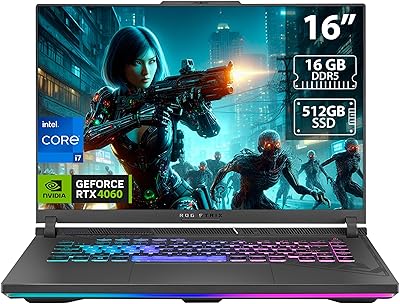
84%
91%
Performance
89%
Cooling Efficiency
88%
Display Quality
70%
Battery Life
85%
Portability
More
ASUS ROG Strix G16 2023 Gaming Laptop
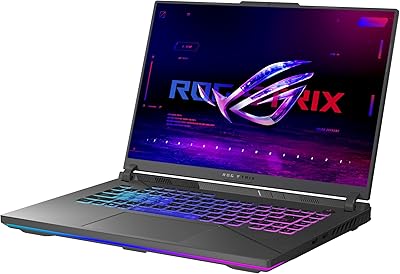
72%
93%
Gaming Performance
91%
Thermal Management
88%
Display Quality
84%
Build Quality
81%
Keyboard & Trackpad
More
ASUS ROG Strix G16 Gaming Laptop
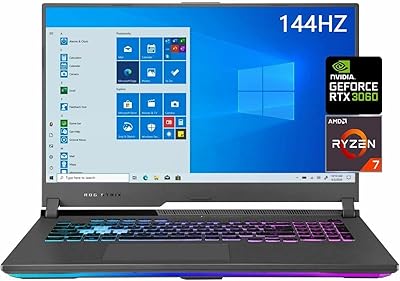
74%
91%
Gaming Performance
93%
Display Quality
88%
Thermal Management
53%
Fan Noise
47%
Battery Life
More
ASUS ROG Strix G17 17.3″ Gaming Laptop
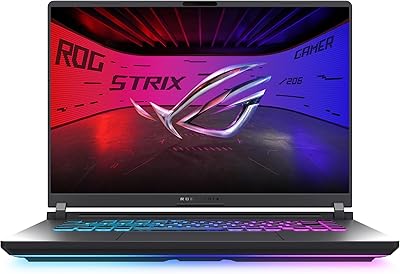
74%
88%
Gaming Performance
84%
Display Quality
82%
Build Quality
76%
Thermal Management
58%
Fan Noise
More
ASUS ROG Strix G16 (2025) RTX 5070 i9 32GB
78%
93%
Gaming Performance
86%
Thermal Management
88%
Display Quality
91%
CPU Performance
84%
Build Quality
More
ASUS ROG Strix G15 2021 Gaming Laptop
74%
93%
Gaming Performance
89%
Display Quality
88%
Thermal Management
84%
Build Quality
91%
CPU Performance
More
ASUS ROG Strix G17 2021 Gaming Laptop
72%
93%
Gaming Performance
89%
Display Quality
88%
Thermal Management
58%
Fan Noise
41%
Battery Life
More
ASUS ROG Strix G16 (2025) G615JMR-AS74 1TB
80%
92%
Raw Gaming Performance
88%
Thermal Management
91%
Display Quality
54%
Portability
42%
Battery Life
More
ASUS ROG Strix G18 Gaming Laptop
74%
94%
Gaming Performance
91%
Display Quality
88%
Thermal Management
61%
Fan Noise
38%
Battery Life
More

FAQ

It works very well for video editing and 3D rendering, not just gaming. The 24-core CPU handles export and rendering tasks efficiently, and the Mini LED display covers 100% DCI-P3, which means colors are accurate enough for professional creative work. The RTX 5080 also accelerates GPU-based effects in most major editing applications.

Under a sustained full load — demanding titles, benchmarks, long rendering jobs — the fans are genuinely audible. It is not the kind of noise that blends into the background. Most users game with headphones on, which helps, but if you are in a quiet shared space it will be noticeable to people nearby. At lighter workloads the system is much calmer.

You can do it yourself without any tools. There is a sliding latch on the bottom panel that opens up access to the RAM slots, SSD bays, and fans. ASUS designed this specifically so users can upgrade or clean the machine without sending it in for service. Just make sure to use DDR5 modules rated for the correct speed.

For light tasks like browsing or document work, you might get a few hours unplugged. Under any kind of gaming or serious CPU or GPU load, battery life drops significantly. Treat this as a plugged-in machine first — the performance it delivers is only sustainable with wall power anyway. Expecting all-day untethered use would lead to disappointment.

Yes, you can connect external monitors via the available video output ports. With a MUX Switch enabled, the signal routes directly from the RTX 5080, which means you get full GPU output to your external display without the integrated GPU acting as a middleman. This makes it a solid option as a desktop replacement connected to a large external screen.

The MUX Switch bypasses the integrated Intel graphics and sends frames directly from the RTX 5080 to the display. In practice that translates to around 5 to 10 percent more frames in games compared to having it off. The trade-off is slightly reduced battery life since the iGPU can no longer handle lighter tasks. For gaming at your desk, keep it on. For casual unplugged use, switching it off can extend runtime.

Armoury Crate controls fan profiles, performance modes, RGB lighting, and the MUX Switch, so removing it entirely limits your control over several important hardware settings. Many users find the interface cluttered, but it is functional once you get past the initial setup. Some experienced users install third-party fan control tools alongside it, though this requires some technical comfort.

For a built-in laptop panel, the ROG Nebula HDR Mini LED display is genuinely impressive. The 2,000-plus dimming zones give it real HDR contrast depth, and 100% DCI-P3 coverage means colors hold up under scrutiny. At 240Hz and 2560x1600 it is sharper and smoother than many mid-range external monitors. Dedicated high-end monitors still have an edge in peak brightness and panel size options, but for a built-in screen this is about as good as it gets in 2025.

That depends entirely on how much you need performance away from your desk. If you only occasionally work from a different room or travel a few times a year, there is likely a lighter and less expensive laptop that serves those moments fine. This high-end gaming laptop makes the most sense when you need near-desktop performance consistently in a portable form, not as an occasional supplement to an existing powerhouse setup.

On a lap it is manageable but not particularly comfortable for long sessions given the weight and thermal output from the bottom vents. On a small desk it fills the space quickly — the footprint is close to 16 by 12 inches. Most users pair it with a proper desk setup and use it more like a desktop replacement than a traditional laptop. If space is tight, that is worth factoring into your decision.

Where to Buy