Overview

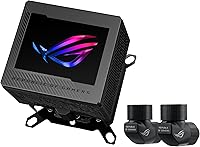
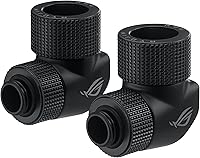
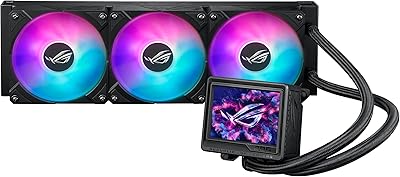
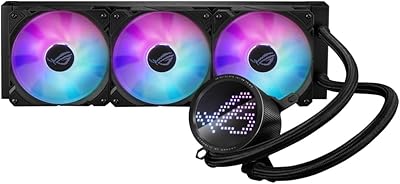
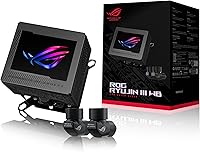
The ASUS ROG Ryujin III WB Water Block is, despite the cooler-sounding product family name, not a complete all-in-one unit you can bolt in and forget about. This water block is the part that actually sits on your CPU, built for people already running, or about to build, a custom loop. ASUS clearly designed it for the ROG crowd: there is a built-in display, branded fittings, and styling that would not look out of place behind tempered glass. What you will not find in the box is a pump, radiator, or tubing, so do not expect plug-and-play simplicity. Think of the Ryujin III WB as one well-made piece of a larger puzzle you are assembling yourself.
Features & Benefits

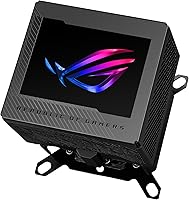
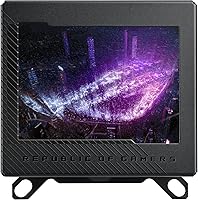
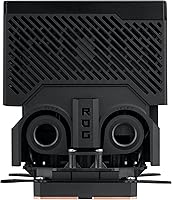
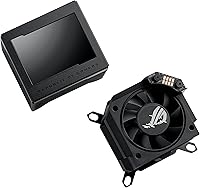
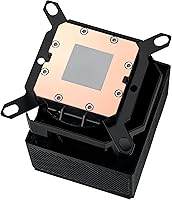
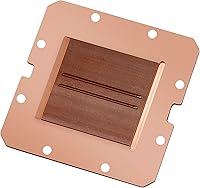
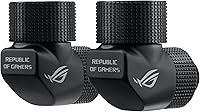
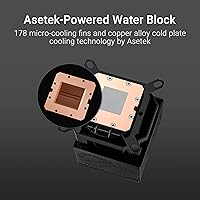
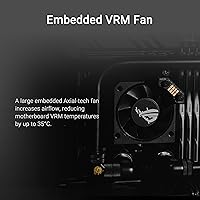
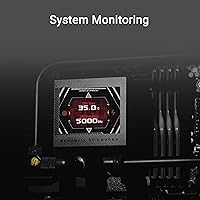
Underneath the styling, this water block earns its price with real engineering. The cold plate uses a copper alloy base packed with 178 micro-cooling fins, giving coolant more surface area to grab heat off the CPU before it reaches the rest of the loop. The 3.5-inch display deserves its own mention: with a 60 FPS refresh, it renders smooth animations and live stats rather than the choppy, slideshow-like screens found on cheaper coolers. ASUS also tucked a small fan into the block itself, aimed at the VRM area near the socket, which matters more than people expect once a board gets pushed hard. Matching fittings come bundled in as well, so you are not left hunting for parts that clash with the finish.

Best For

The Ryujin III WB makes the most sense for someone already comfortable running a custom loop, not someone buying their first water cooler. If you are swapping a block, building a loop from scratch, or simply want a CPU block that doubles as a focal point behind glass, this fits the bill. It is also a reasonable pick for overclockers running hot, power-hungry chips, where VRM temperatures tend to creep up once a system is pushed for hours at a time. Socket support spans current Intel and AMD platforms, so it should outlast at least one upgrade cycle without needing a new bracket. Casual builders who want to drop a cooler in and walk away are better served by a sealed AIO; this is not that kind of product.

User Feedback

Feedback from people actually running this custom-loop cooler tends to split along predictable lines. Build quality earns consistent praise, with the cold plate housing and copper fittings feeling like genuine premium parts rather than an afterthought bolted onto a generic block. The software side gets more mixed reactions: customizing the display through ASUS’s control app works fine for some owners and feels clunky or buggy for others, which is worth checking before buying. A handful of users mention some fan or pump noise creeping in once the loop is working hard, though nobody describes it as excessive. Bracket fit across AM5 and LGA1700 boards seems solid for most builds. The most common complaint is simply cost, since plainer water blocks handle the core job for noticeably less money.

Pros

  • Copper alloy cold plate with 178 micro-cooling fins pulls heat off the CPU quickly and efficiently.
  • The 3.5-inch LCD runs at a smooth 60 FPS, so on-screen stats and animations never feel choppy.
  • An embedded VRM fan tackles a heat zone most blocks ignore, which matters during heavy overclocking.
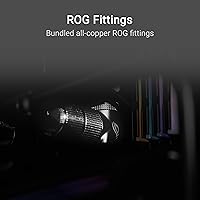
  • Bundled all-copper ROG fittings match the block's finish, saving you from sourcing parts separately.
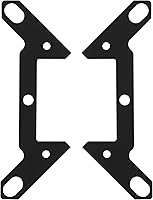
  • Broad socket support across Intel LGA 1700, 1200, 115X and AMD AM4, AM5 protects future upgrades.
  • Owners consistently praise the fit and finish, calling it noticeably more solid than budget alternatives.
  • The 4-pin connector keeps wiring simple, plugging straight into a standard motherboard fan header.
  • Compact dimensions make it easy to fit into most custom loop layouts without major case modifications.

Cons

  • No pump, radiator, or tubing included, so the upfront cost climbs fast once you add those.
  • Some owners report the display customization software feels clunky or occasionally buggy.
  • It carries a noticeably higher price than plainer water blocks that handle the same basic cooling job.
  • First-time custom loop builders may find the assembly and bleeding process more involved than expected.
  • A few users mention fan or pump noise becoming noticeable once the loop is under sustained heavy load.
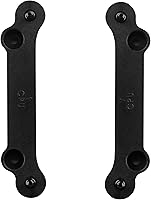
  • A small number of AM5 and LGA1700 owners report fiddlier bracket installation than expected.
  • The visual payoff mostly shows up in a windowed case, so it is largely wasted in a closed build.
  • Long-term reliability of the embedded fan and display electronics is hard to judge without years of data.

Ratings

These category scores for the ASUS ROG Ryujin III WB Water Block were generated by AI after analyzing a large pool of verified buyer reviews from around the world, with spam, bot activity, and incentivized feedback filtered out before any score was calculated. The result is a transparent snapshot of where this water block genuinely shines and where it tends to fall short, based on patterns in real owner experiences rather than marketing claims.
Cooling Performance
88%
Owners running demanding chips consistently report lower CPU temps after switching to this cold plate, crediting the copper alloy base and dense fin array for pulling heat away fast even during long gaming sessions or render jobs. Several builders mention it outperforming their previous block by a noticeable margin under sustained load.
A few users note that without a quality pump and properly sized radiator, the cold plate alone cannot work miracles, so results vary more by loop design than by the block itself. Thermal paste application also seems to matter more here than expected, with uneven mounting pressure occasionally cited.
VRM Thermal Management
86%
Overclockers running power-hungry chips for hours specifically call out the embedded VRM fan as a standout, saying motherboard temperatures near the socket dropped noticeably during stress testing. For anyone pushing a high-wattage CPU on a hot afternoon, this extra airflow seems to genuinely earn its keep.
Some buyers question whether the VRM benefit matters much on boards that already run cool, calling it overkill for mid-range builds. A handful also note the fan adds a faint hum that becomes more noticeable in otherwise near-silent loops.
Display Quality & Customization
78%
22%
The 3.5-inch screen and smooth 60 FPS refresh get genuine praise for making system monitoring feel alive instead of static, with several owners showing off custom GIFs and temperature readouts behind tempered glass. It is consistently described as one of the more eye-catching displays in this category.
The companion software used to load custom content gets mixed reviews, with some calling setup straightforward and others describing crashes or laggy previews. A few buyers also wish the resolution pushed a bit further given the premium price tag attached to the display.
Build Quality & Finish
91%
Almost every hands-on impression mentions how solid the cold plate housing and copper fittings feel compared to typical water-cooling parts, with tight tolerances and a finish that holds up well once installed behind glass. It reads as a part built to last rather than a one-off accessory.
A small number of buyers mention minor cosmetic scuffs on the copper fittings straight out of the box, likely from shipping rather than manufacturing. Fingerprints also show up easily on the polished surfaces, so it needs occasional wiping to keep that showroom look.
Fittings & Loop Compatibility
85%
Builders appreciate not having to hunt down matching fittings separately, since the bundled all-copper ROG pieces thread on cleanly and visually tie the whole loop together. For anyone assembling a themed build, this saves both time and the risk of mismatched finishes.
A few reviewers note the included fittings only cover certain tubing sizes, meaning some custom setups still need adapters or third-party pieces. Builders running soft tubing in unusual diameters may find themselves shopping around anyway despite the bundle.
Socket Compatibility & Future-Proofing
88%
Coverage across LGA 1700, 1200, 115X, AM4, and AM5 means many owners can carry this block through a CPU upgrade or even a full platform switch without buying new mounting hardware. That flexibility gets called out repeatedly as a smart long-term investment.
A handful of users mention the bracket hardware feels slightly fiddly to swap between Intel and AMD configurations, requiring careful attention to torque and alignment. It is not difficult, exactly, but first-timers may want to watch a guide before mounting.
Noise Level
74%
26%
Plenty of owners confirm the rated noise level holds up during everyday use, describing the loop as easy to forget about while working or gaming in a quiet room. The embedded fan blends into typical ambient case noise rather than standing out on its own.
Some buyers running the system under sustained heavy load, like extended rendering or benchmarking sessions, report the fan or pump becoming more audible than they expected. It is not described as loud, but it is enough for a few to notice over typical background noise.
Installation & Bracket Fit
79%
21%
Most owners installing on AM5 and LGA1700 boards describe the mounting process as straightforward once the included instructions are followed, with brackets lining up correctly on the first attempt. Builders with prior water-cooling experience generally finish setup without extra trial and error.
A smaller group of AM5 and LGA1700 users mention fiddlier alignment than expected, sometimes needing a second attempt to get even mounting pressure across the cold plate. This seems more common on boards with tighter socket clearance around nearby components.
Software Experience
68%
32%
Owners who take the time to dig into ASUS's control software like the level of customization available for the display, from system stats to personal images, calling it a nice bonus once configured properly. It adds a layer of personality most water blocks simply cannot match.
The software gets criticized more often for feeling clunky, slow to launch, or occasionally buggy when switching profiles, which undercuts the otherwise impressive hardware. Several reviewers say it takes real patience to get the display behaving exactly the way they want.
Value for Money
61%
39%
Buyers who specifically wanted the display, VRM fan, and matched fittings in one package feel the price is justified, since sourcing those features separately would likely cost just as much or more. For a themed, display-focused build, it is viewed as a fair trade-off.
Budget-focused builders frequently point out that plainer water blocks deliver comparable core cooling for noticeably less money, making this a hard sell if aesthetics and the screen are not priorities. The price gap becomes a recurring sticking point in cost-conscious reviews.
Aesthetic Design & Case Presence
89%
Inside a windowed case, the combination of the animated display and copper fittings consistently gets singled out as a genuine showpiece, turning a normally hidden component into a conversation starter. Builders doing themed copper or RGB setups mention it tying the whole loop together visually.
Anyone running a closed, opaque case will not see most of these design touches, making the visual upgrade essentially invisible day to day. A few reviewers feel the aesthetic focus comes at the expense of a more budget-friendly, function-only option.
Long-Term Durability
72%
28%
Early owners report no leaks or fitting failures after months of regular use, and the copper construction throughout gives confidence that the core hardware should hold up well over time. Builders switching from older blocks note this one feels noticeably more robust.
Since this is a relatively newer release, long-term data beyond the first year or so is still limited, leaving questions about how the embedded fan and display electronics hold up after extended use. A cautious buyer may want to wait for more reports.
Packaging & Protection
84%
Reviewers consistently mention the box and internal foam cutouts keeping the cold plate, fittings, and display module safe in transit, with no reports of cracked acrylic or bent fins on arrival. For a part this expensive, that peace of mind during shipping matters a lot.
A few buyers note the packaging itself is fairly bulky and not especially easy to store or reuse if the block ever needs to go back for warranty service. It is functional rather than memorable, and some wish it folded down smaller.
Documentation & Setup Guidance
70%
30%
Owners who followed the included instructions step by step generally report a smooth first install, especially when mounting on a socket ASUS clearly diagrams in the manual. Having clear torque guidance for the cold plate also gets specific praise from first-time custom loop builders.
Other reviewers feel the printed instructions assume too much prior water-cooling knowledge, glossing over details like bleeding the loop or seating the bracket evenly. Newcomers often end up searching online videos to fill in the gaps left by the manual.

Suitable for:

The ASUS ROG Ryujin III WB Water Block makes the most sense for someone who already owns a pump, radiator, and tubing, or is actively planning a custom loop from scratch. It is a strong fit for PC builders who want their cooling setup to look as good as it performs, since the built-in display and matched copper fittings turn a CPU block into a visible part of the build rather than something hidden under a shroud. Overclockers and anyone running power-hungry, high-wattage chips will appreciate the embedded VRM fan, since VRM heat becomes a real concern once a board is pushed for hours at a time. It also suits buyers who plan to keep the same loop running across a couple of upgrade cycles, given how broadly it supports current Intel and AMD sockets. Someone replacing an aging or underperforming block in an existing loop, rather than starting a cooling project from zero, is another natural fit.
Not suitable for:

The ASUS ROG Ryujin III WB Water Block is not the right choice for anyone hoping to drop in a single box and walk away with a working cooler, since it is only the block itself and still needs a separate pump, radiator, and tubing. First-time water coolers, or anyone unfamiliar with bleeding and maintaining a loop, will likely find the learning curve frustrating before they even get to enjoy the display. Budget-conscious builders should also think twice, since plainer water blocks handle the same core cooling job for noticeably less money. Anyone who does not care about aesthetics or a built-in screen is paying for features they will not use, when a simpler block would do just as well. Buyers who want guaranteed plug-and-play simplicity, rather than something to plan and assemble themselves, are better served by a sealed all-in-one cooler instead.

Specifications

  • Cooling Design: The unit uses an Asetek-powered water block design built around a copper alloy cold plate.
  • Cold Plate: The cold plate is machined from copper alloy and lined with 178 micro-cooling fins to maximize contact with the coolant.
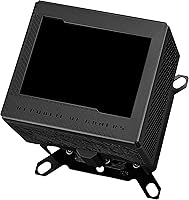
  • Display: A 3.5-inch full-color LCD sits on top of the block and refreshes at up to 60 FPS for smooth on-screen visuals.
  • VRM Fan: An embedded Axial-tech fan blows air directly onto the VRM area to help lower motherboard temperatures.
  • VRM Cooling Effect: ASUS states the embedded fan can reduce VRM temperatures by up to 35°C compared to running without it.
  • Included Fittings: The package includes all-copper ROG-branded fittings designed to match the block's finish and connect directly into a loop.
  • Intel Compatibility: Supported Intel sockets include LGA 1700, LGA 1200, and the LGA 115X family.
  • AMD Compatibility: Supported AMD sockets include AM4 and AM5.
  • Power Connector: The fan and onboard electronics connect to the motherboard through a standard 4-pin header.
  • Noise Level: ASUS rates the unit's noise output at 14.4 decibels under normal operating conditions.
  • Package Dimensions: The retail package measures 7.83 x 4.96 x 4.92 inches.
  • Weight: The complete package weighs 2.34 lb.
  • Primary Material: The cold plate and bundled fittings are made primarily of copper.
  • Cooling Method: This is a liquid-cooling component that relies on a separate pump and radiator to move heat away from the block.
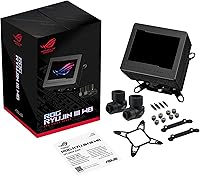
  • What's Included: The box contains the water block, embedded VRM fan, LCD module, mounting hardware, and copper fittings, but not a pump, radiator, or tubing.

Related Reviews

ASUS ROG Ryujin III 360 AIO Cooler
83%
93%
Cooling Performance
88%
Pump Quality & Reliability
87%
Fan Performance
74%
Noise Levels
91%
LCD Display Functionality
More
ASUS ROG Ryuo III 240 ARGB Cooler
82%
89%
Build Quality
84%
Cooling Performance
88%
Anime Matrix Display
68%
Software Experience (Armoury Crate)
61%
Value for Money
More
ASUS ROG RYUO III 360 ARGB AIO Liquid CPU Cooler
87%
94%
Cooling Performance
91%
RGB Customization
75%
Installation Ease
90%
Build Quality
88%
Noise Level
More
ASUS ROG Strix LC III 360 Cooler
82%
88%
Thermal Performance
79%
Noise Levels
84%
LCD Display
57%
Software Experience
92%
Build Quality
More
ASUS ROG Maximus Z790 Hero
87%
94%
Overclocking Performance
89%
Cooling Effectiveness
91%
Build Quality
86%
Networking Capabilities
93%
Power Delivery & Stability
More
ASUS ROG XG27AQDMG 27-inch OLED Gaming Monitor
79%
96%
Image Quality
93%
Refresh Rate Performance
48%
Glare & Reflections
91%
Response Time & Motion Clarity
67%
Burn-in Risk & Longevity
More
ASUS ROG MAXIMUS Z690 HERO EVA Motherboard
81%
93%
Build Quality
91%
VRM Performance
52%
Value for Money
61%
DDR5 Compatibility
89%
Overclocking Capability
More
ASUS ROG Maximus Z890 Hero ATX Motherboard
83%
93%
Build Quality
96%
VRM & Power Delivery
88%
BIOS Experience
79%
AI Overclocking
91%
Storage Versatility
More
ASUS ROG G700 2025 Gaming Desktop PC
77%
91%
Gaming Performance
88%
Build Quality
83%
Thermal Management
67%
Noise Levels
89%
Upgradeability
More
ASUS ROG Hyperion GR701 Full-Tower Case
82%
93%
Build Quality & Materials
96%
Cooling & Thermal Performance
88%
Interior Layout & Build Experience
91%
Tool-Free Panel Access
89%
GPU Support & Flexibility
More

FAQ

No, and this trips up a lot of first-time buyers. The ASUS ROG Ryujin III WB Water Block is just the block itself, so you'll still need a separate pump, radiator, fans, and tubing to build a complete loop.
Yes, AM5 is one of the supported AMD sockets, alongside AM4. Just double check the bracket included matches your board's mounting holes before you start.

It's customizable through ASUS's companion software, where you can load your own images, GIFs, or system monitoring readouts. Some owners find the software intuitive, while others describe it as occasionally clunky, so it's worth setting expectations there.

ASUS rates it at 14.4 decibels, which is fairly quiet under typical conditions. That said, a few users have noted the embedded fan or the loop's pump can become more audible once the system is under sustained heavy load.

Custom loops usually only cool the CPU directly, leaving the VRM area to rely on case airflow alone. This embedded fan blows air onto that zone specifically, which ASUS says can cut VRM temperatures by up to 35°C compared to having no airflow there at all.

Yes, LGA 1700 is supported, which covers Intel's 12th through 14th generation desktop chips. Older LGA 1200 and LGA 115X boards are supported too, so it has decent backward compatibility.

That really depends on what you value. If you want a copper alloy cold plate, a live LCD display, and matched fittings in one package, this water block earns its price; if you just need solid cooling performance without the extras, a simpler block will save you money.

Periodic loop maintenance is the same as with any custom water-cooling setup: drain the loop, flush with distilled water or a cleaning solution, and avoid letting coolant sit stagnant for long stretches. The copper cold plate itself doesn't need special care beyond normal loop upkeep.

The electronics, including the fan, connect through a standard 4-pin header on your motherboard, not through the water loop itself. So as long as you have a free 4-pin connector, you're set.

The block itself is compact, with package dimensions of about 7.83 x 4.96 x 4.92 inches, so the unit alone isn't the limiting factor. Your case's clearance for a radiator and tubing routing will matter more for tighter builds.