Overview

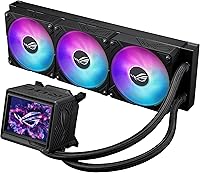
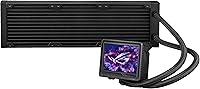
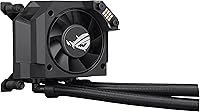
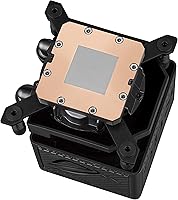
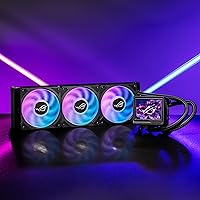
The ASUS ROG Ryujin III 360 AIO Cooler sits firmly at the premium end of the 360mm liquid cooling market, and it earns that position through a meaningful generational upgrade rather than just a spec sheet refresh. The switch to the Asetek Emma Gen8 V2 pump brings a 3-phase motor that genuinely improves flow rate and reduces impedance compared to previous Ryujin generations. It covers current Intel and AMD platforms — LGA 1851, 1700, AM5, AM4 — so compatibility with Ryzen 9000 or Core Ultra builds is not a concern. That said, top-tier pricing means this cooler makes most sense for builders who will actually take advantage of the LCD display and deep software integration, not just the thermal performance alone.
Features & Benefits

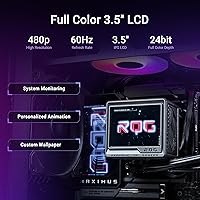
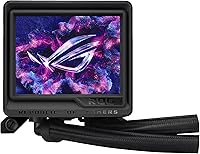
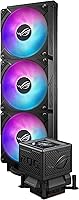
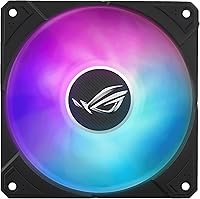
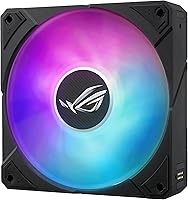
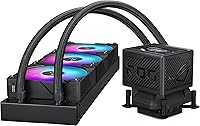
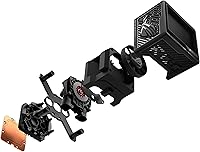
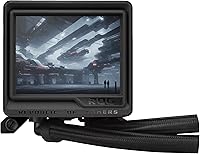
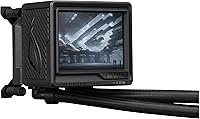
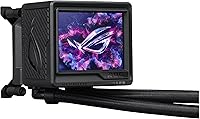
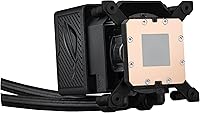
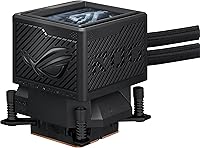
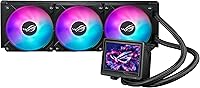
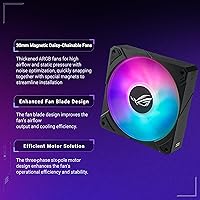
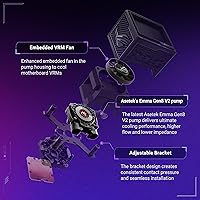
The Asetek Gen8 V2 pump is the core upgrade here — its 3-phase motor reduces flow resistance, which translates to more consistent temperatures under sustained workloads like video encoding or long gaming sessions. The 3.5″ LCD at 640x480 is a legitimate step up from earlier small-panel implementations; it can display animated GIFs or live sensor data including clock speed, voltage, and coolant flow, making it genuinely useful for monitoring-focused builds. Fan installation is unusually painless thanks to magnetic daisy-chaining, which cuts cable clutter significantly. There is also an embedded fan in the pump head specifically designed to push airflow over motherboard VRMs — a real benefit for high-end boards where VRM thermals matter under heavy CPU loads.

Best For

This 360mm liquid cooler is a natural fit for builders running flagship-class CPUs — think Core Ultra 9 or Ryzen 9 9950X — where sustained thermal headroom under prolonged workloads makes a real difference. It also suits anyone who wants integrated system monitoring without bolting on a separate display panel. If you are already in the ROG ecosystem with Armoury Crate managing other components, the ARGB sync and software control will feel cohesive rather than tacked on. Showcase builds and system integrators who care about aesthetics as much as cooling numbers will find the combination compelling. On the flip side, if your case does not support a 360mm radiator, or if the price gives you pause, more affordable alternatives deserve a look.

User Feedback

Buyer sentiment for the Ryujin III 360 sits at 4.8 out of 5 stars, which reflects a broadly positive reception. Owners frequently highlight the build quality and finish as noticeably premium, and those running high-TDP chips report that thermal performance holds up well even during extended stress tests. The LCD is generally praised, though reactions split between builders who use it for live monitoring daily and those who set it once and forget it. A recurring concern worth knowing about: Armoury Crate can be finicky — some users report inconsistent behavior after Windows updates. A few mentions of tube stiffness during installation also surface occasionally. At max fan speed the unit reaches 36dB(A), but most owners report quieter day-to-day operation at moderate RPM settings.

Pros

  • The Asetek Gen8 V2 pump keeps flagship CPUs running cool even during prolonged, CPU-intensive workloads.
  • The 3.5-inch LCD is genuinely useful for live hardware monitoring, not just cosmetic decoration.
  • Magnetic daisy-chain fan mounting makes radiator installation significantly cleaner and less cable-intensive.
  • The embedded VRM fan in the pump head benefits high-end motherboards where VRM thermals actually matter.
  • Broad socket support covers LGA 1851, 1700, AM5, and AM4 — no adapters needed for current-gen builds.
  • Build quality is premium throughout, with aluminum, copper, and glass construction that feels durable and well-finished.
  • ARGB lighting syncs cleanly across ROG components for builders running a cohesive ecosystem setup.
  • Fan noise at typical workload RPM is well-controlled, staying far below the 36 dB maximum in day-to-day use.
  • AIDA64 integration with ROG-themed overlays adds meaningful monitoring depth for data-focused builders.
  • At #20 in Water Cooling Systems, this ROG AIO cooler has a proven track record among enthusiast buyers.

Cons

  • Armoury Crate is required for most advanced features, and its post-update instability frustrates many users.
  • The price premium is hard to justify if you have no use for the LCD or VRM fan.
  • Tubes are notably stiff, which can complicate routing in cases with less-than-ideal radiator positioning.
  • A subset of units exhibit audible pump hum at certain RPM ranges, particularly during spin-up from idle.
  • Maximum fan noise at 36 dB is noticeable in quiet environments when the system is pushed hard.
  • LCD setup requires navigating Armoury Crate, which adds friction for users unfamiliar with ROG software.
  • Case compatibility deserves careful research — tight mid-tower clearances can cause real installation headaches.
  • Non-ASUS RGB ecosystems get limited or inconsistent lighting integration with this 360mm liquid cooler.
  • Thermal performance advantage over cheaper 360mm alternatives narrows significantly on short-burst workloads.
  • Packaging protection could be more robust — cosmetic scuffs on arrival have been reported by some buyers.

Ratings

The ASUS ROG Ryujin III 360 AIO Cooler has been put through its paces by enthusiast builders across global markets, and our AI has analyzed verified purchase reviews — actively filtering out incentivized and bot-generated feedback — to produce the scores below. The results paint a picture of a cooler that genuinely delivers where it counts, while carrying a few trade-offs that serious buyers should weigh honestly. Both the highlights and the friction points are reflected here without sugarcoating.
Cooling Performance
93%
Builders running Core Ultra 9 and Ryzen 9 9950X consistently report that the Ryujin III 360 keeps temperatures in check even during sustained multi-hour workloads like 3D rendering and video transcoding. The Asetek Gen8 V2 pump's improved flow rate makes a tangible difference compared to previous generations when thermals are pushed hard.
A small number of users noted that peak temperatures under extreme overclocking scenarios were not dramatically different from competing 360mm units at lower price points. The advantage is most apparent during prolonged sustained load rather than short burst workloads.
Pump Quality & Reliability
88%
The 3-phase motor in the Gen8 V2 pump runs noticeably quieter at moderate speeds than older Asetek designs, and most long-term owners report zero issues after months of daily use. The lower impedance design is particularly appreciated by users who run their systems around the clock.
A handful of reviewers reported audible pump hum at certain RPM ranges, particularly during spin-up from idle. This appears to be unit-specific rather than a systemic flaw, but it is worth monitoring in the first few weeks after installation.
Fan Performance
87%
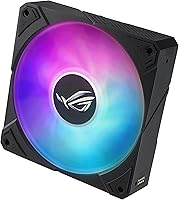
At 89.73 CFM with 5.15 mmH2O of static pressure, these fans move meaningful air through a dense radiator without requiring extreme RPM. Builders who set custom fan curves report a solid balance between airflow and acoustics during everyday workloads like gaming.
At maximum 2800 RPM the fans push audible noise up to 36 dB(A), which is noticeable in quiet room environments. Most users keep them well below that ceiling, but the noise ceiling is a real consideration for open-air workstation setups.
Noise Levels
74%
26%
Under typical desktop workloads the Ryujin III 360 is genuinely quiet — the 16 dB baseline spec holds up reasonably well when the system is browsing, light gaming, or idling. Users who run conservative fan curves barely notice the cooler is running.
Push the system hard and the fans ramp up quickly, hitting noise levels that some users found intrusive during late-night sessions. The gap between the baseline and max noise is wide enough that the acoustic experience varies significantly depending on workload profile and fan curve settings.
LCD Display Functionality
91%
The 3.5-inch panel at 640x480 is a genuine step up from the smaller, lower-resolution screens seen on earlier ROG AIO iterations. Users who use it for live monitoring — tracking CPU temperature, coolant flow, and clock speeds at a glance — find it genuinely practical, not just decorative.
Setting up custom animated GIFs or configuring monitoring overlays requires digging through Armoury Crate, which adds friction to what should be a straightforward feature. Users who are not already comfortable with ROG software may find the initial configuration more involved than expected.
Software & App Experience
61%
39%
For users already embedded in the ROG ecosystem, Armoury Crate brings everything under one roof — pump speed, embedded fan control, ARGB sync, and AIDA64 monitoring with ROG-themed overlays. When it works well, the level of control is hard to match from a single interface.
Armoury Crate's reputation in the enthusiast community is a known sticking point, and the Ryujin III 360 is fully dependent on it for advanced features. Several reviewers flagged software instability after Windows updates, with LCD displays going blank or fan profiles resetting — issues that require reinstallation to resolve.
Installation & Mounting
82%
18%
The magnetic daisy-chain fan system is a practical quality-of-life improvement that makes radiator fan installation noticeably less fiddly than traditional screw-and-cable setups. Builders working in mid-tower cases with good radiator clearance found the overall process clean and straightforward.
The tubes are on the stiffer side, which creates routing challenges in some mid-tower configurations — particularly when the radiator must mount in a non-standard orientation. A few users also mentioned that the pump head orientation has limited adjustment range for certain socket layouts.
VRM Cooling
84%
The embedded fan in the pump head is a differentiating feature that genuinely benefits builders using power-hungry high-end motherboards. Users pairing this cooler with flagship X670E and Z790 boards noted meaningfully lower VRM temperatures during CPU-intensive tasks compared to coolers without this feature.
The benefit is most pronounced on specific board configurations with exposed VRM heatsinks positioned close to the socket. On boards with larger, better-ventilated VRM layouts, the embedded fan's contribution is less measurable, making it a feature that matters more in some builds than others.
Build Quality & Materials
92%
The combination of aluminum, copper, and glass across the pump head and radiator gives the Ryujin III 360 a premium tactile quality that buyers notice immediately out of the box. The pump housing in particular feels solid and well-finished, consistent with what the price tier demands.
The plastic elements on the fan frames, while functional, feel slightly less premium compared to the pump head and radiator body. It is a minor contrast, but noticeable when handling components individually during installation.
ARGB Lighting
86%
The ARGB implementation across the fans and pump head is well-executed, with even light diffusion and smooth transitions when synced through Armoury Crate. For builders running an all-ROG setup with matched components, the lighting cohesion is genuinely impressive.
Without Armoury Crate — or for builders who prefer third-party RGB controllers — the lighting customization is limited. Users who tried to integrate the lighting into non-ASUS ecosystems reported inconsistent results or reduced functionality.
CPU Socket Compatibility
89%
Coverage of LGA 1851, 1700, 1200, 115X on the Intel side and AM5 plus AM4 on AMD means this cooler is ready for current-generation flagship platforms without adapter concerns. Ryzen 9000 and Core Ultra builders can install without additional hardware.
Older socket support beyond these platforms is not available, which is expected at this product tier but worth confirming if you are building around a legacy platform. No meaningful complaints surfaced here from users on supported sockets.
Value for Money
67%
33%
For builders who will actively use the LCD, the VRM fan, and the Armoury Crate integration, the feature density does justify the premium over mid-range 360mm alternatives. Users who run ROG-heavy systems report feeling the pricing is reasonable within the context of their full build.
Pure-cooling buyers who have no interest in the LCD or software features will find that competing units from Corsair and DeepCool deliver comparable thermal numbers at noticeably lower cost. The premium here is real, and it is largely tied to features that not every builder will use day to day.
Packaging & Unboxing
83%
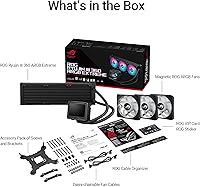
The unboxing experience reflects the premium positioning — components are well-organized, the accessories kit is complete, and the included mounting hardware covers all supported platforms without requiring separate purchases. Reviewers noted that everything needed for installation is included.
The packaging is bulky relative to some competitors, and a small number of users reported minor cosmetic scuffs on the pump head upon arrival, suggesting the internal protection could be slightly more robust for long-distance shipping.
Radiator Size & Case Compatibility
78%
22%
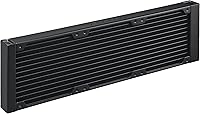
The 399.5 x 120 x 30mm radiator fits comfortably in most full-tower and mid-tower cases that advertise 360mm support, and the 400mm tube length gives reasonable flexibility for top and front mounting positions.
Compact mid-tower cases with nominal 360mm support sometimes have tight clearances once fans are installed, especially when there are tall memory modules or large GPU power connectors competing for space. Case compatibility research before purchasing is strongly recommended.

Suitable for:

The ASUS ROG Ryujin III 360 AIO Cooler is built for enthusiast desktop builders who are running flagship-class CPUs — particularly Intel Core Ultra 9 or AMD Ryzen 9 9950X processors — where sustained thermal headroom under heavy workloads like 3D rendering, video production, or prolonged gaming sessions genuinely matters. If you are already invested in the ROG ecosystem with Armoury Crate managing other components, the tight ARGB sync, pump control, and AIDA64 integration will feel like a natural extension rather than an added layer of complexity. This cooler also makes strong sense for builders who want an integrated monitoring display without mounting a separate panel — the 3.5-inch LCD at 640x480 is capable enough to show live CPU temperature, voltage, clock speed, and coolant flow at a practical glance. System integrators putting together showcase builds where visual presentation carries real weight will appreciate how much this 360mm liquid cooler brings to the table aesthetically without sacrificing thermal capability. Users on high-end motherboards with power-hungry VRM configurations will find the embedded pump-head fan to be a genuinely useful differentiator that most competing AIOs simply do not offer.
Not suitable for:

If your primary goal is maximum cooling performance per dollar, the ASUS ROG Ryujin III 360 AIO Cooler is probably not the most efficient choice — competing 360mm units from Corsair and DeepCool deliver comparable thermal results at a noticeably lower cost, and the price premium here is largely tied to the LCD, VRM fan, and software ecosystem. Builders who dislike Armoury Crate should think carefully before committing, since nearly every advanced feature on this cooler — pump speed control, embedded fan adjustment, LCD configuration, and ARGB sync — runs through that software, and its reputation for post-update instability is well-documented in the enthusiast community. Anyone building in a compact mid-tower or small-form-factor case should verify 360mm radiator clearance carefully, because the 399.5mm radiator combined with fan thickness leaves little room for error in tighter enclosures. If you have no interest in the LCD display and do not run a particularly power-hungry motherboard, you would be paying for features that will sit largely unused, which is hard to justify at this price tier. Budget-conscious builders, or those upgrading a mid-range system rather than a flagship platform, will find better value elsewhere.
Specifications

  • Radiator Size: The radiator measures 399.5 x 120 x 30mm, fitting standard 360mm mounting positions in compatible mid-tower and full-tower cases.
  • Pump: The Asetek Emma Gen8 V2 pump uses a 3-phase motor design for improved coolant flow rate and reduced hydraulic impedance compared to previous generations.
  • Tube Length: Coolant tubes measure 400mm, providing reasonable routing flexibility for both top-mount and front-mount radiator configurations.
  • Fan Speed: The included ARGB fans spin between a low idle speed and a maximum of 2800 RPM, with speed controllable via Armoury Crate software.
  • Fan Airflow: Each fan delivers up to 89.73 CFM of airflow, providing strong throughput for a dense 30mm-thick radiator under sustained CPU load.
  • Static Pressure: Fan static pressure is rated at 5.15 mmH2O, which is well-suited for pushing air through a thick radiator without significant performance drop-off.
  • Fan Noise: At maximum RPM, fan noise reaches 36 dB(A); at typical workload speeds the noise level sits well below this ceiling, closer to the 16 dB baseline spec.
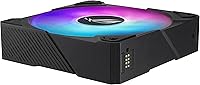
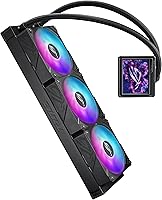
  • Fan Type: Fans use a magnetic daisy-chain design that snaps adjacent units together for cleaner installation and significantly reduced cable clutter on the radiator.
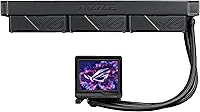
  • LCD Screen: The pump head features a 3.5″ color LCD at 640x480 resolution, capable of displaying custom animated GIFs or live sensor data including temperature, voltage, and fan speed.
  • VRM Fan: An embedded secondary fan is integrated into the pump housing, designed to direct airflow toward motherboard VRM heatsinks during high CPU load.
  • Intel Sockets: Compatible Intel CPU sockets include LGA 1851, 1700, 1200, and 115X, covering current Core Ultra and recent Core generations without additional adapters.
  • AMD Sockets: Compatible AMD CPU sockets include AM5 and AM4, supporting Ryzen 7000 and 9000 series processors as well as legacy Ryzen 5000 builds.
  • Lighting: All fans and the pump head feature ARGB lighting, controllable and syncable through Armoury Crate alongside other ROG and ASUS components.
  • Materials: The unit is constructed from a combination of aluminum, copper, plastic, metal, and glass across the radiator, pump head, and fan frames.
  • Weight: The full cooler assembly weighs 6.48 pounds, which is typical for a 360mm AIO with a dense radiator and three fans included.
  • Power Connector: The unit uses a 4-pin power connector, standard across modern desktop motherboard fan and pump headers.
  • Software: Full feature control — including pump speed, embedded fan speed, LCD content, and ARGB sync — requires ASUS Armoury Crate with optional AIDA64 ROG theme integration.
  • Cooling Method: The Ryujin III 360 uses a closed-loop liquid cooling circuit combined with active fan cooling for both the radiator and the motherboard VRM area.
  • Compatible Devices: Designed for use in desktop PC systems and server configurations that support standard 360mm AIO mounting on the specified Intel and AMD CPU platforms.
  • Dimensions (Unit): Overall product dimensions are 16.7 x 7.4 x 7.4 inches, reflecting the full assembly including radiator, fans, and pump head.

Related Reviews
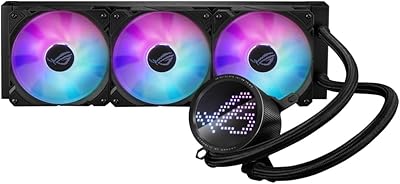
ASUS ROG RYUO III 360 ARGB AIO Liquid CPU Cooler
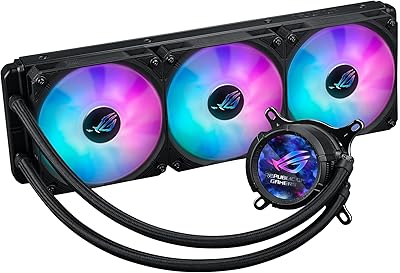
87%
94%
Cooling Performance
91%
RGB Customization
75%
Installation Ease
90%
Build Quality
88%
Noise Level
More
ASUS ROG Strix LC III 360 Cooler
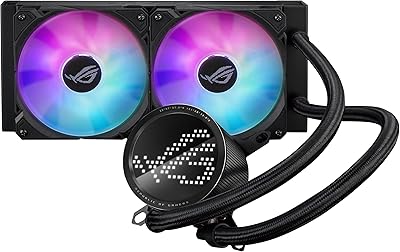
82%
88%
Thermal Performance
79%
Noise Levels
84%
LCD Display
57%
Software Experience
92%
Build Quality
More
ASUS ROG RYUO III 240 ARGB AIO Liquid CPU Cooler
88%
94%
Cooling Performance
88%
Noise Level
91%
Aesthetic Appeal
75%
Ease of Installation
92%
RGB Customization
More
ASUS ROG Ryujin III WB CPU Water Block
87%
91%
Cooling Performance
75%
Installation Ease
89%
Visual Customization
92%
VRM Temperature Reduction
88%
Compatibility with Intel Platforms
More
Asus ROG RYUO 240 RGB AIO Liquid CPU Cooler
84%
94%
Cooling Performance
88%
Noise Levels
73%
Ease of Installation
90%
RGB Lighting and Visual Appeal
85%
Build Quality and Durability
More
ARCTIC Liquid Freezer III Pro 360
86%
93%
Thermal Performance
88%
Noise Level
91%
VRM Cooling
89%
Build Quality
94%
Value for Money
More
Montech HyperFlow ARGB 360 AIO Liquid Cooler
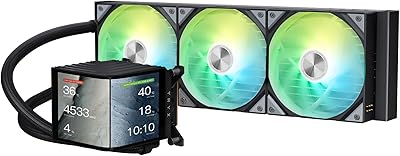
87%
90%
Cooling Performance
85%
Noise Level
92%
Ease of Installation
88%
Compatibility with Intel & AMD
91%
Warranty & Long-Term Reliability
More
TRYX Panorama 360 360mm AIO Liquid Cooler
82%
93%
Display Quality
88%
Cooling Performance
91%
Build Quality & Materials
84%
Fan Performance & Noise
67%
Software (KANALI)
More
Jungle Leopard PF 360 AIO CPU Cooler
77%
88%
LCD Display Quality
66%
Software Experience
81%
Thermal Performance
84%
Noise Level
78%
Build Quality
More
Thermalright Frozen Prism 360 AIO Liquid Cooler
79%
83%
Cooling Performance
91%
Value for Money
78%
Build Quality
69%
Fan Noise & Acoustics
74%
ARGB Lighting
More

FAQ

Yes, the Ryujin III 360 supports AM5 natively, so Ryzen 9000 series CPUs are compatible without any additional mounting hardware or adapters. You should be ready to install straight from the box.

The cooler will function for basic cooling without Armoury Crate — the pump runs and the fans spin. However, if you want to control pump speed, configure the embedded VRM fan, change the LCD display, or sync the ARGB lighting, Armoury Crate is required. It is not optional for anyone who wants the full feature set.

At typical workloads — gaming, web browsing, moderate CPU tasks — the fans run at moderate RPM and stay well below the 36 dB maximum spec. Most users report it is barely audible from normal sitting distance. The noise floor only becomes noticeable when the system is under sustained heavy load and fans ramp up aggressively.

Yes, the 3.5″ LCD at 640x480 supports custom animated GIFs in addition to live hardware monitoring displays. You configure the content through Armoury Crate, which handles both the upload and scheduling of what appears on screen.

It depends on the specific case. The radiator is 399.5mm long and 30mm thick, and with fans attached it adds another 25mm. Cases that list 360mm radiator support should accommodate it, but clearance near the top or front can be tight if you have tall RAM modules or large GPU power connectors nearby. Always check your case manufacturer's radiator clearance specs before ordering.

The small fan built into the pump head blows air downward toward the motherboard socket area, specifically targeting VRM heatsinks on the board. On high-end X670E or Z790 boards running a power-hungry CPU at load, VRM temperatures can climb noticeably — this fan helps bring them down passively. If your board has a conservative VRM layout or you are not pushing the CPU hard, the benefit is measurable but less dramatic.

Yes, LGA 1851 — the socket used by Core Ultra 9 (Series 2) processors — is fully supported. No additional brackets or adapter kits are needed.

This is a recurring complaint in the broader ROG community and worth knowing about. Some users have reported the LCD going blank or fan profiles resetting after major Windows updates, requiring a clean reinstall of Armoury Crate to restore functionality. It does not affect every user, but if software reliability is a priority for you, it is a real trade-off to factor in.

The tubes are on the firmer side compared to some competing AIOs. In most standard mid-tower and full-tower builds this is manageable, but if you need to route the tubes in an unusual orientation — like a front-mount radiator with the pump head offset — you may need to plan the orientation during installation to avoid tension on the fittings. It is not a dealbreaker, just something to account for before you commit to a mounting position.

Purely on thermal performance, the gap between this 360mm liquid cooler and strong mid-range alternatives is real but narrower than the price difference might suggest — especially on short workloads. Where the Ryujin III 360 pulls ahead is in the LCD display, the VRM fan, and the depth of software integration for ROG ecosystem users. If you would not use those features, a Corsair or DeepCool unit at a lower cost will keep your CPU just as cool for most real-world tasks.

Where to Buy