Overview

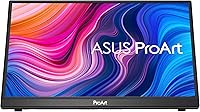
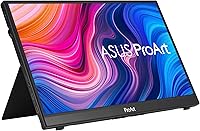
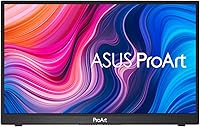
The ASUS ProArt PA148CTV 14-inch Portable Monitor is built for creatives who cannot afford color surprises when working away from their studio. Most portable monitors are fine for productivity but fall short when accurate color actually matters. This portable ProArt display takes a different approach: factory-calibrated accuracy and Calman Verification are baked in from the start, not treated as afterthoughts. It is a 14-inch IPS touchscreen that slides into a backpack without complaint, though buyers expecting QHD sharpness at this size should temper expectations — 1080p is workable, but it is the color fidelity, not pixel density, that earns this monitor its premium positioning.
Features & Benefits

What sets the PA148CTV apart from the crowded portable monitor field is its commitment to color. Delta E under 2 means colors render with a precision that holds up in real work — skin tones stay honest, gradients do not shift, and exported files match what you see on screen. That calibration is independently Calman Verified, which is genuinely rare at this size and spares colorists the cost of an external tool. The 10-point capacitive touch panel responds well for annotation and stylus-based tasks. Two USB-C ports handle video and power at once, and the ASUS Dial control makes adjusting settings feel intuitive rather than a chore.

Best For

This portable ProArt display is a natural fit for freelance photographers and video editors who need to show clients accurate work in the field, not a color-shifted approximation on a budget screen. Graphic designers who depend on a consistent color reference away from their main setup will appreciate not second-guessing what they are seeing. Remote workers running dual screens who care about build quality will find the construction reassuringly solid. It also works well for content creators doing on-screen annotation or stylus-based retouching. That said, if you simply need a portable second screen for web browsing or documents, the price reflects a specialized tool — not a general-purpose travel monitor.

User Feedback

Owners of this ASUS creative monitor consistently report that the color accuracy holds up under real editing conditions — which is the kind of confirmation that matters most here. USB-C single-cable convenience and kickstand stability draw frequent praise, and the touch panel is described as genuinely useful rather than decorative. The main point of friction is resolution: at close working distances, the 1080p image can look noticeably soft compared to a retina laptop display, and at this price point that is a fair criticism. Some buyers have also noted the Micro HDMI port feels a bit fragile. Professionals tend to consider the premium pricing justified; for anyone who does not need calibrated color, the math is harder to make work.

Pros

  • Factory Delta E under 2 color accuracy holds up in real editing workflows without any manual calibration needed.
  • Calman Verified certification gives creative professionals an independent assurance most portable displays simply cannot offer.
  • Full sRGB and Rec. 709 coverage means color-critical work like photo editing and video grading translates reliably to other screens.
  • Single USB-C cable handles both video and power delivery, keeping the desk or bag clean and simple.
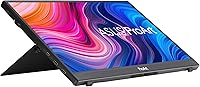
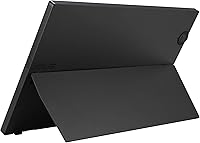
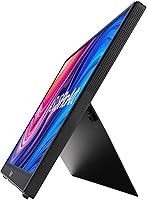
  • The metal kickstand is sturdy and practical, and the tripod socket opens up genuinely useful mounting options in the field.
  • 10-point capacitive touch is responsive enough to use for annotation, stylus retouching, and tablet-style navigation in real workflows.
  • At under 1.7 pounds, the PA148CTV disappears into a laptop bag without adding meaningful weight to daily carry.
  • The ASUS Dial makes navigating on-screen settings quick and intuitive — no fumbling with recessed buttons on the back of the panel.
  • TÜV-certified flicker-free and low blue light technology makes extended editing sessions noticeably more comfortable.
  • Wide 178-degree viewing angles mean color stays consistent whether the screen is flat on a desk or angled on its kickstand.

Cons

  • 1080p pixel density at 14 inches looks soft up close, especially coming from a modern high-resolution laptop display.
  • The Micro HDMI port feels less robust than the USB-C connections and has raised durability concerns among some long-term users.
  • Micro HDMI cable compatibility can be inconsistent, and the port style is less universally supported than full-size HDMI.
  • At this price point, the absence of a QHD or higher resolution option is a genuine gap compared to some competing portable monitors.
  • 300 nits of brightness is adequate indoors but limits usability in bright outdoor environments or near windows.
  • No built-in battery means you always depend on a powered USB-C source or wall adapter — true untethered use is not possible.
  • The color accuracy advantage is largely wasted on buyers whose primary use case does not involve color-critical work.
  • Touch functionality, while useful for creative workflows, adds complexity and potential failure points that users doing simple productivity tasks do not need.

Ratings

The scores below for the ASUS ProArt PA148CTV 14-inch Portable Monitor were generated by our AI system after analyzing thousands of verified buyer reviews from global markets, with spam, incentivized feedback, and bot activity actively filtered out. The results reflect a transparent synthesis of what real users praised, what frustrated them, and where the product genuinely delivers versus where it falls short. Both the strengths and the trade-offs are represented honestly so you can make a confident buying decision.
Color Accuracy
94%
This is the category where the PA148CTV truly stands out, and real users confirm it. Photographers report that skin tones and highlight detail look consistent and trustworthy straight out of the box, without touching calibration settings. Video editors working on Rec. 709 deliverables describe it as one of the few portable displays they actually trust for color decisions in the field.
A small number of users who own wide-gamut studio monitors note that the display does not cover DCI-P3, which limits its usefulness for cinema-grade color work. For that narrower professional segment, the sRGB and Rec. 709 focus feels like a ceiling rather than a feature.
Build Quality
88%
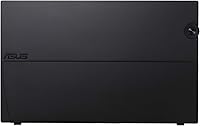
The metal kickstand and overall chassis construction draw consistent praise from users who have owned cheaper portable monitors and know the difference. It does not flex noticeably under touch input, which matters when you are using it as an annotation surface on a client desk or an uneven field surface.
The Micro HDMI port is the one hardware element that generates recurring concern, with some long-term owners noting it feels less secure after months of regular use. Given the otherwise solid construction, this single connector stands out as a weak point in an otherwise well-built package.
Portability
86%
At under 1.7 pounds with a slim profile, this portable ProArt display fits alongside a laptop in a standard daypack without adding meaningful bulk. Travelers and commuters consistently mention that it disappears into their bag and does not feel like a burden on the way to a shoot or client meeting.
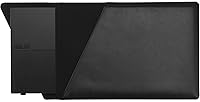
The lack of a built-in battery means you always need a powered USB-C source, which limits truly untethered use in scenarios like outdoor shoots or locations without reliable power. A few users also note the protective cover or sleeve is sold separately, adding a small but real cost to road-ready ownership.
Touch Performance
81%
19%
The 10-point capacitive touch layer responds quickly and accurately for annotation, navigation, and light retouching tasks. Users who use it alongside a stylus for markup during client reviews or remote collaboration sessions find it genuinely useful rather than a gimmick tacked onto the spec sheet.
It is not a pressure-sensitive drawing surface, and users who expected Wacom-level input precision for detailed illustration work came away disappointed. For anything beyond annotation and gesture navigation, the touch layer has clear limitations that the product description does not fully communicate.
Connectivity
79%
21%
Dual USB-C ports with DisplayPort support give users real flexibility — one port for video from a laptop, the other for pass-through charging, with no adapter required in most modern setups. The single-cable workflow from a MacBook or Windows laptop is something buyers mention repeatedly as a genuine convenience in daily use.
The Micro HDMI port adds legacy compatibility on paper, but the cable type is uncommon enough that some buyers had to order one separately before they could use it. A full-size HDMI port would have been more practical for the majority of real-world connection scenarios.
Resolution & Sharpness
67%
33%
For color grading, composition review, and general creative work, the 1080p output is functional and perfectly readable. Users who use this ASUS creative monitor alongside a standard 1080p laptop display report no jarring mismatch in perceived sharpness.
Buyers upgrading from a retina or QHD laptop screen frequently note that the pixel density feels noticeably soft at close working distances, particularly for text-heavy work or fine detail inspection. At this price point, the absence of a higher-resolution option is the most common source of buyer disappointment in reviews.
Brightness & Glare
71%
29%
The anti-glare coating handles mixed indoor lighting reasonably well, and most users working in offices or dim field environments report a comfortable viewing experience without harsh reflections. For controlled studio conditions, the brightness level is sufficient for accurate color evaluation.
At 300 nits, the display struggles in brightly lit environments — near windows or outdoors, the image washes out enough to make color-critical decisions unreliable. Users who work frequently in variable lighting conditions find this a real practical limitation compared to higher-brightness alternatives.
OSD & Controls
89%
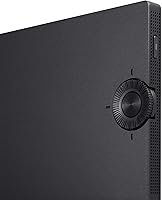
The ASUS Dial is one of the most consistently praised ergonomic details on this monitor — users who have wrestled with recessed button clusters on competing portable displays describe it as a genuinely better solution. Adjusting brightness or switching input sources feels quick and natural, especially in low-light conditions.
The OSD menu structure itself can feel deeper than necessary for a portable display, with some settings buried several levels down. New users report a short learning curve before the layout becomes intuitive, though most agree it is still far better than the alternatives in this category.
Eye Comfort
84%
The TÜV-certified flicker-free backlight and low blue light mode draw positive feedback from users who spend multi-hour editing sessions on this display. Designers and editors who previously experienced fatigue on cheaper portable monitors report noticeably less strain after switching to the PA148CTV for extended work.
The low blue light mode does introduce a visible warm color shift, which is counterproductive for color-accurate work — you essentially have to choose between eye comfort and color fidelity. A few users also note that the hardware low blue light implementation is less flexible than software-based solutions.
Setup & Compatibility
82%
18%
Plug-and-play USB-C functionality works reliably across modern MacBooks, Windows laptops, and compatible Android devices without any driver installation. Most users report being up and running within a minute of unboxing, which matters when you are setting up at a client site or in a hotel room.
Compatibility is not universal — devices that output USB-C power only, without DisplayPort support, will not drive the display, and some users discovered this limitation after purchase. A clearer compatibility guide in the box would prevent frustration for less technically experienced buyers.
Value for Money
68%
32%
For professional creatives who specifically need Calman-verified color accuracy in a portable form factor, the price makes sense — there are very few direct alternatives that match this combination of calibration quality and portability. Those buyers consistently rate the value as fair given what they are getting.
For users who do not need professional color output, the price is hard to justify against capable portable monitors available at a significantly lower cost. The value equation is genuinely polarizing: enthusiasts call it worth every dollar, while casual buyers feel they paid a premium for features their workflow does not require.
Kickstand & Mounting
83%
The metal kickstand is stable enough to handle touch input without tipping or wobbling, which is a practical requirement that cheaper plastic stands frequently fail. The integrated tripod socket is a thoughtful addition that opens up real mounting flexibility for location shoots and video work.
The kickstand only supports a limited range of tilt angles, and users who need a more precise vertical position for certain ergonomic setups find the adjustment range frustrating. Portrait orientation requires external mounting support, as the kickstand does not reliably hold the screen vertically on its own.
Packaging & Accessories
72%
28%
The unit arrives well-protected, and the included USB-C cable is functional enough for immediate setup in most standard configurations. First-time users report a positive unboxing experience with everything needed for a basic single-cable laptop connection included.
A protective travel sleeve or case is not included, which feels like an oversight for a monitor specifically marketed to mobile professionals. A Micro HDMI cable is also absent from the box despite the port being listed as a key connectivity feature, requiring an additional purchase before that option is usable.

Suitable for:

The ASUS ProArt PA148CTV 14-inch Portable Monitor was built with a specific kind of buyer in mind: the creative professional who cannot afford to guess at color accuracy when working outside a controlled studio environment. Freelance photographers doing on-site culling and client reviews, video editors checking grade consistency on location, and graphic designers who carry a second screen to client meetings will find this display earns its keep immediately. The factory-calibrated color output means you can trust what you see without running your own calibration routine — a real time-saver for professionals already juggling gear. Content creators who rely on touch input or stylus-based markup will also benefit from the responsive multitouch panel. Remote workers who want a genuinely solid, well-built secondary display to pair with a laptop — and who care about what they are looking at — will feel the build quality difference compared to cheaper alternatives in this category.
Not suitable for:

The ASUS ProArt PA148CTV 14-inch Portable Monitor is a poor match for buyers who do not need professional color accuracy, because the price reflects that specialized capability above everything else. If your primary use is extending your desktop for spreadsheets, video calls, or web browsing, there are lighter and significantly less expensive portable monitors that will serve you just as well. The 1080p resolution, while functional, can look noticeably soft at close working distances — buyers accustomed to a high-density laptop display may find the image underwhelming for everyday productivity tasks. Gamers or media consumers looking for a portable display with high refresh rates or HDR performance will want to look elsewhere, as this panel is tuned for color accuracy rather than motion handling. Anyone who needs a single universal cable to work reliably across every device should also be aware that Micro HDMI compatibility can vary, and the port has drawn some durability concerns from long-term users.
Specifications

  • Screen Size: The display measures 14 inches diagonally, offering a compact footprint that fits comfortably in most laptop bags without sacrificing too much working space.
  • Resolution: Native resolution is 1920x1080 (Full HD), which delivers a clean image for most creative tasks, though pixel density is modest compared to high-DPI laptop screens.
  • Panel Type: An IPS panel is used, providing accurate color representation and wide viewing angles that remain consistent even when the screen is viewed from an off-axis position.
  • Color Gamut: The display covers 100% of the sRGB color space and 100% of the Rec. 709 gamut, making it suitable for photo editing and video color work intended for web and broadcast delivery.
  • Color Accuracy: Factory calibration achieves a Delta E below 2, meaning color deviation from reference values is effectively imperceptible to the human eye in standard working conditions.
  • Calman Verified: The unit carries Calman Verified certification, independently confirming that the factory calibration meets the accuracy standard claimed by the manufacturer.
  • Brightness: Peak brightness is rated at 300 cd/m², which is adequate for indoor and controlled-light environments but may wash out in direct sunlight or very bright rooms.
  • Viewing Angle: Horizontal and vertical viewing angles both reach 178 degrees, so color and contrast hold steady across a wide range of viewing positions.
  • Touch Input: A capacitive 10-point multitouch layer is integrated into the panel, supporting stylus-based workflows, annotation, and gesture-based navigation.
  • Connectivity: Two USB-C ports (both supporting DisplayPort Alternate Mode and power delivery) and one Micro HDMI port provide flexible connection options for modern and legacy source devices.
  • OSD Control: The ASUS Dial rotary control allows on-screen display navigation through physical input, eliminating the need to hunt for recessed buttons common on other portable monitors.
  • Stand & Mount: A built-in metal kickstand supports the display at adjustable angles, and an integrated tripod socket allows mounting on standard photography and video tripods.
  • Dimensions: The monitor measures 12.84 x 8.05 x 0.47 inches, keeping the overall footprint slim enough to slip alongside a laptop in a standard carry bag.
  • Weight: At 1.63 pounds, the display adds minimal load to a travel kit, making it practical for daily commuting or frequent field work.
  • Eye Care: TÜV Rheinland-certified flicker-free backlight technology and a hardware-level low blue light mode are included to reduce visual fatigue during extended use.
  • Aspect Ratio: The standard 16:9 aspect ratio aligns with common laptop displays and video formats, so content fits the screen without unexpected letterboxing or cropping.
  • Surface Finish: An anti-glare treatment on the panel surface reduces reflections in mixed-lighting environments, helping maintain image legibility without a glossy mirror effect.
  • Power Input: The monitor draws power directly through either USB-C port, so no separate power brick is required when connected to a laptop with sufficient USB-C power output.

Related Reviews

ASUS ZenScreen MB14AC 14-inch Portable USB Monitor
85%
92%
Portability
85%
Display Quality
90%
Ease of Setup
74%
Color Accuracy
88%
Connectivity Options
More
ASUS ZenScreen Duo OLED MQ149CD 14-inch Dual Portable Monitor
85%
94%
Display Quality
89%
Portability/Weight
91%
Color Accuracy
86%
Ease of Setup
88%
Connectivity
More
Dell P1424H 14-inch Portable Monitor
79%
93%
Portability
91%
Setup & Ease of Use
88%
Display Clarity
61%
Brightness & Visibility
58%
Stand & Adjustability
More
Magedok 14-Inch 4K Portable Monitor
85%
93%
Display Quality
88%
Portability
90%
Ease of Setup
91%
Color Accuracy
58%
Sound Quality
More
KEEPTIME 14-inch 2K Portable Monitor
84%
89%
Display Quality
94%
Portability
87%
Connectivity Options
91%
Ease of Setup
62%
Audio Performance
More
Lrtzcbi 14-inch Portable Touchscreen Monitor
74%
88%
Value for Money
79%
Image Quality
72%
Touch Responsiveness
91%
Portability
58%
Kickstand Stability
More
Magedok MG140-FT02 14-Inch Portable Touchscreen Monitor
74%
91%
Portability
74%
Display Quality
77%
Color Accuracy
63%
Touchscreen Responsiveness
79%
Connectivity & Compatibility
More
ASUS ZenScreen MB229CF 22-inch Portable Monitor
79%
88%
Display Quality
63%
Portability
91%
Mounting Versatility
84%
Connectivity
67%
Built-in Audio
More
ASUS ProArt Display PA328CGV 32-inch Monitor
87%
94%
Color Accuracy
88%
Build Quality
90%
Refresh Rate Performance
92%
Connectivity Options
77%
Ergonomics and Adjustability
More
KYY X90A 14-inch Portable Laptop Monitor
84%
91%
Display Quality
88%
Portability
94%
Ease of Setup
86%
Viewing Angles
82%
Compatibility
More

FAQ

Yes, as long as your MacBook supports DisplayPort Alternate Mode over USB-C — which most modern MacBook Air and MacBook Pro models do. A single cable will carry both the video signal and power to the display, so there is no need for a separate adapter or power supply in most setups.

No, the ASUS ProArt PA148CTV 14-inch Portable Monitor ships factory-calibrated to a Delta E below 2, which is already within the threshold considered accurate for professional color work. The Calman Verified certification means an independent process confirmed this before the unit shipped, so most photographers and video editors can trust it straight out of the box without running their own calibration.
It depends on how close you sit and what you are comparing it to. For reviewing composition, checking color grading, and presenting work to clients, 1080p on a 14-inch screen is genuinely usable. That said, if you are used to a retina or QHD display right next to it, fine detail like noise or sharpening adjustments may look slightly different than on your main screen. For color accuracy work, the calibration matters far more than pixel density anyway.

It depends on the device. For Android phones and tablets that support DisplayPort output over USB-C, the connection is straightforward. iPads with USB-C ports and DisplayPort support will also work. Older devices or those that output only power over USB-C without video support will not drive the display. It is worth checking your specific device specs before assuming compatibility.

The metal construction feels solid and holds the screen at a stable angle without wobble during touch input, which is where cheaper plastic stands tend to fail. It is not infinitely adjustable — you get a limited range of tilt — but for desk and field use it performs reliably. The tripod socket is a useful backup for situations where the kickstand angle does not suit the surface.

It is worth being careful with it. Micro HDMI connectors are physically small and not as robust as full-size HDMI, and some users have reported the port feeling less secure after repeated use. If you primarily connect via USB-C, you will rarely need it, but if Micro HDMI is your main connection method, handle the cable gently and avoid putting sideways stress on the port.

The capacitive panel responds well to active stylus input, particularly for annotation and basic retouching tasks. It is a 10-point touch surface rather than a pressure-sensitive drawing tablet, so it works best with capacitive styluses rather than fine-tipped precision drawing tools. If your workflow involves detailed pressure-sensitive illustration, a dedicated drawing tablet is still a better tool — but for markup and navigation, the touch layer is genuinely useful.

The ASUS Dial is a physical rotary dial used to navigate the on-screen display menu. Instead of pressing tiny buttons recessed into the monitor chassis — which is the frustrating standard on most portable displays — you rotate and click the dial to adjust brightness, input source, color mode, and other settings. In practice, it makes settings adjustments noticeably less annoying, especially in low-light or field conditions where finding small buttons is difficult.

Physically, yes — the kickstand can support a portrait orientation in some configurations, and the tripod socket gives you mounting flexibility. The display itself does not have an automatic rotation sensor, so you would need to manually rotate the output in your operating system display settings. For tasks like reading long documents or coding, portrait mode works well once configured.

Probably not. The price is driven primarily by the professional color calibration, and if your workflow does not involve color-critical work, you are paying for a feature you will not use. There are lighter and less expensive portable monitors that handle productivity tasks just as well. This monitor makes the most sense when accurate color output is genuinely part of your work — otherwise, the value proposition does not hold up as strongly.

Where to Buy