Overview

The GIGABYTE A520M K V2 Motherboard sits squarely in the budget AM4 tier, and that's not a knock — it's the whole point. Built around the A520 chipset and a compact Micro-ATX footprint, this Gigabyte mATX board targets builders who want a stable, no-nonsense platform without paying for features they'll never use. There's no CPU overclocking support here, and PCIe 4.0 is off the table, but Gigabyte isn't hiding that. If your build priorities are reliability, compatibility, and keeping costs sensible, the A520M K V2 lands in a genuinely useful spot in the lineup.
Features & Benefits

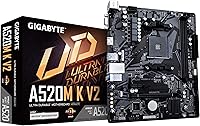
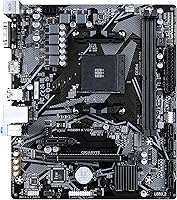
The A520M K V2 supports the full span of AMD AM4 processors from Ryzen 3000 through the Ryzen 5000 and 5000 G-Series — solid coverage for anyone building or upgrading today. DDR4 memory is supported with OC profiles reaching up to 5100 MHz, though real-world stability at those speeds depends on your specific kit. The mATX layout at 9.17 x 7.8 inches fits comfortably in most mid-tower cases and virtually any mATX enclosure. The rear I/O is functional rather than flashy, and the BIOS setup is approachable for first-timers. Just know upfront: the A520 chipset means no CPU overclocking and no PCIe 4.0 — that's the trade-off for keeping costs down.

Best For

This budget AM4 motherboard really clicks for a specific type of builder. If you're putting together your first PC build and don't want to spend big on features you won't touch, this Gigabyte mATX board makes a lot of sense. It's also well-suited for home office or productivity rigs where raw CPU performance matters more than overclocking headroom. Budget gamers pairing a Ryzen 5000 CPU with a discrete GPU will find it holds its own. The mATX size is a genuine advantage in compact cases. And if you're already on an AM4 platform and want a simple, compatible swap, the A520M K V2 is worth a close look.

User Feedback

Sitting at 4.4 stars from close to 1,000 buyers and ranked among the top 130 boards in its category, this budget AM4 motherboard has earned solid community trust. Buyers frequently highlight easy installation and stable day-to-day operation — things that carry real weight when you're new to building. The value proposition also comes up often in positive reviews. On the critical side, some users flag limited rear I/O and few expansion slots as drawbacks, and a handful mention occasional BIOS compatibility hiccups with certain memory kits. Nothing deal-breaking for most, but scanning recent reviews before purchasing is always a smart move with budget boards.

Pros

  • Broad Ryzen compatibility from the 3000 through 5000 series makes it easy to pair with a wide range of CPUs.
  • The mATX form factor fits most mid-tower and compact cases without any hassle.
  • Gigabyte's BIOS is approachable and well-organized, which matters a lot for first-time builders.
  • DDR4 memory support with OC profiles up to 5100 MHz gives some flexibility on memory kits.
  • Stable day-to-day performance is a consistent theme across real buyer reviews.
  • Ranked in the top 130 motherboards on Amazon with close to 1,000 ratings — that's a meaningful sample size.
  • The A520M K V2 delivers reliable stock-speed performance for gaming and everyday computing.
  • Solid value for the price tier, especially when paired with a Ryzen 5000 series CPU.

Cons

  • No CPU overclocking support — the A520 chipset locks that out entirely, no exceptions.
  • PCIe 3.0 only, so high-speed NVMe drives and the latest GPUs won't reach their full potential.
  • Rear I/O is minimal; users needing more USB variety may need a hub or adapter.
  • Limited expansion slots leave little room for multi-GPU setups or several add-in cards.
  • Some buyers report occasional memory compatibility quirks with certain DDR4 kits at higher speeds.
  • AM4 is a mature, end-of-life platform — not the right base if long-term upgradeability matters to you.
  • VRM quality is entry-level, which can be a concern when pairing with higher-TDP Ryzen 7 or Ryzen 9 chips.
  • A handful of users mention longer-than-expected troubleshooting during initial BIOS setup with newer CPUs.

Ratings

The GIGABYTE A520M K V2 Motherboard has been scored by our AI rating engine after analyzing hundreds of verified global buyer reviews, with spam, bot activity, and incentivized feedback actively filtered out. Scores reflect real-world usage patterns across a range of build types — from first-time desktop builds to compact home office rigs — capturing both what this budget AM4 board does well and where it falls short. Strengths and genuine pain points are weighted equally so you get an honest picture before committing.
Value for Money
91%
Buyers consistently flag this as one of the strongest arguments for choosing the A520M K V2 — you get a stable, name-brand AM4 platform at a price point that leaves budget for the CPU and GPU that actually drive performance. For first-time builders working with a tight total build budget, that trade-off feels very deliberate and smart.
A small segment of reviewers feel the value equation shifts if you later wish you had overclocking support or more USB ports, since upgrading the board means starting over on that cost. At that point, the initial savings feel less significant in hindsight.
CPU Compatibility
86%
The breadth of AM4 support — spanning Ryzen 3000 through the full Ryzen 5000 and 5000 G-Series lineup — is genuinely useful and gives buyers confidence that they can pair this board with most current-generation AMD CPUs without worrying about socket mismatches.
Some buyers received units with older BIOS versions that required a CPU update before Ryzen 5000 chips would post correctly, which is a real problem if you don't have an older compatible CPU on hand. It's not a design flaw, but it catches first-timers off guard more often than it should.
Ease of Installation
88%
Reviewers who built their first PC on this Gigabyte mATX board often specifically call out how approachable the physical installation was — clear labeling, standard connector placement, and no oddly positioned headers that complicate cable routing in compact cases.
A handful of users noted that the included manual could be more detailed for true beginners, particularly around front-panel header pinouts. Nothing that a quick online search won't solve, but it adds friction for those building their very first system.
BIOS Experience
79%
21%
Gigabyte's BIOS on this budget AM4 motherboard is clean and logically organized — most users were able to enable XMP profiles, set boot order, and configure fan curves without needing to dig through buried menus or consult a guide.
The BIOS update process drew some frustration, particularly from users who needed to flash a newer version to get Ryzen 5000 CPUs working. Gigabyte's Q-Flash utility helps, but the experience isn't as polished as what you'd find on a mid-range B550 board.
Stability & Reliability
84%
Day-to-day stability is a recurring positive across reviews — users running productivity workloads, light gaming, and media tasks report no unexpected crashes or instability over extended periods, which matters more than spec numbers for most everyday use cases.
A small but consistent cluster of reviews mentions occasional POST issues after power outages or cold boots, which required clearing CMOS to resolve. It's not widespread, but it's worth noting for users in areas with unstable power.
Memory Performance
72%
28%
DDR4 support with OC profiles up to 5100 MHz is a headline spec that gives buyers flexibility on memory kit selection, and most users running standard DDR4-3200 or DDR4-3600 kits reported smooth operation without any manual tuning needed.
Higher-frequency kits above DDR4-4000 showed inconsistent behavior for some users, requiring voltage and timing adjustments to stabilize — something a budget-board audience isn't always comfortable doing. The two-slot limitation also means no room for future memory expansion beyond what's installed.
I/O & Connectivity
58%
42%
For a basic home office or productivity setup — a keyboard, mouse, monitor, and a pair of speakers — the rear I/O covers the essentials without issue, and most users in that scenario never run short on ports.
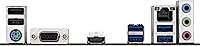
Power users and even moderate multi-device users frequently flag the rear port selection as the board's most glaring weakness. With only USB 2.0 ports on the back panel, anyone using fast external drives, multiple USB peripherals, or newer devices expecting USB 3.x speeds will feel constrained almost immediately.
Overclocking Headroom
31%
69%
Memory OC profiles up to 5100 MHz offer the only meaningful tuning lever available, and users who simply want to enable an XMP profile on a fast DDR4 kit can do so without issue through the BIOS.
CPU overclocking is completely off the table — the A520 chipset enforces this at a hardware level with no workaround. Enthusiast buyers who discover this after purchase are often frustrated, making it the single most common source of negative reviews on this board.
PCIe & Storage Options
54%
46%
The board provides adequate PCIe 3.0 connectivity for a single discrete GPU and an M.2 NVMe slot, which covers the needs of most budget gaming or office builds without requiring additional adapters or workarounds.
The hard cap at PCIe 3.0 means buyers investing in a fast PCIe 4.0 SSD won't see full performance, and the limited number of expansion slots rules out multi-card configurations or stacking several add-in devices — a real pain point for users who want room to grow.
Build Quality
76%
24%
The board feels appropriately solid for its price tier — PCB construction is clean, component placement is neat, and reviewers rarely report physical defects or damage on arrival, which speaks to Gigabyte's manufacturing consistency even at this level.
The VRM setup is entry-level and shows its limits when paired with higher-TDP Ryzen 7 processors running demanding workloads for extended periods. It handles stock-speed operation fine, but there's little thermal headroom if you push the system hard.
Form Factor Fit
87%
The mATX footprint is a genuine strength for builders prioritizing a compact or mid-tower layout — the standard mounting holes align correctly across a wide range of cases, and the board leaves enough clearance around memory slots and the CPU socket for most air coolers.
A small number of users building in very compact mATX cases found GPU clearance tighter than expected depending on their specific case and cooler combination, though this is more a case-selection issue than a board flaw.
Thermal Management
67%
33%
For stock-speed Ryzen 5 and entry-level Ryzen 7 builds, thermal performance is adequate — the board doesn't run hot under typical productivity or gaming loads, and fan header placement is sensible enough for standard cooler setups.
The heatsink coverage on the VRM area is minimal by mid-range board standards, and users pairing this budget AM4 motherboard with a Ryzen 7 5800X under sustained all-core workloads reported warmer VRM temperatures than they'd like to see long-term.
Software & Driver Support
73%
27%
Gigabyte's driver and utility ecosystem is mature and well-documented, and Windows compatibility out of the box is reliable — most users had their system fully functional with minimal manual driver hunting after the initial OS install.
Gigabyte's companion software (App Center and related utilities) received mixed reviews, with some users finding it bloated or redundant for a board that doesn't offer overclocking tools worth monitoring. Most experienced users simply skip it and rely on the BIOS directly.
Brand Reputation & Support
81%
19%
Gigabyte is a long-standing name in the motherboard market, and buyers generally feel confident choosing the A520M K V2 knowing the brand has accessible warranty support, an active community, and reasonably prompt BIOS update cycles for known compatibility issues.
Customer support response times drew some criticism in negative reviews, particularly from users dealing with DOA units or BIOS update failures who needed guidance quickly. The support experience appears inconsistent depending on region.

Suitable for:

The GIGABYTE A520M K V2 Motherboard is a strong fit for anyone building a practical, no-frills AMD system without a bloated budget. First-time PC builders will appreciate the straightforward BIOS and wide CPU compatibility across the Ryzen 3000 through 5000 series, which removes a lot of guesswork during the build process. Home office users and students putting together a reliable daily driver will find the A520 chipset more than capable — most productivity workloads don't need overclocking headroom. Budget gamers pairing a Ryzen 5000 CPU with a mid-range discrete GPU will also get solid mileage here, since the A520 platform handles gaming just fine at stock speeds. The compact mATX form factor is a genuine plus if you're working with a smaller case or want to keep the build tidy. It also suits AM4 platform owners looking to do a straightforward board swap without paying for features they don't plan to use.
Not suitable for:

If overclocking is on your agenda, the GIGABYTE A520M K V2 Motherboard is simply not the right tool — the A520 chipset locks CPU multipliers, and no BIOS workaround changes that. Enthusiasts chasing PCIe 4.0 speeds for high-end NVMe drives or next-generation GPUs will hit a hard wall here, since the platform tops out at PCIe 3.0. Power users who need extensive USB connectivity or a rich rear I/O layout will likely feel constrained by the board's basic port selection. Content creators or workstation builders who plan to run demanding multi-threaded tasks and push their CPU to the limit should look at a B550 or X570 board instead, where VRM quality and overclocking support are meaningfully better. This budget AM4 motherboard is also not a great pick if you're future-proofing for AM5 — AM4 is a mature platform, and buyers thinking long-term should factor that into the decision.
Specifications

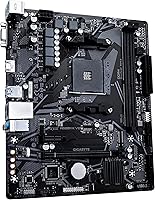
  • Form Factor: Micro-ATX (mATX) layout measuring 9.17 x 7.8 x 1.38 inches, compatible with most mid-tower and mATX cases.
  • CPU Socket: AMD AM4 socket, supporting a wide range of Ryzen processors without any physical adapter required.
  • Chipset: AMD A520 chipset, an entry-level platform that prioritizes stability over overclocking or PCIe 4.0 support.
  • CPU Compatibility: Supports AMD Ryzen 3000 Series, Ryzen 4000 G-Series, Ryzen 5000 Series, and Ryzen 5000 G-Series processors.
  • Memory Type: Accepts DDR4 RAM modules, the standard memory format for AM4 platform builds.
  • Memory Speed: Supports DDR4 memory speeds up to 5100 MHz via overclocking profile, though actual stability depends on the specific RAM kit used.
  • PCIe Version: Operates on PCIe 3.0 only; PCIe 4.0 is not supported due to the A520 chipset limitation.
  • Overclocking: CPU overclocking is not supported on the A520 chipset; RAM XMP or OC profiles are the only overclocking options available.
  • USB Ports: Includes 2 USB 2.0 ports on the rear I/O panel for connecting peripherals such as keyboards, mice, and low-speed devices.
  • Dimensions: The board measures 9.17 x 7.8 x 1.38 inches (length x width x height), fitting standard mATX case mounting points.
  • Weight: The board weighs 14.8 ounces (approximately 419 grams), typical for a compact mATX motherboard.
  • Color: Ships in an all-black PCB and component finish with no integrated RGB lighting.
  • Model Number: Official model designation is A520M K V2, Revision 1.0, with Gigabyte internal series code 9MA52MK2-11.
  • Platform: Designed for use with Windows operating systems; Linux compatibility depends on driver availability for specific peripherals.
  • Brand: Manufactured by Gigabyte, a well-established Taiwan-based motherboard and hardware company with broad product support.
  • Amazon Rating: Holds a 4.4 out of 5 star average rating based on 981 verified customer reviews on Amazon.
  • Market Rank: Ranked #126 in the Computer Motherboards category on Amazon, indicating strong and sustained buyer interest.
  • Release Date: First made available for purchase on Amazon in June 2023, positioning it as a relatively recent AM4 board release.

Related Reviews
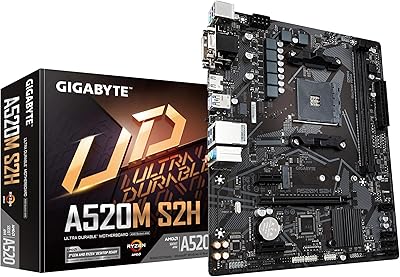
GIGABYTE A520M S2H AM4 Motherboard
70%
84%
Value for Money
88%
CPU Compatibility
58%
Memory Support
67%
VRM Performance
22%
Overclocking Potential
More
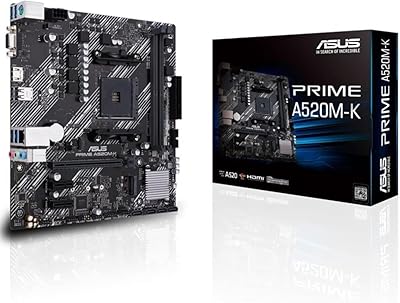
ASUS Prime A520M-K MATX Motherboard
73%
88%
Value for Money
83%
Build Quality
91%
Ease of Installation
86%
BIOS Experience
79%
CPU Compatibility
More
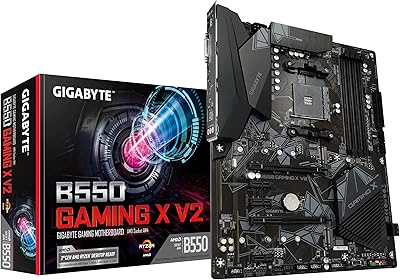
Gigabyte B550 Gaming X V2 Motherboard
78%
91%
Value for Money
83%
Build Quality
88%
BIOS Experience
89%
Storage Flexibility
78%
CPU Compatibility
More
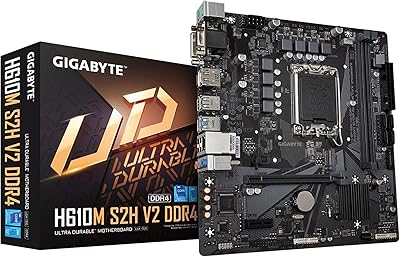
GIGABYTE H610M S2H V2 DDR4 Motherboard
68%
83%
Value for Money
71%
Build Quality
88%
BIOS Experience
86%
CPU Compatibility
47%
Memory Expandability
More
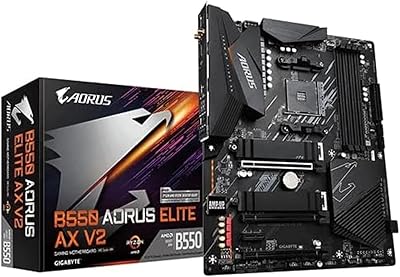
GIGABYTE B550 AORUS ELITE AX V2 Motherboard
87%
88%
Performance
91%
Build Quality
85%
Installation Ease
89%
Wi-Fi & Connectivity
92%
Thermal Management
More
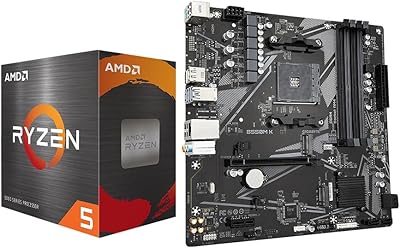
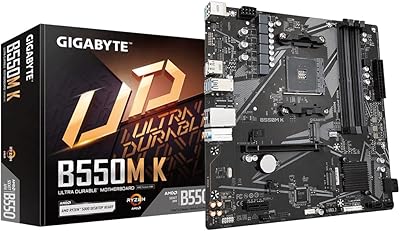
AMD Ryzen 5 5500 B550M K Bundle
78%
88%
Value for Money
79%
Gaming Performance at 1080p
91%
Ease of Installation
83%
Motherboard Feature Set
74%
CPU Thermal Performance
More
INLAND AMD Ryzen 7 7700X CPU & GIGABYTE B650 Gaming X AX V2 Motherboard
88%
94%
Gaming Performance
92%
Processor Speed
89%
Motherboard Stability
85%
Ease of Setup
90%
Overclocking Potential
More
GIGABYTE B550M Motherboard
87%
89%
Performance
91%
Ease of Installation
85%
Build Quality
92%
Storage Performance (PCIe 4.0 & M.2 Slots)
87%
Compatibility with Ryzen Processors
More
Gigabyte A520I AC Mini-ITX Motherboard
71%
88%
Value for Money
84%
Wireless Connectivity
79%
Build Quality
86%
BIOS Experience
77%
Thermal Performance
More
Gigabyte B450M DS3H Micro-ATX Motherboard
70%
88%
Value for Money
91%
Ease of Installation
87%
BIOS Experience
52%
VRM & Power Delivery
84%
Stability & Reliability
More

FAQ

In most cases, yes — but it depends on the BIOS version pre-installed on your specific unit. Ryzen 5000 series CPUs sometimes require a BIOS update before they post correctly. If you don't have an older compatible CPU to perform the update, check with the seller about the shipped BIOS version, or look for a unit with a sticker confirming Ryzen 5000 readiness.

No, and that's not a bug — it's a chipset-level restriction. The AMD A520 platform does not allow CPU multiplier overclocking regardless of which Ryzen processor you install. If overclocking is important to your build, you'll need to step up to a B550 or X570 board instead.

It does not. The A520 chipset is limited to PCIe 3.0 across all slots. For most users running mid-range NVMe drives or GPUs, this won't be a bottleneck in practice, but if you're buying a high-end PCIe 4.0 SSD expecting full speed, you won't get it here.

The board has two DDR4 memory slots. While the listed OC profile reaches 5100 MHz, practical stability at that speed varies by kit. For most builds, a quality DDR4-3200 or DDR4-3600 kit is the sweet spot and will run without issues.

It genuinely is, for the right build goals. The BIOS is organized and not overwhelming, the physical installation is straightforward, and Gigabyte has solid documentation and community support online. As long as you're not expecting overclocking features, it's a low-stress board to work with.

It uses the standard Micro-ATX form factor at 9.17 x 7.8 inches, so it fits any case that supports mATX boards — including most mid-towers and a good number of compact or mini-tower enclosures. Full ATX cases will also fit it with no issues.

It depends on your CPU. If you're using a Ryzen G-Series processor — like the Ryzen 5 5600G — the board can output video using the CPU's integrated graphics. With a non-G standard Ryzen chip like the 5600 or 5700X, you'll need a discrete GPU since those processors have no integrated graphics.

It's functional but basic. You get USB 2.0 ports, audio jacks, and video outputs — enough for a standard keyboard, mouse, monitor, and headset setup. If you rely on multiple USB-A devices or need USB 3.2 Gen 2 speeds on the back panel, you may want to supplement with a USB hub or consider a board with a richer I/O layout.

A small number of buyers have reported that certain high-frequency DDR4 kits don't play nicely out of the box and required manual BIOS adjustments to stabilize. This isn't unique to this board — it's common across budget AM4 motherboards. Sticking to well-reviewed DDR4-3200 kits from established brands will save you troubleshooting headaches.

That depends on your timeline. AM4 CPUs — especially the Ryzen 5000 series — still offer excellent performance for gaming and everyday work, and this budget AM4 motherboard lets you build a capable system without overspending. If you're planning to upgrade to AMD's AM5 platform within a year or two, it might be smarter to save toward that instead. But for a build you plan to run for three to five years without chasing the latest hardware, the A520M K V2 is a cost-effective and dependable foundation.

Where to Buy