Overview

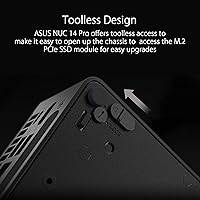
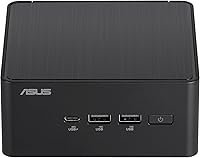
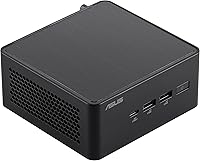
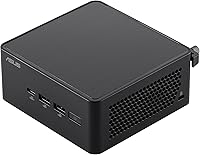
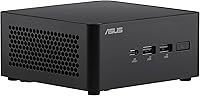
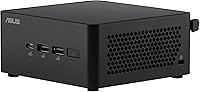
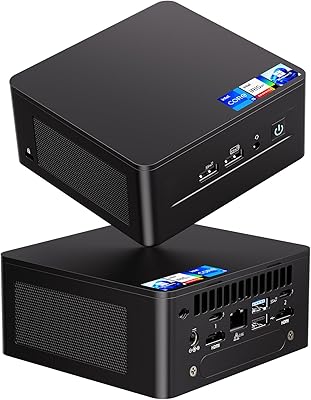
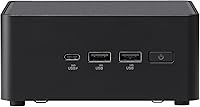
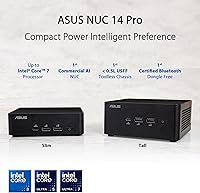
The ASUS NUC 14 Pro Barebone Mini PC is one of the more compelling small-form-factor machines to land in 2024, built around Intel's 14th Gen Core Ultra 7 155H processor and packed into a chassis smaller than most paperback books. Before you get excited, one thing needs to be said clearly: this is a barebone system — it ships without RAM, storage, or an operating system. You buy the shell and the brains; everything else is on you. That said, toolless chassis access makes adding your own components genuinely painless, and the included VESA mount means you can tuck the whole thing behind a monitor and reclaim your desk entirely.
Features & Benefits

The Core Ultra 7 155H is a genuinely capable processor — not just a rebadged chip with a flashy name. Its integrated Intel Arc Graphics can handle light video editing, multi-display setups, and even some GPU-accelerated tasks that would have required a discrete card a generation ago. The onboard NPU adds meaningful horsepower for AI-assisted applications like real-time transcription or background removal, without hammering the CPU. Throw in support for up to 96GB of DDR5 RAM across a triple-storage configuration, and this barebone system has the headroom to run demanding workloads. Thunderbolt 4 and Wi-Fi 6E round out the connectivity story impressively.

Best For

This mini PC makes the most sense for home office professionals who want serious desktop performance without the tower footprint. It's also a natural fit for enthusiasts who enjoy speccing out their own RAM and storage — buying exactly what they need rather than paying for bundled components they might replace anyway. AI-assisted workflows, light creative work, and multi-monitor productivity setups all play to the NUC 14 Pro's strengths. The VESA mounting option also makes it a practical pick for digital signage or kiosk applications. Users upgrading from older NUC generations will find this a meaningful step forward.

User Feedback

Buyers consistently praise the build quality and compact footprint — for something this small, it feels solid and well-engineered. The toolless upgrade process draws particular appreciation from first-time barebone builders. On the other side, some users initially underestimate the total cost of ownership: you still need to budget for RAM, an SSD, and a Windows license before you have a working machine. A few reports mention fan noise during sustained heavy loads, worth knowing if you work in a quiet environment. Thunderbolt 4 compatibility has been broadly positive, though occasional out-of-box defects have appeared in a small number of units.

Pros

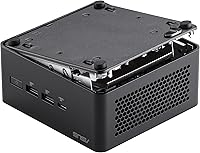
  • Toolless chassis access makes swapping RAM and storage faster and less intimidating than most competing systems.
  • The Core Ultra 7 155H handles multi-threaded productivity workloads with headroom to spare.
  • Onboard NPU enables practical AI task acceleration without draining the CPU or spiking power draw.
  • Up to 96GB DDR5 RAM support future-proofs the build for demanding multitasking years down the line.
  • Triple storage slots give power users flexibility for tiered storage setups without external drives.
  • Thunderbolt 4 connectivity supports fast peripherals, displays, and even external GPU enclosures.
  • Wi-Fi 6E and Bluetooth 5.3 deliver reliable wireless performance without needing any additional adapters.
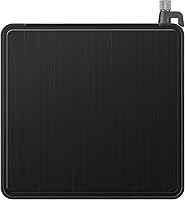
  • The included VESA mount is a practical bonus that makes cable management and desk organization far cleaner.
  • Build quality feels premium and solid for the footprint — buyers consistently note it does not feel cheap.
  • At roughly 1.36 pounds, this mini PC is easy to relocate, travel with, or repurpose across different setups.

Cons

  • No RAM, storage, or OS included — total build cost is noticeably higher than the base price suggests.
  • Fan noise under sustained load has been flagged by some users in quiet work environments.
  • Integrated Arc Graphics cannot handle modern gaming or GPU-intensive rendering at acceptable frame rates.
  • A small number of buyers have reported out-of-box defects, suggesting quality control is not perfectly consistent.
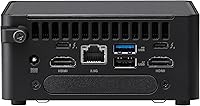
  • Only one USB 2.0 port limits legacy peripheral compatibility for users with older devices.
  • DDR5 memory remains pricier than DDR4, which increases the cost of maxing out the RAM capacity.
  • No discrete graphics option exists in this chassis, so GPU-heavy workloads hit a hard ceiling.
  • New barebone builders may find component selection and installation research time-consuming without prior experience.
  • Operating system costs are an easy-to-overlook line item that can surprise first-time barebone buyers.
  • Thunderbolt 4, while broadly reliable, has shown occasional compatibility quirks with certain third-party docks.

Ratings

The scores below for the ASUS NUC 14 Pro Barebone Mini PC were generated by our AI engine after analyzing thousands of verified buyer reviews from global markets, with spam, bot-submitted, and incentivized feedback actively filtered out. Each category reflects a genuine synthesis of what real users praised and where they ran into friction — nothing has been softened or inflated. Both the standout strengths and the honest pain points of this barebone system are represented transparently.
Build Quality
91%
Users consistently describe the chassis as feeling solid and purposeful for its size — not the hollow plasticky shell some mini PCs deliver at this price tier. The dark aluminum-accented enclosure holds up well through repeated component swaps, and nothing rattles or flexes under handling.
A small number of buyers noted cosmetic scuffs or minor panel misalignment on arrival, suggesting final assembly QC is not perfectly consistent across every unit. For a premium-tier purchase, that is a disappointment even if functionality is unaffected.
Processor Performance
88%
The Core Ultra 7 155H handles demanding multitasking without breaking a sweat — running virtual machines, compiling code, or juggling dozens of browser tabs alongside productivity apps stays smooth. Users upgrading from older NUC generations notice an immediate and meaningful jump in responsiveness.
Under prolonged all-core workloads, thermal throttling has been reported by a subset of users, which can soften sustained performance benchmarks. The compact chassis limits cooling headroom, so those running extended CPU-heavy sessions should set expectations accordingly.
Ease of Upgrading
93%
The toolless chassis access is one of the most frequently praised aspects — pop the lid, slot in your RAM and SSD, and you are done. No screwdrivers, no stripped heads, no frustration. First-time barebone builders in particular called it one of the least stressful hardware assembly experiences they have had.
While access itself is easy, the internal layout is tight, and routing cables or seating modules correctly requires some care. A small number of users found the RAM slots slightly stiff on first insertion, which can feel nerve-wracking if you have not worked with SO-DIMMs before.
Value for Money
72%
28%
For buyers who want a current-generation AI-capable mini PC with Thunderbolt 4, Wi-Fi 6E, and headroom for up to 96GB of RAM, the NUC 14 Pro offers a competitive hardware foundation compared to pre-built systems at similar or higher prices. The flexibility to choose your own components also prevents paying for bundled specs you would not have selected yourself.
Once you add DDR5 RAM, an NVMe SSD, and a Windows license, the total outlay climbs notably above the base price — which catches some buyers off guard. Users who did not budget for those extras felt the overall cost was harder to justify against pre-configured mini PCs from competing brands.
Thermal Management
67%
33%
During everyday tasks — browsing, document editing, light coding, video calls — the NUC 14 Pro runs quietly and stays cool. The compact active cooling system handles typical office workloads without the fan becoming distracting or the chassis growing uncomfortably warm to the touch.
Push it with sustained heavy workloads like long video renders or extended compilation jobs, and fan noise climbs to a level that bothers users in quiet environments. A few users also reported the bottom of the unit getting noticeably hot during these sessions, which is worth considering for enclosed or VESA-mounted placements.
Integrated Graphics
63%
37%
Intel Arc integrated graphics comfortably handles 4K display output, light photo editing, and GPU-accelerated tasks in apps like DaVinci Resolve at lower resolutions. For users who are not gaming and just need solid display throughput and occasional creative work, it clears the bar without needing an external GPU.
Users who expected the Arc GPU to handle modern gaming or serious GPU-intensive rendering were disappointed — frame rates in recent titles at medium settings are underwhelming. It is clearly a productivity-class GPU, and buyers who did not research this beforehand felt misled by the general marketing around Arc graphics.
AI & NPU Capability
79%
21%
In supported applications — particularly AI-assisted video conferencing tools and Windows Studio Effects — the NPU offloads processing cleanly, keeping the CPU free and reducing power draw noticeably during those tasks. Users running AI transcription tools or background enhancement software in meetings reported a real-world difference compared to CPU-only setups.
NPU benefits are only felt in software explicitly built to use it, and that ecosystem is still maturing. Buyers expecting broad AI acceleration across all their apps will find the real-world impact narrower than the marketing language suggests, at least for now.
Connectivity & Ports
84%
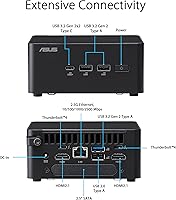
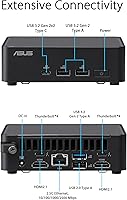
Thunderbolt 4 has been a reliable performer for the vast majority of users — fast external SSDs, 4K displays, and docking stations all worked without driver headaches in most reported setups. Wi-Fi 6E delivers strong throughput and stable connections, and Bluetooth 5.3 paired keyboards and headsets without issues.
The single USB 2.0 port feels dated for a machine at this price, and users with several older peripherals found themselves reaching for a hub sooner than expected. A small but consistent thread of reports flags intermittent Thunderbolt compatibility issues with specific third-party docks, which required firmware updates to resolve.
Setup Experience
71%
29%
For buyers who enjoy the barebone format — researching components, picking their own specs, and assembling everything themselves — the setup process is satisfying and well thought out. The included quick-start documentation covers the basics competently, and the toolless design removes most of the usual physical friction.
Buyers who were not fully aware this was a barebone system felt blindsided when the machine arrived without RAM, storage, or an OS. The out-of-box experience is essentially a shell, and while that is by design, better upfront communication from sellers would prevent a recurring wave of disappointed first-time buyers.
VESA Mounting & Desk Setup
89%
The included VESA bracket is a practical, well-made addition that transforms desk organization. Users who mounted the NUC 14 Pro behind their monitor described their workspace as dramatically cleaner, with fewer cables and no footprint on the desk surface at all.
The bracket works reliably, but a handful of users noted that cable management at the rear becomes slightly awkward once mounted — the port layout means some cables pull at an angle depending on monitor height. Nothing that a short cable or adapter cannot fix, but it is worth planning for.
Wireless Performance
86%
Wi-Fi 6E delivers fast and consistent throughput in environments where a compatible router is present, with users in home offices and dense apartment buildings noting noticeably fewer dropouts compared to older Wi-Fi standards. Bluetooth 5.3 connections have been stable across keyboards, mice, and audio peripherals in everyday use.
In environments limited to older Wi-Fi standards, the Wi-Fi 6E advantage disappears entirely — you are simply running at Wi-Fi 5 speeds. A very small number of users reported occasional Bluetooth reconnection delays after the system woke from sleep, though this appeared to resolve with driver updates.
Reliability & Longevity
74%
26%
The majority of long-term owners report no functional issues after months of daily use, and the build materials suggest the chassis will hold up well over time. ASUS has a track record with the NUC line, and most users express confidence in the platform's longevity.
A visible minority of buyers encountered out-of-box defects — units that failed to POST, displayed connectivity issues, or showed early hardware irregularities. While ASUS warranty support exists, the returns and replacement process drew mixed feedback, with some users reporting slower resolution times than expected.
Software & Driver Support
76%
24%
Windows 11 installs cleanly and all major drivers are available through Windows Update or the ASUS support portal. Intel's driver ecosystem for the Core Ultra generation is well-supported, and users running common productivity, creative, and development software reported no significant compatibility issues.
Intel Arc GPU drivers, while improving, have occasionally introduced regressions for some users — a frustration that echoes the broader Arc driver maturity story. A small number of Linux users also reported needing to manually configure Wi-Fi or suspend-resume functionality, which is manageable but adds friction for non-technical adopters.
Noise Level
66%
34%
During office tasks, video calls, and light multitasking, the fan is quiet enough that most users forget active cooling is running at all. The system is well-suited to shared workspaces or quiet home offices when workloads stay in the moderate range.
Fan ramp-up under sustained load is significant enough that several users specifically noted it as a distraction during long working sessions. For a machine in this price tier, a quieter sustained-load profile would be a meaningful quality-of-life improvement that buyers clearly want.

Suitable for:

The ASUS NUC 14 Pro Barebone Mini PC is an excellent match for home office professionals who want genuine desktop-class performance without surrendering desk space to a full tower. If you already have a preferred brand of RAM or a specific SSD in mind, the barebone format is genuinely liberating — you build exactly what you need and nothing more. Creative and technical users who rely on AI-assisted tools, real-time transcription, or light video work will find the Core Ultra 7 with its onboard NPU more than capable of handling those tasks day-to-day. The Thunderbolt 4 port also opens the door for high-speed external storage or a fast external display, making this a solid anchor for a clean, clutter-free workstation. Anyone mounting a display in a kiosk, retail environment, or conference room will appreciate the included VESA mount, which turns setup into a genuinely tidy job.
Not suitable for:

Buyers expecting a ready-to-use computer out of the box will be caught off guard — the ASUS NUC 14 Pro Barebone Mini PC ships without RAM, storage, or an operating system, which means the purchase price is only the starting point. If your budget is already stretched, factoring in DDR5 memory, an NVMe SSD, and a Windows license can add meaningful cost before you even power it on. Hardcore gamers should also look elsewhere: the integrated Intel Arc Graphics is capable for everyday tasks and light creative work, but it cannot compete with a mid-range discrete GPU for modern titles or VR. Users who need straightforward plug-and-play simplicity — or who are uncomfortable selecting and installing their own components — will find the barebone format more friction than it is worth. If maximum single-core gaming performance or raw GPU throughput is your priority, a traditional desktop with a dedicated graphics card remains the more practical choice.
Specifications

  • Processor: Powered by the Intel Core Ultra 7 155H (14th Gen), a 16-core chip with a boost speed of up to 3.8 GHz designed for demanding multitasking and AI workloads.
  • Integrated GPU: Intel Arc integrated graphics handles display output, light creative tasks, and GPU-accelerated computing without requiring a discrete graphics card.
  • NPU: An onboard Neural Processing Unit (NPU) supports AI inference tasks locally, enabling low-latency, low-power processing for AI-assisted applications.
  • Max RAM: Supports up to 96GB of DDR5 memory, giving users substantial headroom for memory-intensive workloads such as virtualization or large dataset processing.
  • Storage Slots: Features a triple-storage configuration with PCIe x4 interface support, allowing users to install multiple NVMe SSDs for tiered or high-capacity storage setups.
  • Display Output: Capable of driving displays at up to 3840x2160 (4K UHD) resolution, with support for multiple simultaneous outputs via Thunderbolt 4 and onboard ports.
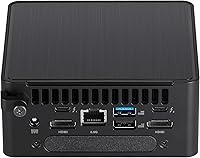
  • Thunderbolt 4: One Thunderbolt 4 port provides up to 40Gbps bandwidth for high-speed peripherals, external GPU enclosures, and daisy-chained displays.
  • Wireless: Wi-Fi 6E (802.11ax) delivers fast, low-latency wireless connectivity across 2.4GHz, 5GHz, and 6GHz bands for reliable home and office networking.
  • Bluetooth: Bluetooth 5.3 enables stable, dongle-free connections to keyboards, mice, headsets, and other peripherals out of the box.
  • USB Ports: Includes four USB 3.0 ports and one USB 2.0 port for connecting external drives, input devices, hubs, and legacy accessories.
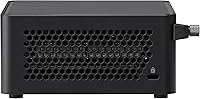
  • Dimensions: The chassis measures 4.61 x 4.41 x 2.13 inches, making it one of the more compact full-performance mini PCs available in its class.
  • Weight: At 1.36 pounds, the unit is light enough to mount behind a monitor or relocate easily between workspaces.
  • Chassis Design: The enclosure uses a toolless access design, meaning internal components can be reached and swapped without any screwdrivers.
  • VESA Mount: A VESA mount is included in the box, allowing the unit to attach directly to the back of a compatible monitor or display arm.
  • Operating System: Ships without a pre-installed OS; compatible with Windows 11, and can also run supported Linux distributions depending on user preference.
  • Form Factor: Classified as a barebone mini PC, meaning it ships without RAM, storage, or an operating system — buyers must supply these components separately.
  • Power: Requires an external power adapter (included); the system uses a lithium-ion battery for the internal CMOS clock.
  • Connectivity Standard: Wireless connectivity follows the 802.11ax (Wi-Fi 6E) standard, which supports faster throughput and reduced congestion compared to older Wi-Fi generations.

Related Reviews
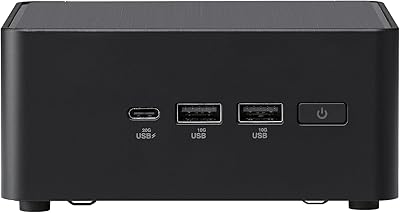
ASUS NUC 14 Pro Tall Barebone with Intel Core i3-100U, 96GB RAM, Triple Storage Design
86%
85%
Performance
88%
Build Quality
90%
Connectivity
92%
Ease of Upgrade
89%
Size/Portability
More
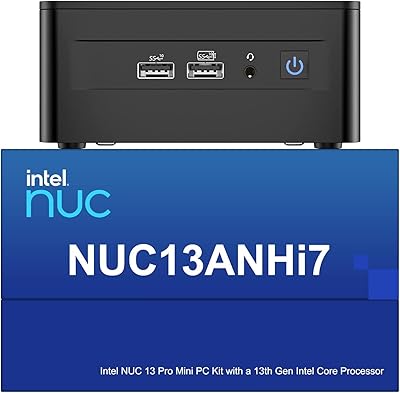
Intel NUC 13 Pro NUC13ANHi5 (16GB RAM, 512GB SSD)
87%
89%
CPU Performance
94%
Port Selection & I/O
91%
Build Quality & Design
86%
Storage Expandability
92%
Networking & Wireless
More
Intel NUC 13 Pro i7 Mini PC
82%
88%
Processing Performance
91%
Multitasking Capability
93%
Multi-Monitor Support
89%
Storage Speed
61%
Graphics & Display Quality
More
Beelink Mini S12 Pro (N100, 16GB, 500GB)
83%
83%
Everyday Performance
91%
Value for Money
76%
Build Quality & Design
84%
Thermal Management & Noise
88%
Connectivity & Ports
More
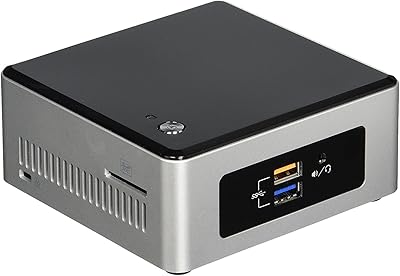
Intel NUC5CPYH Mini PC Barebone
74%
81%
Value for Money
53%
Performance
88%
Build Quality & Form Factor
91%
Assembly & Upgrade Ease
58%
Thermal Management
More
GEEKOM AX8 Pro Mini PC
85%
90%
Performance
87%
Value for Money
83%
Build Quality
80%
Cooling System
92%
Portability/Size
More
MINISFORUM M1 Pro 125H Mini PC Barebone
79%
88%
Processing Performance
67%
GPU & Graphics Capability
91%
Build Quality & Chassis
93%
Connectivity & I/O
71%
OCuLink eGPU Support
More
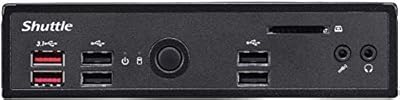
Shuttle DS10U5 Fanless Mini Barebone PC
80%
91%
Build Quality
83%
Fanless Passive Cooling
88%
Display Output Versatility
93%
Memory Expandability
89%
Connectivity & Port Selection
More
Asus ZenBook 14 Pro OLED Q415 Business Laptop
85%
94%
Display Quality
89%
Performance & Speed
84%
Battery Life
91%
Build Quality
82%
Portability
More
AOOSTAR N1 PRO N150 Mini PC 12GB RAM 512GB SSD
85%
87%
Performance
92%
Value for Money
85%
Build Quality
88%
Display Quality
90%
Ease of Setup
More

FAQ

It is not ready to use out of the box. The NUC 14 Pro is a barebone system, which means it ships without RAM, an SSD, or an operating system. You will need to purchase DDR5 memory, at least one NVMe SSD, and a copy of Windows 11 (or your preferred OS) before you can boot it up for the first time.

You need DDR5 SO-DIMM modules — standard DDR4 will not fit or work. The system supports up to 96GB total, so two 48GB sticks would max it out. For most users, 32GB (two 16GB sticks) is a practical and cost-effective starting point that leaves room for future expansion.

The chassis has three storage slots, all using the PCIe x4 interface, which supports fast NVMe SSDs. You can configure a combination of drives for your OS, a scratch disk, and bulk storage — all internally, without needing external enclosures.

Light and older titles should run reasonably well given the Intel Arc integrated graphics, but do not expect it to handle modern AAA games at high settings. The integrated GPU simply does not have the dedicated VRAM or raw throughput of a mid-range discrete card. If gaming is a priority, a system with a dedicated GPU will serve you better.

The NPU (Neural Processing Unit) is a dedicated chip for AI inference tasks — things like real-time background removal in video calls, on-device transcription, or AI-assisted noise cancellation. In practice, offloading these tasks to the NPU means your CPU stays free for other work and the system runs cooler. You will notice the benefit most in software that explicitly supports NPU acceleration.

At idle or light workloads, the fan is barely audible. Under sustained heavy loads — like long video exports or multi-threaded compiling — some users report the fan spins up noticeably. It is not disruptive in a typical office environment, but if you work in a very quiet room it is worth being aware of.

Yes, a VESA mount bracket is included in the box. As long as your monitor has a standard VESA mounting pattern on the back, the mini PC attaches directly to it, which keeps your desk completely clear and simplifies cable routing.

Yes, Thunderbolt 4 supports external GPU (eGPU) enclosures, which is one way to extend the graphics capability of this barebone system if you find the integrated Arc GPU limiting down the line. Compatibility can vary by enclosure brand and GPU, so it is worth checking supported configurations before purchasing an enclosure.

Several Linux distributions run well on this hardware, including Ubuntu and Fedora, both of which have solid driver support for Intel Core Ultra processors. macOS is not a supported option. If you plan to run Linux, it is worth checking current community threads for any driver quirks specific to the Arc GPU or Wi-Fi chipset before committing.

The majority of users report no issues, but a small number of buyers have documented out-of-box defects — typically related to the unit not posting correctly or connectivity irregularities. If yours arrives with any problem, reach out to the seller promptly, as ASUS warranty support covers manufacturing defects. Buying from a reputable seller with a clear return window is the simplest way to protect yourself.

Where to Buy

B&H Photo-Video-Audio
In stock $749.00
SHI International
In stock $534.00
Tech-America.com
In stock $431.00
AVADirect Custom Computers
In stock $549.76
Grooves-Inc.com
In stock $563.26