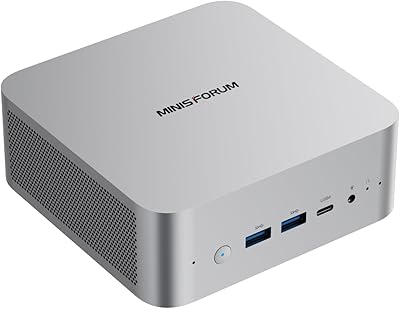
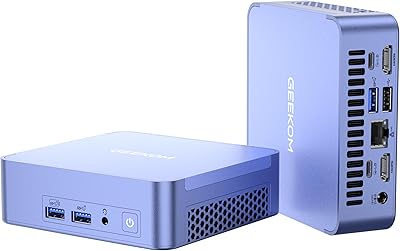
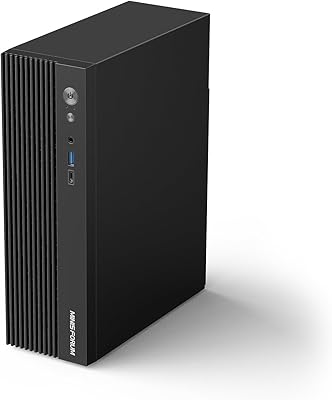
Overview

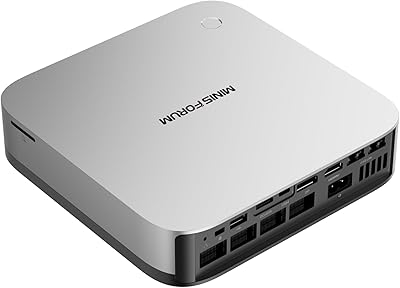
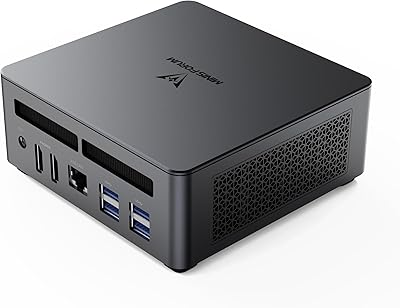
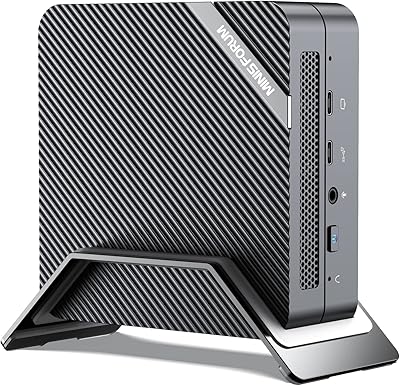
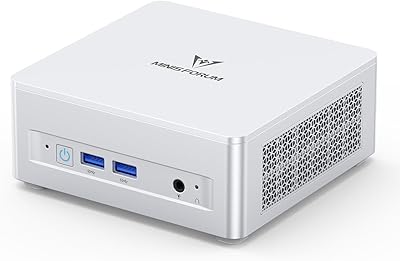
The MINISFORUM M1 Pro 125H Mini PC Barebone is built for the kind of buyer who wants a serious foundation and prefers to choose their own RAM, storage, and operating system. Intel's Core Ultra 5 125H represents a real step forward from the aging chips that dominated this category — the 14-core hybrid architecture and integrated Arc graphics put it in genuinely different territory. What sets this compact desktop apart from most of its size class, though, is the OCuLink port — a connectivity option that is rare at this price tier. Go in knowing this is a barebone unit; budget separately for DDR5 memory and an NVMe drive before powering it on.
Features & Benefits

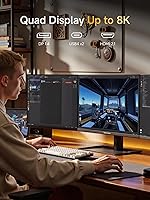
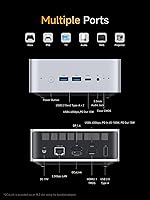
The processor is genuinely capable — the Arc GPU handles light creative work and even some older titles without breaking a sweat. Connectivity is where this mini PC really stands out: quad video outputs mean HDMI 2.1, DisplayPort 1.4, and two USB4 ports can all run simultaneously, covering up to four displays at 4K or 8K. The OCuLink interface runs at PCIe 4.0 x4, giving it more raw bandwidth than Thunderbolt 4 — just know that using it means surrendering one of your M.2 slots. On the networking side, Wi-Fi 7 and 2.5Gbps Ethernet are genuinely useful additions, not mere spec-sheet checkboxes. The built-in mics and speakers are a welcome bonus for anyone doing regular video calls.

Best For

This compact desktop is a strong fit for home office workers who need to drive multiple monitors without a tower consuming half their desk. HTPC builders will appreciate the 8K-capable outputs and the relatively quiet thermal profile, though real-world fan noise under heavy loads is worth checking against actual owner reports. The OCuLink eGPU option makes the M1 Pro barebone interesting for tinkerers who want to experiment with external graphics — just weigh that against losing a storage slot. Anyone comfortable sourcing DDR5 RAM and an NVMe drive separately, and who does not mind installing their own OS, will find this an exceptionally capable and space-efficient foundation for a custom build.

User Feedback

Buyers generally respond well to the build quality — the aluminum chassis feels solid, and the I/O selection earns consistent praise. Setup experience is more mixed: experienced builders get things running quickly, but first-timers who did not realize the barebone configuration ships without storage or an OS sometimes express frustration in reviews. Fan noise is another point of discussion; MINISFORUM rates it at 45dB under full load, which some users confirm is acceptable for a desk environment, while others find sustained workloads push it louder than expected. OCuLink eGPU results in the wild are promising but inconsistent, and compatibility research before buying an enclosure is genuinely worth the effort.

Pros

  • The Intel Core Ultra 5 125H delivers a meaningful generational performance jump over older mini PC chips.
  • Quad video outputs let you run up to four 4K or 8K displays simultaneously — rare at this size.
  • The OCuLink port offers PCIe 4.0 x4 bandwidth, giving eGPU users more headroom than Thunderbolt 4 can provide.
  • Up to 128GB of DDR5-5600 RAM and 8TB of NVMe storage make this mini PC genuinely future-proof on capacity.
  • Wi-Fi 7 and 2.5Gbps Ethernet together cover both high-speed wired and wireless networking needs.
  • The aluminum chassis feels solid and premium, with copper heat pipes and phase-change material keeping temperatures in check.
  • Built-in dual digital microphones and speakers mean video calls work without plugging in extra peripherals.
  • At under three pounds and a compact footprint, this compact desktop fits easily behind a monitor or in a media cabinet.
  • Two full-featured USB4 ports at 40Gbps offer fast data transfer and power delivery flexibility in one connector.

Cons

  • No RAM, SSD, or OS included — total system cost is noticeably higher once you add those essentials.
  • Using the OCuLink port for an eGPU forces you to sacrifice one of the two M.2 storage slots permanently.
  • OCuLink is non-hot-swappable, so attaching or removing an external GPU requires a full power cycle every time.
  • The 45dB fan noise figure under full load is manufacturer-rated; real-world users report it can run louder during sustained heavy workloads.
  • Intel Arc integrated graphics, while improved, still lag behind discrete GPUs for rendering, encoding, or modern gaming.
  • First-time barebone builders may find the lack of setup documentation or OS guidance a frustrating starting point.
  • eGPU compatibility via OCuLink enclosures is not universal; some combinations require troubleshooting that is not well documented.
  • Only one USB 2.0 Type-A port alongside the faster options, which can be limiting if you use multiple older peripherals.

Ratings

The MINISFORUM M1 Pro 125H Mini PC Barebone scores here reflect AI-synthesized analysis of verified global buyer reviews, with spam, bot activity, and incentivized feedback actively filtered out before scoring. Ratings cover both what this compact desktop genuinely excels at and where real buyers have run into frustration — nothing is glossed over. The result is an honest, multi-dimensional picture designed to help you decide whether this mini PC fits your specific situation.

Processing Performance
88%
Buyers consistently note that the Intel Core Ultra 5 125H handles demanding multitasking, video conferencing with multiple streams, and moderate content creation without breaking a sweat. Office professionals running large spreadsheets alongside browser-heavy workflows report noticeably snappier response times compared to older Ryzen or 12th-gen Intel mini PCs they replaced.
Under prolonged CPU-intensive loads — extended compilation runs or batch video exports — some users observe the chip throttling slightly to manage heat, which shaves off peak performance. It is a capable chip, but buyers expecting desktop-class sustained throughput comparable to a full-size tower will need to temper expectations.
GPU & Graphics Capability
67%
33%
For integrated graphics, the Intel Arc solution punches above its weight in media playback, light photo editing, and casual gaming at 1080p. Buyers using this mini PC as an HTPC appreciate that it handles AV1 hardware decoding smoothly, making streaming services and local media libraries run without dropped frames.
Anyone expecting to run modern 3D games at medium-to-high settings will be disappointed — the integrated Arc GPU has real ceiling limitations, and buyers who pushed it into GPU-heavy tasks report noticeable frame rate drops. The OCuLink eGPU option helps, but adds cost and complexity that not every buyer anticipated.
Build Quality & Chassis
91%
The aluminum alloy enclosure earns consistent praise from buyers who previously owned plasticky mini PCs — it feels solid in hand, resists flex, and dissipates ambient heat passively even before the fan kicks in. Several reviewers specifically mention it sits confidently on a desk or behind a monitor mount without feeling cheap or toy-like.
A handful of buyers noted minor cosmetic inconsistencies on the chassis finish out of the box — small scuffs or uneven anodizing near the I/O cutouts. Nothing structurally concerning, but at this price tier some buyers expected a more consistent premium finish across every unit.
Connectivity & I/O
93%
This is where the M1 Pro barebone genuinely stands apart from similarly priced competitors — the combination of dual USB4 at 40Gbps, USB 3.2 Gen2 ports, Wi-Fi 7, 2.5Gbps Ethernet, and four independent display outputs is a spec sheet most mini PCs at this tier cannot match. Remote workers daisy-chaining peripherals and running multiple monitors report it handles their entire desk ecosystem without needing a separate hub.
The single USB 2.0 port feels like an afterthought alongside the otherwise forward-looking port selection, and buyers with legacy peripherals — older audio interfaces, some USB dongles — sometimes find themselves fighting for that one slower port. A second USB 2.0 port would have eliminated the annoyance entirely.
OCuLink eGPU Support
71%
29%
For enthusiasts who planned for it, the OCuLink interface delivers genuinely meaningful GPU bandwidth — PCIe 4.0 x4 outpaces Thunderbolt 4, and buyers who paired it with a mid-range discrete GPU in an enclosure report a credible gaming or rendering upgrade without buying a whole new machine.
Real-world compatibility is inconsistent enough that several buyers spent hours troubleshooting driver conflicts or power delivery issues with specific enclosure and GPU combinations. The non-hot-swap nature and the mandatory sacrifice of one M.2 slot are also recurring complaints — users who wanted both dual SSD storage and eGPU support found themselves in a frustrating either/or situation.
Thermal Management & Noise
74%
26%
During typical office workloads — browser tabs, video calls, document editing — the fan stays quiet enough that buyers in open-plan offices report no complaints from colleagues. The phase-change material and copper heat pipe combination keeps surface temperatures reasonable during moderate use.
The manufacturer-rated 45dB noise ceiling under full load is where user reports diverge from the spec sheet — several buyers running sustained encoding or compilation tasks describe the fan as noticeably louder than expected, closer to 48–50dB in practice. It is not alarming, but HTPC buyers in quiet living rooms may find it intrusive at peak load.
Multi-Monitor Support
89%
Buyers specifically seeking a four-display setup in a compact form factor consistently single this mini PC out as one of the few realistic options at this price point. Content creators managing reference monitors alongside their primary workflow and traders running data dashboards report the quad output works exactly as advertised.
Achieving all four outputs simultaneously requires having the right cable types on hand — USB4 display cables are not universally available and can be pricey. A small number of buyers also report resolution or refresh rate limitations when all four ports are active simultaneously, suggesting bandwidth is being shared rather than fully independent at peak specs.
Barebone Setup Experience
58%
42%
For experienced builders, the assembly process is straightforward — the chassis opens cleanly, the SO-DIMM and M.2 slots are accessible, and the internal layout is sensible. Tech-savvy buyers appreciated that MINISFORUM includes an OCuLink adapter plate in the box, which signals attention to the enthusiast buyer.
First-time barebone buyers account for the most critical reviews in this category. The included documentation is minimal, and buyers who did not realize the machine needs RAM, an SSD, and an OS before it will even POST have left frustrated feedback. Clearer packaging labeling and a more detailed setup guide would meaningfully reduce buyer confusion.
Value for Money
83%
When buyers factor in the OCuLink port, Wi-Fi 7, quad display outputs, and DDR5 support at this price tier, most conclude the hardware spec-to-price ratio is genuinely competitive with similarly priced mini PCs that offer fewer high-bandwidth features. Buyers who already had DDR5 RAM and an NVMe drive on hand felt they got strong value.
The value calculation shifts significantly once you add the cost of DDR5 memory, an NVMe SSD, and an OS license — the all-in total can climb well beyond the barebone price, which surprises buyers who did not budget for those additions upfront. For buyers starting from scratch, the total cost versus a pre-configured alternative is worth calculating carefully.
Networking Performance
87%
The 2.5Gbps Ethernet port and Wi-Fi 7 radio genuinely complement each other — buyers using this compact desktop as a local NAS client or for large file transfers over a home network report dramatically faster throughput compared to the 1Gbps and Wi-Fi 6 setups they replaced. Latency on Wi-Fi 7 connections is described as stable and consistent.
Wi-Fi 7 is only useful if your router supports it, and a portion of buyers noted they saw no real-world difference over Wi-Fi 6E because their home networking hardware was not yet Wi-Fi 7 compatible. The 2.5Gbps LAN is also bottlenecked if your switch only supports 1Gbps — a point buyers with older network setups should factor in.
Audio Quality
72%
28%
The built-in dual digital microphones impressed buyers who use the machine primarily for video conferencing — voice pickup is clear, and the noise cancellation handles typical home office ambient noise like keyboard clicks and HVAC hum better than most integrated mic systems at this tier.
The built-in speakers are adequate for system alerts and background audio but fall short for music listening or media playback in a larger room. Several buyers describe the speaker output as thin and lacking low-end presence, and most serious HTPC users connected external audio within days of setup.
Storage Expandability
86%
Two M.2 2280 PCIe 4.0 slots with a combined ceiling of 8TB is genuinely generous for a machine this size — buyers running local media servers, large photo libraries, or development environments with multiple project drives appreciate having dual high-speed slots without needing an external enclosure.
Enabling OCuLink eGPU support immediately reduces usable internal slots to one, which constrains buyers who want both an eGPU and high-capacity dual-drive storage. There is no workaround for this trade-off, and buyers who discovered it only after purchase expressed clear frustration in their reviews.
Size & Portability
84%
At under three pounds and roughly the footprint of a paperback book, this compact desktop is easy to move between a desk and a travel bag — several buyers mention using it across home and office environments by simply packing the unit and plugging into whichever monitor is available. The included wall mount bracket adds practical desk-free mounting flexibility.
The chassis, while compact, is not pocketable or truly ultra-portable — it is best described as desk-moveable rather than genuinely portable. Buyers who compared it to smaller Compute Stick or NUC-sized devices noted the footprint is still larger than the smallest available options.
Software & OS Compatibility
69%
31%
Buyers running Windows 11 report that driver support is solid, with Wi-Fi, Bluetooth, display, and USB4 all functioning correctly after a standard installation. Several Linux users also report successful installs of Ubuntu and Fedora, with most hardware recognized without manual driver intervention.
Because no OS is bundled, buyers are entirely responsible for sourcing, licensing, and troubleshooting their chosen operating system — and a segment of reviews reflects frustration with driver gaps, particularly for the Intel Arc GPU on certain Linux distributions. Edge cases like OCuLink eGPU passthrough under Linux remain poorly documented.

Suitable for:

The MINISFORUM M1 Pro 125H Mini PC Barebone is a strong match for technically confident buyers who enjoy building their own system from a capable foundation. Home office professionals who need to drive three or four monitors simultaneously without a full tower on their desk will find the quad-output configuration genuinely practical. HTPC enthusiasts looking for 8K-capable hardware in a living-room-friendly package should also take a close look, provided they are comfortable with the assembly process. The OCuLink port makes this mini PC particularly attractive to hardware tinkerers who want to experiment with an external GPU down the road without committing to an entirely new machine. Small businesses or educational settings that need cost-effective, space-saving desktops — and have someone on staff who can handle sourcing and installing DDR5 RAM and an NVMe drive — will get real mileage out of this platform.
Not suitable for:

The MINISFORUM M1 Pro 125H Mini PC Barebone is a poor fit for anyone expecting a plug-and-play experience straight out of the box. Because it ships without RAM, storage, or an operating system, buyers who are not comfortable sourcing compatible DDR5 SO-DIMMs and an M.2 NVMe drive — and then installing an OS themselves — will likely find the setup process frustrating. This compact desktop is also not the right choice for users who need serious, sustained GPU performance for 3D rendering or AAA gaming; the integrated Arc graphics have real limits, and while OCuLink eGPU support exists in theory, real-world compatibility with specific enclosures and cards requires careful research and is not guaranteed. Those on a tight all-in budget should also factor in the additional cost of memory and storage before assuming the listed price covers everything they need.
Specifications

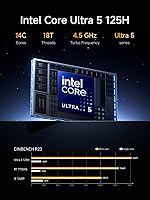
  • Processor: Intel Core Ultra 5 125H with 14 cores (4 P-Core, 8 E-Core, 2 LPE), 18 threads, and a maximum turbo frequency of 4.5GHz.
  • Integrated GPU: Intel Arc integrated graphics with a maximum dynamic frequency of 2.2GHz, capable of handling light creative workloads and older titles.
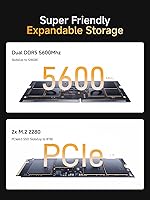
  • RAM Support: Two DDR5 SO-DIMM slots supporting speeds up to 5600MHz and a combined maximum capacity of 128GB; no RAM is included.
  • Storage Slots: Two M.2 2280 PCIe 4.0 x4 NVMe slots supporting up to 4TB per drive, for a maximum total of 8TB; no SSD is included.
  • Display Outputs: One HDMI 2.1 (4K@60Hz), one DisplayPort 1.4 (8K@60Hz or 4K@144Hz), and two USB4 ports (8K@60Hz or 4K@144Hz), enabling up to four simultaneous displays.
  • USB Ports: Two USB4 ports at 40Gbps, two USB 3.2 Gen2 Type-A ports, and one USB 2.0 Type-A port are provided across the front and rear panels.
  • Networking: Connectivity includes a 2.5Gbps Ethernet (RJ45) port, Wi-Fi 7 (802.11ax), and Bluetooth 5.4 for both wired and wireless use.
  • OCuLink Port: One OCuLink interface running at PCIe 4.0 x4 (64Gbps) enables attachment of an external GPU enclosure, but occupies one M.2 slot and is non-hot-swappable.
  • USB4 Power: One front USB4 port supports 15W power output; one rear USB4 port supports 65–100W PD-IN charging and 15W PD-OUT to peripherals.
  • Audio: Two built-in digital microphones with noise cancellation, dual speakers, one 3.5mm combo jack for headset use, and HDMI audio output are included.
  • Thermal Design: The cooling system uses copper heat pipes, phase-change material, and a large fan to sustain a 65W TDP with a manufacturer-rated noise level of up to 45dB at full load.
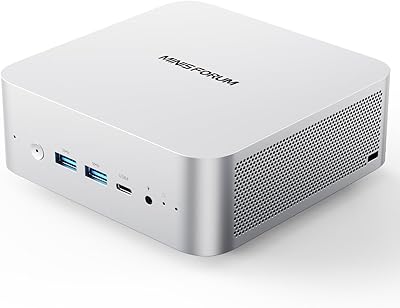
  • Chassis: The enclosure is constructed from aluminum alloy, which aids passive heat dissipation and gives the unit a solid, premium feel.
  • Dimensions: The unit measures 7.16 x 6.26 x 4.52 inches, making it compact enough to mount behind a monitor or sit unobtrusively on a desk.
  • Weight: The M1 Pro barebone unit weighs 2.86 pounds without RAM, storage, or a power adapter installed.
  • Power Adapter: A 120W power adapter (DC 19V, 6.32A) with a universal AC input range of 100–240V is included in the box.
  • Barebone Config: This unit ships without RAM, an NVMe SSD, or an operating system; buyers must source and install all three before the system can be used.
  • In the Box: The package includes the barebone unit, a US power adapter, a power cable, a wall mount bracket, an HDMI cable, an OCuLink adapter plate, and a user manual.
  • Operating System: No operating system is pre-installed; the hardware is compatible with Windows 11 and most Linux distributions, depending on driver availability.

Related Reviews

MINISFORUM M1 Pro 64GB 2TB Mini PC
78%
92%
Processing Performance
78%
Thermal Management
63%
Fan Noise
88%
Build Quality
91%
Display Versatility
More
MINISFORUM UM890 Pro Mini PC (64GB/1TB)
79%
93%
CPU Performance
74%
Thermal Management
81%
RAM & Memory Speed
89%
Storage Performance
77%
Graphics & Display Output
More
MINISFORUM AI X1 Pro (Ryzen AI 9 HX370, 96GB/2TB)
78%
93%
CPU Performance
81%
AI & NPU Capabilities
94%
Memory Configuration
67%
Integrated GPU & Gaming
89%
Storage & Expandability
More
MINISFORUM UM790 Pro (64GB/1TB)
79%
91%
Processing Performance
67%
Integrated Graphics
93%
Multi-Display Capability
63%
Thermal Management
84%
Build Quality & Design
More
Beelink Mini S12 Pro (N100, 16GB, 500GB)
83%
83%
Everyday Performance
91%
Value for Money
76%
Build Quality & Design
84%
Thermal Management & Noise
88%
Connectivity & Ports
More
MINISFORUM UM870 Slim Mini PC (Barebone)
80%
88%
CPU Performance
74%
Integrated Graphics
91%
Build Quality & Design
93%
Connectivity & I/O
89%
Multi-Monitor Support
More
GEEKOM AX8 Pro Mini PC
85%
90%
Performance
87%
Value for Money
83%
Build Quality
80%
Cooling System
92%
Portability/Size
More
MINISFORUM X1-255 Mini PC
84%
88%
Performance
92%
Value for Money
90%
Size & Portability
85%
Networking & Connectivity
84%
Build Quality
More
MINISFORUM 129i7 ITX Mini PC
85%
91%
Performance for Multitasking
78%
Gaming Capability (Light to Medium)
95%
Compactness and Design
89%
Customizability (RAM and Storage)
90%
Setup and Installation
More
MINISFORUM UM560 XT Mini PC
86%
91%
Performance
88%
Build Quality
84%
Connectivity
92%
Portability
60%
Cooling/Heat Management
More

FAQ

You need to buy them separately. The MINISFORUM M1 Pro 125H Mini PC Barebone ships without any RAM, SSD, or operating system installed. You will need at least one DDR5 SO-DIMM stick and one M.2 2280 NVMe drive before you can boot it up, plus a Windows or Linux license if applicable.

You need DDR5 SO-DIMM modules running at 5600MHz. The two slots support up to 64GB per stick, so a maximum of 128GB combined. A standard 2x16GB or 2x32GB DDR5-5600 SO-DIMM kit from a reputable brand like Kingston, Crucial, or G.Skill will work fine for most use cases.

Yes — the quad display output is a genuine feature, not a marketing stretch. You get HDMI 2.1, DisplayPort 1.4, and two USB4 ports, each capable of carrying an independent display signal. The practical limit depends on your monitors and cables, but four simultaneous displays at up to 4K each is achievable.

OCuLink lets you connect an external GPU enclosure via a PCIe 4.0 x4 cable, which gives you more bandwidth than Thunderbolt 4. The catch is that using OCuLink requires one of your two M.2 slots, so you will be limited to a single internal SSD if you go that route. It is also non-hot-swappable, meaning you have to power down before connecting or disconnecting. If you plan to use eGPU support regularly, it is worth it; if you primarily need storage, you may want to skip the eGPU setup entirely.

Enclosures that use a standard OCuLink to PCIe adapter are generally compatible, but specific GPU and enclosure combinations can be hit or miss. Check community forums such as the MINISFORUM subreddit or eGPU.io for verified compatibility reports before purchasing an enclosure, as driver support and power delivery vary by setup.

MINISFORUM rates the fan noise at up to 45dB under full load, which is roughly equivalent to a quiet library or a gentle hum. In practice, user reports suggest this is accurate for moderate workloads, though sustained CPU-intensive tasks — like video encoding or compiling — can push the fan a bit harder. For typical office use or media playback, it stays reasonably quiet.

No operating system is included. You will need to create a bootable USB installer for Windows 11 or your preferred Linux distribution and install it yourself after fitting your RAM and SSD. This is standard for barebone machines and is not complicated if you have done it before, but it is worth knowing upfront.

For light editing — think Premiere Pro timelines with 1080p or moderate 4K footage, or Lightroom cataloging — it performs competently. The Intel Arc GPU does offer hardware acceleration in some creative applications, which helps. For heavy 3D rendering or effects-heavy 4K workflows, you would benefit from pairing it with an eGPU via OCuLink.

Yes, the included bracket is designed to mount the unit to the rear of a VESA-compatible monitor or TV. It is a practical inclusion for multi-monitor setups where desk space is at a premium, and most users report it fits standard 75mm and 100mm VESA patterns without issue.

It is a reasonable HTPC option, particularly if you want 8K-capable output and do not mind the barebone setup process. The built-in speakers and microphones are a convenience, and the compact aluminum chassis fits neatly in an entertainment unit. Fan noise under media playback is generally low enough for a living room environment, though streaming very high-bitrate content can occasionally spin the fan up a notch.