Overview

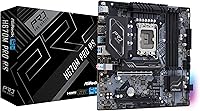
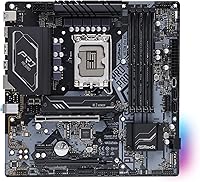
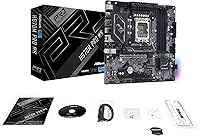
The ASRock H670M Pro RS Micro ATX Motherboard sits in a practical sweet spot for anyone building a capable Intel 12th Gen system without needing a full-size case. ASRock has long been known for delivering solid feature sets without demanding a premium price, and this board follows that tradition. The LGA1700 socket supports everything from budget Celeron chips all the way up to Core i9 12th Gen processors, giving builders meaningful flexibility. What it won't do is let you push clock speeds beyond Intel's stock limits — the H670 chipset simply isn't designed for that. Think of it as a compact, practical foundation, not a platform for clock-speed chasing.

Features & Benefits

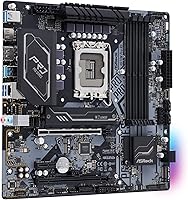
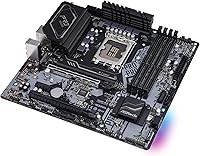
Storage flexibility is one area where the H670M Pro RS genuinely punches above its class. You get dual M.2 slots alongside four SATA 6Gb/s ports, so whether you prefer fast NVMe drives, traditional HDDs, or a mix of both, the options are there. Four DDR4 DIMM slots with support for up to 128GB of RAM is a welcome surprise at this size — most compact boards cap out far lower. The primary PCIe 4.0 x16 slot handles a modern GPU without issue, while additional PCIe 3.0 slots leave room for a capture card or Wi-Fi adapter. USB 3.2 rear I/O means you won't need extra adapters for current-gen peripherals.

Best For

This mid-range Intel motherboard makes the most sense for builders working within tight space constraints but unwilling to sacrifice core capability. Home office and productivity builds are a natural match — the board handles multitasking workloads reliably without any fuss. Compact gaming rigs benefit too, since the PCIe 4.0 slot pairs cleanly with a mid-tier GPU inside a smaller chassis. First-time builders will appreciate the no-nonsense layout. That said, if you anticipate needing three or four expansion cards down the road, a full ATX board would serve you better. The Micro ATX form factor is a genuine strength here, but it does come with natural expansion limits.

User Feedback

Across roughly 58 ratings, this ASRock micro ATX board holds a 4.2-star average — respectable, though not without a few qualifications. Buyers consistently praise the straightforward BIOS setup and the stable, dependable performance it delivers in everyday use. The value proposition relative to the feature count comes up repeatedly as a deciding factor. On the downside, several users note the accessory bundle is thin — the basics are included, but little else. A handful of builders mention double-checking DDR4 kit compatibility before purchasing. The absence of overclocking support rarely surprises anyone; buyers shopping an H670-based board generally understand the trade-off going in, and most seem comfortable with it.

Pros

  • Four DDR4 DIMM slots support up to 128GB of RAM, which is unusually generous for a Micro ATX board at this price tier.
  • Dual M.2 slots paired with four SATA ports give you real storage flexibility from day one.
  • The PCIe 4.0 x16 primary slot keeps up with current-generation GPUs without any bandwidth penalty.
  • Intel H670 chipset hits a practical middle ground — more capable than B660, without the Z690 price premium.
  • LGA1700 socket compatibility spans Celeron all the way to Core i9 12th Gen, so CPU choice stays flexible.
  • USB 3.2 rear I/O means modern peripherals just work out of the box, no add-in cards required.
  • Buyers consistently praise the BIOS as clean and easy to navigate, even for first-time builders.
  • The Micro ATX footprint fits a wide range of mid-tower and compact cases without sacrificing core expansion options.
  • Stable everyday performance is a recurring theme across user feedback — this board simply runs without drama.

Cons

  • No CPU overclocking support whatsoever — the H670 chipset hard-limits clock multiplier adjustments.
  • The accessory bundle is sparse; do not expect more than the bare minimum in the box.
  • Only two USB 2.0 ports on the rear I/O, which can feel limiting if you use older peripherals.
  • DDR4 kit compatibility is worth checking in advance — some users have reported needing to verify specific module support.
  • No integrated Wi-Fi or Bluetooth; wireless connectivity requires a separate add-in card or USB adapter.
  • The three-slot PCIe layout leaves little room for multi-card expansion as your build evolves.
  • At just 58 ratings, the pool of real-world user feedback is still relatively thin compared to more established board options.
  • No RGB headers are present, which limits aesthetic customization for builders who care about lighting synchronization.

Ratings

The ASRock H670M Pro RS Micro ATX Motherboard has been scored by our AI system after analyzing verified global buyer reviews, with spam, bot-generated feedback, and incentivized posts actively filtered out. The scores below reflect both the genuine strengths that keep builders coming back to this platform and the real friction points that surfaced repeatedly across independent feedback. Nothing has been smoothed over — where the board earns praise, it shows; where it falls short, that shows too.

Value for Money
88%
Buyers consistently flag this as one of the H670M Pro RS's strongest selling points. For a board that delivers dual M.2 slots, four SATA ports, PCIe 4.0, and 128GB RAM support, the price-to-feature ratio is hard to argue with at the mid-range tier.
A handful of reviewers feel the savings are partly offset by the thin accessory bundle — you may need to budget for extra SATA cables separately. Compared to similarly priced B660 boards, the premium for H670 feels marginal to some buyers who don't need the extra chipset features.
Build Quality
81%
19%
The board feels solid in hand for its price class, with a well-supported PCIe slot and reinforced M.2 retention that builders appreciate when working in tight cases. ASRock's manufacturing consistency at this tier is generally regarded as reliable across the community.
The aesthetics are purely functional — no shrouds, no RGB, no premium heatsink styling. A few users noted the VRM heatsink coverage feels modest, which isn't a concern for stock operation but leaves less thermal headroom under sustained heavy loads.
BIOS Experience
84%
The BIOS on this mid-range Intel motherboard is one of its quietly appreciated strengths. First-time builders in particular call out how easy it is to activate XMP, set boot order, and configure fan curves without digging through confusing menus.
The BIOS interface is functional but not polished — it lacks the visual refinement of more expensive ASRock or competing boards. Advanced users looking for granular tuning options will find the overclocking-related menus sparse, which is a direct consequence of the H670 chipset's limitations.
Storage Options
91%
Two M.2 slots plus four SATA 6Gb/s ports is an unusually complete storage layout for a Micro ATX board in this segment. Builders running a primary NVMe boot drive alongside bulk storage HDDs and a secondary SSD find this configuration handles everything without compromise.
Depending on which M.2 slots are populated, some SATA ports may become unavailable due to bandwidth sharing — a detail that catches a few buyers off guard. The manual is worth reading carefully before finalizing your drive configuration.
Overclocking Support
34%
66%
Memory XMP profiles are supported and generally activate without issues, which is the one overclocking-adjacent feature buyers on this platform can actually use. For DDR4 kits rated above 3200MHz, XMP makes the difference between rated and default speeds easy to apply.
CPU overclocking is simply off the table — the H670 chipset does not allow it, period. Buyers who pair a K-series processor with this board will find the unlocked multiplier completely inaccessible, which is a significant limitation if performance tuning was part of the plan.
Expansion Flexibility
76%
24%
Three PCIe slots — one PCIe 4.0 x16, one PCIe 3.0 x16, and one PCIe 3.0 x1 — give this ASRock micro ATX board a respectable range of expansion options for its size. Builders adding a capture card, Wi-Fi adapter, or secondary GPU for compute tasks find room to work with.
Three slots fill up faster than expected once a full-size GPU occupies the primary slot. The Micro ATX form factor is the real ceiling here — this is not a board for anyone planning an elaborate multi-card configuration down the road.
Memory Compatibility
73%
27%
The four DIMM slots with up to 128GB support give builders plenty of headroom for memory-intensive workloads like video editing or virtualization. Most mainstream DDR4 kits at standard speeds install and boot without any intervention needed.
Some buyers report needing to manually verify compatibility for higher-speed XMP kits before purchasing, as not all modules behave reliably out of the box. Consulting ASRock's QVL list ahead of time is genuinely recommended, not just a formality.
Rear I/O Connectivity
77%
23%
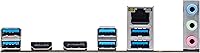
USB 3.2 support on the rear panel means most modern peripherals — external SSDs, hubs, controllers — connect and perform as expected without needing expansion cards. Display output ports for integrated graphics are also present for non-dedicated GPU setups.
Only two USB 2.0 ports is a noticeable limitation for users with older peripherals like wireless receivers, keyboards, or mice that rely on 2.0. There is no integrated Wi-Fi or Bluetooth, which feels like a missed inclusion at this price point given how common wireless connectivity has become.
Thermal Performance
74%
26%
For stock-clocked 12th Gen builds — which is the intended use case here — thermal management is adequate and the board runs quietly under normal office, gaming, and productivity workloads. Users report no unexpected shutdowns or heat-related instability in day-to-day use.
The VRM solution is not designed for sustained heavy loads like prolonged video rendering or extended CPU-intensive compute tasks with higher TDP processors. Running a Core i9 at full sustained load for extended periods is outside the comfortable operating envelope of this board.
Setup & Installation
83%
The board's layout is well thought out for a compact form factor — clearance around the socket area, clearly labeled headers, and a logical port arrangement that makes first-time assembly less stressful. The rear I/O shield installation is straightforward and fits snugly.
The included documentation is basic, which is fine for experienced builders but may leave newer builders reaching for community guides or YouTube walkthroughs for steps like M.2 installation or front panel header wiring. A more detailed printed manual would have been a welcome addition.
CPU Compatibility Range
86%
LGA1700 support across Intel 12th Gen Celeron, Pentium, Core i3 through Core i9 gives builders real flexibility to start with a budget processor and upgrade later without changing the board. This makes the H670M Pro RS a practical long-term platform investment for the right user.
The board is effectively limited to 12th Gen as its primary sweet spot — 13th Gen compatibility requires a BIOS update that may not be pre-flashed on older stock. There is no pathway to future Intel generations beyond Raptor Lake, so long-term upgradeability has a defined ceiling.
Accessories & Bundle
54%
46%
The essentials are present in the box — enough to get a basic build up and running. For experienced builders who already have a stock of SATA cables and tools from previous builds, the lean bundle is a non-issue.
For first-time builders or those starting fresh, the sparse bundle is a genuine inconvenience. Missing extras like additional SATA cables or a more comprehensive quick-start guide mean a supplementary purchase is likely before your build is complete.
Everyday Stability
89%
Day-to-day reliability is where the H670M Pro RS earns its strongest community endorsement. Buyers across home office, content creation, and light gaming scenarios consistently describe a system that simply runs — no random reboots, no POST failures after weeks of use.
A small number of reviewers have flagged intermittent issues with specific DDR4 kit configurations requiring a BIOS update to stabilize. These cases appear isolated, but they reinforce the importance of checking memory compatibility before assuming plug-and-play behavior.

Suitable for:

The ASRock H670M Pro RS Micro ATX Motherboard is a strong match for builders who need a capable Intel 12th Gen platform without the bulk of a full ATX case. It suits home office users and productivity-focused builders particularly well — the board handles everyday workloads reliably, and the four DDR4 slots mean you have real room to grow your RAM over time. Compact gaming rig builders will also find it appealing, since the PCIe 4.0 primary slot accommodates a current-generation GPU without compromise. First-time builders benefit from the approachable BIOS and the straightforward layout, which removes a lot of the guesswork that can make early builds stressful. Upgraders coming from older Intel platforms will appreciate the jump to modern M.2 NVMe storage and USB 3.2 connectivity without needing to pay for overclocking headroom they would never use anyway.

Not suitable for:

The ASRock H670M Pro RS Micro ATX Motherboard is not the right foundation if CPU overclocking is any part of your plan — the H670 chipset locks clock multipliers, full stop, and no BIOS setting will change that. Enthusiasts chasing maximum performance who are already eyeing a K-series Intel processor should step up to a Z690 or Z790 board instead. Power users who anticipate needing more than three expansion slots will also run into the natural ceiling of the Micro ATX format; a full ATX board simply offers more room to grow. Content creators or workstation builders planning to run multiple high-bandwidth PCIe cards simultaneously may find the secondary PCIe 3.0 slots a bottleneck over time. Finally, buyers who expect a generous accessory bundle — extra SATA cables, a rear I/O shield with premium finish, or a detailed printed manual — may find what is in the box a little underwhelming compared to pricier competitors.

Specifications

  • Form Factor: Micro ATX format measuring 11 x 10.5 x 2.4 inches, compatible with most mid-tower and compact ATX cases.
  • CPU Socket: LGA1700 socket supports Intel 12th Gen Core, Pentium, and Celeron processors out of the box.
  • Chipset: Intel H670 chipset sits between the entry-level B660 and the enthusiast Z690, offering solid platform features without overclocking support.
  • RAM Slots: Four DDR4 DIMM slots support dual-channel memory configurations with a maximum combined capacity of 128GB.
  • Memory Speed: Native DDR4 support starts at 2133 MHz, with higher-speed kits supported via XMP profile configuration in BIOS.
  • M.2 Storage: Two M.2 slots accommodate NVMe and SATA-based solid-state drives for fast, cable-free primary and secondary storage.
  • SATA Ports: Four SATA 6Gb/s ports allow connection of traditional hard drives or SATA SSDs alongside M.2 devices.
  • PCIe Slots: One PCIe 4.0 x16, one PCIe 3.0 x16, and one PCIe 3.0 x1 slot provide GPU and expansion card flexibility.
  • USB Rear I/O: Rear panel includes USB 3.2 Gen ports for modern peripherals alongside two USB 2.0 ports for legacy devices.
  • Overclocking: CPU overclocking is not supported on this board; the H670 chipset locks the processor clock multiplier by design.
  • Weight: The board weighs 2.64 pounds, which is typical for a feature-equipped Micro ATX motherboard.
  • Color: Black PCB with a clean, understated aesthetic and no onboard RGB lighting.
  • CMOS Battery: Uses a standard CR2032 coin cell battery to retain BIOS settings when the system is powered off.
  • Compatible CPUs: Officially supports Intel 12th Gen Core i3, i5, i7, i9, Pentium Gold, and Celeron processors on LGA1700.
  • Platform: Designed to run on Windows 10 and Windows 11, with driver support provided through ASRock's official download portal.
  • Voltage: Board operates at standard ATX supply voltage with no special power delivery requirements beyond a quality 24-pin ATX PSU.

Related Reviews
ASRock B760 Pro RS ATX Motherboard
80%
83%
Value for Money
88%
Feature Set
91%
CPU Compatibility
74%
Memory Performance
76%
VRM & Power Delivery
More
ASRock B650 PRO RS ATX Motherboard
74%
88%
Value for Money
83%
Build Quality
84%
BIOS Experience
86%
Installation & Setup
71%
CPU Power Delivery
More
ASRock 970M Pro3 Micro ATX Motherboard
74%
88%
Value for Money
91%
Compatibility & CPU Support
86%
Ease of Installation
61%
BIOS Usability
54%
Overclocking Headroom
More
ASRock Z790 Pro RS/D4 DDR4 ATX Motherboard
73%
83%
Value for Money
88%
CPU Compatibility
74%
VRM & Power Delivery
81%
Memory Compatibility
86%
PCIe & Expansion
More
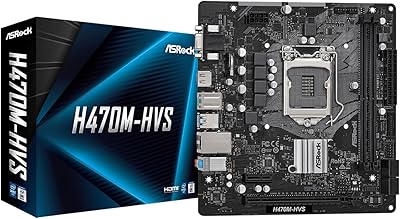
ASRock H470M-HVS Micro-ATX Motherboard
69%
83%
Value for Money
91%
CPU Compatibility
78%
BIOS Experience
47%
Storage Options
53%
Connectivity & USB
More
ASRock B550M-HDV Micro-ATX Motherboard
76%
91%
Value for Money
88%
CPU Compatibility
86%
Ease of Setup
89%
Stability & Reliability
58%
VRM & Power Delivery
More
ASRock A520M Pro4 Micro ATX Motherboard
83%
92%
Value for Money
89%
Processor Compatibility
86%
Performance Stability
84%
Build Quality
88%
Ease of Setup
More
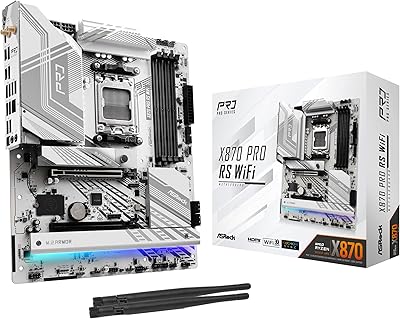
ASRock X870 Pro RS WiFi Motherboard
84%
91%
Performance
95%
Connectivity Options
88%
Stability and Overclocking
70%
Ease of Setup
94%
DDR5 Compatibility
More
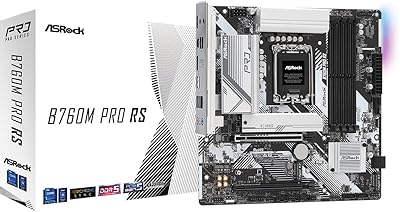
ASRock B760M Pro RS Motherboard
78%
88%
Value for Money
91%
BIOS Experience
86%
DDR5 Compatibility
89%
Installation Ease
83%
CPU Power Delivery
More
MSI Pro B650M-B Micro ATX Motherboard
75%
88%
Value for Money
83%
Build Quality
91%
Ease of Setup
54%
Storage Expansion
86%
Memory Performance
More

FAQ

The H670M Pro RS uses the LGA1700 socket, which is physically compatible with Intel 13th Gen Raptor Lake CPUs. That said, a BIOS update is typically required before those processors will post correctly, so it is worth checking ASRock's support page for the specific BIOS version needed before you buy a 13th Gen chip.

No, and this is worth being clear about upfront. The Intel H670 chipset does not support CPU clock multiplier adjustments, so even if you pair it with a K-series processor, you won't be able to overclock. If overclocking is part of your plan, you'll need a Z690 or Z790 board instead.

Yes, the H670 chipset supports Intel XMP, so you can load your RAM kit's rated speed profile through the BIOS. Just make sure your kit is on ASRock's official memory compatibility list, as some higher-speed kits can be finicky and may need manual tuning.

Quite a few, actually. The ASRock H670M Pro RS Micro ATX Motherboard gives you two M.2 slots and four SATA 6Gb/s ports, meaning you could theoretically run six storage devices simultaneously. In practice, some M.2 and SATA lanes may share bandwidth, so check the manual for any slot-sharing limitations before planning a large array.

No, neither Wi-Fi nor Bluetooth is included. If you need wireless connectivity, you have two practical options: add a PCIe Wi-Fi card using one of the available expansion slots, or use a USB Wi-Fi adapter as a simpler plug-and-play solution.

Any cooler with LGA1700 mounting hardware will work. Many older coolers designed for LGA1200 or LGA115x sockets are not directly compatible unless the manufacturer provides an LGA1700 adapter bracket. It is worth confirming your cooler's LGA1700 support before ordering, as some popular cooler lines required separate bracket kits for 12th Gen builds.

The board itself has no onboard RGB lighting, and based on its feature set, RGB header support is minimal. If a fully lit aesthetic build is your goal, a higher-tier board from ASRock's Taichi or Phantom Gaming line would be a better fit.

The rear I/O does include display output ports for use with Intel 12th Gen processors that have integrated graphics, such as most non-F-suffix Core CPUs. If you are using a processor without integrated graphics — like an F-series Core i5 or i7 — you will need a dedicated GPU to get any display output.

It can work for a light home server setup, particularly if you need multiple drives. The four SATA ports and two M.2 slots give you reasonable storage capacity, and the 128GB RAM ceiling is adequate for most home server workloads. For a dedicated NAS build requiring more than four SATA drives, a board with additional SATA ports or a SATA expansion card would be a more natural fit.

User feedback on this point is pretty consistent — the BIOS is considered approachable and well-organized, which is helpful if you're building your first system. Basic settings like boot order, XMP activation, and fan curves are easy to locate. It doesn't have the polished visual BIOS some higher-end boards offer, but for the core tasks most builders need, it gets the job done without confusion.

Where to Buy