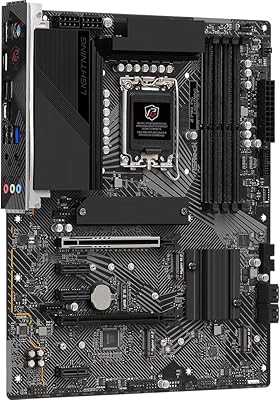
Overview

The ASRock Z790 Pro RS/D4 DDR4 ATX Motherboard sits squarely in the mid-range Z790 segment, built for builders who want solid 12th or 13th Gen Intel support without paying for a flagship board. What makes it particularly relevant is the DDR4 focus — if you already own a capable DDR4 kit, this board lets you skip the DDR5 premium entirely, and that is a real-money decision, not a compromise. It launched in late 2022 and fits standard ATX cases without issue. With a 4.2-star average from 67 buyers, it earns cautious confidence — solid overall, but not without trade-offs worth examining closely.
Features & Benefits

The Z790 Pro RS/D4 sports a 14+1+1 phase VRM with Dr.MOS components, providing stable power delivery for stock operation and moderate overclocking — just don't expect it to sustain a heavily pushed i9 indefinitely. A single PCIe 5.0 x16 slot handles your GPU, while a PCIe 4.0 x16 slot accommodates a fast NVMe card or secondary device. DDR4 support reaches 5333MHz via overclocking, four DIMM slots cap at 128GB, and the HDMI, DisplayPort, and eDP outputs cover most display setups. The M.2 Key-E slot for an optional WiFi module keeps the board flexible without forcing you to pay for wireless you may not need.

Best For

This DDR4 motherboard makes the most sense for builders already sitting on a DDR4 kit who are moving to 13th Gen Intel — an i5-13600K or i7-13700K build where paying extra for a DDR5 board offers diminishing returns. It also suits home workstation setups that need multi-display output without spending more. Gamers on a tighter budget still get PCIe 5.0 GPU bandwidth here, which is a genuine perk at this tier. One honest caveat: there is no built-in WiFi, so if wireless connectivity is essential to your build, factor in the additional cost of an M.2 WiFi card before committing.

User Feedback

Buyers tend to appreciate the Z790 Pro RS/D4's clean board layout and a BIOS that does not take hours to figure out — a point that surfaces regularly given the modest review count. Several owners compare it favorably to pricier Z790 DDR4 alternatives and consider the trade-offs reasonable. The recurring complaint is predictable: no built-in WiFi. Memory compatibility gets positive mentions, with various DDR4 kits running without reported issues. That said, 67 total ratings is a thin feedback pool compared to more established Z790 boards, so the current consensus is encouraging but not yet fully battle-tested by a wide range of users.

Pros

  • Supports both Intel 12th and 13th Gen CPUs, giving builders flexibility across two generations.
  • DDR4 compatibility lets upgraders reuse existing RAM kits and save meaningful money.
  • PCIe 5.0 x16 slot delivers current-gen GPU bandwidth at a mid-range board price.
  • The 14+1+1 phase VRM with Dr.MOS handles stock and moderate overclocking reliably.
  • Up to 128GB DDR4 capacity covers demanding workstation and content creation workloads.
  • HDMI, DisplayPort, and eDP outputs make multi-display setups straightforward without add-in cards.
  • M.2 Key-E WiFi slot keeps the board modular — pay only for the connectivity you actually need.
  • BIOS is consistently praised for being approachable without a steep learning curve.
  • Standard ATX footprint fits the vast majority of mid-tower and full-tower cases.
  • Competitive value compared to pricier Z790 DDR4 alternatives with similar feature sets.

Cons

  • No built-in WiFi — wireless connectivity requires purchasing and installing a separate M.2 card.
  • Only 67 user ratings makes it harder to assess long-term reliability with confidence.
  • VRM is not well-suited for sustained extreme overclocking on high-TDP processors like a pushed i9.
  • DDR4-only design means there is no upgrade path to DDR5 if your memory needs evolve.
  • USB 2.0 port count is limited to just two, which may frustrate users with legacy peripherals.
  • Smaller review community means fewer community-sourced BIOS tips, troubleshooting threads, and compatibility reports.
  • No integrated WiFi means extra setup steps that less experienced builders may find inconvenient.
  • Mid-range VRM may throttle under prolonged all-core stress on the most demanding Intel CPUs.

Ratings

Our editorial team used AI-assisted analysis to evaluate verified buyer reviews for the ASRock Z790 Pro RS/D4 DDR4 ATX Motherboard from across multiple global markets, actively filtering out incentivized, duplicate, and bot-generated submissions to surface what real builders actually experienced. The scores below reflect both where this board earns genuine praise and where real-world frustrations surfaced — nothing is glossed over. Whether you are weighing it against pricier Z790 alternatives or trying to decide if DDR4 is the right path for your next build, these ratings are designed to give you an honest picture.
Value for Money
83%
For builders who already own DDR4 kits, the Z790 Pro RS/D4 delivers a genuinely compelling proposition — you get Z790 chipset features including PCIe 5.0 without paying the DDR5 memory tax. Multiple buyers directly compared it to more expensive DDR4-compatible Z790 options and felt the savings were justified given the feature overlap.
A handful of reviewers noted that if you are starting from scratch with no existing DDR4 memory, the value calculus tightens considerably, since DDR5 kit prices have dropped. The board's mid-range positioning also means it lacks some premium touches found on boards at slightly higher price points.
CPU Compatibility
88%
Supporting both 12th and 13th Gen Intel processors on the LGA1700 socket gives this board genuine flexibility — builders can start with a 12th Gen chip and upgrade to a 13th Gen part without swapping the board. Users running i5-13600K and i7-13700K configurations reported stable operation without any compatibility surprises.
Official 14th Gen support is not guaranteed without a specific BIOS update, which adds uncertainty for anyone planning a future CPU upgrade in that direction. Buyers wanting a multi-generation upgrade path beyond Raptor Lake should verify BIOS compatibility before committing.
VRM & Power Delivery
74%
26%
The 14+1+1 phase design with Dr.MOS components handles stock and moderately overclocked mid-range Intel CPUs reliably. Builders running an i7-13700K at stock or light OC settings reported stable temperatures and no power delivery issues during extended workloads including rendering and gaming sessions.
Sustained all-core loads on a high-TDP i9-13900K pushed to its limits expose the VRM's ceiling — it is capable but not the tool for extreme overclocking. A few enthusiast-oriented reviewers noted they would have preferred more headroom, particularly for long overnight stress tests.
Memory Compatibility
81%
19%
Buyers came back consistently positive about DDR4 kit compatibility, with a broad range of brands and speeds running cleanly after enabling XMP in the BIOS. Dual-channel configurations in the 3200–4800MHz range were the most commonly reported setups, and most users hit their rated kit speeds without extensive manual tuning.
Reaching the board's upper OC memory speeds near 5333MHz required more BIOS experimentation and was not always stable on the first attempt, particularly with four DIMMs populated. Users with budget or lesser-known DDR4 kits occasionally reported needing to manually adjust sub-timings to achieve stability.
PCIe & Expansion
86%
Having a PCIe 5.0 x16 primary slot is a genuine asset for builders pairing this board with a current-gen GPU, and the additional PCIe 4.0 x16 slot for a fast NVMe or secondary card adds real flexibility. Gamers appreciated not having to compromise on GPU bandwidth despite choosing a mid-range board.
The two PCIe 3.0 x1 slots are fine for legacy expansion cards but feel limiting compared to boards at slightly higher price tiers that offer more PCIe 4.0 bandwidth across the board. Users running multiple high-speed storage devices simultaneously may find the lane allocation requires some planning.
BIOS Experience
82%
18%
The BIOS interface earned consistent praise for its readability and logical layout, with first-time builders specifically calling out how easy it was to enable XMP memory profiles and configure boot order. More experienced builders appreciated that advanced settings were accessible without being buried behind confusing menus.
A small number of users reported that certain BIOS updates changed default settings unexpectedly, requiring them to re-enter their configurations after flashing. BIOS update documentation could also be clearer about what each revision addresses, which is a minor but recurring gripe.
Connectivity & I/O
67%
33%
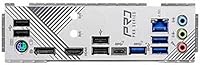
The rear I/O covers the basics competently — HDMI and DisplayPort outputs handle dual-monitor setups for integrated graphics users, and the available USB options are sufficient for most standard peripherals. For a typical home workstation or gaming rig, the port selection gets the job done.
The limited USB 2.0 rear port count of just two frustrated buyers with multiple legacy devices, and the absence of USB4 or Thunderbolt connectivity is noticeable at this price point. Several reviewers specifically called out the I/O panel as the area where this board feels most like a compromise compared to rival options.
Built-in Wireless
31%
69%
The M.2 Key-E slot at least provides a clear path to adding WiFi without needing a PCIe expansion card, which keeps the installation clean and the slot inventory intact. Buyers who were already planning to hardwire via Ethernet found the omission completely irrelevant to their experience.
No built-in WiFi is a real pain point and one of the most consistently mentioned frustrations in buyer reviews — this is not a minor omission for users building in locations where running an Ethernet cable is impractical. The added cost and extra step of sourcing a compatible M.2 WiFi card annoyed buyers who expected wireless to be standard at this tier.
Board Layout & Build Quality
78%
22%
The physical layout received generally positive feedback, with component clearance around the CPU socket and DIMM slots described as sensible and easy to work with during installation. The board feels solid and well-constructed, with no reported issues around bent pins or fragile connectors during first-time installs.
The aesthetic is functional rather than premium — there is minimal RGB and the overall look is understated, which suits workstation builds but may disappoint builders putting the board on display through a glass panel. A few users noted the VRM heatsink coverage felt modest compared to visually beefier competitors.
Overclocking Headroom
69%
31%
For DDR4 memory overclocking and moderate CPU frequency bumps, the Z790 Pro RS/D4 performs admirably — most users pursuing light OC targets on mid-tier CPUs hit their goals without stability problems. The BIOS provides the necessary controls for XMP enablement and basic CPU ratio adjustments.
Builders hoping to seriously push an i9-class processor or run extreme DDR4 frequency experiments will find the board's ceiling arrives sooner than on purpose-built overclocking boards. The VRM thermal performance under prolonged extreme OC conditions was a concern for the smaller subset of buyers who tested those limits.
Multi-Display Support
79%
21%
Having HDMI, DisplayPort, and an eDP connector all on one board is genuinely useful for users running integrated Intel graphics in a workstation or home office context. Buyers setting up dual-monitor environments without a discrete GPU found the output selection covered their needs without adapters.
The eDP connector is niche and primarily useful for direct panel connections in specific builds, leaving most users effectively working with two practical outputs. Those needing three or more simultaneous displays via integrated graphics will hit a natural limit without adding a discrete GPU.
Thermal Management
72%
28%
Under typical workloads — gaming, light content creation, office tasks — the board's heatsink coverage keeps temperatures reasonable and CPU VRM thermals within acceptable ranges. Fan header availability gives builders enough control points to manage airflow effectively across the system.
Under sustained heavy compute loads the VRM heatsinks run warm, and a few users with less optimized case airflow noted higher VRM temperatures than they were comfortable with during extended all-core workloads. The heatsink design, while adequate, is not as aggressive as what you find on boards targeting the performance enthusiast segment.
Review Volume & Confidence
53%
47%
The existing 67 ratings collectively paint a consistent picture — there are no wild outlier clusters or suspicious spikes that would suggest manipulated feedback, giving the current 4.2-star average a degree of credibility proportional to the sample size.
With only 67 ratings, this board has significantly less community feedback than comparable Z790 options from competing brands, which makes it harder to identify rare failure modes or long-term reliability patterns. Buyers who rely heavily on large review pools to build purchasing confidence may find the limited sample unsatisfying.

Suitable for:

The ASRock Z790 Pro RS/D4 DDR4 ATX Motherboard is a strong fit for builders making the jump to 13th or 12th Gen Intel who already have a DDR4 memory kit sitting in their current rig. Rather than spending extra on a DDR5-capable board and an entirely new set of RAM, those builders can redirect that budget toward a better GPU or CPU instead — and that is a genuinely smart trade-off for mid-range builds. It also works well for home office or small workstation setups that need multi-display output via HDMI and DisplayPort without requiring an expensive flagship board. Gamers chasing PCIe 5.0 GPU bandwidth on a controlled motherboard budget will find the feature set punches above what the price tier typically delivers. Anyone comfortable sourcing their own M.2 WiFi card separately will feel right at home with the modular approach this board takes.
Not suitable for:

Builders who want everything integrated out of the box should think carefully before choosing the ASRock Z790 Pro RS/D4 DDR4 ATX Motherboard, since the lack of built-in WiFi is a real inconvenience rather than a minor footnote. If your build location depends on wireless connectivity, you will need to budget for an additional M.2 WiFi module and factor in the installation step. Hardcore overclockers pushing a high-TDP i9 to its limits may find the VRM adequate for moderate tuning but not ideal for sustained extreme workloads — there are pricier Z790 boards with beefier power delivery aimed squarely at that use case. Buyers who specifically want DDR5 for future memory upgrades or workloads that benefit from higher bandwidth should look elsewhere entirely, as this board is DDR4-only with no DDR5 path. Finally, those who place heavy weight on a large, well-established community of user reviews may find the relatively small pool of ratings less reassuring than boards with broader long-term feedback histories.

Specifications

  • Chipset: The board uses the Intel Z790 chipset, which supports PCIe 5.0 and offers overclocking capability for compatible Intel processors.
  • CPU Socket: LGA1700 socket accommodates Intel 12th Gen (Alder Lake) and 13th Gen (Raptor Lake) processors.
  • Form Factor: Standard ATX form factor measuring 12″ x 9.6″, compatible with most mid-tower and full-tower cases.
  • Memory Type: Supports DDR4 memory exclusively across four DIMM slots with a maximum capacity of 128GB.
  • Memory Speed: Native DDR4 speeds are supported up to XMP/OC profiles reaching 5333MHz, depending on the installed kit.
  • PCIe Slots: One PCIe 5.0 x16 slot for the primary GPU, one PCIe 4.0 x16 slot, and two PCIe 3.0 x1 slots for expansion cards.
  • VRM Design: A 14+1+1 phase power delivery system with Dr.MOS components handles VCore and GT power for stable CPU operation.
  • Video Output: Integrated display outputs include one HDMI port, one DisplayPort, and one eDP connector for panel-direct connections.
  • WiFi Support: No built-in WiFi is included; an optional M.2 Key-E slot accepts a separately purchased wireless module.
  • USB Ports: The rear I/O includes 2 USB 2.0 ports among its connectivity options; additional USB headers are available on-board.
  • Storage Slots: Multiple M.2 slots support NVMe SSDs, with the primary slot running at PCIe 4.0 speeds for fast storage performance.
  • Weight: The board weighs 2.6 pounds, which is typical for a fully featured ATX motherboard.
  • Product Dimensions: Physical dimensions are approximately 9.69″ x 9.69″ with an 11.02″ depth including the I/O shield and connectors.
  • Supported OS: Officially compatible with Windows platforms; Linux support varies by distribution and driver availability.
  • Release Date: The board was first made available in October 2022 as part of ASRock's initial Z790 product lineup.

Related Reviews

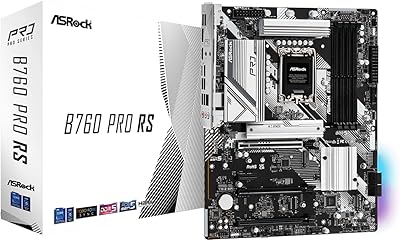
ASRock B760 Pro RS ATX Motherboard
80%
83%
Value for Money
88%
Feature Set
91%
CPU Compatibility
74%
Memory Performance
76%
VRM & Power Delivery
More
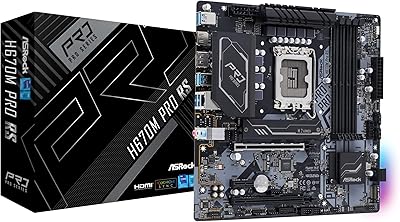
ASRock H670M Pro RS Micro ATX Motherboard
76%
88%
Value for Money
81%
Build Quality
84%
BIOS Experience
91%
Storage Options
34%
Overclocking Support
More
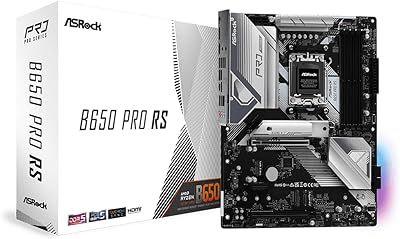
ASRock B650 PRO RS ATX Motherboard
74%
88%
Value for Money
83%
Build Quality
84%
BIOS Experience
86%
Installation & Setup
71%
CPU Power Delivery
More
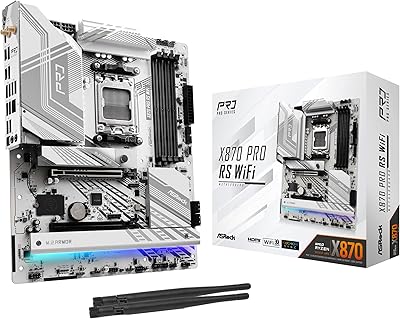
ASRock X870 Pro RS WiFi Motherboard
84%
91%
Performance
95%
Connectivity Options
88%
Stability and Overclocking
70%
Ease of Setup
94%
DDR5 Compatibility
More
ASRock B760M Pro RS Motherboard
78%
88%
Value for Money
91%
BIOS Experience
86%
DDR5 Compatibility
89%
Installation Ease
83%
CPU Power Delivery
More
MSI PRO Z790-P WiFi DDR4 Motherboard
83%
91%
Performance for Gaming
88%
Future-Proofing Features
85%
Thermal Management
80%
Ease of Installation
89%
Wi-Fi and Connectivity
More
INLAND i7-12700K Z790-P CPU Motherboard Bundle
77%
88%
Value for Money
84%
CPU Performance
79%
Motherboard Build Quality
91%
Installation & Setup
62%
Memory Compatibility
More
ASRock H81 PRO BTC Motherboard
77%
91%
Value for Money
88%
Performance in Mining Rigs
86%
Build Quality
85%
Ease of Setup
82%
Connectivity Options
More
MSI PRO Z690-A DDR4 ATX Motherboard
79%
84%
Build Quality
88%
Value for Money
81%
BIOS Experience
79%
Thermal Management
83%
Storage Expandability
More
ASRock Z790 PG Lightning ATX Motherboard
73%
84%
Value for Money
81%
Build Quality
77%
CPU Power Delivery
79%
Memory Compatibility
66%
BIOS Experience
More

FAQ

Yes, that is one of the main reasons builders choose this board. As long as your DDR4 kit is in good working order, it will slot right in. The board supports up to 128GB across four DIMM slots, and XMP profiles up to around 5333MHz are recognized, so well-specced kits should run at their rated speeds after enabling XMP in BIOS.

Officially, the Z790 Pro RS/D4 is rated for 12th and 13th Gen Intel processors on the LGA1700 socket. Intel 14th Gen CPUs also use LGA1700, and ASRock has released BIOS updates for some Z790 boards to add support, but you should verify compatibility directly on ASRock's official support page before assuming it will work.

WiFi is not included out of the box. The board has an M.2 Key-E slot where you can install a separate Intel or compatible wireless card. It is a quick addition, but factor in that extra cost and step if wireless connectivity matters to your build.

The 14+1+1 phase VRM with Dr.MOS is competent, but this board is really aimed at mid-range builds rather than pushing a fully unlocked i9 under sustained all-core loads. For stock or lightly overclocked use, it should be fine. If you plan to run an i9-13900K hard with aggressive OC settings, a board with a more robust VRM would be a safer long-term choice.

Yes. It follows the standard ATX spec, so any case that lists ATX motherboard support will accommodate it without issues. Full-tower cases obviously work too. Just double-check your case has the correct standoff positions, which virtually all ATX-compatible cases do.

Yes, the ASRock Z790 Pro RS/D4 DDR4 ATX Motherboard provides both an HDMI and a DisplayPort output, so dual-monitor setups work natively if you are using a CPU with integrated Intel graphics. If you have a discrete GPU installed, you would typically connect monitors to that card instead.
Feedback from actual buyers suggests yes — the BIOS is laid out clearly and is not overwhelming for someone setting up their first Intel build. Enabling XMP for memory and adjusting boot order are both straightforward. If you have used an ASRock or similar board before, it will feel very familiar.

The Z790 Pro RS/D4 has multiple M.2 slots for NVMe storage, with the primary slot running at PCIe 4.0 speeds. For the exact slot count and which lanes each one uses, it is worth checking ASRock's spec sheet directly, since slot configurations can vary by BIOS version and simultaneous use can sometimes affect bandwidth sharing.

It is a solid choice for a gaming build in the mid-range bracket. You get a PCIe 5.0 x16 slot for a current or next-gen GPU, DDR4 memory compatibility to save on kit costs, and a stable power delivery system for a gaming-tier CPU like an i5-13600K or i7-13700K. It does not have all the RGB and premium features of enthusiast gaming boards, but for pure gaming performance it holds up well.

The board supports DDR4 memory speeds up to 5333MHz via overclocking profiles. In practice, whether your kit actually hits that speed depends on the specific modules, the number of sticks installed, and the CPU's memory controller. Most quality dual-channel DDR4 kits in the 3200–4800MHz range run without issue.

Where to Buy