
Overview

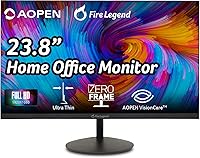
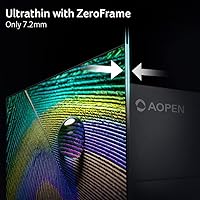
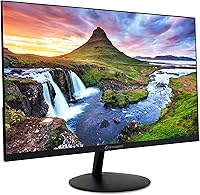
The AOPEN 24SA2Y 23.8″ Full HD VA Monitor is Acer's answer to the question most budget-conscious buyers ask: can a sub-$100 display actually look decent? Built under Acer's AOPEN sub-brand, it targets home workers and students who want a clean, no-fuss screen without spending much. The ultra-thin ZeroFrame bezel keeps things looking tidy on a desk, and Acer thoughtfully includes an HDMI cable in the box — a small gesture that matters when you're trying to keep total costs down. Early buyers have responded positively, with this AOPEN monitor sitting at a solid 4.5-star rating across its first wave of reviews.

Features & Benefits

VA panel technology is where this budget VA display quietly outperforms many rivals at a similar price: VA panels deliver noticeably richer contrast and deeper blacks than the TN alternatives that often crowd this category. Pair that with a 75Hz refresh rate over HDMI and you get a meaningfully smoother picture for scrolling, video, and casual gaming. Worth noting: the advertised 1ms response time uses the TVR measurement method, which is less strict than GtG or MPRT — competitive gamers should keep expectations grounded. AMD FreeSync support is a genuine plus for compatible setups, and dual BlueLight and Flickerless filters help reduce fatigue during long screen sessions.

Best For

The 24SA2Y makes the most sense for home office users who spend their days on documents, video calls, and browser tabs — tasks where VA-level contrast genuinely improves the experience without requiring a premium panel. Students building their first real desk setup will find the 23.8-inch size and clean bezel design easy to live with. It also works well as a secondary display in a dual-monitor arrangement where you want extra screen space without doubling your budget. If you have an older machine with only a VGA output, the included port means no adapter headaches right away.

User Feedback

With just over 50 ratings so far, it is too early to call this a consensus verdict — but early impressions lean positive. Buyers frequently highlight image clarity and color as punching above the price point, and several mention how painless the initial setup was, partly thanks to the bundled HDMI cable. Where things get more critical is the stand — it offers minimal adjustability, no height control, and limited tilt, which can be a genuine annoyance if ergonomics matter to you. A few users also noted that the glossy screen surface picks up reflections in brighter rooms, something worth factoring in depending on your workspace.

Pros

  • VA panel delivers noticeably richer contrast and deeper blacks than TN monitors at a comparable price.
  • The 75Hz refresh rate makes everyday scrolling and casual gaming feel smoother than a standard 60Hz display.
  • AMD FreeSync support reduces screen tearing for users with a compatible AMD GPU.
  • Built-in BlueLight filter and Flickerless technology help reduce eye strain during long work sessions.
  • ZeroFrame bezel design keeps the monitor looking clean and minimal on any desk.
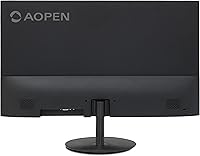
  • Both HDMI and VGA ports are included, covering modern and legacy devices without needing adapters.
  • An HDMI cable comes in the box, so you can get set up immediately without extra purchases.
  • VESA wall-mount compatibility adds flexible placement options for users who want to free up desk space.
  • Early buyers rate this AOPEN monitor highly for image clarity relative to what it costs.
  • At under 6 pounds, it is light and easy to reposition or relocate as needed.

Cons

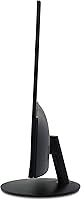
  • The stand offers no height adjustment, which can make ergonomic positioning a real challenge for taller users.
  • Tilt range is minimal, limiting how much you can angle the screen to reduce glare or find a comfortable viewing position.
  • The glossy screen surface picks up reflections noticeably in brightly lit rooms or near windows.
  • The 1ms response time uses the TVR measurement method, which is less rigorous than GtG or MPRT — do not expect true fast-panel performance.
  • Only one HDMI port means juggling connections if you have multiple modern devices to switch between.
  • The review pool is still small, so long-term reliability data is limited compared to more established models.
  • Full HD resolution on a 23.8-inch screen looks fine for general use, but feels soft if you sit close or multitask heavily across many windows.
  • No built-in speakers means you will need external audio for video calls or media playback.
  • Color accuracy is adequate for everyday tasks but not suitable for photo editing or any color-sensitive work.

Ratings

The scores below reflect an AI-driven analysis of verified global buyer reviews for the AOPEN 24SA2Y 23.8″ Full HD VA Monitor, with spam, bot-generated, and incentivized feedback actively filtered out before scoring. Each category is evaluated based on real usage patterns reported by home office workers, students, and casual users who purchased and used this display in everyday conditions. Both the genuine strengths and the recurring frustrations are transparently reflected — nothing has been glossed over to make the numbers look better than the reality.

Value for Money
88%
For buyers working within a tight budget, this AOPEN monitor consistently delivers more than expected — particularly the VA panel quality, which most users associate with a higher price tier. The bundled HDMI cable adds a small but meaningful bonus that reduces the total out-of-pocket cost of getting set up.
While the price-to-performance ratio is strong for general use, buyers who later want ergonomic accessories like a monitor arm or external speakers will find the total cost creeping upward, slightly eroding the initial value appeal.
Image Quality
83%
The VA panel produces noticeably richer contrast and deeper blacks than the TN alternatives that dominate this price range, making text sharp and colors reasonably vivid for documents, streaming, and casual browsing. Users frequently highlight how much better this looks out of the box compared to older TN displays they replaced.
Color accuracy is adequate but not calibrated for precision work — photo editors and designers will spot inconsistencies, particularly toward the edges of the panel where VA backlight uniformity can dip. The glossy surface also intensifies perceived saturation in some lighting conditions, which can mislead casual users about true color fidelity.
Eye Comfort
79%
21%
The combined BlueLight filter and Flickerless backlight technology make a real difference for users clocking long hours at a desk — many report noticeably less headache and eye fatigue by end of day compared to monitors without these features. Both can be toggled through the on-screen menu without needing third-party software.
The BlueLight filter introduces a warm color cast that some users find distracting for color-sensitive tasks or media consumption. A few buyers also noted that the glossy screen surface can create its own form of visual strain in rooms with strong overhead lighting, partially offsetting the flicker-free benefit.
Gaming Performance
61%
39%
For casual, non-competitive gaming — think turn-based games, older titles, or light indie games — the 75Hz refresh rate and AMD FreeSync combination provides a genuinely smoother experience than a standard 60Hz panel, and screen tearing is well controlled when FreeSync is active over HDMI.
The 1ms response time is measured in TVR, not the GtG or MPRT standards that gaming monitors use, so motion clarity in fast-paced scenes is not as clean as that spec implies. Competitive gamers or anyone playing first-person shooters at high framerates will quickly notice the gap compared to purpose-built gaming displays.
Build Quality
71%
29%
The chassis feels reasonably solid for a monitor at this price point, with no excessive flex in the panel or back housing during normal handling. The ultra-thin ZeroFrame bezel looks and feels more premium than the cost suggests, which helps the monitor hold its own aesthetically on a tidy desk.
The plastic materials are clearly budget-grade up close, and the stand feels noticeably lightweight — it wobbles slightly when nudged. There is no metal reinforcement at the connection point between the panel and base, which may raise durability concerns for buyers who frequently move the monitor around.
Stand & Ergonomics
44%
56%
The stand does its basic job of holding the panel upright, and the footprint is small enough not to crowd a compact desk. For users whose desk height already positions the screen comfortably, the lack of adjustability may never become a real issue.
There is no height adjustment, swivel, or pivot — only a minimal tilt range that many users find insufficient for dialing in a truly comfortable viewing angle. Taller users or those with specific posture needs frequently report neck and shoulder discomfort after extended sessions, and buying a third-party arm adds cost and complexity.
Connectivity
76%
24%
Having both HDMI 1.4 and VGA on the same monitor is genuinely useful — it means the 24SA2Y can serve users upgrading from older PCs without forcing an immediate adapter purchase, while still being ready for modern devices. The included HDMI cable removes one common setup friction point entirely.
There is only a single HDMI port, so switching between two modern devices requires physically swapping cables rather than using an input toggle. There is also no DisplayPort, USB hub, or headphone jack, which limits flexibility for users who need a more connected desktop hub.
Setup Experience
91%
Buyers consistently report that this is one of the easiest monitors to get running — the stand attaches without tools, the HDMI cable is in the box, and the display is recognized immediately by most operating systems without driver installation. For first-time monitor buyers especially, the out-of-box experience is stress-free.
The on-screen display menu, while functional, is navigated through a small cluster of rear buttons that can be awkward to locate without looking behind the panel. Menu organization is basic, and options for fine-tuning picture settings are limited compared to monitors with more advanced OSD layouts.
Screen Glare & Reflections
53%
47%
In a controlled lighting environment — a room with no direct windows facing the screen and diffused overhead lighting — the glossy surface does enhance color vibrancy and perceived sharpness in a way that matte panels rarely match at this price.
In typical home or office environments with mixed lighting, the glossy finish creates distracting reflections that can make extended work sessions genuinely uncomfortable. Users near windows or under bright overhead lights frequently flag this as a significant practical drawback, and there is no matte alternative available for this model.
Refresh Rate & Smoothness
78%
22%
The jump from 60Hz to 75Hz is subtle but perceptible, particularly during smooth scrolling through long documents or web pages — a task home office users perform constantly. Paired with FreeSync, the overall motion experience feels clean for productivity and light entertainment use.
The 75Hz ceiling means this monitor will always leave a performance gap for users whose GPU can push higher framerates. It is also worth noting that the higher refresh rate is only accessible via HDMI — VGA users are capped at 60Hz regardless of their system capability.
Color Accuracy
63%
37%
Out of the box, the color reproduction is pleasant for everyday content — streaming video, general web use, and productivity work all look acceptable without any manual calibration. Most non-specialist buyers will not notice anything amiss.
The panel is not factory-calibrated, and color accuracy drifts noticeably at wider viewing angles — a known characteristic of VA technology. Users working in creative fields or anyone comparing images side by side with a calibrated display will quickly notice the inconsistency, particularly in reds and shadow detail.
Viewing Angles
67%
33%
For a single-user desk setup where you are sitting directly in front of the screen, VA viewing angles are perfectly adequate — the image holds up well within a reasonable cone of about 30 degrees either side of center, covering most normal seated positions.
Move further off-axis and the color shift becomes obvious, which matters if you frequently share your screen with someone sitting beside you or work from multiple seated positions throughout the day. VA panels in this price range typically underperform IPS panels in this specific area.
Noise & Coil Whine
82%
18%
The vast majority of users report no audible coil whine or electronic noise from the panel under normal operating conditions, which is not always a given at this price point. The power supply appears well-shielded for a budget unit.
A small number of buyers have reported a faint high-pitched noise from the power circuitry under certain brightness levels, though this appears to be an isolated manufacturing variance rather than a systematic issue. If it does occur, it tends to be most noticeable in quiet rooms at night.
Packaging & Unboxing
84%
The monitor arrives well-protected with foam inserts on all sides, and including the HDMI cable in the package signals a degree of buyer consideration that is not universal at this price tier. Nothing arrived loose or damaged in the majority of reported experiences.
The packaging is not especially eco-friendly, and the manual included is minimal — fine for tech-savvy buyers, but potentially confusing for first-time monitor users trying to understand OSD features or VESA mounting options without additional guidance.

Suitable for:

The AOPEN 24SA2Y 23.8″ Full HD VA Monitor is a natural fit for anyone who needs a reliable, easy-to-live-with display without stretching a tight budget. Home office workers who spend most of their day reading documents, running spreadsheets, or sitting through video calls will appreciate the VA panel's better contrast over cheaper TN alternatives — text looks crisper and images feel more grounded. Students setting up their first real desk will find the 23.8-inch size practical, and the ZeroFrame design keeps the whole setup looking clean without much effort. It also works convincingly as a second screen in a dual-monitor arrangement, where you want useful extra space rather than a showpiece display. Anyone still running an older machine with VGA output will be relieved to find both ports on board, no adapter required.

Not suitable for:

Buyers with more demanding needs will likely find the 24SA2Y falling short in a few meaningful ways. Competitive or even enthusiast-level gamers should look elsewhere — the 75Hz ceiling and a response time quoted in TVR rather than the stricter GtG or MPRT standards means this is not a panel built for fast-paced action. The stand is a real ergonomic limitation: there is no height adjustment and tilt range is minimal, which can become uncomfortable over long sessions unless you are willing to prop it up with a stand riser or wall-mount it using the VESA option. The glossy screen surface is also worth flagging — in a room with overhead lighting or a window behind you, reflections can be distracting enough to affect productivity. Anyone who works with color-accurate tasks like photo editing or graphic design should also be aware that Full HD VA panels at this price tier are not calibrated for professional color work.

Specifications

  • Screen Size: The display measures 23.8 inches diagonally, offering a practical viewing area suited to most standard desk setups.
  • Panel Type: This monitor uses a VA (Vertical Alignment) panel, which provides stronger contrast ratios and deeper blacks than TN panels at a comparable price.
  • Resolution: Native resolution is 1920 x 1080 (Full HD), delivering a clean and sharp image for everyday productivity and general media consumption.
  • Aspect Ratio: The screen uses a standard 16:9 widescreen aspect ratio, compatible with virtually all modern operating systems, applications, and video formats.
  • Refresh Rate: A 75Hz refresh rate is available when connected via the HDMI port, providing a noticeably smoother experience compared to standard 60Hz panels.
  • Response Time: Rated at 1ms using the TVR (Typical Video Response) measurement method, which differs from the stricter GtG or MPRT standards used by gaming monitors.
  • Sync Technology: AMD FreeSync is supported over HDMI, helping to reduce screen tearing and stuttering for users with a compatible AMD graphics card.
  • Connectivity: The monitor includes one HDMI 1.4 port and one VGA port, covering both modern and older device connections without requiring an adapter.
  • Included Accessories: An HDMI cable is included in the box, allowing immediate setup without any additional purchases.
  • Eye Protection: Built-in BlueLight Filter and Flickerless (flicker-free) technology are included to help reduce eye fatigue during extended screen use.
  • Bezel Design: The ultra-thin ZeroFrame bezel minimizes border width on all sides, making the display well-suited for clean desk aesthetics or multi-monitor arrangements.
  • Screen Surface: The panel features a glossy screen surface, which can enhance color vibrancy but may also increase reflections in brightly lit environments.
  • Mounting: The monitor is VESA wall-mount compatible, giving users the option to free up desk space or achieve a more ergonomic viewing height.
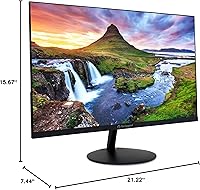
  • Dimensions: Physical dimensions are 21.22 inches wide, 15.67 inches tall, and 7.44 inches deep (including the stand).
  • Weight: The monitor weighs 5.82 pounds, making it lightweight enough to reposition or relocate without much effort.
  • Stand Adjustability: The included stand offers only basic tilt adjustment with no height, swivel, or pivot options available.
  • Brand & Origin: Manufactured by Acer and sold under the AOPEN sub-brand, which focuses on value-oriented displays for home and office environments.
  • Power Input: The monitor operates at up to 240 volts, compatible with standard international power supplies when used with appropriate regional adapters.

Related Reviews
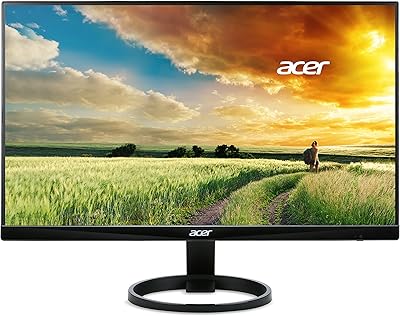
Acer R240HY 23.8-inch Full HD VA Monitor
70%
88%
Value for Money
79%
Image Quality
83%
Contrast & Blacks
44%
Ergonomics & Stand
91%
Connectivity
More
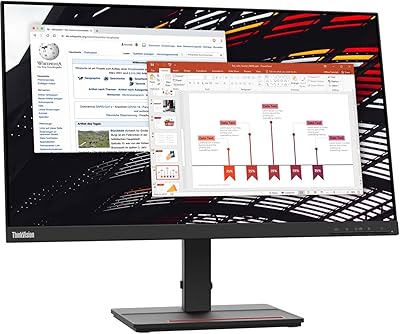
Lenovo ThinkVision S24e-20 23.8″ Full HD Monitor
83%
91%
Value for Money
88%
Display Quality
85%
Build Quality
92%
Ease of Setup
90%
Energy Efficiency
More
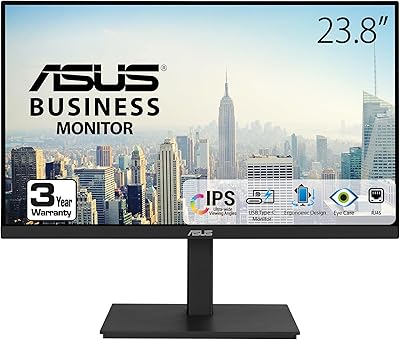
ASUS VA24ECPSN 24-inch Docking Monitor
81%
93%
USB-C Docking Performance
91%
Connectivity & Port Selection
74%
Image Quality & Color Accuracy
67%
Resolution & Sharpness
88%
Eye Comfort & Flicker-Free Performance
More
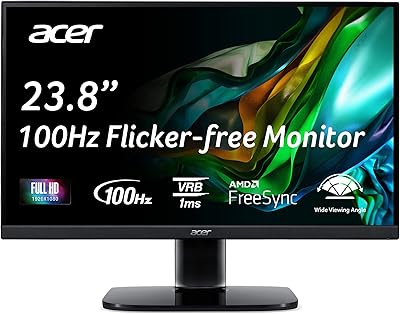
Acer KC242Y Hbi 23.8″ FHD Monitor
71%
88%
Value for Money
83%
Image Clarity
86%
Refresh Rate Performance
71%
Response Time
74%
Build Quality
More
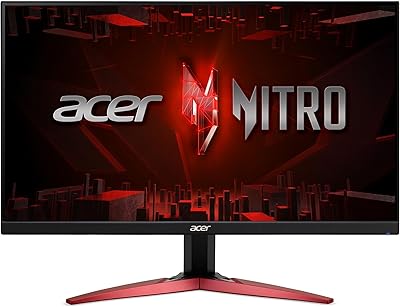
Acer Nitro KG241Y 23.8″ Full HD Gaming Monitor
85%
89%
Value for Money
91%
Display Quality
93%
Gaming Performance
82%
Build Quality
80%
Color Accuracy
More
Acer SB242Y EBI 23.8″ IPS Monitor
75%
91%
Value for Money
86%
Image Quality
83%
Refresh Rate & Smoothness
88%
Design & Aesthetics
41%
Ergonomics & Adjustability
More
Acer SB230 23-inch Full HD IPS Monitor
72%
83%
Image Quality
71%
Color Accuracy
58%
Brightness & Glare
76%
Refresh Rate & Smoothness
63%
Gaming Performance
More
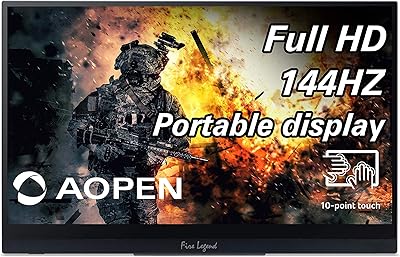
AOPEN 16PG7QT 15.6-inch Portable Touch Monitor
71%
91%
Portability
84%
Display Quality
88%
Refresh Rate Performance
78%
Touchscreen Responsiveness
71%
Connectivity & Compatibility
More
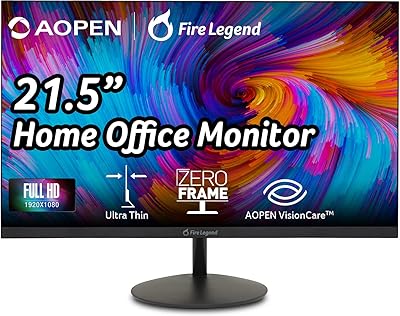
AOPEN 22SA2Q 21.5″ Full HD Monitor
76%
88%
Value for Money
83%
Image Quality
84%
Refresh Rate Performance
67%
Response Time
86%
Design & Aesthetics
More
KOORUI E2212F 22-Inch Gaming Monitor
73%
91%
Image Contrast
78%
Motion Smoothness
73%
Color Accuracy
43%
Ergonomics & Stand
69%
Build Quality
More

FAQ

The 75Hz refresh rate is real, but it only works through the HDMI port. If you connect via VGA, you will be capped at 60Hz, so make sure you are using the right cable — which conveniently comes included in the box.

The 1ms figure is measured using the TVR (Typical Video Response) method, which is less strict than the GtG or MPRT measurements you will see on dedicated gaming monitors. For casual gaming and everyday use it is perfectly fine, but if you play fast-paced competitive titles, you would likely notice the difference compared to a purpose-built gaming panel.

Yes, if you have a compatible AMD GPU and connect via HDMI, FreeSync will actively reduce screen tearing and stuttering. It is a genuine feature rather than a checkbox spec, and it makes the 75Hz experience feel cleaner during gaming or video playback.

Unfortunately, no. The stand that comes with the AOPEN 24SA2Y 23.8″ Full HD VA Monitor only offers basic tilt adjustment. There is no height, swivel, or pivot movement built in. If ergonomics matter to you, your best options are a third-party monitor arm or using the VESA mount points to wall-mount it at your preferred height.

It can, especially if you have a window behind you or strong overhead lighting. Glossy panels tend to mirror light sources more than matte alternatives. If your workspace has uncontrolled lighting, it is worth considering how you will position the monitor before buying.

Yes, the VGA port is there specifically for this situation. You can plug straight in without any adapter. Just keep in mind that VGA is an analog connection, so image sharpness may not be quite as crisp as HDMI, and you will be limited to 60Hz over that cable.

Most users who work extended hours do report less eye fatigue with the filter enabled. It is not a dramatic visual change — the screen takes on a slightly warmer tone — but over a full workday many people find it genuinely reduces that tired, strained feeling. You can usually toggle it through the on-screen menu.

It works well in that role. The ZeroFrame bezel helps the screens sit visually close together, and the 23.8-inch size is a comfortable secondary dimension. Color calibration will not match a premium IPS panel, but for email, chat, or reference windows running alongside a main screen, it does the job cleanly.

No, this budget VA display does not include built-in speakers. You will need external speakers or a headset for any audio output, whether for video calls, media, or anything else.

Very. The monitor ships with an HDMI cable included, so for most users it is simply a matter of attaching the stand, plugging in the cable, and powering on. The on-screen menu is basic but functional, and most buyers report being up and running in under ten minutes.