Overview

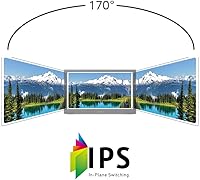
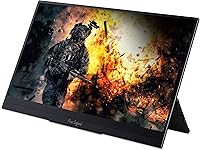
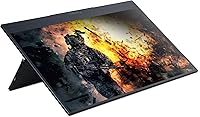
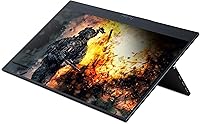
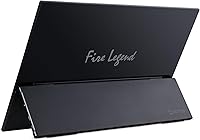
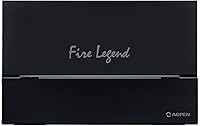
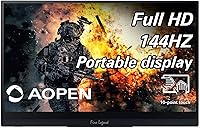
The AOPEN 16PG7QT 15.6-inch Portable Touch Monitor is one of the more compelling options in the mid-range portable display space — not because it does everything perfectly, but because it offers a 144Hz refresh rate at a price point where most rivals top out at 60Hz. Built under Acer's AOPEN sub-brand, it carries genuine brand credibility without demanding a premium. At just 0.42 inches thick and 2 pounds, this slim secondary display is easy to drop into a bag without thinking twice. The IPS panel delivers solid color accuracy and wide viewing angles, and the built-in touchscreen puts it in a category most portable monitors simply do not compete in.
Features & Benefits

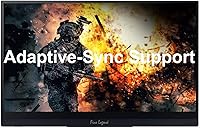
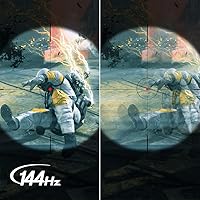
The standout spec here is 144Hz with Adaptive-Sync, which cuts down on screen tearing and motion blur in a way you actually notice — especially coming from a 60Hz portable. The 1920x1080 IPS touchscreen is sharp and responsive, though the glossy finish causes real glare problems near windows or in bright rooms; that is a practical tradeoff, not just a footnote. Connectivity is well-covered: two USB-C ports handle power and video via DP Alt Mode, while Mini HDMI and Micro USB cover less common setups. Cables are included out of the box. Response time lands at 8ms, which is solid for this class of portable display.

Best For

This portable touch monitor hits a sweet spot for a specific set of buyers. Remote workers and students will get the most from it — light enough to carry daily, capable enough to handle spreadsheets, video calls, and multitasking workflows. Creatives and presenters who need occasional touch input for demos will find that feature genuinely useful rather than gimmicky. Casual gamers can appreciate the 144Hz panel for lighter titles, though this is not built for serious gaming sessions. One real caveat: anyone connecting via USB-C must confirm their device supports DisplayPort Alt Mode first — it is a common compatibility gap that catches buyers off guard after purchase.

User Feedback

Owners of the AOPEN 16PG7QT tend to highlight portability and screen quality as the strongest points — the pairing of a sharp IPS panel with touch capability at this weight is not common in the category. Touch responsiveness gets praised as reliable rather than laggy. On the downside, the glossy screen draws consistent complaints about glare in anything other than a dim indoor setting. Several users also flag the absence of a built-in stand, meaning you need a case or third-party solution to prop it upright. Build quality reads as travel-acceptable but not rugged, and occasional USB-C compatibility issues reinforce the importance of that DP Alt Mode check before committing.

Pros

  • 144Hz refresh rate is genuinely rare at this price tier for a portable display.
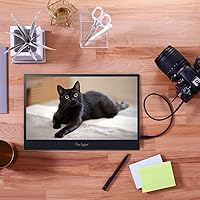
  • Built-in touchscreen adds real utility for presenters, annotators, and tablet-style workflows.
  • At 2 pounds and 0.42 inches thick, this slim secondary display is easy to carry every day.
  • IPS panel delivers solid color accuracy and wide viewing angles for a monitor this size.
  • Dual USB-C ports handle both power delivery and video input with a single cable.
  • Mini HDMI and Micro USB ports broaden compatibility with older or less common devices.
  • Both USB-C and HDMI cables are included, so setup does not require an immediate accessories run.
  • Adaptive-Sync support reduces screen tearing during video and light gaming without extra cost.
  • Acer's AOPEN branding offers a level of reliability that generic no-name portables cannot match.

Cons

  • Glossy screen causes significant glare near windows or in brightly lit environments.
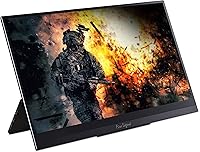
  • No built-in stand or kickstand means you need a separate solution just to prop it up.
  • USB-C video only works with devices supporting DisplayPort Alt Mode, which is not universal.
  • Build quality feels adequate for careful travel but not rugged enough for rough daily handling.
  • Micro USB port adds bulk to the spec sheet but is rarely useful in modern setups.
  • Touch input, while functional, is less precise than a dedicated stylus-optimized display.
  • The 8ms response time is acceptable but trails behind dedicated gaming monitors in fast-paced scenarios.
  • Audio out is the only speaker solution — there are no built-in speakers on the unit.

Ratings

Our AI rating system analyzed verified global buyer reviews for the AOPEN 16PG7QT 15.6-inch Portable Touch Monitor, actively filtering out incentivized, bot-generated, and outlier feedback to surface what real users consistently experience. The scores below reflect a balanced synthesis of genuine praise and recurring frustrations — nothing is softened to protect the product's image. If a weakness shows up repeatedly across independent buyers, it is reflected in the number.

Portability
91%
Owners repeatedly describe this as one of the lightest and slimmest monitors they have traveled with — at 2 pounds and under half an inch thick, it fits alongside a laptop without reorganizing a bag. Commuters and frequent flyers call it a genuine daily carry rather than an occasional extra.
A few users note that without a built-in stand, portability gains are partially offset by needing to carry a separate prop or case. The slim chassis also means there is not much to grip when pulling it out of a tight bag slot.
Display Quality
84%
The IPS panel earns consistent praise for color accuracy and wide viewing angles — whether used side-on in a shared workspace or viewed straight-on at a desk, colors stay natural without obvious shift. Text sharpness at 1080p on a 15.6-inch screen is clean and comfortable for long reading sessions.
The glossy finish divides buyers sharply. In controlled lighting it looks vibrant, but in bright offices or near windows, reflections become intrusive enough that some users repositioned their entire desk setup to compensate. A matte coating would have made this a stronger all-environment pick.
Refresh Rate Performance
88%
Buyers coming from 60Hz portable monitors consistently notice the difference — scrolling feels fluid, cursor movement is visibly smoother, and fast video content looks substantially cleaner. For a portable display, 144Hz with Adaptive-Sync is a combination that outperforms nearly everything at this price tier.
The 144Hz ceiling is only reachable via USB-C with DP Alt Mode — the Mini HDMI port caps out at 60Hz, which catches some buyers off guard after setup. Users who cannot access the full refresh rate through their device feel the spec is partially wasted on their configuration.
Touchscreen Responsiveness
78%
22%
Touch input is described as reliably functional for navigation, scrolling, and basic annotation tasks. Presenters and students using it for interactive demos find the response lag acceptable and the input registration accurate enough for finger-based use across Windows and compatible Android devices.
Precision-sensitive tasks — like detailed drawing or handwriting — expose the limits of a non-active-stylus panel. Several creative users note that palm rejection is inconsistent, and without stylus support, it does not replace a dedicated drawing tablet for anything beyond casual touch navigation.
Connectivity & Compatibility
71%
29%
Having two USB-C ports alongside Mini HDMI gives the monitor flexible options for different setups, and the included cables mean most users are connected within minutes of unboxing. Buyers with DP Alt Mode laptops describe the single-cable USB-C experience as genuinely convenient.
The DP Alt Mode requirement for USB-C video is the single most common source of buyer frustration — users with phones or older laptops that lack this capability find one of the two USB-C ports effectively useless for video. The Micro USB port adds little practical value and reads more like a legacy inclusion than a useful feature.
Build Quality
67%
33%
The overall construction feels solid enough for careful daily travel — the chassis does not flex dramatically, and the screen surround holds up well under normal handling. Buyers who use a protective sleeve report no durability issues even after months of regular commuting.
The plastic build does not inspire confidence during rough handling, and the glossy screen surface shows fingerprints and fine scratches from bag contact relatively quickly. Several buyers who skipped a protective case reported surface marks within the first few weeks of regular use.
Stand & Stability
44%
56%
Some users solve the no-stand problem elegantly with a slim folding tablet stand or a built-in-stand monitor sleeve, and in those setups the monitor sits stably at a comfortable angle. The zero-frame design at least means the display footprint stays minimal even with a stand added.
The complete absence of a built-in kickstand is the most-cited design shortcoming across buyer reviews. For a product clearly built for mobile use, requiring a separate accessory just to prop the display upright feels like a significant oversight that adds both cost and packing complexity.
Glare & Screen Coating
51%
49%
In dim or controlled lighting environments, the glossy surface pays off with noticeably richer contrast and more saturated colors than matte alternatives. Users working in darkened rooms or evening setups rarely mention glare as an issue at all.
Bright-environment buyers are unambiguous in their complaints — offices with overhead fluorescent lighting and home setups near uncovered windows make the screen uncomfortable to use for extended periods. This is not a nuanced issue; it is a binary problem that affects a large subset of the likely buyer audience.
Value for Money
82%
18%
Buyers consistently describe this slim secondary display as offering more per dollar than competing portable monitors in the same tier — specifically citing the combination of IPS touch, 144Hz, and included cables as features that usually cost more individually. For remote workers and students on a budget, the trade-offs feel acceptable.
The missing stand and glossy-only screen surface chip away at the value argument for buyers in bright environments or those who want a complete out-of-box setup. Adding a decent stand accessory nudges the total cost closer to premium portable options that include one natively.
Setup & Ease of Use
79%
21%
Most buyers report a short and uncomplicated setup experience — plug in the included USB-C or HDMI cable, adjust display settings on the host device, and the monitor is recognized quickly. Windows users in particular find driver and display configuration straightforward without additional software.
The USB-C DP Alt Mode requirement creates a confusing first experience for buyers who assumed any USB-C connection would carry video. Troubleshooting this compatibility gap without clear in-box documentation has led to negative setup experiences for a noticeable number of reviewers.
Gaming Performance
63%
37%
Casual gamers using lightweight or indie titles find the 144Hz panel a pleasant bonus — games that run at high frame rates on integrated or entry-level GPUs benefit from the smoother output, and Adaptive-Sync reduces the tearing that plagues lower-end setups.
The form factor was not designed with extended gaming in mind — no built-in stand means awkward positioning, and the 8ms response time, while adequate, trails behind dedicated gaming monitors. Buyers expecting a serious gaming secondary display will find this compromises in the wrong areas.
Color Accuracy
74%
26%
For productivity, web browsing, and casual photo viewing, the IPS panel delivers colors that look natural and consistent across the screen. Remote workers using it for video calls and document work rarely have complaints about color rendering under normal conditions.
Design professionals or photo editors needing calibrated color output will find the panel underwhelming — color gamut coverage is not specified by the manufacturer, and real-world testing suggests it falls short of sRGB-complete coverage needed for serious color work.
Audio Output
39%
61%
The 3.5mm audio jack works reliably for connecting headphones or a small external speaker, giving users at least one functional audio option without relying entirely on the host device's output.
There are no built-in speakers whatsoever, which is a genuine inconvenience for users who expected even basic onboard audio from a self-contained portable display. In meeting rooms or shared spaces without personal headphones, this gap becomes immediately apparent.
Packaging & Unboxing
76%
24%
The inclusion of both a USB-C and HDMI cable in the box is a small but appreciated gesture — buyers note that not having to source cables immediately makes the first-use experience smoother and reinforces the sense that the product is ready to use out of the box.
No protective sleeve or stand is included, which means the monitor arrives without the two accessories most users will need right away. For a portable product, shipping without basic physical protection feels like a missed opportunity to improve the unboxing impression.

Suitable for:

The AOPEN 16PG7QT 15.6-inch Portable Touch Monitor is a strong match for remote workers and digital nomads who need a reliable second screen without hauling extra weight across airports and co-working spaces. At 2 pounds and under half an inch thick, it slides into a laptop bag without drama, making it a practical daily companion rather than an occasional luxury. Students will find it equally useful — whether setting up a dual-screen study station in a dorm room or extending their display in a library without access to a dedicated desk monitor. Presenters and creatives who occasionally need touch input for annotating slides or navigating design reviews will appreciate that this capability comes built in, not bolted on as an afterthought. It also works well for anyone using a USB-C laptop that supports DisplayPort Alt Mode, since a single cable can handle both power and video with no adapters required.
Not suitable for:

Buyers expecting a no-compromise primary desktop monitor will find this slim secondary display falls short in a few important ways. The glossy panel is a real problem in bright environments — sunlit offices, outdoor cafes, and windows behind your desk will reflect aggressively enough to undermine the otherwise solid image quality. The 144Hz refresh rate, while genuinely impressive for a portable, should not be the main reason to buy this if gaming is your priority; it handles casual titles fine, but the form factor and stand situation make sustained gaming sessions impractical. Speaking of stands, there is no built-in kickstand, which means you will need a case or third-party stand to prop it upright — a real oversight for a product marketed at mobile users. Finally, anyone planning to connect via USB-C should verify that their laptop or phone supports DisplayPort Alt Mode before purchasing; many devices use USB-C without video output capability, and the compatibility gap is more common than most buyers expect.

Specifications

  • Screen Size: The display measures 15.6 inches diagonally, offering a practical working area without becoming too large to carry comfortably.
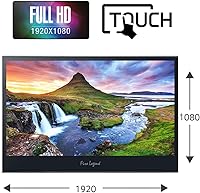
  • Resolution: Native resolution is 1920x1080 Full HD, delivering sharp text and clear visuals suitable for everyday productivity and media consumption.
  • Panel Type: An IPS panel is used, providing accurate color reproduction and wide horizontal and vertical viewing angles compared to TN alternatives.
  • Refresh Rate: The display runs at up to 144Hz, which is notably high for a portable monitor and contributes to smoother motion during scrolling and video playback.
  • Response Time: Gray-to-gray response time is rated at 8ms, keeping up with moderately fast content without significant ghosting under normal use conditions.
  • Touchscreen: The screen supports touch input, allowing direct interaction with the display surface for navigation, annotation, and compatible touch-enabled applications.
  • Adaptive-Sync: Adaptive-Sync technology is built in to dynamically match the display refresh rate to the GPU output, reducing screen tearing without requiring manual configuration.
  • Aspect Ratio: The panel uses a standard 16:9 widescreen aspect ratio, which aligns with most laptop outputs and common content formats.
  • Screen Surface: The display surface is glossy, which enhances color vibrancy but reflects ambient light noticeably in bright or sunlit environments.
  • Thickness: The unit measures just 0.42 inches at its thinnest point, making it genuinely slim enough to fit alongside a laptop in most bags.
  • Weight: Total weight comes in at 2.0 pounds, light enough for daily carry without adding meaningful strain to a travel bag.
  • Dimensions: Overall product dimensions are approximately 16 x 11 x 1 inches, sized to pair naturally with 15-inch class laptops.
  • Ports: Connectivity includes two USB-C 3.1 ports, one Mini HDMI (v1.4) port, one Micro USB port, and one 3.5mm audio output jack.
  • Video Input: Video signal can be received via Mini HDMI or USB-C using DisplayPort Alt Mode; the source device must explicitly support DP Alt Mode for USB-C video to function.
  • Included Cables: The package includes both a USB-C cable and a Mini HDMI cable, covering the two most common connection scenarios out of the box.
  • Design: The monitor uses a zero-frame design with minimal bezels on all sides, maximizing the usable screen area relative to the overall footprint.
  • Brand: This monitor is manufactured by Acer under the AOPEN sub-brand, which targets the value and mid-range display segment.
  • Model Number: The official model identifier is 16PG7QT, used for warranty registration, driver support, and compatibility documentation.
  • Color: The unit ships in black, with a matte plastic housing on the rear and a glossy front display surface.
  • First Available: This model became available in March 2021, placing it in a generation of portable monitors that normalized higher refresh rates at accessible price points.

Related Reviews

Dragon Touch S1 Pro 15.6-Inch 4K Portable Monitor
87%
94%
Display Quality
91%
Portability
88%
Gaming Performance
86%
Build Quality
62%
Audio Quality
More
Topmonitor P15.6/2.5K Portable Monitor 15.6-inch 2560×1680
86%
94%
Display Quality
90%
Portability/Size/Weight
91%
Color Accuracy
87%
Connectivity (USB-C, HDMI)
85%
Build Quality
More
Anyuse PM1561P 15.6-inch Portable Monitor
74%
91%
Portability & Form Factor
84%
Image Clarity
72%
Setup & Compatibility
74%
Build Quality & Durability
61%
Brightness & Outdoor Usability
More
HotYeah 15.6-inch Portable Monitor
86%
91%
Display Quality
95%
Portability & Weight
88%
Compatibility & Connectivity
89%
Ease of Use & Setup
60%
Speaker Quality
More
Westinghouse 15.6 Inch Portable Monitor
82%
88%
Display Quality
92%
Portability
86%
Connectivity Options
94%
Ease of Setup
80%
Build Quality
More
LUMIPIX 15.6-Inch Portable Monitor
84%
91%
Portability
89%
Display Quality
93%
Ease of Setup
87%
Connectivity
84%
Build Quality
More
InnoView INVPM406 15.6-inch Portable Monitor
75%
91%
Ease of Setup
83%
Display Clarity
78%
Portability & Build
62%
USB-C Compatibility
88%
Value for Money
More
VILVA V156F1 15.6-inch Portable Monitor
69%
74%
Display Quality
61%
Portability
82%
Connectivity & Compatibility
67%
Build Quality
83%
Value for Money
More
CAPERAVE 15.6-inch Portable Monitor
85%
88%
Display Quality
92%
Portability
93%
Setup and Ease of Use
90%
Compatibility
80%
Gaming Performance
More
ForHelp 15.6-inch 4K Portable Monitor
74%
91%
Display Sharpness
86%
Color Accuracy
93%
Portability
68%
USB-C Connectivity
63%
Build Quality
More

FAQ

It can, but only if your MacBook model supports DisplayPort Alt Mode over USB-C. Most modern MacBooks with Thunderbolt 3 or Thunderbolt 4 ports do support this, but it is worth confirming before you buy. If your Mac only charges via USB-C without video output capability, you would need to use the Mini HDMI port with an appropriate adapter instead.

The AOPEN 16PG7QT 15.6-inch Portable Touch Monitor can receive power through its USB-C port, so in many cases a single cable from a compatible laptop handles both video and power simultaneously. However, if your laptop's USB-C port does not deliver enough wattage, you may need a separate USB-C power adapter or power bank to keep the display running reliably.
The touch panel responds to finger input and may work with basic passive styluses, but it is not designed for active stylus or pen input. Do not expect the precision or palm rejection you would get from a dedicated drawing tablet or Surface-style device.

It depends heavily on your lighting setup. Near a window or under overhead lighting that reflects into the screen, glare is a genuine issue — bright spots and reflections can make it uncomfortable to use. In a dimly lit room or a setup where the light source is behind you, it is much less of a problem. If you primarily work near windows, a matte-screen portable monitor would be a safer pick.

There is no built-in kickstand on this monitor, which is a real inconvenience for a portable display. Most buyers use a compatible sleeve case with a fold-out stand, or a small adjustable tablet stand. Budget a few extra dollars for an accessory if you plan to use it on a desk regularly.

Yes, the smoothness difference is noticeable during fast scrolling, cursor movement, and video playback — even if you have never used a high-refresh display before. That said, whether it matters for your workflow depends on what you use it for. Writers and spreadsheet users will barely care, while anyone watching high frame rate video or playing casual games will find it a meaningful upgrade.

Android phones that support USB-C video output via DisplayPort Alt Mode can connect and mirror or extend the display. iPhones use Lightning or USB-C depending on the model, and most do not natively support direct monitor output without a licensed adapter or specific hardware. Check your phone's spec sheet for DeX support (Samsung) or USB-C video output before assuming it will work.

Build quality is reasonable for the price tier, but the chassis is plastic and the glossy screen surface scratches if it rubs against hard objects. A sleeve or case is strongly recommended for anyone putting this in a bag regularly. It is fine for careful daily travel, but it is not built for rough handling or bumpy commutes without protection.

No, this slim secondary display does not include built-in speakers. There is a 3.5mm audio output jack, so you can plug in headphones or external speakers, but do not expect any onboard audio output.

The Mini HDMI port is version 1.4, which supports 1080p output but caps bandwidth below what HDMI 2.0 offers. In practice, this means you can run 1920x1080 at 60Hz over Mini HDMI — you will not get 144Hz through that port. To take advantage of the full 144Hz refresh rate, you need to connect via USB-C with DisplayPort Alt Mode from a compatible source device.