Overview

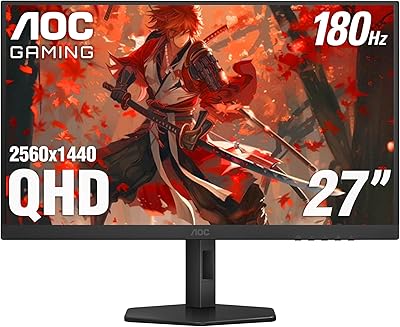
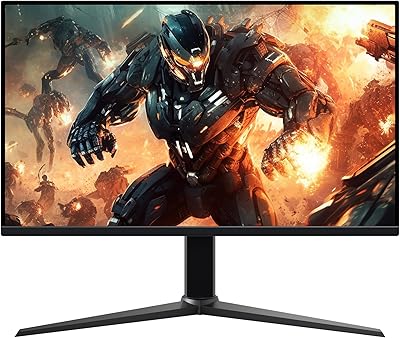
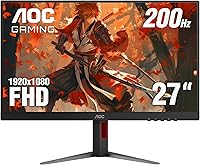
The AOC 27G4H 27-inch Gaming Monitor landed in April 2025 and wasted little time climbing into the top 200 of the computer monitors category — a telling sign that buyers noticed it quickly. At its price point, the pitch is straightforward: a 200Hz IPS panel in a large-format chassis that won't strain your budget. The three-sided frameless design makes it a natural fit for side-by-side setups. One honest caveat worth raising early: 1080p spread across 27 inches produces a pixel density that some users find noticeably softer than a 1440p alternative at the same size, so your typical sitting distance genuinely matters here.
Features & Benefits

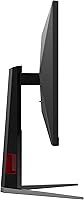
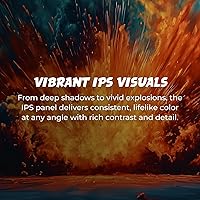
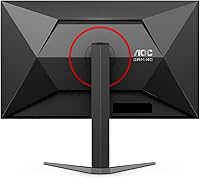
What stands out about this 27-inch IPS display is how well the hardware holds together as a package. The 200Hz refresh rate paired with 0.3ms MPRT keeps motion crisp during fast-paced shooters without the smearing you sometimes see on cheaper VA panels. Colors look genuinely good straight out of the box — the wide sRGB coverage and HDR10 support give games and media a richness that budget monitors often sacrifice. Adaptive-Sync works regardless of whether you're on AMD or NVIDIA. The ergonomic stand is a real highlight, offering full height, tilt, swivel, and pivot adjustments, plus VESA compatibility if you prefer a third-party arm. Connectivity is lean but functional with one HDMI 2.0 and one DisplayPort.

Best For

The 27G4H punches well above its weight for competitive FPS players who care more about frame rate than pixel density — 200Hz makes a perceptible difference in games like Valorant or CS2 compared to a 144Hz screen. It fits naturally into multi-monitor builds, where the near-borderless frame keeps the gap between screens minimal. Coders and writers who need portrait mode will appreciate the pivot function without paying for a separate arm. Those upgrading from a 60Hz or 144Hz panel will feel the difference almost immediately. Console players benefit from the HDMI 2.0 port sitting alongside DisplayPort — handy if you share a desk between PC and console.

User Feedback

With nearly 2,000 ratings averaging 4.5 stars, this AOC gaming monitor has earned a degree of confidence unusual for a display this new. Buyers frequently highlight color accuracy straight out of the box and praise the stand as feeling sturdier than expected at this price. On the critical side, a consistent thread points to the 1080p resolution looking slightly soft when sitting close to a 27-inch screen — fair feedback if you're used to a sharper 1440p panel. The glossy surface draws occasional complaints in rooms with windows or overhead lighting. A few reviewers specifically note the Zero-Bright-Dot warranty positively, pointing out it covers pixel defects that many competing brands quietly exclude from their policies.

Pros

  • 200Hz refresh rate delivers noticeably smoother gameplay compared to typical 144Hz budget monitors.
  • IPS panel produces accurate, vibrant colors straight out of the box with minimal manual calibration needed.
  • The fully adjustable stand — including pivot to portrait mode — is unusually well-built for this price range.
  • Adaptive-Sync works across both AMD and NVIDIA GPUs, so you are not locked into one ecosystem.
  • Three-sided frameless design makes side-by-side dual-monitor setups look clean and professional.
  • The 3-year Zero-Bright-Dot warranty covers pixel defects that many competitors quietly exclude from their policies.
  • HDMI 2.0 and DisplayPort inputs let you connect a PC and a console simultaneously without swapping cables.
  • VESA mount compatibility gives you the option to ditch the stand and use a monitor arm if needed.
  • Strong early sales rank and nearly 2,000 ratings suggest broad buyer confidence for a monitor launched in early 2025.
  • HDR10 support adds visible depth and detail in compatible games and media without requiring a premium display.

Cons

  • 1080p resolution across a 27-inch screen produces a noticeably lower pixel density than a 1440p panel at the same size.
  • The glossy screen coating causes distracting reflections in bright rooms or under overhead lighting.
  • Only two input ports total limits flexibility for users juggling multiple devices or peripherals.
  • HDR10 performance on budget IPS panels rarely matches the impact seen on higher-end displays with local dimming.
  • At nearly 18 pounds, the monitor is on the heavier side, which can make repositioning or mounting slightly awkward.
  • No built-in USB hub means no convenient pass-through ports for mice, keyboards, or charging on the monitor itself.
  • The glossy finish also shows fingerprints and smudges more readily than a matte-coated alternative.
  • Buyers who game primarily in well-lit environments may find the reflection issue significant enough to affect daily comfort.

Ratings

The AOC 27G4H 27-inch Gaming Monitor scores below were generated by our AI system after analyzing thousands of verified global buyer reviews, with spam, bot activity, and incentivized feedback actively filtered out before scoring. Each category reflects real patterns in what actual users praised and complained about — not manufacturer claims. Both the strengths and the recurring frustrations are weighted honestly in every score you see here.

Refresh Rate Performance
93%
Users upgrading from 144Hz panels consistently describe the jump to 200Hz as immediately noticeable in fast-paced shooters — enemy movement feels more readable and cursor tracking feels more natural. For competitive FPS gaming on a budget display, this is the feature buyers cite most often as exceeding their expectations.
A small portion of reviewers note that reaching the full 200Hz requires a DisplayPort connection, and those who initially used HDMI found themselves capped at a lower refresh rate until they switched cables — a setup detail that caused early frustration for some buyers.
Image & Color Quality
86%
The IPS panel's wide color gamut consistently draws praise for producing vivid, accurate colors straight out of the box without needing manual calibration. Buyers using the 27G4H for both gaming and casual media consumption note that skin tones and foliage in games look noticeably more natural than on competing VA panels at a similar price.
HDR10 support, while present, does not dramatically transform the viewing experience the way it does on higher-end panels with local dimming zones — several reviewers describe it as a modest improvement rather than a genuine HDR experience, which is fairly typical at this segment.
Motion Clarity
88%
The combination of a high refresh rate and low MPRT response time keeps fast-moving objects sharp and well-defined during gameplay, with minimal trailing or ghosting reported even in demanding action sequences. Users playing battle royale titles and racing games in particular note how clean the motion feels compared to their previous displays.
Some technically focused reviewers point out that MPRT is a backlight-strobing metric rather than a true pixel transition speed, meaning real-world gray-to-gray response can vary. A handful of users report subtle inverse ghosting artifacts when the response time overdrive setting is pushed too aggressively.
Stand & Ergonomics
91%
The stand earns unusually strong praise for a monitor in this price range — buyers frequently highlight how solid and rattle-free the height adjustment feels, and how the pivot function to portrait mode works smoothly without tools. Dual-screen users and home office workers alike appreciate being able to dial in the exact viewing angle without compromising desk stability.
A few users with smaller desks find the stand's footprint wider than expected, taking up more surface area than they anticipated. The base design, while sturdy, does not leave much room for a keyboard to slide underneath, which frustrated some compact desk setups.
Value for Money
89%
Across the review pool, the price-to-feature ratio is the single most cited reason buyers feel satisfied with their purchase — getting a 200Hz IPS panel with a fully adjustable ergonomic stand and a three-year pixel warranty at this price point strikes most users as a genuinely good deal. Buyers who had been considering more expensive alternatives frequently say they feel no regret choosing this option.
A portion of buyers who compared this display directly to 1440p monitors in a similar price range felt the value proposition weakened when they factored in the resolution compromise — for those buyers, the extra cost of a sharper panel felt justified in hindsight.
Pixel Density & Sharpness
61%
39%
For gaming at normal desk distances — roughly 60 to 80cm — most buyers report the image looks clean and detailed enough that resolution rarely becomes a distraction during gameplay. Users coming from 24-inch 1080p monitors often say the larger screen feels like a worthwhile upgrade with no obvious sharpness regression at their typical seating position.
Buyers who sit within 50cm of their screen, or who have previously used a 27-inch 1440p display, frequently flag the lower pixel density as a visible and persistent trade-off. Fine text in desktop applications and UI overlays in games can appear slightly soft, which a meaningful number of reviewers specifically called out as their main ongoing complaint.
Glare & Screen Surface
58%
42%
In well-controlled lighting environments, the glossy coating enhances perceived color saturation and contrast in a way that many users find more visually engaging than a matte alternative. Buyers in darker rooms or with covered windows report that reflections are a non-issue in their day-to-day use.
The glossy panel surface is the most polarizing aspect of the 27G4H — users with windows, overhead lighting, or lamps behind them report distracting mirror-like reflections that become fatiguing over long sessions. This is a consistent enough complaint that buyers with bright workspaces should factor it in heavily before purchasing.
Build Quality
82%
18%
The chassis and stand feel notably more rigid than the price might suggest — buyers frequently note there is no flex in the screen panel during adjustment and the base does not wobble during desk vibration from typing or clicking. First impressions of unboxing quality are consistently described as positive, with the monitor arriving well-protected.
A small number of reviewers mention that the rear plastic housing, while looking sleek, shows minor flex when pressed firmly — not a functional issue, but noticeable to users who handle their equipment frequently. Some also flag that the matte-black finish picks up visible fingerprints around the bezel edges over time.
Connectivity & Ports
67%
33%
Having both HDMI 2.0 and DisplayPort available in one monitor makes it practical for users who connect a PC via DisplayPort and a console via HDMI simultaneously, switching inputs without unplugging anything. For straightforward single-device setups, the port selection covers every common modern connection scenario.
The two-port total is a real ceiling for power users who run multiple PCs, streaming devices, or additional consoles — there is no USB hub, no extra HDMI port, and no audio output jack built into the panel. Buyers who expected more input flexibility have called this out as a limitation that required purchasing an external switch.
Adaptive-Sync Implementation
84%
Buyers using both AMD and NVIDIA cards report that Adaptive-Sync activates without issues and noticeably reduces screen tearing in GPU-demanding titles. The freedom from being locked into one GPU ecosystem is a practical advantage that gets mentioned positively across a wide range of reviewer builds.
A few reviewers with older NVIDIA cards note that achieving verified G-Sync Compatible status required enabling the feature manually through the NVIDIA control panel, which was not immediately obvious during initial setup. The sync range limits are not widely advertised, and some users hit tearing at frame rates outside that window.
Bezel & Multi-Monitor Design
87%
Users who built dual or triple monitor setups with this display consistently praise how minimal the gap looks between two units placed side by side — the near-borderless design on three sides creates a noticeably cleaner visual join than many competing monitors in this class. For productivity spanning multiple screens, the aesthetic result is frequently described as near-premium.
The bottom bezel, while thicker than the other three sides, is unavoidable in any multi-monitor arrangement and draws occasional mentions as slightly jarring when the eye travels downward across paired screens. It is a minor complaint but worth noting for buyers with high attention to visual symmetry.
Setup & Out-of-Box Experience
85%
Assembly receives strong marks — most buyers report going from box to first image in under ten minutes with no tools required, and the stand clicks into place intuitively. Default factory settings for color and brightness are consistently described as usable immediately without needing to navigate complex OSD menus.
The OSD (on-screen display) menu navigation, while functional, is described by some buyers as slightly unintuitive, with the physical button layout taking a few sessions to become second nature. A small number of reviewers also note the included cable selection is minimal, requiring buyers to source a DisplayPort cable separately if they want the full refresh rate from the start.
Warranty & After-Sales Support
88%
The three-year Zero-Bright-Dot warranty stands out as a genuine differentiator — buyers who researched competing monitors specifically note that AOC's willingness to cover even a single bright stuck pixel from day one is less common than it should be at this price level. Reviewers who contacted AOC support describe the process as straightforward.
A handful of international buyers note that warranty claim processing times and regional support availability vary, with some markets receiving slower response than others. The warranty documentation in the box is described by a few users as sparse, leaving some initially uncertain about what the policy actually covers.
Viewing Angles
83%
As expected from an IPS panel, colors and brightness hold up well when viewed from off-center angles — users who share their screen during co-op gaming sessions or who sit at a wide angle during long work sessions report no significant color shift or contrast degradation. This is a consistent advantage over VA panels that competing monitors in this range sometimes use.
At extreme horizontal angles, a slight glow or luminance shift is visible, though buyers generally note it only becomes apparent when standing well off to the side rather than seated in a normal viewing position. It is not a practical problem for typical solo use but worth flagging for setups where multiple people regularly view the screen simultaneously.
Brightness & HDR Delivery
69%
31%
Peak brightness is sufficient for indoor use in moderately lit rooms, and the HDR10 support adds visible depth in compatible game titles — users playing HDR-enabled RPGs and cinematic games note improved shadow detail and highlight nuance compared to SDR mode on the same content.
For a truly impactful HDR experience, peak brightness falls short of what high-end HDR panels deliver, and without local dimming, dark areas of the image can appear slightly elevated in brightness rather than genuinely deep. Several buyers describe the HDR mode as more of a mild enhancement than a transformative picture upgrade.

Suitable for:

The AOC 27G4H 27-inch Gaming Monitor is a strong fit for PC gamers who want a meaningful refresh rate upgrade without spending heavily — particularly those coming from 60Hz or 144Hz panels who will feel the 200Hz difference almost immediately in fast-paced titles. Competitive FPS players who prioritize fluid motion over pixel sharpness will find the combination of high refresh rate and low response time genuinely useful in games where reaction speed matters. Multi-monitor builders benefit from the near-borderless design, which keeps the visual gap between displays to a minimum. The pivot and height-adjustable stand also makes this a practical pick for hybrid users who split time between gaming and productivity tasks like coding or reading long documents in portrait orientation. Console players sharing a desk with a PC rig will appreciate having both HDMI 2.0 and DisplayPort available without any adapter juggling.
Not suitable for:

Buyers who sit close to their screen and have experience with 1440p displays will likely notice the softer pixel density that comes with running 1080p across a 27-inch panel — it is a genuine trade-off, not a minor quibble. Creative professionals who depend on precise color accuracy for photo editing or video grading should be cautious, as wide-gamut IPS panels at this price tier rarely meet the calibration standards required for that kind of work. The AOC 27G4H 27-inch Gaming Monitor also uses a glossy screen surface, which causes distracting reflections in rooms with natural light, overhead lamps, or windows directly behind the user — a real daily annoyance in certain setups. Those who need more than two input ports — say, a KVM-style setup with multiple devices — will find the single HDMI and single DisplayPort limiting. If your priority is a sharper, denser image for single-player story games or desktop productivity rather than raw frame rate, a 1440p monitor at a comparable price might serve you better.

Specifications

  • Panel Type: The display uses an IPS (In-Plane Switching) panel, which provides consistent colors and wide viewing angles compared to TN or VA alternatives.
  • Screen Size: The viewable screen area measures 27 inches diagonally, making it a large-format option suited for both gaming and productivity use.
  • Resolution: Native resolution is 1920x1080 (Full HD), delivering standard high-definition output across the 16:9 aspect ratio panel.
  • Refresh Rate: The panel runs at up to 200Hz, allowing up to 200 frames per second to be displayed for smoother motion in fast-paced content.
  • Response Time: Motion Picture Response Time (MPRT) is rated at 0.3ms, which reduces perceived motion blur during rapid on-screen movement.
  • Color Gamut: The display covers 120.3% of the sRGB color space, producing saturated, vivid colors that exceed the standard sRGB reference target.
  • HDR Support: HDR10 is supported, enabling compatible content to display a wider range of brightness and shadow detail than standard dynamic range output.
  • Sync Technology: Adaptive-Sync is built in, reducing screen tearing and stuttering dynamically across compatible AMD and NVIDIA graphics cards.
  • Connectivity: The monitor provides one HDMI 2.0 port and one DisplayPort, covering most modern PC and console connection scenarios.
  • VESA Mount: VESA mounting compatibility is included, allowing the monitor to be removed from its included stand and attached to third-party arms or wall mounts.
  • Stand Adjustments: The bundled stand supports height, tilt, swivel, and pivot adjustments, including full 90-degree rotation to portrait orientation.
  • Bezel Design: Three sides of the monitor feature a near-borderless frameless design, minimizing visual gaps in multi-monitor configurations.
  • Screen Surface: The panel uses a glossy screen coating, which enhances color vibrancy but may produce visible reflections in brightly lit environments.
  • Warranty: AOC includes a 3-Year Zero-Bright-Dot warranty, which covers bright pixel defects from the date of purchase — a less common inclusion at this price tier.
  • Dimensions: Assembled with stand, the monitor measures 8.96 x 24.11 x 20.81 inches (depth x width x height), fitting most standard desk configurations.
  • Weight: The full unit with stand weighs approximately 17.96 pounds, which is typical for a 27-inch display with a multi-adjustment ergonomic stand.
  • Aspect Ratio: The screen uses a standard 16:9 widescreen aspect ratio, compatible with the vast majority of PC games, applications, and media formats.
  • Release Date: The monitor became available in April 2025, making it a relatively recent release in the budget gaming monitor segment.

Related Reviews

Skytech Gaming Moonshadow 27-inch Curved Gaming Monitor
83%
88%
Image Quality
91%
Refresh Rate Performance
86%
Adaptive-Sync
83%
VA Panel Contrast
84%
Stand & Ergonomics
More
Raywego Z270B13 27-inch Gaming Monitor
70%
88%
Value for Money
83%
Picture Quality
84%
Refresh Rate Performance
62%
Build Quality
81%
Eye Comfort
More
AOC Q27G4XN 27″ Gaming Monitor
79%
91%
Image Sharpness
88%
Motion Performance
83%
Refresh Rate Value
79%
Color Accuracy
52%
Glare & Reflections
More
AOC G2490VXS 24″ Gaming Monitor
80%
88%
Gaming Performance
83%
Color Quality
86%
Contrast & Black Levels
91%
Refresh Rate & Smoothness
74%
Build Quality
More
memzuoix 27-inch QHD 165Hz Gaming Monitor
70%
88%
Image Clarity
84%
Refresh Rate Performance
91%
Value for Money
82%
Adaptive Sync (FreeSync/G-Sync)
77%
Color Accuracy
More
Alienware AW2723DF 27-inch Gaming Monitor
80%
93%
Motion Clarity
88%
Color Accuracy
91%
Refresh Rate Performance
54%
HDR Quality
89%
Build Quality
More
Amazon Basics 27-inch 1080p Gaming Monitor
76%
88%
Value for Money
79%
Display Quality
91%
Refresh Rate Performance
86%
Response Time
67%
Build Quality
More
AOC C27G4H 27″ Curved Gaming Monitor
89%
93%
Performance
95%
Display Quality
87%
Ergonomics/Adjustability
91%
Value for Money
89%
Compatibility (Console)
More
AOC 24G4 24-inch Gaming Monitor
76%
93%
Refresh Rate Performance
78%
IPS Color Quality
84%
Motion Clarity
91%
Value for Money
87%
Adaptive-Sync Implementation
More
FYHXele 27-inch 380Hz FHD Gaming Monitor
74%
88%
Refresh Rate Performance
74%
Panel & Image Quality
86%
Motion Clarity
83%
Ergonomics & Stand
67%
Build Quality
More
AOC 27B3HA2 27-Inch FHD Monitor
82%
92%
Value for Money
88%
Display Quality
85%
Matte Finish Performance
90%
Ease of Setup
84%
Build Quality
More

FAQ

Yes, the 27G4H supports Adaptive-Sync, which is compatible with both AMD FreeSync-capable cards and NVIDIA GPUs that support G-Sync Compatible mode. You do not need a specific GPU brand to benefit from tear-free gameplay — just enable the feature in your GPU control panel.

It depends on how close you sit. At a typical gaming distance of around 60 to 80cm, most people find 1080p perfectly acceptable for fast-paced gaming. If you sit closer — say, within 50cm — or if you regularly compare it to a 1440p display, the lower pixel density becomes more noticeable, especially in fine text or detailed UI elements. For pure gaming at a normal desk distance, the majority of users have no complaints.

Yes, the included stand supports a full 90-degree pivot rotation, so flipping it into portrait mode is straightforward. Once rotated, you just need to adjust the display orientation in your operating system settings, which takes about 30 seconds on Windows or macOS.

This is one area worth thinking about carefully before buying. The glossy coating enhances color pop, but if you have a window or strong overhead light behind you, reflections can be genuinely distracting. A matte-finish monitor would handle that environment better. If you can control your room lighting or position the display away from direct light sources, the glossy surface is manageable day-to-day.

The AOC 27G4H 27-inch Gaming Monitor comes with a 3-year warranty that specifically guarantees no bright (lit) dead pixels will appear on the panel. Most monitor warranties only cover defects if a certain number of dead pixels accumulate — AOC's Zero-Bright-Dot policy means even a single bright stuck pixel is grounds for a warranty claim. This is a genuinely useful protection that many budget monitor brands do not offer.
This is an important detail: HDMI 2.0 has bandwidth limitations that may cap the refresh rate below 200Hz depending on your source device. For the full 200Hz experience, connecting via DisplayPort is strongly recommended. Always check your GPU's output specs and use the DisplayPort cable for competitive gaming.

Yes, both consoles connect via HDMI and the 27G4H includes an HDMI 2.0 port. Keep in mind that current-gen consoles output at up to 120fps in supported games, so you will not use the full 200Hz ceiling, but you will still benefit from the fast IPS panel and low response time compared to a standard TV.

Assembly is tool-free and typically takes under five minutes — the stand clicks into the monitor base without screws. Buyers consistently note that the height and swivel adjustments feel smooth and secure rather than stiff or wobbly, which is not always the case with budget monitor stands. The quick-release mechanism also makes swapping to a VESA arm straightforward if you decide to upgrade later.

No, the 27G4H does not include built-in speakers. You will need external speakers or headphones connected to your PC, console, or a separate audio device. For a gaming monitor at this price tier, that is fairly standard — built-in monitor speakers tend to deliver poor audio quality anyway, so most buyers prefer dedicated audio solutions.

It is genuinely well-suited for that use case. The near-borderless three-sided design keeps the visible gap between two monitors minimal, the pivot stand means you can run one screen in landscape for gaming and rotate the second into portrait for documents or code, and the Adaptive-Sync ensures smooth gaming when you switch over. The only thing to plan for is the two-port limit — you may need a switch or dock if you have more than two input sources.