Overview

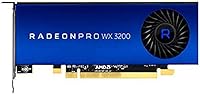
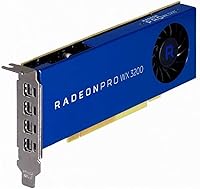
The AMD Radeon Pro WX 3200 4GB GPU is a workstation-class graphics card built squarely for professionals, not gamers. It sits in AMD's Radeon Pro WX lineup, which means it ships with ISV-certified drivers validated against applications like AutoCAD, SolidWorks, and similar tools where stability matters more than benchmark scores. The card launched in August 2019 and targets the entry tier of professional graphics, offering reliable certified performance without the cost of mid-range workstation hardware. Its low-profile form factor also means it fits into compact workstation chassis that standard dual-slot cards simply cannot accommodate.
Features & Benefits

The WX 3200 packs 4GB of GDDR5 VRAM running at 1500 MHz — enough headroom for CAD drafting, GIS work, and light 3D modeling, though it will feel constrained in heavier rendering pipelines. What sets it apart in a professional setting is the quad Mini DisplayPort output, letting you drive four monitors simultaneously at up to 4K resolution — a rare capability at this price tier. AMD's Radeon Pro driver stack brings application-level optimizations and stability certifications that generic consumer cards lack. Power consumption stays low, making this workstation GPU a natural fit for quiet, thermally tight builds where a loud, high-wattage card would be a real problem.

Best For

This Radeon Pro card is a strong match for professionals who rely on certified ISV applications — AutoCAD, SolidWorks, Revit — and need their GPU to behave predictably rather than chase maximum polygon counts. Financial analysts and office power users who want four screens running off a single compact machine will find the quad-display capability hard to beat at this tier. It also suits IT departments focused on fleet standardization, where driver consistency and vendor support matter as much as raw specs. And if you are running a small-form-factor workstation where physical space is a hard constraint, the low-profile design removes that obstacle entirely.

User Feedback

With a 4.3-star average across 114 ratings, the WX 3200 earns its score primarily through reliable driver stability and consistent multi-monitor performance that buyers say works without unexpected crashes or compatibility headaches. The most common criticism centers on the 4GB VRAM ceiling — users who pushed into demanding visualization or rendering tasks found it ran short faster than expected. A handful of reviewers noted friction getting the card recognized on older workstation hardware. It is worth keeping in mind that 114 ratings is a modest pool, so a few negative edge-case experiences carry more weight here than they would on a higher-volume product.

Pros

  • ISV-certified drivers deliver rock-solid stability in AutoCAD, SolidWorks, and Revit without the crash risks of consumer cards.
  • Four Mini DisplayPort outputs make true quad-4K monitor setups possible from a single, compact card.
  • The low-profile form factor opens up small-form-factor workstations that most dual-slot cards cannot fit.
  • AMD's Radeon Pro driver stack includes enterprise support tools useful for IT-managed workstation fleets.
  • Low power draw keeps thermals manageable in quiet, fanless, or thermally constrained chassis.
  • Broad PCIe compatibility means it drops into most modern and legacy workstation motherboards without issue.
  • The WX 3200 holds a solid 4.3-star average, suggesting real-world reliability matches its spec sheet promises.
  • Upgraders coming from older FirePro or early Quadro cards get a meaningful bump in certified performance without overspending.

Cons

  • 4GB GDDR5 VRAM is a real ceiling — demanding visualization, rendering, or large assembly work will exhaust it quickly.
  • The card is five-plus years old, and newer entry-level workstation GPUs now offer better performance per dollar.
  • Mini DisplayPort outputs require adapters for most standard monitors, adding cost and potential compatibility friction.
  • Some users have reported recognition issues when installing the WX 3200 on older workstation hardware.
  • The review pool of 114 ratings is relatively small, making it harder to draw firm conclusions about long-term reliability.
  • No gaming value whatsoever — buyers who also want occasional gaming use will need a separate card.
  • Heavier 3D modeling workflows, even mid-complexity ones, can push this workstation GPU to its limits sooner than expected.
  • No active cooling redundancy in passive-leaning designs means sustained heavy compute tasks can cause thermal throttling in tight enclosures.

Ratings

Our AI-powered scoring for the AMD Radeon Pro WX 3200 4GB GPU was built by analyzing verified purchaser reviews worldwide, with spam, bot submissions, and incentivized feedback actively filtered out before any score was calculated. The ratings below reflect both the genuine strengths that keep this workstation card relevant and the real pain points that buyers consistently flag — nothing is glossed over. Whether you are considering this card as your primary professional GPU or comparing it against alternatives, these scores give you an honest, data-grounded starting point.
Driver Stability
91%
Professionals running AutoCAD or SolidWorks on a daily basis consistently report that the Radeon Pro driver stack behaves exactly as it should — no random viewport crashes mid-session, no surprise regressions after routine Windows updates. ISV certifications are not just marketing language here; users with certified workflows genuinely notice fewer driver-related interruptions compared to consumer cards they previously used.
A small but notable subset of users on older workstation hardware — particularly certain HP and Dell configurations from the early 2010s — reported that the card was not recognized cleanly on first install, requiring a BIOS update or manual driver intervention to resolve. It is not a widespread issue, but it has happened enough to be worth flagging.
Multi-Monitor Support
88%
Running four displays simultaneously is one of the clearest practical wins for the WX 3200, and buyers who need that capability — traders, analysts, architects with extended desktop setups — report it works reliably without needing a secondary card or a powered hub. Stability across all four outputs at 4K is well-regarded in verified feedback.
Every output is Mini DisplayPort, which means virtually every user needs adapters to connect standard monitors — an added cost that is easy to forget when budgeting. A handful of buyers reported minor issues with specific adapter brands causing signal dropouts, suggesting passive adapter quality matters more than it should have to.
VRAM Adequacy
61%
39%
For the workflows this card was designed around — 2D CAD drafting, GIS data visualization, and moderate-complexity 3D viewports — 4GB of GDDR5 is genuinely sufficient and buyers in those scenarios rarely complain about memory pressure during normal working sessions.
The 4GB ceiling is the single most common frustration in user feedback, and it shows up quickly in real-world use when projects scale up. Users working with larger BIM models, high-polygon assemblies, or any GPU-accelerated rendering task frequently hit the limit within months of purchase, making this a card many buyers feel they outgrow faster than anticipated.
Form Factor & Fit
93%
The low-profile single-slot design is a genuine differentiator for buyers constrained to compact or small-form-factor workstations — it physically solves a problem that most competing cards at this tier cannot. Users dropping it into HP EliteDesk and Dell OptiPlex chassis consistently report a clean, hassle-free physical fit.
The low-profile design requires a bracket swap for some chassis, and not all retail units ship with both bracket sizes included. A few buyers had to source the appropriate bracket separately, which added friction to what should have been a straightforward installation.
Professional App Performance
74%
26%
In standard professional workflows — AutoCAD 2D and moderately complex 3D, Revit architectural models of typical residential or commercial scale, and SolidWorks assemblies with sub-500 components — the WX 3200 handles daily tasks without obvious lag or frame drops. Certified application performance is noticeably more consistent than what users report from similarly priced consumer cards.
Push beyond that comfort zone into large assemblies, complex rendering previews, or multi-application workflows with heavy viewport demands, and performance degrades noticeably. The card was not designed for high-end 3D workloads and buyers who underestimate their actual complexity ceiling often find themselves disappointed within six to twelve months.
Power Efficiency
87%
Users building quiet workstations specifically praise how little heat and noise this card contributes — it runs cool enough in standard professional use that compact chassis with limited airflow rarely show any thermal throttling during typical CAD or multi-monitor office sessions. The low TDP is well suited to workstations with modest power supplies.
While thermal performance is strong under normal loads, a small number of users running sustained GPU-compute tasks reported that the card ran warmer than expected in passively cooled or very tight enclosures. This is a niche edge case, but worth noting for anyone planning a fully fanless build.
Installation Ease
78%
22%
On modern hardware the installation experience is clean — slot it in, pull the latest Radeon Pro Software for Enterprise from AMD's site, and the card is operational within minutes. The no-external-power-connector design simplifies things further, removing one common point of confusion for IT staff deploying the card at scale.
Driver installation on older hardware has been a recurring friction point in user reports, with some machines requiring a BIOS update before the card is recognized. The dependency on AMD's separate enterprise driver download rather than a bundled driver disc also catches some buyers off guard.
Build & Hardware Quality
82%
18%
The physical card feels solid and appropriately engineered for a professional-tier product — users report no flex, creaking, or obvious build inconsistencies on arrival. At 12.7 ounces, it has enough heft to feel substantial without being heavy enough to stress the PCIe slot in vertical orientations.
There is nothing exceptional about the hardware build — it is competent and functional, not impressive. A few buyers noted the cooler shroud feels cheaper than they expected given the price positioning, though no one flagged it as a reliability concern.
Value for Money
67%
33%
For the specific buyer who genuinely needs ISV-certified drivers, low-profile form factor, and quad-display output in a single card, the WX 3200 delivers a combination that is genuinely difficult to replicate at a similar price point. In that narrow use case, the pricing is defensible.
For any buyer outside that defined use case, the value proposition weakens considerably. The card is five-plus years old, and newer entry-level workstation options have emerged at comparable price points with better performance and longer support horizons — making it harder to justify unless the specific combination of features is a hard requirement.
Longevity & Future-Proofing
54%
46%
For static, well-defined workloads that have not changed significantly in the past few years — routine 2D drafting, multi-screen office setups, GIS display work — the card continues to perform its role reliably and shows no signs of becoming inadequate for those specific tasks.
The 2019 launch date and 4GB VRAM ceiling are a real concern for anyone buying with a five-year horizon in mind. AMD's Radeon Pro driver support for older WX hardware will not last indefinitely, and as professional applications grow more GPU-hungry, this card will become a bottleneck for a broader range of workflows over time.
Compatibility Range
83%
PCIe interface compatibility is broad, and the card drops into the vast majority of workstation motherboards without issue — from current-generation systems to workstations several years old. Buyers standardizing hardware across a mixed fleet appreciate not having to vet each machine individually.
The Mini DisplayPort-only output configuration limits out-of-box compatibility with the most common monitors in office environments, almost all of which use full-size DisplayPort or HDMI. This is a manageable inconvenience but adds friction and cost to deployment.
Noise & Thermal Output
86%
Users in noise-sensitive environments — architects working from quiet studios, analysts in open-plan offices — consistently note that the WX 3200 adds almost nothing to overall workstation noise under typical professional loads. The passive-friendly design keeps acoustics predictable and low.
There is limited headroom when ambient temperatures rise or airflow is restricted. In chassis with poor ventilation, some users found fan speed increased more than expected under sustained 3D workloads, partially undermining the quiet operation that makes this card attractive in the first place.
Enterprise & Fleet Management
79%
21%
IT administrators managing a fleet of professional workstations appreciate the consistency that AMD's Radeon Pro driver ecosystem provides — standardized driver packages, predictable update cycles, and enterprise support options reduce the per-machine management overhead that consumer GPU deployments often create.
AMD's enterprise support tools, while functional, are considered less mature than what Nvidia offers through its professional product lines. IT teams coming from Quadro-based fleets may find the tooling less polished, particularly around remote diagnostics and centralized update management.

Suitable for:

The AMD Radeon Pro WX 3200 4GB GPU is a practical choice for professionals whose daily work revolves around certified CAD, BIM, or GIS applications where driver stability and ISV validation carry more weight than sheer rendering power. AutoCAD drafters, Revit architects, and SolidWorks engineers who are not pushing dense assemblies or photorealistic rendering will find this card reliably handles their workloads without the driver unpredictability that consumer GPUs can introduce. It is also a strong option for financial analysts, traders, or office power users who need four monitors running simultaneously off a single machine — the quad Mini DisplayPort setup is genuinely useful and not common at this tier. IT administrators standardizing certified workstation hardware across a fleet will appreciate AMD's enterprise driver support and the consistency it brings across deployments. Finally, anyone building or upgrading a compact or small-form-factor workstation where physical card dimensions are a hard constraint will find the low-profile design solves a problem that most alternatives simply cannot.
Not suitable for:

The AMD Radeon Pro WX 3200 4GB GPU is not the right tool for anyone expecting meaningful 3D rendering performance, real-time visualization of complex scenes, or GPU-accelerated workflows in applications like Blender, V-Ray, or similar heavy rendering engines — 4GB of VRAM will become a bottleneck faster than most buyers anticipate. Gamers should look elsewhere entirely; this card was never designed for gaming workloads and will underperform comparably priced consumer alternatives in that context. Professionals working with large point clouds, dense BIM models, or high-polygon assemblies will likely find themselves pushing against the card's limits within months. Given that it launched in 2019, buyers should also weigh whether a newer alternative in a similar price range offers better longevity, since the workstation GPU market has evolved considerably and newer options may provide a better return on investment for anyone planning to use the card for several more years.
Specifications

  • GPU Chip: The card is built on the AMD Radeon Pro WX3200 graphics processor, designed specifically for professional workstation workloads.
  • VRAM: It carries 4GB of GDDR5 video memory, which covers CAD, GIS, and light 3D tasks comfortably under normal professional use.
  • Memory Speed: The onboard GDDR5 memory runs at 1500 MHz, providing adequate bandwidth for 2D drafting and moderate 3D viewport work.
  • Max Resolution: The card supports a maximum output resolution of 3840x2160 (4K UHD) per connected display.
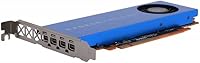
  • Display Outputs: Four Mini DisplayPort connectors are included, enabling simultaneous quad-monitor setups across all four outputs.
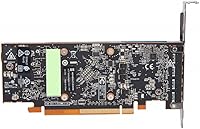
  • Form Factor: The WX 3200 uses a low-profile, single-slot design measuring 9.84 x 2.6 x 8.27 inches, compatible with compact and small-form-factor workstation chassis.
  • Card Weight: The card weighs 12.7 ounces, making it light enough to avoid stressing PCIe slot brackets in smaller builds.
  • Interface: It connects via a standard PCIe interface, ensuring compatibility with the vast majority of modern and legacy workstation motherboards.
  • Driver Platform: The card ships with AMD's Radeon Pro driver stack, which includes ISV certifications for professional applications such as AutoCAD, SolidWorks, and Revit.
  • Power Design: The WX 3200 draws low power and is suited to passive or near-passive cooling configurations common in quiet professional workstations.
  • Enterprise Support: AMD provides enterprise-grade support tools and remote management compatibility through its Radeon Pro ecosystem for fleet-managed deployments.
  • Manufacturer: The card is designed and branded by AMD, with manufacturing sourced from China under model number 100-506115.
  • Product Series: It belongs to AMD's Radeon Pro WX series, which targets entry-to-mid-level professional graphics workloads rather than consumer or gaming markets.
  • Launch Date: The WX 3200 first became available in August 2019, placing it in the entry-level workstation GPU segment of that generation.
  • Avg. Rating: As of the latest available data, the card holds a 4.3-out-of-5-star average rating based on 114 customer reviews on Amazon.
  • BSR Ranking: It ranks at approximately #804 in the Computer Graphics Cards category on Amazon, indicating steady but niche demand.

Related Reviews
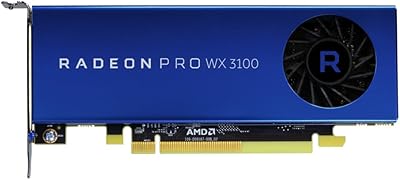
AMD Radeon Pro WX 3100 4GB Graphics Card
78%
88%
Driver Stability
93%
Form Factor Fit
81%
Multi-Monitor Support
76%
CAD Performance
67%
Value for Money
More
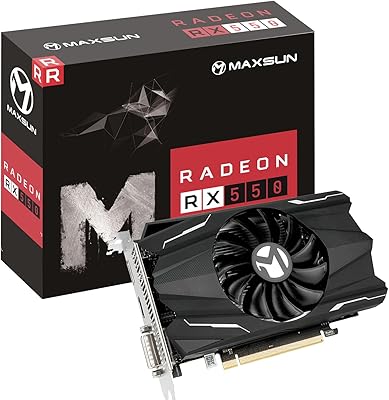
Maxsun Radeon RX 550 4GB Graphics Card
78%
83%
Value for Money
61%
Gaming Performance
91%
Installation & Setup
78%
Noise Level
79%
Build Quality
More
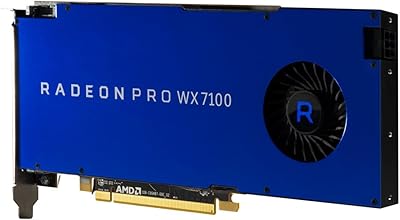
AMD Radeon Pro WX 7100 8GB Graphics Card
80%
91%
Driver Stability
78%
Viewport Performance
83%
VRAM Adequacy
88%
Multi-Monitor Support
93%
ISV Certification Value
More
AMD Radeon Pro W2100 2GB Graphics Card
86%
88%
Performance for CAD & 3D Modeling
91%
Value for Money
93%
Ease of Installation
87%
Driver Stability
85%
Compatibility with Software
More
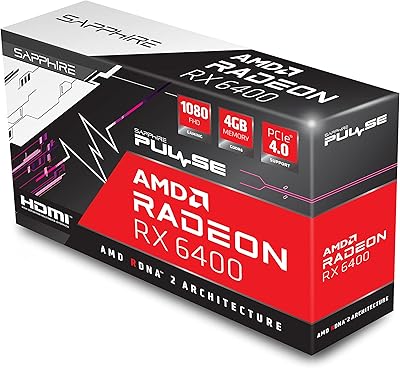
Sapphire Pulse AMD Radeon RX 6400 4GB Graphics Card
85%
91%
Value for Money
85%
Gaming Performance (1080p)
87%
Cooling System (Noise/Effectiveness)
92%
Compact Size for Small PC Builds
90%
Ease of Installation
More
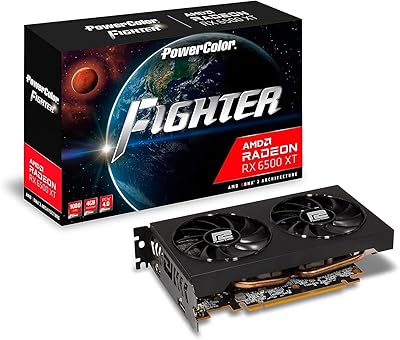
PowerColor Fighter AMD Radeon RX 6500 XT 4GB Graphics Card
82%
91%
Value for Money
89%
1080p Gaming Performance
85%
Build Quality
88%
Power Efficiency
84%
Setup & Installation
More
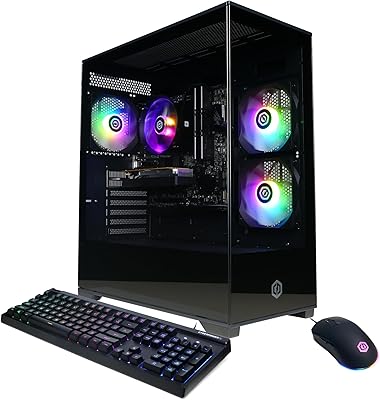
CyberPowerPC Gamer Master GMA3100A Gaming Desktop
71%
62%
Gaming Performance
71%
Value for Money
91%
Setup & Ease of Use
78%
Build Quality
49%
Storage Adequacy
More
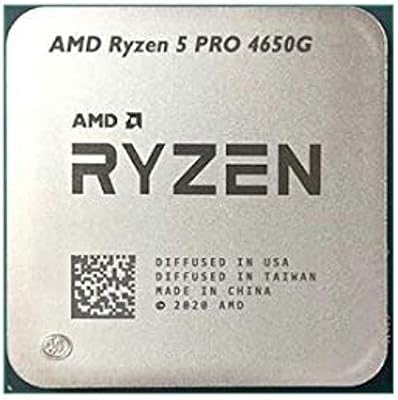
AMD Ryzen 5 PRO 4650G Desktop Processor
72%
74%
Integrated Graphics Performance
81%
CPU Multitasking
62%
Value for Money
88%
Platform Compatibility
58%
RAM Speed Sensitivity
More
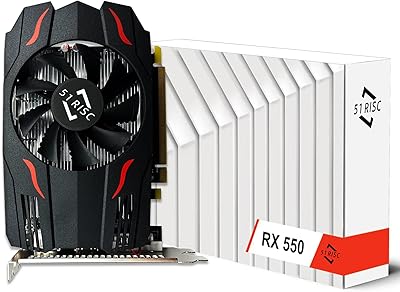
51RISC RX 550 4GB Graphics Card
74%
83%
Value for Money
88%
Installation Ease
86%
Multi-Monitor Support
84%
Media Playback Quality
31%
Gaming Performance
More
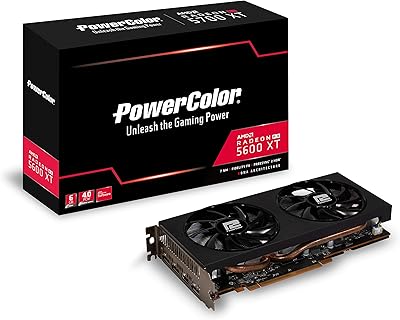
PowerColor RX 5600 XT 6GB Graphics Card
67%
88%
1080p Gaming Performance
58%
VRAM Adequacy
83%
Thermal Management
81%
Noise Level
62%
Value for Money
More

FAQ

Technically it will output a signal, but the WX 3200 was never designed for gaming and will underperform consumer GPUs at a similar price point in that context. The drivers are tuned for professional application stability, not game rendering pipelines, so you would likely be disappointed. If gaming is part of your workload at all, a consumer Radeon RX or GeForce card would serve you better.

Yes, almost certainly. The card has four Mini DisplayPort outputs, and most standard office monitors use DisplayPort, HDMI, or DVI connections. You will need Mini DisplayPort to DisplayPort or Mini DisplayPort to HDMI adapters depending on your monitors. Passive adapters work fine for most setups, but if you need active adapters for specific high-resolution configurations, confirm compatibility before buying.

Yes, AMD has maintained Radeon Pro driver support for Windows 11 across the WX series. You should download the latest Radeon Pro Software for Enterprise driver from AMD's official site after installation rather than relying on the inbox Windows driver for best stability and application certification.

It is specifically designed to fit low-profile chassis, so it should work in most HP EliteDesk, Dell OptiPlex, and similar compact workstations that accept half-height cards. That said, always confirm your specific chassis supports a low-profile PCIe x16 card and check whether a low-profile bracket is included or needs to be purchased separately.

For 2D drafting and moderately complex 3D assemblies, yes — 4GB handles the day-to-day workload well. Where you will start to feel the constraint is with very large assemblies, dense BIM models, or any workflow that involves real-time visualization of high-polygon environments. If your projects regularly push those boundaries, it is worth considering a card with 8GB or more.

Yes, all four Mini DisplayPort outputs support up to 3840x2160 resolution, so quad 4K is technically possible. Keep in mind that driving four high-resolution displays simultaneously does consume VRAM, so if you are also running demanding applications at the same time, you may notice performance constraints. For office productivity, document work, and standard CAD viewports across four screens, it handles the task well.

Both the WX 3200 and entry-level Quadro cards like the P620 target the same professional tier and offer ISV certifications for major CAD applications. The practical difference in daily certified workloads is marginal. The choice often comes down to which platform your IT environment already supports, your specific application certifications, and current pricing. Neither card is a standout winner at this tier; both are solid, conservative choices.

No, the WX 3200 draws its power entirely through the PCIe slot, with no additional 6-pin or 8-pin power connector needed. This makes installation straightforward and keeps it compatible with the lower-wattage power supplies common in small-form-factor workstations.

For most modern systems, installation is straightforward — install the card, boot into Windows, download the latest Radeon Pro Software for Enterprise package from AMD's site, and run the installer. A small number of users have reported the card not being recognized immediately on older workstation hardware, which can usually be resolved by updating the system BIOS or forcing a clean driver installation. On current hardware, issues are rare.

It depends entirely on your use case. If you need a certified, low-profile card for a compact workstation running standard CAD or multi-display office tasks, the WX 3200 still does that job reliably and can be found at a reasonable price. If you are planning a long-term investment or your workflows are growing more demanding, it is worth checking whether newer entry-level workstation options offer better longevity for a comparable outlay. It is not a future-proof purchase, but it is a practical one for specific, well-defined needs.

Where to Buy