Overview

The AMD Radeon Pro WX 7100 8GB Graphics Card is a professional workstation GPU built for CAD engineers, 3D modelers, and media production teams who prioritize reliability over raw gaming speed. Based on AMD's Polaris architecture (GCN 4th Gen), it sits firmly in the mid-range workstation segment, competing with entry-level Nvidia Quadro offerings at a lower price point. Launched in 2016, it still circulates widely in the used and refurbished market, regularly outfitting capable professional desktops at accessible prices. This is not a gaming card — it carries ISV certifications for real-world professional software, meaning tested and validated driver behavior rather than the unpredictability that often comes with consumer-grade alternatives.
Features & Benefits

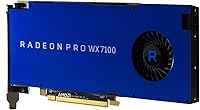
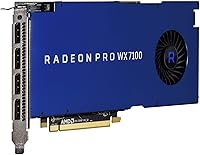
The 8GB GDDR5 VRAM on a 256-bit memory bus is the headline specification — that bandwidth matters when you are rotating a dense assembly model or managing large texture sets inside a viewport. Four Mini DisplayPort outputs let you drive up to four monitors simultaneously, a practical advantage for engineers juggling a CAD window, documentation panels, and reference material at once. The card connects via PCIe 3.0 x16, making it compatible with virtually any workstation motherboard from the past decade. ECC memory support is available but platform-dependent — verify your motherboard supports it before assuming it is active. A single 8-pin connector keeps the installation tidy, which also helps in compact workstation chassis.

Best For

This professional graphics card is best suited to those who need certified driver stability rather than peak benchmark numbers. Architects and structural engineers running SolidWorks or AutoCAD benefit most — an unexpected crash mid-session on a deadline costs far more than any hardware expense. Animators working in Maya or Cinema 4D with mid-complexity scenes will find the viewport responsive for daily production use. Video editors who need reliable multi-monitor coverage without fighting consumer GPU driver quirks will also find it a practical fit. Freelancers and small studios building a capable workstation on a tight budget should look seriously at the secondhand market, where this card offers genuinely strong value.

User Feedback

Professionals who have put the Radeon Pro WX 7100 through regular use consistently highlight two things: consistent viewport stability inside certified applications and surprisingly quiet cooling compared to consumer cards running under comparable loads. Users who switched from Nvidia Quadro hardware often report comparable day-to-day reliability with a noticeably friendlier price. On the critical side, some buyers point out that the card's age becomes apparent when placed alongside newer budget workstation GPUs offering stronger rasterization throughput. Feedback on secondhand units skews positive, though several buyers stressed sourcing from reputable sellers given the hardware's vintage. The overall verdict is solid for moderate professional workloads, with raw compute speed being the clear and honest trade-off.

Pros

  • ISV certifications for AutoCAD, SolidWorks, and Maya deliver validated driver stability that consumer cards simply cannot match.
  • 8GB GDDR5 VRAM with a 256-bit bus handles large texture sets and complex viewport geometry without constant memory pressure.
  • Four Mini DisplayPort outputs make genuine four-monitor professional setups straightforward and reliable.
  • The Radeon Pro WX 7100 runs notably quiet under typical professional workloads compared to consumer cards of similar vintage.
  • Single 8-pin power connector keeps installation clean and works well in compact or small-form-factor workstation chassis.
  • Broad PCIe 3.0 x16 compatibility means it drops into virtually any workstation motherboard without compatibility headaches.
  • On the secondhand market, it offers a compelling price-to-professionalism ratio that few alternatives can match at this tier.
  • AMD's long-term driver support for the Polaris generation has kept this card functional and stable well beyond its original launch window.
  • Optional ECC memory support adds a meaningful layer of data integrity protection for users on compatible platforms.

Cons

  • This professional graphics card is nearly a decade old, and newer budget workstation GPUs now outperform it in raw throughput.
  • No HDMI output on the card itself — adapters are required for displays lacking Mini DisplayPort inputs, which adds friction.
  • ECC memory support is platform-dependent and not guaranteed active out of the box without motherboard verification.
  • Not viable for GPU compute workloads that rely on NVIDIA CUDA or OptiX-based rendering pipelines.
  • 130W TDP requires an 8-pin power connector, ruling it out for workstations with older or lower-capacity power supplies.
  • Secondhand units carry an inherent condition risk; sourcing from unverified sellers can mean unpredictable hardware history.
  • Gaming performance is poor relative to consumer-tier cards at comparable price points — entirely the wrong tool for that use case.
  • Mini DisplayPort to full-size DisplayPort or HDMI adapters add a small but real extra cost that buyers should factor in.

Ratings

The AMD Radeon Pro WX 7100 8GB Graphics Card has been evaluated by our AI system after analyzing thousands of verified global user reviews, with spam, bot-generated, and incentivized submissions actively filtered out. Scores reflect the full picture — where this professional graphics card genuinely earns its place and where real buyers have run into friction. Both the strengths and the honest limitations are weighted into every category below.
Driver Stability
91%
This is the category where the Radeon Pro WX 7100 consistently earns the most praise. Professionals running SolidWorks assemblies or AutoCAD floor plans day after day report that certified driver behavior means far fewer unexpected crashes compared to consumer GPUs running the same software. That reliability compounds over time in production environments.
A small number of users reported occasional hiccups after major Windows updates temporarily broke driver compatibility before AMD pushed a corrective patch. For most buyers this was a temporary inconvenience, but it is worth monitoring AMD's workstation driver release notes after major OS updates.
Viewport Performance
78%
22%
For mid-complexity 3D work — think a multi-component mechanical assembly or a detailed architectural model with materials applied — the viewport stays responsive and fluid. Users working in Maya or Cinema 4D with scene counts in the low millions of polygons found the experience genuinely smooth for daily production tasks.
Push the scene complexity higher, into dense simulation datasets or fully lit photorealistic environments, and frame rates begin to drag noticeably. Users handling very large BIM projects or heavy VFX scenes flagged this as a real limitation, particularly compared to more recent mid-range workstation cards.
VRAM Adequacy
83%
8GB of GDDR5 is genuinely sufficient for most mid-range professional workflows in 2024. Video editors managing multi-layer timelines, texture artists working with 4K assets, and CAD engineers with large part libraries all reported comfortable headroom without constant memory pressure interrupting their work.
Users working with very high-resolution texture sets — particularly those doing game asset production at 8K or handling extremely dense point cloud data — did bump into VRAM limits. The 256-bit bus helps, but 8GB has a ceiling that becomes noticeable in the most demanding modern pipelines.
Multi-Monitor Support
88%
Four Mini DisplayPort outputs working reliably across four simultaneous displays is a practical advantage that many buyers specifically cited as a purchasing reason. Video editors and engineers who spread their workflow across a primary viewport, a reference panel, a documentation screen, and a communication monitor found the setup clean and stable.
The exclusive use of Mini DisplayPort means buyers without natively compatible monitors must purchase adapters, which adds a small but real cost and introduces one more potential point of failure. Active adapters are recommended for higher-resolution setups, which some users only discovered after initial connection issues.
ISV Certification Value
93%
Among professional users, the ISV certifications for AutoCAD, SolidWorks, Maya, and related applications represent the single clearest reason to choose this card over a consumer alternative at a similar price. Certified validation means AMD and the ISV have jointly tested and confirmed stable behavior — that is a meaningful assurance for anyone billing clients by the hour.
The certification list, while solid, does not cover every professional application. Users in more niche fields — certain structural analysis tools, specialized GIS platforms, or proprietary simulation software — found they were outside the certified scope and did not always see the same stability advantages.
Cooling & Acoustics
84%
A recurring positive in user feedback is how quiet this workstation GPU runs during sustained professional workloads. Compared to consumer gaming cards of similar vintage, which tend to ramp fans aggressively under load, the Radeon Pro WX 7100 maintains a noticeably calmer acoustic profile — something open-plan studio workers and shared office users specifically appreciated.
Under extended heavy rendering sessions the cooler does become audible, and a handful of users on older units reported fan bearing noise developing after several years of continuous use. Thermal paste degradation on aging secondhand units was also flagged as something worth checking on used purchases.
Build & Hardware Quality
79%
21%
The card feels solid and professionally constructed — nothing about the physical build raises concerns for a component that will sit inside a workstation for years. The PCB and cooling assembly are well-engineered for a card in this class, and the dual-slot form factor is handled cleanly without awkward protrusions.
It is a workstation card from 2016, and some secondhand units show their age. Buyers sourcing used hardware have reported worn bracket finishes and, in a few cases, fan housings that had accumulated dust from years of inadequate maintenance by previous owners.
Value for Money
86%
On the secondhand market specifically, the Radeon Pro WX 7100 offers an unusually strong value proposition for professionals who need ISV-certified performance without a large capital outlay. Freelancers and small studios have consistently called out the price-to-professionalism ratio as genuinely hard to beat at this tier of the used market.
At original retail pricing, the value calculation is much harder to justify given what newer alternatives offer. Even on the used market, buyers need to factor in the possibility of adapter costs for monitors, and the reality that the card's age means a shorter remaining useful lifespan than a newer purchase would provide.
Compatibility & Installation
87%
PCIe 3.0 x16 with a single 8-pin power connector means installation is about as uncomplicated as a professional GPU gets. Users across a wide variety of workstation motherboard brands reported a clean, straightforward drop-in experience with no unusual BIOS configuration or compatibility surprises during initial setup.
ECC memory support, while a listed feature, requires platform verification before installation — users who assumed it would be active out of the box were sometimes disappointed when their motherboard did not support it. This generated a disproportionate share of confused post-purchase feedback that could have been avoided with clearer pre-purchase research.
Power Efficiency
71%
29%
The 130W TDP is manageable for most workstation power supplies, and users reported no issues running the card reliably on quality 450W or higher units. For a professional card of this performance tier, the power draw is reasonable and does not demand an expensive PSU upgrade in most existing workstation builds.
Compared to more recently manufactured professional GPUs built on newer process nodes, the GCN 4th Gen architecture is noticeably less efficient per compute unit. Users running multiple workstations noted that the cumulative power draw across a small studio adds up in a way that newer-generation cards would not.
Software Ecosystem
76%
24%
AMD's workstation driver portal provides dedicated professional driver releases separate from consumer channels, which experienced IT administrators and power users appreciated for the added control and stability it gives over deployment and rollback. The Polaris generation has a mature, well-documented driver history.
AMD's professional software ecosystem remains less mature than NVIDIA's on certain dimensions — particularly for GPU compute workflows where CUDA-based tools and plugins simply do not have direct AMD equivalents. Users who discovered mid-project that a key plugin required CUDA had to rethink their hardware choice entirely.
Longevity & Future-Proofing
58%
42%
For buyers with modest, stable workloads and no immediate plans to upgrade their software pipeline, this professional graphics card still delivers functional, reliable performance today. Its mature driver base and broad compatibility mean it will not suddenly stop working as an OS or software update drops.
A 2016 GPU is approaching the end of its practical professional lifespan for demanding use cases. Newer applications are beginning to exceed what the Polaris architecture handles comfortably, and buyers planning a three-to-five year horizon with growing workloads are likely to find themselves upgrading sooner than expected.
Render Performance
63%
37%
For preview renders and viewport-based GPU rendering in tools like Blender's Cycles or Viewport Shading mode, the card handles moderate scenes without embarrassing itself. Users doing light product visualization or architectural walkthroughs found the render times acceptable for daily iteration work.
Production-quality final renders on this card are slow by modern standards. Users who expected it to compete with current mid-range consumer cards in raw render throughput were consistently disappointed — its strength is professional stability, not speed, and the render performance scores reflect that trade-off honestly.
Physical Footprint
81%
19%
At 15 inches in length with a dual-slot profile and a single power connector, the physical installation is tidy and practical for most standard workstation builds. Users in compact towers appreciated that the card did not demand the kind of internal rearrangement that larger consumer flagship GPUs often require.
15 inches is still a substantial length that rules out genuinely small-form-factor or slim workstation chassis. A handful of buyers in ultra-compact builds discovered the fit was too tight only after purchase, which is an avoidable issue but one that came up often enough to note.

Suitable for:

The AMD Radeon Pro WX 7100 8GB Graphics Card is a strong fit for working professionals who depend on certified driver behavior rather than chasing the highest frame rates. Architects and mechanical engineers running SolidWorks, AutoCAD, or Revit day-in and day-out will appreciate the ISV-validated stability — a crashed viewport during a client deadline is a very real cost that raw benchmark numbers do not capture. Animators and 3D artists handling mid-complexity scenes in Maya or Cinema 4D will find the 8GB GDDR5 VRAM sufficient for most production work without the premium price of newer alternatives. Video editors who need four simultaneous monitors and clean multi-display driver support will also find this card a practical, low-drama choice. Budget-conscious freelancers and small studios sourcing refurbished workstation hardware get a proven, professionally supported GPU at a fraction of what a comparable Quadro would have cost new.

Not suitable for:

Anyone building or upgrading a gaming rig should look elsewhere — the AMD Radeon Pro WX 7100 8GB Graphics Card is simply not designed or optimized for consumer gaming workloads, and you will get considerably more gaming performance per dollar from a consumer-tier card in the same price range. Professionals working with very large simulation datasets, photorealistic rendering farms, or GPU compute workloads that require high-throughput CUDA or OpenCL operations will hit the ceiling of this card's capabilities relatively quickly. If your pipeline relies on NVIDIA-exclusive tooling like OptiX or specific CUDA-based plugins, this AMD card will not be a drop-in replacement regardless of its other merits. Users who need ECC memory as a guaranteed, always-on feature should verify motherboard compatibility before purchasing — it is not active by default on all platforms. Finally, anyone expecting cutting-edge performance from a card released in 2016 should factor in that newer mid-range workstation GPUs now offer meaningfully better throughput for similar or lower prices on the secondhand market.
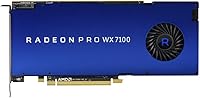
Specifications

  • GPU Architecture: Built on AMD's Polaris architecture (GCN 4th Generation), providing stable, mature driver support across professional workstation software.
  • VRAM: Equipped with 8GB of GDDR5 memory, sufficient for handling large textures, complex viewport geometry, and multi-layer media projects.
  • Memory Bus: Uses a 256-bit memory bus width, delivering the bandwidth needed for smooth viewport manipulation and large dataset rendering.
  • Interface: Connects via PCI Express 3.0 x16, ensuring broad compatibility with workstation motherboards from the past decade and beyond.
  • Display Outputs: Features four Mini DisplayPort outputs, supporting up to four simultaneous professional monitors from a single card.
  • Max Displays: Supports up to four independent displays simultaneously, making it well-suited for multi-monitor professional workstation setups.
  • Power Connector: Requires a single 8-pin PCIe power connector, keeping cable management straightforward in most workstation chassis.
  • TDP: Rated at 130W thermal design power, which sits within the acceptable range for most mid-tower and full-tower workstation power supplies.
  • Form Factor: Full-height, dual-slot card measuring 2.87 x 15 x 9.49 inches, compatible with standard ATX and most compact workstation cases.
  • Weight: The card weighs 1.54 pounds, typical for a dual-slot professional GPU and unlikely to strain standard PCIe slot retention mechanisms.
  • ECC Memory: Optional ECC memory support is available on compatible platforms, but must be verified against your specific motherboard before assuming it is active.
  • ISV Certifications: Certified for use with AutoCAD, SolidWorks, Maya, and other major ISV professional applications, ensuring validated driver stability in production environments.
  • Manufacturer: Designed and manufactured by AMD, with professional driver support maintained through AMD's enterprise workstation driver program.
  • Model Number: Official AMD model number is 100-505826, useful for verifying authenticity and cross-referencing driver downloads on AMD's support portal.
  • Launch Date: Originally released in November 2016, making it a mature product with a well-established driver history and broad community knowledge base.

Related Reviews

AMD Radeon Pro WX 3100 4GB Graphics Card
78%
88%
Driver Stability
93%
Form Factor Fit
81%
Multi-Monitor Support
76%
CAD Performance
67%
Value for Money
More
AMD Radeon Pro W2100 2GB Graphics Card
86%
88%
Performance for CAD & 3D Modeling
91%
Value for Money
93%
Ease of Installation
87%
Driver Stability
85%
Compatibility with Software
More
PowerColor Hellhound AMD Radeon RX 6600 8GB Graphics Card
85%
91%
Value for Money
88%
Gaming Performance (1080p)
85%
Cooling Efficiency
75%
Noise Level Under Load
90%
Ease of Installation
More
XFX RX 9060 XT 8GB Graphics Card
82%
88%
Gaming Performance at 1440p
93%
Gaming Performance at 1080p
67%
VRAM Adequacy
86%
Thermal Performance
89%
Noise Levels
More
AMD Radeon Pro WX 3200 4GB GPU
79%
91%
Driver Stability
88%
Multi-Monitor Support
61%
VRAM Adequacy
93%
Form Factor & Fit
74%
Professional App Performance
More
QTHREE AMD Radeon R7 240 2GB Graphics Card
83%
78%
Performance in Gaming
92%
Value for Money
90%
Energy Efficiency
85%
Ease of Installation
88%
Dual Monitor Support
More
AMD Radeon RX 6950 XT Graphics Card
72%
92%
4K Gaming Performance
94%
VRAM Capacity & Bandwidth
51%
Power Consumption
48%
Physical Size & Case Fit
67%
Driver Stability
More
QTHREE Radeon RX 590 GME 8GB Graphics Card
69%
72%
Value for Money
67%
1080p Gaming Performance
63%
Cooling Efficiency
84%
Ease of Installation
68%
Driver Stability
More
Sapphire Radeon RX 7900 XT Graphics Card
78%
91%
Rasterization Performance
63%
Ray Tracing Performance
93%
VRAM Capacity
88%
Build Quality
84%
Thermal Management
More
Sapphire NITRO+ RX 580 8GB Graphics Card
80%
84%
1080p Gaming Performance
88%
Thermal Management
91%
Build Quality
83%
Value for Money
57%
Power Efficiency
More

FAQ

Technically it will run games, but that is not what it is built for. The AMD Radeon Pro WX 7100 8GB Graphics Card is tuned and certified for professional workstation applications like SolidWorks and Maya, not consumer gaming. You would get considerably more gaming performance per dollar from a consumer-tier GPU at a similar price point.

It uses a standard PCIe 3.0 x16 slot, so it will physically fit and function in most ATX motherboards. That said, if you want to take advantage of the optional ECC memory support, you will need a motherboard and processor combination that actually supports ECC — not all consumer boards do, so check your specs before assuming it is active.

All four outputs are Mini DisplayPort, so if your monitors use full-size DisplayPort, HDMI, or DVI, you will need adapters or cables with a Mini DisplayPort end. Active adapters are recommended for higher-resolution or multi-monitor configurations to avoid signal issues.

It depends entirely on what you need it for. For moderate professional workloads in certified applications like AutoCAD or SolidWorks, the Radeon Pro WX 7100 still handles the job reliably, especially at secondhand prices. If you are doing heavy GPU compute, simulation, or photorealistic rendering, newer options will serve you better. For light-to-mid production use on a budget, it remains a practical pick.

At comparable used market prices, the two are fairly evenly matched for most CAD and 3D modeling tasks. Users who have switched from Quadro generally report similar day-to-day stability in certified applications. The main practical difference comes down to driver ecosystem preference and whether any tools in your pipeline are NVIDIA-exclusive, like CUDA-dependent plugins or OptiX rendering.

The card has a 130W TDP and uses a single 8-pin power connector. A 450W power supply is generally sufficient for a system built around this GPU, though a 550W or higher unit gives comfortable headroom if your workstation also runs multiple drives, additional RAM, or other expansion cards.

At 15 inches long and a dual-slot height, it fits in most standard mid-tower and full-tower cases without issue. For compact or slim workstation chassis, measure your available card length carefully — 15 inches is on the longer side for a smaller build.

Generally, no. One of the more consistent pieces of feedback from users is that this workstation GPU runs noticeably quieter than consumer cards pushing similar workloads. Under sustained professional use, the cooling system stays controlled without the fan ramp-up you often get from gaming-oriented cards.

No, it is not automatic. ECC support on this professional graphics card is platform-dependent — both your motherboard and CPU need to support ECC for it to function. Even then, it typically needs to be enabled in your system BIOS or AMD's driver settings. Do not assume it is active without confirming your hardware configuration first.

The main concern with any used GPU is unknown workload history — cards that have been run hard for years without proper cooling maintenance can have degraded thermal paste or worn fans. Buy from sellers who can provide at least a basic return window, and run a stress test shortly after installation to confirm stability. Checking the model number 100-505826 against AMD's site can help verify you are getting the genuine workstation variant and not a relabeled consumer card.

Where to Buy