Overview

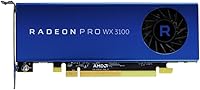
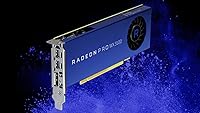
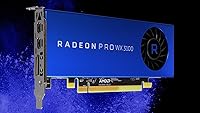
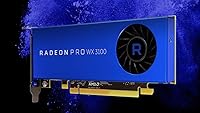
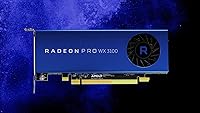
The AMD Radeon Pro WX 3100 4GB Graphics Card occupies a specific and deliberate niche: it is built for professional workstation use, not gaming. Think CAD workflows, light 3D modeling, architectural visualization — tasks where driver certification and software compatibility matter far more than raw shader performance. Running a 1.22 GHz core clock with 4GB of GDDR5 memory, this AMD workstation GPU is not trying to compete with high-end compute cards. It sits firmly in the entry-level professional segment, and that is precisely the point. Buying it with gaming expectations would be the wrong approach entirely.

Features & Benefits

The 4GB of GDDR5 VRAM running at 1500 MHz handles moderate 3D viewport work without much complaint, and support for up to three displays at 4K resolution is a genuine productivity advantage for multi-monitor workstation setups. API coverage is broad — OpenCL 2.0, OpenGL 4.5, and Vulkan are all supported, keeping this entry-level pro graphics card compatible with major professional and creative software suites. What often gets overlooked is the physical footprint: a half-length, single-slot design means it slides into compact workstations and small form factor machines where standard-length cards simply have no room. Power draw is low, thermals are manageable, and the PCI Express interface ensures wide motherboard compatibility.

Best For

This AMD workstation GPU is a strong fit for professionals running AutoCAD, SolidWorks, or similar CAD tools on compact or aging workstations that cannot accommodate a full-size card. IT departments rolling out small form factor deployments will find it one of the few viable certified options at this price tier. It also works well for light architectural visualization or 3D modeling tasks where having certified, stable drivers matters more than peak GPU throughput. Those upgrading from integrated graphics in a professional environment will immediately notice the difference in display flexibility and software compatibility. It is not the card for heavy GPU rendering or compute-intensive pipelines — but for reliable daily professional use, it fits the brief well.

User Feedback

Across roughly 105 ratings, the Radeon Pro WX 3100 holds a solid 4-out-of-5-star average, and the feedback reveals a consistent pattern. Professionals praise it for driver reliability and workstation software compatibility straight out of the box, and quite a few buyers specifically note how cleanly it installed into tight chassis builds where no other card would physically fit. The frustrations, where they exist, come almost entirely from buyers who misjudged the card's purpose — expecting gaming or heavy compute throughput. Value perception is mixed: those who genuinely needed a certified half-length workstation card feel it earns its cost, while those unfamiliar with the workstation GPU segment before buying tend to feel less satisfied.

Pros

  • Certified workstation drivers provide reliable compatibility with major professional software out of the box.
  • Half-length, single-slot form factor fits small form factor workstations where no full-size card can go.
  • Supports up to three simultaneous displays, making it practical for multi-monitor productivity setups.
  • 4K resolution output across all three monitors is supported without requiring an expensive card.
  • Low power consumption means stable, quiet operation over long working hours.
  • OpenCL 2.0, OpenGL 4.5, and Vulkan API support covers a wide range of professional and creative applications.
  • Broad PCI Express compatibility makes installation straightforward on most modern workstation motherboards.
  • At roughly one pound, handling and installation inside cramped chassis is noticeably easier than with heavier cards.
  • Strong rating across over 100 verified buyers reflects consistent real-world satisfaction among the intended audience.

Cons

  • Raw GPU performance is limited; complex scenes or large assemblies will push this card to its ceiling quickly.
  • Not suitable for any gaming workload — consumer gaming benchmarks are largely irrelevant for evaluating the Radeon Pro WX 3100.
  • 4GB VRAM can become a bottleneck when working with high-polygon models or large texture sets simultaneously.
  • Value proposition weakens if your workstation already has standard-length slots and budget allows a stronger card.
  • GPU compute tasks like AI acceleration or simulation are well outside what this card handles comfortably.
  • The card has been available since mid-2017, meaning the underlying architecture is aging relative to newer workstation options.
  • No external power connector support limits future upgrade flexibility within workstation builds that scale up demands.
  • Users unfamiliar with the professional GPU segment may find the performance-per-dollar ratio confusing compared to consumer cards.

Ratings

Our AI rating system analyzed verified global buyer reviews for the AMD Radeon Pro WX 3100 4GB Graphics Card, actively filtering out incentivized, duplicate, and bot-generated feedback to surface what real professionals actually experienced. The scores below reflect an honest synthesis of both consistent praise and recurring frustrations across workstation deployments worldwide. Nothing has been smoothed over — where this entry-level pro graphics card earns high marks, it genuinely delivers, and where it falls short, the scores reflect that too.

Driver Stability
88%
Professionals running AutoCAD, SolidWorks, and similar ISV-certified applications consistently praised how reliably the Radeon Pro WX 3100 behaved after installing AMD's workstation driver package. Unlike consumer GPU drivers, these go through formal certification cycles, and users noticed the difference — fewer crashes, no viewport corruption, and stable behavior across long working sessions.
A small but consistent group of buyers reported confusion when they accidentally installed the consumer Adrenalin driver instead of the correct professional package, leading to instability that was wrongly attributed to the card itself. AMD's driver download portal can be ambiguous, and first-time workstation GPU buyers sometimes took multiple attempts to land on the right installer.
Form Factor Fit
93%
For IT administrators and professionals stuck with compact small form factor workstations, the half-length, single-slot design of the Radeon Pro WX 3100 is genuinely hard to replace at this price tier. Buyers frequently noted that this was the only certified professional GPU that physically fit their chassis, making it not just a good option but often the only viable one.
The compact size is a strength in constrained environments but an irrelevant advantage for anyone with a standard tower workstation — and in those cases, buyers occasionally felt they were paying a premium for a physical attribute they did not need. A few users also noted the card felt somewhat lightweight, raising unfounded but understandable durability concerns during installation.
Multi-Monitor Support
81%
19%
Supporting up to three displays simultaneously, including at 4K resolution, is a meaningful capability for professionals who rely on spread-out screen real estate for drafting, modeling, or reference work. Users setting up triple-monitor productivity stations reported that the card handled the configuration cleanly, with no signal dropouts or resolution inconsistencies across displays once properly configured.
The Mini DisplayPort outputs require adapters for most standard monitors, and several buyers were caught off guard by this, needing to purchase additional cables before the setup was usable. While adapters are cheap and widely available, the added friction at unboxing was a recurring minor complaint, particularly among less experienced buyers.
CAD Performance
76%
24%
For everyday 2D drafting and moderately complex 3D assemblies in AutoCAD or SolidWorks, the Radeon Pro WX 3100 handles the work without significant lag or viewport hesitation. Professionals working on architectural plans, mechanical part designs, or structural layouts at a typical daily workload found the card responsive and dependable within its intended scope.
Load up a large assembly with hundreds of components, apply complex materials and lighting, or ask the card to run a real-time walkthrough of a detailed model, and the performance ceiling becomes apparent fairly quickly. This is an entry-level chip, and users doing production-level 3D work reported needing to keep scene complexity in check to maintain smooth viewport interaction.
Value for Money
67%
33%
Among buyers who understood exactly what they were purchasing — a certified workstation GPU for a space-constrained professional machine — value perception was generally positive. The combination of ISV-certified drivers, triple-display support, and a half-length form factor in a single card is a package that is difficult to replicate with consumer hardware, and those buyers felt the price reflected that reality.
Buyers who compared the card's raw GPU performance against consumer cards in the same price range felt they were paying significantly more for less speed. That comparison is not entirely fair given the different driver stacks and certification costs involved, but perception matters, and several reviews explicitly flagged the feeling of paying a premium for features they did not fully appreciate before purchasing.
Installation Ease
84%
The card's light weight and compact dimensions made physical installation noticeably easier than a typical full-size GPU, which was frequently mentioned by buyers working inside tight small form factor enclosures. No external power connector is required, which eliminates one of the more fiddly steps in a standard GPU installation and reduces cable clutter inside compact builds.
Software setup tripped up a meaningful number of buyers who were unfamiliar with AMD's split driver ecosystem between consumer and professional products. The initial driver installation experience added unnecessary friction, particularly for IT staff doing bulk deployments who had to ensure the correct professional package was used consistently across machines.
Thermal Performance
79%
21%
The card's low thermal design power means it runs cool and quiet under typical professional workloads, which was appreciated in office environments where fan noise is a real concern. Several users noted that even after extended sessions running CAD software or multi-monitor setups, the card never ran hot to the touch or caused the system fans to ramp up noticeably.
The passive or near-passive thermal design is only viable because of the card's limited performance envelope — it does not get hot because it is not pushing hard. A small number of buyers in particularly warm office environments or poorly ventilated chassis reported occasional thermal throttling under sustained loads, though this was not a dominant complaint.
Software Compatibility
82%
18%
Broad API support across OpenCL 2.0, OpenGL 4.5, and Vulkan means the Radeon Pro WX 3100 works with a wide range of professional and creative applications without needing workarounds or compatibility patches. Users in architecture, engineering, and media production roles reported that the software they relied on daily recognized and ran the card correctly from the first launch.
Compatibility with GPU-accelerated rendering plugins and compute-heavy tools like certain simulation engines was more inconsistent. Users who assumed the card would accelerate GPU render engines such as V-Ray or Redshift in meaningful ways were disappointed, as the limited compute throughput at this tier makes GPU-accelerated rendering impractical for production use.
Build Quality
73%
27%
The card feels solidly constructed for its weight class, and buyers who handled it during installation noted that the PCB and connector finish felt on par with AMD's mid-range professional offerings. Nothing about the physical build raised concerns about long-term durability in a standard workstation environment.
Some buyers noted the card felt noticeably lighter and less substantial than they expected based on the price, which — even if not an actual quality issue — affected first impressions. There are no aftermarket cooling options or premium aesthetic touches here; it is a purely functional design that prioritizes size and power efficiency over tactile presence.
4K Output Quality
77%
23%
Display output quality at 4K was consistently clean and sharp across all three supported outputs, with users reporting accurate color reproduction suitable for professional design and drafting work. The card handled high-resolution display rendering without introducing visual artifacts, making it reliable for workflows where on-screen accuracy matters.
It is important to understand that 4K here means display output resolution, not GPU rendering capability at 4K. A few buyers conflated the two, expecting to run 3D renders or games at 4K with high detail settings, which is well outside what this card can sustain. Managing that expectation upfront would prevent most of the disappointment in this area.
Longevity & Support
63%
37%
The card has remained in active production and driver support since its 2017 launch, which speaks to AMD's commitment to the professional workstation segment and gives buyers in enterprise environments confidence that driver updates and software certifications will continue for the near term.
The underlying Polaris GPU architecture is aging, and buyers making new purchases today are investing in hardware that is already several generations behind current silicon. As professional software demands evolve and newer CAD versions begin to lean on more recent GPU features, the long-term runway for this card's relevance is a legitimate concern worth considering.
Compatibility Range
85%
Standard PCI Express connectivity means the card drops into virtually any modern or legacy workstation motherboard without fuss, and the absence of an external power requirement removes the need to verify PSU connector availability. IT teams deploying across diverse hardware estates found this broad compatibility particularly convenient.
While the PCI Express interface is universal, the Mini DisplayPort outputs create a recurring compatibility gap with organizations that have standardized on HDMI or standard DisplayPort monitors. Adapter management at scale is a minor but real operational overhead that IT buyers in larger deployments occasionally flagged.
Packaging & Delivery
71%
29%
The card arrived well-packaged in the majority of buyer reports, with adequate protective materials preventing transit damage. Professional buyers receiving the card for workstation builds noted it was deployment-ready out of the box without any cosmetic damage or missing accessories.
Documentation included in the box is minimal, and the lack of a clear printed guide pointing buyers toward the correct professional driver download created confusion for a meaningful portion of buyers. For a card where correct driver installation is critical to the experience, better onboarding materials would meaningfully improve first-use satisfaction.

Suitable for:

The AMD Radeon Pro WX 3100 4GB Graphics Card is purpose-built for professionals who need a certified, stable workstation GPU in a physically constrained environment. If you are running AutoCAD, SolidWorks, or similar CAD applications on a compact or legacy small form factor machine, this card solves a problem that most GPUs simply cannot — it fits where others do not. IT administrators deploying standardized workstation fleets with tight chassis will find it one of the few professionally certified options available at this tier. Architects or engineers doing light 3D visualization work will benefit from the multi-monitor support and broad API compatibility without needing to invest in a mid-range or high-end workstation GPU. It is also a practical step up for anyone currently relying on integrated graphics for professional software, offering immediate gains in display flexibility, driver stability, and application certification.

Not suitable for:

The AMD Radeon Pro WX 3100 4GB Graphics Card is a poor choice for anyone expecting gaming performance or serious GPU compute throughput. The card was never designed for those workloads, and buyers who approach it with those expectations will be disappointed regardless of how well it performs in its intended role. Heavy 3D rendering pipelines, GPU-accelerated machine learning tasks, or real-time visualization of large, complex scenes will quickly expose the performance ceiling of this entry-level chip. Video editors or motion graphics artists working with GPU-intensive effects and high-resolution timelines should look higher up the product stack. If your workstation has standard full-length slots available and your budget allows for a more powerful professional GPU, the physical size advantage here offers no compelling reason to accept the performance trade-off.

Specifications

  • GPU Model: The graphics processor is the AMD Radeon Pro WX 3100, built on the Polaris architecture and targeted at entry-level professional workstation use.
  • Core Clock: The GPU runs at a base core clock of 1.22 GHz, which is appropriate for the light-to-moderate professional workloads this card is designed for.
  • VRAM: The card carries 4GB of GDDR5 video memory, providing sufficient headroom for moderate 3D viewport work, CAD assemblies, and multi-display output.
  • Memory Speed: The GDDR5 memory operates at 1500 MHz, delivering adequate bandwidth for the professional visualization tasks this GPU targets.
  • Display Outputs: Up to three simultaneous monitors are supported, with a maximum output resolution of 4K (3840x2160) per display.
  • API Support: The card supports OpenCL 2.0, OpenGL 4.5, and Vulkan, ensuring broad compatibility with professional CAD, visualization, and creative software.
  • Card Length: This is a half-length card, meaning it physically fits inside compact and small form factor workstation chassis where standard-length GPUs cannot be installed.
  • Slot Requirement: The card occupies only a single expansion slot, preserving adjacent slots for other peripherals in space-constrained builds.
  • Interface: Connectivity to the motherboard is via a standard PCI Express interface, which is compatible with the vast majority of modern workstation motherboards.
  • Power Draw: The Radeon Pro WX 3100 has a low thermal design power, meaning it does not require an external PCIe power connector and draws power solely from the motherboard slot.
  • Item Weight: The card weighs approximately 1 pound, making it noticeably lighter than full-size workstation GPUs and easier to handle during installation in tight enclosures.
  • Dimensions: Physical dimensions are approximately 2.87 x 15 x 9.49 inches, confirming the compact half-length profile suited to small form factor systems.
  • Manufacturer: The card is designed and manufactured by Advanced Micro Devices (AMD), a major semiconductor company with a dedicated professional GPU product line.
  • Model Number: The official AMD model number is 100-505999, which can be used to verify compatibility and locate certified driver packages on AMD's support site.
  • Driver Support: AMD provides workstation-grade certified drivers for this card, which are separate from the consumer Adrenalin driver stack and are validated against professional ISV software.
  • OS Compatibility: The card is supported on Windows 10 and select Linux distributions through AMD's professional driver packages, making it suitable for standard enterprise workstation environments.
  • Availability Date: This card was first made available in July 2017, and AMD has not discontinued it, indicating ongoing driver and support commitments.
  • Market Segment: The Radeon Pro WX 3100 belongs to AMD's WX-series entry-level professional GPU line, positioned below the mid-range WX 4100 and WX 5100 in the same family.

Related Reviews
AMD Radeon Pro WX 7100 8GB Graphics Card
80%
91%
Driver Stability
78%
Viewport Performance
83%
VRAM Adequacy
88%
Multi-Monitor Support
93%
ISV Certification Value
More
AMD Radeon Pro WX 3200 4GB GPU
79%
91%
Driver Stability
88%
Multi-Monitor Support
61%
VRAM Adequacy
93%
Form Factor & Fit
74%
Professional App Performance
More
AMD Radeon Pro W2100 2GB Graphics Card
86%
88%
Performance for CAD & 3D Modeling
91%
Value for Money
93%
Ease of Installation
87%
Driver Stability
85%
Compatibility with Software
More
Sapphire Pulse AMD Radeon RX 6400 4GB Graphics Card
85%
91%
Value for Money
85%
Gaming Performance (1080p)
87%
Cooling System (Noise/Effectiveness)
92%
Compact Size for Small PC Builds
90%
Ease of Installation
More
PowerColor Fighter AMD Radeon RX 6500 XT 4GB Graphics Card
82%
91%
Value for Money
89%
1080p Gaming Performance
85%
Build Quality
88%
Power Efficiency
84%
Setup & Installation
More
51RISC RX 550 4GB Graphics Card
74%
83%
Value for Money
88%
Installation Ease
86%
Multi-Monitor Support
84%
Media Playback Quality
31%
Gaming Performance
More
AMD Radeon RX 6950 XT Graphics Card
72%
92%
4K Gaming Performance
94%
VRAM Capacity & Bandwidth
51%
Power Consumption
48%
Physical Size & Case Fit
67%
Driver Stability
More
QTHREE Radeon RX 560 XT 8GB Graphics Card
68%
57%
Gaming Performance
61%
Value for Money
72%
VRAM & Memory Capacity
78%
Thermal Management & Cooling
67%
Build Quality & Physical Construction
More
QTHREE AMD Radeon R7 240 2GB Graphics Card
83%
78%
Performance in Gaming
92%
Value for Money
90%
Energy Efficiency
85%
Ease of Installation
88%
Dual Monitor Support
More
VisionTek Radeon RX 550 4GB Graphics Card
77%
91%
Multi-Monitor Output
93%
Installation Ease
44%
Gaming Performance
89%
Power Efficiency
82%
Build & Form Factor
More

FAQ

It works well with both, but you should download AMD's professional Radeon Pro driver package rather than the standard consumer driver. The professional drivers are specifically validated against these applications and are what enable the stability and certification benefits this card is built around. You can find the correct driver on AMD's support site using the model number 100-505999.

No, and it was never intended to be. This is a professional workstation GPU with certified drivers optimized for CAD, visualization, and productivity software. Consumer gaming benchmarks are largely irrelevant here. If gaming is your goal, a consumer Radeon RX or GeForce card at a similar price will deliver far better frame rates.

The hardware supports up to three displays at 4K resolution simultaneously, so the output capability is there. That said, if you are doing GPU-intensive work across three 4K screens at once, you will likely notice the performance ceiling of this entry-level chip. For general productivity, document work, and light 3D across multiple monitors, it handles the task well.

That is exactly the scenario this card is designed for. The half-length, single-slot design was built with compact and small form factor workstations in mind. At roughly 2.87 x 15 x 9.49 inches and about 1 pound, it installs cleanly into chassis where standard-length GPUs would not clear the case wall. Just verify your chassis has a half-length PCIe slot available.

No. The Radeon Pro WX 3100 draws all its power directly from the PCIe slot on the motherboard, so there are no additional power cables required. This also makes it compatible with compact workstations that have limited internal power routing.

The difference is meaningful for professional work. You gain dedicated VRAM, proper multi-monitor support including 4K output, workstation-certified drivers, and OpenCL and OpenGL performance that integrated graphics cannot match. If you are running CAD software or any 3D viewport work on integrated graphics, this card is a notable step up in stability and capability.

The Radeon Pro WX 3100 uses Mini DisplayPort outputs, which is standard for AMD's professional WX-series cards. If your monitors use DisplayPort or HDMI, you will need the appropriate adapter or cable. Mini DisplayPort to DisplayPort and Mini DisplayPort to HDMI passive adapters are widely available and inexpensive.

Yes, AMD provides professional driver support for select Linux distributions through their Radeon Pro Software for Enterprise package. This is particularly relevant for engineering and scientific workstation environments that run Linux. Check AMD's current driver release notes to confirm support for your specific distribution and kernel version.

Consumer AMD drivers are optimized for gaming performance and are not tested against professional CAD or visualization software. The professional drivers go through ISV certification programs with software vendors like Autodesk and Dassault, meaning they are validated to run those applications correctly and stably. Using consumer drivers on this card is technically possible but you would lose the certification advantages that justify buying a workstation GPU in the first place.

In most cases, yes. The standard PCI Express interface means it will slot into any motherboard with a PCIe x16 slot, including older platforms. The main things to check are that your chassis has a half-length slot opening and that your power supply can support the card, which is straightforward given its low power draw. You may also want to confirm that AMD still provides driver support for the operating system version running on that machine.

Where to Buy