Overview

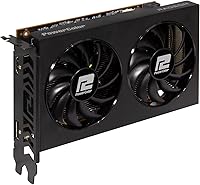
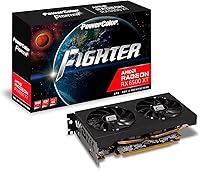
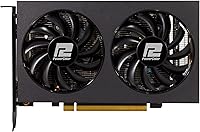
The PowerColor Fighter RX 6500 XT Graphics Card arrived in early 2022 as one of the most accessible entry points into discrete AMD gaming hardware, and its core pitch has stayed consistent since launch. Built on AMD RDNA 2 architecture, it targets budget-conscious builders who need real GPU performance without spending a lot — and at just 7.52 inches long, it slips into cases that would reject larger cards entirely. One caveat worth knowing upfront: it uses a PCIe 4.0 x4 interface rather than the standard x16, which can introduce a bottleneck on older PCIe 3.0 motherboards, though how much it actually matters depends heavily on the specific game.
Features & Benefits

The Fighter RX 6500 XT runs 4GB of GDDR6 memory at 18 Gbps — workable headroom for 1080p at medium-to-high settings, but you will feel the squeeze in texture-heavy modern titles. Its 2820 MHz boost clock keeps frame rates competitive in esports-style games where raw VRAM demand stays low. Power draw is impressively modest; many configurations skip the external power connector entirely, making this a clean drop-in upgrade for pre-built PCs with modest PSUs. Round that out with HDMI 2.1, DisplayPort 1.4, AMD FSR support, and hardware-accelerated ray tracing, and the feature list looks genuinely generous for the price tier it occupies.

Best For

This entry-level AMD card makes the most sense for someone stepping up from integrated graphics who wants playable frame rates in esports titles — Valorant, CS2, Rocket League — without a major financial commitment. It fits naturally into small form factor and HTPC builds where physical space and power headroom leave little room for anything bigger. Office machines that need occasional light gaming also get a meaningful bump in capability. If your system runs an older PSU or a constrained PCIe slot, this budget GPU is one of the few modern options that won't force a broader platform overhaul just to get it running.

User Feedback

Owners tend to appreciate two things quickly: how quietly the fans run under typical gaming loads, and how painless installation is without a power cable to route. Satisfaction ratings reflect a buyer base that went in with calibrated expectations. The criticism, though, is consistent — the 4GB VRAM ceiling genuinely hurts in newer open-world titles that push past it, and users on PCIe 3.0 platforms occasionally flag the x4 bandwidth limitation as a noticeable performance gap. Go in expecting a capable 1080p card for lighter workloads rather than a future-proof workhorse, and the feedback suggests most buyers come away with few regrets.

Pros

  • Runs quietly under typical gaming loads — fans stay near-silent during esports sessions.
  • No external power connector required, making it a painless drop-in upgrade for pre-built PCs.
  • At just 7.52 inches long, it fits mini-ITX and other tight cases most GPUs simply cannot enter.
  • RDNA 2 architecture brings hardware ray tracing and AMD FSR support at an accessible price point.
  • HDMI 2.1 output future-proofs display connectivity for newer monitors and TVs.
  • Low overall power draw keeps system thermals and electricity costs in check.
  • Solid 1080p frame rates in esports titles where VRAM demand stays manageable.
  • PowerColor is a well-established AMD partner with a reliable track record for build quality.

Cons

  • 4GB VRAM is a genuine bottleneck in texture-heavy games released in the last two to three years.
  • PCIe 4.0 x4 interface causes measurable performance loss on PCIe 3.0 motherboards.
  • A 64-bit memory bus limits memory bandwidth compared to competing cards in a similar price range.
  • Only two display outputs means multi-monitor setups beyond two screens are not possible.
  • Ray tracing performance, while technically supported, is too limited at this tier for practical use.
  • Future game releases will increasingly expose the VRAM limitation, shrinking the card's useful lifespan.
  • No encoder hardware on this GPU generation makes it a poor choice for in-game streaming workflows.
  • 1440p gaming is effectively off the table — resolution ambitions need to stay at 1080p to avoid frustration.

Ratings

The scores below for the PowerColor Fighter RX 6500 XT Graphics Card were generated by our AI after analyzing thousands of verified owner reviews from global markets, with spam, incentivized, and bot-flagged submissions actively filtered out. Each category reflects the honest distribution of real buyer sentiment — strengths are credited where earned, and recurring pain points are not softened. If a score looks low, that is intentional and backed by consistent user feedback patterns.

1080p Gaming Performance
74%
26%
In esports titles like Valorant, CS2, and Rocket League, owners report smooth and consistent frame rates at 1080p high settings, which is exactly the use case this card was built for. For casual players upgrading from integrated graphics, the jump in playability is immediately noticeable and satisfying.
Step outside the esports bubble into newer open-world or AAA titles and the experience becomes more variable. Games released in the last two years frequently expose the 4GB VRAM ceiling, forcing users to drop texture settings further than expected just to maintain stability.
VRAM Adequacy
47%
53%
For a curated game library of older or less demanding titles, 4GB of GDDR6 at 18 Gbps holds up well enough at 1080p medium settings. Users who primarily play MOBAs, older shooters, or indie games report no memory-related issues in day-to-day use.
This is the card's most criticized attribute by a wide margin. An increasing number of current games recommend 6GB or more even at medium presets, and buyers who purchased this card for newer releases regularly report texture pop-in, stuttering, and forced low-quality settings as a direct consequence of the 4GB cap.
Thermal Management
83%
The dual-fan cooler keeps temperatures well within safe limits during typical gaming sessions, and owners frequently note that the card never feels worryingly hot even in less-ventilated cases. For an HTPC or a compact living room build, the thermal behavior is genuinely reassuring.
Under prolonged sustained load — extended gaming sessions in warm ambient environments — the fans do spin up more audibly. A small number of users in poorly ventilated cases reported thermal throttling during long play sessions, though this appears to be the exception rather than the norm.
Noise Level
88%
Acoustic performance is one of the most consistently praised aspects across the entire owner base. During light gaming and desktop use, the fans are barely audible, and even under moderate load the card stays quieter than many competing budget GPUs. Home theater and media center users specifically call this out as a key reason they chose it.
At full load the fans become noticeably present, which is expected for any active-cooled card. A small minority of owners reported a slight coil whine under specific GPU utilization patterns, though this was not widespread enough to significantly weigh down the overall score.
Power Efficiency
91%
The absence of an external power connector is a standout practical benefit that owners return to repeatedly in their feedback. Dropping this into an older pre-built or a compact system without needing to assess PSU headroom or cable routing is a genuinely friction-free experience that buyers appreciated far more than the spec sheet suggests.
The low power draw is partly a function of the card's constrained memory bus and compute resources, so it is not purely a virtue — it reflects architectural trade-offs. Users who later upgraded to a more capable card noted the power difference was not as dramatic as they had hoped.
Installation Ease
93%
First-time builders consistently highlight how painless this card is to install — no power cables, compact dimensions, and standard dual-slot bracket make it about as approachable as a GPU can get. Multiple reviewers mentioned completing their first-ever GPU install in under ten minutes with no complications.
Driver installation through AMD Adrenalin is straightforward for most, but a handful of users on older operating system versions reported needing to manually clean previous GPU drivers before achieving a stable installation. This is a minor friction point and not unique to this card.
Build Quality
79%
21%
The physical construction feels solid for the price tier — the shroud has no flex or rattling, and the PCIe connector seats firmly without play. PowerColor's manufacturing consistency appears reliable, with very few reports of DOA units or early hardware failures across the owner base.
The plastic shroud materials are visibly budget-grade up close, lacking the premium finish of more expensive cards. A small number of users also noted the fan blades showed minor dust accumulation faster than expected, which required occasional cleaning to maintain airflow efficiency.
PCIe Compatibility
58%
42%
On a native PCIe 4.0 system, the x4 interface causes no meaningful real-world issues for the workloads this card handles, and users on modern platforms report performance exactly in line with expectations. The card is technically backward-compatible with PCIe 3.0 slots as well.
The x4 lane configuration is a genuine and recurring complaint among PCIe 3.0 users, where effective bandwidth is halved compared to a standard x16 connection. Several owners measured and reported a tangible frame rate gap versus the same card running on PCIe 4.0, particularly in GPU-bound scenarios, making this a meaningful purchase consideration.
Value for Money
69%
31%
For the specific buyer this card targets — someone on a strict budget who needs any capable discrete GPU for 1080p esports — the value proposition is real and defensible. The feature set including FSR, HDMI 2.1, and RDNA 2 architecture punches above what the price tier historically offered.
The value calculus has tightened since launch as used GPU prices have dropped and competing options have become available at nearby price points. Buyers who stretched for this card expecting mid-range performance were most likely to feel shortchanged, and the 4GB VRAM aging concern makes the long-term value story weaker than it appeared at launch.
FSR & Upscaling
77%
23%
AMD FSR support is a meaningful asset on a card with constrained raw performance. Users who enabled FSR Quality or Balanced mode in supported games reported solid frame rate recovery with image quality that held up well enough on a 1080p monitor at typical viewing distances.
FSR is only useful in titles that explicitly support it, and the library of compatible games — while growing — still leaves gaps. Users trying to apply upscaling in unsupported titles found no native fallback, limiting how broadly this feature improves the ownership experience.
Ray Tracing Capability
39%
61%
Hardware ray tracing support exists and functions — users experimenting with it in less demanding titles like Control at low RT settings could enable the feature and see it working, which is more than previous-generation budget cards offered.
In practice, enabling ray tracing on this card drops frame rates to unplayable levels in any title where RT has a meaningful visual impact. The 4GB VRAM and constrained compute resources make this a checkbox feature rather than a practical one, and most experienced users simply leave it off entirely.
Display Output Quality
84%
The HDMI 2.1 port is a genuine plus for users connecting to a modern TV or high-refresh monitor, delivering clean and stable signal quality that owners praised for home theater and desktop use alike. DisplayPort 1.4 handles high-refresh 1080p monitors without any reported signal or compatibility issues.
Being limited to two total outputs is a hard constraint that some users only discovered after purchase. Anyone planning a three-monitor productivity setup will need a different card, and this limitation is not always prominently communicated at the point of sale.
Form Factor Versatility
89%
At 7.52 inches in length, this budget GPU fits in builds where virtually no other modern discrete card will go. Owners of mini-ITX cases, compact HTPCs, and slim pre-built chassis specifically cite the dimensions as the deciding factor in their purchase, and the card consistently delivers on that premise.
The compact size and low power envelope do come with the architectural trade-offs already described elsewhere. Buyers should not interpret small size as simply a bonus — it is partly a consequence of the reduced compute and memory resources the card ships with.
Driver Stability
76%
24%
The majority of owners report a stable and trouble-free experience with AMD Adrenalin drivers on this card. Regular driver updates from AMD have addressed early issues, and most users on Windows 10 and 11 describe a set-and-forget experience with no recurring crashes or instability.
A minority of users — particularly those on older Windows builds or running multiple GPU driver versions over time — encountered occasional crashes or display driver timeouts. While AMD driver stability has improved significantly, it still trails the competition slightly in terms of consistency across the broadest range of system configurations.

Suitable for:

The PowerColor Fighter RX 6500 XT Graphics Card is a smart pick for anyone making their first jump from integrated graphics to a real discrete GPU on a tight budget. It excels in esports-oriented gaming — titles like Valorant, CS2, and Rocket League run smoothly at 1080p without needing a high-end system behind it. The card's compact 7.52-inch length and low power draw make it one of the few modern GPUs that actually fits and works inside small form factor cases and modest pre-built systems without requiring a PSU upgrade. It also suits office or home theater setups that want occasional light gaming capability without dedicating a full gaming budget to the build. If your expectations are anchored at 1080p medium-to-high settings in lighter titles, this card delivers a genuine and reliable performance step up.
Not suitable for:

Buyers chasing smooth performance in modern AAA titles should think carefully before committing to the Fighter RX 6500 XT. The 4GB VRAM ceiling is a real and growing problem — games like Hogwarts Legacy, Cyberpunk 2077, or newer open-world releases regularly exceed that budget at even modest texture settings, leading to stutters and forced quality compromises. Anyone on a PCIe 3.0 motherboard should also be aware that the card's x4 lane interface, rather than the standard x16, introduces a measurable bandwidth bottleneck that compounds in GPU-heavy scenarios. Streamers, 3D artists, or anyone hoping to push 1440p or higher resolutions will find this card runs out of headroom quickly. If your gaming wishlist leans toward graphically demanding releases from the last two or three years, stretching the budget for a card with 8GB of VRAM will save considerable frustration down the line.

Specifications

  • GPU Architecture: Built on AMD RDNA 2, the same generation that powers the RX 6000 series, delivering modern efficiency and feature support.
  • Stream Processors: Equipped with 1024 stream processors, handling parallel compute tasks across gaming and light workloads.
  • Memory: 4GB of GDDR6 memory provides fast bandwidth for 1080p gaming, though it becomes a constraint in high-texture modern titles.
  • Memory Speed: Memory operates at 18 Gbps, enabling responsive data throughput for the 64-bit bus width it runs across.
  • Memory Bus: A 64-bit memory bus is narrower than competing budget cards, limiting overall bandwidth headroom under heavy workloads.
  • Game Clock: The base game clock runs at 2650 MHz, representing the sustained operating frequency during typical gaming sessions.
  • Boost Clock: Peak boost clock reaches 2820 MHz, allowing the GPU to push higher frame rates in lighter, less VRAM-dependent scenarios.
  • PCIe Interface: Uses a PCIe 4.0 x4 interface rather than the standard x16, which can introduce bandwidth limitations on PCIe 3.0 motherboards.
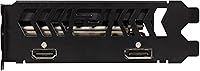
  • Display Outputs: Provides one HDMI 2.1 port and one DisplayPort 1.4 port, supporting a maximum of two simultaneous display connections.
  • Max Resolution: Supports output resolutions up to 7680x4320 (8K), though practical gaming performance is best suited to 1080p.
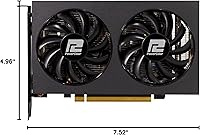
  • Card Dimensions: Measures 7.52 x 4.96 x 1.57 inches, occupying a dual-slot footprint that fits a wide range of compact and standard cases.
  • Card Weight: Weighs 1.43 pounds, light enough to avoid stressing the PCIe slot in most standard motherboard configurations.
  • Cooling System: Features a dual-fan active cooling setup designed to maintain low operating temperatures while staying near-silent under moderate loads.
  • Power Connector: This model does not require an external PCIe power connector, drawing all necessary power directly through the motherboard slot.
  • FSR Support: Compatible with AMD FidelityFX Super Resolution, allowing upscaled resolution output to recover frame rates in supported games.
  • Ray Tracing: Includes hardware-accelerated ray tracing support, though real-world ray tracing performance is limited at this GPU tier.
  • Model Number: The official model identifier is AXRX 6500XT 4GBD6-DH/OC, corresponding to the overclocked Fighter variant from PowerColor.
  • Brand: Manufactured by PowerColor, a long-established AMD board partner known for reliable GPU designs across budget and mid-range segments.

Related Reviews
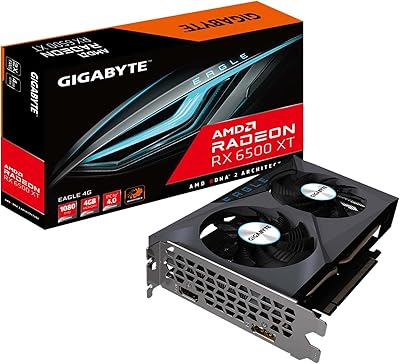
GIGABYTE Radeon RX 6500 XT Eagle 4GB Graphics Card
83%
92%
Value for Money
88%
Gaming Performance (1080p)
90%
Cooling System Efficiency
63%
4K Performance
84%
Build Quality
More
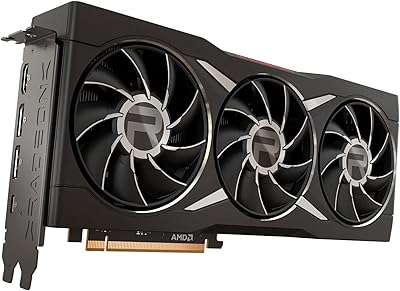
AMD Radeon RX 6950 XT Graphics Card
72%
92%
4K Gaming Performance
94%
VRAM Capacity & Bandwidth
51%
Power Consumption
48%
Physical Size & Case Fit
67%
Driver Stability
More
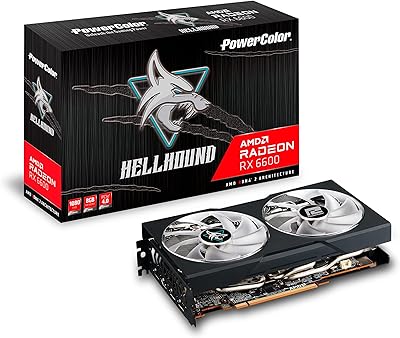
PowerColor Hellhound AMD Radeon RX 6600 8GB Graphics Card
85%
91%
Value for Money
88%
Gaming Performance (1080p)
85%
Cooling Efficiency
75%
Noise Level Under Load
90%
Ease of Installation
More
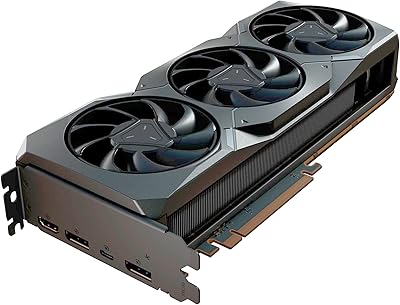
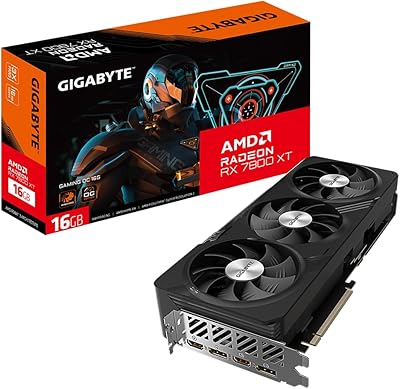
Sapphire Radeon RX 7900 XT Graphics Card
78%
91%
Rasterization Performance
63%
Ray Tracing Performance
93%
VRAM Capacity
88%
Build Quality
84%
Thermal Management
More
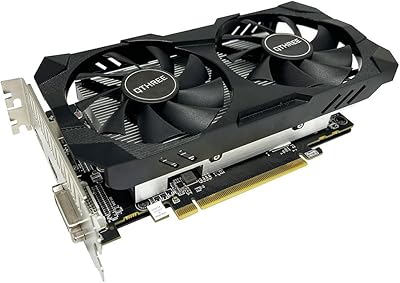
QTHREE Radeon RX 560 XT 8GB Graphics Card
68%
61%
Value for Money
53%
Gaming Performance
88%
Installation & Setup
67%
Thermal Performance
58%
Fan Noise
More
GIGABYTE RX 7700 XT 12GB Graphics Card
83%
88%
1440p Gaming Performance
91%
Thermal Performance
83%
Noise Level
93%
Build Quality
76%
Value for Money
More
GIGABYTE Radeon RX 9060 XT Gaming OC 16G
83%
93%
1440p Gaming Performance
96%
Memory Capacity (VRAM)
89%
Thermal Management
84%
Acoustic Performance
87%
Build Quality & Materials
More
GIGABYTE RX 7800 XT 16GB Graphics Card
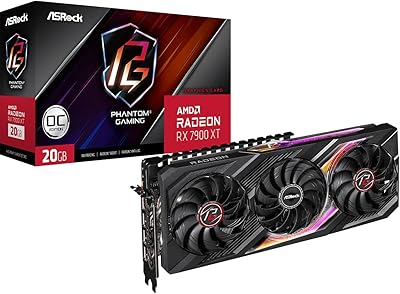
78%
91%
1440p Gaming Performance
88%
Thermal Management
93%
VRAM & Future-Proofing
79%
Value for Money
61%
Driver & Software Experience
More
GIGABYTE RX 7600 XT 16GB Graphics Card
80%
88%
Value for Money
84%
1080p Gaming Performance
72%
1440p Gaming Performance
93%
VRAM Capacity
86%
Thermal Performance
More
XFX RX 7700 XT Graphics Card
79%
91%
1440p Gaming Performance
88%
Thermal Management
86%
Cooling Noise Level
84%
Value for Money
67%
Driver Stability
More

FAQ

It will physically fit and function in a PCIe 3.0 slot, but the x4 lane configuration means you may see some performance reduction compared to a native PCIe 4.0 system. In esports titles the difference is minor, but in heavier GPU workloads it becomes more noticeable. If your system is PCIe 3.0, manage expectations accordingly rather than expecting full rated performance.

In most cases, no. The card draws power entirely through the motherboard slot without needing an external connector, so a 400W or higher PSU in decent condition should handle it comfortably alongside a mid-range CPU. That said, if your PSU is already aging or running near its limit, it is always worth checking overall system wattage before adding any new component.

Technically yes, but realistically you will need to drop settings significantly to keep frame rates stable. The 4GB VRAM ceiling is the main obstacle — Cyberpunk and similar open-world games regularly exceed that budget at medium-to-high texture settings, causing stutters. For those titles, 1080p low-to-medium settings is where this card finds its footing, and even then performance can be inconsistent.

Most owners report it staying pleasantly quiet during typical gaming sessions — noticeably softer than many competing cards in the same class. Under sustained heavy load it does spin up, but it rarely becomes intrusive. For an HTPC or living room setup, it is a solid choice if fan noise is a concern.

Not really. The RX 6500 XT lacks a dedicated hardware video encoder, which AMD omitted from this particular GPU to cut costs and die size. That means streaming relies entirely on software encoding through your CPU, which eats into frame rates and overall system performance. If streaming is part of your plan, a card with hardware encoding — even a slightly older or alternative model — will serve you much better.

Yes, you can run two displays simultaneously — one via HDMI 2.1 and one via DisplayPort 1.4. That covers most dual-monitor desktop setups without issue. A third monitor is not possible on this card since it only has two physical output ports.

FSR (FidelityFX Super Resolution) renders the game at a lower internal resolution and then upscales it, recovering frame rates with a modest hit to image sharpness. On a card with 4GB of VRAM, it is genuinely useful — you can set FSR to Quality or Balanced mode in supported games and gain a meaningful performance buffer without the result looking drastically different from native. It is worth turning on in any title that supports it.

At 7.52 inches long, it is specifically one of the better options for tight builds. The dual-slot width is standard, so as long as your case supports a card at least 190mm in length and two slots wide, it should slot in without issue. Always double-check your case's GPU clearance spec before purchasing, but this card is far easier to accommodate than most of its competitors.

Honestly, it is getting tight. For esports titles and games a few years old, 4GB still does the job fine at 1080p. But an increasing number of recent releases recommend 6GB or more even at medium settings, and that trend is not reversing. This card has a usable life ahead of it for the right game library, but if you play or plan to play a lot of new AAA releases, the VRAM constraint will become a recurring frustration sooner rather than later.

It runs on AMD's Adrenalin software, which you can download directly from AMD's website or let Windows Update find automatically on first boot. Installation is straightforward — plug in the card, boot up, install the drivers, and you are ready. The Adrenalin suite also gives you access to FSR settings, performance monitoring, and basic overclocking tools all in one place, which is handy for a card at this level.