Overview

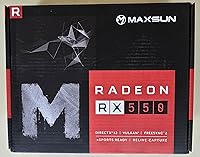
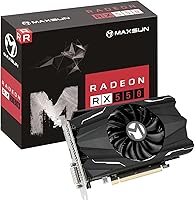
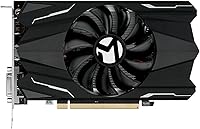
The Maxsun Radeon RX 550 4GB Graphics Card occupies a specific and honest niche — it's an entry-level GPU built for people who need real dedicated graphics without spending serious money. Sitting comfortably above integrated graphics but well below mid-range territory, this budget Radeon card targets light gamers, basic workstation users, and anyone building inside a compact ITX chassis. The 4GB GDDR5 memory on an AMD Radeon RX 550 chipset gives it enough headroom for everyday tasks, and the silver-plated PCB with all-solid capacitors suggests Maxsun put genuine thought into long-term reliability rather than cutting every possible corner at this price point.
Features & Benefits

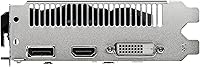
With 512 stream processors and a 128-bit memory interface, the RX 550 4GB is not going to impress anyone running demanding modern titles — but that is not the point. For lighter games, older titles, and GPU-accelerated creative work, it handles itself well. The boost clock reaching up to 1183 MHz pairs with 6000 MHz memory speed to keep things moving in low-demand workloads. Three display outputs — HDMI, DisplayPort, and DVI-D — make it a practical pick for multi-monitor office setups. DirectX 12, Vulkan, and OpenGL 4.6 cover modern software compatibility. At just 50W TDP, many configurations need no external power connector, which simplifies installation considerably.

Best For

This compact AMD GPU makes the most sense for a fairly specific group of buyers. If you are jumping from integrated graphics, the difference will feel immediate. It is also a natural fit for small form factor builds where a full-size card simply will not physically fit. Office users who need two or three monitors without a power-hungry GPU will find it capable and unobtrusive. Casual gamers playing older or less demanding titles at 1080p on low-to-medium settings can get reasonable mileage out of it. Linux users running Ubuntu will appreciate the official OS support, and photo or video editors who need only basic GPU acceleration — not raw rendering horsepower — will find it adequately capable.

User Feedback

With over 1,500 ratings averaging 4.3 out of 5, the RX 550 4GB has clearly found its audience. Most buyers highlight the straightforward installation experience — the low power draw means it drops into a system without fuss. Quiet fan operation comes up repeatedly in positive feedback, which aligns with the manufacturer's claims. On the critical side, buyers expecting playable framerates on demanding modern games will be let down — that expectation mismatch accounts for most lower ratings. A handful of users noted driver setup on Linux requires extra steps. Multi-monitor functionality appears to work reliably as advertised. Overall, it is a card that delivers on its modest promises, provided buyers approach it with realistic expectations.

Pros

  • Fits into ITX and compact cases where almost no other dedicated GPU will physically work.
  • Requires no external power connector in most configurations — just slot it in and go.
  • Runs noticeably cool and quiet during everyday tasks, media playback, and light workloads.
  • Drives up to three displays simultaneously via HDMI, DisplayPort, and DVI-D.
  • DirectX 12 and Vulkan support keeps it compatible with a wide range of modern software.
  • The RX 550 4GB delivers a real, immediate upgrade over integrated graphics for most users.
  • Solid capacitor design and silver-plated PCB suggest better long-term reliability than typical budget hardware.
  • AMD FreeSync support adds genuine smoothness when paired with a compatible monitor.
  • Ubuntu Linux support is officially listed, making it a low-hassle option for Linux desktop users.
  • At 50W TDP, it runs on older and lower-wattage power supplies without requiring a PSU upgrade.

Cons

  • Modern AAA games at 1080p medium-to-high settings will quickly hit a hard performance ceiling.
  • Fan bearing quality has drawn criticism in long-term user reviews, raising durability questions.
  • Linux driver setup requires manual steps that Windows users never have to think about.
  • The 128-bit memory bus creates a bottleneck in texture-heavy or GPU-intensive workloads.
  • In very tight cases with poor airflow, temperatures climb faster than the compact cooler can manage.
  • AMD's update cadence for GCN-based cards has slowed, limiting long-term software support.
  • Running three monitors simultaneously under any gaming load noticeably strains the hardware.
  • The performance gap versus slightly more expensive mid-range cards is large enough to reconsider at sale prices.
  • Heavy creative workloads like 4K encoding or complex 3D rendering will expose the card's ceiling fast.

Ratings

The Maxsun Radeon RX 550 4GB Graphics Card has been evaluated by our AI system after analyzing thousands of verified global buyer reviews, with spam, bot activity, and incentivized feedback actively filtered out. Scores reflect the honest consensus of real-world users — from ITX builders and office workers to casual gamers and creative professionals — with both standout strengths and genuine frustrations transparently baked into every number.
Value for Money
83%
For buyers coming from integrated graphics or an aging budget card, the price-to-performance ratio at this tier is genuinely hard to argue with. Users frequently note that the card does exactly what it promises for the money, without requiring a power supply upgrade or a larger case.
Those who compare it against slightly pricier options start to feel the gap, especially when more capable cards occasionally dip close to this price range during sales. The value proposition weakens if your use case pushes even slightly beyond light gaming or basic workstation work.
Gaming Performance
61%
39%
For casual gaming — older titles, indie games, and less demanding releases — the RX 550 4GB holds its own at 1080p with settings dialed down to low or medium. Users running games like League of Legends, CS2 at lower settings, or older RPGs report smooth enough experiences without stuttering.
Anyone expecting to run modern AAA titles at playable framerates will hit a wall quickly. Games released in the last two to three years at 1080p medium-to-high settings expose the card's limitations fast, and the 128-bit memory bus becomes a real bottleneck in texture-heavy scenes.
Installation & Setup
91%
The no-external-power-connector design is a genuine convenience win. Users repeatedly describe the install as dropping the card in, connecting a display cable, and being up and running within minutes — no cable management headaches, no PSU compatibility worries.
A subset of Linux users noted that getting drivers fully configured on Ubuntu required more manual steps than expected. Windows 10 and 11 installs are largely painless, but the out-of-box driver experience on non-Windows systems is inconsistent enough to warrant a mention.
Noise Level
78%
22%
The 9cm fan keeps acoustic output low enough that most users in home office and HTPC setups barely notice it under typical workloads. Buyers who built quiet media center PCs specifically chose this card partly because of how unobtrusive it runs during video playback and light tasks.
Under sustained gaming loads the fan does spin up audibly, and a few users felt the noise at full speed was more noticeable than the low-noise marketing implied. It is not loud by any measure, but it is not silent either once you push it consistently for more than 30 minutes.
Build Quality
79%
21%
The silver-plated PCB and all-solid capacitor design give the card a more premium physical feel than typical budget-tier hardware. Several buyers noted the card felt solid and well-assembled out of the box, with no flex or cheap plastic components that sometimes appear at this price level.
The heatsink and shroud construction, while adequate, does not inspire long-term confidence under heavy thermal cycling. A small number of users reported fan bearing noise developing after extended use, suggesting the cooling assembly may be the weakest link in an otherwise decent build.
Thermal Performance
72%
28%
With a 50W TDP, the card runs cool under light workloads and typical office use. Users in well-ventilated ITX cases report stable temperatures during productivity tasks, video streaming, and even extended casual gaming sessions without thermal throttling becoming a concern.
In compact cases with limited airflow, temperatures can climb faster than expected during gaming. The single small fan has to work harder in tight enclosures, and a handful of users in mini-ITX builds noted that case selection matters quite a bit for keeping temps under control.
Multi-Monitor Support
84%
Three physical outputs — HDMI, DisplayPort, and DVI-D — give this card genuine flexibility for productivity setups. Office users running dual or triple monitors for spreadsheet work, video conferencing, and browsing have reported reliable, stable output across all three connections simultaneously.
Driving three monitors simultaneously at higher resolutions does put a visible strain on the card, and some users noticed increased fan activity and mildly degraded performance when gaming across multiple displays. For basic desktop productivity across three screens it is fine; for gaming it is one display or bust.
Driver Stability
69%
31%
On Windows 10 and Windows 11, most users report stable day-to-day operation with AMD's Adrenalin software suite. The card benefits from AMD's mature driver ecosystem for this architecture, and crashes or display issues are not a common complaint among the majority of the review base.
Linux driver setup drew consistent criticism from users who expected a plug-and-play experience similar to Windows. Some Windows 7 users also encountered compatibility friction. Driver-related complaints are a consistent thread in lower-rated reviews, even if they represent a minority of the overall user base.
Compact Form Factor
88%
The ITX footprint is one of the card's most consistently praised physical traits. Builders assembling small form factor systems specifically sought it out because it fits cases where even slightly longer cards become physically impossible to install without removing other components.
The compact design does limit the cooling surface area, which contributes to the thermal constraints noted in dense builds. There is also minimal spacing for airflow around the card in very tight chassis, so users with truly cramped cases should verify clearances carefully before buying.
Creative Workload Performance
74%
26%
For photo editing in Lightroom, basic video timeline work in Premiere, and GPU-accelerated rendering in entry-level 3D applications, the RX 550 4GB provides a meaningful improvement over integrated graphics. Users doing light CAD work or image processing report noticeably snappier response times.
Heavy video encoding, 3D rendering with high polygon counts, or batch processing large RAW files will expose the card's ceiling quickly. It accelerates creative tasks meaningfully at the entry level but is not a substitute for a proper workstation GPU if your creative work is a daily professional requirement.
Power Efficiency
86%
At 50W under load, the card draws remarkably little power for a dedicated GPU. Users with older or lower-wattage power supplies found they could add a dedicated card to their system without upgrading their PSU, which is a real, tangible saving on top of the card's own cost.
The power efficiency advantage shrinks if you get a configuration that includes the optional 6-pin connector, as it suggests the card is pulling more under peak load. For most users this is a non-issue, but buyers with strictly limited PSU headroom should confirm which configuration they are receiving.
Software & Feature Set
71%
29%
AMD FreeSync support, Radeon Chill, and the Adrenalin Edition software suite add real utility beyond raw hardware specs. FreeSync in particular is appreciated by users pairing the card with a compatible monitor, smoothing out the variable framerate experience during casual gaming.
Features like AMD ReLive and Eyefinity feel somewhat tacked-on at this performance tier — they work, but the hardware underneath limits their practical usefulness. Some users found the Adrenalin software suite heavier than necessary for a card that mostly handles light tasks.
Compatibility
82%
18%
PCI Express x16 3.0 support means it drops cleanly into a wide range of motherboards spanning many generations. Users with older Intel and AMD platforms from the last decade reported no compatibility surprises, which matters for buyers refreshing an aging machine rather than building new.
Windows 7 support is listed but somewhat dated as a selling point, and users on that OS encountered occasional quirks. The card is also technically limited in how far future driver support will extend, since the GCN architecture is mature and AMD's update cadence for older hardware has slowed.
Longevity & Reliability
68%
32%
The solid capacitor design and silver-plated PCB give the card better-than-average baseline reliability credentials for the price tier. Users who have run the card for one to two years in light-duty roles — media center PCs, basic office machines — report no hardware failures or performance degradation.
Long-term reliability data beyond the two-year mark is limited given the card's release date. The fan bearing quality remains a recurring concern in reviews spanning extended use periods, and a budget card running near its thermal limits daily will always carry more longevity risk than one with headroom to spare.

Suitable for:

The Maxsun Radeon RX 550 4GB Graphics Card is a smart, focused buy for a well-defined group of users who know exactly what they need and are not chasing raw performance. Anyone stuck on integrated graphics who wants a real, tangible upgrade without touching their power supply or their budget will feel an immediate difference. It fits naturally into small form factor and ITX builds where physically larger cards simply are not an option, making it one of the few dedicated GPUs that works in truly compact enclosures. Office users who need to run two or three monitors for productivity — spreadsheets, video calls, document work — will find the triple-output setup reliable and power-efficient enough to run all day without a second thought. Casual gamers who primarily play older titles, indie games, or less demanding multiplayer games at 1080p on moderate settings will get reasonable enjoyment out of it. Creative users doing light photo editing, basic video work, or entry-level CAD who just need GPU acceleration to stop leaning entirely on the CPU will find it a worthwhile addition. Linux users on Ubuntu who want a supported, functional dedicated GPU without navigating obscure driver compatibility will also find this card a practical, officially-listed option.
Not suitable for:

The Maxsun Radeon RX 550 4GB Graphics Card is genuinely the wrong tool for a meaningful portion of the GPU-buying market, and being clear about that matters. If you play modern AAA titles — open-world games, competitive shooters with high-fidelity assets, or any release from the last two to three years that recommends more than 4GB VRAM — this card will disappoint you at virtually any settings beyond low. The 128-bit memory bus becomes a real ceiling in texture-heavy, high-resolution scenarios, and no amount of driver tuning changes that fundamental hardware constraint. Content creators doing regular 4K video editing, heavy 3D rendering, or batch processing large files professionally will outgrow it almost immediately. Anyone building a dedicated gaming rig with no space constraints should step up to at least a mid-range card, where the performance gap over this budget Radeon card is substantial and clearly worth the difference in cost. Users who want a long-term future-proof GPU investment should also look elsewhere — the GCN architecture is mature, driver support from AMD for this generation will not continue indefinitely, and the card has limited runway for handling software demands that will emerge over the next few years.
Specifications

  • GPU Chipset: The card is built on the AMD Radeon RX 550 chipset using the Polaris 12 (Lexa) core architecture, manufactured on a 14nm process node.
  • Stream Processors: 512 stream processors handle parallel compute and graphics workloads across the card's 4th Generation GCN architecture.
  • Memory: 4GB of GDDR5 memory runs at 6000 MHz effective clock speed across a 128-bit interface, delivering up to 112 GB/s of memory bandwidth.
  • Boost Clock: The GPU core clock boosts up to 1183 MHz from a base of approximately 1100 MHz under sustained load.
  • TDP & Power: The card has a rated TDP of 50W and is available in configurations that require no external power connector, though some variants include an optional 6-pin connector.
  • Bus Interface: Uses a PCI Express x16 3.0 interface, compatible with both PCIe 3.0 and PCIe 4.0 motherboard slots.
  • Display Outputs: Three physical outputs are provided: one HDMI port, one DisplayPort, and one DVI-D Dual Link connector, supporting simultaneous multi-monitor configurations.
  • Max Resolution: Maximum digital output resolution reaches 8K via the DisplayPort connection, though practical use at that resolution is limited to desktop and media playback tasks.
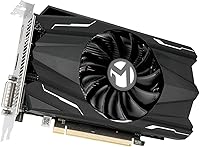
  • Form Factor: The card uses a compact ITX form factor measuring approximately 7.28 x 1.37 inches, designed to fit small form factor and mini-ITX cases.
  • Cooling: A single 9cm fan sits atop the heatsink assembly, designed to balance airflow volume with low acoustic output during typical workloads.
  • PCB Design: The printed circuit board uses a silver-plated construction with all-solid capacitors aimed at improving thermal stability and long-term component reliability.
  • API Support: Fully supports DirectX 12, Shader Model 5.0, Vulkan, OpenGL 4.6, and OpenCL 2.0 for broad compatibility with modern games and GPU-accelerated software.
  • OS Support: Compatible with Windows 11 and Windows 10 (64-bit), Windows 7 (32-bit and 64-bit), and Ubuntu Linux x86 64-bit.
  • AMD Software: Ships with AMD Adrenalin Edition software, which includes FreeSync support, Radeon Chill, Frame Rate Target Control, ReLive recording, and Eyefinity multi-display management.
  • Item Weight: The card weighs 14.4 ounces, keeping it light enough to seat securely in standard PCIe slots without requiring additional bracket support in most cases.
  • Decode Support: Hardware-accelerated 4K video decode is supported via AMD's Unified Video Decoder (UVD) engine, reducing CPU load during high-resolution video playback.
  • Memory Bandwidth: Total memory bandwidth is rated at 112 GB/s, which is adequate for entry-level gaming and GPU-accelerated creative tasks at 1080p.
  • Video Encode: AMD's Video Code Engine (VCE) provides hardware-accelerated video encoding, useful for screen recording and basic video export workflows.

Related Reviews

51Risc Radeon RX 550 4GB Graphics Card
81%
92%
Value for Money
85%
Gaming Performance (1080p)
88%
Power Efficiency
84%
Compatibility with Older PCs
89%
Compact Size
More
VisionTek Radeon RX 550 4GB Graphics Card
77%
91%
Multi-Monitor Output
93%
Installation Ease
44%
Gaming Performance
89%
Power Efficiency
82%
Build & Form Factor
More
SAPLOS Radeon RX 550 4GB Graphics Card
81%
91%
Ease of Installation
88%
Compatibility
86%
Multi-Monitor Support
74%
Value for Money
58%
Gaming Performance
More
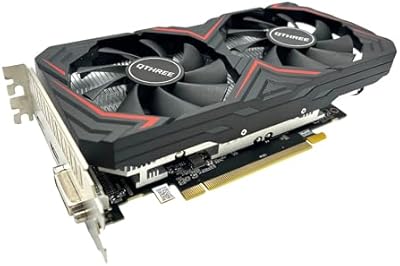
QTHREE Radeon RX 560 XT 8GB Graphics Card
68%
57%
Gaming Performance
61%
Value for Money
72%
VRAM & Memory Capacity
78%
Thermal Management & Cooling
67%
Build Quality & Physical Construction
More
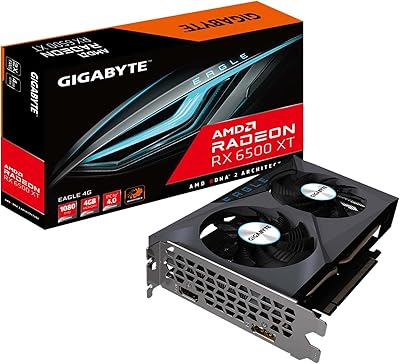
GIGABYTE Radeon RX 6500 XT Eagle 4GB Graphics Card
83%
92%
Value for Money
88%
Gaming Performance (1080p)
90%
Cooling System Efficiency
63%
4K Performance
84%
Build Quality
More
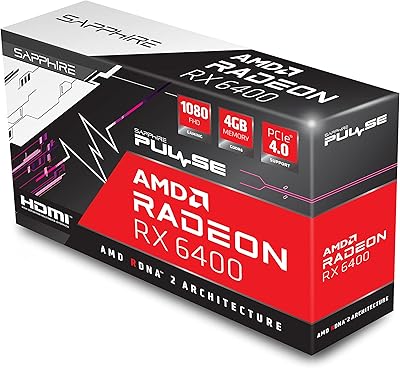
Sapphire Pulse AMD Radeon RX 6400 4GB Graphics Card
85%
91%
Value for Money
85%
Gaming Performance (1080p)
87%
Cooling System (Noise/Effectiveness)
92%
Compact Size for Small PC Builds
90%
Ease of Installation
More
PowerColor Fighter AMD Radeon RX 6500 XT 4GB Graphics Card
82%
91%
Value for Money
89%
1080p Gaming Performance
85%
Build Quality
88%
Power Efficiency
84%
Setup & Installation
More
PowerColor AMD Radeon RX 550 2GB GDDR5 Low Profile Graphics Card
83%
91%
Value for Money
85%
Performance for Basic Gaming
96%
Low-Profile Design for Compact Builds
89%
Ease of Installation
92%
Power Efficiency
More
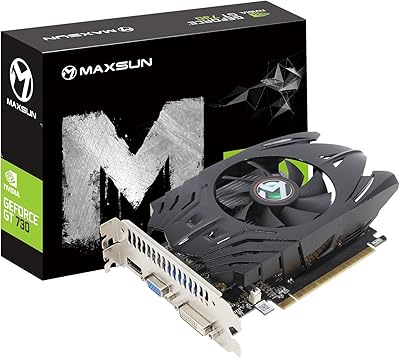
Maxsun GeForce GT 730 4GB Graphics Card
75%
83%
Value for Money
91%
Multi-Monitor Support
88%
Installation & Compatibility
89%
Form Factor & Physical Fit
31%
Gaming Performance
More
AMD Radeon RX 6950 XT Graphics Card
72%
92%
4K Gaming Performance
94%
VRAM Capacity & Bandwidth
51%
Power Consumption
48%
Physical Size & Case Fit
67%
Driver Stability
More

FAQ

In most cases, no. The card draws only 50W and many configurations do not require an external power connector at all — you just slot it into your PCIe x16 slot and you are done. If your unit ships with a 6-pin connector variant, a basic 300W or 400W PSU with a 6-pin output is more than enough. Most systems from the last decade will handle it without any PSU changes.

That is actually one of the strongest reasons to consider this card. At roughly 7.28 inches long, it fits in a wide range of compact and mini-ITX cases where longer cards physically cannot go. That said, always check your specific case's GPU clearance spec before buying, as the very smallest enclosures can still be tight.

Yes, the card has three physical outputs — HDMI, DisplayPort, and DVI-D — and supports simultaneous multi-monitor output. For general office use, document work, and web browsing across three displays it works reliably. If you plan to game across three screens, be aware the hardware will struggle; single-monitor gaming is a more realistic use case for this card.

It depends heavily on what you are playing. Older titles, indie games, and less demanding multiplayer games at 1080p on low-to-medium settings are achievable. Modern AAA titles released in the last couple of years will push this card well beyond its comfort zone at any settings above low, so if your library leans toward recent big-budget releases, you should budget for something more capable.

Yes, Ubuntu x86 64-bit is officially listed as a supported operating system. That said, getting AMD drivers fully configured on Linux typically requires more manual setup than on Windows. It is not a plug-and-play experience on most Linux distros, so be prepared to spend some time in the terminal if you are not already familiar with Linux driver installation.

During everyday tasks — web browsing, video streaming, light office work — most users describe the fan as barely audible. Under sustained gaming loads it does spin up and becomes more noticeable, but it is not an aggressive or grating noise. If you are building a home theater PC or a quiet desk setup, it performs well enough that most people do not find it disruptive.

The jump is meaningful for most people. Integrated graphics on mainstream Intel and AMD processors struggle with anything beyond basic desktop use, and GPU-accelerated tasks like video playback, light photo editing, and casual gaming all improve noticeably with a dedicated card. You will not be running the latest games at high settings, but the upgrade from integrated to this compact AMD GPU is immediately tangible in everyday use.

Yes, PCIe is backward and forward compatible, so the card will work in PCIe 2.0 slots without any hardware conflict. There may be a marginal bandwidth reduction versus a PCIe 3.0 slot, but at this card's performance level the practical difference is negligible and will not noticeably affect your experience.

For light creative work — editing photos in Lightroom, trimming video timelines, basic motion graphics — it provides useful GPU acceleration that takes load off your CPU and speeds up export times compared to integrated graphics. If your creative work is professional-grade and involves 4K footage, heavy effects, or large batch exports daily, the card will hit its ceiling fast and you should look at a more powerful option.

On Windows 10 or Windows 11, the simplest approach is to visit AMD's official website and download the latest Adrenalin Edition driver package for the RX 550. Run the installer, follow the prompts, and restart when prompted — the whole process takes under ten minutes for most users. On Linux, you will need to follow AMD's ROCm or AMDGPU driver documentation for your specific distribution, as the process varies and involves a few more manual steps than the Windows route.