


Overview

The Alta Labs Route10 10G Multi-WAN Router entered a crowded prosumer networking market in late 2024 with something most competitors at this price miss: genuine 10G capability without the enterprise price tag. Alta Labs is a relatively young brand, but their hardware pedigree is hard to dismiss — they clearly understand what home lab builders and small business owners actually need. This 10G router is a managed wired router, not a consumer box you plug in and forget. You'll want some networking fundamentals before diving in. Think of it as competing in Ubiquiti's lane, but at a more approachable price point for serious home networkers.

Features & Benefits

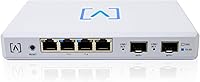
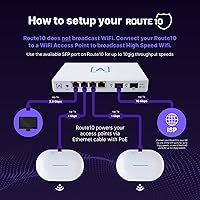
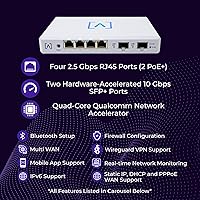
Two 10 Gbps SFP+ ports are the headline here — you can plug in a 10G fiber connection on one side and run a direct line to a NAS or a 10G switch on the other. The four autosensing 2.5 Gbps RJ45 ports handle most client devices without forcing you into expensive 10G hardware. Under the hood, a Qualcomm quad-core SoC does the heavy lifting with hardware acceleration, so VPN throughput stays strong under real load. Native WireGuard and IPSec support is legitimately useful for remote workers or site-to-site tunnels. The built-in DPI and intrusion detection gives you real traffic visibility without bolting on a separate security appliance. The 40W PoE+ on two ports lets you power access points directly off the router.

Best For

Alta Labs' wired router hits a specific sweet spot: technically confident buyers who've outgrown consumer routers but don't want to pay enterprise prices. If you have a multi-gig fiber connection and your current router is the bottleneck, the Route10 addresses that problem directly. Multi-WAN load balancing makes it a smart choice for small businesses running two ISP lines for failover or added bandwidth. It also fits naturally into an Alta Labs ecosystem — if you already run their access points, centralized management across devices is a real draw. That said, if VLANs and WAN failover aren't in your vocabulary, the learning curve is genuine and worth factoring into your decision.

User Feedback

With 71 ratings and a 4.0-star average, the Route10 sits in solidly positive but not unanimous territory. Buyers consistently highlight the hardware value proposition — getting SFP+ ports and genuine 10G capability at this price point is unusual, and that comes through clearly in positive reviews. Where things get more nuanced is on the software side. The management interface, while functional, is frequently compared unfavorably to more established platforms like Ubiquiti's UniFi or TP-Link's Omada in terms of polish and feature depth. Firmware maturity remains an open question with any newer brand, and a few reviewers flag gaps in advanced configuration options. Alta Labs appears responsive to user feedback, but buyers should treat the software as a work in progress.

Pros

  • Dual 10 Gbps SFP+ ports are genuinely rare at this price and deliver real multi-gig headroom for fiber or NAS connections.
  • The Qualcomm quad-core CPU with hardware acceleration keeps VPN and routing performance strong without thermal throttling.
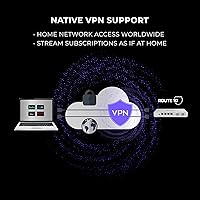
  • Native WireGuard support is fast, modern, and well-suited for remote workers or small site-to-site tunnels.
  • Built-in DPI and intrusion detection replace a separate security appliance, keeping your rack simpler and your costs lower.
  • Autosensing 2.5 Gbps RJ45 ports are a practical middle ground that works with current client hardware without upgrades.
  • 40W PoE+ on two ports means you can power access points directly off the Route10, cutting down on extra switches.
  • Multi-WAN load balancing and failover support is a legitimate small-business feature that rivals charge significantly more for.
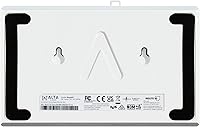
  • The compact wall-mountable form factor fits cleanly into home lab setups without demanding rack space.

Cons

  • The management software feels less polished than Ubiquiti or TP-Link Omada, especially for users coming from those platforms.
  • As a brand launched in late 2024, Alta Labs lacks the deep firmware history and community knowledge base of established competitors.
  • Advanced configuration options reportedly lag behind what power users expect, particularly around granular traffic policies.
  • With only 71 reviews at time of writing, there is limited real-world data on long-term reliability and edge-case stability.
  • PoE+ is limited to just two ports, which may not be enough for setups with multiple access points or powered devices.
  • No built-in Wi-Fi means this router is purely wired infrastructure — fine by design, but worth stating plainly for buyers who forget.
  • Users report the UI needs iteration; some workflows feel unintuitive compared to more mature managed router interfaces.

Ratings

Our AI-generated scores for the Alta Labs Route10 10G Multi-WAN Router are based on analysis of verified buyer reviews from multiple global platforms, with spam, incentivized, and bot-flagged submissions actively filtered out. Each category reflects the honest balance of praise and frustration found in real user experiences, with no artificial inflation of scores. Both the hardware strengths and the software growing pains of this newer brand are transparently represented below.

Hardware Value
91%
Users consistently call out the hardware-to-price ratio as the Route10's strongest argument. Getting dual 10 Gbps SFP+ ports and 2.5 Gbps RJ45 connectivity at this price tier is genuinely unusual, and buyers upgrading from older gigabit routers feel they are getting significant headroom for future network growth without overpaying.
A small number of reviewers note that the included accessories, particularly the power supply, feel entry-level relative to the overall hardware ambition of the device. For a prosumer audience, minor component quality inconsistencies stand out more than they might for a general consumer product.
Routing Performance
87%
The Qualcomm quad-core SoC with hardware acceleration draws consistent praise from users running high-bandwidth workloads. Those with multi-gig fiber connections report that the router handles full-speed routing without the CPU saturation issues they experienced on older software-routed alternatives.
Real-world throughput benchmarks from independent buyers are still relatively sparse given the product's late 2024 launch date, so performance claims rest partly on hardware specs rather than a deep pool of long-term user data. A few users note that performance under simultaneous VPN and DPI load has not been extensively documented in the community yet.
VPN Performance
83%
WireGuard support in particular gets positive mentions from remote workers and small business users running site-to-site tunnels. Hardware-accelerated VPN processing means users are not seeing the steep throughput drops that plagued older software-based VPN routers when connections are under load.
IPSec throughput figures from real buyers are harder to find, and a handful of users flag that advanced VPN configuration options are not as granular as what they were used to on Ubiquiti or pfSense-based systems. Those with complex multi-tunnel setups may find the current feature set limiting.
Software Maturity
58%
42%
Alta Labs has been actively pushing firmware updates since launch, and several reviewers acknowledge that the platform has improved meaningfully in the months following release. Users who joined the ecosystem early report that responsiveness from the Alta Labs team to bug reports and feature requests has been better than expected for a newer brand.
The management interface is the most consistently cited weakness in user reviews, with direct comparisons to Ubiquiti UniFi and TP-Link Omada going against the Route10 on polish, workflow depth, and configuration flexibility. Buyers migrating from those platforms describe a noticeable step back in UI maturity that is difficult to overlook during daily management tasks.
Setup Experience
62%
38%
Users with prior managed router experience — particularly those coming from Ubiquiti or similar platforms — describe the initial provisioning process as straightforward enough once you understand the Alta Labs ecosystem structure. The web-based interface covers the core setup steps without requiring CLI access for basic configurations.
First-time managed router buyers frequently flag the setup process as steeper than anticipated, with limited guided onboarding compared to more consumer-oriented competitors. The documentation available at launch was considered thin by several reviewers, though community resources have grown incrementally since release.
PoE Functionality
79%
21%
The integrated 40W PoE+ budget across two ports is a practical feature that home lab users and small office deployers genuinely appreciate. Being able to power a pair of access points directly off the router reduces switch dependency and simplifies cabling in smaller installations.
Two PoE+ ports is a hard ceiling that limits flexibility for buyers who want to power more than two devices without adding a separate PoE switch. Users building denser installations quickly find the built-in PoE budget insufficient, making it more of a convenience feature than a full-scale PoE solution.
Multi-WAN Reliability
76%
24%
Small business users running dual ISP lines specifically for redundancy report that WAN failover functions as expected, with minimal manual intervention required when a primary connection drops. Load balancing across two uplinks has received positive feedback from buyers prioritizing connection continuity over raw speed.
Long-term reliability data for multi-WAN configurations is still accumulating given the product's relative newness, and a few users report occasional quirks with failover timing that required firmware updates to address. Complex multi-WAN policy routing is not as mature as what established competitors offer.
Build Quality
81%
19%
The physical construction earns consistently positive remarks — the unit feels solid, runs cool in typical deployment environments, and the compact white enclosure suits both home lab shelves and small office installations without looking out of place. Wall mount hardware included in the box is a welcome practical touch.
At 1.5 pounds and with a largely plastic enclosure, the Route10 does not project the heavy-duty build quality that some prosumer buyers associate with rack-mounted enterprise gear. This is largely a form factor trade-off rather than a defect, but buyers expecting a denser chassis may notice it.
Network Visibility
84%
The real-time DPI engine and traffic statistics dashboard are genuinely useful for network admins who want to see what is happening on their LAN without deploying a separate monitoring appliance. Users running small business networks appreciate the intrusion detection layer as an early warning system for unusual traffic patterns.
Some advanced users note that the DPI reporting lacks the export flexibility and third-party integration options they rely on in more established platforms. The current toolset covers most common visibility needs but falls short for users running structured network auditing workflows.
Ecosystem Integration
74%
26%
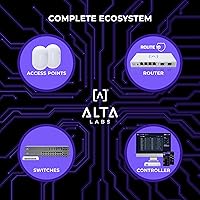
Buyers already using Alta Labs access points find real value in managing the entire network from a single interface, with the Route10 fitting naturally into that architecture. The unified platform approach reduces the friction of cross-vendor compatibility issues common in mixed networking setups.
The ecosystem value is only realized if you commit to Alta Labs hardware broadly — buyers with mixed-vendor environments get less benefit. The platform also lacks the third-party integration depth of more mature ecosystems, which matters for users running monitoring stacks or automation tools tied to their networking gear.
Value for Small Business
82%
18%
For small businesses that need multi-WAN failover, hardware VPN, and traffic monitoring in a single appliance, the Route10 represents strong value compared to assembling equivalent capability from separate devices. The price point makes enterprise-adjacent features accessible to businesses with tight infrastructure budgets.
Businesses requiring enterprise-grade SLA support, certified deployment assistance, or the kind of long-track-record reliability documentation that procurement teams often need will find Alta Labs lacking those credentials for now. The value proposition is compelling for technically self-sufficient operators but less so for managed service environments.
Firmware Update Cadence
67%
33%
Alta Labs has demonstrated a willingness to release updates addressing user-reported issues, and the community notes that critical bugs flagged post-launch have generally received responses within reasonable timeframes. For a brand this young, the engagement level is considered a positive indicator.
The update history is simply too short to draw confident conclusions about long-term support commitment, and buyers who have been burned by abandoned networking platforms in the past are right to view this with cautious eyes. There is no multi-year track record yet to validate how Alta Labs will support this hardware over a three-to-five year horizon.
Documentation & Support
61%
39%
The Alta Labs support team receives occasional specific praise in reviews for direct and knowledgeable responses to technical questions, which stands out positively for a brand of this size. Community forums and shared configurations have grown modestly since the product launched.
The official documentation at launch was broadly considered insufficient for a router targeting technically demanding buyers, with gaps in advanced configuration guides that forced users to rely on community experimentation. Compared to the extensive knowledge bases of Ubiquiti or TP-Link, Alta Labs has significant ground to cover.

Suitable for:

The Alta Labs Route10 10G Multi-WAN Router is built for a specific kind of buyer: technically confident, bandwidth-hungry, and done overpaying for enterprise gear. If you've recently upgraded to a multi-gig fiber plan and your current router is the actual ceiling on your speeds, this is a direct and credible solution. Home lab enthusiasts who want SFP+ connectivity, hardware-accelerated VPN, and real traffic monitoring in a single compact box will find a lot to work with here. Small business owners running dual ISP lines for redundancy or load balancing will appreciate the multi-WAN support without needing a dedicated appliance. It also fits neatly into a broader Alta Labs setup — if you're already running their access points, consolidating management across devices adds genuine day-to-day value.

Not suitable for:

The Alta Labs Route10 10G Multi-WAN Router is a poor fit for anyone who expects a router to just work out of the box without configuration. If terms like VLANs, WireGuard tunnels, or WAN failover don't mean much to you, the setup process will feel steep and the interface won't hold your hand. Casual home users with standard gigabit or slower internet connections won't extract meaningful value from the hardware at this price — a simpler consumer router would serve them better for less. Alta Labs is also still a young brand, which means the firmware and software platform lack the years of refinement and community resources that Ubiquiti or TP-Link Omada users take for granted. Buyers who prioritize long-term software stability and a mature support ecosystem should weigh that risk honestly before committing.

Specifications

  • WAN Ports: Two 10 Gbps SFP+ ports serve as the primary uplink interfaces, supporting multi-gig fiber or direct 10G connections.
  • LAN Ports: Four autosensing RJ45 Ethernet ports support speeds up to 2.5 Gbps each, compatible with standard gigabit and 2.5G hardware.
  • PoE Output: Two RJ45 ports deliver 802.3at PoE+ with a combined budget of 40W for powering compatible downstream devices.
  • Processor: A Qualcomm quad-core network SoC with hardware acceleration handles routing, VPN, and packet inspection without relying solely on software processing.
  • VPN Protocols: Native support for WireGuard and IPSec is included, enabling encrypted remote access and site-to-site tunneling configurations.
  • Security Features: Built-in Deep Packet Inspection and intrusion detection provide real-time traffic analysis and threat visibility at the network edge.
  • Multi-WAN: Load balancing and WAN failover across multiple uplink connections are supported for redundancy or bandwidth aggregation.
  • Management: A real-time statistics dashboard provides live network monitoring, traffic reporting, and device management through the Alta Labs interface.
  • Dimensions: The unit measures 9.76 x 9.53 x 2.56 inches, suitable for desktop placement or wall mounting with included hardware.
  • Weight: The Route10 weighs 1.5 pounds, making it lightweight enough for flexible mounting in home lab or small office environments.
  • Form Factor: Designed for desktop or wall-mounted installation, with wall mount bracket and mounting hardware included in the box.
  • In The Box: Package includes the Route10 unit, a power supply, wall mount bracket, and all necessary wall mount hardware.
  • Color: The unit ships in white with a clean, low-profile design suited to both office and home environments.
  • Release Date: The Route10 was first made available in September 2024, making it a recent addition to the prosumer router market.
  • Manufacturer: Alta Labs is the manufacturer and brand behind the Route10, positioning itself as a competitor in the managed networking space.

Related Reviews
TP-Link Festa FR205 Multi-WAN Wired Router
76%
88%
Ease of Setup
91%
Multi-WAN Performance
86%
VPN Reliability
78%
Cloud Management
74%
USB WAN Backup
More
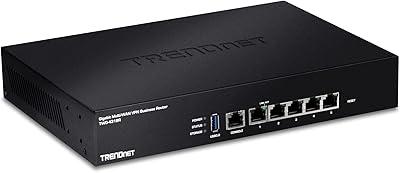
TP-Link ER7206 Multi-WAN VPN Router
86%
91%
Network Performance
94%
Security Features
88%
Cloud Management Experience
89%
VPN Support
82%
Setup & Installation
More
TRENDnet TWG-431BR Multi-WAN VPN Router
71%
84%
Multi-WAN Failover Reliability
79%
VPN Performance
58%
Setup & Initial Configuration
51%
Web Interface Usability
77%
Load Balancing Effectiveness
More
Cisco RV042G Dual WAN VPN Router
74%
91%
WAN Failover Reliability
88%
VPN Performance
83%
Dual WAN Load Balancing
86%
Build Quality & Hardware Durability
54%
Setup & Initial Configuration
More
Cisco RV325 Dual Gigabit WAN VPN Router
84%
89%
Performance & Reliability
91%
VPN Functionality
88%
Ease of Setup
86%
Load Balancing Effectiveness
93%
Security & Encryption
More
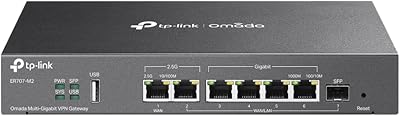
TP-Link ER707-M2 Omada Multi-Gigabit VPN Router
86%
92%
Network Performance
80%
Ease of Setup
89%
Cloud Management (Omada SDN)
85%
Security Features
88%
Build Quality
More
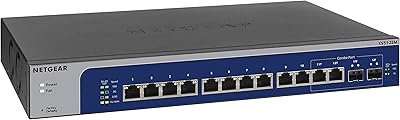
NETGEAR XS512EM 12-Port 10G Multi-Gigabit Smart Managed Switch
87%
88%
Performance under Load
93%
Ease of Setup
90%
Energy Efficiency
85%
Connectivity Options
91%
Build Quality
More
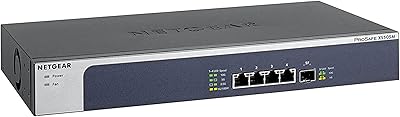
NETGEAR XS505M 5-Port 10G Multi-Gigabit Ethernet Unmanaged Switch

87%
91%
Performance
94%
Setup and Installation
88%
Build Quality
85%
Energy Efficiency
93%
Fanless Operation (Noise Level)
More
Lab Series All-In-One Multi-Action Exfoliating Face Wash 3.92oz
86%
88%
Effectiveness & Results
90%
Skin Compatibility
83%
Scent/Fragrance
85%
Exfoliation Performance
91%
Ease of Application
More
TRENDnet TEW-829DRU AC3000 Tri-Band Wireless Gigabit Dual-WAN VPN SMB Router
84%
91%
Performance & Speed
88%
Dual-WAN Functionality
72%
Ease of Setup
89%
Network Stability
84%
Security Features (VPN)
More

FAQ

Yes, you will typically need an SFP+ transceiver module that matches your ISP's fiber type — most commonly a single-mode or multi-mode SFP+ module depending on your connection. Alta Labs does not always include transceivers in the box, so confirm what your ISP requires before ordering. This is standard practice for any SFP+-equipped router.

The Route10 is designed to work as a managed router within the Alta Labs ecosystem, but it does not require a constant cloud connection to route traffic. Core routing functions run locally on the hardware. That said, some management features and remote access capabilities are tied to the Alta Labs platform, so checking their documentation for offline management specifics is worthwhile.

The Route10 has a hardware edge in terms of port speed, offering 10 Gbps SFP+ uplinks and 2.5 Gbps RJ45 ports that most EdgeRouter models at comparable prices do not match. However, the EdgeRouter platform is significantly more mature, with years of firmware refinement, a large community, and extensive documentation. If software depth and long-term platform confidence matter more to you than raw port speeds, the EdgeRouter still holds an advantage for now.

With a 40W combined PoE+ budget across two ports, you can comfortably power most enterprise-class access points, which typically draw between 12W and 25W each. If you plan to run two higher-end APs simultaneously at full draw, keep an eye on total wattage to avoid hitting the budget ceiling. For most standard access point deployments, 40W is adequate.

The four RJ45 ports are autosensing, which means they will negotiate down to 1 Gbps or even 100 Mbps for older devices automatically. You do not need to replace your existing hardware to use this router. The multi-gig speeds simply become available as you gradually upgrade client devices or switches.

It is more involved than a consumer router. You will need to understand basic concepts like WAN configuration, VLANs, and DHCP scopes to get the most out of it. If you have set up a Ubiquiti or similar managed router before, the curve is manageable. If this would be your first managed router, plan to spend time reading documentation and community resources before diving in.

Yes, the platform includes content filtering capabilities built on its Deep Packet Inspection engine, which can be used to restrict access to certain content categories. The implementation and granularity may differ from dedicated parental control solutions, so it is worth reviewing Alta Labs' current feature documentation to confirm whether it meets your specific household or business requirements.

Yes, both SFP+ ports can be used simultaneously and can be configured for different roles, such as one as your WAN uplink and one connecting to a 10G NAS or core switch on your LAN. This flexibility is one of the more practical hardware advantages this router offers over competitors at similar price points.

Alta Labs has been releasing firmware updates and the brand appears engaged with its user community, but as a company that launched this product in late 2024, their update cadence and long-term support commitment is still being established. Early buyers report responsiveness to feedback, which is a positive sign, but it is reasonable to monitor their release history over the coming year before drawing firm conclusions.

The Route10 ships with wall mount hardware and is designed for wall or desktop deployment. It does not have a standard rack-mount form factor out of the box. If you want it in a rack, third-party shelf solutions are the typical workaround, as no official rack ears are included with the unit.