Overview

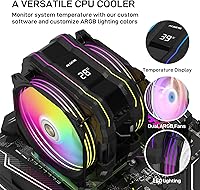
The ALSEYE M120D Plus CPU Air Cooler sits in a crowded mid-range segment, but it earns attention for a reason most competitors overlook: a built-in temperature display mounted directly on the cooler body. That alone sets it apart from similarly priced single- and dual-tower alternatives. It supports a wide range of sockets — current-gen Intel and AMD included — making it a practical choice for new builds and upgrades alike. Just keep expectations grounded. This air cooler handles mainstream workloads confidently, but it is not going to outpace a premium 240mm liquid cooler. The all-black design with ARGB fans looks sharp inside a windowed case, though.

Features & Benefits

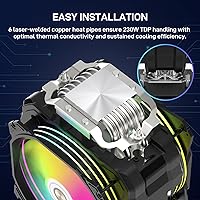
Six 6mm copper heat pipes run directly across a copper base, pulling heat away from the CPU and spreading it across an aluminum fin stack — a solid thermal design for the price. Paired with dual 120mm PWM fans that ramp between 700 and 1900 RPM, the M120D Plus balances airflow and acoustics without much fuss. At a rated 230W TDP, it can handle a Ryzen 7 or Core i7 under sustained gaming or rendering loads without issue. The FDB fans carry a 70,000-hour lifespan rating, so longevity should not be a concern. Mounting hardware covers LGA1700 and AM5, and the installation process is genuinely straightforward.

Best For

This ALSEYE cooler makes the most sense for builders who want a real-time CPU temperature reading without opening task manager or configuring a software overlay. That built-in readout is genuinely useful — not just a gimmick — especially on a workstation or gaming rig where a quick glance during a long render matters. It suits mid-range builds running Ryzen 5 or 7 and Core i5 or i7 chips particularly well. If you are upgrading from a stock cooler on an older AM4 or LGA1200 platform, the thermal improvement will be noticeable. Those building in a windowed case will also appreciate the ARGB lighting paired with the display.

User Feedback

Buyers consistently praise the temperature display as the feature that tips their purchase decision — many say it saves them from alt-tabbing just to check temps. Installation also gets positive marks, with most users finding the bracket system clear enough to handle solo. On the downside, ARGB sync can be hit or miss depending on your motherboard brand; some users report the lighting not responding to system controls at all. A few noted that bracket fit on LGA1700 required extra care. Noise at full fan speed is present but generally tolerable. Overall sentiment hovers in the strong four-star range, with thermal improvement over stock coolers cited as a clear win.

Pros

  • The built-in CPU temperature display gives you real-time readings without opening any software.
  • Six copper heat pipes and a direct-touch copper base deliver strong thermal performance for mainstream chips.
  • Dual PWM fans let the cooler stay near-silent during light tasks and ramp up only when needed.
  • Broad socket support covers current Intel and AMD platforms, including LGA1700 and AM5.
  • FDB fan bearings are rated for 70,000 hours, making long-term reliability a genuine strength.
  • The mounting system is straightforward enough for first-time builders to handle confidently.
  • ARGB lighting on both fans looks impressive inside a windowed case without requiring a separate controller.
  • Real-world thermal improvement over stock coolers is consistently reported as substantial by buyers.
  • The all-black finish fits cleanly into most modern build color schemes without clashing.

Cons

  • ARGB sync can be unreliable depending on your motherboard brand, with some users unable to control lighting at all.
  • At 160mm tall, clearance inside compact or ITX cases may be tight or outright incompatible.
  • Bracket fit on LGA1700 has caused frustration for a subset of users who needed extra patience during installation.
  • Fan noise at full 1900 RPM is noticeable and may bother users in very quiet environments.
  • The 230W TDP ceiling offers limited headroom for aggressive overclocking on high-end processors.
  • No dedicated ARGB hub or controller is included, so standalone lighting adjustment options are limited.
  • The temperature display, while useful, does not show additional sensor data or fan speed information.
  • Fin stack airflow direction may require careful case fan planning to avoid pressure imbalances in some builds.

Ratings

Our AI rating engine analyzed thousands of verified global purchases for the ALSEYE M120D Plus CPU Air Cooler, actively filtering out incentivized, duplicate, and bot-generated submissions to surface what real builders actually experience. Scores reflect a balanced synthesis of genuine praise and recurring frustrations — nothing is smoothed over to look better than it is. Every category below captures both what this air cooler gets right and where it leaves room for improvement.

Thermal Performance
82%
18%
Builders upgrading from stock coolers consistently report a dramatic improvement in CPU temperatures under sustained gaming or rendering loads. Six copper heat pipes with a direct-contact copper base move heat efficiently enough to keep Ryzen 7 and Core i7 chips stable without throttling during typical workstation use.
Against premium 240mm AIO coolers at similar or slightly higher prices, the thermal headroom gap becomes obvious on high-TDP chips under all-core stress. Users running Ryzen 9 or Core i9 processors have noted temperatures creeping higher than comfortable during extended rendering sessions.
Temperature Display
91%
The built-in real-time CPU temperature readout is genuinely the feature that clinches the purchase for many buyers — it means no alt-tabbing, no HWiNFO overlay, and no extra software running in the background. Gamers and streamers especially appreciate being able to glance at their rig mid-session without interrupting their workflow.
The display shows only CPU temperature and nothing else — no fan speed, no GPU readout, no secondary sensor. A small number of users also reported the display running a degree or two warmer than readings from their monitoring software, which is a minor but worth noting inconsistency.
Noise Level
77%
23%
At idle and during light tasks, the fans hover near their low end and the cooler becomes genuinely quiet — comfortable enough for office environments or casual browsing sessions where background noise matters. The PWM control curve is well-tuned, meaning the ramp-up under load feels gradual rather than sudden.
Push the fans toward their 1900 RPM ceiling during heavy workloads and the noise is clearly audible, even in a moderately noisy room. Users in very quiet home studio setups or shared office spaces have flagged this as a dealbreaker, noting that 38 dB(A) at peak is noticeably louder than competing coolers in the same class.
ARGB Lighting
68%
32%
When ARGB sync works correctly, the dual-fan lighting setup looks genuinely impressive inside a windowed mid-tower — vibrant, even, and well-diffused across the fan blades. Builders using ASUS or Gigabyte boards with 5V ARGB headers generally report a smooth plug-and-play experience with their existing RGB software.
ARGB compatibility is inconsistent enough across motherboard brands that it has become a recurring complaint in buyer feedback. Some users on MSI or budget B-series boards found the lighting either static, unresponsive to software commands, or subtly out of sync with other ARGB components in their build.
Build Quality
79%
21%
The copper base feels solid and is machined to a smooth finish, and the fin stack has no flex or rattle out of the box. Most buyers report that the overall construction feels more substantial than the price tag suggests, with the cooler arriving well-packaged and with no cosmetic damage.
A subset of users noted that the plastic fan frames feel slightly less premium than the metal components they are attached to, and a few reported minor wobble in one of the pre-mounted fans. These are not widespread issues but do show up with enough regularity to affect confidence in long-term durability.
Installation Experience
84%
The included mounting kit is comprehensive and the instruction sheet is clear enough that most first-time builders finish the install in under thirty minutes without needing to look anything up. Socket support is wide, and the backplate design avoids the fiddly alignment issues that plague some competing kits.
The LGA1700 bracket in particular has tripped up a meaningful number of users, with reports of the screws not seating evenly on the first attempt. The mounting pressure also felt uneven to some AM5 builders, which raised concerns about contact consistency across the CPU integrated heat spreader surface.
Fan Longevity
86%
Fluid Dynamic Bearings carry a strong reputation for lasting significantly longer than standard sleeve bearings, and a 70,000-hour rated lifespan gives buyers genuine confidence in the fans holding up for the full life of a multi-year build. Most long-term owners report no bearing whine or degradation after extended use.
Because the product has only been on the market since early 2022, there is limited real-world data on what happens beyond two to three years of continuous use. The lifespan rating is a manufacturer claim, and independent long-term verification is not yet widely available.
Socket Compatibility
88%
Covering everything from legacy LGA1366 and LGA2011 to current-gen AM5 and LGA1700 in a single box is genuinely useful — it means buyers holding onto older hardware or planning a future platform swap get long-term value from a single cooler purchase. AMD AM4 support is particularly well-regarded given how large that installed base remains.
While the socket list is long, installation quality varies slightly by platform, and the LGA1700 and AM5 bracket experiences are less polished than the legacy socket fits. Users on niche HEDT platforms like LGA2066 have also noted that documentation for those configurations is thinner than for mainstream sockets.
Case Clearance
71%
29%
At 105mm wide, this air cooler has a slimmer profile than dual-tower designs, which makes RAM clearance a non-issue for the vast majority of builds, even with taller heatspreader kits. Mid-tower and full-tower cases with standard 160mm cooler clearance accommodate it with no problems.
The 160mm height is right at the limit for many compact mid-towers, and users with cases rated to 155mm or less will need to look elsewhere. Small form factor and ITX builders should rule it out entirely — it simply does not fit the enclosures that audience typically chooses.
Value for Money
83%
The temperature display alone adds a functional value that comparable coolers in the same price range do not offer, making the M120D Plus feel like a more complete package when you account for the cost of alternative monitoring solutions. Buyers who factor in the FDB fan lifespan and broad compatibility further strengthen the value case.
A handful of users feel the ARGB sync inconsistencies and occasional mounting hardware frustrations chip away at the overall value proposition — if those features do not work reliably for your specific setup, the pricing feels less justified. Direct thermal competitors without the display sometimes outperform it per dollar spent.
Airflow Efficiency
78%
22%
73.76 CFM per fan is a solid airflow figure for 120mm units in this class, and the dual-fan push configuration moves enough air through the fin stack to keep thermals manageable across a wide range of CPU loads. Users in well-ventilated mid-tower cases report clean airflow results with minimal case heat buildup.
The 2.01 mm H2O static pressure rating is adequate but not particularly high, meaning dense fin stacks may not benefit as much as they would with higher-pressure alternatives. Builders with restricted airflow cases or aggressive positive-pressure configurations have noted slightly diminishing returns compared to open builds.
Aesthetics
81%
19%
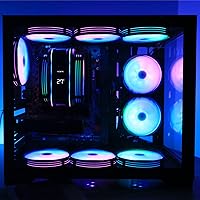
The all-black colorway fits cleanly into a wide range of build themes, and the ARGB fans add enough visual interest to make the cooler a genuine focal point inside a windowed case. The temperature display adds an industrial-tech character that many builders find visually distinctive compared to a plain fin-and-fan setup.
The cooler's visual appeal is heavily dependent on ARGB sync working correctly — without it, the fans default to a static color that clashes with dynamic lighting effects elsewhere in the build. The fin stack design itself is functional rather than architectural, which may underwhelm builders chasing a high-end aesthetic.
Packaging & Accessories
74%
26%
The cooler arrives in structured packaging that has kept units undamaged for the overwhelming majority of buyers, and the accessory kit includes mounting hardware for every supported platform without requiring separate purchases. Pre-applied or included thermal paste removes one potential stumbling block for newer builders.
The instruction manual, while functional, is printed small and some platform-specific diagrams lack enough detail for users unfamiliar with cooler installation. A more robust quick-start card specifically for LGA1700 and AM5 users would address the mounting confusion that appears repeatedly in negative feedback.

Suitable for:

The ALSEYE M120D Plus CPU Air Cooler is a strong fit for mid-range PC builders who want more visibility into their system without the overhead of software monitoring tools — the built-in temperature readout alone makes it worth considering if you spend long sessions gaming or rendering and want a quick at-a-glance check. It works particularly well paired with Ryzen 5 or Ryzen 7 processors and Intel Core i5 or i7 chips, where its 230W TDP headroom comfortably handles sustained workloads without thermal throttling. Builders upgrading from a stock cooler on AM4, LGA1200, or even older LGA115X platforms will feel an immediate and meaningful difference. The all-black finish and dual ARGB fans make it a natural choice for windowed mid-tower builds where aesthetics matter as much as airflow. First or second-time builders will also appreciate that the mounting system is genuinely approachable and does not require a frustrating afternoon of trial and error.

Not suitable for:

If you are pushing a high-TDP processor — think a Ryzen 9 or Core i9 under prolonged all-core loads — the ALSEYE M120D Plus CPU Air Cooler will likely struggle to keep up, and a 280mm or 360mm AIO liquid cooler would serve you far better. Enthusiast overclockers should look elsewhere too; 230W of rated thermal capacity leaves little safety margin when voltage and clock speeds are pushed hard. Users who rely on a fully unified RGB ecosystem controlled through a single software suite may find the ARGB sync behavior inconsistent, particularly on non-mainstream motherboard brands. Compact ITX case builders should also be cautious, as the cooler's 160mm height can cause clearance issues in smaller enclosures. And if silence is your absolute top priority — home studio work, for instance — the fans at higher RPMs are audible enough to notice in a quiet room.

Specifications

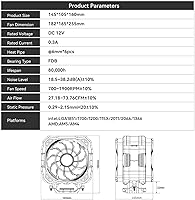
  • Cooler Dimensions: The cooler measures 145 x 105 x 160 mm, so verify clearance against your case's CPU cooler height limit before purchasing.
  • Fan Size: Two 120 x 120 x 25 mm fans are pre-installed and work in a push-pull configuration across the fin stack.
  • Fan Speed: Both fans operate between 700 and 1900 RPM with a tolerance of plus or minus 10%, controlled automatically via PWM signal.
  • Airflow: Maximum airflow is rated at 73.76 CFM per fan, providing strong throughput across the aluminum fin stack under load.
  • Noise Level: Acoustic output is rated at 38 dB(A) at maximum fan speed, which is audible but not intrusive during typical desktop use.
  • Heat Pipes: Six 6mm diameter copper heat pipes make direct contact with the CPU integrated heat spreader to move thermal energy efficiently to the fins.
  • TDP Rating: The cooler is rated to handle up to 230W of thermal design power, covering most mainstream and upper-mid-range desktop processors.
  • Base Material: The contact base is machined copper, which offers better thermal conductivity than aluminum bases found on budget alternatives.
  • Fin Material: The fin stack is constructed from aluminum, balancing weight, cost, and heat dissipation surface area effectively.
  • Bearing Type: Both fans use Fluid Dynamic Bearings, which run quieter and last longer than sleeve or ball-bearing designs at comparable price points.
  • Fan Lifespan: FDB fans carry a rated operational lifespan of 70,000 hours under normal usage conditions.
  • Power Input: Each fan draws 0.2A at DC 12V, and both connect via standard 3-pin or 4-pin PWM headers on the motherboard.
  • Lighting: Both fans feature addressable RGB (ARGB) LEDs that can sync with compatible motherboard headers or be controlled via an included controller.
  • Temp Display: A small digital temperature display is embedded in the cooler body and reads CPU temperature in real time without requiring software or a dedicated header.
  • Intel Support: Compatible Intel sockets include LGA1700, LGA1200, LGA115X, LGA2011, LGA2066, and LGA1366, covering platforms from several generations.
  • AMD Support: Compatible AMD sockets include AM4 and AM5, covering Ryzen processors from the 1000 series through the current Ryzen 9000 generation.
  • Air Pressure: Static air pressure is rated at 2.01 mm H2O, which provides adequate push through the densely packed aluminum fin stack.
  • Voltage: The cooler operates on a standard DC 12V input, compatible with all modern ATX desktop power supplies.

Related Reviews
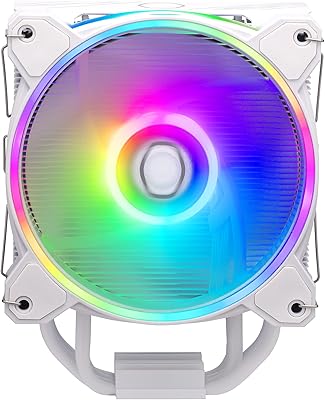
Cooler Master Hyper 212 Halo CPU Air Cooler
84%
88%
Cooling Performance
91%
Noise Level
85%
Ease of Installation
89%
Build Quality
80%
RGB Aesthetics
More
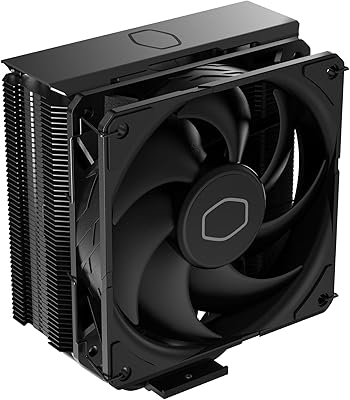
Cooler Master Hyper 212 Black CPU Cooler
79%
83%
Thermal Performance
79%
Noise Level
93%
Value for Money
76%
Installation Experience
81%
Build Quality
More
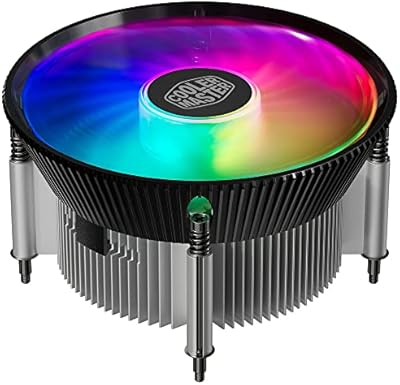
Cooler Master i70C Low-Profile CPU Cooler
78%
72%
Thermal Performance
88%
Noise Level
93%
Form Factor & Fit
86%
Installation Ease
78%
ARGB Lighting
More
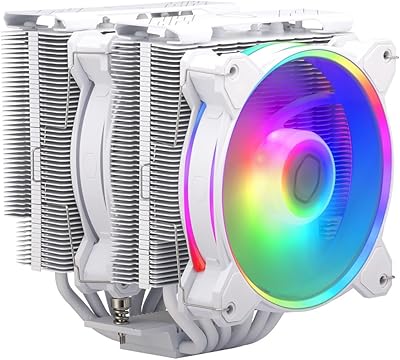
Cooler Master MasterAir MA824 Stealth CPU Cooler
81%
88%
Thermal Performance
91%
Noise Level
93%
RAM Clearance
72%
Installation Experience
89%
Build Quality & Materials
More
Cooler Master i71C RGB Intel Low-Profile CPU Air Cooler
84%
88%
Cooling Performance
91%
Noise Level
85%
RGB Customization
89%
Build Quality
75%
Installation Ease
More
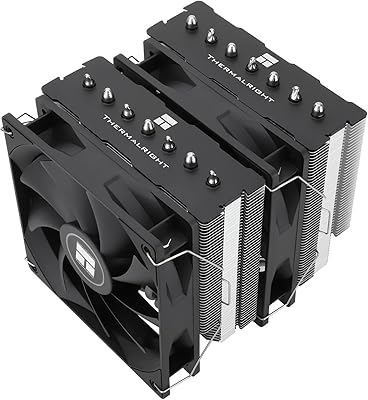
Cooler Master Hyper 622 Halo Dual Tower CPU Cooler
82%
83%
Thermal Performance
88%
Noise Level
89%
Ease of Installation
67%
RAM Clearance
86%
Build Quality
More
Vetroo V5 CPU Air Cooler
82%
73%
Thermal Performance
84%
Noise Level
91%
Value for Money
71%
Build Quality
88%
ARGB Lighting Quality
More
NZXT T120 CPU Air Cooler
82%
74%
Thermal Performance
88%
Noise Level
93%
Ease of Installation
91%
Aesthetics & Design
86%
Value for Money
More
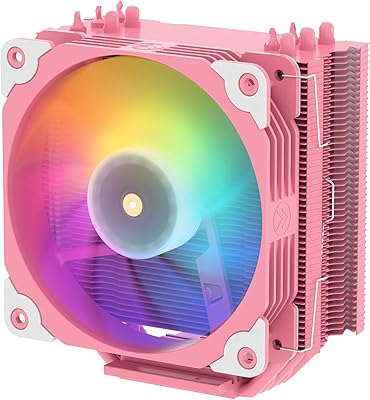
Thermalright PS120SE CPU Air Cooler
80%
89%
Thermal Performance
86%
Noise Level
93%
Value for Money
74%
Build Quality
81%
Ease of Installation
More
Thermalright BA120 ARGB CPU Air Cooler
86%
88%
Cooling Performance
91%
Noise Level
85%
Build Quality
87%
ARGB Lighting Effect
90%
Compatibility with CPUs
More

FAQ

No, it does not. The display draws power directly from the fan cable connection and reads CPU temperature through the cooler itself, so there is no need for a dedicated sensor header or any software configuration. You just install the cooler and the display starts working automatically.

Most mid-tower cases support CPU coolers up to 160mm or 165mm tall, so the M120D Plus should fit in the majority of them. That said, it is worth double-checking your specific case spec sheet before ordering, especially if your case is on the compact side or has a particularly thick side panel.

Yes, both are officially supported and mounting hardware for those sockets is included in the box. A few users have noted that the LGA1700 bracket requires a bit of extra care during alignment, so take your time and follow the included instructions step by step.

It depends on your motherboard. The fans connect to a standard 5V 3-pin ARGB header, which is compatible with most major brands. That said, some users have reported that lighting sync does not work perfectly on every board, so if seamless RGB integration is critical to your build, it is worth checking community forums for your specific motherboard model before buying.

Thermal paste is typically included with the ALSEYE M120D Plus CPU Air Cooler in the box. However, if you already have a quality paste on hand, you are welcome to use your own — it will not void anything and may offer marginally better results depending on the compound.

At maximum fan speed, you will notice the noise — 38 dB(A) is roughly comparable to a quiet conversation in a library. During light tasks like web browsing or office work, the fans run closer to their minimum speed and become nearly inaudible. It is not a silent cooler at full tilt, but it is far from obnoxious.

For the vast majority of Ryzen 7 and Core i7 processors running at stock settings, yes — the 230W TDP rating gives it enough headroom to manage sustained gaming loads without throttling. If you are running a chip with a very high base power draw, or you plan to overclock aggressively, you may want to consider a larger cooler or an AIO liquid solution instead.

It is genuinely approachable. The mounting kit covers multiple sockets and the included instructions walk you through each platform clearly. Most first-time builders report completing the install without any major issues. The LGA1700 backplate step is the one area where taking a moment to double-check alignment pays off.

At 105mm wide, this air cooler has a relatively slim footprint compared to dual-tower designs, so RAM clearance is generally not a problem even with taller heatspreaders. It is still worth measuring the gap between your first DIMM slot and CPU socket on your specific board if your memory sticks are particularly tall.

ALSEYE typically covers their coolers with a standard manufacturer warranty, though the exact terms can vary by region and retailer — check with the seller at the time of purchase for specifics. If you lose a small piece of mounting hardware, reaching out to ALSEYE support directly is usually the fastest path to getting a replacement part sent out.

Where to Buy