Alienware AW3420DW 34-Inch Curved Gaming Monitor
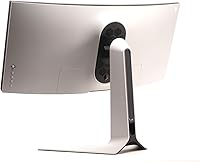
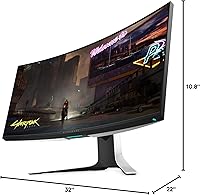
Overview
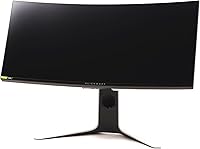
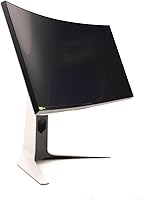
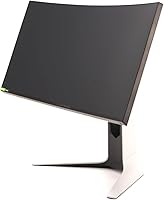
The Alienware AW3420DW 34-Inch Curved Gaming Monitor entered the market in 2019 as a serious statement piece — and it still holds its own today. At 34 inches wide with a 21:9 aspect ratio, this curved gaming monitor fundamentally changes how you interact with your desktop. Games feel wider, spreadsheets stretch further, and multitasking becomes genuinely more comfortable. That said, this is not a budget purchase. With a native G-Sync module and premium build quality, you are paying for a polished, premium-tier experience — and the price reflects that clearly. Newer rivals may offer higher refresh rates, but few match this level of overall polish.
Features & Benefits
At 3440x1440 on a 34-inch panel, the pixel density lands in a comfortable zone — sharp enough that individual pixels are invisible at a normal viewing distance, without the GPU demand of a 4K display. The 1900R curve radius wraps the screen naturally around your field of view, making the edges feel present rather than distant. At 120Hz with G-Sync active, motion is smooth and tearing simply disappears — though keep in mind, G-Sync only works with NVIDIA graphics cards, so AMD users are locked out of that benefit. The 2ms response time is solid for casual and immersive gaming. Five USB 2.0 ports on the monitor itself are a quiet but genuinely useful addition for a tidy desk setup.
Best For
This Alienware ultrawide is built for a specific kind of user, and it is worth being honest about that. If you play single-player RPGs, racing games, or flight simulators, the wide canvas transforms how those worlds feel. Productivity users who live in multiple windows will also find the extra horizontal space genuinely useful for daily work. Competitive gamers chasing 165Hz or higher may want to look elsewhere — the 120Hz ceiling is real. This is also firmly an NVIDIA-first display; AMD GPU owners miss out on the core sync feature. If your setup is already built around a high-end NVIDIA card and you want a display that looks as premium as it performs, the AW3420DW is a natural fit.
User Feedback
Buyers who have lived with the AW3420DW tend to come away impressed, and with over 1,500 ratings averaging 4.6 stars, the satisfaction levels are hard to argue with. The most consistent praise centers on image clarity and the quality of the curve — people describe it as genuinely pulling you into whatever is on screen. Build quality also gets high marks; this feels like a monitor built to last. Where criticism appears, it usually comes down to three things: no HDR support, a 120Hz cap that now lags behind newer rivals, and the premium price being hard to justify if you are not fully utilizing G-Sync. A handful of buyers mention that OSD navigation takes getting used to, but few report reliability issues after extended use.
Pros
- The 3440x1440 resolution delivers sharp, detailed images without demanding as much GPU power as a 4K display.
- The 1900R curve wraps naturally around your peripheral vision, making large open-world games feel genuinely immersive.
- Native G-Sync eliminates screen tearing completely for NVIDIA GPU users, no workarounds needed.
- Build quality is premium and sturdy — this curved gaming monitor feels like it is built to last several years.
- The anti-glare coating is effective in bright rooms, reducing eye strain during long sessions.
- Five built-in USB ports keep your desk tidy without needing a separate hub.
- The 2ms response time keeps motion handling clean for most gaming genres.
- Wide 178-degree viewing angles mean color and contrast hold up even when you are not sitting dead center.
- At 34 inches, the extra horizontal space genuinely improves multitasking and productivity workflows.
- Long-term user satisfaction is high, with most verified buyers reporting no reliability issues over extended use.
Cons
- The 120Hz refresh rate ceiling is now behind many rival ultrawides offering 144Hz or 165Hz.
- No HDR support is a real omission at this price tier, especially as HDR ultrawides have become more common.
- G-Sync only benefits NVIDIA GPU owners — AMD users pay a premium for a feature they cannot access.
- The OSD menu interface is clunky and takes time to navigate, which is frustrating during initial setup.
- At nearly 24 pounds, moving or repositioning this monitor is not a casual task.
- The large physical footprint requires a deep, wide desk — it can overwhelm smaller workspaces.
- Ultrawide content support in older games and some streaming platforms is still inconsistent, with black bars appearing regularly.
- The price is harder to justify today given how much the ultrawide monitor market has advanced since 2019.
- No USB-C connectivity limits modern laptop docking options compared to newer monitor releases.
- Calibration out of the box may require adjustment — some buyers report colors running slightly warm by default.
Ratings
The ratings below for the Alienware AW3420DW 34-Inch Curved Gaming Monitor were generated by our AI system after analyzing thousands of verified global buyer reviews, with spam, bot activity, and incentivized feedback actively filtered out. Scores reflect the full picture — where this curved gaming monitor genuinely excels and where real users have consistently run into frustrations. Both sides are represented transparently so you can make a confident, informed decision.
Image Quality
Gaming Performance
Build Quality
Immersion & Curvature
G-Sync Implementation
Value for Money
Response Time
Anti-Glare Coating
OSD & Setup Experience
Connectivity & Port Selection
HDR Support
Ergonomics & Adjustability
Ultrawide Game Compatibility
Long-Term Durability
Suitable for:
The Alienware AW3420DW 34-Inch Curved Gaming Monitor is purpose-built for users who want a wide, immersive experience rather than the highest possible frame rate. If your gaming diet leans toward open-world RPGs, racing simulators, or story-driven adventures, the 21:9 ultrawide canvas makes a noticeable and lasting difference in how those games feel. Creative professionals — particularly video editors and photographers who benefit from seeing more timeline or image data at once — will also find the extra horizontal real estate genuinely useful day-to-day. The native G-Sync module is a real asset if you are running an NVIDIA GPU and want consistently smooth visuals without fussing over settings. And if aesthetics matter to your setup, the Alienware build quality and design language hold up well alongside high-end peripherals.
Not suitable for:
The Alienware AW3420DW 34-Inch Curved Gaming Monitor is a harder sell if you are a competitive multiplayer gamer who lives and dies by frame rate — at 120Hz, it trails behind newer panels pushing 144Hz, 165Hz, or beyond, and that gap is real in fast-paced titles. AMD GPU owners should also think carefully before committing: the native G-Sync module delivers no benefit without an NVIDIA card, which essentially means you are paying a premium for a feature you cannot use. The absence of HDR support is a genuine omission at this price point, particularly as HDR-capable ultrawide monitors have become more accessible. Buyers with tight budgets or those who do most of their work in standard 16:9 content will find the ultrawide format creates black bars and awkward cropping more often than it helps. If desk space is a concern, the physical footprint here is substantial.
Specifications
- Screen Size: The panel measures 34 inches diagonally, providing a wide desktop footprint suited to immersive gaming and multi-window productivity.
- Resolution: Native resolution is 3440x1440 (WQHD ultrawide), delivering noticeably sharper detail than standard 1080p without the GPU demands of a 4K display.
- Aspect Ratio: The 21:9 ultrawide aspect ratio offers significantly more horizontal screen space than a traditional 16:9 monitor of similar size.
- Refresh Rate: The panel runs at a maximum of 120Hz, providing smooth motion in gaming and general use compared to standard 60Hz displays.
- Response Time: Rated at 2ms response time, which keeps motion blur minimal and ghosting largely unnoticeable during fast-paced gaming sessions.
- Panel Curve: The 1900R curve radius is designed to match the natural curvature of human vision, keeping edges of the screen at a consistent perceived distance.
- Sync Technology: Equipped with a native NVIDIA G-Sync module, which synchronizes the display's refresh rate directly with a compatible NVIDIA GPU to eliminate screen tearing.
- Brightness: Typical brightness is rated at 350 cd/m², adequate for most indoor environments but not optimized for HDR content or very bright ambient lighting.
- HDR Support: This monitor does not support HDR, which is a notable omission at its price tier compared to some competing ultrawide panels released after 2020.
- Viewing Angles: Horizontal and vertical viewing angles both reach 178°, meaning color accuracy and contrast remain consistent across wide off-center viewing positions.
- Screen Coating: The anti-glare coating carries a 3H hardness rating, providing resistance to surface scratches and reducing distracting reflections in ambient light conditions.
- USB Connectivity: Five USB 2.0 ports are built into the monitor, functioning as a convenient desk hub for peripherals without requiring a separate USB hub device.
- Physical Dimensions: The monitor measures 32 x 22 x 10.8 inches with the stand attached, requiring a desk with adequate depth and width to accommodate it comfortably.
- Weight: The unit weighs 23.6 pounds fully assembled, making it heavy enough that repositioning is a two-hand task and VESA mounting should be planned carefully.
- VESA Compatibility: The AW3420DW supports VESA wall or arm mounting for users who prefer to free up desk space or adjust ergonomic positioning beyond the stock stand range.
- Color & Finish: The monitor ships in a black finish with Alienware Lunar Light trim accents, consistent with the broader Alienware peripheral design aesthetic.
- Manufacturer: Designed and manufactured by Alienware, a Dell-owned gaming brand with an established presence in premium monitor and laptop hardware.
- Release Date: First made available in September 2019, making this a monitor that has been on the market long enough to have an extensive base of long-term verified user reviews.
Related Reviews

Alienware AW3425DWM 34-inch Curved Gaming Monitor
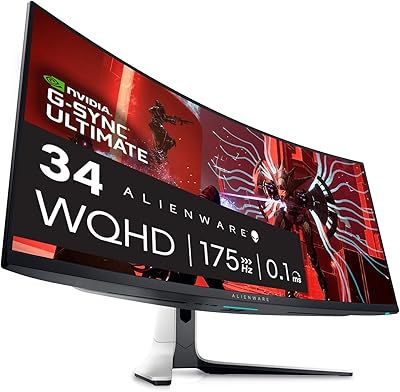
Alienware AW3423DW 34-inch QD-OLED Gaming Monitor
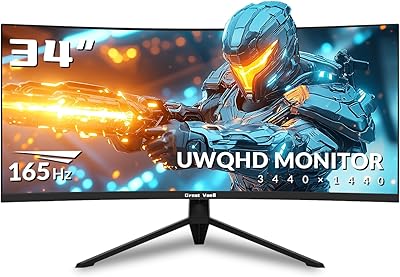
Great voell Q34DB45 34-inch Curved Gaming Monitor

Westinghouse 34-Inch Curved Ultrawide Gaming Monitor
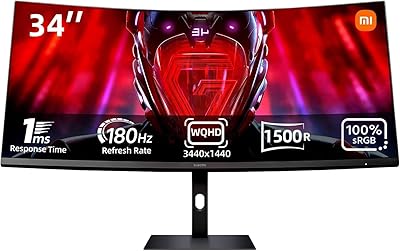
Xiaomi 34-inch Curved Gaming Monitor G34WQi

Raywego Q34DB45-1 34-inch Curved Gaming Monitor
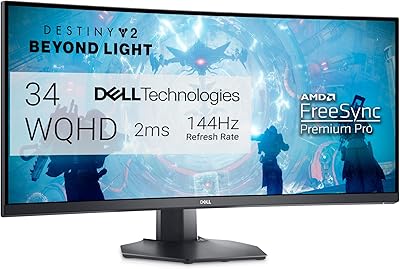
Dell S3422DWG 34-inch Curved Gaming Monitor
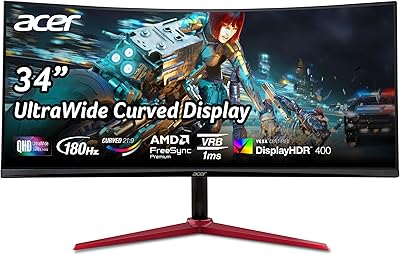
Acer Nitro XZ342CU 34″ Curved Gaming Monitor
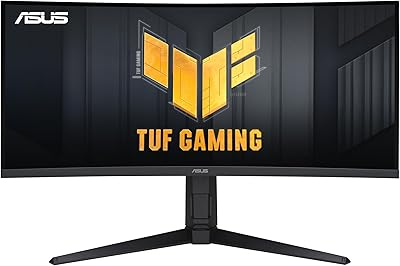
ASUS TUF VG34VQL1B 34-inch Curved Gaming Monitor