Overview

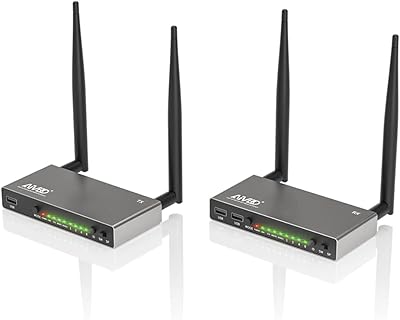
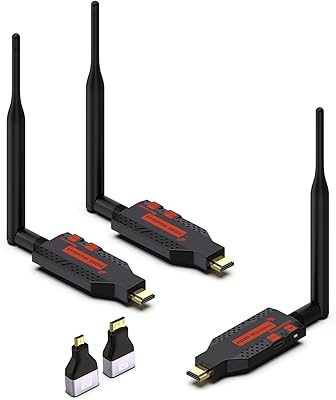
The AIMIBO 1-to-8 Wireless HDMI Extender tackles a genuinely tricky problem: how do you get one video source onto eight screens without running cable everywhere? Operating on the 5.8GHz frequency band, it pushes signal up to 200 meters in open conditions — a respectable range for a mid-tier kit. Beyond raw distance, it ships with KVM support, which means you can plug a keyboard and mouse into a remote receiver and still control the host PC from across a building. IR passback works similarly, letting you aim a remote at a distant screen and have commands travel back to the source. The architecture is expandable, though new receivers need an initial pairing with the transmitter before they work independently.
Features & Benefits

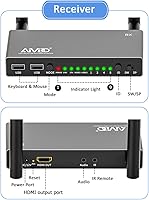
The one-to-eight topology is what sets this wireless HDMI extender apart from simpler point-to-point kits — no splitters or external amplifiers required. The 5.8GHz band is a practical choice in busy offices or schools where 2.4GHz channels are already congested; the dedicated frequency makes a noticeable difference in stability. That 200-meter headline range is achievable in open space, but expect it to shrink through walls and floors. KVM, for anyone unfamiliar, simply means keyboard-and-mouse signals travel back to the source PC, so one computer can be operated from multiple locations. Each receiver also includes a loop-out HDMI port, letting a locally wired display run alongside the wireless feed simultaneously.

Best For

This multi-screen broadcasting kit fits a fairly specific niche, and it fits it well. IT managers who need one central PC to drive several kiosk or workstation displays will find the KVM capability especially useful — it removes the need for separate input devices at each station. Educators broadcasting a single laptop to a row of classroom screens will appreciate the range. Home users routing a media player to TVs in different rooms are a natural fit too, though for purely domestic setups the kit may feel slightly over-specified. Corporate trainers and digital signage operators covering large open floor plans are arguably the sweet spot the AIMIBO transmitter-receiver kit was designed around.

User Feedback

Across roughly 88 ratings, this wireless HDMI extender holds a 4.2-star average — generally solid, with a few patterns worth noting. Setup for the first receiver tends to go smoothly, and buyers in open environments consistently report that the range holds up well. Where frustration surfaces is the pairing process for additional receivers: it follows a specific sequence that trips up less technical users. Some reviewers flagged noticeable latency, which matters most when using the KVM function for interactive tasks rather than passive display loops. Build quality gets a mixed reception; the silver plastic chassis looks clean but feels more functional than premium. Knowing this going in sets realistic expectations for the price tier.

Pros

  • Distributes one HDMI source to up to eight independent screens without any external splitters or amplifiers.
  • The 5.8GHz band maintains stable signal in busy offices and schools where 2.4GHz channels are heavily congested.
  • Built-in KVM lets a keyboard and mouse at any receiver location control the central PC directly.
  • IR passback allows remote control of the source device from a distant screen, which is genuinely convenient in multi-room setups.
  • Each receiver includes a loop-out HDMI port, so a locally wired display can run simultaneously alongside the wireless feed.
  • First-receiver setup is quick and approachable, with no software installation required on the host machine.
  • Open-space range performance holds up well for single-floor classrooms, lobbies, and open-plan offices.
  • The transmitter-receiver kit covers both home and semi-professional AV use cases with a single, expandable system.
  • Compatible with any standard HDMI source, making it easy to swap between laptops, desktops, and media players.

Cons

  • Latency makes this wireless HDMI extender unsuitable for gaming, live feeds, or any interactive real-time content.
  • Pairing additional receivers beyond the first requires a specific button sequence that the included documentation explains poorly.
  • Real-world range through walls and multiple floors drops significantly below the advertised 200-meter open-air figure.
  • The plastic chassis feels lightweight for a professional deployment environment, raising questions about long-term durability.
  • Buyers who purchase a standalone receiver unit without the transmitter will find it non-functional until pairing is completed.
  • Audio support is stereo only, with no passthrough for Dolby Atmos or any multichannel surround format.
  • KVM mouse tracking latency is noticeable enough to frustrate users doing anything beyond basic cursor navigation or slideshow control.
  • Troubleshooting guidance in the manual is thin, pushing users toward external forums or video tutorials for anything beyond basic setup.

Ratings

The AIMIBO 1-to-8 Wireless HDMI Extender earned its 4.2-star average across 88 verified global ratings, and the scores below reflect what buyers actually experienced — our AI filtered out incentivized and bot-pattern reviews to surface honest signal. Strengths around range and multi-screen flexibility come through clearly, but so do the friction points around setup complexity and latency in interactive use cases.
Wireless Range & Stability
78%
22%
In open-plan offices, classrooms, and single-floor retail environments, users consistently report that the signal holds steady across meaningful distances without obvious dropout. The 5.8GHz band earns real credit for sidestepping the congestion that plagues 2.4GHz kits in busy buildings.
The headline 200-meter range is an open-air figure, and buyers in multi-floor or wall-heavy environments report noticeably shorter effective reach. A handful of reviewers noted occasional signal hiccups in dense concrete structures that required repositioning the transmitter.
Multi-Screen Distribution
86%
The one-transmitter-to-eight-receivers architecture is the core reason people buy this kit, and it largely delivers. Users deploying it for classroom broadcasting or kiosk arrays praised how each receiver operates independently once paired, with no need for external splitters or amplifiers.
Scaling up to the full eight receivers is where complexity creeps in — each additional unit needs to be paired individually, and the sequence is not always intuitive. Buyers who purchased standalone receivers separately without reading the pairing instructions first ran into frustrating dead starts.
KVM Functionality
71%
29%
For IT managers centralizing a single PC across multiple desks, the KVM feature — which routes keyboard and mouse signals back to the source machine over the same wireless link — is a genuine time-saver. Users managing presentation setups or shared workstations found it reduced cable clutter significantly.
Latency in the KVM return path is the most consistent complaint. For spreadsheet navigation or slideshow control it is acceptable, but anyone expecting responsive mouse tracking for design work or faster-paced tasks will find the delay noticeable and occasionally frustrating.
Initial Setup Experience
67%
33%
Getting the first receiver up and running is described by the majority of buyers as straightforward — plug in, power up, and the signal appears within a reasonable boot time. The included IR remote simplifies source control without requiring any software installation on the host PC.
Adding receivers beyond the first is where setup confidence drops sharply. The pairing process requires a specific button sequence that is poorly documented in the included materials, and non-technical users frequently report needing to attempt it multiple times before achieving a stable connection.
IR Remote Passback
73%
27%
Being able to point a remote at a screen three rooms away and have the command register at the source device is more useful than it sounds — users controlling a Blu-ray player or streaming box from a distant TV room genuinely appreciated this feature working reliably in most setups.
The effective angle and distance for IR passback is narrower than the wireless video range, meaning it works best when the receiver is in a relatively direct line of sight to where the user is sitting. In larger or L-shaped rooms some buyers found it inconsistent.
Loop-Out Port Utility
74%
26%
Having a wired HDMI loop-out on each receiver means a locally positioned screen can stay connected via cable while the wireless feed simultaneously drives another display. IT and AV installers setting up hybrid wired-and-wireless configurations found this saved them from needing additional hardware.
The loop-out is a straightforward passthrough rather than an active output, so signal quality on the wired side depends on the same source feed. A few users noted that in setups with long local HDMI runs, they still needed a separate amplifier to maintain quality on the wired portion.
Latency for Video Playback
63%
37%
For static presentations, digital signage, or looping video content the latency is low enough that most users do not notice it as a problem. Deploying this kit for lobby displays or educational slide decks works without the kind of visible lag that would distract an audience.
Latency becomes a real concern for anything interactive or fast-moving. Reviewers who tried using it for live video feeds, gaming output, or real-time data dashboards reported delays that made the experience feel off-sync. This is not a kit designed for motion-sensitive content.
Build Quality & Durability
61%
39%
The transmitter and receiver units have a clean, functional look in silver plastic that fits into office or classroom environments without drawing attention. The form factor is compact enough to mount discreetly behind a display or on a shelf bracket.
At this price point several buyers expected a more substantial chassis, and the lightweight plastic construction left some feeling uncertain about long-term durability in a professional setting. Corner bumps or accidental drops from desk height generated more concern than they would with a metal-bodied unit.
Compatibility
81%
19%
The kit works with essentially any device that outputs standard HDMI, covering laptops, desktops, media players, and set-top boxes without requiring driver installation or software configuration. Users praised the plug-and-play nature for mixed device environments where sources change regularly.
A small number of reviewers noted resolution or HDCP handshake issues with certain streaming sources, particularly when copy-protected content was involved. These are edge cases rather than a widespread pattern, but worth verifying for anyone whose primary source involves DRM-heavy content.
Audio Performance
69%
31%
Stereo audio travels alongside the video signal without needing a separate audio run, which simplifies wiring in multi-room setups considerably. Users connecting to screens with built-in speakers found the audio arrived cleanly and in sync during standard playback.
There is no support for advanced audio formats like Dolby Atmos or high-bitrate multichannel audio, which limits the kit for home theater users with surround sound receivers. For pure AV distribution of stereo content it is fine, but audiophiles will notice the ceiling.
Value for Money
72%
28%
Compared to running HDMI cable infrastructure across a large space, the cost of this wireless kit looks attractive — particularly when factoring in the installation labor that cabling would require. For small businesses and schools with modest budgets it represents a practical trade-off.
Buyers who compare it against competing wireless HDMI kits in the same price range occasionally find rivals with smoother pairing experiences or slightly lower latency. The value proposition is strongest when the eight-receiver capacity is actually needed; for simpler 1-to-2 or 1-to-4 setups cheaper options exist.
Documentation & Support
53%
47%
The physical setup for a basic single-receiver deployment is simple enough that most users did not need to consult the manual. The IR remote is labeled clearly and works without configuration.
The written documentation for multi-receiver pairing, KVM configuration, and troubleshooting is consistently described as inadequate. Multiple reviewers turned to YouTube videos or forum posts to complete setups that the included instructions did not explain clearly, which is a recurring frustration at this tier.
Antenna & Signal Consistency
76%
24%
The external 5.8GHz antenna gives users some ability to optimize signal direction, which proved useful in long-corridor deployments where pointing the transmitter antenna toward a cluster of receivers improved stability noticeably compared to default positioning.
The antenna connection point feels less robust than the rest of the unit, and a few users mentioned being cautious about repeated adjustment cycles. For fixed installations this is a non-issue, but anyone repositioning equipment frequently should handle the antenna attachment with some care.

Suitable for:

The AIMIBO 1-to-8 Wireless HDMI Extender is a strong fit for anyone who needs to push one video source to multiple screens across a building without the cost and effort of running HDMI cable through walls and ceilings. IT administrators who want a single PC to drive several workstations or kiosk displays will find the built-in KVM support — which lets a keyboard and mouse at any receiver location control the central machine — particularly valuable. Educators broadcasting a laptop to a row of classroom monitors, or trainers running presentations across a large open-plan office, are squarely in the target audience. Digital signage operators who need a hub-and-spoke display layout across a retail floor or lobby will also get solid mileage from the eight-receiver ceiling. Home users routing a single media player to TVs in different rooms are a reasonable fit too, provided they go in understanding this kit leans more toward functional deployment than consumer simplicity.

Not suitable for:

The AIMIBO 1-to-8 Wireless HDMI Extender is not the right tool for buyers who need low-latency output for fast-moving or interactive content — anyone thinking about gaming, live video feeds, or real-time data dashboards will find the signal delay genuinely disruptive. The 200-meter range figure assumes open air, so if your building has thick concrete floors, dense partition walls, or significant RF interference, effective coverage will fall noticeably short of that headline number. Users who plan to scale up to four, six, or eight receivers should also be prepared for a pairing process that requires patience and some technical confidence — it is not the kind of setup you hand off to a non-technical colleague without a proper walkthrough. Buyers looking for a simple one-to-one or one-to-two wireless HDMI solution will likely find this kit over-engineered and overpriced relative to simpler alternatives. Anyone requiring advanced audio formats like Dolby Atmos or multichannel surround passthrough will also hit a hard ceiling, as the kit handles stereo only.

Specifications

  • Brand: Manufactured and sold under the AIMIBO brand.
  • Topology: Supports one transmitter (TX) paired with up to eight independent receivers (RX) simultaneously.
  • Wireless Frequency: Operates on the 5.8GHz band to minimize interference in environments where 2.4GHz channels are congested.
  • Range: Rated up to 656 ft (200 m) in open-air conditions; real-world range through walls and floors will be shorter.
  • Connectivity: Uses standard HDMI ports on both the transmitter and receiver units for source and display connections.
  • KVM Support: Includes KVM functionality, allowing a keyboard and mouse connected at any receiver to control the central source PC.
  • IR Passback: IR remote passback allows commands aimed at a remote receiver to be relayed back to the source device.
  • Loop-Out Port: Each receiver includes an HDMI loop-out port that passes the signal to a locally connected wired display simultaneously.
  • Audio Output: Transmits stereo audio alongside the video signal; advanced multichannel or lossless audio formats are not supported.
  • Dimensions: Each unit measures 4″ deep by 5″ wide by 10″ high.
  • Weight: Each unit weighs approximately 460 g (1.01 lb).
  • Color & Material: Silver plastic chassis with a clean, functional finish suited to office and classroom environments.
  • Controller Type: Includes a remote control for managing source and IR passback functions without physical access to the transmitter.
  • Compatible Devices: Works with any device that outputs a standard HDMI signal, including desktop PCs, laptops, and media players.
  • Special Feature: Designed specifically for multiroom and multi-screen distribution from a single HDMI source.
  • ASIN: Amazon product identifier is B0FBGK7M4Q.
  • Date Available: First listed for sale on February 8, 2023.

Related Reviews
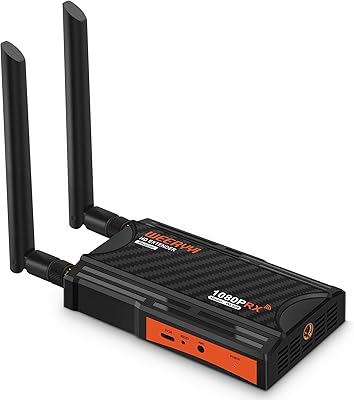
Weeryyi Wireless HDMI Extender Receiver
83%
91%
Value for Money
88%
Ease of Setup
85%
Signal Stability
83%
Range Performance
70%
Latency
More
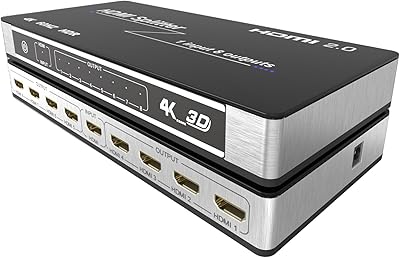
KAGO B042-8 1x8 HDMI Splitter
74%
83%
Signal Distribution Reliability
76%
4K Performance
79%
HDCP 2.2 Compatibility
88%
Ease of Setup
74%
Build Quality
More
AIMIBO A8 Wireless HDMI Extender
73%
74%
Signal Stability
51%
Range Accuracy
83%
Setup Experience
81%
Video Quality
69%
Latency Performance
More
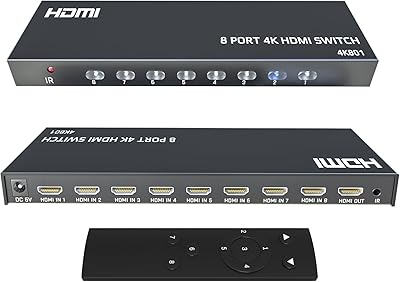
KAGO 4K801 HDMI Switch 8-in-1
79%
93%
Ease of Setup
88%
Signal Stability
71%
4K Video Performance
58%
PS5 & Modern Console Compatibility
76%
Remote Control Usability
More
AIMIBO Q3 Wireless HDMI Extender
75%
91%
Ease of Setup
73%
Signal Stability
67%
Transmission Range
71%
Video Quality
82%
Latency Performance
More
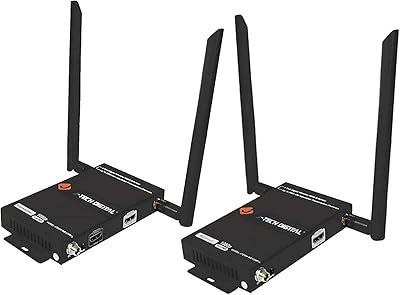
J-Tech Digital Wireless HDMI Extender 1X2 (JTECH-WEX200V3)
85%
91%
Value for Money
95%
Setup & Installation
88%
Signal Strength
92%
Latency for Video Playback
80%
Range Performance
More
Avylet RC11 8.1″ Wireless CarPlay Screen
74%
86%
Wireless Pairing Reliability
71%
Screen Clarity & Visibility
63%
Audio Output Quality
84%
Backup Camera Integration
68%
Mounting & Installation
More
Mirabox Wireless HDMI Transmitter and Receiver Extender 1x4-1080P@60Hz
85%
88%
Signal Strength & Range
91%
Setup & Installation
85%
Latency & Performance
83%
Build Quality
89%
Multi-Screen Setup
More
Taiquinix Wireless HDMI 330FT 4K/1080P 1 TX + 2 RX
85%
89%
Performance
95%
Ease of Setup
88%
Range and Connectivity
92%
Video and Audio Quality
85%
Simultaneous Display Support
More
AVIDGRAM HDMI 2.1 Switch 5-in-1
86%
91%
Performance
88%
Ease of Use
93%
Compatibility with Devices
90%
Video Quality (8K/4K)
89%
Audio Quality (Dolby TrueHD/DTS-HD)
More

FAQ

The standard listing includes one transmitter and one receiver to get you started. If you need additional receivers to reach the maximum of eight screens, those are sold separately — but each extra receiver must be paired with the transmitter before it will work, so make sure you have the TX unit on hand when you add more RX units.

That 200-meter figure is measured in open air with no obstructions. In a typical building with drywall, brick walls, or concrete floors between the transmitter and receivers, expect the effective range to be considerably less. For most classrooms, open-plan offices, or single-floor retail spaces it performs well, but multi-floor concrete buildings will test its limits.

KVM stands for keyboard, video, and mouse — it means a keyboard and mouse plugged into a receiver unit can remotely control the PC connected to the transmitter, as if they were plugged in locally. If you need operators at different screens to interact with one central computer, it is a genuinely useful feature. If you are just displaying content passively on multiple screens, you can ignore it entirely.

The wireless HDMI extender works at the hardware level — it transmits the HDMI signal from whatever source is connected, regardless of the operating system. Macs, Windows PCs, Linux machines, and even media players like Apple TV or Roku will all work as sources as long as they output standard HDMI.

Additional receivers need to be paired with the transmitter before they will display anything. This is a one-time process that involves a specific button sequence on both units, and the included manual covers it — though many users find the explanation thin and turn to online video tutorials for clarity. Once paired, the receiver remembers the transmitter and reconnects automatically on power-up.

There is some latency inherent to wireless HDMI transmission. For static presentations, digital signage, or looping video content most users will not find it disruptive. For gaming, live video feeds, or any application where you need the display to react instantly to what is happening at the source, the delay will be frustrating and this kit is not the right tool for those use cases.

All receivers display the same source signal simultaneously — this is a distribution system, not a matrix switcher. One HDMI source is mirrored identically across every connected screen. If you need different content on different screens from a single unit, you would need a different type of system entirely.

Based on the product specifications provided, the listing does not explicitly confirm 4K support, and given the wireless frequency and price tier, it is safer to assume the system operates optimally at 1080p. If 4K output is critical for your setup, verify this directly with the manufacturer before purchasing.

The kit operates on the 5.8GHz band, which is the same frequency range used by many modern Wi-Fi routers. In most environments co-existence is fine, but in very dense wireless environments you may want to check whether your router and the extender are competing for the same channel. The dedicated 5.8GHz antenna helps reduce interference relative to 2.4GHz-based alternatives.

The chassis is lightweight silver plastic, and while it functions reliably in standard deployments, several buyers in professional settings noted it feels less robust than they expected. For fixed installations where units are mounted and left undisturbed it holds up fine, but if equipment gets handled or repositioned frequently, treat it with reasonable care — particularly around the antenna connection point.