Overview

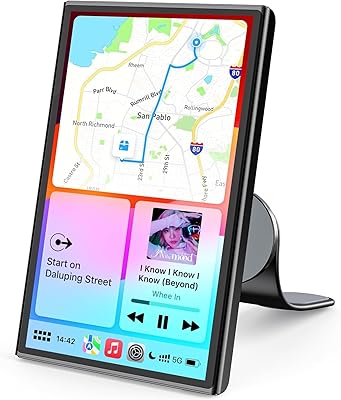
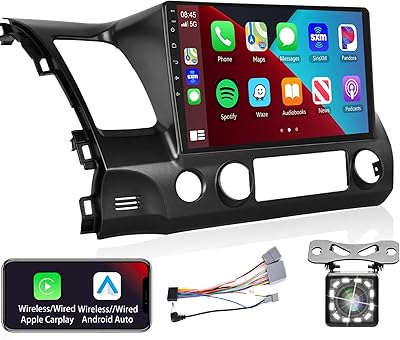
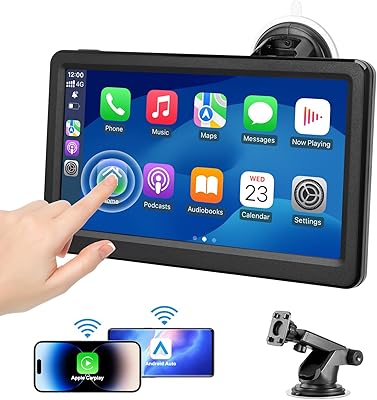
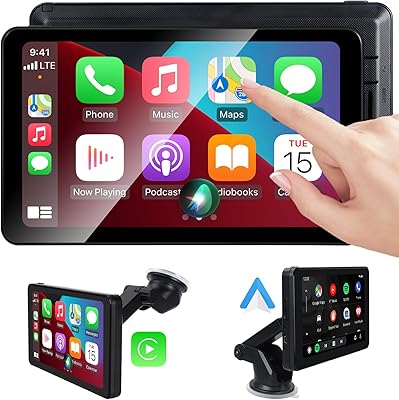
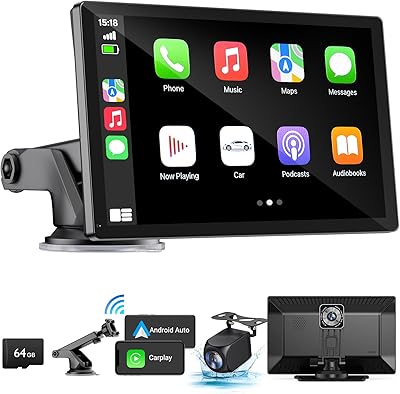
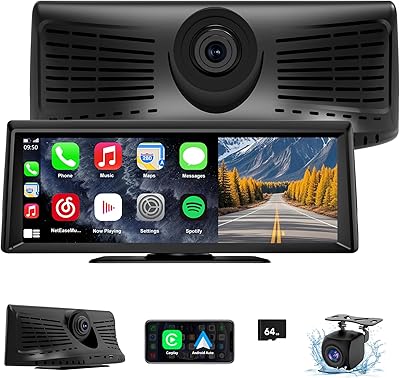
The Avylet RC11 8.1″ Wireless CarPlay Screen is a portable aftermarket display built for drivers stuck with factory head units that predate smartphone integration. Rather than tearing out your dashboard for a full stereo replacement, you stick this on and you're running Apple CarPlay or Android Auto within minutes. It launched in late 2024 and has quietly built a respectable following. The kit includes a backup camera, mounting hardware, and multiple audio cables — a surprisingly complete package for the price. If your car is a few years old and you're tired of squinting at your phone in a cupholder mount, this is worth a serious look.

Features & Benefits

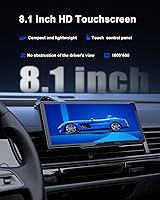
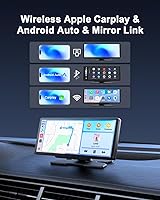
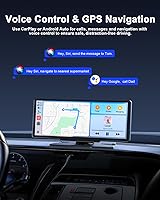
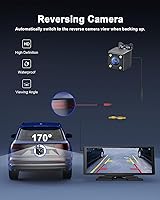
The 8.1-inch touchscreen runs at 1600×600 resolution — not quite retina, but clear enough for maps and media controls at a glance. Wireless pairing with both CarPlay and Android Auto means no dangling cables, and the screen reconnects automatically every time you start the car. Siri and Google Assistant handle hands-free calls, texts, and navigation without fuss. The included backup camera is IP67-rated with a nearly 20-foot cable, triggering on its own when you shift into reverse. Audio gets four options: built-in speaker, Bluetooth, FM transmitter, or AUX — the AUX route delivers the best quality by a clear margin. OTA firmware updates keep the system current without needing a laptop or USB workaround.

Best For

This wireless CarPlay screen makes the most sense for owners of vehicles that never shipped with a built-in infotainment display — think older models or base trims stripped of touchscreen options. It also suits frequent car-sharers well: because it mounts without permanent hardware, you can move it between vehicles or take it along entirely. Budget-conscious buyers will appreciate what comes in the box, especially given the rear camera inclusion. One practical caveat worth stating plainly: Huawei phone users should skip this, as compatibility is not supported. And if you parallel park regularly in tight spaces, the backup camera alone is reason enough to consider it.

User Feedback

With a 4.2-star average across more than 450 ratings, the Avylet dash screen sits in solidly positive territory for its category. Most owners highlight reliable auto-reconnect as a standout trait, noting they rarely need to manually pair their phone after initial setup. The main criticism centers on brightness in direct sunlight — readable, but not particularly vivid. FM transmitter audio earns similarly muted praise: functional, though noticeably weaker than going through AUX. A real concern worth flagging upfront is the Wi-Fi conflict: if you also run a Wi-Fi-based dash cam, both cannot share the same phone connection at once. In hot climates, a handful of buyers have also raised doubts about long-term adhesive mount durability.

Pros

  • Wireless CarPlay and Android Auto work without any cable management headaches on daily drives.
  • Auto-reconnect on startup means you never have to manually pair your phone again after setup.
  • The included backup camera is waterproof and long enough to reach most vehicle rear ends.
  • Voice control via Siri or Google Assistant handles calls and navigation without touching the screen.
  • Four audio output options give real flexibility depending on what your car already supports.
  • OTA firmware updates keep the software current without needing a computer or USB drive.
  • Portable mounting means you can move it between vehicles or take it out entirely when needed.
  • The kit is genuinely complete out of the box — camera, cables, brackets, and manual all included.
  • At this price tier, the 8.1-inch screen size offers a noticeably better navigation view than any phone mount.

Cons

  • Screen brightness struggles in direct sunlight, making maps hard to read on bright afternoons.
  • FM transmitter audio degrades in cities with crowded radio frequencies — static is a real issue.
  • The built-in speaker is too weak for music; it is essentially a last-resort fallback only.
  • Adhesive mount reliability in hot climates is inconsistent, with multiple reports of bracket failure over time.
  • Cannot run simultaneously with a Wi-Fi dash cam on the same phone — a hard conflict for many drivers.
  • Huawei devices are entirely incompatible with no workaround available.
  • The update process requires navigating a non-intuitive super link mode that is unclear without reading the manual.
  • Routing the rear camera cable neatly through the cabin takes time and some patience with trim panels.
  • The plastic housing picks up scratches and fingerprints easily and does not feel particularly sturdy at the edges.

Ratings

The Avylet RC11 8.1″ Wireless CarPlay Screen has been evaluated using AI-driven analysis of verified global buyer reviews, with spam, bot-generated, and incentivized feedback actively filtered out before scoring. Ratings reflect what real everyday drivers experienced across setup, daily use, audio, and long-term reliability. Both the standout strengths and the genuine frustrations are represented honestly in each category below.
Wireless Pairing Reliability
86%
Most users report that initial setup takes only a few minutes, and the auto-reconnect behavior on startup is consistently praised. Drivers who switch between Apple CarPlay and Android Auto across household vehicles find the transition relatively painless compared to wired alternatives.
A small but vocal group notes occasional dropouts during longer drives, particularly when the phone screen locks or a call interrupts the session. Re-pairing is quick, but it does happen often enough to be worth mentioning.
Screen Clarity & Visibility
71%
29%
At 1600×600 resolution across 8.1 inches, map text and album art read clearly in shaded conditions and during night driving. Buyers upgrading from phone-in-cupholder setups consistently call the display a noticeable improvement for navigation legibility.
Direct sunlight is where the display struggles most. Reviewers in sunny climates or with south-facing windshields report significant glare and washed-out colors, making it hard to read maps without repositioning the screen or squinting.
Audio Output Quality
63%
37%
The AUX connection delivers clean, lossless audio that satisfies most casual listeners on daily commutes. Bluetooth output is also reasonably solid for calls and podcasts, and the four-option flexibility is genuinely useful depending on what your car supports.
The built-in speaker is weak and tinny — essentially a fallback, not a real option for music. FM transmitter quality is usable but degrades noticeably in urban areas with crowded frequencies, and some users report static bleed at highway speeds.
Backup Camera Integration
84%
The included IP67-rated camera with a nearly 20-foot cable handles most vehicle sizes without needing an extension. The auto-trigger when shifting into reverse works reliably, and the image quality is sharp enough for confident parking in tight urban spots.
Routing the long cable neatly through the car interior takes time and some mechanical comfort — it is not a five-minute job. A small number of users also report the camera image appearing slightly washed out in very bright afternoon sun.
Mounting & Installation
68%
32%
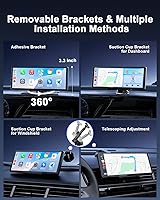
The dual-option mounting system — adhesive bracket or suction cup — gives drivers genuine flexibility, and most users have the unit physically installed within 30 minutes. The adjustable angle is genuinely helpful for reducing glare and finding the right sightline.
Adhesive mount durability in hot climates draws repeated complaints, with some buyers reporting the bracket loosening or failing entirely after a few months in summer heat. The suction cup alternative holds better but can drift slightly on textured dashboards.
Setup & Initial Configuration
79%
21%
The user manual covers six languages and the FAQ section addresses the most common connection hurdles upfront. Most iOS users report being fully operational within one drive, with Android users taking only marginally longer to complete initial pairing.
Huawei users cannot use this device at all — a compatibility wall the product makes clear but that still catches some buyers off guard post-purchase. A few Android users also report needing to toggle settings before Android Auto recognizes the screen correctly.
OTA Update Experience
74%
26%
The ability to push firmware updates over Wi-Fi without connecting a laptop or USB cable is a practical advantage that most budget-tier CarPlay screens skip entirely. Users who have applied updates report noticeable stability improvements over the original firmware.
The update process requires entering a specific super link mode, which is not intuitive without reading the manual first. Update frequency is also unclear — some buyers are unsure whether their unit is running the latest version without actively checking.
Voice Control Performance
72%
28%
Siri and Google Assistant respond well in quiet cabin conditions, handling navigation requests and message replies without requiring the driver to touch the screen. Commuters who spend a lot of time on calls appreciate being able to manage everything by voice.
In noisier environments — windows down at highway speed or with loud music playing — voice recognition misses commands more frequently than it should. The microphone pickup range is adequate but not particularly sensitive by current standards.
Build Quality & Durability
66%
34%
The unit feels reasonably solid for its weight class, with a clean bezel and responsive touchscreen surface that holds up well to daily finger taps and swipes. Most buyers report no physical issues after several months of regular use.
The plastic housing shows scratches and smudges easily, and the overall premium feel lags behind more established brands. A few long-term owners note minor screen flex when pressing toward the edges, suggesting the internal frame is fairly lightweight.
Value for Money
88%
The all-in-one nature of the kit — screen, backup camera, cables, mounting hardware, and audio accessories — makes the price-to-content ratio genuinely strong. For drivers who need a no-install CarPlay solution without spending on a full head unit, this hits a practical sweet spot.
Buyers expecting flagship image or audio quality at this price point will come away disappointed. The value proposition holds firmly only when expectations are calibrated to the budget tier — it punches at its weight, not above it.
GPS & Navigation Accuracy
81%
19%
Navigation runs through the phone via Apple Maps, Google Maps, or Waze, which means routing accuracy is as good as those apps allow. The larger 8.1-inch canvas makes lane guidance and intersection previews noticeably easier to read than a typical phone mount.
The screen depends entirely on the phone for GPS signal — there is no independent navigation chip onboard. In areas with weak cellular signal, map performance is only as reliable as the phone connection, which some rural drivers find limiting.
Compatibility Range
62%
38%
Works well with a broad range of iPhones and most Android devices from major manufacturers. Mirror Link support for both iOS and Android expands utility beyond CarPlay and Auto for users who prefer direct screen mirroring.
Huawei devices are fully incompatible, which is a hard stop for those users. The Wi-Fi conflict with simultaneous dash cam connections is also a meaningful limitation that affects a growing segment of buyers who run both devices regularly.
Power & Cable Management
70%
30%
The 11.5-foot Type-C to cigarette lighter cable is long enough to route cleanly along the A-pillar or under trim panels without looking makeshift. Power delivery is stable and the unit has not been widely reported to cause any 12V socket issues.
The cigarette lighter dependency means one power socket is permanently occupied, which is a minor but real inconvenience in cars with limited 12V ports. The cable itself feels adequate but not particularly robust at the connector ends with heavy daily use.

Suitable for:

The Avylet RC11 8.1″ Wireless CarPlay Screen was built for a very specific and underserved group: drivers of older vehicles that shipped without any touchscreen or smartphone integration, who are not willing to gut their dashboard for a full head unit replacement. If your car is a 2015 or earlier model — or even a newer base trim that skipped the infotainment upgrade — this portable CarPlay unit fills that gap without a single screw into your dash. It is also an excellent fit for people who rotate between multiple vehicles, such as couples sharing cars or frequent rental drivers, since the suction cup mount means you can take it with you rather than leave it behind. Anyone who regularly reverses into tight parking spots will also find genuine value in the included backup camera, which triggers automatically and requires no additional hardware purchase. Budget-conscious buyers who want Google Maps or Waze on a proper-sized screen — rather than a phone propped in a cupholder — will likely find this hits the right balance for everyday practical use.
Not suitable for:

The Avylet RC11 8.1″ Wireless CarPlay Screen is a poor match for buyers expecting premium hardware quality or flagship-level screen performance. If you drive with a Wi-Fi-connected dash cam already running, you will face a real conflict: the screen and a Wi-Fi dash cam cannot share the same phone connection simultaneously, which is a functional limitation, not a minor inconvenience. Huawei phone users should stop here entirely — compatibility is not supported and there is no workaround. Drivers in consistently hot climates should also think carefully, as repeated reports point to adhesive mount failure under prolonged heat exposure, which could require switching to the suction cup alternative permanently. If high-quality in-car audio is important to you — whether for music production listening or audiophile-grade sound — the FM and built-in speaker options will disappoint, and even AUX, while the best of the four paths, is not going to rival a proper head unit. Anyone looking for a permanent, clean, integrated dashboard solution would be better served by investing in a proper aftermarket head unit installation instead.
Specifications

  • Screen Size: The display measures 8.1 inches diagonally, providing a wide viewing area suitable for maps and media controls without obstructing the driver's forward sightline.
  • Resolution: Native screen resolution is 1600×600 pixels, delivering clear map text and legible interface elements under normal cabin lighting conditions.
  • CarPlay & Auto: Supports both wireless Apple CarPlay and wireless Android Auto, with automatic reconnection each time the vehicle is started after initial pairing.
  • Bluetooth: Bluetooth 5.0 is used for phone audio streaming, hands-free calling, and wireless CarPlay or Android Auto connectivity.
  • Voice Control: Compatible with Siri (iOS) and Google Assistant (Android) for hands-free management of navigation, calls, and media playback.
  • Audio Outputs: Four audio output options are available: integrated speaker, Bluetooth, FM transmitter, and a 3.5mm AUX connection via the included cable.
  • Rear Camera: Includes an IP67-rated waterproof backup camera with a 19.7-foot cable that automatically activates when the vehicle is shifted into reverse.
  • OTA Updates: Firmware can be updated over Wi-Fi using the built-in super link mode, requiring no USB cable or connected computer.
  • Mirror Link: Mirror Link is supported for both iOS and Android devices, allowing direct screen mirroring as an alternative to CarPlay or Android Auto.
  • Mounting Options: Ships with both an adhesive dashboard bracket and a suction cup bracket, giving users a permanent or removable installation choice.
  • Power Cable: Powered via a Type-C to cigarette lighter adapter cable measuring 11.5 feet, long enough for most cabin routing configurations.
  • Dimensions: The unit measures 8.27 × 0.98 × 3.43 inches, keeping the profile slim enough to avoid significantly restricting the driver's field of view.
  • Weight: The screen weighs 10.9 ounces, making it light enough for reliable adhesive or suction cup mounting without bracket strain.
  • Wi-Fi: Wi-Fi connectivity is required to link the device to the phone; both this screen and any Avylet Wi-Fi dash cam cannot share the same phone connection simultaneously.
  • GPS Navigation: Navigation is handled through the connected phone using Apple Maps, Google Maps, or Waze — the unit does not contain an independent GPS chip.
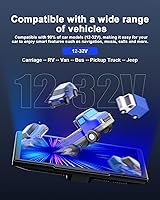
  • Compatibility Note: Huawei devices are not supported under any connection method; all other major iOS and Android smartphone brands are compatible.
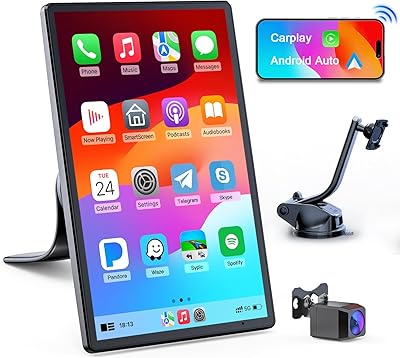
  • Included Accessories: The box contains the screen unit, rear camera, AUX cable, Type-C power cable, suction cup bracket, adhesive bracket, spare adhesives, wire clips, screws, and a multilingual user manual.
  • Warranty: An extended two-year warranty is available by contacting Avylet support directly using the contact information printed on the product packaging.
  • Model Number: The official model designation is RC11, manufactured by Avylet and first listed for sale in December 2024.
  • Languages Supported: The included user manual is printed in six languages to support international buyers across different regions.

Related Reviews

Avylet RC04 8-inch Wireless Apple CarPlay Screen & Android Auto
86%
89%
Wireless Connectivity
91%
Ease of Installation
87%
Display Quality
83%
Software & Firmware Updates
85%
Build Quality
More
Avylet 7″ Wireless Apple CarPlay Screen
84%
89%
Wireless Connectivity
92%
Ease of Installation
85%
Display Quality
81%
Voice Control Performance
88%
GPS Navigation
More
Podofo Car Stereo for Honda Civic 2006-2011, 10.1″ Touch Screen, Wireless CarPlay, Android Auto, GPS
82%
94%
Display Quality
72%
Ease of Setup
88%
Wireless Connectivity (CarPlay/Android Auto)
80%
Audio Performance (DSP Settings)
85%
GPS Navigation Accuracy
More
AWESAFE Car Radio Stereo for Chevy and GMC with Wireless Apple CarPlay Android Auto 10.1 Inch Touch Screen
85%
91%
Display Quality
85%
Ease of Installation
88%
Wireless Connectivity
83%
GPS Navigation
79%
Bluetooth Functionality
More
Aonerex Wireless CarPlay Screen 7″
85%
91%
Setup & Installation
93%
Connectivity
88%
Display Quality
87%
Navigation Performance
84%
Audio Quality
More
KUONOONER Wireless Carplay Screen CA701
87%
92%
Value for Money
96%
Ease of Installation
89%
Compatibility with Devices
83%
Wireless Connectivity
82%
Display Quality
More
HAUXIY Q9S 9″ Wireless CarPlay Screen
75%
93%
Ease of Installation
78%
Wireless CarPlay & Android Auto Performance
71%
Front Camera Quality
67%
Rear Backup Camera
82%
Screen Visibility & Display Quality
More
Leadtree 11.5-inch Wireless CarPlay Screen
85%
89%
Wireless Connectivity
91%
Display Clarity
85%
Dash Cam Quality
88%
Voice Control Integration
78%
Ease of Installation
More
Krunia T95 7″ Portable CarPlay Screen
75%
88%
Wireless Connectivity
84%
Screen Brightness & Visibility
82%
Touch Response & 60FPS Performance
79%
Portrait & Landscape Mode Flexibility
61%
Mount Stability
More
IIWEY iK11 11-inch Wireless Apple CarPlay Screen
85%
88%
Setup & Installation
91%
Screen Quality & Display
93%
Connectivity (CarPlay & Android Auto)
85%
Dashcam & Backup Camera
89%
Portability & Design
More

FAQ

It genuinely works wirelessly for both CarPlay and Android Auto — no cable to your phone required. The screen connects to your phone over Wi-Fi and Bluetooth, so once you have done the initial pairing, it reconnects on its own every time you get in the car. The only cable involved is the power cable from the screen to your cigarette lighter socket.

Yes, and this is worth knowing before you buy. The Avylet dash screen connects to your phone over Wi-Fi, and if you are also running a Wi-Fi-connected dash cam, both devices cannot share the same phone connection at the same time. You would need to choose one or the other while driving, which is a real limitation if you rely on both simultaneously.

Yes, that is exactly the scenario this device was designed for. You mount it on the dashboard using the adhesive bracket or suction cup, plug the power cable into your cigarette lighter, and pair it with your phone. There is no wiring into your existing stereo required unless you want to use the AUX audio output, which involves a single cable into your car's AUX input.

If your car has no AUX input, your two practical options are Bluetooth (streaming audio from the screen to your car's existing Bluetooth stereo) or the FM transmitter (the screen broadcasts on an FM frequency you tune your car radio to). The FM option works but can be affected by local radio interference in busy urban areas. If you do have an AUX port, that is the cleanest-sounding route by a clear margin.

Most drivers with basic DIY comfort can handle it, but it is not a five-minute job. The camera mounts at the rear of your vehicle and the 19.7-foot cable needs to be routed through the car to the screen. Connecting the red wire to your reverse light positive lead is what triggers the automatic display — if that wiring step feels daunting, a car audio shop can do it quickly and inexpensively.

Yes, both are fully supported through Android Auto. Most major Android brands work without issue. The one hard exception is Huawei — those devices are completely incompatible with the Avylet RC11 8.1″ Wireless CarPlay Screen due to platform restrictions, and there is no workaround for that.

This is one area where the screen shows its budget-tier nature. In shaded conditions or overcast weather it looks quite clear, but in strong direct sunlight the brightness falls short and glare can make the map hard to read. Adjusting the angle with the mounting bracket helps somewhat, but if you drive in consistently sunny conditions, set your expectations accordingly.

That is actually one of its strongest practical advantages. The suction cup mounting option means you can remove the screen in under a minute and take it with you to another car. It pairs to your phone fresh on the new vehicle without any complicated re-setup, which makes it genuinely useful for frequent travelers or anyone who shares multiple vehicles.

Updates are pushed over Wi-Fi through a mode called super link mode, which you access from the device settings. The process does not require a computer or USB cable, which is convenient. How often Avylet releases updates is not formally scheduled — users report checking manually every few months. Reading the manual before attempting an update is worthwhile, as the mode is not immediately obvious to find.

For most climates and conditions, yes. However, if your car gets very hot inside — parked in full sun during summer, for example — several buyers have reported the adhesive weakening or failing after a few months. If you live somewhere with intense summer heat, the suction cup bracket is the more reliable long-term option, even if it looks slightly less permanent.