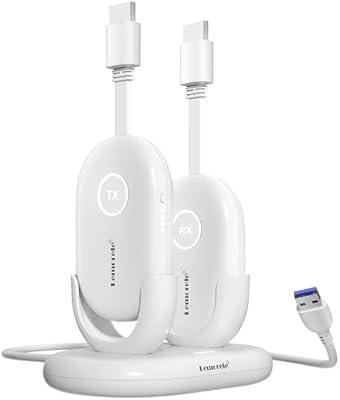
Mirabox HSV8113W Wireless HDMI Extender Kit
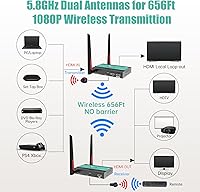
Mirabox HSV8113W Wireless HDMI Extender Kit — image 1

Mirabox HSV8113W Wireless HDMI Extender Kit — image 2

Mirabox HSV8113W Wireless HDMI Extender Kit — image 3
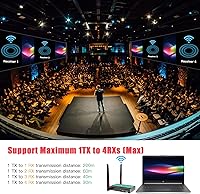
Mirabox HSV8113W Wireless HDMI Extender Kit — image 4
Mirabox HSV8113W Wireless HDMI Extender Kit — image 5
Mirabox HSV8113W Wireless HDMI Extender Kit — image 6
Mirabox HSV8113W Wireless HDMI Extender Kit — image 7
74%
26%

Overview

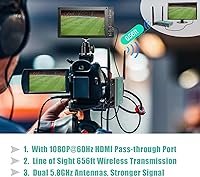
The Mirabox HSV8113W Wireless HDMI Extender Kit is a mid-range AV distribution solution that cuts the cord between your source device and your displays, letting you push a full 1080p signal across genuinely large spaces without running a single cable. Operating on the 5.8GHz band with dual antennas, it can reach up to 200 meters in a clear, unobstructed environment — think a warehouse, open auditorium, or large outdoor setup. It ships as a one-transmitter, one-receiver pair, but you can add up to three more receivers if you need to feed multiple screens simultaneously. The hardware is compact and portable, working equally well bolted into a permanent rack or packed in a bag for a one-off event.

Features & Benefits

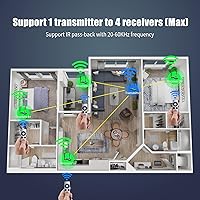
One of the more practical touches on this wireless HDMI extender kit is the HDMI loop-out port on the transmitter — you can keep a local monitor running at the source while simultaneously sending the signal to a screen across the building. The built-in IR extension is another feature that sneaks up on you: once you realize you can control a Blu-ray player from a completely different room using your existing remote, it changes how you think about the whole setup. The 5.8GHz frequency also keeps the signal cleaner in offices or homes crowded with Wi-Fi devices, and the included TX/RX pair works out of the box — no software, no configuration menus to wade through.

Best For

This wireless AV transmitter makes the most sense for people pushing one signal to multiple distant screens — a church sending a stage feed to overflow monitors, a trade show running the same demo across several displays, or a corporate trainer projecting from a laptop without dragging a cable across the room. Home theater users who stash source equipment in a media closet will find it genuinely useful too. Where it is less ideal is for competitive gaming: the latency, while low for a wireless system, is still perceptible in fast-paced titles, so if you are playing anything reaction-dependent, manage expectations before buying.

User Feedback

Buyers generally respond well to how reliably the Mirabox extender performs in large, open-plan environments — big halls, warehouses, and auditoriums tend to generate the most positive reviews. The IR control feature also consistently surprises people who discover it after setup, often appearing in reviews as an unexpected highlight. That said, recurring complaints are worth flagging: range drops noticeably once walls enter the picture, and users adding a third or fourth receiver report that the pairing process can be finicky. A handful of reviewers note the plastic housing feels less sturdy than expected. Customer support experiences vary, with some buyers praising quick resolutions and others describing slower follow-through.

Pros

  • Plug-and-play setup for the included transmitter and receiver pair — no software or drivers needed.
  • The 5.8GHz band keeps performance stable in offices and homes crowded with other wireless devices.
  • HDMI loop-out lets you monitor the source locally while simultaneously sending the signal to a remote screen.
  • Scales up to four receivers, making it viable for small multi-display installs without rewiring.
  • Built-in IR extension is a genuinely useful feature that lets you control source devices from another room.
  • Compact enough to pack in a bag for temporary event setups, not just permanent installations.
  • Supports a wide resolution range, so older projectors and displays are just as compatible as modern TVs.
  • Low latency makes it practical for live presentations, streaming feeds, and video playback scenarios.

Cons

  • Real-world range through walls is a fraction of the advertised open-air figure — manage expectations before installing indoors.
  • Adding a third or fourth receiver requires a manual pairing process that some users find unreliable or confusing.
  • Range drops sharply as more receivers are added, limiting usefulness in large multi-screen venues.
  • The plastic housing feels less premium than the price point suggests, and antenna durability has drawn occasional complaints.
  • No 4K support makes this wireless AV transmitter a poor fit for anyone invested in high-resolution displays.
  • Customer support response times appear inconsistent based on buyer reports, which is a concern for event professionals.
  • The 0.12-second latency, while low for wireless, is noticeable during competitive gaming or latency-sensitive live production.
  • Only one transmitter is supported per installation area — running multiple kits nearby risks signal interference.

Ratings

The scores below reflect an AI-driven analysis of verified global buyer reviews for the Mirabox HSV8113W Wireless HDMI Extender Kit, with spam, bot activity, and incentivized feedback actively filtered out before scoring. Both the genuine strengths and the recurring frustrations buyers encounter in real-world conditions are transparently represented here. No category has been softened — if users struggled with something, the score shows it.

Signal Stability
78%
22%
In open environments like auditoriums, warehouses, and trade show floors, buyers consistently describe the 5.8GHz signal as solid and dropout-free over extended sessions. The dual-antenna design appears to handle moderate interference well, particularly in buildings where 2.4GHz Wi-Fi congestion would otherwise cause problems.
Signal reliability drops noticeably once walls or floors enter the picture, and several buyers report intermittent dropouts in standard office or home environments. A handful of users in dense multi-device spaces found the connection less stable than they expected for the price.
Range Performance
62%
38%
For users deploying in genuinely open spaces — large church halls, open-plan exhibition floors, or outdoor line-of-sight setups — the extender delivers impressive reach that few competing products at this tier can match. That single-receiver range is a real differentiator for event AV professionals.
The advertised maximum range is contingent on conditions most indoor buyers will never have, and this gap between spec-sheet and real-world performance is the single most common complaint. Multi-receiver setups shrink usable range dramatically, which catches many buyers off guard who assumed they could chain four screens across a large building.
Multi-Screen Expandability
71%
29%
The ability to scale from one screen to four by purchasing additional receivers is a genuine selling point, particularly for conference room managers and church AV teams who need cost-effective signal distribution without a full matrix switcher. Buyers running two-screen setups in open spaces generally report good results.
Range degradation with each added receiver is steep and not prominently communicated before purchase, leaving some buyers frustrated when a four-screen install only reliably covers a fraction of their venue. Pairing additional receivers also introduces a manual configuration step that a small but vocal group of buyers found unreliable or confusing.
Setup & Ease of Use
83%
The included transmitter and receiver pair connects without any software, drivers, or network configuration, which buyers setting up for a live event or a quick conference room demo particularly appreciate. Most users describe the initial setup as taking under ten minutes from unboxing to a working signal.
The plug-and-play experience applies only to the bundled pair — adding a third or fourth receiver requires consulting the manual and following a specific pairing sequence that some users found unclear. A few buyers reported needing a second attempt before extra receivers paired successfully.
Latency
69%
31%
For presentations, streaming video, digital signage, and camera monitoring, the signal delay is low enough that it is essentially invisible in practical use. Event producers and classroom instructors report no noticeable lag during slide presentations or live camera feeds.
Gamers and live production crews working with time-critical content are more divided — the delay is perceptible during fast-paced gameplay and can be disorienting in scenarios where audio and visual synchronization matters at a precise level. It is not a dealbreaker for casual gaming, but it is for competitive play.
Video Quality
81%
19%
At 1080p the picture is clean and artifact-free in stable signal conditions, which satisfies the majority of buyers using it for presentations, home theater, or professional camera monitoring. The broad resolution compatibility also means older projectors and legacy displays connect without issue.
There is no 4K support, which is an increasingly relevant limitation for buyers with modern displays and source devices. A small number of users report occasional color banding or minor compression artifacts during fast-motion content, though this appears environment-dependent.
HDMI Loop-Out
86%
Buyers who discovered the loop-out feature tend to rate it as one of the most practically useful aspects of the whole kit, particularly presenters and camera operators who need a local reference monitor while broadcasting to a remote screen. It works at full 1080p with no compromise to the wireless feed.
The loop-out port is only on the transmitter side, so there is no equivalent local output at the receiver end — a limitation that some multi-room home theater users found restrictive. A small number of buyers also reported that the loop-out signal had a slight delay compared to a direct HDMI connection.
IR Remote Extension
84%
Users who take the time to set up the IR extension often call it a hidden gem — being able to control a media player, cable box, or Blu-ray drive from a completely different room using an existing remote is genuinely useful in home theater and multi-room AV setups. The setup is straightforward and it works reliably once configured.
The IR feature is easy to overlook and the user manual does not walk buyers through it as clearly as it could, meaning some users only discover it weeks after purchase. Coverage angle for the IR receiver is limited, so placement relative to the source device matters more than users initially expect.
Build Quality
58%
42%
The compact dimensions make the units unobtrusive in a rack or on a shelf, and buyers running permanent installations appreciate that both units sit flat and stay cool during extended operation. The all-black finish integrates cleanly into most AV setups.
The plastic housing draws consistent criticism from buyers who feel it does not justify the price, and the external antennas — while functional — feel fragile enough that users packing and unpacking the kit for events report wear at the connection points over time. Overall the hardware feels more consumer-grade than professional.
Compatibility
82%
18%
Buyers connect this wireless AV transmitter to a wide range of devices — laptops, PS5 consoles, DSLRs, cable boxes, projectors, and streaming sticks — with very few incompatibility reports. HDCP 1.3 support means most protected content sources pass through without issue.
HDMI 1.3 is the compatibility ceiling, which means newer devices that output formats beyond its spec may not behave as expected. A small number of buyers using less common source devices reported handshake issues on first connection that required a power cycle to resolve.
Value for Money
67%
33%
For open-space deployments where the signal reach is fully utilized — large venues, event floors, auditoriums — buyers generally feel the kit earns its price by eliminating costly cable runs and the labor to install them. The IR extension and loop-out add tangible utility that cheaper alternatives lack.
Buyers using it in typical indoor environments, where walls cut the practical range significantly, often feel they are paying for a headline spec they cannot actually use. The plastic build quality makes the pricing feel harder to justify when compared to more robustly constructed competitors at a similar or slightly higher price.
Customer Support
63%
37%
A portion of buyers who contacted Mirabox support report receiving helpful, timely responses that resolved pairing issues or clarified compatibility questions. The brand does appear to actively monitor feedback channels and respond to product questions directly.
Support experiences are inconsistent — a notable share of buyers describe slow response times or generic replies that did not address their specific technical issue. For professionals relying on the kit for time-sensitive events, the unpredictability of support quality is a meaningful risk factor.
Portability
74%
26%
The compact footprint and relatively light weight make the kit genuinely packable for AV teams who deploy at different venues on a regular basis. Buyers using it as a carry-in solution for trade shows and corporate presentations rate the physical size positively.
The external antennas add bulk and are somewhat vulnerable during transport, requiring careful packing to avoid bending or loosening the antenna connectors. The kit does not include a carry case or protective bag, which feels like an oversight for a product commonly used in mobile setups.

Suitable for:

The Mirabox HSV8113W Wireless HDMI Extender Kit was built for situations where running cables simply is not practical — and it excels in those environments. AV teams at churches, auditoriums, and conference centers will find it a reliable workhorse for distributing a stage or podium signal to overflow monitors across a large open floor. Corporate trainers and educators who present from a laptop benefit from the freedom to move without being tethered to a display, while event producers at trade shows can feed multiple screens from a single source without renting cable runs. Home theater enthusiasts who keep their media equipment in a closet or utility room will also appreciate the clean, wire-free connection to a TV in another room. If your environment is open, your screens are within a reasonable wireless range, and you need 1080p without the hassle of long HDMI cable management, this kit is a genuinely practical choice.

Not suitable for:

The Mirabox HSV8113W Wireless HDMI Extender Kit is not the right tool for every situation, and being clear-eyed about that will save you a return shipment. The headline range figure assumes a completely unobstructed line of sight — add a wall or two between transmitter and receiver and that distance shrinks considerably, which makes it a poor fit for typical multi-room residential installs where signals need to pass through floors or structural walls. Buyers hoping to run three or four receivers simultaneously should also know that the effective range drops sharply with each additional screen added, so a large venue with four far-flung displays may find the signal simply does not reach reliably. Competitive gamers should look elsewhere: the latency, while acceptable for video playback and presentations, is noticeable enough in fast-paced titles to put you at a disadvantage. Finally, anyone expecting 4K output will be disappointed — this system tops out at 1080p, so it is not suited to modern high-resolution home cinema setups or professional broadcast workflows that require it.

Specifications

  • Brand: Manufactured by Mirabox, a brand specializing in AV transmission and signal distribution hardware.
  • Model: The unit carries the model designation HSV8113W, which identifies this specific wireless extender variant.
  • Frequency Band: Operates on the 5.8GHz band with dual antennas on both the transmitter and receiver for stable long-range signal delivery.
  • Max Range: Reaches up to 200m in a clear, unobstructed line-of-sight environment when using a single transmitter paired with one receiver.
  • Max Receivers: One transmitter can support up to four receivers simultaneously, though usable range decreases as additional receivers are added.
  • Video Resolution: Supports output resolutions from 480p up to 1080p at 60Hz, covering a broad range of source devices and displays.
  • Latency: The manufacturer rates signal latency at approximately 0.12 seconds under normal operating conditions.
  • HDMI Loop-Out: The transmitter includes a full 1080p HDMI loop-out port for simultaneous local monitoring at the source location.
  • IR Extension: Built-in IR signal extension is included, with dedicated IR cable accessories for both the transmitter and receiver sides.
  • HDMI Version: Compatible with HDMI 1.3, which supports High-bandwidth Digital Content Protection (HDCP) for use with protected content sources.
  • Power Supply: Each unit in the kit is powered by a 12V 1A DC adapter; two adapters are included in the box.
  • Dimensions: Each unit measures 4.92″ deep by 3.31″ wide by 0.98″ tall, making for a compact desktop footprint.
  • Kit Weight: The complete kit, including both transmitter and receiver, weighs approximately 1.68 pounds in total.
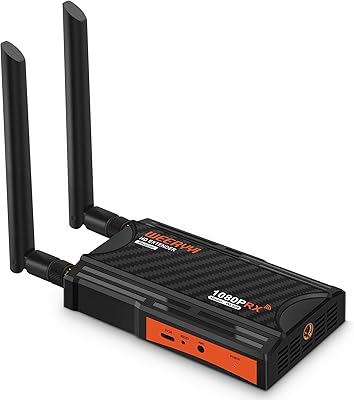
  • Antennas: The kit ships with four 5.8GHz external antennas — two for the transmitter and two for the receiver.
  • Color: Both units are finished in black, suitable for blending into standard rack or AV equipment setups.
  • Connectivity: The system uses 2.4GHz and 5.8GHz wireless bands, with 5.8GHz being the primary band for AV signal transmission.
  • Box Contents: The package includes one transmitter, one receiver, four antennas, two power adapters, two IR extension cables, and a user manual.
  • Scalability: Additional receivers can be purchased separately and paired to the existing transmitter for multi-screen distribution setups.

Related Reviews
Mirabox HDMI Extender 400ft
85%
94%
Signal Quality
85%
Ease of Setup
90%
Build Quality
91%
Transmission Range
89%
Audio Performance
More
Weeryyi Wireless HDMI Extender Receiver
83%
91%
Value for Money
88%
Ease of Setup
85%
Signal Stability
83%
Range Performance
70%
Latency
More
J-Tech Digital WEX200V3 Wireless HDMI Extender
71%
71%
Signal Stability
86%
Setup & Installation
58%
Transmission Range
79%
Video Quality
47%
Latency
More
OREI EX-500IR HDMI Extender
88%
94%
Transmission Distance
92%
Signal Quality
89%
Ease of Installation
85%
Build Quality
88%
Power over Cable (PoC) Functionality
More
DxInvb Wireless HDMI Transmitter and Receiver Kit
75%
91%
Ease of Setup
58%
Device Compatibility
74%
Wireless Range & Stability
69%
Video Quality
83%
Build Quality & Portability
More
AGPTEK LKV373A 1080P HDMI Extender
86%
93%
Signal Reliability
88%
Installation Ease
89%
Compatibility with Devices
85%
Build Quality
91%
Value for Money
More
TESmart HKE12MMA20 HDMI KVM Extender
71%
78%
Signal Stability
74%
Video Quality
71%
Multipoint Topology Support
83%
Build Quality
63%
IR Pass-Through Reliability
More
Weeryyi Wireless HDMI Transmitter and Receiver 1080p
84%
92%
Value for Money
88%
Transmission Range
91%
Ease of Setup
89%
Video Quality
85%
Multi-Screen Support
More
BRAIDOL S3 Wireless HDMI Extender Kit
77%
92%
Ease of Setup
74%
Wireless Range Performance
78%
Signal Stability
71%
Video Output Quality
69%
Latency
More
TPUFO G02 Wireless HDMI Transmitter and Receiver
77%
91%
Ease of Setup
78%
Signal Stability
83%
Video & Image Quality
74%
Transmission Range
87%
Latency Performance
More

FAQ

For the included transmitter and receiver pair, it is essentially plug-and-play — connect the antennas, power both units, link your source and display via HDMI, and it should connect automatically. No software, apps, or network configuration required. If you purchase extra receivers separately, those do require a manual pairing step described in the included user manual.

This is where buyers need to be realistic. The maximum range figure applies strictly to open, unobstructed environments — a clear line of sight between transmitter and receiver. Once you introduce walls, floors, or large metal objects, that distance drops significantly. In a typical home with drywall construction, expect usable range to be a fraction of the open-air figure. For multi-room setups where the signal must pass through structural walls, results can be inconsistent.

Yes, but you will need to purchase an additional receiver separately — the kit only ships with one. The transmitter supports up to four receivers total. Keep in mind that the effective wireless range shortens with each receiver you add, so a two-screen setup works best when both displays are within a moderate distance from the transmitter.

It depends entirely on what you are playing. For casual gaming, streaming, or anything turn-based, the latency is unlikely to bother you. For competitive or fast-reaction titles — first-person shooters, fighting games, rhythm games — the delay is perceptible enough to potentially affect your performance. If gaming is your primary use case and timing matters, this wireless AV transmitter is probably not your best option.

Yes, both are compatible. The kit handles standard HDMI output from gaming consoles, Blu-ray players, laptops, set-top boxes, and cameras. Just note that neither the PS5 nor any other source will deliver 4K through this system — output is capped at 1080p, so you would be downscaling from the PS5's native capability.

The IR extension lets you use your existing remote control to operate a device that is in a different room from where you are sitting. For example, if your cable box or Blu-ray player is in a media closet but you are watching in the living room, you can still change channels or control playback without physically going to the other room. Buyers often overlook this feature initially and then find it becomes one of the most practical parts of the setup.

You can, but Mirabox recommends keeping the number of kits operating in the same physical location to a maximum of five, and even that carries some risk of signal interference between units. If you are planning a large installation with multiple transmitters in close proximity, careful placement and antenna orientation become important factors.

No, it does not. The system is designed around 1080p and will not pass a 4K signal. If your source device outputs 4K and your display expects it, you will need a different product. For 1080p content — which covers the majority of streaming, presentation, and broadcast use cases — it performs as advertised.

The HDMI loop-out on the transmitter keeps the local screen running normally at full 1080p resolution while simultaneously broadcasting the signal wirelessly to the receiver. It is a true parallel output, so the person at the source location and someone watching the remote display both see the same content with no compromise to either feed.

The units are made from plastic, which keeps the weight down but does lead to some buyer commentary about the housing feeling lightweight relative to the price. The antennas are the component most frequently mentioned in durability discussions — they are external and removable, so handling them carefully during transport or reinstallation is advisable. For a permanent rack installation, longevity is less of a concern than it would be for a kit that gets packed and unpacked frequently for events.