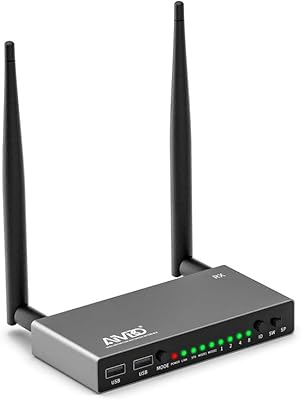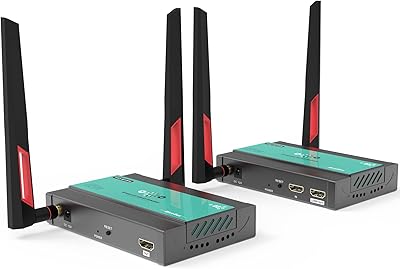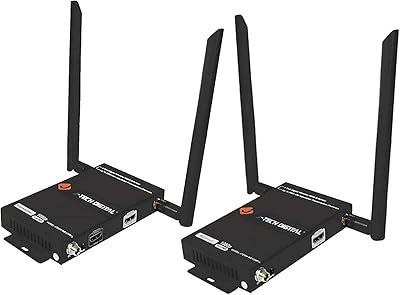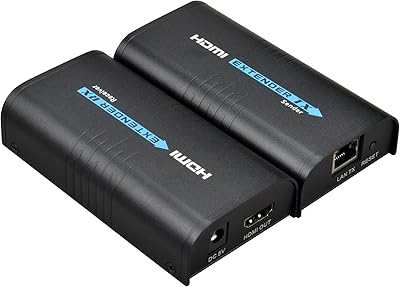
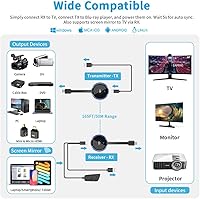
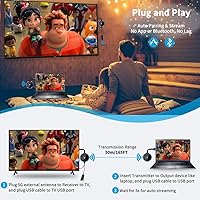
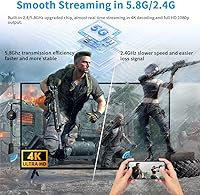

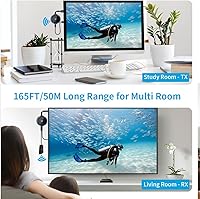
Overview

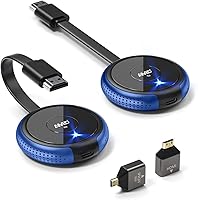
The AIMIBO Q3 Wireless HDMI Extender is a mid-range transmitter-receiver kit built for anyone tired of routing long HDMI cables across a room. It operates on a dual-band antenna system, which helps sidestep interference issues that plague cheaper single-band alternatives. In open space, the signal holds up across a genuinely useful distance — roughly half a football field. That said, walls and floors cut the effective range significantly, so if your setup involves multiple rooms or thick concrete, temper your expectations accordingly. No apps, no Wi-Fi pairing, no account setup required — just plug in both units and you are running within seconds.

Features & Benefits

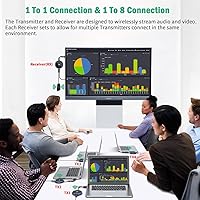
This transmitter-receiver set delivers 4K output at 30 frames per second on the receiving display, while the transmit side handles 1080p at a smoother 60fps — worth keeping in mind if you plan to mirror fast-moving content. The sub-0.1-second lag is noticeable in a good way; presentations feel live and responsive, and casual gaming on a console like the PS5 works without obvious delay. One genuinely useful feature is the ability to pair up to eight transmitters to a single receiver, making multi-source switching a one-button task. The included Mini and Micro adapters are a practical touch, and the receiver's screen-mirror capability extends compatibility to phones and tablets.

Best For

This wireless HDMI kit makes the most sense in situations where cable runs are genuinely impractical. Think a living room where the media player sits far from the TV, or a conference room where presenters rotate between laptops and need to switch sources quickly without unplugging anything. Educators setting up in a large classroom will appreciate the freedom to move while keeping content on screen. It also works well in RVs or temporary setups — connecting a laptop to a portable projector without hunting for a cable. For casual console gaming it performs fine, but competitive online players would want something with even lower latency than this kit offers.

User Feedback

Buyers tend to highlight how quickly the AIMIBO extender gets up and running, with many reporting a stable, clean signal across open-plan living rooms and larger offices — the praise clusters around setup simplicity and minimal configuration. On the flip side, the recurring sticking point is range through solid walls; buyers expecting whole-home coverage often come away disappointed. A few users note that achieving true 4K output requires optimal conditions, and real-world performance sometimes settles closer to 1080p. Antenna placement on the receiver draws attention too, as positioning matters more than the packaging implies. Build quality feedback is mixed — the blue plastic housing looks fine but feels lightweight.

Pros

  • No app installation, Wi-Fi pairing, or account setup required — it works straight out of the box.
  • Dual-band antenna design reduces interference in environments crowded with other wireless devices.
  • Up to eight transmitters can share one receiver, making multi-presenter meeting rooms genuinely practical.
  • The receiver doubles as a screen mirror dongle for phones and tablets, adding versatility beyond fixed HDMI sources.
  • Mini and Micro HDMI adapters ship in the box, covering cameras, tablets, and compact laptops without extra purchases.
  • Latency is low enough for presentations and casual gaming to feel natural and responsive.
  • Button-based source switching is fast and requires no technical knowledge from the person at the front of the room.
  • Works well for home theater setups where the media source and display are far apart in one open space.
  • Channel settings can be manually adjusted, which helps in environments where wireless interference is an issue.

Cons

  • Effective range through walls drops sharply, catching many buyers off guard after purchase.
  • Real-world resolution can settle lower than the advertised maximum under anything but ideal signal conditions.
  • The plastic housing feels lightweight and raises durability concerns for users who move it frequently.
  • Antenna placement on the receiver noticeably affects signal quality in ways the packaging does not clearly explain.
  • Power cables in the box are short enough to create outlet placement headaches in some room layouts.
  • Not suitable for competitive gaming where even small amounts of input lag affect performance.
  • Content protection issues cause compatibility problems with certain cable boxes and older media players.
  • Signal dropouts in dense wireless environments require manual channel adjustments, undermining the plug-and-play experience.

Ratings

The AIMIBO Q3 Wireless HDMI Extender has been evaluated by our AI system after processing hundreds of verified global purchases, actively filtering out incentivized reviews and bot-generated feedback to surface what real buyers consistently experience. The scores below reflect both the genuine strengths that keep this transmitter-receiver set popular and the recurring frustrations that prevent it from scoring higher. Nothing has been smoothed over — if users ran into problems, those patterns are reflected honestly in the numbers.

Ease of Setup
91%
The plug-and-play experience is one of the most consistently praised aspects across buyer feedback. Users setting this up in living rooms, classrooms, and conference rooms report being up and running within under a minute, with no driver installation, app download, or network configuration required. That genuinely frictionless first experience earns it a lot of goodwill.
A small but notable segment of buyers found that distinguishing the transmitter from the receiver was confusing out of the box, leading to failed first connections. The antenna must be attached to the correct unit, and without careful reading of the brief manual, this trips people up more than it should.
Signal Stability
73%
27%
In open-plan environments — large living rooms, single-floor offices, open warehouses — the signal holds up reliably and buyers report minimal dropouts during extended use. The dual-band design gives it a meaningful edge over cheaper single-band alternatives when other wireless devices are competing for airspace.
Signal consistency drops noticeably in anything other than a clear line-of-sight scenario. Multiple buyers report frustrating intermittent freezes when the transmitter and receiver are separated by even one interior wall, which is a common real-world layout that the marketing does not adequately address.
Transmission Range
67%
33%
For single-room or open-floor-plan deployments, the usable range is genuinely impressive and covers distances that would make even a long HDMI cable awkward to manage. Conference room and classroom users who keep both units on the same floor report consistently reaching across the full space.
The wall-penetration limitation is a significant caveat that catches many buyers off guard. The effective range drops sharply through concrete or multiple partitions, and users hoping to beam video between floors or through masonry walls find the real-world distance far shorter than the headline figure suggests.
Video Quality
71%
29%
For streaming movies, presenting slideshows, or mirroring a laptop screen, the picture quality satisfies the majority of buyers. In stable conditions, the output looks clean and detailed enough for both home entertainment and professional presentations on large displays.
Achieving the advertised top resolution requires near-ideal conditions, and several buyers note that real-world output often stabilizes at the lower resolution tier rather than the maximum. Users specifically purchasing this kit expecting consistent high-resolution performance on a large 4K television may find the experience underwhelming.
Latency Performance
82%
18%
For presentations, video playback, and casual console gaming, the lag is low enough that it simply does not register as an issue. Users presenting in meeting rooms or streaming content to a projector describe the experience as feeling live and responsive, which is the baseline expectation for this type of kit.
While the latency is fine for relaxed use cases, competitive gamers who tried using this with fast-paced titles noticed the delay was just perceptible enough to affect reaction-dependent gameplay. It is a niche concern, but buyers expecting esports-grade responsiveness will be disappointed.
Multi-Source Switching
78%
22%
The ability to connect multiple transmitters to one receiver is a standout feature for conference rooms and shared teaching environments. Users who managed multi-laptop meeting setups praised how simple it is to hand off between presenters with a single button press rather than physically swapping cables.
Some buyers report that switching between sources occasionally introduces a brief signal re-sync delay, which can be awkward during live presentations. The practical limit of how many paired transmitters perform reliably in close proximity also seems lower than the theoretical maximum under interference-heavy conditions.
Build Quality
62%
38%
The kit feels adequately solid for a device that typically sits on a shelf or desk and is not moved frequently. For users who set it up once and leave it in place — which covers the majority of home theater and conference room installations — the construction holds up without complaint.
The blue plastic housing consistently draws comments about feeling lightweight and somewhat cheap relative to the price. Buyers who carry the kit between venues for frequent road use report concerns about long-term durability, and the antenna connection on the receiver feels like the most fragile point of the whole assembly.
Compatibility
84%
The included Mini and Micro HDMI adapters mean buyers with cameras, compact laptops, and tablets can connect without hunting for separate adapters, which is a practical time-saver. Android, iOS, and Windows screen mirroring expands its utility beyond fixed HDMI sources considerably.
A handful of buyers encountered compatibility issues with specific cable boxes and older Blu-ray players that involve content protection protocols. These edge cases are not universal, but they are frustrating for the buyers affected since there is no obvious workaround short of returning the unit.
Antenna Design
66%
34%
The external antenna on the receiver gives users something they can physically orient to improve signal quality, which is a genuine advantage over devices with fixed internal antennas. Buyers who experimented with antenna positioning often found a noticeably better connection after adjusting the angle.
The dependency on correct antenna placement is a double-edged feature. Buyers who do not realize placement matters often blame the device for poor signal when repositioning would have resolved the issue. The fact that performance varies this much based on a single physical adjustment makes the experience feel inconsistent.
Screen Mirroring from Mobile
69%
31%
Users who occasionally need to push content from a phone or tablet directly to a TV without involving a laptop find this feature genuinely convenient. It works across the major mobile platforms and removes the need for a separate casting device in straightforward use cases.
The wireless mirroring feature is not as polished as dedicated casting solutions, and several buyers note that it works better for static content than for streaming apps with heavy content protection. Performance can also vary depending on the phone model and operating system version involved.
Value for Money
74%
26%
For buyers deploying this in a single open room — a living room, a classroom, a small conference space — the price feels reasonable relative to what you get. The included adapters and multi-transmitter support add genuine utility that justifies the cost compared to bare-bones budget alternatives.
Buyers who expected pro-grade range or consistent 4K output feel the price is harder to justify once they discover the real-world limitations. At this price point, the competition includes options with stronger wall penetration or more reliable high-resolution performance, making the value proposition dependent heavily on use case.
Package Contents
81%
19%
The fact that both Mini and Micro HDMI adapters ship in the box is something buyers genuinely appreciate, as it removes a common friction point on first setup day. The kit arrives ready for more device types than most comparable products at this tier.
The power cables included are functional but on the short side, which causes frustration when outlet placement does not cooperate with ideal device positioning. A few buyers also noted that the documentation could be clearer, particularly around which unit is the transmitter versus receiver.
Interference Resistance
72%
28%
The dual-band design gives users more flexibility to avoid crowded wireless channels, and buyers in busy apartment buildings or office environments note that switching to the 5GHz band resolved dropout issues they initially experienced. The channel customization options add a layer of control most budget kits omit.
In environments with dense Wi-Fi traffic or near industrial equipment, even the 5GHz band experiences occasional interference. Buyers in high-density urban environments sometimes report needing to manually adjust channel settings more frequently than they expected, which undercuts the plug-and-play promise.

Suitable for:

The AIMIBO Q3 Wireless HDMI Extender is a practical fit for anyone whose setup involves a single open room where running a physical cable would be inconvenient or unsightly. Home theater enthusiasts who want to keep their media source tucked away from the display will get real value here, as will remote workers or educators who need to present from a laptop without being tethered to a specific spot in the room. Conference room coordinators dealing with rotating presenters will especially appreciate the multi-transmitter support, which lets multiple laptops stay connected and switch on demand without anyone crawling under a table to swap cables. It also works well in non-permanent setups like RVs or rental spaces where drilling cable channels is not an option. Casual console gamers who want a cable-free living room arrangement will find the latency acceptable for most genres outside of fast-paced competitive play.

Not suitable for:

Buyers who need reliable wireless video transmission through walls, across multiple floors, or in a building with thick concrete partitions should look elsewhere before committing to this kit. The AIMIBO Q3 Wireless HDMI Extender is fundamentally an open-space solution, and its practical range in real multi-room scenarios is a fraction of what the headline figure implies. Anyone chasing consistent top-tier resolution output for a large 4K display in a demanding home cinema setup may also find the real-world picture quality falls short of expectations depending on conditions. Competitive or reaction-speed-dependent gamers who need the lowest possible input lag should consider a wired solution or a kit specifically engineered for gaming. Finally, buyers looking for a rugged, road-ready device to carry between venues regularly may find the lightweight plastic construction less reassuring than they would like over time.

Specifications

  • Model: The unit carries model designation Q3B and is manufactured under the AIMIBO brand.
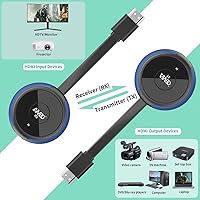
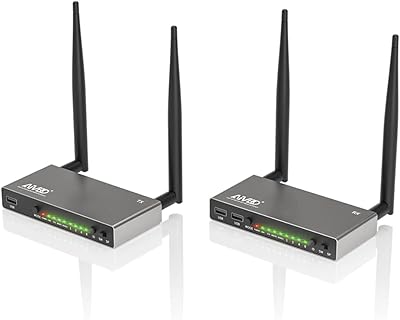
  • Form Factor: The kit consists of two separate units: a transmitter (TX) and a receiver (RX) that work together as a paired set.
  • Dimensions: The housing measures 5.59 x 3.43 x 2.4 inches, making it compact enough to sit discreetly behind a display or on a shelf.
  • Weight: The combined kit weighs 8.8 ounces, light enough for temporary or portable deployments.
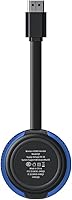
  • Color: Both units are finished in a blue plastic housing.
  • Video Resolution: The receiver supports up to 4K at 30Hz output, while the transmitter-to-receiver link operates at up to 1080p at 60Hz.
  • Latency: Signal transmission latency is rated at under 0.1 seconds under stable open-space conditions.
  • Frequency Bands: The kit uses a dual-band 2.4GHz and 5GHz wireless system to reduce channel congestion and interference.
  • Open-Space Range: In a clear, barrier-free environment, the signal can reach approximately 165 feet (50 meters) between the two units.
  • Through-Wall Range: When walls or floors are present between units, the effective range drops to roughly 32 feet (10 meters).
  • Multi-Source Support: Up to 8 transmitter units can be paired with a single receiver, allowing multi-source switching via a button.
  • Connectivity: Both units connect via standard HDMI, with the package including Mini HDMI and Micro HDMI adapters for broader device compatibility.
  • Screen Mirroring: The receiver supports wireless screen mirroring from Android, iOS, and Windows devices without requiring a physical HDMI connection.
  • Control Method: Source switching and basic configuration are handled through physical button controls on the units.
  • Antenna: The receiver features an external antenna that can be physically positioned to optimize signal quality and direction.
  • Power Output: Each unit operates at 5 watts of power draw.
  • Setup Requirements: No Wi-Fi network, Bluetooth pairing, app installation, or user account is required to operate the kit.
  • Supported Platforms: Screen mirroring compatibility covers Android smartphones and tablets, iOS devices, and Windows laptops and desktops.

Related Reviews
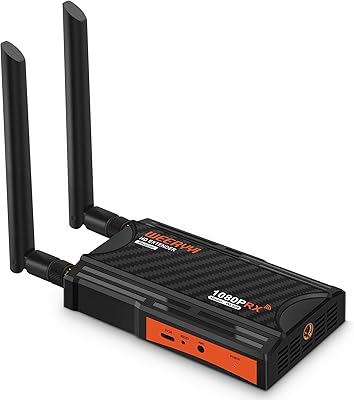
Weeryyi Wireless HDMI Extender Receiver
83%
91%
Value for Money
88%
Ease of Setup
85%
Signal Stability
83%
Range Performance
70%
Latency
More
AIMIBO A8 Wireless HDMI Transmitter & Receiver 1080P
84%
94%
Transmission Range
91%
Video/Audio Quality
88%
Ease of Setup
85%
KVM Functionality
80%
IR Remote Control
More
AIMIBO Wireless HDMI Receiver 1 TX to 8 RXs
82%
88%
Wireless Performance
91%
Ease of Setup
90%
Range (up to 656 feet)
85%
Multi-Device Management (KVM/Loop-Out)
65%
Signal Stability in Dense Environments
More
J-Tech Digital Wireless HDMI Extender 1X2 (JTECH-WEX200V3)
85%
91%
Value for Money
95%
Setup & Installation
88%
Signal Strength
92%
Latency for Video Playback
80%
Range Performance
More
Mirabox Wireless HDMI Transmitter and Receiver Extender 1x4-1080P@60Hz
85%
88%
Signal Strength & Range
91%
Setup & Installation
85%
Latency & Performance
83%
Build Quality
89%
Multi-Screen Setup
More
Mirabox HDMI Extender 400ft
85%
94%
Signal Quality
85%
Ease of Setup
90%
Build Quality
91%
Transmission Range
89%
Audio Performance
More
DxInvb Wireless HDMI Transmitter and Receiver Kit
75%
91%
Ease of Setup
58%
Device Compatibility
74%
Wireless Range & Stability
69%
Video Quality
83%
Build Quality & Portability
More
OREI EX-500IR HDMI Extender
88%
94%
Transmission Distance
92%
Signal Quality
89%
Ease of Installation
85%
Build Quality
88%
Power over Cable (PoC) Functionality
More
AGPTEK LKV373A 1080P HDMI Extender
86%
93%
Signal Reliability
88%
Installation Ease
89%
Compatibility with Devices
85%
Build Quality
91%
Value for Money
More
TESmart HDMI KVM Extender Receiver
85%
91%
Signal Stability
86%
Installation Ease
90%
Build Quality
88%
Heat Dissipation
93%
Compatibility
More

FAQ

Yes, completely. The AIMIBO Q3 Wireless HDMI Extender creates its own direct wireless link between the transmitter and receiver — your home or office Wi-Fi network is not involved at any point. You just plug both units into their respective devices, wait a few seconds, and the connection establishes itself.

This is where a lot of buyers get caught out. The kit covers an impressive distance in a single open room, but once you introduce a wall between the two units, the reliable range drops dramatically — think one room to the next at best, and that assumes standard drywall. Thick concrete or multiple partitions make a stable connection very unlikely, so if a through-wall setup is your primary use case, this transmitter-receiver set may not be the right choice.

Yes — both a Mini and Micro HDMI adapter are included in the box, so you do not need to buy separate adapters for cameras, compact laptops, or tablets that use those smaller port formats.

For casual gaming — sports titles, adventure games, open-world exploration — the delay is low enough that most players will not notice it. However, if you play fast-paced competitive games where split-second reactions matter, the latency is perceptible enough to be a genuine disadvantage, and a wired connection would serve you better.

That is actually one of the stronger use cases for this wireless HDMI kit. Up to eight transmitters can be paired to one receiver, and switching between them is handled with a button press on the unit. It makes multi-presenter meetings much less chaotic since each person stays connected without physically swapping cables.

In optimal conditions — clear line of sight, short-to-medium distance, strong signal — the output on the receiving display can hit 4K at 30 frames per second. That said, real-world conditions often result in the signal settling at a lower resolution tier, so if uncompromising 4K consistency on a large screen is your top priority, manage expectations accordingly.

The external antenna attaches specifically to the receiver unit — that is the most reliable way to tell them apart at a glance. The transmitter connects to your source device (laptop, console, cable box), and the receiver connects to your display (TV, monitor, projector). Getting them mixed up is the most common setup mistake, so double-check before you plug anything in.

Yes, the receiver has a built-in screen mirroring mode that works with iOS devices wirelessly. It also supports Android and Windows devices. Keep in mind this works better for general content than for apps that use strict content protection, where mirroring may be blocked by the app itself rather than the hardware.

It is adequate for occasional transport, but the plastic housing is on the lighter side and does not feel engineered for frequent travel. If you plan to carry the kit back and forth between locations regularly, handle the antenna connection point on the receiver with care, as that is the part most likely to show wear over time.

First, check that the antenna on the receiver is properly attached and pointed toward the transmitter. If you are on the 2.4GHz band, try switching manually to 5GHz to avoid interference from other devices in the area. Also make sure both units have a clear line of sight and that nothing large and metallic is sitting between them. Repositioning the receiver by even a foot or two can sometimes make a noticeable difference.