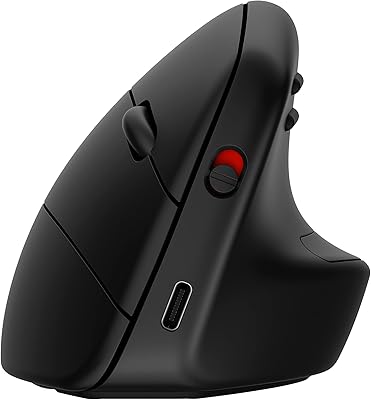
ADESSO iMouseE1 Wired Vertical Ergonomic Mouse
Overview
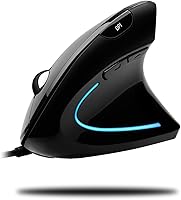
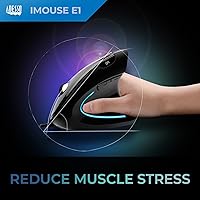
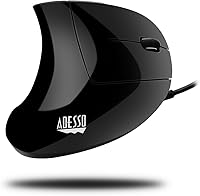
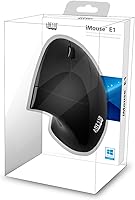
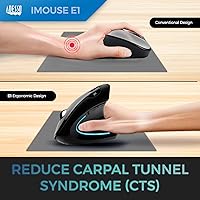
The ADESSO iMouseE1 Wired Vertical Ergonomic Mouse is designed to provide superior wrist comfort and reduce strain during long computer sessions. Its vertical design ensures a natural hand position, minimizing discomfort that can result from traditional mouse use. With adjustable DPI settings ranging from 1000 to 1600, this mouse offers precise control for various tasks. The stylish ice blue illumination adds a touch of flair to your desk setup, while the plug-and-play feature ensures easy compatibility with both Windows and macOS systems. This ergonomic mouse caters to users looking for both style and function.
Features & Benefits
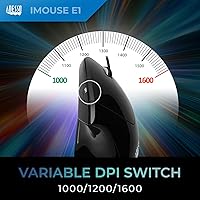
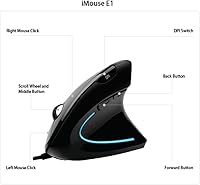
This vertical mouse promotes a natural hand position that reduces wrist strain, a crucial benefit for those working long hours at the computer. The adjustable DPI switch lets users switch between 1000 and 1600 DPI, offering greater cursor precision based on task needs. It also features convenient back and forward buttons for fast navigation through web pages and documents. The plug-and-play design means no software installation is needed, while the ice blue LED lighting adds a stylish and functional touch to your workspace.
Best For
The ADESSO iMouseE1 is best suited for those seeking a solution to wrist pain caused by prolonged computer use, such as office workers and gamers. It’s ideal for anyone who needs adjustable sensitivity for various tasks, whether it’s browsing, gaming, or designing. Those who appreciate a mouse that combines ergonomics with visual appeal will also find the illuminated feature a standout. Its plug-and-play functionality makes it perfect for users of both Windows and macOS who want a reliable and easy-to-use device.
User Feedback
Many users report a noticeable reduction in wrist pain after switching to this vertical design, particularly for long work sessions. The responsive DPI adjustments are a highlight for those needing precise control. However, some users find the ice blue backlighting a bit too bright, especially in low-light environments. A few reviews mention that the size may not be ideal for smaller hands, though most appreciate the comfortable grip. Overall, feedback has been positive, with many praising its ergonomic benefits and stylish look.
Pros
- This ergonomic mouse significantly reduces wrist strain, making it ideal for users with chronic discomfort.
- The adjustable DPI switch allows for precise control, benefiting users who need sensitivity customization for specific tasks.
- Its vertical design promotes a more natural hand position, which helps alleviate pressure on the wrist during long computing sessions.
- The plug-and-play setup is very convenient, as no drivers are required for installation, making it great for quick use.
- The ice blue LED lighting adds a modern, stylish touch to any desk setup, enhancing the device's aesthetic appeal.
- Its compact size and lightweight design make it easy to move around, perfect for those with limited desk space.
Cons
- The vertical design may take some time to get used to, especially for those accustomed to traditional mice.
- Some users with smaller hands report that the mouse is not very comfortable or suitable for them.
- The backlighting, while visually appealing, can be too bright for users working in low-light environments.
- Lack of advanced customization options, such as customizable macros, limits its flexibility for power users.
- The mouse's size and shape may feel too bulky for some users who prefer a more compact, ergonomic option.
- It might not be the best choice for users seeking a mouse with a more extensive set of programmable buttons.
Ratings
The ADESSO iMouseE1 Wired Vertical Ergonomic Mouse has garnered mostly positive feedback from verified users across multiple platforms and languages worldwide. RR-AI's analysis of authentic, high-quality reviews reveals a well-received ergonomic design that effectively addresses wrist pain, alongside high praise for its DPI control and plug-and-play functionality. While the majority of users appreciate the comfort and style, some mention that the size and backlighting could be improved. We have filtered out spam, bot-generated, and exaggerated reviews to provide these accurate insights reflecting both strengths and minor pain points.
Ergonomics & Comfort
DPI Control & Precision
Ease of Setup
Build Quality & Durability
Design & Aesthetics
Wrist Pain Relief
Compatibility (Windows/macOS)
Button Responsiveness
Backlighting Brightness
Size & Hand Fit
Value for Money
Overall User Satisfaction
Suitable for:
The ADESSO iMouseE1 Wired Vertical Ergonomic Mouse is particularly well-suited for users who experience wrist strain or discomfort from extended computer use. Its vertical ergonomic design promotes a more natural hand position, making it a great option for those suffering from conditions like carpal tunnel syndrome. The adjustable DPI settings are ideal for people who require fine-tuned sensitivity for tasks like graphic design, gaming, or precision editing. Its plug-and-play setup is a bonus for users who need a hassle-free experience, especially for those working with both Windows and macOS systems. Anyone who values both comfort and functionality in a stylish, illuminated design will find this mouse a solid choice for their daily computer tasks.
Not suitable for:
However, this vertical mouse may not be ideal for users with smaller hands, as some buyers have found the size and shape uncomfortable for extended use. Those accustomed to traditional mice may take time to adjust to the vertical design, which could lead to initial discomfort or a learning curve. Additionally, while the backlighting adds a visual appeal, it might be too bright for users sensitive to light or who work in darker environments. The lack of advanced customization options, such as software for macro programming, could also be a dealbreaker for users seeking more flexibility. Overall, individuals who need a mouse with extensive programmable features or prefer a smaller, more compact form may want to explore other options.
Specifications
- Design: Vertical ergonomic design promotes a more natural hand position to reduce wrist strain.
- DPI Settings: Adjustable DPI settings ranging from 1000 to 1600 for customizable cursor sensitivity.
- Buttons: Includes six buttons, including back and forward navigation buttons for ease of use.
- Illumination: Features a fixed ice blue LED backlight for aesthetic appeal.
- Compatibility: Works with both Windows and macOS systems for versatile usage across platforms.
- Connectivity: Uses a wired USB connection for reliable performance with no need for batteries.
- Hand Orientation: Designed for right-handed users to offer optimal ergonomic benefits.
- Plug-and-Play: Supports plug-and-play functionality with no drivers required for easy setup.
- Weight: Weighs approximately 4.8 ounces, providing a balanced feel during use.
- Dimensions: Measures 3 x 2.5 x 4.7 inches, offering a compact yet ergonomic shape.
- Material: Constructed with durable plastic for lightweight, long-lasting use.
- Power Source: Powered by USB connection with no need for additional batteries.
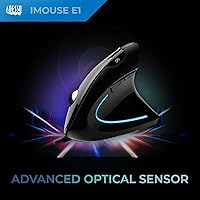
- Sensor Type: Uses an optical sensor for precise tracking on most surfaces.
- Form Factor: Ergonomically designed for comfort with a vertical shape to reduce wrist and forearm strain.
- Surface Compatibility: Works effectively on most standard surfaces, including desks and mouse pads.
- Target Audience: Ideal for users looking for a comfortable, ergonomic solution to wrist strain from extended computer use.
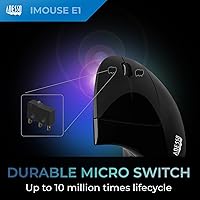
- Durability: Built for everyday use with a robust, reliable construction.
- Usage: Best suited for office work, browsing, and casual use, especially for users with wrist pain.
- Warranty: Includes a limited warranty for peace of mind, ensuring protection against manufacturing defects.
Related Reviews
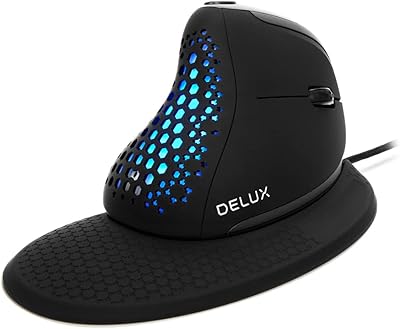
DeLUX M618XSU Wired Ergonomic Vertical Mouse
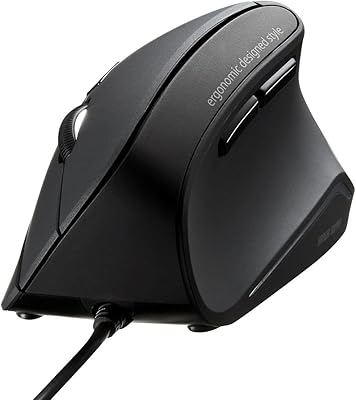
SANWA GMAERG9N2 Wired Vertical Mouse
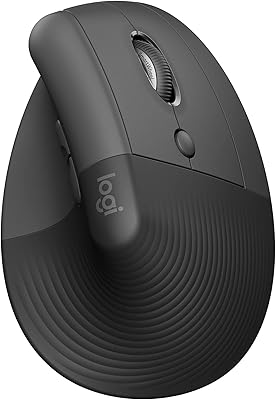
Logitech Lift Vertical Ergonomic Mouse
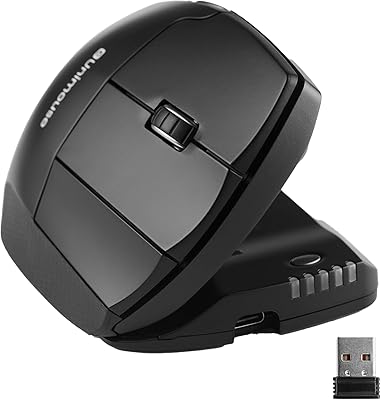
Contour Unimouse Ergonomic Vertical Mouse

Lekvey XC-05 Vertical Wireless Mouse

Acer OMR241 Ergonomic Vertical Mouse

Woddlffy RAAVEE Ergonomic Vertical Wireless Mouse
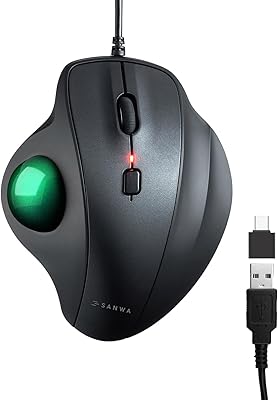
SANWA GMATB128GR Ergonomic Trackball Mouse

UGREEN Vertical Wireless Ergonomic Mouse