Overview

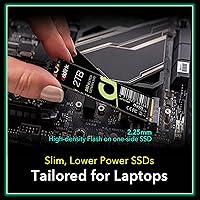
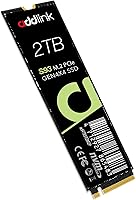
The Addlink S93 2TB NVMe SSD is Addlink's push into the crowded Gen 4 storage market, and it arrives with a few genuinely interesting angles. Addlink isn't a household name like Samsung or Western Digital, but the brand has been quietly building credibility in storage circles, and this drive reflects that. The standout physical detail is its 2.25mm ultra-slim profile, which makes it unusually friendly for thin laptops where taller drives simply won't fit. Underneath that slim build is a DRAM-less architecture powered by Host Memory Buffer technology — a deliberate trade-off that keeps costs down while maintaining competitive throughput. For the price, it competes seriously with well-known alternatives in the Gen 4 space.
Features & Benefits

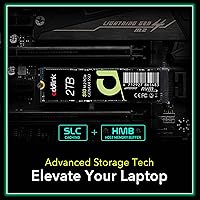
The Gen 4x4 interface puts this drive in the same speed bracket as top-tier consumer SSDs, with sequential reads that rival the fastest mainstream options available today. What makes the architecture worth understanding is the Host Memory Buffer approach — rather than dedicated DRAM on the drive itself, it borrows a slice of your system RAM to handle address mapping. For typical workloads like app launches, file transfers, and OS tasks, this works well. The SLC caching layer handles burst writes efficiently, though sustained transfers of very large files may slow once that cache fills — a known characteristic of DRAM-less designs. On the physical side, the on-side NAND layout meaningfully reduces heat and power draw compared to conventional Gen 4 drives, which genuinely matters in battery-powered laptops. LDPC error correction and thermal throttling round out a solid reliability feature set.

Best For

The S93 2TB is a natural fit for anyone upgrading a thin-and-light laptop or a compact gaming notebook where component clearance is tight. Its power efficiency also makes it a practical choice for users who care about battery life alongside raw performance. Content creators moving large photo or video batches will appreciate the 2TB headroom and solid throughput for bulk transfers. It's also well-matched to Intel 12th and 13th Gen HX platforms and AMD Ryzen 7040 Pro machines, which is worth noting specifically for mobile workstation owners. Desktop users can certainly install this drive, but the slim profile and power-conscious design make it most compelling in a portable context. PS5 compatibility is not confirmed by Addlink, so console upgraders should verify separately before purchasing.

User Feedback

With nearly 2,750 ratings averaging 4.7 stars, buyer satisfaction for this Addlink SSD sits notably high. The most consistent praise focuses on easy plug-and-play installation and real-world speeds that track closely to advertised figures in everyday tasks. Laptop upgraders in particular report obvious improvements over older SATA and Gen 3 drives. The recurring concern, though, is sustained write performance: once the SLC cache is exhausted during very large sequential operations, speeds drop — a known limitation of DRAM-less designs, not unique to this drive. Some users running demanding workloads also note the drive runs warm without a heatsink attached. On long-term reliability and customer support, feedback has been largely positive, with Addlink's five-year warranty giving buyers reasonable confidence despite the brand's lower mainstream name recognition.

Pros

  • Gen 4 sequential read speeds compete with far pricier drives in everyday laptop and desktop use.
  • The 2.25mm slim profile fits ultrabooks and compact gaming laptops that reject thicker M.2 modules.
  • HMB technology meaningfully closes the DRAM-less performance gap for typical mixed workloads.
  • Power draw is noticeably lower than comparable Gen 4 drives, which translates to real battery life gains in laptops.
  • A five-year warranty from a drive at this price tier is genuinely reassuring and above category average.
  • Installation is straightforward — buyers consistently report a true plug-and-play experience with no driver fuss.
  • Real-world speeds in daily use closely match advertised figures, which is not always the case in this category.
  • 2TB capacity at this price point offers strong value for users who need serious storage without paying flagship prices.
  • LDPC error correction and thermal throttling provide a sensible reliability safety net for long-term use.
  • Broad PCIe slot compatibility means it works in older Gen 3 machines as well as modern Gen 4 platforms.

Cons

  • Sustained write performance drops noticeably once the SLC cache is saturated during large sequential transfers.
  • No DRAM cache means it trails dedicated DRAM-equipped drives in workloads that stress random access heavily.
  • The drive runs warm under load without a heatsink, which can trigger throttling in poorly ventilated builds.
  • Addlink lacks the brand recognition of Samsung or WD, which may affect resale value and perceived long-term support trust.
  • PS5 compatibility is unconfirmed, making it a risky choice for console storage upgrades without further verification.
  • Buyers with very RAM-constrained systems may see reduced HMB benefit, since the feature relies on available system memory.
  • No heatsink is included, and users in hot environments or dense laptop chassis may need to manage thermals independently.
  • The brand’s smaller community presence means fewer third-party benchmarks and user teardowns to reference before buying.

Ratings

Our AI rating system analyzed thousands of verified global reviews for the Addlink S93 2TB NVMe SSD, actively filtering out incentivized, duplicate, and bot-generated submissions to surface what real buyers actually experience. The scores below reflect both the genuine strengths that make this drive stand out and the honest pain points that affect certain use cases — nothing is glossed over.

Sequential Read Performance
91%
Users consistently report that large file transfers and game load times feel noticeably faster than their previous SATA or Gen 3 drives, and benchmark results tend to align closely with Addlink’s advertised figures. For tasks like booting Windows or loading open-world game maps, the real-world speed difference is immediately tangible.
A small subset of users running the drive in PCIe 3.0 laptops note that peak speeds are naturally capped by the older interface, which can create confusion when results do not match the Gen 4 spec sheet. Managing expectations around slot generation is something buyers frequently wish the product page addressed more clearly.
Sustained Write Performance
63%
37%
For typical everyday writes — saving project files, installing games, or copying moderate-sized folders — the SLC cache handles the load comfortably and the drive feels fast and responsive. Most laptop users in casual workflows rarely push past the cache boundary in a single session.
When the SLC write cache is exhausted during large sequential operations, speeds drop to native TLC rates, which is a meaningful step down. Users who regularly move multi-gigabyte video files or do large backup transfers have flagged this as the drive’s most noticeable limitation compared to DRAM-equipped rivals.
Laptop Compatibility
93%
The 2.25mm ultra-slim build is a genuine differentiator that makes this drive accessible to thin-and-light laptops and compact gaming notebooks that reject standard-height M.2 modules. Buyers upgrading slim Lenovo, ASUS, and HP laptops frequently cite the profile as the deciding factor in choosing this drive over thicker alternatives.
A handful of users note that verifying single-sided compatibility with their specific laptop model required extra research, and Addlink’s compatibility documentation could be more thorough. A few edge-case laptop models with non-standard M.2 slot configurations have caused unexpected fitment questions in buyer discussions.
Value for Money
88%
Relative to what DRAM-equipped Gen 4 drives charge for similar capacity, this Addlink SSD sits at a price point that most buyers describe as fair to strong for the performance delivered. Laptop upgraders in particular feel they are getting Gen 4 speeds at a price that does not demand a premium brand tax.
A minority of buyers feel that the DRAM-less trade-off should be reflected in a slightly lower price to fully justify the gap versus Samsung or WD options, especially for users who later discover the sustained write ceiling. For those coming from premium brands, the value equation feels less clear-cut.
Thermal Management
67%
33%
The firmware’s thermal throttling does its job in protecting the drive from overheating during demanding tasks, and the power-efficient design means the drive runs cooler than typical Gen 4 drives in most daily laptop use scenarios. Casual users rarely encounter any heat-related issues at all.
Under sustained heavy workloads — extended game sessions, long rendering jobs, or bulk file operations — users report the drive getting noticeably warm, and throttling kicks in more aggressively than expected in laptops with poor internal airflow. The absence of any included heatsink or thermal pad is a recurring minor frustration among power users.
Installation Ease
96%
Across the review base, installation is one of the most uniformly praised aspects — users of all technical skill levels describe it as a straightforward screwdriver-and-slot operation with no driver installation required. First-time upgraders frequently express relief at how uncomplicated the physical setup process turned out to be.
A very small number of users encountered confusion around OS migration, specifically around cloning their existing drive, which is not a hardware issue but reflects a gap in the included documentation. Addlink does not bundle any migration software, which occasional buyers expected given the plug-and-play marketing.
Random Read & Write (IOPS)
74%
26%
HMB meaningfully improves random read responsiveness compared to buffer-free DRAM-less drives, and in daily desktop tasks like opening multiple applications simultaneously or browsing large photo libraries, the drive feels snappy and capable. Most users do not notice any meaningful lag in mixed-use workflows.
Enthusiast users running IOPS-heavy workloads — virtual machines, large database queries, or heavy multitasking — find the random performance measurably behind DRAM-equipped competitors when examined in detailed benchmarks. This gap is largely invisible to mainstream users but matters to technical buyers who test rigorously.
Power Efficiency
89%
Laptop owners running on battery consistently note that this drive does not appear to be a significant drain on their system, and a few users with battery monitoring tools have observed tangibly lower NVMe-related power draw compared to their previous Gen 4 drives. For road warriors and students, this is a quiet but real benefit.
The power savings are real but difficult to quantify without dedicated measurement tools, so many users simply cannot confirm the benefit in daily use and treat it as a claimed rather than felt advantage. The improvement is also less relevant for desktop users where wall power is not a constraint.
Build & Physical Quality
82%
18%
The drive feels solid and well-constructed for its weight class, and the compact single-sided board design gives it a purposeful, premium feel when handling it during installation. Users who have installed multiple NVMe drives report that the S93 2TB feels comparable in build quality to drives from more established brands.
Because there is no heatsink included and the board is minimal by design, some buyers perceive it as less substantial than drives that ship with metal spreaders or labels. This is largely cosmetic but does contribute to a perception gap for buyers who associate physical heft with quality.
Long-Term Reliability
78%
22%
TLC 3D NAND with LDPC error correction is a mature, well-understood combination, and over the period reflected in user reviews, reports of drive failure or data loss are rare relative to the review volume. The five-year warranty provides additional confidence, and users who have owned the drive for over a year generally report no issues.
Addlink does not have the multi-decade track record of Samsung or Toshiba in NAND manufacturing, and some buyers acknowledge a lingering uncertainty about how the drive will age beyond the two to three year mark. There is simply less long-term ownership data available for this brand compared to category leaders.
Brand Trust & Support
71%
29%
Users who have contacted Addlink support for warranty or troubleshooting queries generally report satisfactory response times, and the five-year warranty commitment signals a degree of confidence from the manufacturer that buyers appreciate. Within storage enthusiast communities, the brand has built a quietly positive reputation.
Addlink is not a household name, and for buyers who factor brand equity into their purchase decision — whether for resale value, perceived reliability, or simply peace of mind — that unfamiliarity creates hesitation that no spec sheet fully resolves. Third-party coverage and independent longevity testing for Addlink drives remains sparse compared to Samsung or WD.
PCIe Slot Compatibility
87%
The backward compatibility with PCIe 3.0 slots makes this a genuinely versatile drive that works across a wide range of systems, from older laptops getting a performance refresh to modern Gen 4 desktops running it at full speed. Users with mixed-generation hardware setups appreciate not needing to worry about slot compatibility.
A few users running the drive in PCIe 3.0 systems were initially disappointed when benchmarks came in below the advertised Gen 4 ceiling, having not realized the interface would cap their speeds. Clearer guidance in the product listing about expected Gen 3 throughput would reduce post-purchase confusion.
Packaging & Accessories
58%
42%
The packaging is clean and appropriately protective for shipping, and the drive arrives without any physical damage in the vast majority of cases. For buyers who simply want the drive and nothing else, the no-frills approach is perfectly adequate.
There is no mounting screw, thermal pad, heatsink, or migration software included — items that competitors at a similar price point sometimes bundle in. Buyers who expected even a basic accessory kit, particularly a replacement M.2 retention screw, have noted the omission as a minor but avoidable frustration.
Documentation & Setup Guidance
62%
38%
The physical installation process is simple enough that most users get through it without consulting any documentation at all, and online resources from Addlink’s website and community forums fill most remaining gaps adequately. Tech-savvy buyers tend to have zero complaints here.
The included documentation is minimal, and users without prior SSD upgrade experience who need guidance on OS cloning, BIOS NVMe settings, or platform-specific configuration are largely left to figure it out independently. A more thorough quick-start guide or a link to a setup video would meaningfully improve the out-of-box experience for less technical buyers.

Suitable for:

The Addlink S93 2TB NVMe SSD is an excellent match for laptop owners who need to squeeze Gen 4 performance into a machine with limited physical clearance — its ultra-slim profile addresses a real constraint that most drives ignore entirely. Budget-conscious gamers will find the performance-per-dollar ratio hard to argue with, especially if their workloads lean toward game loading and OS responsiveness rather than sustained large file writes. Content creators who primarily read and organize large photo or video libraries will benefit from the generous 2TB capacity and strong sequential throughput. It fits particularly well into Intel 12th and 13th Gen HX laptops and AMD Ryzen 7040 Pro mobile workstations, where the platform is optimized to work with HMB-based drives. Anyone simply looking to breathe new life into an aging laptop with a fast, low-power NVMe drive will find this a well-rounded and practical upgrade.

Not suitable for:

The Addlink S93 2TB NVMe SSD is not the right call for users who regularly move very large files in bulk — think video editors rendering multi-gigabyte exports or database operators handling continuous sequential writes — because DRAM-less drives hit a performance ceiling once the SLC write cache fills, and a DRAM-equipped rival like the Samsung 990 Pro or WD Black SN850X will hold its speed much more consistently under that kind of pressure. Buyers who prioritize brand confidence and established after-sales ecosystems may also hesitate, since Addlink simply does not carry the same market reputation as the big storage names, and that matters to some people regardless of specs on paper. Users who run their systems hard for extended sessions without airflow, or who plan to install this in a high-performance desktop with no heatsink, should be aware the drive can run warm and may throttle under sustained thermal load. PS5 owners looking for a confirmed compatible upgrade should not assume compatibility here — Addlink does not explicitly certify the S93 2TB for that use case, so verification is essential before purchasing for a console.
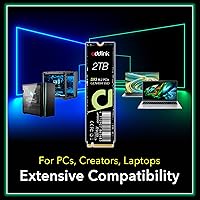
Specifications

  • Capacity: This drive is available in a 2TB configuration, offering ample room for operating systems, applications, and large media libraries on a single module.
  • Interface: It uses a PCIe Gen 4x4 NVMe interface, placing it in the same performance tier as the fastest mainstream consumer SSDs currently available.
  • Form Factor: The M.2 2280 form factor is the standard size used in most modern laptops, desktops, and mini-PCs, measuring 22mm wide by 80mm long.
  • Sequential Read: Sequential read speeds reach up to 7400 MB/s, which is competitive with top-tier Gen 4 drives and roughly five times faster than a typical Gen 3 NVMe SSD.
  • Sequential Write: Sequential write speeds top out at up to 6500 MB/s under optimal burst conditions when the SLC cache is active.
  • NAND Type: The drive uses TLC (Triple-Level Cell) 3D NAND flash, a widely adopted technology that balances storage density, endurance, and cost effectively.
  • DRAM Cache: There is no dedicated onboard DRAM; instead, the drive relies on Host Memory Buffer technology to borrow a portion of system RAM for address mapping duties.
  • HMB Technology: Host Memory Buffer allows the DRAM-less controller to access system RAM dynamically, reducing latency and improving random read performance compared to drives without any buffer support.
  • SLC Caching: An SLC write cache accelerates burst write operations, though sustained large sequential writes will eventually exhaust the cache and fall back to native TLC speeds.
  • Drive Thickness: The on-side NAND flash layout produces an ultra-slim 2.25mm profile, making it compatible with thin laptops and compact chassis that cannot accommodate standard-height M.2 drives.
  • Power Efficiency: The physical design reduces power consumption by over 35% compared to conventional Gen 4 SSDs, which contributes to improved battery life in portable systems.
  • Error Correction: LDPC (Low-Density Parity-Check) error correction is implemented to detect and correct data errors at the hardware level, supporting long-term data integrity.
  • Thermal Management: Thermal throttling is built into the firmware to automatically reduce drive speed before temperatures reach levels that could cause instability or damage.
  • Additional Features: The drive supports SMART monitoring, TRIM command processing, and standard NVMe power state management for health reporting and sustained efficiency.
  • PCIe Compatibility: While optimized for PCIe Gen 4 slots, the drive is backward compatible with PCIe 3.0 M.2 slots, where it will operate at Gen 3 speeds.
  • Weight: The drive weighs just 1.13 ounces, adding virtually no meaningful weight to a laptop or system build.
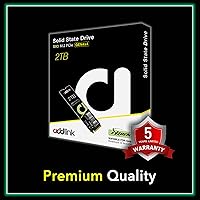
  • Warranty: Addlink covers this drive with a five-year limited warranty, which is above average for drives in this price segment.
  • CPU Compatibility: The drive is explicitly compatible with Intel 12th and 13th Gen Core HX platforms and AMD Ryzen 7000, 7040 Pro, 5000, and 3000 series processors.
  • Heatsink Included: No heatsink is included in the standard packaging; users in thermally constrained environments may wish to add an aftermarket thermal pad or low-profile heatsink.
  • Model Number: The official Addlink model number for this 2TB variant is ad2TBS93M2P, useful for warranty registration and compatibility verification.

Related Reviews
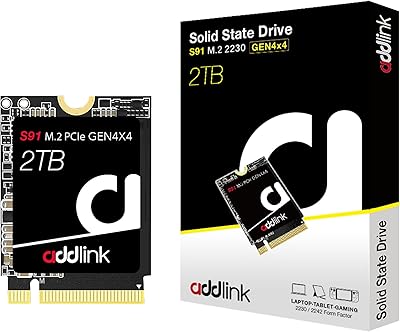
Addlink S91 2TB M.2 2230 NVMe SSD
81%
88%
Read Performance
76%
Write Performance
94%
Form Factor Fit
73%
Thermal Management
83%
Value for Money
More
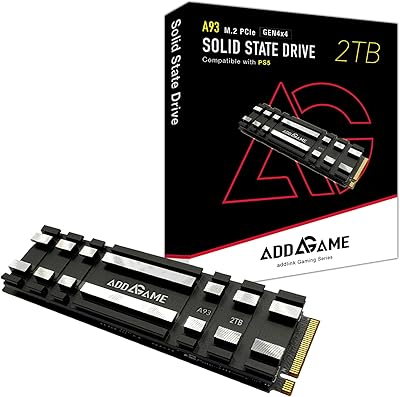
Addlink A93 2TB NVMe SSD with Heatsink
81%
88%
Read Speed Performance
71%
Write Speed & Sustained Throughput
93%
PS5 Compatibility & Installation
86%
Heatsink Quality & Thermal Management
84%
Value for Money
More
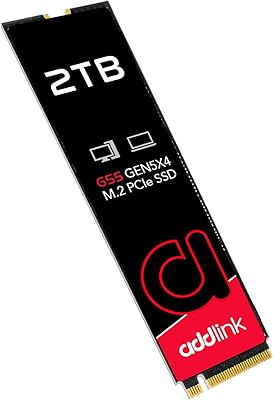
Addlink G55 2TB PCIe 5.0 Gen5 NVMe M.2 SSD
84%
94%
Performance
91%
Speed (Read/Write)
89%
Compatibility
86%
Installation Ease
78%
Thermals
More
SanDisk 2TB SSD Plus M.2 NVMe SSD
86%
89%
Performance
92%
Ease of Installation
88%
Reliability
91%
Value for Money
90%
Capacity
More
ORICO J10 256GB M.2 NVMe Internal SSD
76%
83%
Read Speed Performance
61%
Write Speed & Cache Behavior
88%
Heatsink Quality
74%
Compatibility
79%
Value for Money
More
WD_BLACK SN770 2TB NVMe SSD
85%
91%
Read & Write Performance
93%
Value for Money
94%
Installation & Compatibility
88%
Long-Term Reliability
92%
Gaming Load Times
More
WD_BLACK SN7100 2TB NVMe SSD
85%
93%
Read & Write Performance
88%
Gaming Load Times
86%
Power Efficiency
84%
Thermal Management
91%
Value for Money
More
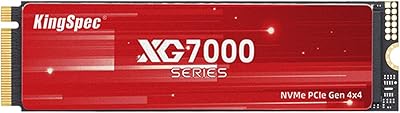
KingSpec XG7000 2TB NVMe SSD
86%
91%
Performance
94%
Read Speed
88%
Reliability
87%
Ease of Installation
85%
Thermals
More
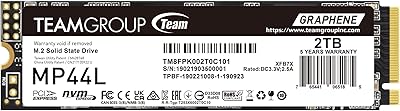
TEAMGROUP MP33 2TB NVMe SSD
86%
91%
Performance
89%
Value for Money
85%
Ease of Installation
88%
Compatibility
82%
Reliability
More
GiGimundo G7400 2TB NVMe SSD
85%
93%
Performance
94%
Speed
72%
Thermal Management
88%
Ease of Installation
91%
Compatibility
More

FAQ

For sequential reads and large file transfers, yes — most users report speeds that track closely to the advertised figures in benchmark tools and real-world file copying. Where you will notice a difference from the spec sheet is during very long sustained writes, such as moving a 100GB+ folder, where the drive slows down once the SLC write cache fills. For day-to-day use like loading games, booting an OS, or opening large applications, the performance feels exactly as fast as the numbers suggest.

This is one of the few Gen 4 drives specifically built with thin laptops in mind. Its 2.25mm profile is meaningfully slimmer than most competing drives, so if your laptop manual specifies a single-sided or low-profile M.2 module, this drive is worth checking against that requirement. That said, always confirm your specific laptop model supports M.2 2280 single-sided drives before purchasing.

Yes, the drive is explicitly listed as compatible with Intel 12th and 13th Gen Core HX platforms. If your laptop uses one of those processors and has an M.2 PCIe Gen 4 slot, this should work without any configuration needed — just install and go.

HMB stands for Host Memory Buffer. Instead of having dedicated RAM chips soldered onto the drive itself, it borrows a small slice of your system RAM to handle the drive’s address translation tasks. In practice, this meaningfully improves random read performance and responsiveness compared to DRAM-less drives that use no buffer at all. The gap versus drives with their own onboard DRAM is real but relatively small in everyday workloads — it mostly shows up under sustained heavy random I/O.

The Samsung and WD options both carry dedicated DRAM and a stronger track record in the enthusiast community, so they hold an edge in sustained workloads and have more third-party testing behind them. The Addlink drive closes the gap significantly for typical use cases like gaming and everyday computing, and it offers a real price advantage. If you are doing professional-grade video editing or heavy database work, the DRAM-equipped rivals are worth the premium. For most laptop upgrades, the performance difference will not be noticeable in daily use.

Yes, the drive is backward compatible with PCIe 3.0 M.2 slots. It will run at Gen 3 speeds in that configuration, which still puts it well ahead of any SATA SSD. You will not get the full Gen 4 throughput, but it is a perfectly valid and worthwhile upgrade for an older machine.

Addlink does not officially confirm PS5 compatibility for this drive, and the product listing does not mention PS5 support. The PS5 requires a specific form factor with confirmed thermal and speed characteristics, and without that official certification, it is genuinely risky to assume compatibility. If a PS5 upgrade is your primary goal, stick with drives that have been explicitly verified for that use case.

Under light to moderate loads it stays at a reasonable temperature, but users running sustained heavy workloads — long game sessions, bulk file copies, or extended rendering — do report that this drive gets warm. The firmware’s thermal throttling will kick in to protect it before anything dangerous happens, but that throttling can temporarily reduce performance. If your laptop chassis has poor airflow, adding a thin thermal pad between the drive and any available metal surface can help.

Addlink offers a five-year limited warranty on this drive, which is a solid commitment at this price level. User feedback on their support responsiveness has generally been positive, though Addlink is not as large or as widely tested as Samsung or Western Digital when it comes to the warranty claims process. Keeping your proof of purchase handy and registering the drive through their official channels is recommended.

Installation is about as straightforward as M.2 drives get. You need a small Phillips-head screwdriver to remove the retention screw in your motherboard or laptop, slide the drive into the slot at a slight angle, press it flat, and screw it down. No drivers are required — the OS will detect it automatically. If you are migrating your existing OS to this drive, you will need cloning software, but for a fresh install or a secondary drive it really is plug-and-play.

Where to Buy