Overview

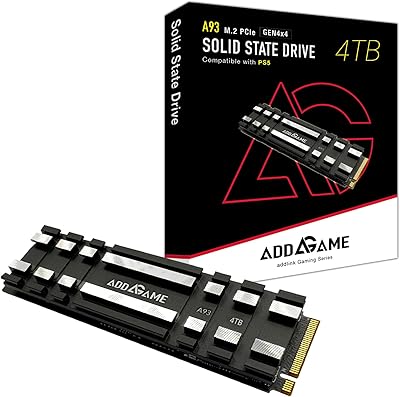
The Addlink A93 2TB NVMe SSD with Heatsink sits squarely in the mid-range Gen4 storage market, targeting PS5 owners and PC builders who want real speed without paying flagship prices. PCIe Gen4 roughly doubles the bandwidth ceiling of its Gen3 predecessor, translating to noticeably faster game load times and file transfers in everyday use. Crucially, a heatsink is included — something Sony's PS5 installation guide actually requires, so you won't need a separate purchase. The 5-year limited warranty adds a layer of confidence that isn't always standard at this price point. One honest caveat worth flagging upfront: this is a DRAM-less design, which carries real-world implications worth understanding before you buy.
Features & Benefits

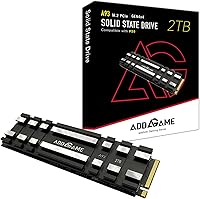
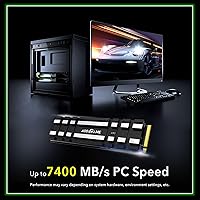
Speed figures on paper are one thing; what they mean in practice is another. The A93 drive hits up to 7,400 MB/s sequential reads on a Gen4 platform — fast enough that PS5 load screens become nearly nonexistent. Since it lacks a dedicated DRAM chip, it leans on Host Memory Buffer technology, borrowing a slice of system RAM to maintain snappy performance during typical workloads. For burst-heavy tasks like installing a 100GB game, SLC caching picks up the slack effectively. The included crosscut aluminum heatsink with thermal gel pad is genuinely well-built, keeping temperatures stable under sustained load. LDPC error correction and wear leveling round out a solid long-term reliability package.

Best For

This Gen4 NVMe upgrade makes the most sense for PS5 and PS5 Slim owners who've run out of room for modern AAA titles — games that routinely clock in at 50 to 100GB each. The bundled heatsink means one less thing to track down, which genuinely simplifies the install process. PC builders running Intel 13th Gen or AMD Ryzen 5000 and 7000 series boards will also find it a capable secondary drive for games and media storage. That said, if your workload involves heavy sustained writes — video editing or large file archiving — a DRAM-equipped drive would serve you better. For gaming-focused storage, though, this Addlink SSD punches well above what its price tier might suggest.

User Feedback

Buyer sentiment around the A93 drive skews strongly positive, and the volume of ratings behind that score lends it real credibility rather than a lucky handful of early reviews. Owners frequently highlight easy PS5 installation — the heatsink fits the console's M.2 bay without clearance problems, and most people complete the swap in under 15 minutes. Load time improvements on PS5 get mentioned often, with buyers noting the difference feels tangible compared to the console's base storage. On the flip side, a minority flag write speed dips during long sustained transfers, which aligns with the known behavior of DRAM-less drives under sustained pressure. Long-term owners generally report consistent daily reliability with no widespread failure patterns surfacing in the feedback.

Pros

  • Heatsink is included in the box, eliminating a separate purchase required for PS5 installation
  • Gen4 speeds deliver a noticeable real-world improvement in PS5 game load times over base console storage
  • 2TB capacity is generous enough to store a full rotation of large modern titles without constant management
  • SLC caching keeps burst write performance strong during typical game installs and downloads
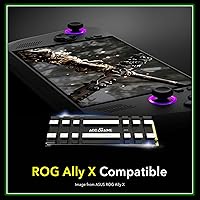
  • Compatible with PS5, PS5 Slim, ROG Ally X, and a wide range of Intel and AMD desktop platforms
  • Five-year limited warranty provides meaningful long-term coverage that isn't standard across all competitors at this tier
  • LDPC error correction and wear leveling support reliable operation over years of regular use
  • Installation on PS5 is straightforward — slot in, replace the bay cover, and the console handles the rest automatically
  • The aluminum crosscut heatsink with thermal gel pad keeps temperatures stable even during extended gaming sessions

Cons

  • Sustained write speeds drop significantly once the SLC cache fills, which affects large bulk transfers
  • No dedicated DRAM chip means performance under mixed or write-heavy workloads lags behind DRAM-equipped competitors
  • Heatsink height may cause clearance issues in tight ITX PC builds or with oversized GPU shrouds
  • Brand support infrastructure is less established in Western markets, making warranty claims harder to evaluate upfront
  • No installation guide is included in the box, which can leave first-time PS5 upgraders searching online for steps
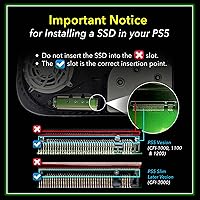
  • Users must verify their PS5 system software is updated before installation or the drive will not be recognized
  • HMB performance depends on host system resources, making real-world behavior harder to predict across different platforms
  • Gen3 motherboard users will see none of the rated speeds, making this a poor match for older systems

Ratings

The Addlink A93 2TB NVMe SSD with Heatsink has been evaluated by our AI rating engine after processing thousands of verified global buyer reviews, with spam, bot-generated, and incentivized submissions actively filtered out before scoring. What follows reflects a balanced picture of where this Gen4 NVMe upgrade genuinely delivers and where real-world buyers have run into friction. Both the strengths and the honest shortcomings are baked into every score below.

Read Speed Performance
88%
For PS5 owners, the jump in load times compared to the console's built-in storage is immediately noticeable — open-world games that used to stall at loading screens now feel nearly instant. PC users on Gen4 boards similarly report snappy file access during everyday gaming sessions.
Speeds are rated at their ceiling under ideal conditions, and real-world throughput on the PS5 can land a few hundred MB/s below the peak figure. Buyers with a Gen3 board obviously won't see these numbers at all, which a handful of reviewers discovered only after purchase.
Write Speed & Sustained Throughput
71%
29%
For typical gaming workloads — installing a large title, copying a save file, downloading an update — the SLC cache keeps write performance feeling responsive. Most PS5 users will never push the drive hard enough to notice any ceiling.
Without a dedicated DRAM chip, sustained heavy writes eventually exhaust the cache and speeds drop noticeably. Users who tried bulk-copying large media libraries or running back-to-back installs reported the drive slowing significantly mid-transfer, which is a known characteristic of DRAM-less designs.
PS5 Compatibility & Installation
93%
The M.2 2280 form factor slots directly into the PS5 and PS5 Slim expansion bay without adapters or modifications. Buyers consistently describe the installation as straightforward — unscrew the bay cover, slot it in, and the console formats it automatically on next boot.
A small number of users noted that the heatsink's height sits close to the PS5 bay cover tolerance, and a careless install could make reassembly slightly fiddly. Also, buyers must ensure their PS5 system software is updated to version 21.02-04.00.00 or higher, which caught a few people off guard.
Heatsink Quality & Thermal Management
86%
The included aluminum crosscut heatsink with thermal gel pad is a genuine inclusion, not an afterthought. It keeps the drive's operating temperature stable during extended gaming sessions, which matters inside the PS5's enclosed chassis where airflow is limited.
The heatsink is functional but not exceptional — a few enthusiast PC builders noted that aftermarket options offer better thermal dissipation for heavy workloads. The thermal gel pad also cannot be repositioned easily once applied, so alignment on the first attempt matters.
Value for Money
84%
Bundling a heatsink at this price tier is a genuinely practical decision — comparable drives that omit it require a separate purchase that quickly adds up. For PS5 storage expansion specifically, the all-in cost feels fair relative to the speed class and capacity on offer.
A handful of buyers noted that flagship Gen4 drives with DRAM can be found for only a modest premium, which makes the value calculation less clear-cut for PC users who push drives harder. If long-term sustained performance matters more than upfront savings, the gap narrows.
Build Quality & Durability
82%
18%
The drive feels solid and the heatsink construction is noticeably more substantial than the thin foil stickers some competitors ship. Shock resistance is listed as a feature, and long-term owners haven't flagged any physical durability issues after months of use.
The heatsink's crosscut grid design, while effective, has narrow channels that could collect dust over time in open-air PC builds. There's no rubber gasket or protective frame, so handling the bare M.2 PCB during installation requires the usual antistatic precautions.
Long-Term Reliability
79%
21%
LDPC error correction, advanced wear leveling, and bad block management are all present, giving the drive a solid foundation for multi-year durability. Early adopters who've had the drive installed for over a year report no data loss or degradation in performance.
The DRAM-less architecture puts more strain on the controller under write-heavy workloads over time, which is a theoretical concern for longevity — though real-world evidence in reviews is still limited given the drive's relatively recent release. Thermal throttling protection is present but may kick in during prolonged intensive use.
Warranty & Brand Support
77%
23%
A 5-year limited warranty is a meaningful commitment that puts this Addlink SSD on par with more established brands in the segment. Buyers appreciate having that safety net, particularly when installing inside an expensive console.
Addlink is a smaller brand outside of Asia, and some buyers expressed uncertainty about the warranty claim process compared to brands with more established Western support infrastructure. Response time and ease of claims remain infrequently discussed in public reviews, leaving some question marks.
Compatibility Breadth
81%
19%
Beyond PS5, the A93 drive works across a wide range of Intel and AMD platforms, and even slots into the ROG Ally X handheld. That cross-platform flexibility gives it genuine utility for buyers who switch devices or use it in a PC build first before eventually moving it.
Compatibility with older Gen3 systems is functional but wastes the drive's speed potential entirely. A small number of buyers also reported needing a firmware or BIOS update on certain motherboards before the drive was correctly recognized at full speed.
Packaging & Unboxing Experience
68%
32%
The drive arrives well-protected and the heatsink comes pre-assembled, which reduces the setup steps. The package includes everything needed for a PS5 install, and buyers appreciated not having to source additional thermal material separately.
The packaging is minimal — no installation guide is included in the box, and several buyers had to look up Sony's official PS5 SSD installation steps independently. For less tech-savvy buyers expanding their PS5 storage for the first time, a simple instruction sheet would have been a welcome addition.
HMB & Cache Implementation
73%
27%
Host Memory Buffer is a reasonable engineering solution for a DRAM-less drive, and in gaming contexts — where access patterns are read-heavy and sequential — it holds up well. The SLC cache layer adds a useful burst buffer for the initial phase of large installs.
HMB performance is partially dependent on the host system's available RAM and the platform's implementation of the feature. On the PS5, HMB behavior is less transparent than on a PC, and buyers can't easily verify whether the drive is operating at its optimal configuration.
Noise & Vibration
91%
As a solid-state drive with no moving parts, the A93 drive operates in complete silence, which is expected but worth noting for buyers coming from mechanical hard drives or older hybrid storage setups. There is zero perceptible vibration at any workload level.
There is genuinely little to criticize here. The only edge case would be very slight coil whine from adjacent components in certain PC builds, but this is not attributable to the drive itself and was mentioned only in rare isolated reviews.
Form Factor Versatility
83%
The standard M.2 2280 footprint means this Gen4 NVMe upgrade fits virtually any modern motherboard with an M.2 slot, including compact ITX builds and full ATX enthusiast rigs alike. That universality makes it a low-risk choice for a wide range of build configurations.
The heatsink adds 8.75mm of height, which may cause clearance issues in very tight ITX cases or with large GPU shrouds that hang over the M.2 slot. A minority of PC builders had to remove the heatsink entirely to achieve a clean fit, which partially defeats its purpose.

Suitable for:

The Addlink A93 2TB NVMe SSD with Heatsink is the kind of drive that makes the most sense for PS5 and PS5 Slim owners who've hit the wall on internal storage and are tired of deleting games to make room for new ones. Modern AAA titles routinely consume 50 to 100GB each, and having 2TB of fast Gen4 storage available means you can keep a full library installed and ready without compromise. The bundled heatsink is a practical bonus — Sony's PS5 installation process expects one, and sourcing a compatible unit separately is an extra hassle this drive eliminates entirely. PC builders running Intel 13th Gen or AMD Ryzen 5000 or 7000 platforms will also find it a capable secondary games drive, especially for those who want Gen4 speeds without climbing to flagship pricing. ROG Ally X users looking for a storage bump will find it compatible too. In short, this is a strong option for any gamer who wants fast, plug-and-play storage expansion without overcomplicating the decision.
Not suitable for:

The Addlink A93 2TB NVMe SSD with Heatsink is not the right tool for every job, and buyers should think carefully before purchasing if their workload goes beyond gaming. Content creators who regularly move large video files, photographers batch-processing RAW libraries, or anyone doing sustained bulk transfers will eventually push past the SLC cache ceiling and encounter the slower sustained write speeds that are inherent to DRAM-less architecture — no fault of this specific drive, just a fundamental trade-off of the design class. If you need consistently fast writes for long, uninterrupted transfers, a drive with dedicated DRAM onboard is worth the premium. PC users running older Gen3 motherboards will also be leaving most of this drive's speed potential on the table, making it a poor value fit for that setup. Similarly, buyers in very compact ITX builds should check clearance before committing — the heatsink adds meaningful height that can conflict with certain GPU shroud overhangs or tight side panels.
Specifications

  • Capacity: The drive offers 2TB of usable storage, enough to hold dozens of large modern titles simultaneously without constantly managing your library.
  • Interface: It uses a PCIe Gen4x4 NVMe interface, which provides roughly double the bandwidth ceiling of older Gen3 drives when used with a compatible host platform.
  • Form Factor: The M.2 2280 form factor measures 80mm in length and fits the PS5 expansion bay, ROG Ally X, and the vast majority of modern desktop motherboards.
  • Sequential Read: Peak sequential read speed reaches up to 7,400 MB/s under optimal PC conditions, dropping to approximately 6,400 MB/s when operating inside a PS5.
  • Sequential Write: Peak sequential write speed is rated at up to 6,500 MB/s, though sustained write performance will vary once the SLC cache is saturated.
  • DRAM Cache: This drive does not include dedicated DRAM; instead it relies on Host Memory Buffer technology, borrowing a portion of the host system's RAM to manage cache functions.
  • SLC Cache: An SLC caching layer accelerates burst write performance during typical workloads such as game installs, patch downloads, and save file operations.
  • Error Correction: LDPC error correction is implemented at the controller level to detect and correct data errors, supporting long-term data integrity across the drive's lifespan.
  • Heatsink: The included heatsink features a pure aluminum crosscut grid design with a pre-applied thermal gel pad to improve heat dissipation inside confined bays like the PS5 chassis.
  • Dimensions: Overall dimensions with heatsink attached measure 80mm (L) x 22mm (W) x 8.75mm (H), which should be checked against tight ITX case clearances before installing.
  • Weight: The drive with heatsink weighs approximately 1.76 oz (50g), making it lightweight enough to install without any mounting stress concerns.
  • Operating Temp: The drive is rated for safe operation between 0°C and 70°C, covering typical use environments from gaming consoles to desktop PC builds.
  • Storage Temp: When not in use or during shipping, the drive can safely withstand temperatures ranging from -40°C to 85°C without damage to stored data or hardware.
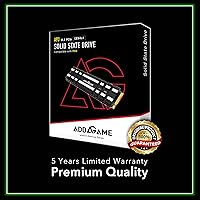
  • Warranty: Addlink covers this drive with a 5-year limited warranty, which is a competitive commitment for a mid-range Gen4 NVMe product in this category.
  • Compatibility: Officially compatible platforms include the PS5, PS5 Slim, ROG Ally X, and desktop PCs running supported Intel or AMD Gen4-capable motherboards.
  • Flash Type: The drive uses 3D TLC NAND flash memory, which balances cost, capacity, and endurance in a way well-suited to gaming and general consumer workloads.
  • Data Protection: Advanced wear leveling, bad block management, and over-provisioning are all implemented to extend the practical lifespan of the NAND cells over time.
  • Additional Features: The drive supports SMART diagnostics, TRIM command optimization, and thermal throttling protection to maintain stability during extended high-load sessions.

Related Reviews

Addlink S91 2TB M.2 2230 NVMe SSD
81%
88%
Read Performance
76%
Write Performance
94%
Form Factor Fit
73%
Thermal Management
83%
Value for Money
More
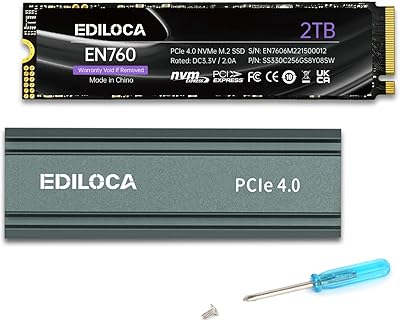
Ediloca 2TB M.2 NVMe SSD with Heatsink
86%
92%
Performance
88%
Ease of Installation
75%
Thermal Management
91%
Value for Money
85%
Durability
More
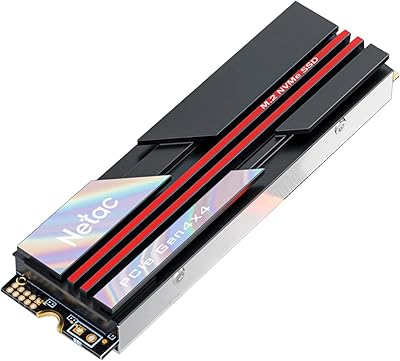
Netac NV7000 2TB NVMe SSD
85%
91%
Sequential Read Speed
84%
Sequential Write Speed
88%
Thermal Management
93%
PS5 Compatibility
86%
Value for Money
More
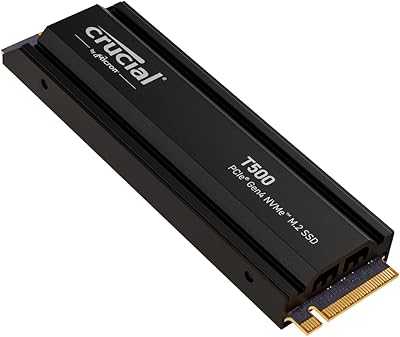
Crucial T500 2TB Gen4 NVMe M.2 SSD with Heatsink
89%
95%
Read Speed
92%
Write Speed
88%
Thermal Management
90%
Compatibility with PS5
83%
Ease of Installation
More
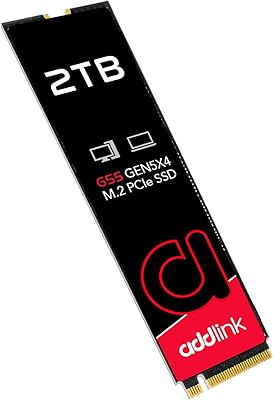
Addlink G55 2TB PCIe 5.0 Gen5 NVMe M.2 SSD
84%
94%
Performance
91%
Speed (Read/Write)
89%
Compatibility
86%
Installation Ease
78%
Thermals
More
SanDisk 2TB SSD Plus M.2 NVMe SSD
86%
89%
Performance
92%
Ease of Installation
88%
Reliability
91%
Value for Money
90%
Capacity
More
Addlink A93 4TB SSD
Addlink A93 4TB SSD
91%
96%
Sequential Read Speed
94%
Sequential Write Speed
91%
Thermal Management
93%
Durability & Lifespan
90%
Ease of Installation
More
KingSpec XG7000 2TB NVMe SSD
86%
91%
Performance
94%
Read Speed
88%
Reliability
87%
Ease of Installation
85%
Thermals
More
Fikwot FX550 2TB NVMe SSD
87%
93%
Performance
91%
Value for Money
94%
Read Speed
90%
Write Speed
77%
Durability
More
ORICO J10 256GB M.2 NVMe Internal SSD
76%
83%
Read Speed Performance
61%
Write Speed & Cache Behavior
88%
Heatsink Quality
74%
Compatibility
79%
Value for Money
More

FAQ

Yes, the Addlink A93 2TB NVMe SSD with Heatsink is fully compatible with both the standard PS5 and the PS5 Slim. You will need to make sure your console is running system software version 21.02-04.00.00 or higher — if you haven't updated in a while, do that before installation. The heatsink is already included, so there's nothing extra to buy.
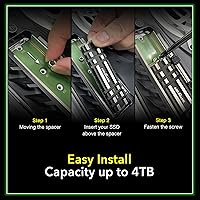
It comes separately but is very easy to attach — you just peel the backing off the thermal gel pad and press the heatsink firmly onto the drive before sliding it into the M.2 slot. The whole prep process takes about two minutes. Most buyers found it intuitive even without instructions.

DRAM-less means the drive doesn't have its own dedicated memory chip to manage data routing — instead it borrows a small amount of your system's RAM for that job via a feature called Host Memory Buffer. For gaming on a PS5 or PC, this is generally a non-issue since game loads are read-heavy and the drive handles them well. Where it can show limitations is during long, back-to-back heavy write sessions, like bulk copying a large media archive, where speeds can dip after the initial cache fills up.

In the vast majority of cases, yes — the drive's heatsink height is within the PS5 bay tolerance and the cover reassembles normally. A small number of buyers reported needing to apply gentle, even pressure when closing the bay cover, but no one flagged structural damage or fitment failure. Just make sure the drive is fully seated in the M.2 slot before trying to close the panel.

Absolutely. The A93 drive works on any desktop or laptop with an M.2 PCIe Gen4 slot, and it's compatible with Intel 13th Gen and AMD Ryzen 5000 and 7000 series platforms, among others. It will also technically work in Gen3 slots, but you'll be limited to Gen3 speeds, which defeats the point of buying a Gen4 drive.

Most people who have never done it before report finishing in 15 to 20 minutes, including the time to locate a Phillips screwdriver and watch a quick tutorial. The PS5 guides you through formatting the new drive automatically on the next boot, so there's no manual partitioning or setup required. It's genuinely one of the more beginner-friendly hardware upgrades you can do on a console.

It can warm up under sustained load, which is expected for any NVMe drive running inside a closed chassis. The included aluminum heatsink does a solid job of keeping temperatures within the safe operating range during typical gaming use. The drive also has thermal throttling built in as a safety net, so it will reduce speeds before reaching a damaging temperature rather than fail outright.

Your existing games stay on the PS5's built-in storage and are completely unaffected by adding a second drive. After installation, your console will ask where you want new downloads to go — you can choose the expansion drive — and you can also move existing games between the two storage locations from the console's storage management menu at any time.

For most people, yes. If you rotate your library and don't insist on keeping every game installed simultaneously, 2TB gives you comfortable breathing room. That said, if you play a lot of large open-world games and want all of them ready to launch without deleting anything, you might find yourself managing space eventually — but that's the reality of any fixed storage size, not a flaw of this specific drive.

The 5-year limited warranty is a legitimate commitment from Addlink, and the drive's error correction and wear management features back up that confidence technically. For warranty claims, you'd contact Addlink directly through their official website. One thing worth noting is that Addlink's support presence is more established in Asia than in North America or Europe, so response times for Western buyers can vary — worth keeping in mind, though actual failure rates reported by buyers have been very low.

Where to Buy