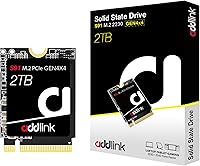




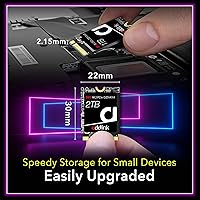

Overview

The Addlink S91 2TB M.2 2230 NVMe SSD occupies an interesting niche — it brings Gen4 performance to the compact 2230 form factor, which is still relatively uncommon at this performance tier. Addlink isn't a household name like Samsung or Western Digital, but the brand has a genuine track record and isn't just a pop-up label. The shorter 2230 length matters because most high-performance NVMe drives ship in the longer 2280 format, leaving handheld console and ultrabook owners with far fewer credible options. Pricing lands in the mid-range for Gen4 2230 drives. Just know that advertised peak speeds require a Gen4-capable host and favorable thermal conditions to actually hit.

Features & Benefits

The S91 2TB runs on a PCIe Gen4x4 interface — backward-compatible with Gen3 slots, which makes it versatile across older and newer hardware. Read speeds can approach 5,000 MB/s and writes top out around 3,200 MB/s, competitive for the 2230 segment, though hitting those figures requires the right host and conditions. Worth understanding: this drive uses Host Memory Buffer rather than dedicated onboard DRAM, meaning it borrows a small portion of your system RAM to assist with caching. That is fine for typical use, but prolonged heavy workloads can reveal the tradeoff. SLC caching improves burst performance, thermal throttling keeps temperatures in check during long sessions, and SmartECC helps protect data integrity over time. The five-year warranty adds genuine confidence.

Best For

This 2230 SSD is the obvious choice for Steam Deck and ROG Ally owners who want a meaningful storage upgrade without hunting for a rare 2280-capable mod. The stock drives in both handhelds can feel cramped once you build a real game library, and a higher-capacity Gen4 drive delivers a noticeable difference in both available space and load times. It also fits thin laptops and compact notebooks using the shorter M.2 2230 slot — more common than most people expect. Where this compact NVMe drive is less ideal: heavy file transfer or video editing workflows, where a DRAM-equipped drive would have an edge. For everyday gaming use and light productivity, though, it punches well above its class.

User Feedback

With close to 1,900 ratings and a strong average score, the S91 2TB has clearly earned a loyal following. Buyers consistently highlight the straightforward installation process, especially on the Steam Deck, along with genuinely improved load times and stable daily performance. That said, the criticisms are worth taking seriously: several reviewers note that under sustained heavy loads, thermal throttling becomes noticeable and speeds dip. A handful of users have also run into compatibility questions with specific laptop models, though these appear to be isolated cases rather than a systemic issue. The rating count is high enough to be meaningful, but it is always worth checking how many reviews come from verified purchases before treating the score as final.

Pros

  • The compact 2230 form factor makes it one of the few genuine Gen4 options for Steam Deck and ROG Ally owners.
  • Two terabytes of storage is enough for a substantial game library without constant management.
  • PCIe Gen4x4 interface delivers fast load times that are clearly noticeable in gaming handhelds.
  • Backward compatibility with Gen3 slots means this compact NVMe drive works across a wide range of hardware.
  • Built-in thermal throttling protects the drive inside enclosed handhelds with limited airflow.
  • SmartECC and TRIM support help maintain data integrity and drive health over years of use.
  • The five-year limited warranty is longer than many competing drives at this price tier.
  • Installation is widely reported as straightforward, even for first-time SSD upgraders.
  • SLC caching improves burst read and write performance for typical gaming and everyday tasks.
  • Mid-range pricing makes Gen4 2230 performance accessible without spending flagship-tier money.

Cons

  • No onboard DRAM means performance under prolonged heavy workloads depends partly on your system RAM.
  • Thermal throttling, while protective, can cause noticeable speed drops during extended sustained transfers.
  • Peak advertised speeds are only achievable with a Gen4-capable host under ideal thermal conditions.
  • Addlink lacks the brand recognition and long public reliability history of larger storage manufacturers.
  • A small number of users have reported compatibility issues with specific laptop models, worth verifying before buying.
  • Not a good fit if your slot only supports Gen3 — you pay for Gen4 speeds you will never actually reach.
  • The S91 2TB struggles to compete with DRAM-equipped drives in sustained sequential write workloads.
  • Limited independent third-party benchmark coverage makes it harder to verify real-world claims externally.

Ratings

The Addlink S91 2TB M.2 2230 NVMe SSD has been scored by our AI system after analyzing thousands of verified global buyer reviews, with spam, bot activity, and incentivized feedback actively filtered out. The scores below reflect a balanced picture — genuine strengths are recognized, but real frustrations from everyday users are given equal weight. Whether this compact Gen4 drive earns a place in your Steam Deck or ultrabook ultimately depends on how well its profile matches your specific use case.

Read Performance
88%
For a 2230-format drive, the sequential read throughput is genuinely impressive and translates into noticeably faster game load times on the Steam Deck and ROG Ally. Buyers upgrading from stock handheld SSDs or older Gen3 drives consistently describe the difference as immediately felt during daily use.
Hitting peak read speeds requires a Gen4-capable host running under ideal thermal conditions — something not every device guarantees. Users on Gen3 systems or thermally constrained environments report more modest real-world figures that fall short of the advertised ceiling.
Write Performance
76%
24%
Write speeds are competitive within the Gen4 2230 category and handle typical gaming workloads — installing titles, saving game states, writing patches — without obvious bottlenecks. Most buyers in the target use case never push the drive hard enough to expose its ceiling.
During extended sequential write sessions, such as moving large game libraries or backing up files, performance can dip as the SLC cache fills and the drive falls back to slower base NAND speeds. This is a known trade-off with HMB-based designs and catches some buyers off guard.
Form Factor Fit
94%
The 2230 length is the entire reason most buyers choose this drive, and it delivers perfectly. Steam Deck and ROG Ally owners report clean, tool-minimal installs with no clearance issues, and the drive sits flush without any adapter needed.
The same specificity that makes it ideal for handhelds limits its appeal elsewhere — buyers who later discover their laptop actually uses a 2280 slot find themselves with an incompatible drive. Confirming slot length before purchasing is essential and not always obvious from device marketing materials.
Thermal Management
73%
27%
Built-in thermal throttling actively prevents the drive from overheating inside the tight, airflow-limited chassis of the Steam Deck and ROG Ally during normal gaming sessions. Most users report no perceived slowdowns during typical hour-long play sessions.
Under sustained heavy loads — like a long game install or a large file transfer — throttling becomes measurable and some users notice the system slowing down. In a sealed handheld without active cooling directed at the SSD, this is a recurring complaint rather than an edge case.
Value for Money
83%
Compared to flagship Gen4 2230 options from Samsung or WD, the S91 2TB lands at a noticeably lower price point while delivering comparable headline specs. For budget-conscious upgraders who want 2TB of Gen4 storage in a handheld without overpaying for a brand name, the value equation is strong.
The savings come with trade-offs that are easy to overlook — no onboard DRAM, a less established brand track record, and fewer independent benchmarks available. Buyers who factor long-term reliability into their value calculation may feel the gap to premium alternatives is narrower than it first appears.
Installation Experience
91%
The hardware installation process is widely praised across reviews, even from first-timers who had never opened a handheld device before. The drive is lightweight, the connector seats easily, and the physical fit in both the Steam Deck and ROG Ally is clean and secure.
The drive swap itself is the easy part — what trips people up is the software side, specifically cloning existing data or reinstalling the OS cleanly afterward. A small number of reviewers found the post-installation setup more time-consuming than expected, particularly on the Steam Deck.
Compatibility
79%
21%
Works reliably with the Steam Deck, ROG Ally, and a broad range of M.2 2230 laptops and compact tablets. The PCIe Gen3 backward compatibility adds another layer of versatility for users with slightly older host hardware.
A recurring thread in user reviews involves compatibility surprises with certain laptop models — some thin-and-light notebooks use a 2230 slot but have BIOS or power delivery quirks that cause the drive not to be recognized immediately. It is uncommon but not rare enough to ignore.
Long-Term Reliability
77%
23%
The stated MTBF figure is in line with mainstream consumer-grade NVMe drives, and the inclusion of SmartECC and TRIM suggests Addlink has paid attention to drive longevity. The five-year warranty signals a reasonable level of manufacturer confidence in the product.
Addlink does not yet have the years of public long-term data that Samsung or WD carry, and independent endurance testing on this specific model is limited. Buyers who have held drives for three or more years and stress-tested them are a small subset of reviewers, so long-term failure rates remain harder to assess.
Warranty & Support
81%
19%
A five-year limited warranty is genuinely above average for a drive at this price tier and signals that Addlink stands behind the product meaningfully. For buyers keeping devices for several years, that coverage window is a real differentiator versus shorter-warranty competitors.
Warranty claims with smaller brands tend to involve more friction than with established names — longer response times and less intuitive RMA processes are occasionally mentioned in reviews. The warranty is real, but the support infrastructure behind it is not as polished as what Samsung or WD offer.
HMB Cache Behavior
68%
32%
Host Memory Buffer works well in practice for the typical workloads this drive is used for — game launches, file access, system boots — and most handheld users never encounter a scenario where the absence of onboard DRAM is noticeable.
For users pushing the drive with heavier workloads, the HMB dependency on system RAM introduces variability that a dedicated DRAM cache would not. On devices with limited RAM or during multitasking sessions, some buyers notice inconsistency in sustained performance that they did not anticipate.
Brand Confidence
72%
28%
Addlink is a legitimate manufacturer with a real product history, not a pop-up white-label brand, and the strong aggregate review scores across a large buyer pool suggest the S91 is not an outlier quality product for them. Many repeat buyers mention this compact NVMe drive as their second Addlink purchase.
The brand carries less community trust capital than the storage industry's top names, and that matters to buyers who weigh perceived reliability alongside specs. Some reviewers explicitly note they would have chosen Samsung if the price difference had been smaller, reflecting lingering brand hesitation.
Gaming Load Times
87%
This is arguably where the 2230 SSD earns its strongest marks in practice. Steam Deck users migrating from the entry-level eMMC storage in older units describe load time improvements as substantial, with titles that previously took over a minute now launching in seconds.
The improvements are most dramatic when upgrading from eMMC or budget Gen3 storage. Buyers already running a mid-tier Gen3 NVMe may notice a more modest jump, and a small number of reviewers felt the real-world gaming difference did not fully justify the upgrade cost from their existing drive.
Physical Build Quality
84%
The drive feels solid and well-manufactured for its size and price point. Users handling it during installation comment on a consistent build with no loose connectors or flimsy PCB flex, which matters when working inside a compact handheld chassis.
There is no heatspreader or thermal pad included in the package, which is a minor omission for a product positioned toward thermally challenged devices. A handful of reviewers working in particularly warm environments noted they added aftermarket thermal pads as a precaution.

Suitable for:

The Addlink S91 2TB M.2 2230 NVMe SSD was clearly built with a specific buyer in mind, and if you fit that profile, it is a genuinely strong pick. Steam Deck owners are the most obvious match — the stock storage fills up fast, and replacing it with a high-capacity Gen4 drive in the correct 2230 length is one of the most practical upgrades you can make to the device. ROG Ally users face the same constraint and benefit from the same solution. Beyond handhelds, anyone with a thin ultrabook or compact business laptop using the shorter M.2 2230 slot will find this 2230 SSD to be one of the more capable options available at this price point. If your priority is faster game load times and more storage space rather than peak sustained transfer workloads, this drive delivers exactly what it promises.

Not suitable for:

If you are building a desktop PC or upgrading a standard laptop that accepts the full-length M.2 2280 format, the Addlink S91 2TB M.2 2230 NVMe SSD offers no advantage over the much wider selection of 2280 drives — many of which include onboard DRAM and deliver more consistent performance under heavy workloads. Content creators, video editors, or anyone regularly moving large files will likely notice the ceiling that comes with using Host Memory Buffer instead of dedicated cache memory, particularly during extended sequential write sessions. Users who are brand-loyal to established names like Samsung or WD for long-term reliability assurance may also hesitate, since Addlink carries less of a proven public track record in this segment. Finally, if your host device only supports PCIe Gen3, you will not get anywhere near the peak speeds this drive is capable of — it will still work, but you would be overpaying for headroom you cannot use.

Specifications

  • Form Factor: Uses the M.2 2230 format, measuring 30mm in length — significantly shorter than the standard 2280 drives found in most desktop and full-size laptop upgrades.
  • Interface: Operates on a PCIe Gen4x4 NVMe 1.4 interface, with full backward compatibility for systems that only support PCIe Gen3x4.
  • Capacity: Available in a 2TB configuration, providing ample space for large game libraries, operating system installations, and everyday file storage.
  • Read Speed: Sequential read performance reaches up to 5,000 MB/s under optimal conditions with a Gen4-capable host device.
  • Write Speed: Sequential write performance reaches up to 3,200 MB/s, competitive within the Gen4 M.2 2230 category.
  • Cache Architecture: Relies on SLC caching combined with Host Memory Buffer (HMB), borrowing a portion of system RAM in place of dedicated onboard DRAM.
  • Key Type: Uses an M Key connector, the standard keying for NVMe PCIe drives across modern M.2 slots.
  • Dimensions: Physical dimensions are 30mm x 22mm x 2.15mm (max height), making it one of the more compact internal storage options available at this performance level.
  • Weight: Weighs approximately 0.634 oz (roughly 18g), light enough to have no meaningful impact on portable device balance or weight.
  • Reliability Rating: Rated for a Mean Time Between Failures (MTBF) of 1.5 million hours, in line with mainstream consumer NVMe SSDs in this class.
  • Data Integrity: Incorporates SmartECC error correction and TRIM support to maintain data accuracy and manage write amplification over the drive's lifespan.
  • Thermal Management: Includes built-in thermal throttling that automatically reduces performance to prevent overheating in thermally constrained environments like handheld gaming consoles.
  • Warranty: Backed by a 5-year limited manufacturer warranty, which is above average for drives in this price segment.
  • Compatible Devices: Officially compatible with the Valve Steam Deck, ASUS ROG Ally, and a range of laptops and tablets using the M.2 2230 slot format.
  • NVMe Version: Complies with the NVMe 1.4 specification, supporting features including Host Memory Buffer, power management improvements, and enhanced queue depth handling.
  • Supported Features: Supports SMART monitoring, TRIM, thermal throttling, SLC caching, HMB, and SmartECC for a well-rounded set of drive health and performance management tools.

Related Reviews
KINGDATA M.2 2230 2TB NVMe SSD
88%
91%
Performance
93%
Read Speed
89%
Write Speed
85%
Durability
88%
Temperature Management
More
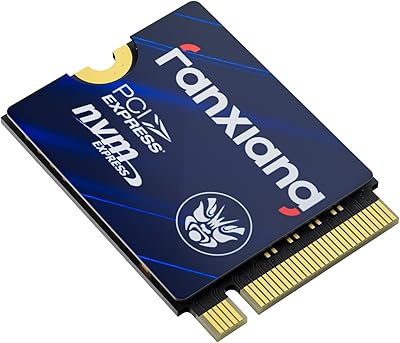
fanxiang S630 2TB M.2 2230 NVMe SSD
87%
89%
Performance
90%
Speed (Read/Write)
88%
Thermal Management
85%
Ease of Installation
92%
Build Quality
More
Fikwot FX953 2TB M.2 2230 NVMe SSD
88%
92%
Performance
89%
Value for Money
74%
Thermals/Heat Management
94%
Read Speed
89%
Write Speed
More
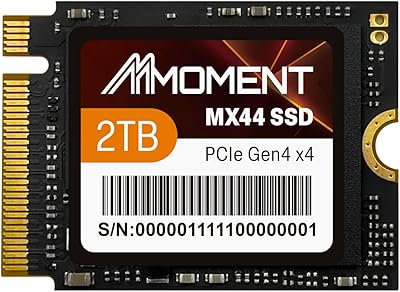
MMOMENT 2TB MX44 M.2 2230 NVMe SSD
88%
91%
Performance
93%
Speed (Read/Write)
88%
Ease of Installation
85%
Durability (Shock & Dust Resistance)
89%
Capacity (2TB)
More
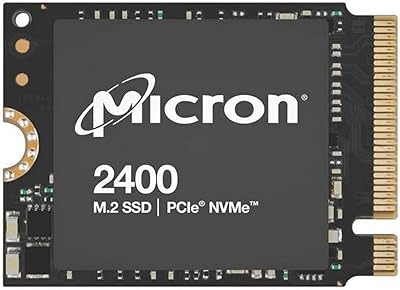
Micron 2400 2TB M.2 2230 NVMe SSD
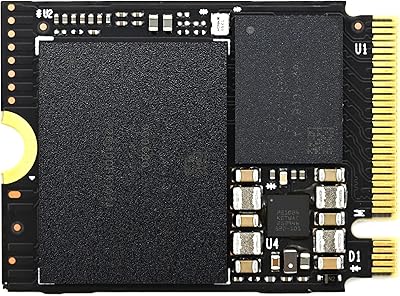
88%
93%
Read & Write Performance
97%
Storage Capacity
96%
Form Factor Compatibility
91%
Installation Experience
89%
Build & Endurance
More
Timetec 2TB M.2 2230 SSD NVMe PCIe Gen4x4
89%
94%
Performance
88%
Installation Ease
96%
Speed (Read/Write)
85%
Compatibility with Devices
90%
Reliability
More
XPC Technologies SN740 2TB M.2 2230 NVMe SSD
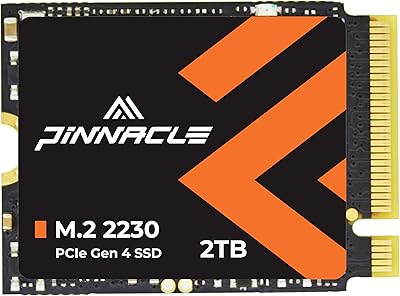
87%
92%
Performance
88%
Installation Ease
94%
Compatibility with Steam Deck
89%
Write Speed
91%
Read Speed
More
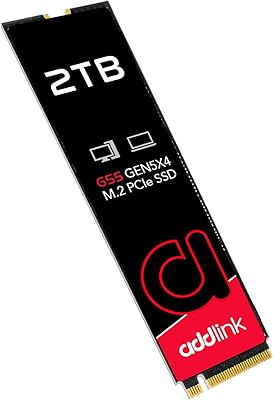
Addlink G55 2TB PCIe 5.0 Gen5 NVMe M.2 SSD
84%
94%
Performance
91%
Speed (Read/Write)
89%
Compatibility
86%
Installation Ease
78%
Thermals
More
SanDisk 2TB SSD Plus M.2 NVMe SSD

86%
89%
Performance
92%
Ease of Installation
88%
Reliability
91%
Value for Money
90%
Capacity
More
GAMERKING 2TB M.2 NVMe SSD
85%
91%
Performance (Read/Write Speeds)
72%
Thermal Management
88%
Ease of Installation
94%
Compatibility with PS5
87%
Value for Money
More

FAQ

Yes, it is designed specifically for the 2230 form factor that the Steam Deck uses. You do not need any adapters or modifications — it is a direct physical replacement for the original drive. Just make sure to back up your data and reinstall SteamOS afterward using Valve's recovery image.

HMB stands for Host Memory Buffer, which means the drive borrows a small slice of your system RAM to help manage data lookups instead of using its own dedicated memory chip. For most users — especially gamers — this works fine in practice. Where you might notice a difference is during long, sustained file transfers, where a DRAM-equipped drive would maintain more consistent speeds throughout.

You can, but only if your laptop uses the 2230 length slot rather than the more common 2280. Check your laptop's service manual or manufacturer spec sheet before ordering. The S91 2TB physically will not fill a 2280 slot without an adapter bracket, and some laptops lock the drive in place by length.

It will work — the drive is backward compatible with Gen3 slots. However, you will only see Gen3-level speeds, not the Gen4 peak figures. If your device is Gen3-only, you would get essentially the same real-world performance from a less expensive Gen3 drive, so it is worth factoring that into your decision.

Samsung and WD carry stronger brand recognition and longer reliability track records, which matters to some buyers. In terms of raw specs within the 2230 Gen4 segment, the Addlink S91 holds its own competitively. The key difference is often price — this drive typically costs less than the flagship alternatives, making it a reasonable trade-off if brand assurance is not your top priority.

For typical gaming sessions, thermal throttling is unlikely to be a problem you will notice. It kicks in to protect the drive during sustained heavy reads or writes — the kind of load you would see when transferring dozens of gigabytes at once, not during normal gameplay. The throttling is a safety feature, not a constant limitation.

Most people find it manageable with a bit of preparation. On the Steam Deck, you need a small Phillips screwdriver, some patience with the back panel, and a steady hand for the tiny screw that secures the drive. There are well-documented step-by-step guides available for both the Steam Deck and ROG Ally specifically. The hardware side is straightforward; the trickier part is cloning your existing drive or reinstalling the OS cleanly.

A 5-year warranty is a meaningful commitment for a storage drive, and Addlink does honor warranty claims. That said, with any smaller brand, it is worth keeping your proof of purchase and registering the product if that option is available. Read the warranty terms — it is a limited warranty, so physical damage or improper installation would typically not be covered.

The stock Steam Deck drives — particularly in older units — are considerably slower than a modern Gen4 NVMe. In practice, you should see noticeably faster game load times, snappier system navigation, and quicker downloads and installs. The improvement is real and tangible for most users, even if it is not always dramatic for every individual game.

The vast majority of users with Steam Deck and ROG Ally devices report no issues. For laptops, the main concern is confirming your M.2 slot is actually 2230 and Gen4-capable — some ultrabooks use the 2230 length but are capped at Gen3. A small number of reviewers have mentioned compatibility questions with certain laptop models, so double-checking your device specs before purchasing is genuinely worthwhile.

Where to Buy