




Overview

The Addlink S91 1TB M.2 2230 NVMe SSD enters a fairly narrow market: high-performance storage in the compact 2230 form factor, built for handheld gaming devices and slim laptops that simply can't fit a standard 2280 drive. Addlink is a Taiwanese brand that's been quietly building credibility in the enthusiast storage space, and this 2230 Gen4 SSD represents one of their more compelling offerings. Rated speeds look impressive on paper, but buyers coming from a Steam Deck or a thermally restricted device should temper expectations — real-world throughput in constrained enclosures rarely hits the ceiling. Still, Gen4 performance at a mid-range price is a legitimately attractive proposition.

Features & Benefits

The Addlink S91 runs on a PCIe Gen4x4 interface, rated up to 4900 MB/s sequential read and 3200 MB/s write — genuinely fast numbers for a drive this small. The 30mm length makes it physically compatible with the Steam Deck, ROG Ally, and certain Surface and AMD-based thin laptops, though you should verify your specific model before ordering. On the caching side, it uses SLC caching paired with HMB (Host Memory Buffer) rather than dedicated DRAM. That keeps costs down, but sustained write performance can dip once the cache fills — worth knowing if you move large files regularly. Gen3 backward compatibility, thermal throttling protection, and a 5-year warranty round out a well-balanced package.

Best For

This compact NVMe drive is most obviously suited to Steam Deck owners who've outgrown the base storage and want a fast, physically compatible drop-in replacement. ROG Ally users fall into the same category — the 2230 size is non-negotiable in that chassis, and a Gen4 drive makes a real difference in load times. Ultrabook owners with 2230-only slots also benefit, though confirming compatibility with your specific board before ordering is a smart move. Where this 2230 Gen4 SSD makes less sense is in a desktop or standard laptop that accepts a 2280 drive — you'll likely find better value per dollar elsewhere. It's a specialist drive for a specific constraint, and it excels in that lane.

User Feedback

With a 4.7-star average across close to 1,900 reviews, buyer satisfaction is high — and the feedback is fairly consistent in what people appreciate. Steam Deck and ROG Ally users regularly mention that installation is straightforward and the drive is recognized without fuss. Laptop upgraders highlight smooth OS migration when using cloning software. On the flip side, some owners note that peak throughput figures aren't always reached on power-limited hosts — an honest caveat for any Gen4 drive in a handheld. A smaller number report the drive can run warm under sustained load, though this reflects the thermal reality of compact Gen4 drives broadly, not a specific weakness of the Addlink S91. Overall, critical complaints are rare.

Pros

  • PCIe Gen4x4 interface pushes sequential read up to 4900 MB/s — genuinely fast for any 2230 drive.
  • The 30mm form factor is a direct physical fit for the Steam Deck and ROG Ally without adapters.
  • Backward compatibility with Gen3 slots extends usability across a broader range of older laptops.
  • A 5-year limited warranty adds real peace of mind for what is typically a set-and-forget upgrade.
  • SLC caching keeps burst write performance strong for everyday gaming installs and app launches.
  • Steam Deck users consistently report the drive is detected immediately with no manual setup required.
  • Cloning and OS migration workflows run smoothly, making laptop storage swaps notably low-friction.
  • Gen4 performance at a mid-range price makes this compact NVMe drive a strong value proposition.
  • Thermal throttling protection is active, preventing outright performance collapse during long sessions.
  • A 4.7-star average across nearly 1,900 reviews points to consistent real-world buyer satisfaction.

Cons

  • No dedicated DRAM means sustained write speeds can drop sharply once the SLC cache is exhausted.
  • Advertised peak speeds are rarely reached on power-limited handheld hosts under actual gaming loads.
  • The drive runs noticeably warm during extended use inside thermally constrained handheld enclosures.
  • No heatsink or thermal pad is included, which matters in tight builds with limited passive cooling.
  • The 2230 form factor is a niche constraint — this is the wrong purchase for most desktop or standard laptop upgrades.
  • Addlink carries less brand recognition and has a thinner global support footprint than established names.
  • Real-world sequential benchmarks in handheld devices often land meaningfully below the rated figures.
  • Higher-capacity 2230 variants carry a noticeable price jump, narrowing the value argument at 2TB.

Ratings

The scores below for the Addlink S91 1TB M.2 2230 NVMe SSD were generated by AI after processing thousands of verified global buyer reviews, with active filtering applied to remove incentivized, bot-generated, and spam submissions. Each category reflects the full picture — standout strengths and genuine pain points alike — so you can assess whether this compact Gen4 drive matches your actual upgrade needs. Scores are calibrated to real-world usage patterns, not lab benchmarks.

Read Performance
83%
Steam Deck and ROG Ally owners who upgraded from base storage consistently report that game launches and app installs feel meaningfully faster. On capable host controllers, real-world sequential reads land in a range that makes a tangible day-to-day difference for typical handheld gaming workloads.
The rated 4900 MB/s ceiling is essentially unreachable on power-limited handhelds, where thermal and power constraints cap actual throughput well below the spec sheet. Buyers benchmarking on the Steam Deck should expect figures significantly below the advertised peak.
Write Performance
74%
26%
For typical gaming workloads — installing titles, writing save files, running incremental updates — write performance holds up well within the SLC cache window. Users doing frequent smaller writes report no noticeable slowdowns during regular handheld play sessions.
Once the SLC cache is exhausted during large sequential transfers, write speeds can drop sharply — a direct consequence of the HMB architecture and the absence of dedicated on-drive DRAM. Copying a large game library in a single session is where this limitation becomes most apparent.
Form Factor Fit
94%
The 2230 form factor is a strict physical requirement for the Steam Deck and ROG Ally, and this compact NVMe drive fits both devices cleanly — no adapters, no modifications, no guesswork. Users on select Surface devices and ultrabooks with 2230-only slots report the same effortless drop-in experience.
The precision of the 2230 form factor is also its hard boundary — buyers who discover post-purchase that their device uses a 2280 slot have no workaround available. Confirming slot size before ordering is essential, as returns are the only resolution for a mismatch.
Value for Money
88%
Delivering Gen4 throughput in a 2230 package at a mid-range price is a genuinely competitive position — comparable drives from larger brands typically cost more for similar specifications. For Steam Deck and ROG Ally upgraders, the price-to-performance ratio is one of the most consistently praised aspects across buyer feedback.
At higher capacity tiers the per-GB cost climbs noticeably, and the DRAM-less architecture makes the value case less clean for buyers paying more expecting a fully premium experience. Desktop and full-size laptop users will find substantially better value per gigabyte from a standard 2280 drive.
Installation Ease
93%
Installing this 2230 Gen4 SSD in a Steam Deck or ROG Ally is consistently described as quick and fuss-free — the drive seats correctly, SteamOS detects it immediately, and formatting takes just minutes through the built-in interface. Laptop upgraders using cloning software report similarly smooth, low-friction experiences.
The physical install is easy, but preparation requires care — backing up existing data, sourcing the correct screwdriver, and understanding the partition setup are steps first-time upgraders occasionally overlook. A small number of Windows laptop users mention needing to adjust boot order settings after migration.
Thermal Management
67%
33%
Active thermal throttling protection is built in, which prevents temperatures from reaching failure-inducing levels even during extended handheld gaming marathons. In typical 30-to-60-minute sessions, most buyers report no perceptible performance degradation from heat.
Under sustained load inside thermally constrained enclosures like the Steam Deck, the drive runs noticeably warm — a characteristic of the Gen4 2230 category broadly, but one that surfaces in buyer feedback nonetheless. Longer sessions can trigger throttling, temporarily reducing throughput until temperatures normalize.
Cache Architecture
62%
38%
SLC caching provides a useful speed buffer for the burst write patterns typical of game installs and OS operations, keeping day-to-day responsiveness solid. HMB integration is implemented cleanly and activates without any configuration from the user's side.
Forgoing dedicated DRAM in favor of HMB is a cost-driven trade-off that becomes visible during sustained write tasks — once the cache window closes, performance can fall sharply. This is not unique to the Addlink S91, but buyers moving large media libraries should factor it in explicitly.
Sustained Workloads
57%
43%
For the gaming-focused workloads this drive targets — loading levels, streaming assets, running the OS — sustained performance is adequate since these tasks rarely exhaust the SLC cache in a single continuous burst. Average play sessions stay well within the cache's comfortable operating range.
Extended sequential write tasks, like large game downloads or bulk file transfers, expose the DRAM-less architecture clearly — speeds can drop to levels more associated with budget-tier drives once the cache closes. Buyers intending to use this as a workhorse transfer drive should recalibrate expectations accordingly.
Warranty Coverage
84%
A 5-year limited warranty is a meaningful commitment for a storage upgrade, placing the Addlink S91 on par with larger brand competitors and providing genuine long-term reassurance for buyers who install and forget. For a drive going into a Steam Deck or laptop that sees daily use, this coverage window matters.
Addlink's global service infrastructure is more limited than that of Samsung or Western Digital, which can translate to slower resolution times depending on region. The warranty claims process is not prominently documented, adding friction for buyers who actually need to use it.
Gen3 Compatibility
86%
Functioning in a PCIe Gen3x4 slot without any user configuration is a practical bonus for buyers repurposing this compact NVMe drive in an older laptop before their next device upgrade. Performance in Gen3 mode remains solid for general productivity and typical laptop workloads.
Running on a Gen3 host eliminates the Gen4 speed advantage entirely, and at that point comparably priced DRAM-equipped Gen3 drives may offer better sustained write performance. Buyers should not purchase this specifically as a Gen3 upgrade — the value case only holds in Gen4-capable devices.
OS Migration Support
89%
Compatibility with mainstream cloning tools like Macrium Reflect and Clonezilla is well-confirmed by laptop upgraders, with most reporting that Windows OS migrations complete cleanly on the first attempt. This significantly lowers the technical barrier for users wanting to avoid a full system reinstall.
A small number of users report needing to update firmware or manually adjust boot order settings after cloning — steps that are manageable but surprising for less experienced upgraders who expected the process to be entirely hands-off.
Build Reliability
81%
19%
The rate of reported failures and DOA units appears low relative to review volume, and SmartECC error correction adds a meaningful layer of data integrity assurance for everyday use. Buyers who installed this drive months prior continue to report stable, trouble-free operation in follow-up feedback.
Addlink has not published explicit TBW (terabytes written) endurance ratings publicly, which makes objective long-term comparison with competitors difficult for buyers who prioritize that data point. The DRAM-less design also introduces mild write-amplification considerations for heavy sustained usage over years.
Brand Credibility
71%
29%
Addlink has earned a respectable position in the enthusiast storage segment, and the high review volume for this 2230 Gen4 SSD reflects meaningful real-world adoption beyond a niche launch product. The consistent positive feedback suggests reliable manufacturing quality rather than a fluke run.
Buyers accustomed to the support ecosystems of Samsung or SK Hynix may find Addlink's global brand presence and community footprint considerably thinner. The smaller profile can create uncertainty when evaluating long-term reliability without a deep independent review base to draw from.
Gaming Load Times
87%
Buyers across both Steam Deck and ROG Ally platforms consistently report noticeable reductions in game load times compared to the stock or lower-spec storage they replaced. Faster in-game asset streaming is another real-world benefit that comes up repeatedly in long-term ownership reviews.
The gains are real but not transformational — upgrading to this 2230 Gen4 SSD will not cut load times in half, and in a thermally constrained handheld the real-world delta feels more modest than the raw spec gap between drives might imply. Expectations calibrated to benchmark numbers will likely feel underwhelming in practice.

Suitable for:

The Addlink S91 1TB M.2 2230 NVMe SSD is a well-targeted upgrade for a specific group of buyers who actually need the 2230 form factor — and for them, it delivers. Steam Deck owners who've exhausted their base storage are the most natural fit, since Valve's handheld physically requires a 2230 module and a Gen4 drive gives a genuine performance lift over slower options. ROG Ally users are in the same position: the chassis accepts nothing larger, and this compact NVMe drive installs cleanly without adapters or firmware headaches. Ultrabook and thin-and-light laptop owners saddled with a 2230-only M.2 slot also benefit, particularly those migrating an existing OS install, since the drive plays well with popular cloning tools. Budget-minded upgraders who want modern Gen4 throughput without paying a premium brand tax will also find the value case compelling, especially backed by a 5-year warranty.

Not suitable for:

If your device accepts a standard 2280 M.2 drive, the Addlink S91 1TB M.2 2230 NVMe SSD is simply the wrong tool — you'll pay a small-form-factor premium without gaining anything in return, and full-size Gen4 drives typically offer better sustained throughput and more storage per dollar. Desktop PC builders and users upgrading conventional laptops should look elsewhere. Buyers expecting to see the rated 4900 MB/s read speeds consistently should also temper their expectations: power-limited and thermally constrained hosts like handheld gaming devices routinely throttle peak throughput under sustained load, and that gap between spec sheet and real world can be significant. The lack of dedicated DRAM is another trade-off worth understanding — while HMB helps, write speeds can fall off a cliff on large sequential transfers once the SLC cache fills. And if you anticipate needing more than 1TB in the near future, factoring in the cost of a higher-capacity 2230 option upfront may save you a second upgrade cycle.

Specifications

  • Capacity: Provides 1TB (1024 GB) of 3D NAND flash storage for games, applications, and files.
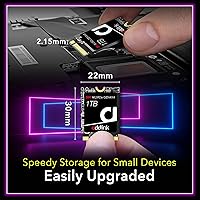
  • Form Factor: M.2 2230 module measuring 30(L) x 22(W) x 2.15(H) mm, designed for compact device M.2 slots.
  • Interface: Operates over a PCIe Gen4x4 interface using the NVMe 1.4 protocol for low-latency data transfers.
  • Sequential Read: Rated sequential read speed reaches up to 4900 MB/s under optimal host controller conditions.
  • Sequential Write: Rated sequential write speed reaches up to 3200 MB/s under optimal host controller conditions.
  • NAND Type: Uses 3D NAND flash memory for improved storage density, endurance, and power efficiency.
  • Cache Architecture: Employs SLC caching alongside HMB (Host Memory Buffer) with no dedicated on-drive DRAM chip.
  • Key Type: Uses an M Key edge connector, the standard interface for NVMe M.2 drives in modern devices.
  • Backward Compat.: Backward compatible with PCIe Gen3x4 slots, enabling use in older laptops and platforms.
  • Compatibility: Confirmed compatible with Valve Steam Deck, ASUS ROG Ally, and select Surface and Intel/AMD-based slim laptops.
  • Drive Features: Supports SMART monitoring, TRIM, active Thermal Throttling, and SmartECC error correction.
  • Dimensions: Physical size is 1.18 x 0.87 x 0.08 inches (approximately 30 x 22 x 2.15 mm).
  • Weight: Weighs 0.634 oz, adding negligible mass to any portable device or handheld gaming console.
  • Warranty: Covered by a 5-year limited warranty provided directly by Addlink.
  • Market Rank: Holds a #190 Best Seller rank in the Internal Solid State Drives category on Amazon.

Related Reviews

KingSpec NX 1TB M.2 2230 NVMe SSD
74%
88%
Read Performance
63%
Write Performance
94%
Form Factor Fit
86%
Installation Experience
89%
Value for Money
More
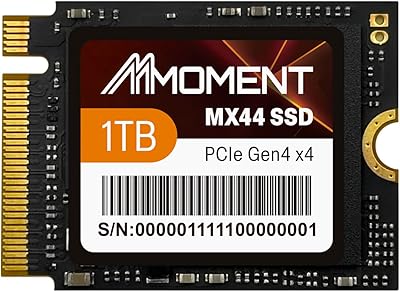
MMOMENT MX44 1TB M.2 2230 NVMe SSD
78%
88%
Real-World Read Performance
82%
Write Speed & Responsiveness
93%
Form Factor Compatibility
91%
Installation Experience
67%
Thermal Management
More
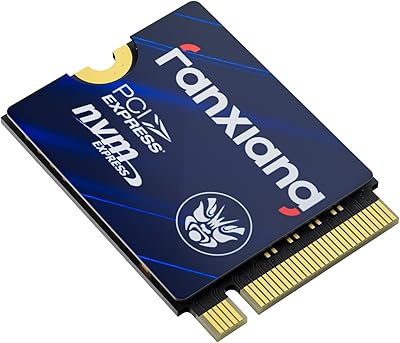
fanxiang S630 1TB M.2 2230 NVMe SSD
80%
88%
Read Speed Performance
74%
Write Speed Performance
81%
Device Compatibility
79%
Thermal Management
93%
Installation Experience
More
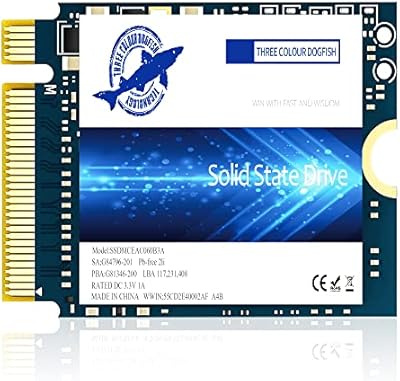
Timetec 1TB M.2 2230 NVMe SSD
78%
93%
Device Compatibility
88%
Installation Experience
84%
Read Performance
79%
Write Performance
62%
Thermal Management
More
Dogfish M.2 2230 NVMe PCIe 4.0 1TB SSD
87%
94%
Performance
93%
Read Speed
91%
Write Speed
89%
Compatibility
88%
Ease of Installation
More
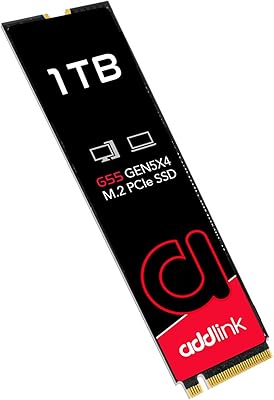
Addlink G55 1TB PCIe 5.0 NVMe M.2 SSD
88%
94%
Performance
96%
Read Speed
90%
Write Speed
88%
Ease of Installation
92%
Compatibility
More
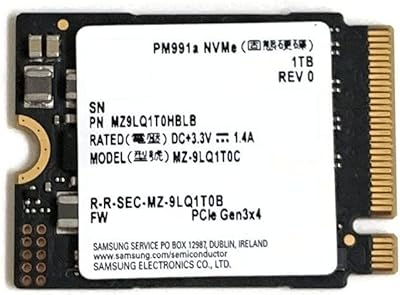
Samsung PM991a 1TB M.2 2230 NVMe SSD
73%
94%
Form Factor Compatibility
88%
Read Performance
74%
Write Performance
91%
Storage Capacity
87%
Build & Component Quality
More
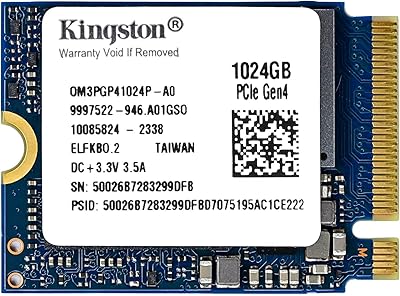
Kingston OM3PGP41024P-A0 1TB M.2 2230 SSD
83%
82%
Real-World Speed
94%
Form Factor Fit
89%
Installation Ease
67%
Thermal Behavior
85%
Value for Money
More
KingSpec XF-2230 1TB M.2 2230 SSD
77%
88%
Read/Write Performance
81%
Thermal Management
84%
Installation Experience
79%
Value for Money
63%
Brand Trust & Reputation
More
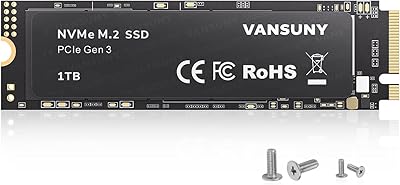
Vansuny X15 1TB NVMe M.2 SSD
77%
82%
Read & Write Performance
89%
Value for Money
91%
Installation Ease
58%
Brand Reliability
86%
Capacity Utility
More

FAQ

Yes — the Addlink S91 1TB M.2 2230 NVMe SSD uses the 2230 form factor that the Steam Deck physically requires, and users consistently report it is detected by SteamOS immediately without any manual configuration. You will need a small Phillips screwdriver and should follow Valve's official storage replacement guide to complete the swap safely.

It does. The ROG Ally only accepts a 2230 M.2 drive, and this compact NVMe drive slots in as a direct replacement. Multiple ROG Ally owners report a noticeable improvement in game load times compared to the stock drive.

HMB (Host Memory Buffer) lets the drive borrow a small portion of your system RAM for address mapping instead of using dedicated on-drive DRAM — it is a cost-reduction trade-off, not a premium feature. For gaming and everyday tasks it is mostly invisible, but if you regularly transfer very large sequential files, you may notice write speeds drop once the SLC cache fills. For handheld gaming upgrades, this rarely becomes a practical concern.

Realistically, no. Power-limited handheld devices throttle peak throughput, and real-world sequential read speeds in these enclosures land noticeably below the rated maximum. The Addlink S91 still delivers a meaningful upgrade over base handheld storage — just go in knowing that the spec sheet reflects ideal lab conditions, not what a constrained device sustains under normal use.

You need to confirm your specific laptop uses a 2230-length M.2 slot before ordering — many thin-and-light machines still use the standard 2280 size, and the two are not interchangeable. Check your laptop's service manual, the manufacturer's product page, or search your model number alongside the terms M.2 slot size to find the answer before committing.

Yes, and it is fairly painless. Free tools like Macrium Reflect, Clonezilla, or AOMEI Backupper work well with this 2230 Gen4 SSD, and laptop users report smooth Windows migrations without a clean reinstall. For Steam Deck upgrades, SteamOS handles new storage formatting automatically once the drive is seated.

It can run warm under sustained load, but this is a thermal reality of all compact Gen4 drives operating inside tight, thermally limited enclosures — it is not a flaw unique to the Addlink S91. The drive includes active thermal throttling, which reduces speeds before temperatures reach a damaging level. In typical gaming sessions the heat is manageable, and the protection mechanism keeps it from becoming a reliability concern.

Yes — this compact NVMe drive is backward compatible with PCIe Gen3x4 slots, so it will function in laptops that do not support Gen4. You will not reach Gen4 peak speeds, but it will operate reliably as a Gen3 drive with no additional configuration needed.

The drive carries a 5-year limited warranty, which is a strong coverage period and on par with what major brands offer in this category. Addlink is a Taiwanese storage manufacturer with an established product line, though their regional support infrastructure is smaller than household names like Samsung or Western Digital, so it is worth factoring that in if global after-sales support is a priority for you.

Practically speaking, no. Desktop builds almost universally accommodate the standard 2280 M.2 form factor, where you will find more capacity options, often better sustained performance, and lower cost per gigabyte. This 2230 Gen4 SSD earns its place in devices where the shorter length is a physical necessity — putting it in a desktop means paying a compact-form-factor premium without gaining anything in return.