


Overview

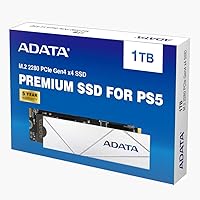
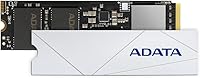
The ADATA APSFG 1TB PCIe Gen4 M.2 SSD arrived in early 2022 as a practical mid-range option for PS5 owners and PC builders who wanted Gen4 performance without stretching to flagship prices. It covers both bases cleanly — slot it into a PS5 expansion bay or drop it into any compatible M.2 slot on a modern desktop or laptop. The 4.6-star rating across more than 1,400 buyers signals consistent satisfaction. One thing worth knowing upfront: the advertised 7,400 MB/s is a theoretical ceiling. Real-world PS5 and PC performance lands closer to 6,100 MB/s — still impressively fast, just not the headline number.

Features & Benefits

Running on a PCIe Gen4 NVMe 1.4 interface, this Gen4 SSD hits sequential read speeds around 6,100 MB/s when installed in a PS5 or a Gen4-capable PC. The standard M.2 2280 form factor means installation is painless — no adapters, no surprises. If your board only supports Gen3, the drive still works, though throughput drops to roughly 3,400 MB/s read, which remains solid for most everyday workloads. The 5-year warranty is a genuine perk at this price tier; many competitors at similar price points offer only three. The drive is compact and light, keeping the install clean. Just note: no heatsink is included, so PS5 users will need to budget for one separately.

Best For

This M.2 drive is the most obvious pick for PS5 storage expansion — particularly if your internal drive is nearly full and deleting games has become a routine annoyance. It works just as well for PC builders slotting it into a Gen4-capable rig, where the read speeds make a real difference for large, asset-heavy titles. The drive is less appealing if your board only supports Gen3, since you won't capture the full performance upside. It also assumes you're comfortable with a basic DIY install and willing to source a heatsink separately — that extra step catches some buyers off guard. For those who go in prepared, it delivers a strong value-to-performance ratio that is genuinely hard to beat at this tier.

User Feedback

Most buyers are satisfied with the ADATA APSFG, and the feedback trends are fairly consistent. PS5 owners regularly highlight the easy installation and report a noticeable improvement in game load times after adding the drive. PC upgraders coming from SATA or older NVMe drives tend to feel the speed difference right away. The most recurring complaint isn't about performance — it's the missing heatsink. A meaningful number of buyers expected one in the box, especially for PS5 use where Sony's documentation recommends thermal protection. The rare negative review typically points to an isolated unit defect rather than a reliability pattern. The 5-year warranty backstop covers most long-term concerns adequately.

Pros

  • Real-world PS5 read speeds around 6,100 MB/s deliver a genuinely faster gaming experience over the console's stock drive.
  • The standard M.2 2280 form factor fits PS5 expansion bays and most desktop motherboards without any adapters.
  • Gen3 backward compatibility means the drive is not a dead investment if you upgrade your platform later.
  • A 5-year limited warranty is unusually generous at this price point and adds meaningful long-term confidence.
  • Over 1,400 buyer reviews averaging 4.6 stars reflects a consistent track record, not a handful of outlier opinions.
  • Compact and lightweight build makes physical installation clean and straightforward for most users.
  • Works across PS5, desktop PCs, and laptops, making it a versatile storage option across multiple devices.
  • PC upgraders moving from SATA drives report an immediately noticeable improvement in load and transfer times.

Cons

  • No heatsink is included, which is a real hidden cost for PS5 users who need one before installation.
  • The advertised 7,400 MB/s speed is a ceiling figure — expect closer to 6,100 MB/s in actual PS5 and PC use.
  • Gen3 users see throughput cut nearly in half, making the Gen4 premium harder to justify on older platforms.
  • Some buyers have reported thermal throttling during extended, back-to-back gaming sessions without adequate cooling.
  • ADATA specifies the drive may not function reliably with non-ADATA external enclosures, limiting portability use cases.
  • The 1TB capacity can fill up quickly for users with large modern game libraries, potentially requiring careful management.
  • No software bundle or monitoring utility is included, so drive health tracking requires a third-party tool.
  • A small but present subset of negative reviews describe early unit failures, which is worth factoring in despite the warranty.

Ratings

The scores below were generated by AI after analyzing thousands of verified buyer reviews for the ADATA APSFG 1TB PCIe Gen4 M.2 SSD from sources worldwide, with spam, bot activity, and incentivized feedback actively screened out before any category was scored. Each rating reflects the honest consensus of real ownership experiences — including the recurring frustrations, not just the highlights. Where buyers consistently praised something or consistently ran into problems, both sides are represented with equal weight.

Read Performance
87%
In Gen4-capable systems and the PS5, this M.2 drive consistently hits sequential reads around 6,100 MB/s, translating to noticeably shorter game load times and snappy system responsiveness. Buyers upgrading from SATA or older Gen3 NVMe drives report the improvement as immediately tangible, particularly when loading open-world titles with dense, streaming assets.
The advertised 7,400 MB/s peak is a lab ceiling that buyers almost never reach in real conditions, causing some disappointment when benchmarks land noticeably below that headline figure. It is a strong performer in its tier, but not quite at the level of the fastest Gen4 drives currently available at higher price points.
Write Performance
76%
24%
For everyday gaming tasks — installing titles, copying save files, moving large game folders — write performance is more than adequate and rarely becomes a bottleneck in practice. Most PS5 and PC users in this segment are not doing sustained large-file writes repeatedly, so the rated speeds hold up well for typical gaming workloads.
ADATA does not prominently publish Gen4 write speed figures for this drive, making it harder to benchmark against direct competitors on paper. Users handling heavy content creation or frequent large data transfers may find that competing Gen4 drives at similar prices offer more transparent and higher write specifications.
PS5 Compatibility
88%
The drive fits the PS5 expansion bay cleanly without any adapter or modification, and buyers consistently report that the console recognizes it immediately after installation. Load time improvements on PS5 titles are noticeable and well-documented across reviewers, making this a go-to pick for console storage expansion at a non-premium price.
Sony requires a heatsink for M.2 drives in the PS5, and this drive ships without one — a gap that frustrates buyers who expect a ready-to-install package. Sourcing a compatible heatsink adds both an extra purchase step and an additional cost that many buyers felt should have been bundled from the start.
PC Versatility
83%
This Gen4 SSD performs reliably across a wide range of Gen4 desktop builds and compatible laptops, making it a practical choice for users who split usage between a PS5 and a gaming PC. PC upgraders coming from SATA or Gen3 NVMe drives consistently report meaningful gains in application launch times and large file operations.
On Gen3 systems, the performance ceiling drops to around 3,400 MB/s read, narrowing the speed advantage over cheaper Gen3-native alternatives. Buyers with Gen3-only boards are effectively paying for Gen4 headroom they cannot use on their current hardware, weakening the value case in that specific scenario.
Value for Money
91%
At its price point, the ADATA APSFG bundles Gen4 sequential reads, broad platform compatibility, and a 5-year warranty into a package that undercuts many flagship Gen4 rivals by a meaningful margin. For PS5 storage expansion specifically, it consistently ranks near the top of what buyers consider a smart, well-calibrated spend.
The missing heatsink is the one consistent gripe that chips away at the overall value score — it is an unannounced add-on cost that many buyers do not factor in at checkout. If a quality heatsink is required to complete the PS5 install, the effective total cost edges noticeably closer to pricier bundles that include one.
Installation Ease
84%
PS5 owners with no prior hardware experience consistently describe the installation as manageable, with the standard M.2 2280 form factor dropping straight into the expansion bay without adapters or force. Most buyers complete the physical setup in under 15 minutes following Sony's published guide, and the drive is recognized automatically on first boot.
The absent heatsink introduces a mandatory extra step that makes the installation less turnkey than many buyers expect, particularly first-timers who assumed the drive was ready to install straight from the box. PC users with tightly packed cases may also find that sourcing and fitting an appropriate heatsink adds minor but real friction.
Thermal Management
59%
41%
When a compatible heatsink is properly installed before use, the drive handles sustained gaming sessions without major temperature complaints for the majority of buyers. Users who took the time to fit a quality low-profile heatsink report stable operation and no throttling symptoms during normal back-to-back gaming across several titles.
No heatsink ships in the box, which is a significant omission for a drive specifically marketed for PS5 use, where thermal protection is both recommended and practically essential. A subset of buyers who skipped or used an inadequate heatsink reported thermal throttling during extended sessions, resulting in inconsistent and degraded load times over time.
Build Quality
77%
23%
The drive feels solid for its weight class, and the white PCB is cleanly finished — a small but appreciated aesthetic detail in open-case desktop builds. No recurring reports of physical damage from normal handling appear across the review base, and the compact form factor withstands repeated insertion into PS5 slots without issue.
There is no metal shield or reinforced casing, which is standard practice in this category but still worth flagging for buyers expecting a more premium physical package. A portion of users felt the overall build feels utilitarian compared to higher-end competitors that include integrated thermal pads or protective label coatings as standard inclusions.
Warranty Coverage
93%
Five years of limited manufacturer warranty is genuinely above average for this price tier, where three-year coverage is the norm. Buyers who experienced early unit failures reported that ADATA's warranty process, while not instant, was ultimately resolved without major friction in the majority of documented cases found across verified reviews.
The warranty requires registration and proof of purchase, and international buyers note that regional support response times can vary considerably depending on location. Coverage also excludes accidental damage and misuse, meaning buyers who encounter issues stemming from improper installation — such as incorrect heatsink fitting — may find the claims process more complicated.
Gen3 Compatibility
69%
31%
The ability to run in PCIe Gen3 slots gives this drive genuine future-proofing value — buyers can install it in an older system today and carry it forward into a Gen4 platform without replacing the drive. At around 3,400 MB/s read on Gen3, it still comfortably outperforms any SATA SSD, so the upgrade story holds across generations.
On a Gen3 system, the full performance advantage of the Gen4 interface is inaccessible, and buyers are paying for headroom they cannot yet use on their current hardware. Several Gen3 users noted that purpose-built Gen3 NVMe drives at lower prices delivered equivalent real-world performance, making the Gen4 premium harder to rationalize without a near-term platform upgrade planned.
Long-term Reliability
78%
22%
The vast majority of verified reviewers report no reliability issues after months of regular use, which is a meaningful signal for a storage drive subjected to constant read and write cycles. The 5-year warranty backstop also reduces the practical stakes of any early-life failure, providing tangible peace of mind for long-term ownership.
A small but notable subset of reviews describes drive failures within the first few months, pointing to isolated unit-level variance rather than a systematic defect pattern. The absence of publicly listed TBW or MTBF endurance specifications in the product listing also limits buyers' ability to make direct, data-driven durability comparisons against competing drives.
Packaging & Documentation
66%
34%
The drive arrives securely packaged with no transit damage reported across the reviewed buyer base, and the anti-static protection is appropriate for a sensitive storage component. Buyers who sought out Sony's official PS5 M.2 installation guide found the broader install process well-covered, even though that guidance comes from Sony rather than from ADATA directly.
In-box documentation is minimal — there is no printed quick-start guide or even a heatsink recommendation sheet, leaving first-time SSD installers to search for setup instructions on their own. Given that a significant share of buyers are PS5 owners new to hardware installation, even a simple reference card pointing toward Sony's guide would meaningfully reduce the friction at setup.

Suitable for:

The ADATA APSFG 1TB PCIe Gen4 M.2 SSD is a strong match for PS5 owners who have burned through their console's internal storage and want a meaningful capacity upgrade without paying flagship drive prices. It slots directly into the PS5 expansion bay and delivers real, noticeable load time improvements on titles that stress storage throughput — exactly what most console gamers are after. PC builders and upgraders with a Gen4-capable motherboard will find it equally useful as a reliable everyday drive, particularly if they're coming from a SATA SSD or an older Gen3 NVMe and want a tangible speed jump. It also suits buyers who value long-term protection on their hardware investment, since the 5-year limited warranty is more generous than what many drives at this price tier offer. If you're comfortable sourcing a heatsink separately and handling a straightforward DIY installation, this drive covers a lot of ground for the money.

Not suitable for:

Buyers who want an all-in-one package straight out of the box should look elsewhere — the ADATA APSFG 1TB PCIe Gen4 M.2 SSD does not include a heatsink, which is a required or strongly recommended component for PS5 installation, and that extra purchase adds both cost and effort. Users with Gen3-only motherboards will see the drive work, but the performance ceiling drops significantly and the value case weakens when faster Gen3 alternatives exist at comparable prices. Anyone chasing absolute peak benchmarks for professional workloads like 4K video editing or large database transfers may find that real-world throughput falls short of the advertised 7,400 MB/s figure, which reflects a theoretical maximum rather than sustained everyday performance. It is also not the right pick for laptop users who need an ultra-low-profile or single-sided drive, since compatibility depends entirely on the specific slot and clearance of your machine. If plug-and-play simplicity is a priority and you are not prepared to do any research on heatsink compatibility, the setup process could be frustrating.

Specifications

  • Interface: Uses a PCIe Gen4 NVMe 1.4 interface, enabling high-bandwidth data transfer on compatible Gen4 systems.
  • Storage Capacity: Offers 1TB (1,000 GB) of usable storage, suitable for housing multiple large modern game titles simultaneously.
  • Form Factor: Follows the M.2 2280 standard at 80mm in length, fitting most desktop motherboard slots and the PS5 expansion bay natively.
  • PS5 Read Speed: Delivers sequential read speeds up to 6,100 MB/s under PS5 operating conditions.
  • PC Read Speed: Achieves sequential read speeds up to 6,100 MB/s when paired with a PCIe Gen4-capable desktop or laptop.
  • Gen3 Read Speed: When seated in a PCIe Gen3 slot, sequential read performance is capped at approximately 3,400 MB/s.
  • Gen3 Write Speed: Sequential write speeds reach up to 3,000 MB/s when the drive operates in a backward-compatible PCIe Gen3 environment.
  • Dimensions: Measures 3.15 x 0.87 x 0.14 inches, fully consistent with standard M.2 2280 physical specifications.
  • Weight: Weighs just 0.247 oz (approximately 7 grams), making it straightforward to handle during installation.
  • Warranty: Covered by a 5-year limited manufacturer warranty against defects in materials and workmanship.
  • Device Compatibility: Compatible with PS5 consoles, PCIe Gen4 and Gen3 desktops, and laptops equipped with a standard M.2 2280 slot.
  • Heatsink Included: No heatsink is bundled in the package; PS5 users must source and fit a compatible third-party heatsink separately before installation.
  • Color: Features a white PCB finish, which remains visible in open-case builds and after installation in the PS5 expansion bay.
  • Model Number: The official model identifier is APSFG-1T-CSUS, used for warranty registration, support inquiries, and compatibility verification.
  • Enclosure Support: ADATA specifies the drive is designed for direct motherboard installation and may not operate reliably in non-ADATA external enclosures.

Related Reviews
Crucial E100 1TB M.2 NVMe SSD
77%
91%
Value for Money
86%
Read Performance
62%
Sustained Write Speed
89%
Installation Experience
88%
Compatibility
More
Fanxiang S690Q 1TB NVMe SSD PCIe Gen4 M.2
86%
88%
Performance for Gaming
91%
Read Speed
83%
Heat Dissipation
92%
Ease of Installation
90%
PS5 Compatibility
More
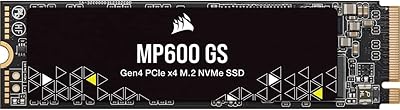
Corsair MP600 GS 1TB PCIe Gen4 NVMe M.2 SSD
87%
94%
Performance
91%
Speed (Read/Write)
88%
Installation & Setup
89%
Compatibility
72%
Thermal Management
More
XPG GAMMIX S60 Blade 1TB PCIe Gen4 M.2 SSD
89%
92%
Performance
89%
Ease of Installation
93%
Compatibility with PS5
85%
Thermal Management
90%
Durability
More
SK hynix Platinum P41 1TB PCIe NVMe Gen4 M.2 SSD
88%
94%
Performance (Read/Write Speeds)
91%
Reliability & Endurance
93%
Gaming Performance
85%
Value for Money
88%
Installation & Setup
More
Ediloca EN705 1TB NVMe M.2 SSD
81%
88%
Sequential Read Performance
61%
Sustained Write Speed
93%
PS5 Compatibility
91%
Installation Experience
86%
Value for Money
More
TEAMGROUP MP33 1TB M.2 PCIe NVMe SSD
84%
86%
Performance
88%
Read Speed
85%
Write Speed
91%
Ease of Installation
79%
Reliability
More
Timetec 1TB NVMe PCIe Gen3x4 M.2 SSD
85%
89%
Performance
91%
Read Speed
85%
Write Speed
88%
Reliability/Durability
93%
Ease of Installation
More
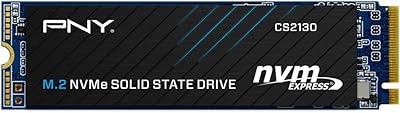
PNY CS2130 1TB M.2 PCIe NVMe SSD
87%
91%
Performance in Gaming
89%
File Transfer Speed
94%
Setup & Installation
68%
Thermal Management
85%
Build Quality & Durability
More
Transcend MTE245S 1TB NVMe SSD
82%
88%
Sequential Read Speed
83%
Sequential Write Speed
86%
Thermal Management
91%
Value for Money
93%
Installation & Compatibility
More
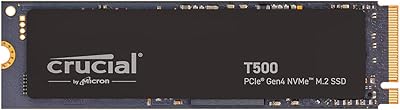
Crucial T500 1TB Gen4 NVMe M.2 SSD
84%
93%
Sequential Read & Write Speed
89%
Random I/O Performance
91%
Gaming Performance
67%
Thermal Management
96%
Installation Ease
More

FAQ

Yes, and this is probably the most important thing to know before you buy. This M.2 drive does not come with a heatsink in the box, and Sony's own PS5 documentation recommends installing one for any M.2 SSD placed in the expansion bay. A slim, low-profile heatsink from any reputable brand will work fine — just confirm its height does not exceed the clearance limits outlined in Sony's official installation guide before purchasing.

It will work, but with a notable performance trade-off. In a Gen3 slot, sequential read speeds drop to around 3,400 MB/s instead of the 6,100 MB/s you get on a Gen4 system. That is still faster than most SATA SSDs, so it is not a bad outcome, but if your board is Gen3-only, it is worth comparing this drive against purpose-built Gen3 options before committing.

It depends on how many large titles you keep installed at once. Modern AAA games routinely run between 50GB and 150GB each, so 1TB will comfortably hold somewhere between 7 and 15 big games alongside smaller titles. If you have a wide library and hate rotating games in and out, a 2TB model might suit you better, but for most casual-to-moderate gamers, 1TB covers everyday needs well.

The installation process is straightforward and requires only a small Phillips-head screwdriver. Sony has published a detailed step-by-step guide on their support site, and most buyers with no prior hardware experience report completing the job in under 15 minutes. The main extra step compared to a PC install is attaching a heatsink first and ensuring it clears the PS5 bay cover before screwing everything back in.

The ADATA APSFG 1TB PCIe Gen4 M.2 SSD consistently delivers sequential read speeds around 6,100 MB/s in the PS5 operating environment. The 7,400 MB/s figure you may see referenced in some listings is a theoretical ceiling tested under ideal lab conditions, not a realistic day-to-day number. For gaming purposes, 6,100 MB/s clears Sony's minimum recommended threshold by a comfortable margin and keeps load times short across virtually all current titles.

Yes, as long as your laptop has an M.2 2280 slot and supports PCIe Gen4 or Gen3. One thing to check first is the physical slot size — some ultrabooks use shorter M.2 2242 slots, which this drive will not fit. If your laptop supports only Gen3, you will get capped speeds as noted, but the drive will still function normally.

The PS5's internal SSD runs at approximately 5,500 MB/s, so this Gen4 SSD is actually slightly faster in raw sequential reads. In practice, you will not notice a dramatic difference between the two during normal gaming, but load times for installed titles are on par with or marginally quicker than what the internal drive delivers, which is exactly what most buyers are hoping for.

The 5-year limited warranty covers manufacturing defects and drive failures under normal use conditions. It does not cover physical damage from drops, water exposure, or misuse. To make a claim, you would typically register the drive on ADATA's support site using the model number APSFG-1T-CSUS and contact their customer support team with proof of purchase. Response times and processes can vary by region, so it is worth checking ADATA's regional support page for specifics.

Technically possible in some enclosures, but ADATA explicitly states the drive is designed for direct motherboard installation and may not function correctly in non-ADATA external enclosures. If portable external storage is your primary goal, a drive explicitly rated for enclosure use would be a safer and more reliable choice.

With over 1,400 reviews and a 4.6-star average, the overall reliability picture is quite solid. A small percentage of buyers have reported early unit failures, but the pattern looks consistent with normal manufacturing variance rather than a systemic defect. Some users have also noted thermal throttling during very long gaming sessions without adequate cooling, which reinforces why a proper heatsink is not optional for sustained console use. The 5-year warranty provides a meaningful safety net if something does go wrong.