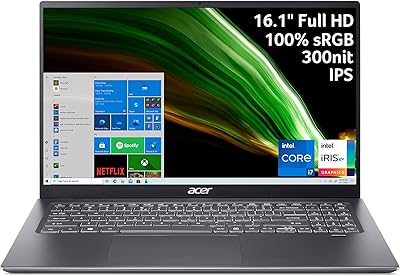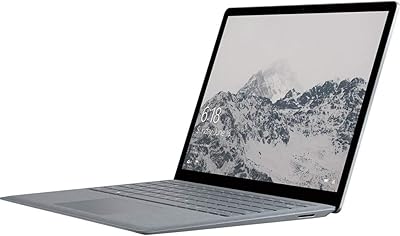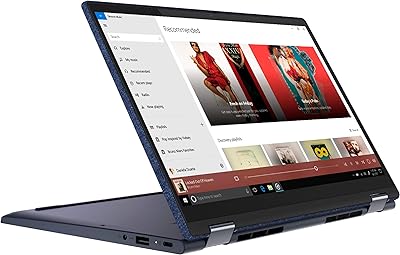

Overview

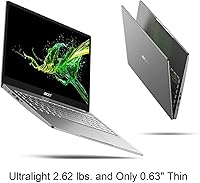
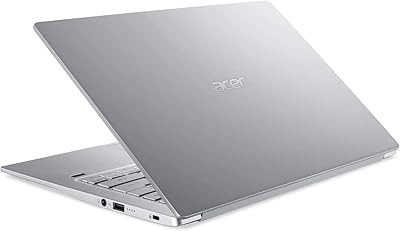
The Acer Swift 3 13.5-inch Laptop is a slim, productivity-focused ultrabook built for students and professionals who need a reliable machine they can actually carry around all day. At under three pounds and barely over half an inch thick, portability is a genuine strength here, not just a marketing claim. What sets it apart from the typical thin-and-light crowd is the 3:2 aspect ratio display — that taller screen real estate makes a real difference when scrolling through documents or working in spreadsheets. It carries Intel Evo certification, meaning it meets verified thresholds for responsiveness and battery endurance. Just go in with clear eyes: this is capable everyday hardware, not a powerhouse.

Features & Benefits

The 2256x1504 IPS panel is where this thin-and-light earns its keep for productivity users — the extra vertical space compared to a standard widescreen means less scrolling and more content visible at once. The Core i7 processor handles typical workloads without complaint: browser-heavy research sessions, video calls, light photo editing, and office apps all run smoothly. A Thunderbolt 4 port is a welcome inclusion, opening the door to fast external drives and dock setups. Wi-Fi 6 keeps wireless connections stable on modern networks. The backlit keyboard and fingerprint reader are small touches that add up to a noticeably polished daily experience. Battery longevity varies by use, but moderate workdays are comfortably covered.

Best For

This Acer ultrabook hits a sweet spot for college students and remote workers who spend most of their time in documents, spreadsheets, or browser-based tools. The tall screen genuinely changes how comfortable it is to read long-form content — something many buyers only appreciate after using it. It is also a solid upgrade path for anyone migrating from a Chromebook or an older budget machine who wants more power without lugging around extra weight. That said, gamers and video editors should look elsewhere — there is no discrete GPU here. Anyone expecting to upgrade RAM down the road will be disappointed too, since memory is soldered and permanently fixed at 8GB.

User Feedback

Owners of the Swift 3 consistently praise the display — the taller screen format is one of the first things buyers mention, and most find the picture quality sharp and easy on the eyes during long sessions. The keyboard draws positive marks for comfort, and the fingerprint reader works reliably. Where opinions diverge is around thermals: some users report the fan spinning up noticeably under sustained loads, though it rarely becomes disruptive for lighter tasks. The non-upgradeable RAM is the most common long-term concern, with buyers worried about longevity as software demands grow. A few flag the webcam quality as underwhelming, and real-world battery life, while solid, rarely matches the advertised figure.

Pros

  • The 3:2 display ratio gives noticeably more vertical screen space, making documents and web pages far more comfortable to read.
  • At under three pounds, this thin-and-light is genuinely easy to carry through a full day of classes or travel.
  • Intel Evo certification ensures a minimum standard of responsiveness — it wakes fast and does not lag on everyday tasks.
  • The Thunderbolt 4 port is a forward-thinking inclusion that supports docks, fast storage, and external displays.
  • Wi-Fi 6 support delivers faster, more stable wireless connections on modern routers.
  • The backlit keyboard and fingerprint reader are polished details that feel premium for the price tier.
  • A 512GB NVMe SSD keeps boot times and file transfers snappy without the sluggishness of older storage.
  • Battery life, while variable, holds up well through moderate workdays without needing the charger mid-afternoon.
  • The IPS panel produces sharp, accurate colors that hold up well for productivity and casual media consumption.

Cons

  • RAM is soldered and non-upgradeable, locking buyers into 8GB with no path to expand as needs grow.
  • Real-world battery life rarely matches the advertised figure under active, mixed-use conditions.
  • The built-in webcam quality is mediocre and will disappoint anyone who relies on video calls professionally.
  • Sustained workloads cause the fan to spin up noticeably, which can be distracting in quiet environments.
  • Integrated graphics rule out any meaningful gaming or GPU-accelerated creative work.
  • The display, while tall and sharp, is not touch-enabled, which some buyers expect at this price point.
  • Only one USB-C port is available, which can create conflicts when charging and using peripherals simultaneously.
  • Windows 10 Home ships as the base OS, and an upgrade to Windows 11 may introduce compatibility considerations on older hardware.
  • No headphone jack concerns have surfaced in some configurations — buyers should verify port layout before purchasing.

Ratings

Our AI rating system analyzed thousands of verified global user reviews for the Acer Swift 3 13.5-inch Laptop, actively filtering out incentivized, duplicate, and bot-generated feedback to surface what real buyers actually experience. The scores below reflect both the genuine strengths that keep owners satisfied and the recurring frustrations that surface after weeks of daily use. Nothing has been glossed over — the trade-offs are as visible as the highlights.

Display Quality
88%
The IPS panel earns consistent praise for its sharpness and color accuracy during long reading and writing sessions. The taller 3:2 format is frequently described as a revelation by users coming from standard widescreen laptops — more document visible, less scrolling required throughout the workday.
Some users note the display lacks the brightness needed for comfortable outdoor use in direct sunlight. A handful of reviewers also wished for touch capability at this screen size, which is absent on this model.
Portability
91%
At under three pounds with a chassis barely over half an inch thick, the Swift 3 draws repeated praise from students and commuters who carry it daily. Slipping it into a backpack alongside textbooks or a carry-on bag barely registers — owners describe it as one of the least intrusive laptops they have owned.
The slim profile does mean some thermal compromises are baked in by design, and a small number of users feel the all-aluminum chassis, while attractive, picks up minor dents more easily than thicker plastic-bodied alternatives.
Everyday Performance
83%
For the workloads this machine is designed around — browser tabs, video calls, office applications, and light content editing — the Core i7 processor handles everything without hesitation. Users regularly describe it as snappy and responsive during typical workday multitasking, with no frustrating lag when switching between apps.
Push it with sustained CPU-heavy tasks and performance throttling becomes noticeable, with the fan audibly compensating. It is not a machine for demanding workflows, and users who occasionally need to run heavier software report that patience is required during those sessions.
Battery Life
74%
26%
Under moderate use — documents, light browsing, occasional video calls — the Swift 3 comfortably covers a full workday for most users without needing a charger mid-afternoon. Students who shuttle between classes report it lasting from morning lectures through evening study sessions.
The advertised 14-hour figure rarely materializes in real-world conditions; active mixed-use typically lands in the 7 to 9 hour range. Users who run demanding applications or keep screen brightness elevated report even shorter runtime, which can be a surprise given the marketing claims.
RAM & Upgradeability
47%
53%
For buyers who understand the limitation upfront, 8GB is adequate for typical productivity tasks and light multitasking as of purchase. Users who keep tabs and apps lean report no performance issues during the first year of ownership.
The soldered, non-upgradeable RAM is the single most common complaint across verified reviews, and with good reason — 8GB cannot be expanded as software demands grow over time. Buyers who plan to keep a laptop for three or more years cite this as a dealbreaker, and it meaningfully caps the long-term value of the machine.
Keyboard & Typing Experience
81%
19%
The backlit keyboard receives solid marks for key travel and layout comfort, with many users noting it holds up well during extended writing sessions. The backlighting is evenly distributed and useful for working in dim environments like libraries or late-night travel.
A portion of users find the key feedback slightly shallow compared to premium ultrabooks in a higher price tier. Some also report that the backlighting has limited brightness adjustment levels, which can be a minor annoyance in very dark environments.
Touchpad
77%
23%
The trackpad is smooth and accurate enough for everyday navigation, drawing generally positive feedback from users who rely on it during commutes or when a mouse is not practical. Gesture support works reliably for common Windows actions.
Users who work heavily with fine cursor control — graphic work, detailed spreadsheets — occasionally find the tracking precision falls short of what a premium MacBook-class trackpad delivers. It is functional, not exceptional.
Build Quality
79%
21%
The aluminum chassis gives the Swift 3 a noticeably more premium feel than plastic laptops in the same price range, and most users describe it as solid with minimal flex on the keyboard deck. The slim silver finish holds its appearance well under regular daily use.
The lid shows minor flex when opened with one hand, and a few reviewers noted surface scratches appearing after a few months of bag use. It feels well-made for the tier, but it is not in the same rigidity class as a business-grade ThinkPad or premium-tier ultrabook.
Connectivity & Ports
68%
32%
The inclusion of Thunderbolt 4 is genuinely useful for users who connect docks or external displays, and the HDMI 2.0 port means plugging into a monitor or projector requires no adapter. Wi-Fi 6 adds a real-world speed advantage on compatible routers.
Only one USB-C port creates a conflict when using it for both charging and peripheral connection simultaneously. Users who need to run multiple accessories at once frequently mention needing a hub, which adds bulk and cost the machine's slim design was supposed to eliminate.
Webcam Quality
53%
47%
The webcam covers basic video calling needs for casual use — it is clear enough for a quick Teams or Zoom check-in in a well-lit room, and for students attending remote lectures it gets the job done without complaints in standard conditions.
Low-light performance is genuinely poor, producing grainy, washed-out footage that becomes an embarrassment in professional settings. This is one of the most consistently flagged disappointments among verified buyers, and remote workers who are on camera daily frequently end up purchasing an external webcam.
Thermal Management
66%
34%
During typical productivity use, the machine stays quiet and the palm rest remains comfortable at room temperature. Light taskers and students rarely encounter thermal discomfort during normal sessions involving documents and browsing.
Sustained workloads — long compile jobs, extended video calls combined with background tasks — push the fan into clearly audible territory and generate noticeable heat near the keyboard top edge. Thermal throttling under these conditions is real and measurable.
Software & OS Experience
72%
28%
Windows 10 Home comes reasonably clean for a pre-built laptop, and the fingerprint reader integrates smoothly with Windows Hello for fast, passwordless login. Most users have the machine set up and productive within an hour of unboxing.
Some pre-installed Acer utilities are considered unnecessary by users and require manual removal. The base OS is Windows 10 rather than 11, and while an upgrade path exists, the transition requires additional steps that less technical buyers find cumbersome.
Value for Money
76%
24%
For buyers who match their needs to what the Swift 3 actually delivers — productivity, portability, and a genuinely better display format — the overall package represents solid mid-range value. The Thunderbolt 4 port and Wi-Fi 6 inclusions feel above-average for the price tier.
The non-upgradeable RAM significantly undermines long-term value, making the effective lifespan shorter than a machine where memory could grow with demand. Buyers who factor in a potential hub purchase for connectivity and an external webcam find the real-world cost creeping higher than the sticker price suggests.

Suitable for:

The Acer Swift 3 13.5-inch Laptop was built with a clear buyer in mind: someone who spends most of their day in a browser, a word processor, or a spreadsheet, and needs a machine that can keep up without weighing down their bag. College students will appreciate the taller 3:2 display for reading research papers and taking notes, since it shows more content per scroll than the typical widescreen layout. Remote workers and frequent travelers benefit from the lightweight build and reliable all-day battery — not infinite, but enough to get through a full workday without hunting for an outlet. The Thunderbolt 4 port means it can grow with you, connecting to docks or external displays as your setup evolves. If you are upgrading from a Chromebook or an underpowered older laptop and want a proper Windows machine without stepping into heavy or expensive territory, this thin-and-light makes a compelling case.

Not suitable for:

The Acer Swift 3 13.5-inch Laptop has clear boundaries, and pushing past them will leave you frustrated. There is no discrete graphics card here, so anyone hoping to game beyond casual titles or run GPU-intensive creative work like 3D rendering or high-resolution video editing should look at a different class of machine entirely. The RAM is soldered to the motherboard, which means 8GB is what you have today and what you will have in three years — a real concern as operating systems and browser tabs continue demanding more memory over time. The webcam is functional but uninspiring, which matters if you are on video calls for hours daily. Power users who regularly push multiple heavy applications simultaneously will notice the thermal limits before long, with the fan audibly compensating. If longevity and upgradeability are priorities, the Swift 3 asks you to accept a fixed configuration from day one.

Specifications

  • Processor: Powered by an Intel Core i7-1165G7 with four cores, eight threads, and a boost clock reaching up to 4.7GHz for responsive everyday performance.
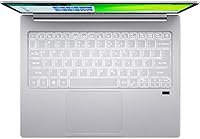
  • Display: 13.5″ IPS LED-backlit panel with a 2256x1504 resolution and a 3:2 aspect ratio, delivering sharp detail and more vertical screen space than standard widescreen laptops.
  • RAM: 8GB of LPDDR4X memory is soldered directly to the motherboard and cannot be upgraded after purchase.
  • Storage: 512GB NVMe SSD provides fast read and write speeds for quick boot times and responsive file access.
  • Graphics: Intel Iris Xe integrated graphics handle everyday visual tasks, light photo editing, and video playback without a discrete GPU.
  • Battery Life: Acer rates battery endurance at up to 14 hours, though real-world usage under active workloads typically yields a lower figure.
  • Weight: The chassis weighs 2.62 lbs, keeping it comfortably light for daily commutes and travel.
  • Dimensions: The body measures 11.91 x 9.21 x 0.63 inches, making it slim enough to slide into most laptop sleeves and bags.
  • Ports: Connectivity includes one Thunderbolt 4 port (USB-C, up to 10Gbps with DisplayPort), two USB-A 3.2 Gen 1 ports (one with power-off charging), and one HDMI 2.0 output.
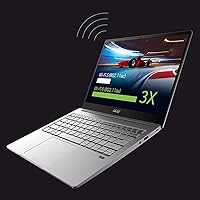
  • Wireless: Intel Wi-Fi 6 (802.11ax) is built in, supporting faster and more reliable connections on compatible Wi-Fi 6 routers.
  • Security: An integrated fingerprint reader enables Windows Hello biometric login without requiring a PIN or password.
  • Keyboard: The full-size keyboard includes adjustable backlighting for comfortable typing in low-light environments.
  • Operating System: Ships with Windows 10 Home pre-installed; eligible for upgrade to Windows 11 subject to compatibility requirements.
  • Certification: Intel Evo platform certified, confirming the system meets verified standards for responsiveness, wake speed, and battery endurance.
  • Optical Drive: No optical drive is included; external drives can be connected via USB if needed.
  • Power: Charges via a 15V DC adapter; the USB-C Thunderbolt 4 port also supports USB Power Delivery charging.
  • Color: Available in Silver with an aluminum-finished lid contributing to both the lightweight build and premium feel.

Related Reviews
Microsoft Surface Laptop 3 13.5″ Laptop
78%
93%
Display Quality
89%
Build Quality
88%
Keyboard & Trackpad
81%
Everyday Performance
74%
Battery Life
More
Acer Chromebook R 13 Convertible CB5-312T-K40U, 13.3-inch, 64GB eMMC, 4GB RAM

80%
91%
Portability & Weight
89%
Battery Life
88%
Display Quality
80%
Performance for Basic Tasks
60%
Storage Capacity
More
ikuai 3.5″ USB 3.0 Hard Drive Enclosure
80%
93%
Ease of Setup
71%
Build Quality
62%
Cable Quality & Reliability
88%
Drive Compatibility
74%
Data Transfer Speed
More
Acer Swift 3 Ryzen 7 5700U Laptop
73%
86%
Performance
91%
Display Quality
93%
Portability
52%
Battery Life
74%
Build Quality
More
Acer Swift 3 SF316-51-740H Laptop
86%
91%
Performance
89%
Display Quality
94%
Portability
88%
Build Quality
72%
Battery Life
More
Acer Swift 3 14″ i5 512GB Laptop
76%
86%
Display Quality
81%
Performance
74%
Battery Life
89%
Build & Portability
51%
RAM & Upgradeability
More
HP Essential 17 (2025) 17.3-inch Laptop, Ryzen 5, 64GB RAM, 2TB SSD
73%
88%
Value for Money
83%
Performance & Speed
93%
RAM & Multitasking Headroom
91%
Storage Capacity & Speed
79%
Display Quality
More
Lenovo Yoga 6 13.3″ 2-in-1 Laptop - Ryzen 5, 8GB RAM, 256GB SSD
85%
85%
Performance
94%
Portability & Weight
92%
Battery Life
88%
Display Quality
90%
Build Quality
More
Acer Swift 3 14-inch Ryzen 7 Laptop
73%
88%
Processing Performance
93%
Portability
74%
Display Quality
62%
Battery Life
51%
RAM & Upgradability
More
Microsoft Surface Laptop 1769 128GB
73%
91%
Build Quality
88%
Display Quality
74%
Battery Life
87%
Keyboard & Trackpad
76%
Performance
More

FAQ

Unfortunately, no. The memory on the Swift 3 is soldered directly to the motherboard, so 8GB is the permanent ceiling. This is one of the most important things to consider before buying — if you regularly run memory-heavy workloads or plan to keep the laptop for many years, it is worth factoring that limitation into your decision now.

It is genuinely noticeable in daily use. Most laptops use a 16:9 ratio designed around video content, which means less vertical space for reading and working. The taller 3:2 format on this thin-and-light shows more of a document, webpage, or spreadsheet at once, reducing how often you need to scroll. For anyone who works primarily in text-heavy or productivity apps, it is a practical upgrade over standard widescreen displays.

Acer lists up to 14 hours, but that figure reflects light, controlled testing conditions. In real-world use with a browser, multiple tabs, and Wi-Fi active, most users report landing somewhere in the 7 to 10 hour range. That is still solid for a full workday, but manage expectations if you are hoping to go two days between charges.

Not really, at least not for anything modern or graphically demanding. The integrated Intel Iris Xe graphics handle casual titles and older games reasonably well, but you will hit limits quickly with recent releases. If gaming is a priority, a machine with a dedicated GPU is a better fit.

Yes. The Thunderbolt 4 port supports USB Power Delivery, so you can charge it using a compatible USB-C charger. This is handy for travel since it gives you flexibility beyond the included barrel-connector adapter.

Under light to moderate tasks, the Swift 3 stays quiet. Push it with sustained workloads — long video exports, large compile jobs, or extended browser sessions with many tabs — and the fan becomes audible. It is not disruptive by laptop standards, but it is noticeable in quiet spaces.

For casual adjustments and basic editing workflows it performs well — the IPS panel delivers accurate colors and good viewing angles. However, if you are doing professional color grading or print-accurate work, you would want to verify the color gamut coverage and calibrate accordingly, as the display is not factory-calibrated for that level of precision.

Yes, the Acer SF313 includes a combo audio jack for headphones and microphone, so you can use standard wired headsets without an adapter.

It is serviceable but not a highlight of the machine. The built-in webcam gets the job done for routine video calls, but the image quality is average — soft, with limited low-light performance. If you are frequently on camera for professional meetings, an external USB webcam would be a worthwhile addition.

It ships with Windows 10 Home, and the hardware is generally compatible with Windows 11, including the TPM 2.0 requirement. Microsoft has flagged some 11th-gen Intel systems for compatibility, so it is worth running the PC Health Check tool before upgrading to confirm your specific unit qualifies without any feature restrictions.