





Overview

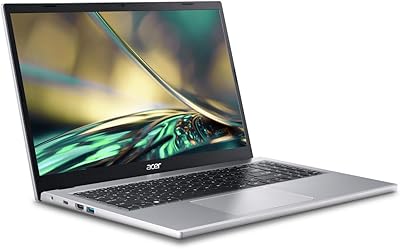
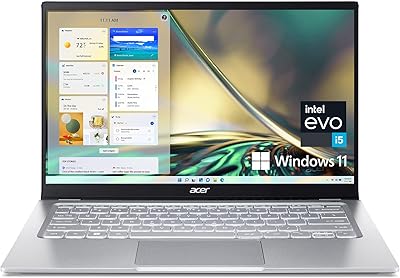
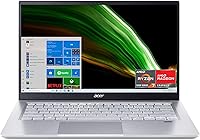
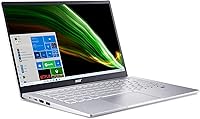
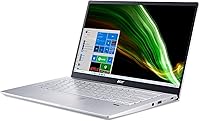
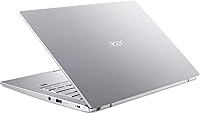
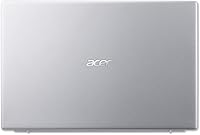
The Acer Swift 3 Ryzen 7 5700U Laptop sits in a sweet spot that budget shoppers rarely find — genuine octa-core processing power wrapped in a chassis that weighs just 2.6 pounds and measures a hair over half an inch thick. At this price tier, an AMD Ryzen 7 5700U is a meaningful differentiator; most competing machines here settle for slower, less efficient processors. The silver aluminum build feels more considered than plastic alternatives, and the 14-inch form factor is large enough to work comfortably without feeling bulky in a bag. Just know going in that the integrated Radeon graphics make this a productivity machine, not a gaming one.

Features & Benefits

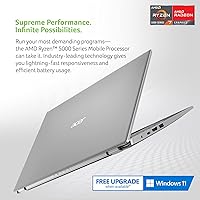
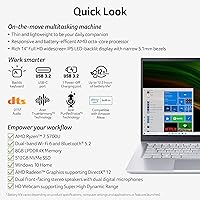
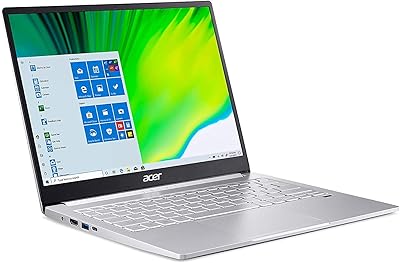
The Ryzen 7 5700U's eight cores handle multitasking without complaint — browser tabs, video calls, and office apps all run concurrently without the sluggishness you'd expect at this price. What really stands out, though, is the display. A 14″ Full HD IPS panel with 100% sRGB coverage is genuinely rare at this tier; colors are accurate enough to matter for photo editing hobbyists, not just spreadsheet work. The 512GB NVMe SSD keeps boot times short and apps responsive. Wi-Fi 6 with MU-MIMO and Bluetooth 5.2 ensure the wireless side stays competitive for years. The fingerprint reader works reliably, and the backlit keyboard is a practical bonus for anyone working in dim environments.

Best For

This thin-and-light Acer makes the most sense for students and remote workers who spend their days in browsers, document editors, and video conferencing tools. If you're upgrading from a five-year-old Intel Core i5 machine, the performance jump is real and immediately noticeable. Travelers who prioritize a light bag will appreciate the sub-three-pound weight. Light photo editors can also make good use of the color-accurate display. That said, if you run heavy virtual machines, edit 4K video, or want to game even casually, this machine will hit its limits quickly — the integrated graphics simply aren't built for that workload. Think of it as a focused productivity tool, not an all-purpose powerhouse.

User Feedback

Buyers consistently praise the display and processing headroom this Acer delivers relative to what they paid — that combination earns most of the positive reviews. Build quality draws more mixed reactions; some find the chassis feels solid for the price, while others expected more rigidity. The battery life is a legitimate sticking point: the rated four hours is short by today's standards, and real-world usage confirms it rarely stretches further. More critically, the 8GB non-upgradeable RAM draws frequent long-term concern — a machine this capable deserves room to grow. Alexa integration barely gets a mention in most reviews, positive or negative; buyers simply ignore it. Fan noise under sustained load is occasionally flagged but rarely a dealbreaker.

Pros

  • The Ryzen 7 5700U octa-core processor punches well above its weight for everyday multitasking at this price.
  • The 14-inch Full HD IPS panel with 100% sRGB coverage offers color accuracy that most competitors skip at this tier.
  • Weighing just 2.6 pounds, the Swift 3 is genuinely easy to carry all day without shoulder strain.
  • The 512GB NVMe SSD delivers fast boot times and snappy app launches right out of the box.
  • Wi-Fi 6 with MU-MIMO keeps wireless performance strong even on crowded networks.
  • The fingerprint reader with Windows Hello makes logging in quick and secure without typing a password.
  • The backlit keyboard is a practical everyday convenience that many budget laptops still omit.
  • Build quality feels a step above typical plastic budget machines, with a silver aluminum aesthetic that holds up in daily use.
  • Bluetooth 5.2 ensures stable, low-latency connections to wireless peripherals and headphones.
  • For students and remote workers, the value delivered per dollar spent is difficult to match in this segment.

Cons

  • The 8GB RAM is soldered on-board and cannot be upgraded, limiting long-term versatility as software demands grow.
  • Real-world battery life hovers around four hours, well below the all-day endurance most modern thin-and-lights offer.
  • Integrated AMD Radeon graphics rule out gaming and GPU-intensive creative work entirely.
  • Fan noise can become noticeable during sustained CPU-heavy tasks, which may be distracting in quiet environments.
  • Thermals under prolonged load can cause the chassis to warm more than expected for a machine this slim.
  • Windows 10 Home ships pre-installed, meaning a free upgrade process to Windows 11 is an extra step out of the box.
  • The Alexa integration feels tacked-on and offers little practical value to most buyers in real daily use.
  • Three USB 3.0 ports cover basics, but the absence of a Thunderbolt port limits connectivity for power users.
  • The 4-hour rated battery makes this a charger-dependent machine for anyone working longer sessions away from an outlet.
  • Buyers who need strong resale value in two to three years may find the non-upgradeable RAM ages the machine faster.

Ratings

The Acer Swift 3 Ryzen 7 5700U Laptop scores below are generated by AI after analyzing thousands of verified global user reviews, with spam, bot activity, and incentivized feedback actively filtered out. Ratings reflect the honest consensus of real buyers — students, remote workers, and everyday users — across multiple international markets. Both the standout strengths and the genuine pain points are weighted transparently so you can make a fully informed decision.

Performance
86%
For the price, the Ryzen 7 5700U octa-core chip impresses consistently. Users report smooth handling of heavy browser sessions, simultaneous video calls and document editing, and even light creative workloads without noticeable lag or stutter during normal daily routines.
Under sustained load — long compilation runs, extended rendering tasks, or multiple resource-hungry apps open together — the chip throttles more than some users expect. It is a capable everyday processor, but it is not built to hold peak performance for prolonged periods.
Display Quality
91%
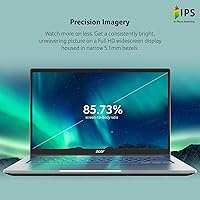
The 14″ Full HD IPS panel with 100% sRGB coverage consistently earns praise as one of the best screens available at this price tier. Colors appear vivid and accurate enough for light photo editing, and the narrow bezels give it a modern look that feels genuinely premium for the segment.
Outdoor or bright-room usability draws some criticism — peak brightness is adequate but not exceptional, and glare can become a real issue in direct sunlight. Users who work frequently near windows or outdoors may find the panel limiting in those specific conditions.
Portability
93%
At 2.6 pounds and just over half an inch thick, this is a machine that disappears into a backpack without demanding attention. Students and commuters who carry it daily consistently highlight how easy it is to forget it is there, even after a full day of travel.
The slim profile does mean that port selection is limited and the chassis has some flex under deliberate pressure, which a small number of users noticed when typing on uneven surfaces. It is a reasonable trade-off for the weight, but worth knowing.
Battery Life
52%
48%
Light users — those doing mostly text-based work at low brightness — can occasionally push past the four-hour rated mark, and a handful of buyers report being pleasantly surprised by efficiency during reading-heavy sessions or note-taking in class.
For the majority of buyers, four hours is the realistic ceiling, not a conservative estimate. This is genuinely below the standard most competing thin-and-lights set in this category, and remote workers or students with long days away from outlets frequently cite battery anxiety as their biggest frustration with this machine.
Build Quality
74%
26%
The aluminum lid and overall chassis feel noticeably more solid than all-plastic competitors in this price bracket. Most buyers are pleasantly surprised by how sturdy and grown-up the Swift 3 feels when they first open the box, especially given the relatively modest price.
Flex in the keyboard deck and base under harder typing pressure is something several users mention, and the hinge, while functional, does not feel as precisely engineered as pricier alternatives. It is not fragile, but it does not have the locked-down rigidity of a ThinkPad or MacBook either.
Value for Money
88%
An octa-core Ryzen 7 processor, an NVMe SSD, Wi-Fi 6, and a 100% sRGB display in a sub-three-pound chassis at this price is a combination that is difficult to match. Buyers upgrading from older Intel budget machines consistently express surprise at how much they are getting.
The non-upgradeable 8GB RAM does chip away at the long-term value proposition. If your needs grow in two to three years and you want more headroom, you will be buying a new machine rather than dropping in a RAM stick — which changes the true cost of ownership calculation.
RAM & Upgradability
44%
56%
8GB LPDDR4X is sufficient for the average student or office worker today — running a few dozen browser tabs, Office apps, and a video call simultaneously works without constant swapping to disk in typical workflows.
The memory is soldered on with no upgrade path, which is a significant and permanent limitation. Power users, developers, or anyone who runs virtual machines or keeps many apps open at once will feel constrained within a year or two, and there is no fix short of replacing the entire machine.
Keyboard & Typing Experience
77%
23%
The backlit keyboard is comfortable for extended writing sessions, with decent key travel and spacing for a 14-inch chassis. Remote workers and students who spend hours typing reports or emails generally rate it positively, and the backlighting levels are adjustable for different environments.
The trackpad draws mixed reactions — some find it smooth and responsive while others note inconsistency with multi-finger gestures. Key feedback is acceptable but not satisfying for users accustomed to business-class keyboards like those on Lenovo ThinkPads.
Connectivity
83%
Wi-Fi 6 with MU-MIMO is a genuine future-proofing win — on congested networks like campus Wi-Fi or shared office routers, users notice stronger, more stable connections compared to older Wi-Fi 5 machines. Bluetooth 5.2 pairs quickly and holds connections reliably.
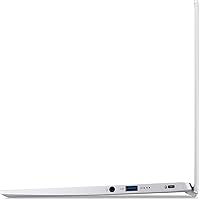
The lack of Thunderbolt and the absence of an SD card reader limit versatility for users with docking station setups or cameras. Three USB 3.0 ports cover basic needs, but anyone building a multi-device desk setup may find themselves reaching for a hub almost immediately.
Thermals & Fan Noise
63%
37%
During light tasks — browsing, writing, streaming — the Swift 3 runs quietly and stays cool to the touch. Most users in office or classroom settings report that fan noise is a non-issue during the majority of their daily computing.
Push the processor with sustained workloads and the fan becomes clearly audible, which users in quiet libraries or shared workspaces find disruptive. The bottom of the chassis also warms up noticeably under load, making lap use less comfortable during longer processing tasks.
Display Brightness
68%
32%
Indoors and in controlled lighting, the display brightness is comfortable for long sessions, and most users working in offices or at home report no eye strain during extended use at moderate brightness levels.
The maximum brightness does not compete well against direct sunlight or bright outdoor conditions. Users who frequently work on patios, in cafes with lots of natural light, or near large windows often need to crank the panel fully and still struggle with reflections.
Audio & Microphone
71%
29%
The Purified.Voice microphone processing technology is a practical bonus that many remote workers genuinely appreciate. Call participants frequently notice clearer audio pickup compared to standard budget laptop microphones, which makes a real difference in back-to-back meeting days.
The built-in speakers are serviceable for calls and casual YouTube watching but thin and bass-light when used for music or media. Users who care about audio quality for entertainment will want headphones or an external speaker almost immediately.
Software & Bloatware
59%
41%
Windows 10 Home provides a familiar, functional foundation, and the fingerprint-enabled Windows Hello login is well-implemented and saves time daily. The core operating system experience is clean enough that most users settle in quickly.
Acer includes a noticeable amount of pre-installed software and trial applications, and the Alexa integration adds background processes that many users disable almost immediately. A fresh Windows setup often feels snappier than the out-of-box experience, which is a slightly frustrating start for new buyers.
Webcam Quality
58%
42%
The webcam handles standard video calls adequately under decent indoor lighting, which covers the majority of everyday Zoom or Teams meetings without embarrassment. It is functional enough that most users do not feel compelled to purchase an external camera immediately.
Low-light performance degrades noticeably, and image clarity is average at best even in ideal conditions — a step behind what premium laptops and even some competitors at this tier offer. Anyone presenting to clients or recording video content regularly will likely want an upgrade.
Security Features
82%
18%
The fingerprint reader is well-placed, enrolls quickly, and works consistently in day-to-day use. Paired with Windows Hello, it eliminates password typing for most users and adds a meaningful layer of protection for students and remote workers using the machine in public spaces.
There is no IR camera for facial recognition, so Windows Hello is fingerprint-only. A small number of users also report occasional misreads after extended use or in dry-skin conditions, though re-enrollment typically resolves the issue.

Suitable for:

The Acer Swift 3 Ryzen 7 5700U Laptop is built for people whose daily computing revolves around productivity — students writing papers, doing research, and jumping between a dozen browser tabs will find it handles that workload with room to spare. Remote workers who spend hours on video calls and document editing will appreciate the sharp, color-accurate 14-inch display and the reliable microphone noise-cancellation that makes calls clearer without extra hardware. At just 2.6 pounds, it slides into a backpack without a second thought, which makes it a genuinely practical choice for commuters, frequent travelers, and anyone who shuttles between a campus library and a coffee shop. Those upgrading from an aging Intel Core i5 or i7 laptop from five or more years ago will notice an immediate and satisfying jump in responsiveness. Hobbyist photographers who dabble in light editing will also find the 100% sRGB panel a real advantage over the washed-out screens common at this price point.

Not suitable for:

The Acer Swift 3 Ryzen 7 5700U Laptop is the wrong tool for anyone whose workload pushes beyond everyday productivity. Gamers — even those targeting older or less demanding titles — will run into hard walls with the integrated AMD Radeon graphics; this is simply not a machine designed for gaming, and no amount of settings-tweaking will change that. Video editors working with 4K footage, 3D artists, or developers running heavy virtual machines will find the 8GB non-upgradeable RAM becomes a bottleneck faster than expected, with no path to expand it later. Users who rely on long untethered sessions should also look elsewhere — four hours of real-world battery life is genuinely short in 2024, and it means keeping a charger close at hand becomes non-negotiable. Those who need a versatile machine that can grow with demanding workflows over three to five years may find themselves outgrowing this one sooner than the price tag would suggest.

Specifications

  • Processor: The AMD Ryzen 7 5700U is an octa-core chip with a boost clock up to 4.3 GHz, built on a 7nm architecture that balances strong multi-threaded performance with efficient power consumption.
  • RAM: 8GB of LPDDR4X memory is soldered directly onto the motherboard, running at 1.8 GHz, with no available slot for future expansion.
  • Storage: A 512GB NVMe solid-state drive handles system storage, delivering meaningfully faster read and write speeds than a traditional SATA SSD.
  • Display: The 14″ Full HD IPS panel runs at 1920x1080 resolution with 100% sRGB color coverage and an 85.73% screen-to-body ratio supported by narrow bezels.
  • Graphics: AMD Radeon integrated graphics are included as part of the Ryzen 7 5700U chip; there is no discrete GPU.
  • Operating System: Windows 10 Home ships pre-installed, with a free upgrade path to Windows 11 available through Microsoft.
  • Wireless: Wi-Fi 6 (802.11ax) dual-band connectivity with MU-MIMO technology supports both 2.4 GHz and 5 GHz bands for faster, more efficient wireless performance.
  • Bluetooth: Bluetooth 5.2 is included, offering improved connection stability and lower energy consumption compared to older Bluetooth standards.
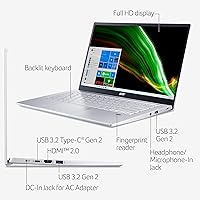
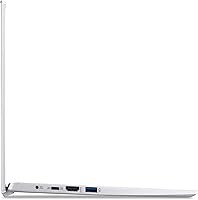
  • Ports: The machine provides three USB 3.0 ports; there is no Thunderbolt port or dedicated SD card slot included.
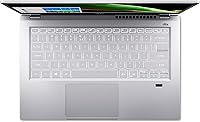
  • Security: A fingerprint reader integrated into the chassis supports Windows Hello biometric login, eliminating the need to type a password each time.
  • Keyboard: The full-size backlit keyboard allows comfortable typing in low-light environments, a feature that many competing machines at this price tier omit.
  • Microphone: Acer's Purified.Voice technology applies digital signal processing to reduce background noise and improve far-field voice pickup during calls.
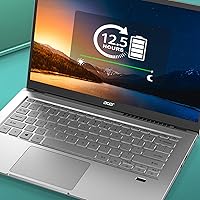
  • Battery: The built-in lithium-ion battery carries a rated life of approximately 4 hours, which reflects light-to-moderate usage conditions.
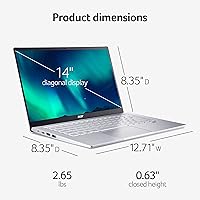
  • Weight: The laptop weighs 2.6 pounds, placing it firmly in the lightweight category for a 14-inch productivity machine.
  • Dimensions: The chassis measures 12.71 x 8.35 x 0.63 inches, keeping the overall footprint compact and the profile impressively slim.
  • Build Material: The lid and chassis incorporate an aluminum construction in a silver finish, giving it a more premium feel relative to all-plastic competitors in this segment.
  • Voice Assistant: Amazon Alexa is integrated into the system software, allowing hands-free voice commands for tasks like calendar checks, music playback, and general queries.
  • Optical Drive: No optical drive is included, which is standard for thin-and-light laptops of this form factor.
  • Aspect Ratio: The display uses a 16:9 widescreen aspect ratio, well-suited for video calls, streaming, and document work side by side.
  • Power Source: The laptop is powered by an included AC adapter; the battery itself is not designed to be user-removable or field-replaceable.

Related Reviews
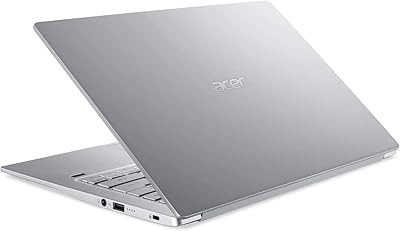
Acer Swift 3 SF314-42 Laptop, AMD Ryzen 7 4700U, 8GB RAM, 512GB SSD
87%
89%
Performance
85%
Battery Life
94%
Portability
88%
Display Quality
82%
Build Quality
More
Acer Aspire 3 A315-44P-R7GS 15.6″ Ryzen 7 5700U 16GB 512GB SSD
86%
91%
Performance
88%
Multitasking Capability
94%
Storage Speed
90%
Display Quality
70%
Graphics Performance
More
Acer Swift 3 SF316-51-740H Laptop
86%
91%
Performance
89%
Display Quality
94%
Portability
88%
Build Quality
72%
Battery Life
More
Acer Swift 3 SF313-53-78UG Laptop
85%
94%
Portability
91%
Battery Life
88%
Display Quality
90%
Build Quality
89%
Performance (Intel Core i7)
More
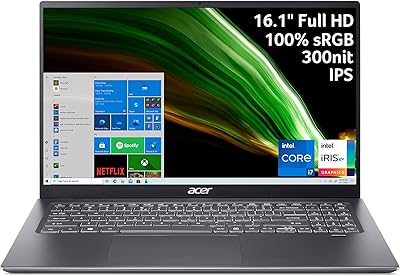
Acer Swift 3 14″ i5 512GB Laptop
76%
86%
Display Quality
81%
Performance
74%
Battery Life
89%
Build & Portability
51%
RAM & Upgradeability
More
Acer Aspire 3 Ryzen 3 7330U 15.6″ 256GB
69%
88%
Value for Money
76%
Performance for Daily Tasks
83%
Display Quality
86%
RAM & Multitasking
51%
Storage Capacity
More
HP 15.6-inch Laptop, AMD Ryzen 7 5700U, 8GB RAM, 256GB SSD
81%
89%
Value for Money
91%
Battery Life
88%
Portability
87%
Processor Performance
71%
Display Quality
More
NIMO N174 17.3″ Gaming Laptop, AMD Ryzen 7 6800H, 32GB RAM, 1TB SSD
84%
89%
Gaming Performance
92%
Display Quality
63%
Battery Life
85%
Build Quality
80%
Portability
More
NIMO N177B 17.3″ Gaming Laptop
73%
88%
Processing Performance
91%
RAM & Storage Speed
84%
Display Quality
58%
Gaming Capability
79%
Build Quality & Design
More
Acer Aspire Go 15 AI Ready Laptop, Ryzen 7 5825U, 16GB RAM, 512GB SSD
85%
89%
Overall Performance
92%
Battery Life
85%
Display Quality
88%
Portability
87%
Multitasking Performance
More

FAQ

The RAM is soldered onto the motherboard, so 8GB is what you get permanently — there is no upgrade path. Storage is a different story; depending on whether the M.2 slot is accessible and unoccupied, you may be able to add or swap the SSD, but you should verify the specific disassembly requirements before attempting it.

Yes, this is genuinely one of its strongest use cases. The Ryzen 7 5700U handles video conferencing without breaking a sweat, and the Purified.Voice microphone processing helps filter out background noise, which makes a noticeable difference on calls. Just keep it plugged in if you have back-to-back meetings — the battery won't last a full workday unplugged.

Honestly, the four-hour rated figure is not far off from what real users report under normal conditions. For light tasks like document editing and browsing, you might squeeze a bit more, but anyone expecting six or eight hours will be disappointed. Plan to carry the charger if you're away from a desk for extended periods.

It shipped with Windows 10 Home, but the Ryzen 7 5700U meets all of Microsoft's hardware requirements for Windows 11, including TPM 2.0 support. Upgrading through Windows Update is straightforward and free.

For hobbyist-level editing, yes — the 100% sRGB coverage is a genuine advantage and ensures colors look accurate rather than washed out. It won't satisfy a professional colorist, but for everyday photo touch-ups and lightroom-style work, it performs well above what you'd expect at this price.

Under light to moderate workloads it stays comfortable, but sustained CPU-intensive tasks — like rendering or compiling — can cause the bottom of the chassis and the area above the keyboard to warm up noticeably. The fan will ramp up in those situations, which some users find audible in quiet environments.

The Ryzen 7 5700U generally trades blows with or outperforms comparable Intel 11th-gen Core i7 chips in multi-threaded workloads, while typically running more efficiently. For everyday productivity tasks, the performance difference is small, but AMD's integrated Radeon graphics tend to outperform Intel Iris Xe in graphics-adjacent tasks like light video playback and casual creative work.

Yes, the Swift 3 includes an HDMI port, so connecting it to an external monitor or projector is straightforward without any adapter. This makes it a practical option for anyone who wants a dual-screen setup at a desk while still having a portable machine on the go.

Most users find it accurate and fast after the initial enrollment process. It integrates cleanly with Windows Hello, so logging in becomes a quick finger tap rather than typing a password. Occasionally, users report it takes a second enrollment attempt to improve recognition consistency, but it's not a persistent issue.

For most buyers, it goes largely unnoticed. The feature works — you can invoke Alexa to play music, set reminders, or answer quick questions — but it requires a microphone-on setting and an Amazon account, and few users end up incorporating it into their daily routine. It's harmless to ignore if you're not already an Alexa household.

Where to Buy